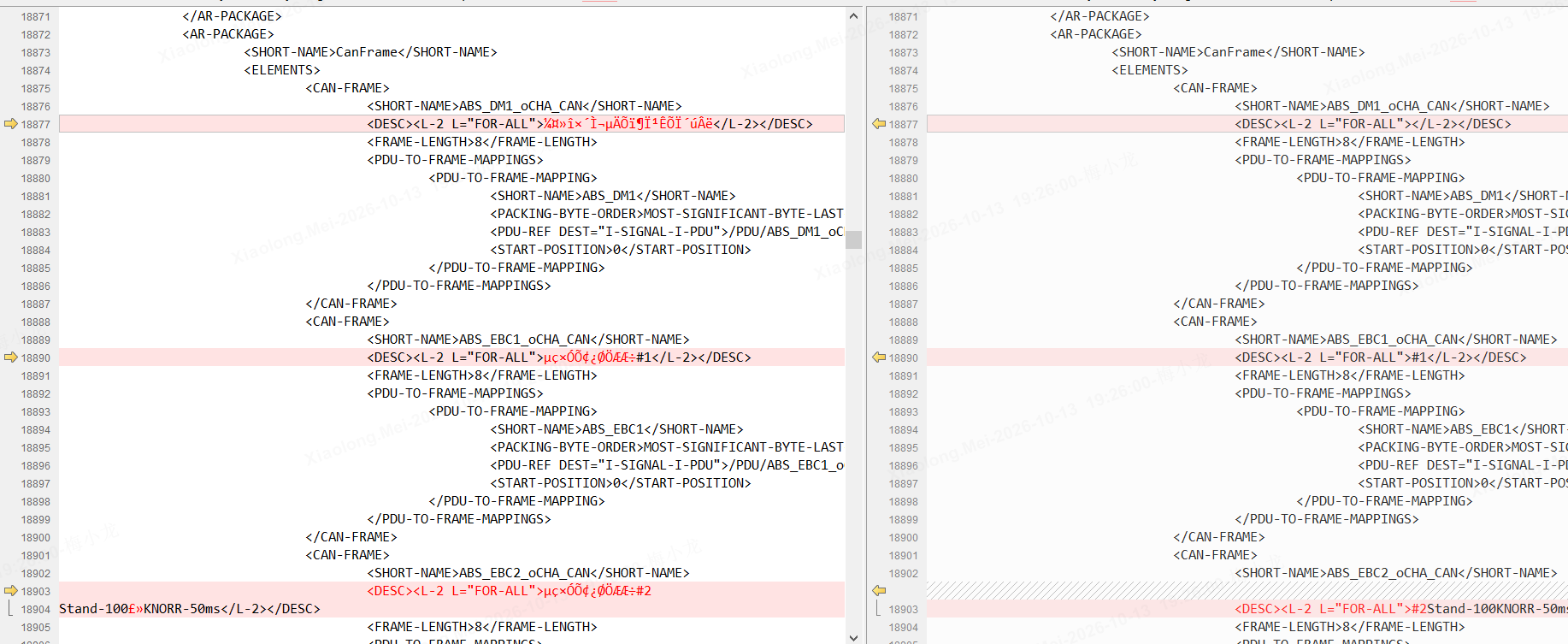
使用vscode的时候发现查看arxml的时候,有的节点无法折叠,当遇到大段节点数据的时候,查看就显得非常麻烦,这时候可以将文件中不合法数据处理掉,方便查阅文件。
1、clean_arxml_desc.py脚本处理
python
#!/usr/bin/env python
# -*- coding: utf-8 -*-
"""
Clean garbled characters and newlines from <DESC>...</DESC> elements in ARXML files.

Usage:
    python clean_arxml_desc.py <file1> [file2 ...]
    python clean_arxml_desc.py *.arxml

What it does:
    - Removes non-ASCII (garbled) characters inside <DESC> elements
    - Removes newline characters (\n, \r) inside <DESC> elements
    - Creates a .bak backup before modifying
"""

import os
import re
import sys


def clean_desc_content(match):
    """Remove non-ASCII chars and newlines from a matched DESC element."""
    desc = match.group(0)
    # Step 1: Remove non-ASCII characters (ord >= 128)
    cleaned = ''.join(ch for ch in desc if ord(ch) < 128)
    # Step 2: Remove newline characters
    cleaned = cleaned.replace('\n', '').replace('\r', '')
    return cleaned


def clean_arxml_file(filepath):
    """Clean all <DESC> elements in a single ARXML file."""
    # Read file
    with open(filepath, 'r') as f:
        content = f.read()

    # Match <DESC>...</DESC> across lines
    desc_pattern = re.compile(r'<DESC>.*?</DESC>', re.DOTALL)
    old_matches = desc_pattern.findall(content)

    # Count issues before cleaning
    garbled_count = sum(
        1 for m in old_matches if any(ord(c) >= 128 for c in m)
    )
    multiline_count = sum(1 for m in old_matches if '\n' in m)

    # Perform cleaning
    new_content = desc_pattern.sub(clean_desc_content, content)

    # Verify
    new_matches = desc_pattern.findall(new_content)
    changed = sum(1 for o, n in zip(old_matches, new_matches) if o != n)
    remaining_garbled = sum(
        1 for m in new_matches if any(ord(c) >= 128 for c in m)
    )
    remaining_multiline = sum(1 for m in new_matches if '\n' in m)

    # Create backup
    bak_path = filepath + '.bak'
    with open(bak_path, 'w') as f:
        f.write(content)

    # Write cleaned content
    with open(filepath, 'w') as f:
        f.write(new_content)

    # Report
    filename = os.path.basename(filepath)
    print('=' * 60)
    print('File: {}'.format(filename))
    print('  Total <DESC> elements:  {}'.format(len(old_matches)))
    print('  With garbled chars:     {}'.format(garbled_count))
    print('  With newlines:          {}'.format(multiline_count))
    print('  Elements cleaned:       {}'.format(changed))
    print('  Remaining garbled:      {}'.format(remaining_garbled))
    print('  Remaining newlines:     {}'.format(remaining_multiline))
    print('  Backup saved to:        {}'.format(bak_path))


def main():
    if len(sys.argv) < 2:
        print(__doc__)
        print('Error: Please provide at least one ARXML file path.')
        sys.exit(1)

    for filepath in sys.argv[1:]:
        if not os.path.isfile(filepath):
            print('Warning: File not found, skipping: {}'.format(filepath))
            continue
        clean_arxml_file(filepath)

    print('=' * 60)
    print('Done. Processed {} file(s).'.format(len(sys.argv) - 1))


if __name__ == '__main__':
    main()
用法:
# 处理单个文件
python clean_arxml_desc.py xxx.arxml# 批量处理
python clean_arxml_desc.py *.arxml
功能:
- 删除
<DESC>...</DESC>内的非 ASCII 乱码字符(ord >= 128)- 删除
<DESC>...</DESC>内的换行符(\n、\r)- 修改前自动生成
.bak备份文件- 输出清理统计报告
处理后效果图: