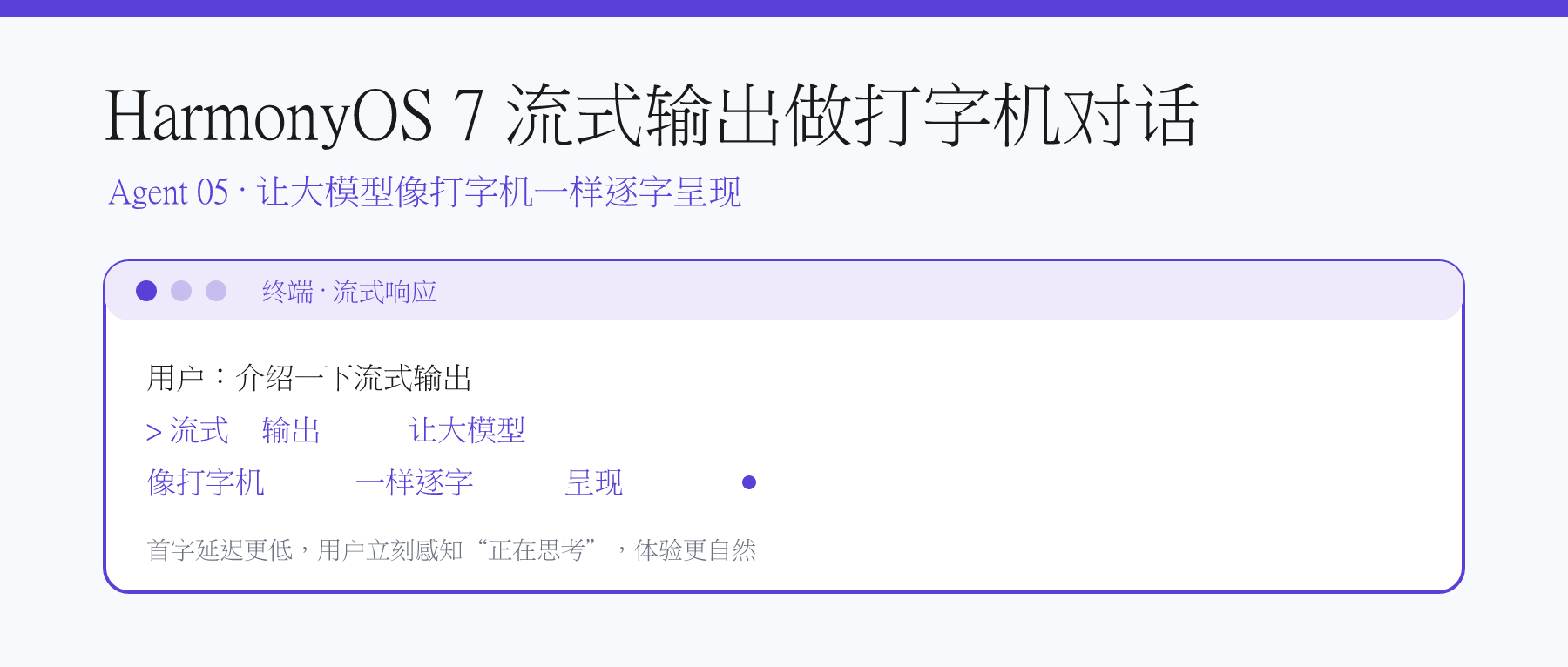
前两篇已搭好底座:01 抽象了 LlmClient,02 用 Agent + ConversationStore + ChatUIMessage 做出对话页。本篇在其上叠加一层流式解析与打字机 UI,让答案逐字增量渲染。
注意:这里的"流式"是应用内一次请求持续接收 SSE 分块并刷新界面,与系列第 09 篇"跨设备互通"无关。
为什么需要流式输出
大模型生成长回答常需数秒,一次性弹出会让等待感被放大。打字机效果首字延迟≈网络往返,并持续给出"正在生成"的反馈,整体更连贯。配合 ArkUI 的 @State 重新赋值数组即可刷新界面。
数据流与核心模块
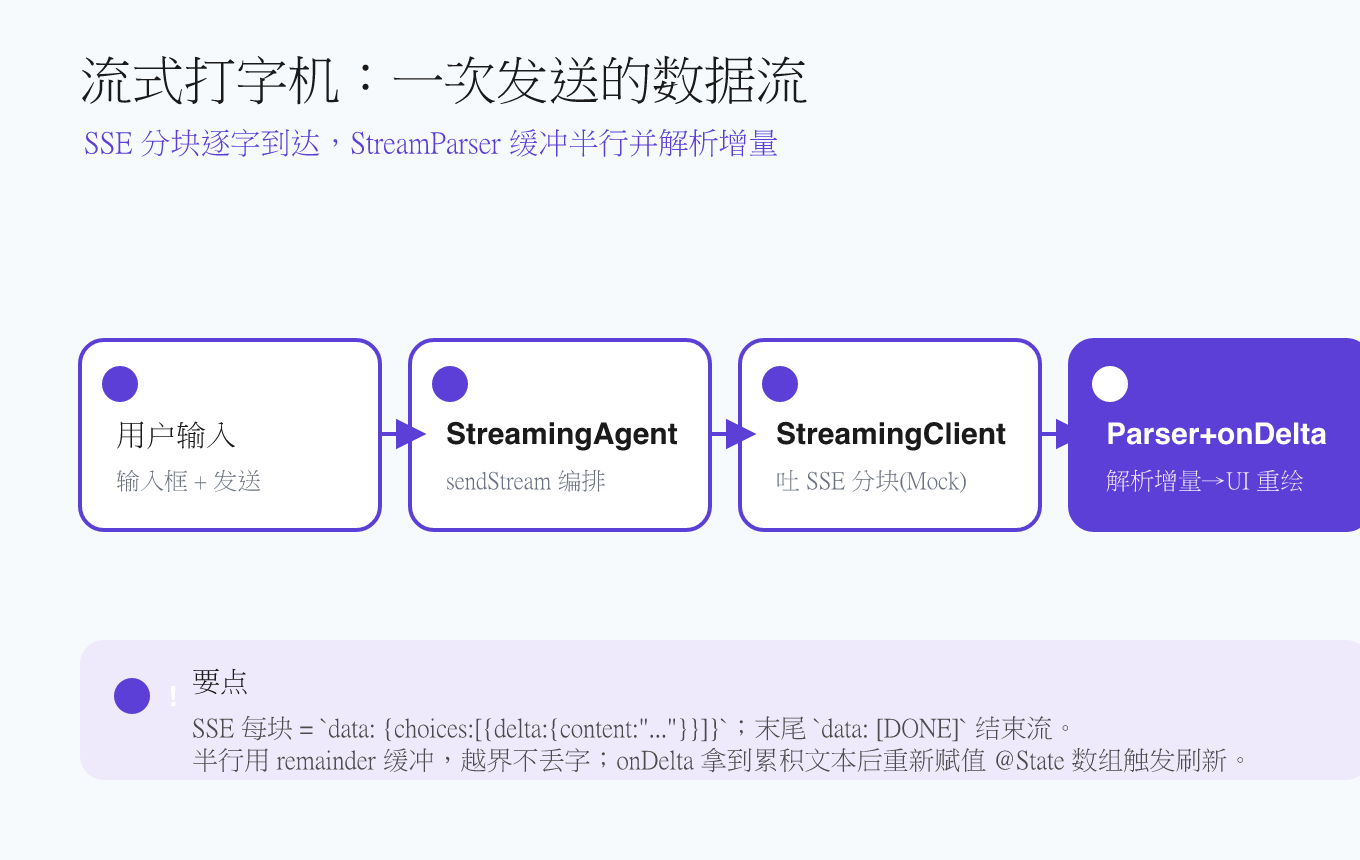
新增 feature/streaming/ 目录,包含三个核心文件:
StreamParser.ets:按行解析 SSE,提取delta.content;MockStreamLlmClient.ets:演示 Mock,实现StreamingClient,按字符吐 SSE 块;StreamingAgent.ets:编排"发请求 → 解析增量 → 回调累积文本 → 落库"。
同时给 ChatUIMessage 新增 appendDelta,pages/Index.ets 负责打字机演示。
SSE 解析器:关键在"半行缓冲"
网络分片不会按 JSON 边界来。一行 data: {...}\n 可能被切成两次到达。直接 JSON.parse 当前 buffer 会抛异常。解决方式是只处理以 \n 结尾的完整行,剩余半行保留在 remainder,下次拼接。
ts
// entry/src/main/ets/feature/streaming/StreamParser.ets
export class StreamParser {
  private remainder: string = '';

  reset(): void { this.remainder = ''; }

  parseChunk(buffer: string): { deltas: string[], done: boolean } {
    this.remainder += buffer;
    const lines: string[] = this.remainder.split('\n');
    this.remainder = lines.pop() ?? ''; // 最后一段是半行则保留
    return StreamParser.parseLines(lines);
  }

  flush(): { deltas: string[], done: boolean } {
    if (this.remainder.length === 0) return { deltas: [], done: false };
    const tail = this.remainder;
    this.remainder = '';
    return StreamParser.parseLines([tail]);
  }

  private static parseLines(lines: string[]): { deltas: string[], done: boolean } {
    const deltas: string[] = [];
    let done = false;
    for (const raw of lines) {
      const line = raw.trim();
      if (!line.startsWith('data:')) continue;
      const data = line.slice(5).trim();
      if (data === '[DONE]') { done = true; continue; }
      try {
        const obj = JSON.parse(data) as Record<string, Object>;
        const choices = obj['choices'] as Object[] | undefined;
        if (choices && choices.length > 0) {
          const delta = (choices[0] as Record<string, Object>)['delta'] as Record<string, Object> | undefined;
          const content = delta?.['content'];
          if (typeof content === 'string' && content.length > 0) deltas.push(content);
        }
      } catch (e) {
        // 半行或脏数据:忽略,等后续缓冲补全
      }
    }
    return { deltas, done };
  }
}
要点:只处理 data: 行;[DONE] 置 done=true;缺失/空 content 跳过;解析异常不抛错。
Mock 流式客户端:不联网也能演示
MockStreamLlmClient 实现 StreamingClient 接口,把一段固定文案按字符切成 SSE 块吐出,末尾补 data: [DONE],工程打开即跑。
ts
export interface StreamingClient extends LlmClient {
  streamChat(req: ChatRequest, onChunk: (sse: string) => void): Promise<void>;
}

export class MockStreamLlmClient extends LlmClient implements StreamingClient {
  private fullText: string;
  constructor(fullText: string = '流式输出让大模型像打字机一样逐字呈现。') { this.fullText = fullText; }
  async streamChat(_req: ChatRequest, onChunk: (sse: string) => void): Promise<void> {
    for (const ch of this.fullText) {
      onChunk('data: ' + JSON.stringify({ choices: [{ delta: { content: ch }, finish_reason: null }] }) + '\n');
    }
    onChunk('data: [DONE]\n');
  }
}
生产环境把 MockStreamLlmClient 换成真实流式客户端即可,接口不变。
流式 Agent:把增量喂给 UI
StreamingAgent.sendStream 把用户消息落库、调用 streamChat、解析每个 SSE 块并把累积文本 通过 onDelta(full) 回传 UI,流结束后再落库。
ts
export class StreamingAgent {
  readonly store: ConversationStore;
  private streamClient: StreamingClient;
  private model: string;
  private parser = new StreamParser();

  constructor(opts: { streamClient: StreamingClient, systemPrompt?: string, model: string }) {
    this.streamClient = opts.streamClient;
    this.store = new ConversationStore(opts.systemPrompt ?? '');
    this.model = opts.model;
  }

  async sendStream(userText: string, onDelta: (text: string) => void): Promise<string> {
    this.store.addUser(userText);
    this.parser.reset();
    let full = '';
    await this.streamClient.streamChat({ model: this.model, messages: this.store.getMessages() }, (chunk: string): void => {
      for (const d of this.parser.parseChunk(chunk).deltas) { full += d; onDelta(full); }
    });
    for (const d of this.parser.flush().deltas) { full += d; onDelta(full); }
    this.store.addAssistant(full);
    return full;
  }
}
注意回调是累积文本,UI 直接赋给 ChatUIMessage.text 即可。
UI 层:重新赋值数组才会触发刷新
@State 监听变量引用本身,直接改数组元素的 .text 不会触发重绘。所以每次 onDelta 要先 .slice() 出新数组,改完再重新赋值给 this.messages。[1](#1)
ts
const list = this.messages.slice();
list[idx].text = full;
this.messages = list;
ChatUIMessage.appendDelta(delta) 也在同一版本补齐:把增量追加到 this.text,方便直接按 token 刷新。
演示页面
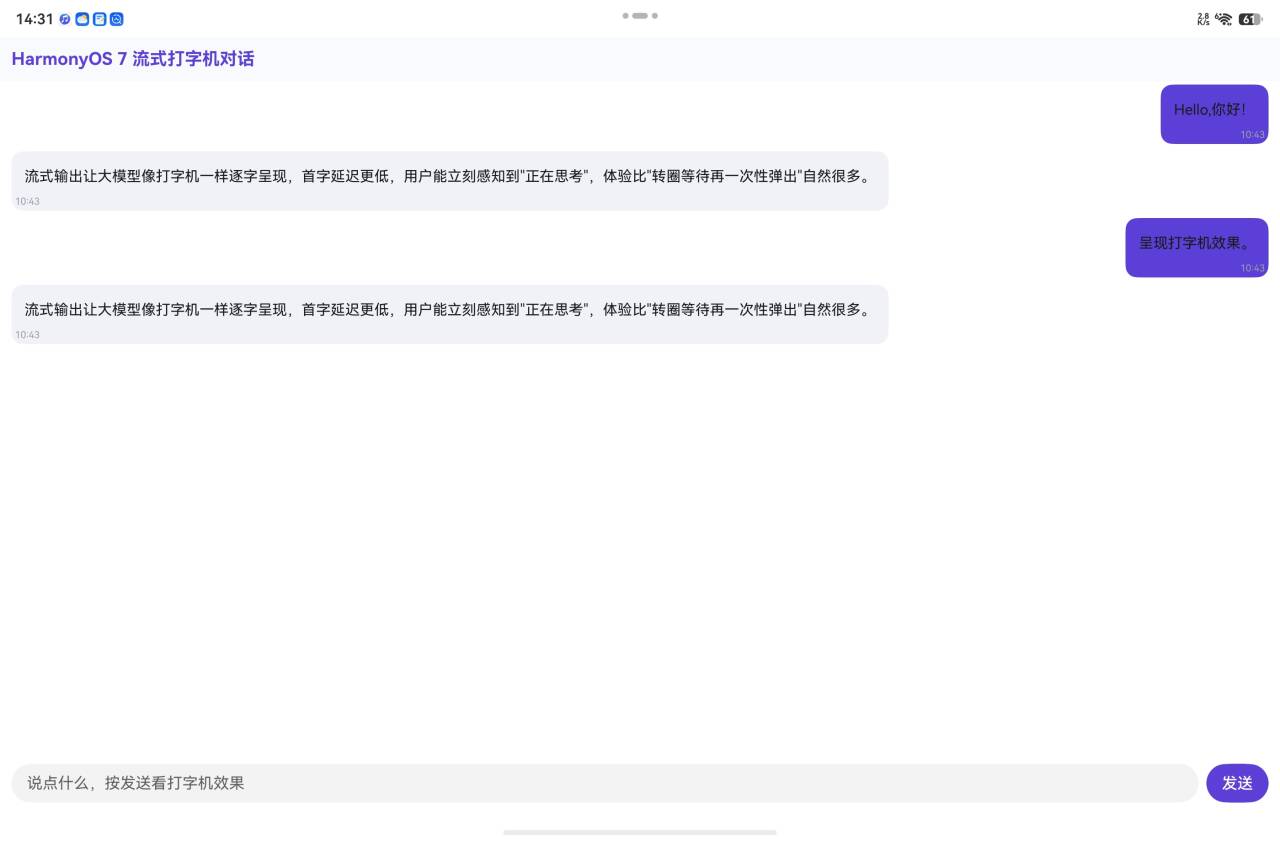
Index.ets 保留 02 的聊天布局:标题、消息列表、输入框、发送按钮。点击发送后先插入一条 PENDING 助手消息,再在 onDelta 里更新它的文本,流结束后改 DONE。
ts
private async handleSend(): Promise<void> {
  const text = this.inputText.trim();
  if (text.length === 0 || this.streaming) return;
  this.inputText = '';
  this.streaming = true;

  const userMsg = new ChatUIMessage(BubbleRole.USER, text, MsgStatus.DONE);
  const botMsg = new ChatUIMessage(BubbleRole.ASSISTANT, '', MsgStatus.PENDING);
  this.typingId = botMsg.id;
  this.messages = [...this.messages, userMsg, botMsg];

  try {
    await this.agent.sendStream(text, (full: string): void => {
      const list = this.messages.slice();
      const idx = list.findIndex(m => m.id === this.typingId);
      if (idx >= 0) { list[idx].text = full; this.messages = list; }
    });
    const list = this.messages.slice();
    const idx = list.findIndex(m => m.id === this.typingId);
    if (idx >= 0) { list[idx].status = MsgStatus.DONE; this.messages = list; }
  } catch (e) {
    const list = this.messages.slice();
    const idx = list.findIndex(m => m.id === this.typingId);
    if (idx >= 0) {
      list[idx].text = '出错了:' + (e as Error).message;
      list[idx].status = MsgStatus.ERROR;
      this.messages = list;
    }
  } finally {
    this.streaming = false;
    this.typingId = '';
  }
}
气泡 PENDING 且文本为空时显示"正在输入...",文字逐步覆盖后就是打字机效果。
V 哥真机测试效果图:
常见坑
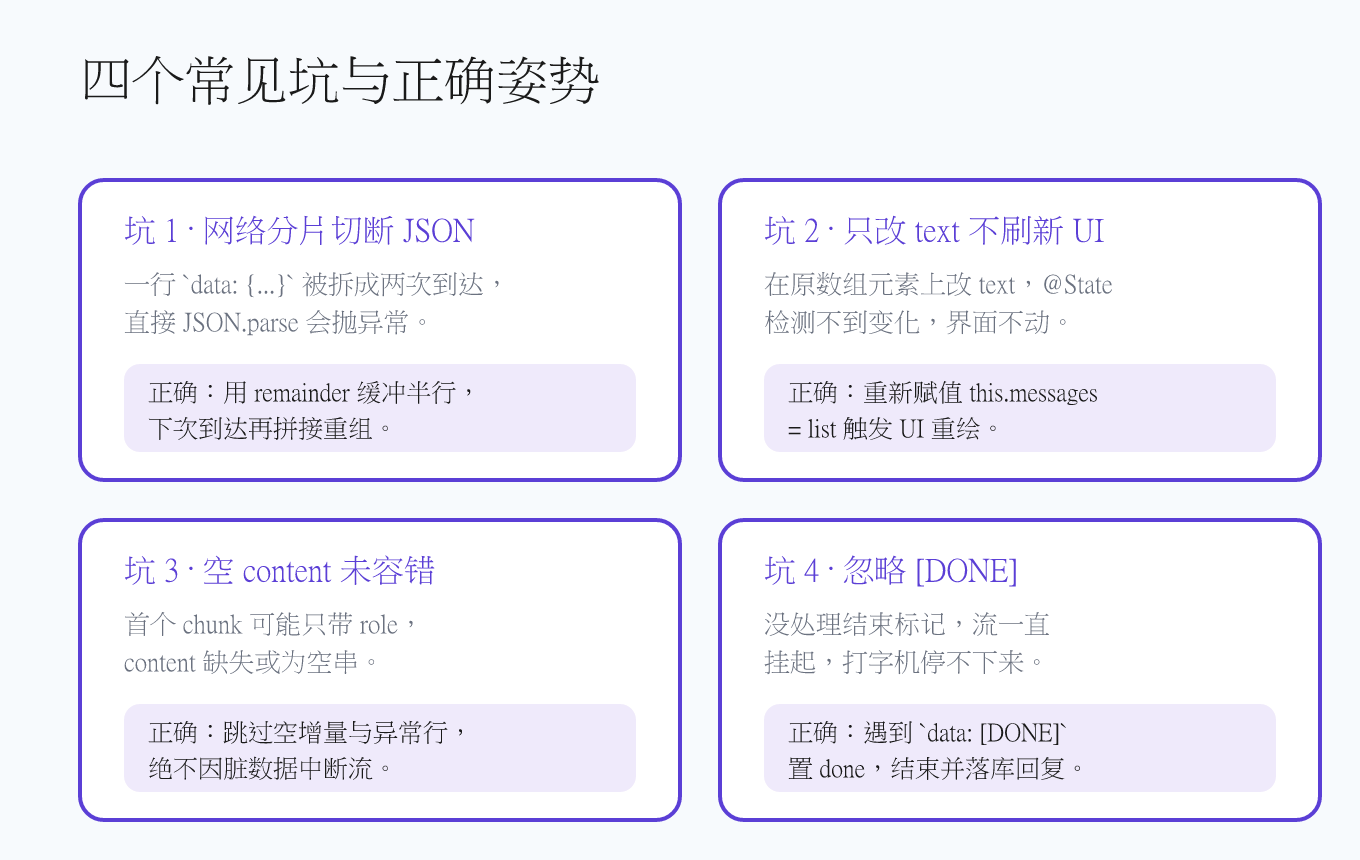
1. 半行 JSON 直接 parse 抛错
SSE 不保证整行到达。把未遇到 \n 的部分存进 remainder,下次拼接后再解析。
2. 只在原数组元素上改 text
@State 监听变量引用。要重新 slice 出新数组并赋值,才能刷新 UI。
3. 忽略 content 为空或缺失
首个 chunk 可能只带 role,没有 content。用 content.length > 0 过滤,安全跳过。
4. 没有处理 [DONE]
SSE 结束标志是 data: [DONE]。解析器识别为 done = true,上层关闭打字机并落库。
单测与纯逻辑验证
entry/src/ohosTest/ets/test/LlmClient.test.ets 保留 01/02 基础单测,新增流式用例:多行 SSE 拼接、[DONE] 结束、空 content 跳过、JSON 分两次重组、onDelta 多次调用且最终等于完整文案、完整回复写入 ConversationStore。
工程根目录 verify-node.cjs 用纯 JavaScript 镜像 SSE 解析逻辑,Node 运行 PASS 13 / FAIL 0。
与系列其它章节的关系
本章复用 01 的 feature/llmclient 和 02 的 feature/agent,只新增 feature/streaming 负责"内容怎么显示"。它与第 09 篇"跨设备互通"不同:那篇处理多端能力流转,本篇只讲单端流式解析与 UI 刷新。
参考与出处
- 华为开发者文档:HTTP 数据请求,https://developer.huawei.com/consumer/cn/doc/harmonyos-references-V5/js-apis-http-V5
- OpenAI API: Streaming Responses with Server-Sent Events, https://platform.openai.com/docs/api-reference/streaming
最后一句:把流式输出做进对话页,不是为了炫技,而是让用户在每一次等待里,都能看到答案正在一行一行地长出来。
- 华为开发者文档:状态管理------@State 装饰器,https://developer.huawei.com/consumer/cn/doc/harmonyos-guides-V5/arkts-state-V5 ↩︎