7. 项目开发
7.4 移动端后端开发
7.4.1 项目初始配置
7.4.1.1 SpringBoot配置
1. 创建application.yml文件
在web-app模块 的src/main/resources目录下创建application.yml配置文件,内容如下:
yaml
server:
  port: 8081
2. 创建SpringBoot启动类
在web-app模块 下创建com.atguigu.lease.AppWebApplication类,内容如下:
java
@SpringBootApplication
public class AppWebApplication {
    public static void main(String[] args) {
        SpringApplication.run(AppWebApplication.class);
    }
}
7.4.1.2 Mybatis-Plus配置
在web-admin模块的application.yml文件增加如下内容:
yaml
spring:
  datasource:
    type: com.zaxxer.hikari.HikariDataSource
    url: jdbc:mysql://<hostname>:<port>/<database>?useUnicode=true&characterEncoding=utf-8&useSSL=false&allowPublicKeyRetrieval=true&serverTimezone=GMT%2b8
    username: <username>
    password: <password>
    hikari:
      connection-test-query: SELECT 1 # 自动检测连接
      connection-timeout: 60000 #数据库连接超时时间,默认30秒
      idle-timeout: 500000 #空闲连接存活最大时间,默认600000(10分钟)
      max-lifetime: 540000 #此属性控制池中连接的最长生命周期,值0表示无限生命周期,默认1800000即30分钟
      maximum-pool-size: 12 #连接池最大连接数,默认是10
      minimum-idle: 10 #最小空闲连接数量
      pool-name: SPHHikariPool # 连接池名称
  jackson:
      time-zone: GMT+8

#用于打印框架生成的sql语句,便于调试
mybatis-plus:
  configuration:
    log-impl: org.apache.ibatis.logging.stdout.StdOutImpl
注意 :需根据实际情况修改hostname、port、database、username、password。
7.4.1.3 Knife4j配置
1. 配置类
在web-app模块 下创建com.atguigu.lease.web.app.custom.config.Knife4jConfiguration类,内容如下:
java
@Configuration
public class Knife4jConfiguration {

    @Bean
    public OpenAPI customOpenAPI() {
        return new OpenAPI()
                .info(new Info()
                        .title("APP接口")
                        .version("1.0")
                        .description("用户端APP接口")
                        .termsOfService("http://doc.xiaominfo.com")
                        .license(new License().name("Apache 2.0")
                                .url("http://doc.xiaominfo.com")));
    }


    @Bean
    public GroupedOpenApi loginAPI() {
        return GroupedOpenApi.builder().group("登录信息").
                pathsToMatch("/app/login/**", "/app/info").
                build();
    }

    @Bean
    public GroupedOpenApi personAPI() {
        return GroupedOpenApi.builder().group("个人信息").
                pathsToMatch(
                        "/app/history/**",
                        "/app/appointment/**",
                        "/app/agreement/**"
                ).
                build();
    }

    @Bean
    public GroupedOpenApi lookForRoomAPI() {
        return GroupedOpenApi.builder().group("找房信息").
                pathsToMatch(
                        "/app/apartment/**",
                        "/app/room/**",
                        "/app/payment/**",
                        "/app/region/**",
                        "/app/term/**"
                ).
                build();
    }
}
2. application.yml配置文件
在application.yml文件中增加如下配置:
yml
springdoc:
  default-flat-param-object: true
7.2.1.4 导入基础代码
导入的代码和目标位置如下:
| 导入代码 | 模块 | 包名/路径 | 说明 |
|---|---|---|---|
| mapper接口 | web-app | com.atguigu.lease.web.app.mapper |
略 |
| mapper xml | web-app | src/main/resources/mapper | 略 |
| service | web-app | com.atguigu.lease.web.app.service |
略 |
| serviceImpl | web-app | com.atguigu.lease.web.app.service.impl |
略 |
7.2.1.5 导入接口定义代码
需要导入的代码和目标位置如下:
| 导入代码 | 模块 | 包名/路径 | 说明 |
|---|---|---|---|
| controller | web-app | com.atguigu.lease.web.app.controller |
略 |
| vo | web-app | com.atguigu.lease.web.app.vo |
View Object,用于封装或定义接口接受及返回的数据结构 |
7.2.1.6 启动项目
由于common模块 中配置了MinioClient 这个Bean,并且web-app模块 依赖于common模块 ,因此在启动AppWebApplication 时,SpringBoot会创建一个MinioClient实例,但是由于web-app模块 的application.yml文件中并未提供MinioClient所需的参数(web-app模块暂时不需要使用MinioClient),因此MinioClient实例的创建会失败。
为解决该问题,可以为MinioClient的配置类增加一个条件注解@ConditionalOnProperty,如下,该注解表达的含义是只有当minio.endpoint属性存在时,该配置类才会生效。
java
@Configuration
@EnableConfigurationProperties(MinioProperties.class)
@ConditionalOnProperty(name = "minio.endpoint")
public class MinioConfiguration {

    @Autowired
    private MinioProperties properties;

    @Bean
    public MinioClient minioClient() {
        return MinioClient.builder().endpoint(properties.getEndpoint()).credentials(properties.getAccessKey(), properties.getSecretKey()).build();
    }
}完成上述配置后,便可启动SpringBoot项目,并访问接口文档了,Knife4j文档的url为:http://localhost:8081/doc.html
7.4.2 登录管理
7.4.2.1 登陆流程
移动端的具体登录流程如下图所示

根据上述登录流程,可分析出,登录管理共需三个接口,分别是获取短信验证码 、登录 、查询登录用户的个人信息 。除此之外,同样需要编写HandlerInterceptor来为所有受保护的接口增加验证JWT的逻辑。
7.4.2.2 接口开发
首先在LoginController中注入LoginService,如下
java
@RestController
@Tag(name = "登录管理")
@RequestMapping("/app/")
public class LoginController {

    @Autowired
    private LoginService service;
}
1. 获取短信验证码
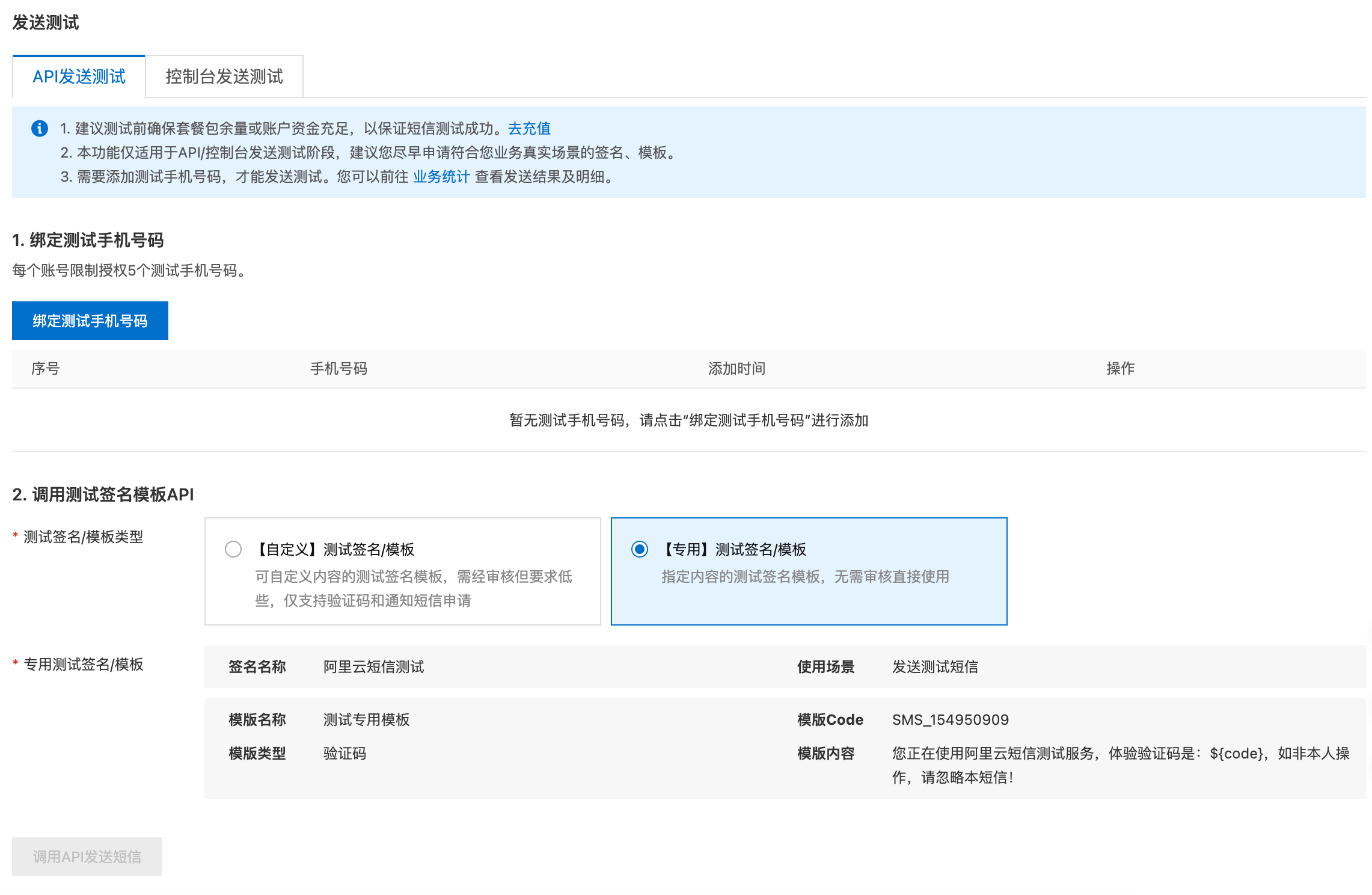
该接口需向登录手机号码发送短信验证码,各大云服务厂商都提供短信服务,本项目使用阿里云完成短信验证码功能,下面介绍具体配置。
-
配置短信服务
-
配置所需依赖
如需调用阿里云的短信服务,需使用其提供的SDK,具体可参考官方文档。
在common模块的pom.xml文件中增加如下内容
xml<dependency> <groupId>com.aliyun</groupId> <artifactId>dysmsapi20170525</artifactId> </dependency> -
配置发送短信客户端
-
在
application.yml中增加如下内容ymlaliyun: sms: access-key-id: <access-key-id> access-key-secret: <access-key-secret> endpoint: dysmsapi.aliyuncs.com注意:
上述
access-key-id、access-key-secret需根据实际情况进行修改。 -
在common模块 中创建
com.atguigu.lease.common.sms.AliyunSMSProperties类,内容如下java@Data @ConfigurationProperties(prefix = "aliyun.sms") public class AliyunSMSProperties { private String accessKeyId; private String accessKeySecret; private String endpoint; } -
在common模块 中创建
com.atguigu.lease.common.sms.AliyunSmsConfiguration类,内容如下java@Configuration @EnableConfigurationProperties(AliyunSMSProperties.class) @ConditionalOnProperty(name = "aliyun.sms.endpoint") public class AliyunSMSConfiguration { @Autowired private AliyunSMSProperties properties; @Bean public Client smsClient() { Config config = new Config(); config.setAccessKeyId(properties.getAccessKeyId()); config.setAccessKeySecret(properties.getAccessKeySecret()); config.setEndpoint(properties.getEndpoint()); try { return new Client(config); } catch (Exception e) { throw new RuntimeException(e); } } }
-
-
配置Redis连接参数
yamlspring: data: redis: host: 192.168.10.101 port: 6379 database: 0 -
编写Controller层逻辑
在
LoginController中增加如下内容java@GetMapping("login/getCode") @Operation(summary = "获取短信验证码") public Result getCode(@RequestParam String phone) { service.getSMSCode(phone); return Result.ok(); } -
编写Service层逻辑
-
编写发送短信逻辑
-
在
SmsService中增加如下内容javavoid sendCode(String phone, String verifyCode); -
在
SmsServiceImpl中增加如下内容java@Override public void sendCode(String phone, String code) { SendSmsRequest smsRequest = new SendSmsRequest(); smsRequest.setPhoneNumbers(phone); smsRequest.setSignName("阿里云短信测试"); smsRequest.setTemplateCode("SMS_154950909"); smsRequest.setTemplateParam("{\"code\":\"" + code + "\"}"); try { client.sendSms(smsRequest); } catch (Exception e) { throw new RuntimeException(e); } }
-
-
编写生成随机验证码逻辑
在common模块 中创建
com.atguigu.lease.common.utils.VerifyCodeUtil类,内容如下javapublic class VerifyCodeUtil { public static String getVerifyCode(int length) { StringBuilder builder = new StringBuilder(); Random random = new Random(); for (int i = 0; i < length; i++) { builder.append(random.nextInt(10)); } return builder.toString(); } } -
编写获取短信验证码逻辑
-
在
LoginServcie中增加如下内容javavoid getSMSCode(String phone); -
在
LoginServiceImpl中增加如下内容java@Override public void getSMSCode(String phone) { //1. 检查手机号码是否为空 if (!StringUtils.hasText(phone)) { throw new LeaseException(ResultCodeEnum.APP_LOGIN_PHONE_EMPTY); } //2. 检查Redis中是否已经存在该手机号码的key String key = RedisConstant.APP_LOGIN_PREFIX + phone; boolean hasKey = redisTemplate.hasKey(key); if (hasKey) { //若存在,则检查其存在的时间 Long expire = redisTemplate.getExpire(key, TimeUnit.SECONDS); if (RedisConstant.APP_LOGIN_CODE_TTL_SEC - expire < RedisConstant.APP_LOGIN_CODE_RESEND_TIME_SEC) { //若存在时间不足一分钟,响应发送过于频繁 throw new LeaseException(ResultCodeEnum.APP_SEND_SMS_TOO_OFTEN); } } //3.发送短信,并将验证码存入Redis String verifyCode = VerifyCodeUtil.getVerifyCode(6); smsService.sendCode(phone, verifyCode); redisTemplate.opsForValue().set(key, verifyCode, RedisConstant.APP_LOGIN_CODE_TTL_SEC, TimeUnit.SECONDS); }注意:
需要注意防止频繁发送短信。
-
-

2. 登录和注册接口
-
登录注册校验逻辑
- 前端发送手机号码
phone和接收到的短信验证码code到后端。 - 首先校验
phone和code是否为空,若为空,直接响应手机号码为空或者验证码为空,若不为空则进入下步判断。 - 根据
phone从Redis中查询之前保存的验证码,若查询结果为空,则直接响应验证码已过期,若不为空则进入下一步判断。 - 比较前端发送的验证码和从Redis中查询出的验证码,若不同,则直接响应
验证码错误,若相同则进入下一步判断。 - 使用
phone从数据库中查询用户信息,若查询结果为空,则创建新用户,并将用户保存至数据库,然后进入下一步判断。 - 判断用户是否被禁用,若被禁,则直接响应
账号被禁用,否则进入下一步。 - 创建JWT并响应给前端。
- 前端发送手机号码
-
接口实现
-
编写Controller层逻辑
在
LoginController中增加如下内容java@PostMapping("login") @Operation(summary = "登录") public Result<String> login(LoginVo loginVo) { String token = service.login(loginVo); return Result.ok(token); } -
编写Service层逻辑
-
在
LoginService中增加如下内容javaString login(LoginVo loginVo); -
在
LoginServiceImpl总增加如下内容java@Override public String login(LoginVo loginVo) { //1.判断手机号码和验证码是否为空 if (!StringUtils.hasText(loginVo.getPhone())) { throw new LeaseException(ResultCodeEnum.APP_LOGIN_PHONE_EMPTY); } if (!StringUtils.hasText(loginVo.getCode())) { throw new LeaseException(ResultCodeEnum.APP_LOGIN_CODE_EMPTY); } //2.校验验证码 String key = RedisConstant.APP_LOGIN_PREFIX + loginVo.getPhone(); String code = redisTemplate.opsForValue().get(key); if (code == null) { throw new LeaseException(ResultCodeEnum.APP_LOGIN_CODE_EXPIRED); } if (!code.equals(loginVo.getCode())) { throw new LeaseException(ResultCodeEnum.APP_LOGIN_CODE_ERROR); } //3.判断用户是否存在,不存在则注册(创建用户) LambdaQueryWrapper<UserInfo> queryWrapper = new LambdaQueryWrapper<>(); queryWrapper.eq(UserInfo::getPhone, loginVo.getPhone()); UserInfo userInfo = userInfoService.getOne(queryWrapper); if (userInfo == null) { userInfo = new UserInfo(); userInfo.setPhone(loginVo.getPhone()); userInfo.setStatus(BaseStatus.ENABLE); userInfo.setNickname("用户-"+loginVo.getPhone().substring(6)); userInfoService.save(userInfo); } //4.判断用户是否被禁 if (userInfo.getStatus().equals(BaseStatus.DISABLE)) { throw new LeaseException(ResultCodeEnum.APP_ACCOUNT_DISABLED_ERROR); } //5.创建并返回TOKEN return JwtUtil.createToken(userInfo.getId(), loginVo.getPhone()); }
-
-
编写HandlerInterceptor
-
编写AuthenticationInterceptor
在web-app模块 创建
com.atguigu.lease.web.app.custom.interceptor.AuthenticationInterceptor,内容如下java@Component public class AuthenticationInterceptor implements HandlerInterceptor { @Override public boolean preHandle(HttpServletRequest request, HttpServletResponse response, Object handler) { String token = request.getHeader("access-token"); Claims claims = JwtUtil.parseToken(token); Long userId = claims.get("userId", Long.class); String username = claims.get("username", String.class); LoginUserHolder.setLoginUser(new LoginUser(userId, username)); return true; } @Override public void afterCompletion(HttpServletRequest request, HttpServletResponse response, Object handler, Exception ex) throws Exception { LoginUserHolder.clear(); } } -
注册AuthenticationInterceptor
在web-app模块 创建
com.atguigu.lease.web.app.custom.config.WebMvcConfiguration,内容如下java@Configuration public class WebMvcConfiguration implements WebMvcConfigurer { @Autowired private AuthenticationInterceptor authenticationInterceptor; @Override public void addInterceptors(InterceptorRegistry registry) { registry.addInterceptor(this.authenticationInterceptor).addPathPatterns("/app/**").excludePathPatterns("/app/login/**"); } }
-
-
-
Knife4j增加认证相关配置
在增加上述拦截器后,为方便继续调试其他接口,可以获取一个长期有效的Token,将其配置到Knife4j的全局参数中。
3.查询登录用户的个人信息
-
查看响应数据结构
查看web-app模块 下的
com.atguigu.lease.web.app.vo.user.UserInfoVo,内容如下java@Schema(description = "用户基本信息") @Data @AllArgsConstructor public class UserInfoVo { @Schema(description = "用户昵称") private String nickname; @Schema(description = "用户头像") private String avatarUrl; } -
编写Controller层逻辑
在
LoginController中增加如下内容java@GetMapping("info") @Operation(summary = "获取登录用户信息") public Result<UserInfoVo> info() { UserInfoVo info = service.getUserInfoById(LoginUserHolder.getLoginUser().getUserId()); return Result.ok(info); } -
编写Service层逻辑
-
在
LoginService中增加如下内容javaUserInfoVo getUserInfoId(Long id); -
在
LoginServiceImpl中增加如下内容java@Override public UserInfoVo getUserInfoId(Long id) { UserInfo userInfo = userInfoService.getById(id); return new UserInfoVo(userInfo.getNickname(), userInfo.getAvatarUrl()); }
-
7.4.3 找房
7.4.3.1 地区信息
对于找房模块,地区信息共需三个接口,分别是查询省份列表 、根据省份ID查询城市列表 、根据城市ID查询区县列表,具体实现如下
在RegionController中增加如下内容
java
@Tag(name = "地区信息")
@RestController
@RequestMapping("/app/region")
public class RegionController {

    @Autowired
    private ProvinceInfoService provinceInfoService;

    @Autowired
    private CityInfoService cityInfoService;

    @Autowired
    private DistrictInfoService districtInfoService;

    @Operation(summary="查询省份信息列表")
    @GetMapping("province/list")
    public Result<List<ProvinceInfo>> listProvince(){
        List<ProvinceInfo> list = provinceInfoService.list();
        return Result.ok(list);
    }

    @Operation(summary="根据省份id查询城市信息列表")
    @GetMapping("city/listByProvinceId")
    public Result<List<CityInfo>> listCityInfoByProvinceId(@RequestParam Long id){
        LambdaQueryWrapper<CityInfo> queryWrapper = new LambdaQueryWrapper<>();
        queryWrapper.eq(CityInfo::getProvinceId,id);
        List<CityInfo> list = cityInfoService.list(queryWrapper);
        return Result.ok(list);
    }

    @GetMapping("district/listByCityId")
    @Operation(summary="根据城市id查询区县信息")
    public Result<List<DistrictInfo>> listDistrictInfoByCityId(@RequestParam Long id){
        LambdaQueryWrapper<DistrictInfo> queryWrapper = new LambdaQueryWrapper<>();
        queryWrapper.eq(DistrictInfo::getCityId,id);
        List<DistrictInfo> list = districtInfoService.list(queryWrapper);
        return Result.ok(list);
    }
}
7.4.3.2 支付方式
对于找房模块,支付方式共需一个接口,即获取全部支付方式列表,具体实现如下
在PaymentTypeController中增加如下内容
java
@Tag(name = "支付方式接口")
@RestController
@RequestMapping("/app/payment")
public class PaymentTypeController {

    @Autowired
    private PaymentTypeService service;

    @Operation(summary = "获取全部支付方式列表")
    @GetMapping("list")
    public Result<List<PaymentType>> list() {
        List<PaymentType> list = service.list();
        return Result.ok(list);
    }
}
7.4.3.4 房间信息
房间信息共需三个接口,分别是根据条件分页查询房间列表 、根据ID查询房间详细信息 、根据公寓ID分页查询房间列表,下面逐一实现
首先在RoomController中注入RoomInfoService,如下
java
@Tag(name = "房间信息")
@RestController
@RequestMapping("/app/room")
public class RoomController {

    @Autowired
    RoomInfoService roomInfoService;
}
1. 根据条件分页查询房间列表
-
查看请求和响应的数据结构
-
请求数据结构
-
current和size为分页相关参数,分别表示当前所处页面 和每个页面的记录数。 -
RoomQueryVo为房间的查询条件,详细结构如下:java@Data @Schema(description = "房间查询实体") public class RoomQueryVo { @Schema(description = "省份Id") private Long provinceId; @Schema(description = "城市Id") private Long cityId; @Schema(description = "区域Id") private Long districtId; @Schema(description = "最小租金") private BigDecimal minRent; @Schema(description = "最大租金") private BigDecimal maxRent; @Schema(description = "支付方式") private Long paymentTypeId; @Schema(description = "价格排序方式", allowableValues = {"desc", "asc"}) private String orderType; }
-
-
响应数据结构
单个房间信息记录可查看
com.atguigu.lease.web.app.vo.room.RoomItemVo,内容如下:java@Schema(description = "APP房间列表实体") @Data public class RoomItemVo { @Schema(description = "房间id") private Long id; @Schema(description = "房间号") private String roomNumber; @Schema(description = "租金(元/月)") private BigDecimal rent; @Schema(description = "房间图片列表") private List<GraphVo> graphVoList; @Schema(description = "房间标签列表") private List<LabelInfo> labelInfoList; @Schema(description = "房间所属公寓信息") private ApartmentInfo apartmentInfo; }
-
-
编写Controller层逻辑
在
RoomController中增加如下内容java@Operation(summary = "分页查询房间列表") @GetMapping("pageItem") public Result<IPage<RoomItemVo>> pageItem(@RequestParam long current, @RequestParam long size, RoomQueryVo queryVo) { Page<RoomItemVo> page = new Page<>(current, size); IPage<RoomItemVo> list = roomInfoService.pageRoomItemByQuery(page, queryVo); return Result.ok(list); } -
编写Service层逻辑
-
在
RoomInfoService中增加如下内容javaIPage<RoomItemVo> pageRoomItemByQuery(Page<RoomItemVo> page, RoomQueryVo queryVo); -
在
RoomInfoServiceImpl中增加如下内容java@Override public IPage<RoomItemVo> pageRoomItemByQuery(Page<RoomItemVo> page, RoomQueryVo queryVo) { return roomInfoMapper.pageRoomItemByQuery(page, queryVo); }
-
-
编写Mapper层逻辑
-
在
RoomInfoMapper中增加如下内容javaIPage<RoomItemVo> pageRoomItemByQuery(Page<RoomItemVo> page, RoomQueryVo queryVo); -
在
RoomInfoMapper中增加如下内容xml<!-- result map --> <resultMap id="RoomItemVoMap" type="com.atguigu.lease.web.app.vo.room.RoomItemVo" autoMapping="true"> <id column="id" property="id"/> <!--映射公寓信息--> <association property="apartmentInfo" javaType="com.atguigu.lease.model.entity.ApartmentInfo" autoMapping="true"> <id column="id" property="id"/> </association> <!--映射图片列表--> <collection property="graphVoList" ofType="com.atguigu.lease.web.app.vo.graph.GraphVo" select="selectGraphVoListByRoomId" column="id"/> <!--映射标签列表--> <collection property="labelInfoList" ofType="com.atguigu.lease.model.entity.LabelInfo" select="selectLabelInfoListByRoomId" column="id"/> </resultMap> <!-- 根据条件查询房间列表 --> <select id="pageItem" resultMap="RoomItemVoMap"> select ri.id, ri.room_number, ri.rent, ai.id apartment_id, ai.name, ai.introduction, ai.district_id, ai.district_name, ai.city_id, ai.city_name, ai.province_id, ai.province_name, ai.address_detail, ai.latitude, ai.longitude, ai.phone, ai.is_release from room_info ri left join apartment_info ai on ri.apartment_id = ai.id and ai.is_deleted = 0 <where> ri.is_deleted = 0 and ri.is_release = 1 and ri.id not in( select room_id from lease_agreement where is_deleted = 0 and status in(2,5)) <if test="queryVo.provinceId != null"> and ai.province_id = #{queryVo.provinceId} </if> <if test="queryVo.cityId != null"> and ai.city_id = #{queryVo.cityId} </if> <if test="queryVo.districtId != null"> and ai.district_id = #{queryVo.districtId} </if> <if test="queryVo.minRent != null and queryVo.maxRent != null"> and (ri.rent >= #{queryVo.minRent} and ri.rent <= #{queryVo.maxRent}) </if> <if test="queryVo.paymentTypeId != null"> and ri.id in ( select room_id from room_payment_type where is_deleted = 0 and payment_type_id = #{queryVo.paymentTypeId} ) </if> </where> <if test="queryVo.orderType == 'desc' or queryVo.orderType == 'asc'"> order by ri.rent ${queryVo.orderType} </if> </select> <!-- 根据房间ID查询图片列表 --> <select id="selectGraphVoListByRoomId" resultType="com.atguigu.lease.web.app.vo.graph.GraphVo"> select id, name, item_type, item_id, url from graph_info where is_deleted = 0 and item_type = 2 and item_id = #{id} </select> <!-- 根据公寓ID查询标签列表 --> <select id="selectLabelInfoListByRoomId" resultType="com.atguigu.lease.model.entity.LabelInfo"> select id, type, name from label_info where is_deleted = 0 and id in (select label_id from room_label where is_deleted = 0 and room_id = #{id}) </select>知识点:
-
xml文件
<和>的转义由于xml文件中的
<和>是特殊符号,需要转义处理。原符号 转义符号 <<>> -
Mybatis-Plus分页插件注意事项
使用Mybatis-Plus的分页插件进行分页查询时,如果结果需要使用
<collection>进行映射,只能使用**嵌套查询(Nested Select for Collection),而不能使用 嵌套结果映射(Nested Results for Collection)**。嵌套查询 和嵌套结果映射是Collection映射的两种方式,下面通过一个案例进行介绍
例如有
room_info和graph_info两张表,其关系为一对多,如下
现需要查询房间列表及其图片信息,期望返回的结果如下
json[ { "id": 1, "number": 201, "rent": 2000, "graphList": [ { "id": 1, "url": "http://", "roomId": 1 }, { "id": 2, "url": "http://", "roomId": 1 } ] }, { "id": 2, "number": 202, "rent": 3000, "graphList": [ { "id": 3, "url": "http://", "roomId": 2 }, { "id": 4, "url": "http://", "roomId": 2 } ] } ]为得到上述结果,可使用以下两种方式
-
嵌套结果映射
xml<select id="selectRoomPage" resultMap="RoomPageMap"> select ri.id room_id, ri.number, ri.rent, gi.id graph_id, gi.url, gi.room_id from room_info ri left join graph_info gi on ri.id=gi.room_id </select> <resultMap id="RoomPageMap" type="RoomInfoVo" autoMapping="true"> <id column="room_id" property="id"/> <collection property="graphInfoList" ofType="GraphInfo" autoMapping="true"> <id column="graph_id" property="id"/> </collection> </resultMap>这种方式的执行原理如下图所示

-
嵌套查询
xml<select id="selectRoomPage" resultMap="RoomPageMap"> select id, number, rent from room_info </select> <resultMap id="RoomPageMap" type="RoomInfoVo" autoMapping="true"> <id column="id" property="id"/> <collection property="graphInfoList" ofType="GraphInfo" select="selectGraphByRoomId" column="id"/> </resultMap> <select id="selectGraphByRoomId" resultType="GraphInfo"> select id, url, room_id from graph_info where room_id = #{id} </select>这种方法使用两个独立的查询语句来获取一对多关系的数据。首先,Mybatis会执行主查询来获取
room_info列表,然后对于每个room_info,Mybatis都会执行一次子查询来获取其对应的graph_info。

若现在使用MybatisPlus的分页插件进行分页查询,假如查询的内容是第1 页,每页2条记录,则上述两种方式的查询结果分别是
-
嵌套结果映射

-
嵌套查询

显然嵌套结果映射的分页逻辑是存在问题的。
-
-
-
2. 根据ID查询房间详细信息
-
查看响应数据结构
查看web-app模块 下的
com.atguigu.lease.web.app.vo.room.RoomDetailVo,内容如下java@Data @Schema(description = "APP房间详情") public class RoomDetailVo extends RoomInfo { @Schema(description = "所属公寓信息") private ApartmentItemVo apartmentItemVo; @Schema(description = "图片列表") private List<GraphVo> graphVoList; @Schema(description = "属性信息列表") private List<AttrValueVo> attrValueVoList; @Schema(description = "配套信息列表") private List<FacilityInfo> facilityInfoList; @Schema(description = "标签信息列表") private List<LabelInfo> labelInfoList; @Schema(description = "支付方式列表") private List<PaymentType> paymentTypeList; @Schema(description = "杂费列表") private List<FeeValueVo> feeValueVoList; @Schema(description = "租期列表") private List<LeaseTerm> leaseTermList; } -
编写Controller层逻辑
在
RoomController中增加如下内容java@Operation(summary = "根据id获取房间的详细信息") @GetMapping("getDetailById") public Result<RoomDetailVo> getDetailById(@RequestParam Long id) { RoomDetailVo roomInfo = service.getDetailById(id); return Result.ok(roomInfo); } -
编写查询房间信息逻辑
-
编写Service层逻辑
-
在
RoomInfoService中增加如下内容javaRoomDetailVo getDetailById(Long id); -
在
RoomInfoServiceImpl中增加如下内容java@Override public RoomDetailVo getDetailById(Long id) { //1.查询房间信息 RoomInfo roomInfo = roomInfoMapper.selectById(id); if (roomInfo == null) { return null; } //2.查询图片 List<GraphVo> graphVoList = graphInfoMapper.selectListByItemTypeAndId(ItemType.ROOM, id); //3.查询租期 List<LeaseTerm> leaseTermList = leaseTermMapper.selectListByRoomId(id); //4.查询配套 List<FacilityInfo> facilityInfoList = facilityInfoMapper.selectListByRoomId(id); //5.查询标签 List<LabelInfo> labelInfoList = labelInfoMapper.selectListByRoomId(id); //6.查询支付方式 List<PaymentType> paymentTypeList = paymentTypeMapper.selectListByRoomId(id); //7.查询基本属性 List<AttrValueVo> attrValueVoList = attrValueMapper.selectListByRoomId(id); //8.查询杂费信息 List<FeeValueVo> feeValueVoList = feeValueMapper.selectListByApartmentId(roomInfo.getApartmentId()); //9.查询公寓信息 ApartmentItemVo apartmentItemVo = apartmentInfoService.selectApartmentItemVoById(roomInfo.getApartmentId()); RoomDetailVo roomDetailVo = new RoomDetailVo(); BeanUtils.copyProperties(roomInfo, roomDetailVo); roomDetailVo.setApartmentItemVo(apartmentItemVo); roomDetailVo.setGraphVoList(graphVoList); roomDetailVo.setAttrValueVoList(attrValueVoList); roomDetailVo.setFacilityInfoList(facilityInfoList); roomDetailVo.setLabelInfoList(labelInfoList); roomDetailVo.setPaymentTypeList(paymentTypeList); roomDetailVo.setFeeValueVoList(feeValueVoList); roomDetailVo.setLeaseTermList(leaseTermList); return roomDetailVo; }
-
-
编写Mapper层逻辑
-
编写查询房间图片逻辑
-
在
GraphInfoMapper中增加如下内容javaList<GraphVo> selectListByItemTypeAndId(ItemType itemType, Long id); -
在
GraphInfoMapper.xml增加如下内容xml<select id="selectListByItemTypeAndId" resultType="com.atguigu.lease.web.app.vo.graph.GraphVo"> select name, url from graph_info where is_deleted = 0 and item_type = #{itemType} and item_id = #{id} </select>
-
-
编写查询房间可选租期逻辑
-
在
LeaseTermMapper中增加如下内容javaList<LeaseTerm> selectListByRoomId(Long id); -
在
LeaseTermMapper.xml中增加如下内容xml<select id="selectListByRoomId" resultType="com.atguigu.lease.model.entity.LeaseTerm"> select id, month_count, unit from lease_term where is_deleted = 0 and id in (select lease_term_id from room_lease_term where is_deleted = 0 and room_id = #{id}) </select>
-
-
编写查询房间配套逻辑
-
在
FacilityInfoMapper中增加如下内容javaList<FacilityInfo> selectListByRoomId(Long id); -
在
FacilityInfoMapper.xml中增加如下内容xml<select id="selectListByRoomId" resultType="com.atguigu.lease.model.entity.FacilityInfo"> select id, type, name, icon from facility_info where is_deleted = 0 and id in (select facility_id from room_facility where is_deleted = 0 and room_id = #{id}) </select>
-
-
编写查询房间标签逻辑
-
在
LabelInfoMapper中增加如下内容javaList<LabelInfo> selectListByRoomId(Long id); -
在
LabelInfoMapper.xml中增加如下内容xml<select id="selectListByRoomId" resultType="com.atguigu.lease.model.entity.LabelInfo"> select id, type, name from label_info where is_deleted = 0 and id in (select label_id from room_label where is_deleted = 0 and room_id = #{id}) </select>
-
-
编写查询房间可选支付方式逻辑
-
在
PaymentTypeMapper中增加如下内容javaList<PaymentType> selectListByRoomId(Long id); -
在
PaymentTypeMapper.xml中增加如下内容xml<select id="selectListByRoomId" resultType="com.atguigu.lease.model.entity.PaymentType"> select id, name, pay_month_count, additional_info from payment_type where is_deleted = 0 and id in (select payment_type_id from room_payment_type where is_deleted = 0 and room_id = #{id}) </select>
-
-
编写查询房间属性逻辑
-
在
AttrValueMapper中增加如下内容javaList<AttrValueVo> selectListByRoomId(Long id); -
在
AttrValueMapper.xml中增加如下内容xml<select id="selectListByRoomId" resultType="com.atguigu.lease.web.app.vo.attr.AttrValueVo"> select av.id, av.name, av.attr_key_id, ak.name attr_key_name from attr_value av left join attr_key ak on av.attr_key_id = ak.id and ak.is_deleted = 0 where av.is_deleted = 0 and av.id in (select attr_value_id from room_attr_value where is_deleted = 0 and room_id = #{id}) </select>
-
-
编写查询房间杂费逻辑
-
在
FeeValueMapper中增加如下内容javaList<FeeValueVo> selectListByApartmentId(Long id); -
在
FeeValueMapper.xml中增加如下内容xml<select id="selectListByApartmentId" resultType="com.atguigu.lease.web.app.vo.fee.FeeValueVo"> select fv.id, fv.name, fv.unit, fv.fee_key_id, fk.name fee_key_name from fee_value fv left join fee_key fk on fv.fee_key_id = fk.id and fk.is_deleted = 0 where fv.is_deleted = 0 and fv.id in (select fee_value_id from apartment_fee_value where is_deleted = 0 and apartment_id = #{id}) </select>
-
-
-
-
编写查询所属公寓信息逻辑
-
编写Service层逻辑
在
ApartmentInfoService中增加如下内容javaApartmentItemVo selectApartmentItemVoById(Long id);在
ApartmentInfoServiceImpl中增加如下内容java@Override public ApartmentItemVo selectApartmentItemVoById(Long id) { ApartmentInfo apartmentInfo = apartmentInfoMapper.selectById(id); List<LabelInfo> labelInfoList = labelInfoMapper.selectListByApartmentId(id); List<GraphVo> graphVoList = graphInfoMapper.selectListByItemTypeAndId(ItemType.APARTMENT, id); BigDecimal minRent = roomInfoMapper.selectMinRentByApartmentId(id); ApartmentItemVo apartmentItemVo = new ApartmentItemVo(); BeanUtils.copyProperties(apartmentInfo, apartmentItemVo); apartmentItemVo.setGraphVoList(graphVoList); apartmentItemVo.setLabelInfoList(labelInfoList); apartmentItemVo.setMinRent(minRent); return apartmentItemVo; }
-
-
编写Mapper层逻辑
-
编写查询标签信息逻辑
-
在
LabelInfoMapper中增加如下内容javaList<LabelInfo> selectListByApartmentId(Long id); -
在
LabelInfoMapper.xml中增加如下内容xml<select id="selectListByApartmentId" resultType="com.atguigu.lease.model.entity.LabelInfo"> select id, type, name from label_info where is_deleted = 0 and id in (select label_id from apartment_label where is_deleted = 0 and apartment_id = #{id}) </select> -
编写查询公寓最小租金逻辑
-
在
RoomInfoMapper中增加如下内容javaBigDecimal selectMinRentByApartmentId(Long id); -
在
RoomInfoMapper.xml中增加如下内容xml<select id="selectMinRentByApartmentId" resultType="java.math.BigDecimal"> select min(rent) from room_info where is_deleted = 0 and is_release = 1 and apartment_id = #{id} </select>
-
-
-
3.根据公寓ID分页查询房间列表
-
查看请求和响应的数据结构
-
请求的数据结构
current和size为分页相关参数,分别表示当前所处页面 和每个页面的记录数。id为公寓ID。
-
响应的数据结构
-
查看web-admin模块 下的
com.atguigu.lease.web.app.vo.room.RoomItemVo,如下java@Schema(description = "APP房间列表实体") @Data public class RoomItemVo { @Schema(description = "房间id") private Long id; @Schema(description = "房间号") private String roomNumber; @Schema(description = "租金(元/月)") private BigDecimal rent; @Schema(description = "房间图片列表") private List<GraphVo> graphVoList; @Schema(description = "房间标签列表") private List<LabelInfo> labelInfoList; @Schema(description = "房间所属公寓信息") private ApartmentInfo apartmentInfo; }
-
-
-
编写Controller层逻辑
在
RoomController中增加如下内容java@Operation(summary = "根据公寓id分页查询房间列表") @GetMapping("pageItemByApartmentId") public Result<IPage<RoomItemVo>> pageItemByApartmentId(@RequestParam long current, @RequestParam long size, @RequestParam Long id) { IPage<RoomItemVo> page = new Page<>(current, size); IPage<RoomItemVo> result = service.pageItemByApartmentId(page, id); return Result.ok(result); } -
编写Service层逻辑
在
RoomInfoService中增加如下内容javaIPage<RoomItemVo> pageItemByApartmentId(IPage<RoomItemVo> page, Long id);在
RoomInfoServiceImpl中增加如下内容java@Override public IPage<RoomItemVo> pageItemByApartmentId(IPage<RoomItemVo> page, Long id) { return roomInfoMapper.pageItemByApartmentId(page, id); } -
编写Mapper层逻辑
在
RoomInfoMapper中增加如下内容javaIPage<RoomItemVo> pageItemByApartmentId(IPage<RoomItemVo> page, Long id);在
RoomInfoMapper.xml中增加如下内容xml<select id="pageItemByApartmentId" resultMap="RoomItemVoMap"> select ri.id, ri.room_number, ri.rent, ai.id apartment_id, ai.name, ai.introduction, ai.district_id, ai.district_name, ai.city_id, ai.city_name, ai.province_id, ai.province_name, ai.address_detail, ai.latitude, ai.longitude, ai.phone, ai.is_release from room_info ri left join apartment_info ai on ri.apartment_id = ai.id and ai.is_deleted = 0 where ri.is_deleted = 0 and ri.is_release = 1 and ai.id = #{id} and ri.id not in (select room_id from lease_agreement where is_deleted = 0 and status in (2, 5)) </select>
7.4.3.5 公寓信息
公寓信息只需一个接口,即根据ID查询公寓详细信息,具体实现如下
首先在ApartmentController中注入ApartmentInfoService,如下
java
@RestController
@Tag(name = "公寓信息")
@RequestMapping("/app/apartment")
public class ApartmentController {
    @Autowired
    private ApartmentInfoService service;
}-
查看响应的数据结构
查看web-app模块 下的
com.atguigu.lease.web.app.vo.apartment.ApartmentDetailVo,内容如下java@Data @Schema(description = "APP端公寓信息详情") public class ApartmentDetailVo extends ApartmentInfo { @Schema(description = "图片列表") private List<GraphVo> graphVoList; @Schema(description = "标签列表") private List<LabelInfo> labelInfoList; @Schema(description = "配套列表") private List<FacilityInfo> facilityInfoList; @Schema(description = "租金最小值") private BigDecimal minRent; } -
编写Controller层逻辑
在
ApartmentController中增加如下内容java@Operation(summary = "根据id获取公寓信息") @GetMapping("getDetailById") public Result<ApartmentDetailVo> getDetailById(@RequestParam Long id) { ApartmentDetailVo apartmentDetailVo = service.getApartmentDetailById(id); return Result.ok(apartmentDetailVo); } -
编写Service层逻辑
-
在
ApartmentInfoService中增加如下内容javaApartmentDetailVo getDetailById(Long id); -
在
ApartmentInfoServiceImpl中增加如下内容java@Override public ApartmentDetailVo getDetailById(Long id) { //1.查询公寓信息 ApartmentInfo apartmentInfo = apartmentInfoMapper.selectById(id); //2.查询图片信息 List<GraphVo> graphVoList = graphInfoMapper.selectListByItemTypeAndId(ItemType.APARTMENT, id); //3.查询标签信息 List<LabelInfo> labelInfoList = labelInfoMapper.selectListByApartmentId(id); //4.查询配套信息 List<FacilityInfo> facilityInfoList = facilityInfoMapper.selectListByApartmentId(id); //5.查询最小租金 BigDecimal minRent = roomInfoMapper.selectMinRentByApartmentId(id); ApartmentDetailVo apartmentDetailVo = new ApartmentDetailVo(); BeanUtils.copyProperties(apartmentInfo, apartmentDetailVo); apartmentDetailVo.setGraphVoList(graphVoList); apartmentDetailVo.setLabelInfoList(labelInfoList); apartmentDetailVo.setFacilityInfoList(facilityInfoList); apartmentDetailVo.setMinRent(minRent); return apartmentDetailVo; }
-
-
编写Mapper层逻辑
-
编写查询公寓配套逻辑
-
在
FacilityInfoMapper中增加如下内容javaList<FacilityInfo> selectListByApartmentId(Long id); -
在
FacilityInfoMapper.xml中增加如下内容xml<select id="selectListByApartmentId" resultType="com.atguigu.lease.model.entity.FacilityInfo"> select id, type, name, icon from facility_info where is_deleted = 0 and id in (select facility_id from apartment_facility where is_deleted = 0 and apartment_id = #{id}) </select>
-
-
7.4.4 个人中心
7.4.4.1 浏览历史
浏览历史指的是浏览房间详情的历史,关于浏览历史,有两项工作需要完成,一是提供一个查询浏览历史列表的接口,二是在浏览完房间详情后,增加保存浏览历史的逻辑,下面分别实现。
1.分页查询浏览历史列表
首先在BrowsingHistoryController中注入BrowsingHistoryService,如下
java
@RestController
@Tag(name = "浏览历史管理")
@RequestMapping("/app/history")
public class BrowsingHistoryController {

    @Autowired
    private BrowsingHistoryService service;
}-
查看请求和响应的数据结构
-
请求的数据结构
current和size为分页相关参数,分别表示当前所处页面 和每个页面的记录数。 -
响应的数据结构
查看web-admin模块 下的
com.atguigu.lease.web.app.vo.history.HistoryItemVo,如下java@Data @Schema(description = "浏览历史基本信息") public class HistoryItemVo extends BrowsingHistory { @Schema(description = "房间号") private String roomNumber; @Schema(description = "租金") private BigDecimal rent; @Schema(description = "房间图片列表") private List<GraphVo> roomGraphVoList; @Schema(description = "公寓名称") private String apartmentName; @Schema(description = "省份名称") private String provinceName; @Schema(description = "城市名称") private String cityName; @Schema(description = "区县名称") private String districtName; }
-
-
编写Controller层逻辑
在
BrowsingHistoryController中增加如下内容java@Operation(summary = "获取浏览历史") @GetMapping("pageItem") private Result<IPage<HistoryItemVo>> page(@RequestParam long current, @RequestParam long size) { Page<HistoryItemVo> page = new Page<>(current, size); IPage<HistoryItemVo> result = service.pageHistoryItemByUserId(page, LoginUserHolder.getLoginUser().getUserId()); return Result.ok(result); } -
编写Service层逻辑
-
在
BrowsingHistoryService中增加如下逻辑javaIPage<HistoryItemVo> pageHistoryItemByUserId(Page<HistoryItemVo> page, Long userId); -
在
BrowsingHistoryServiceImpl中增加如下逻辑java@Override public IPage<HistoryItemVo> pageHistoryItemByUserId(Page<HistoryItemVo> page, Long userId) { return browsingHistoryMapper.pageHistoryItemByUserId(page, userId); }
-
-
编写Mapper层逻辑
-
在
BrowsingHistoryMapper中增加如下逻辑javaIPage<HistoryItemVo> pageHistoryItemByUserId(Page<HistoryItemVo> page, Long userId); -
在
BrowsingHistoryMapper.xml中增加如下逻辑xml<resultMap id="HistoryItemVoMap" type="com.atguigu.lease.web.app.vo.history.HistoryItemVo" autoMapping="true"> <id property="id" column="id"/> <result property="roomId" column="room_id"/> <collection property="roomGraphVoList" ofType="com.atguigu.lease.web.app.vo.graph.GraphVo" select="selectGraphVoByRoomId" column="room_id"/> </resultMap> <select id="pageHistoryItemByUserId" resultMap="HistoryItemVoMap"> select bh.id, bh.user_id, bh.room_id, bh.browse_time, ri.room_number, ri.rent, ai.name apartment_name, ai.district_name, ai.city_name, ai.province_name from browsing_history bh left join room_info ri on bh.room_id = ri.id and ri.is_deleted=0 left join apartment_info ai on ri.apartment_id = ai.id and ai.is_deleted=0 where bh.is_deleted = 0 and bh.user_id = #{userId} order by browse_time desc </select> <select id="selectGraphVoByRoomId" resultType="com.atguigu.lease.web.app.vo.graph.GraphVo"> select url, name from graph_info where is_deleted = 0 and item_type = 2 and item_id = #{room_id} </select>
-
2.保存浏览历史
-
触发保存浏览历史
保存浏览历史的动作应该在浏览房间详情时触发,所以在
RoomInfoServiceImpl中的getDetailById方法的最后增加如下内容javabrowsingHistoryService.saveHistory(LoginUserContext.getLoginUser().getUserId(), id); -
编写Service层逻辑
-
在
BrowsingHistoryService中增加如下内容javavoid saveHistory(Long userId, Long roomId); -
在
BrowsingHistoryServiceImpl中增加如下内容java@Override public void saveHistory(Long userId, Long roomId) { LambdaQueryWrapper<BrowsingHistory> queryWrapper = new LambdaQueryWrapper<>(); queryWrapper.eq(BrowsingHistory::getUserId, userId); queryWrapper.eq(BrowsingHistory::getRoomId, roomId); BrowsingHistory browsingHistory = browsingHistoryMapper.selectOne(queryWrapper); if (browsingHistory != null) { browsingHistory.setBrowseTime(new Date()); browsingHistoryMapper.updateById(browsingHistory); } else { BrowsingHistory newBrowsingHistory = new BrowsingHistory(); newBrowsingHistory.setUserId(userId); newBrowsingHistory.setRoomId(roomId); newBrowsingHistory.setBrowseTime(new Date()); browsingHistoryMapper.insert(newBrowsingHistory); } }知识点:
保存浏览历史的动作不应影响前端获取房间详情信息,故此处采取异步操作。Spring Boot提供了
@Async注解来完成异步操作,具体使用方式为:-
启用Spring Boot异步操作支持
在 Spring Boot 主应用程序类上添加
@EnableAsync注解,如下java@SpringBootApplication @EnableAsync public class AppWebApplication { public static void main(String[] args) { SpringApplication.run(AppWebApplication.class); } } -
在要进行异步处理的方法上添加
@Async注解,如下java@Override @Async public void saveHistory(Long userId, Long roomId) { LambdaQueryWrapper<BrowsingHistory> queryWrapper = new LambdaQueryWrapper<>(); queryWrapper.eq(BrowsingHistory::getUserId, userId); queryWrapper.eq(BrowsingHistory::getRoomId, roomId); BrowsingHistory browsingHistory = browsingHistoryMapper.selectOne(queryWrapper); if (browsingHistory != null) { browsingHistory.setBrowseTime(new Date()); browsingHistoryMapper.updateById(browsingHistory); } else { BrowsingHistory newBrowsingHistory = new BrowsingHistory(); newBrowsingHistory.setUserId(userId); newBrowsingHistory.setRoomId(roomId); newBrowsingHistory.setBrowseTime(new Date()); browsingHistoryMapper.insert(newBrowsingHistory); } }
-
-
7.4.4.2 预约看房
预约看房管理共需三个接口,分别是保存或更新看房预约 、查询个人预约列表 和根据ID查询预约详情信息,下面逐一实现
首先在ViewAppointmentController中注入ViewAppointmentService,如下
java
@Tag(name = "看房预约信息")
@RestController
@RequestMapping("/app/appointment")
public class ViewAppointmentController {

    @Autowired
    private ViewAppointmentService service;
}
1. 保存或更新看房预约
在ViewAppointmentController中增加如下内容
java
@Operation(summary = "保存或更新看房预约")
@PostMapping("/saveOrUpdate")
public Result saveOrUpdate(@RequestBody ViewAppointment viewAppointment) {

    viewAppointment.setUserId(LoginUserHolder.getLoginUser().getUserId());
    service.saveOrUpdate(viewAppointment);
    return Result.ok();
}
2. 查询个人预约看房列表
-
查看响应的数据结构
查看web-app模块 下的
com.atguigu.lease.web.app.vo.appointment.AppointmentItemVo,如下java@Data @Schema(description = "APP端预约看房基本信息") public class AppointmentItemVo { @Schema(description = "预约Id") private Long id; @Schema(description = "预约公寓名称") private String apartmentName; @Schema(description = "公寓图片列表") private List<GraphVo> graphVoList; @Schema(description = "预约时间") @JsonFormat(pattern = "yyyy-MM-dd HH:mm:ss") private Date appointmentTime; @Schema(description = "当前预约状态") private AppointmentStatus appointmentStatus; } -
编写Controller层逻辑
在
ViewAppointmentController中增加如下内容java@Operation(summary = "查询个人预约看房列表") @GetMapping("listItem") public Result<List<AppointmentItemVo>> listItem() { List<AppointmentItemVo> list = service.listItemByUserId(LoginUserHolder.getLoginUser().getUserId()); return Result.ok(list); } -
编写Service层逻辑
-
在
ViewAppointmentService中增加如下内容javaList<AppointmentItemVo> listItemByUserId(Long userId); -
在
ViewAppointmentServiceImpl中增加如下内容java@Override public List<AppointmentItemVo> listItemByUserId(Long userId) { return viewAppointmentMapper.listItemByUserId(userId); }
-
-
编写Mapper层逻辑
-
在
ViewAppointmentMapper中增加如下内容javaList<AppointmentItemVo> listItemByUserId(Long userId); -
在
ViewAppointmentMapper.xml中增加如下内容xml<resultMap id="AppointmentItemVoMap" type="com.atguigu.lease.web.app.vo.appointment.AppointmentItemVo" autoMapping="true"> <id column="id" property="id"/> <collection property="graphVoList" ofType="com.atguigu.lease.web.app.vo.graph.GraphVo" autoMapping="true"/> </resultMap> <select id="listItemByUserId" resultMap="AppointmentItemVoMap"> select va.id, va.appointment_time, va.appointment_status, ai.name apartment_name, gi.name, gi.url from view_appointment va left join apartment_info ai on va.apartment_id = ai.id and ai.is_deleted = 0 left join graph_info gi on gi.item_type = 1 and gi.item_id = ai.id and gi.is_deleted = 0 where va.is_deleted = 0 and va.user_id = #{userId} order by va.create_time desc </select>
-
3. 根据ID查询预约详情信息
-
查看相应的数据结构
查看
web-app模块下的com.atguigu.lease.web.app.vo.appointment.AppointmentDetailVo,内容如下java@Data @Schema(description = "APP端预约看房详情") public class AppointmentDetailVo extends ViewAppointment { @Schema(description = "公寓基本信息") private ApartmentItemVo apartmentItemVo; } -
编写Controller层逻辑
在
ViewAppointmentController中增加如下内容java@GetMapping("getDetailById") @Operation(summary = "根据ID查询预约详情信息") public Result<AppointmentDetailVo> getDetailById(Long id) { AppointmentDetailVo appointmentDetailVo = service.getDetailById(id); return Result.ok(appointmentDetailVo); } -
编写Service层逻辑
-
在
ViewAppointmentService中增加如下内容javaAppointmentDetailVo getDetailById(Long id); -
在
ViewAppointmentServiceImpl中增加如下内容java@Override public AppointmentDetailVo getDetailById(Long id) { ViewAppointment viewAppointment = viewAppointmentMapper.selectById(id); ApartmentItemVo apartmentItemVo = apartmentInfoService.selectApartmentItemVoById(viewAppointment.getApartmentId()); AppointmentDetailVo agreementDetailVo = new AppointmentDetailVo(); BeanUtils.copyProperties(viewAppointment, agreementDetailVo); agreementDetailVo.setApartmentItemVo(apartmentItemVo); return agreementDetailVo; }
-
7.4.4.3 租约管理
租约管理共有六个接口,分别是获取个人租约基本信息列表 、根据ID获取租约详细信息 、根据ID更新租约状态 、保存或更新租约 、根据房间ID获取可选支付方式 和根据房间ID获取可选租期,下面逐一实现
首先在LeaseAgreementController中注入LeaseAgreementService,如下
java
@RestController
@RequestMapping("/app/agreement")
@Tag(name = "租约信息")
public class LeaseAgreementController {

    @Autowired
    private LeaseAgreementService service;
}
1. 获取个人租约基本信息列表
-
查看响应的数据结构
查看web-appp模块 下的
com.atguigu.lease.web.app.vo.agreement.AgreementItemVo,内容如下java@Data @Schema(description = "租约基本信息") public class AgreementItemVo { @Schema(description = "租约id") private Long id; @Schema(description = "房间图片列表") private List<GraphVo> roomGraphVoList; @Schema(description = "公寓名称") private String apartmentName; @Schema(description = "房间号") private String roomNumber; @Schema(description = "租约状态") private LeaseStatus leaseStatus; @Schema(description = "租约开始日期") @JsonFormat(pattern = "yyyy-MM-dd") private Date leaseStartDate; @Schema(description = "租约结束日期") @JsonFormat(pattern = "yyyy-MM-dd") private Date leaseEndDate; @Schema(description = "租约来源") private LeaseSourceType sourceType; @Schema(description = "租金") private BigDecimal rent; } -
编写Controller层逻辑
在
LeaseAgreementController中增加如下内容java@Operation(summary = "获取个人租约基本信息列表") @GetMapping("listItem") public Result<List<AgreementItemVo>> listItem() { List<AgreementItemVo> result = service.listItemByPhone(LoginUserHolder.getLoginUser().getUsername()); return Result.ok(result); } -
编写Service层逻辑
-
在
LeaseAgreementService中增加如下内容javaList<AgreementItemVo> listItemByPhone(String phone); -
在
LeaseAgreementServiceImpl中增加如下内容java@Override public List<AgreementItemVo> listItemByPhone(String phone) { return leaseAgreementMapper.listItemByPhone(phone); }
-
-
编写Mapper层逻辑
-
在
LeaseAgreementMapper中增加如下内容javaList<AgreementItemVo> listItemByPhone(String phone); -
在
LeaseAgreementMapper.xml中增加如下内容xml<resultMap id="AgreementItemVoMap" type="com.atguigu.lease.web.app.vo.agreement.AgreementItemVo" autoMapping="true"> <id property="id" column="id"/> <collection property="roomGraphVoList" ofType="com.atguigu.lease.web.app.vo.graph.GraphVo" autoMapping="true"/> </resultMap> <select id="listItemByPhone" resultMap="AgreementItemVoMap"> select la.id, la.lease_start_date, la.lease_end_date, la.rent, la.payment_type_id, la.status lease_status, la.source_type, ai.name apartment_name, ri.room_number, gi.name, gi.url from lease_agreement la left join apartment_info ai on la.apartment_id = ai.id and ai.is_deleted = 0 left join room_info ri on la.room_id = ri.id and ri.is_deleted = 0 left join graph_info gi on gi.item_type = 2 and gi.item_id = ri.id and gi.is_deleted = 0 where la.is_deleted = 0 and la.phone = #{phone} </select>
-
2. 根据ID获取租约详细信息
-
查看响应的数据结构
查看web-app模块 下的
com.atguigu.lease.web.app.vo.agreement.AgreementDetailVo,内容如下java@Data @Schema(description = "租约详细信息") public class AgreementDetailVo extends LeaseAgreement { @Schema(description = "租约id") private Long id; @Schema(description = "公寓名称") private String apartmentName; @Schema(description = "公寓图片列表") private List<GraphVo> apartmentGraphVoList; @Schema(description = "房间号") private String roomNumber; @Schema(description = "房间图片列表") private List<GraphVo> roomGraphVoList; @Schema(description = "支付方式") private String paymentTypeName; @Schema(description = "租期月数") private Integer leaseTermMonthCount; @Schema(description = "租期单位") private String leaseTermUnit; } -
编写Controller层逻辑
在
LeaseAgreementController中增加如下内容java@Operation(summary = "根据id获取租约详细信息") @GetMapping("getDetailById") public Result<AgreementDetailVo> getDetailById(@RequestParam Long id) { AgreementDetailVo agreementDetailVo = service.getDetailById(id); return Result.ok(agreementDetailVo); } -
编写Service层逻辑
-
在
LeaseAgreementService中增加如下内容javaAgreementDetailVo getDetailById(Long id); -
在
LeaseAgreementServiceImpl中增加如下内容java@Override public AgreementDetailVo getDetailById(Long id) { //1.查询租约信息 LeaseAgreement leaseAgreement = leaseAgreementMapper.selectById(id); if (leaseAgreement == null) { return null; } //2.查询公寓信息 ApartmentInfo apartmentInfo = apartmentInfoMapper.selectById(leaseAgreement.getApartmentId()); //3.查询房间信息 RoomInfo roomInfo = roomInfoMapper.selectById(leaseAgreement.getRoomId()); //4.查询图片信息 List<GraphVo> roomGraphVoList = graphInfoMapper.selectListByItemTypeAndId(ItemType.ROOM, leaseAgreement.getRoomId()); List<GraphVo> apartmentGraphVoList = graphInfoMapper.selectListByItemTypeAndId(ItemType.APARTMENT, leaseAgreement.getApartmentId()); //5.查询支付方式 PaymentType paymentType = paymentTypeMapper.selectById(leaseAgreement.getPaymentTypeId()); //6.查询租期 LeaseTerm leaseTerm = leaseTermMapper.selectById(leaseAgreement.getLeaseTermId()); AgreementDetailVo agreementDetailVo = new AgreementDetailVo(); BeanUtils.copyProperties(leaseAgreement, agreementDetailVo); agreementDetailVo.setApartmentName(apartmentInfo.getName()); agreementDetailVo.setRoomNumber(roomInfo.getRoomNumber()); agreementDetailVo.setApartmentGraphVoList(apartmentGraphVoList); agreementDetailVo.setRoomGraphVoList(roomGraphVoList); agreementDetailVo.setPaymentTypeName(paymentType.getName()); agreementDetailVo.setLeaseTermMonthCount(leaseTerm.getMonthCount()); agreementDetailVo.setLeaseTermUnit(leaseTerm.getUnit()); return agreementDetailVo; }
-
3. 根据ID更新租约状态
-
编写Controller层逻辑
在
LeaseAgreementController中增加如下内容java@Operation(summary = "根据id更新租约状态", description = "用于确认租约和提前退租") @PostMapping("updateStatusById") public Result updateStatusById(@RequestParam Long id, @RequestParam LeaseStatus leaseStatus) { LambdaUpdateWrapper<LeaseAgreement> updateWrapper = new LambdaUpdateWrapper<>(); updateWrapper.eq(LeaseAgreement::getId, id); updateWrapper.set(LeaseAgreement::getStatus, leaseStatus); service.update(updateWrapper); return Result.ok(); }
4. 保存或更新租约
-
编写Controller层逻辑
在
LeaseAgreementController中增加如下内容java@Operation(summary = "保存或更新租约", description = "用于续约") @PostMapping("saveOrUpdate") public Result saveOrUpdate(@RequestBody LeaseAgreement leaseAgreement) { service.saveOrUpdate(leaseAgreement); return Result.ok(); }
5. 根据房间ID获取可选支付方式
-
编写Controller层逻辑
在
PaymentTypeController中增加如下内容java@Operation(summary = "根据房间id获取可选支付方式列表") @GetMapping("listByRoomId") public Result<List<PaymentType>> list(@RequestParam Long id) { List<PaymentType> list = service.listByRoomId(id); return Result.ok(list); } -
编写Service层逻辑
在
PaymentTypeService中增加如下内容javaList<PaymentType> listByRoomId(Long id);在
PaymentTypeServiceImpl中增加如下内容java@Override public List<PaymentType> listByRoomId(Long id) { return paymentTypeMapper.selectListByRoomId(id); }
6.根据房间ID获取可选租期
-
编写Controller层逻辑
在
LeaseTermController中增加如下内容java@GetMapping("listByRoomId") @Operation(summary = "根据房间id获取可选获取租期列表") public Result<List<LeaseTerm>> list(@RequestParam Long id) { List<LeaseTerm> list = service.listByRoomId(id); return Result.ok(list); } -
编写Service层逻辑
在
LeaseTermServcie中曾加如下内容javaList<LeaseTerm> listByRoomId(Long id);在
LeaseTermServiceImpl中增加如下内容java@Override public List<LeaseTerm> listByRoomId(Long id) { return leaseTermMapper.selectListByRoomId(id); }
7.5 移动端前后端联调
7.5.1 启动后端项目
启动后端项目,供前端调用接口。
7.5.2 启动前端项目
-
导入前端项目
将移动端的前端项目(rentHouseH5 )导入
vscode或者WebStorm,打开终端,在项目根目录执行以下命令,安装所需依赖bashnpm install -
配置后端接口地址
修改项目根目录下的
.env.development文件中的VITE_APP_BASE_URL变量的值为后端接口的地址,此处改为http://localhost:8081即可,如下iniVITE_APP_BASE_URL='http://localhost:8081'注意:
上述主机名和端口号需要根据实际情况进行修改。
-
启动前端项目
上述配置完成之后,便可执行以下命令启动前端项目了
bashnpm run dev -
访问前端项目
在浏览器中访问前端项目,并逐个测试每个页面的相关功能。