ArcGIS注册开发账号及API KEY

  • 注册与激活

Sign up | ArcGIS Location Platform

填写信息,然后邮箱收到激活邮件,激活,再补充信息。

  • 参考

Tutorial: Create an API key | Documentation | Esri Developer

  • 产生API KEY

Tutorial: Create an API key | Documentation | Esri Developer

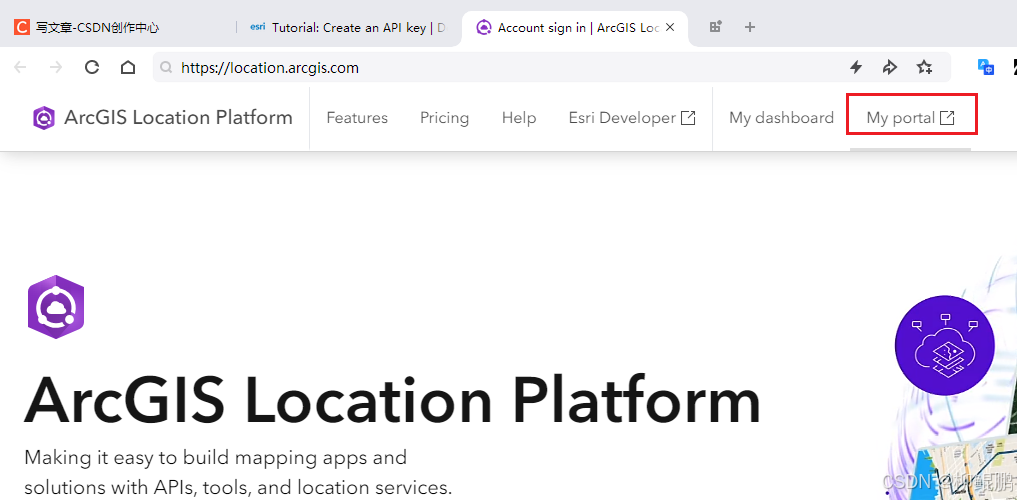
  1. In your web browser, go to https://location.arcgis.com, and sign in with your ArcGIS Location Platform account. In the dashboard, click My portal to go to your portal.

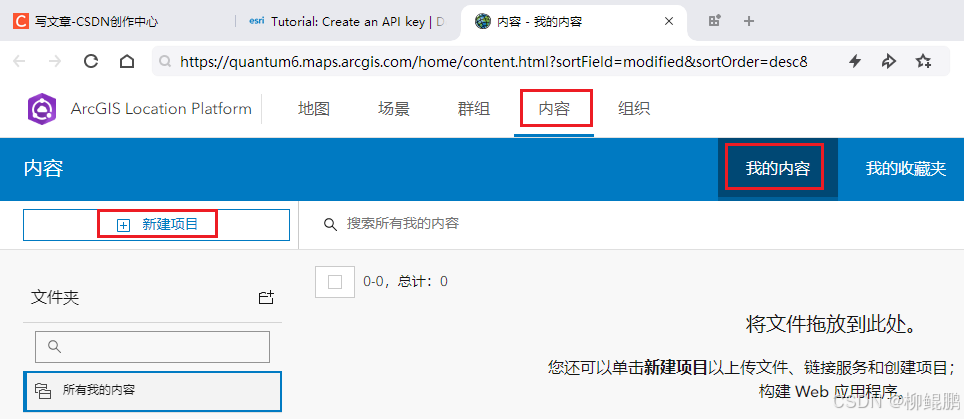
  2. In your portal, click Content > My content > New item.

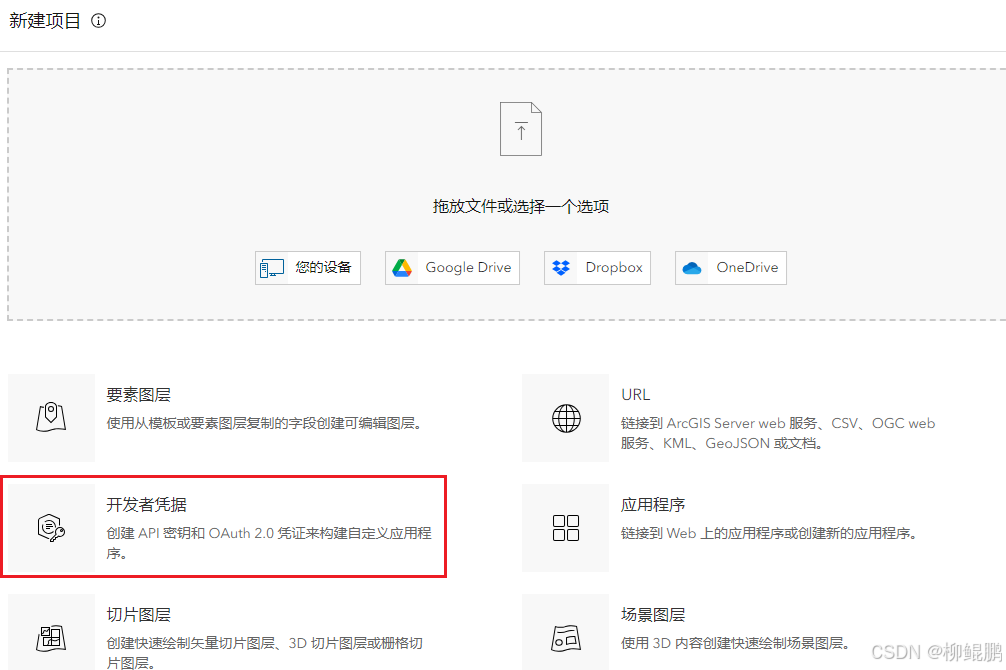
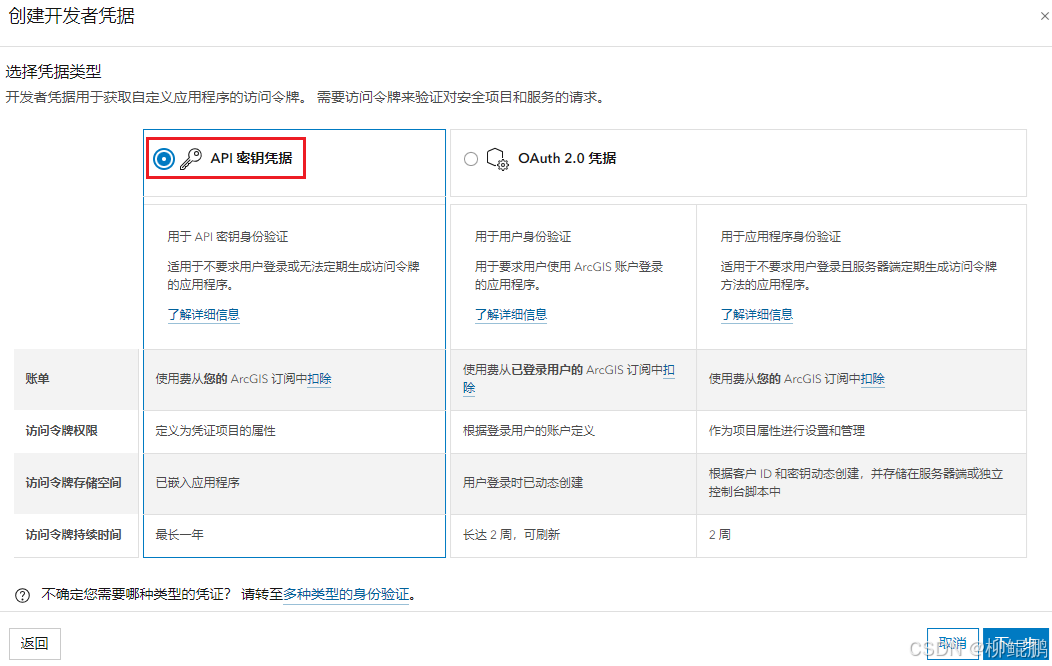
  3. Click Developer credentials > API key credentials and click Next.

步骤1
步骤2
步骤3
步骤4
步骤5
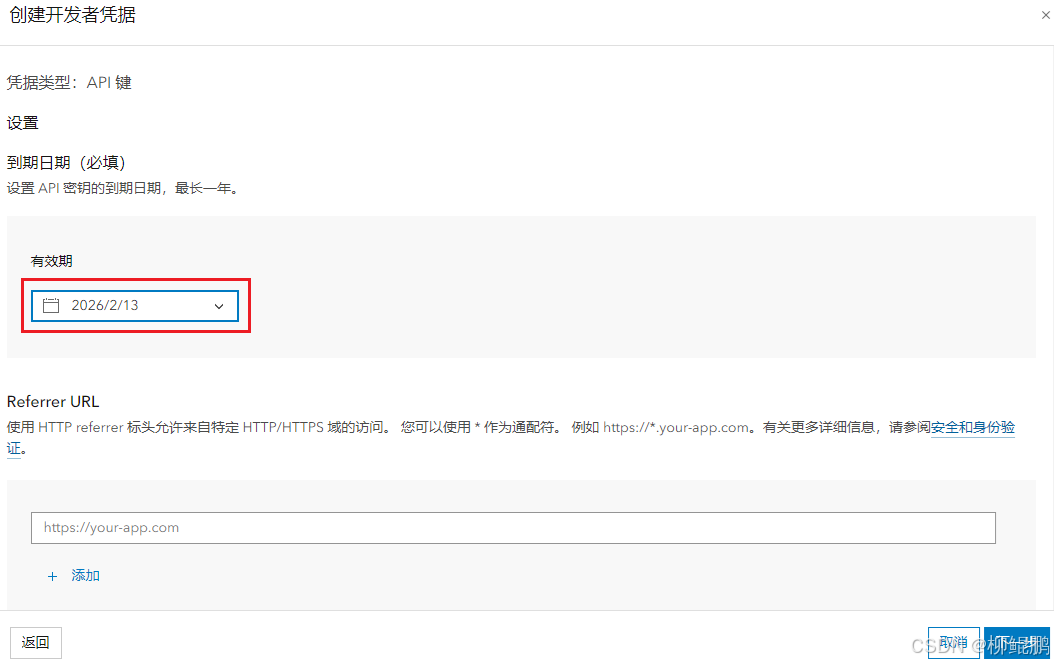
步骤6(根据需要设置,不了解的情况下,可以全部开通)
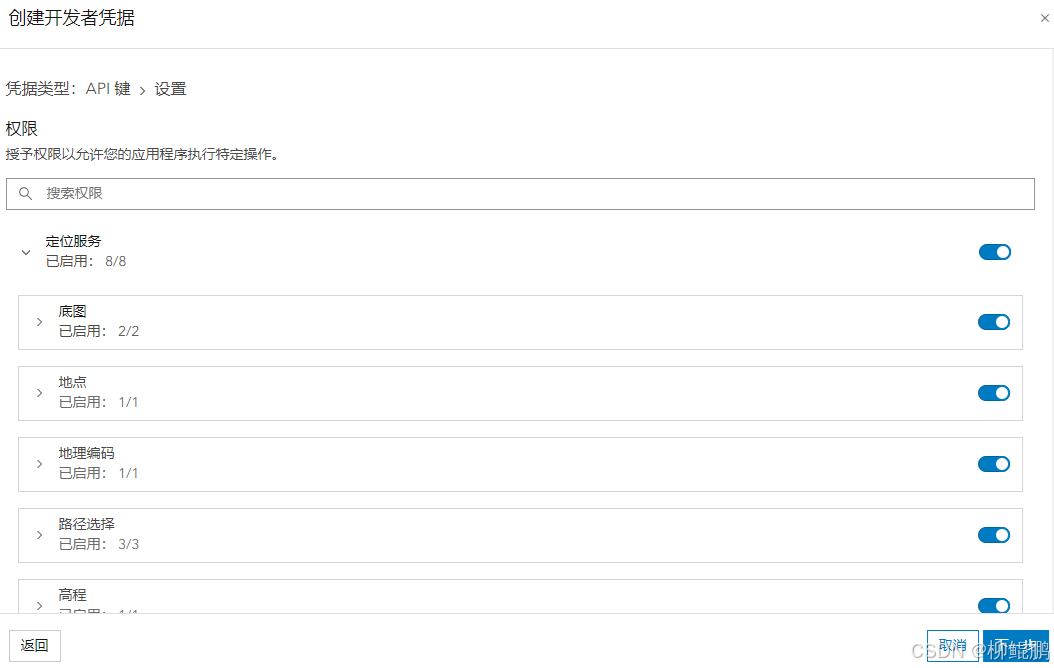
步骤7
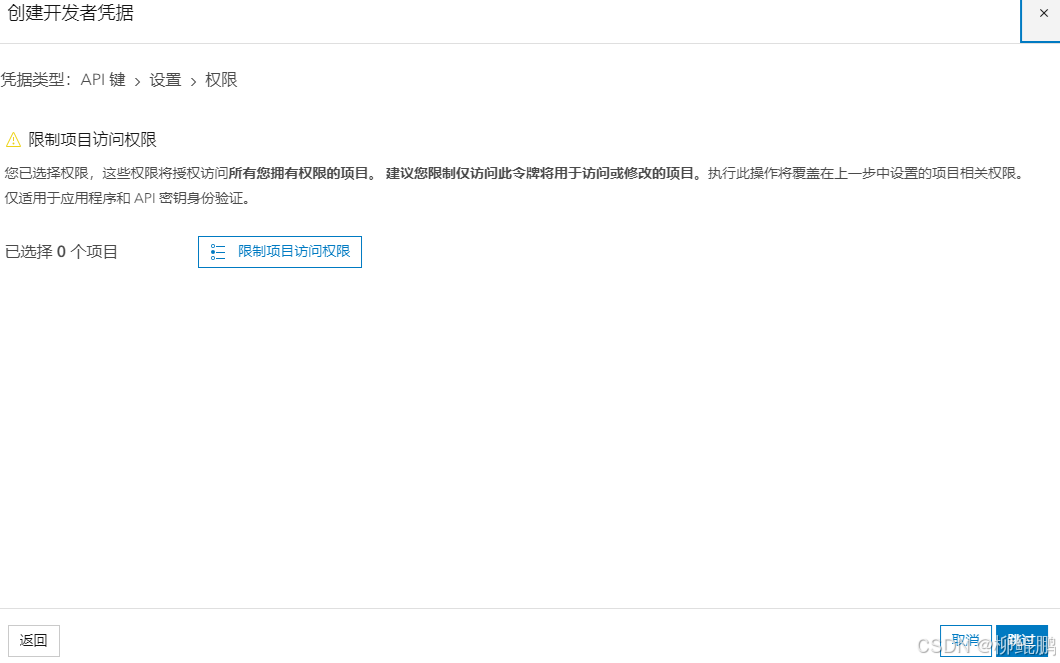
步骤8
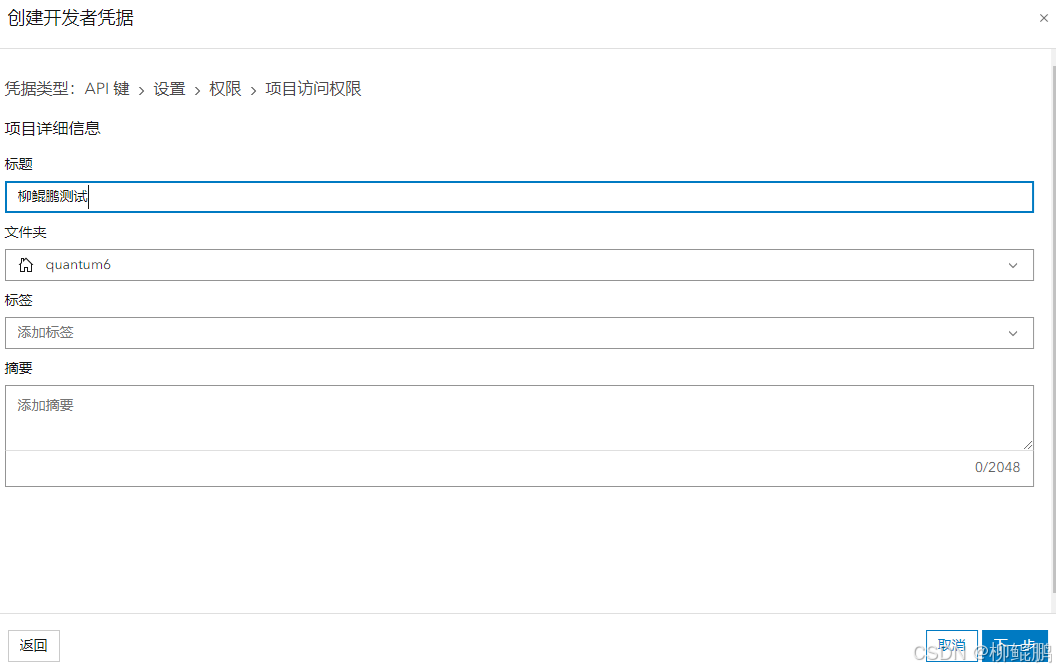
步骤9(确认各项内容)

步骤10(终于到了最后一步)

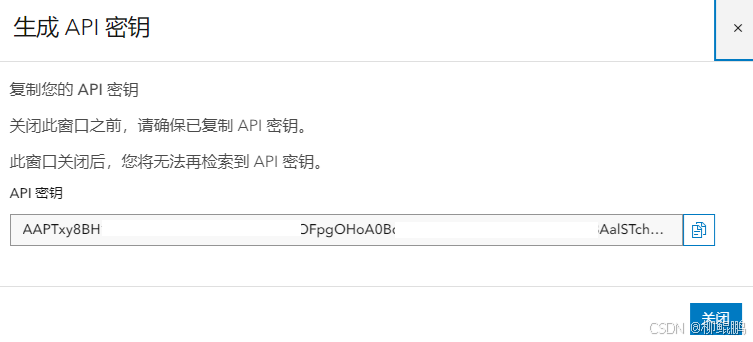
生成!
  • 应用页面
相关推荐
角砾岩队长2 天前
ArcGIS属性字段常见计算方法
arcgis
AAIshangyanxiu3 天前
基于ArcGIS、InVEST与RUSLE水土流失模拟及分析
arcgis·土壤侵蚀·invest·水土流失·rusle
2401_863801464 天前
从加载GLTF中提取全局顶点位置的问题
arcgis
跟着珅聪学java4 天前
electron 安装教程
javascript·arcgis·electron
在下胡三汉4 天前
免费在线浏览查看3DTiles,支持修改坐标,微调整保存坐标json,支持cesium地图,高德地图,ArcGIS,天地图等自定义地图
arcgis
GISer_Jing5 天前
Agent工具设计全流程:从原型到落地
arcgis·ai
weixin_贾5 天前
基于ArcGIS、InVEST与RUSLE水土流失模拟及分析中的实践技术应用
arcgis·invest模型·水土保持·遥感图像解译
李长渊哦5 天前
OpenClaw 本地部署完全指南:从环境验证到启动运行
后端·arcgis
扬大平仔5 天前
我用AI写了一个AI助手
人工智能·arcgis
book123_0_995 天前
node.js+npm的环境配置以及添加镜像(保姆级教程)
arcgis·npm·node.js