Text 是 Flutter 中用于显示静态文本的最基础组件,支持丰富的文本样式设置、对齐方式、溢出处理等功能。它与 TextField 不同,仅用于展示文本,不支持用户输入。
这篇主要还是以属性介绍,及给一部分示例来展示效果为主,通过这些实例对text 组件有一个基本的认识。
一、基础属性
1. data
-
类型 :
String -
作用: 要显示的文本内容。
-
示例:
dartText('Hello, Flutter!');
2. style
-
类型 :
TextStyle? -
作用: 定义文本的样式(颜色、字体、装饰等)。
-
示例:
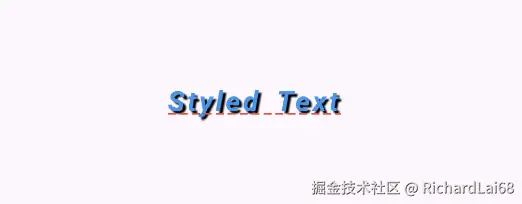
dart
Text(
  'Styled Text',
  style: TextStyle(
    color: Colors.blue,
    fontSize: 20,
    fontWeight: FontWeight.bold,
    fontStyle: FontStyle.italic,
    decoration: TextDecoration.underline,
    decorationColor: Colors.red,
    decorationStyle: TextDecorationStyle.dashed,
    letterSpacing: 2.0, // 字母间距
    wordSpacing: 5.0, // 单词间距
    shadows: [
      Shadow( // 文字阴影
        color: Colors.black,
        offset: Offset(2, 2),
        blurRadius: 3.0,
      ),
    ],
  ),
);
3. textAlign
-
类型 :
TextAlign? -
作用: 文本的对齐方式。
-
可选值 :
TextAlign.left(默认)、TextAlign.right、TextAlign.center、TextAlign.start、TextAlign.end。 -
示例:
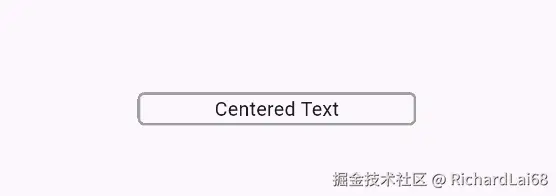
dart
Text(
  'Centered Text',
  textAlign: TextAlign.center,
);
4. textDirection
-
类型 :
TextDirection? -
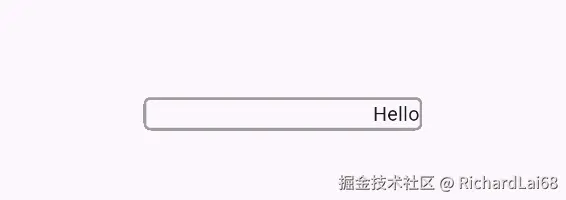
作用: 文本的阅读方向(从左到右或从右到左)。
-
可选值 :
TextDirection.ltr(默认)、TextDirection.rtl。 -
示例 :
dartText( 'Hello', textDirection: TextDirection.rtl, );
5. locale
-
类型 :
Locale? -
作用: 指定文本的语言环境(用于国际化)。
-
示例:
dart
Text(
  'Localized Text',
  locale: Locale('zh', 'CN'),
);
二、文本显示控制
6. softWrap
-
类型 :
bool? -
作用: 是否自动换行(超出容器宽度时)。
-
默认值 :
true(自动换行)。 -
示例:
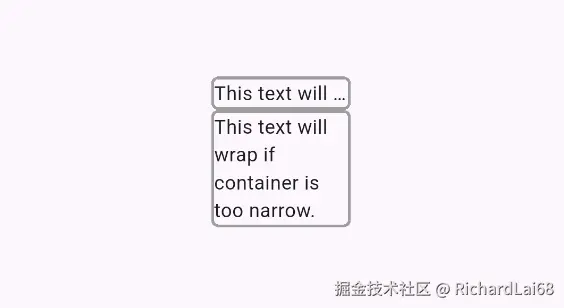
dart
  		Container(
          decoration: BoxDecoration(
            borderRadius: BorderRadius.circular(5),
            border: Border.all(color: Colors.grey, width: 2.0),
          ),
          width: 100,
          child: Text(
            'This text will NOT wrap if container is too narrow.',
            softWrap: false,
            overflow: TextOverflow.ellipsis, // 溢出时显示省略号
          ),
        ),
        Container(
          decoration: BoxDecoration(
            borderRadius: BorderRadius.circular(5),
            border: Border.all(color: Colors.grey, width: 2.0),
          ),
          width: 100,
          child: Text(
            'This text will wrap if container is too narrow.', //超出部分会自动换行
          ),
        ),
7. overflow
-
类型 :
TextOverflow? -
作用: 文本溢出时的处理方式。
-
可选值:
TextOverflow.clip(裁剪)TextOverflow.fade(渐隐)TextOverflow.ellipsis(省略号)TextOverflow.visible(不限制,可能超出容器)
-
示例:
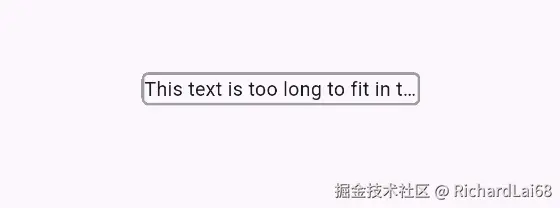
dart
Text(
  'This text is too long to fit in the container.',
  maxLines: 1,
  overflow: TextOverflow.ellipsis,
);
8. maxLines
-
类型 :
int? -
作用: 文本的最大行数限制。
-
示例:
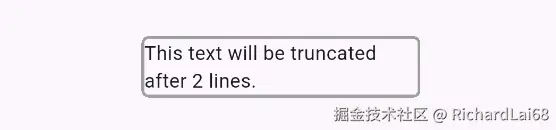
dart
Text(
  'This text will be truncated after 2 lines.',
  maxLines: 2,
  overflow: TextOverflow.ellipsis,
);
9. textScale
-
类型 :
double -
作用: 全局文本缩放因子(适配系统字体大小设置)。
-
示例:
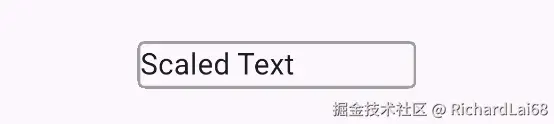
dart
Text(
  'Scaled Text',
   textScaler: TextScaler.linear(1.5), // 字体放大50%
);
10. strutStyle**
-
类型 :
StrutStyle? -
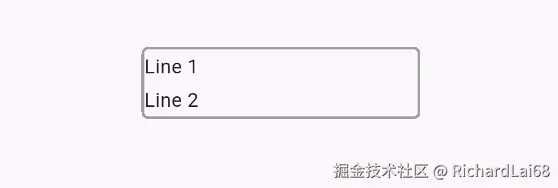
作用: 控制文本行的基线和行高(常用于多行文本的对齐)。
-
示例:
!image-20250424170453490(/Users/zlai785/Library/Application Support/typora-user-images/image-20250424170453490.png)
dart
Text(
  'Line 1\nLine 2',
  strutStyle: StrutStyle(
    fontSize: 16,
    height: 1.5,
  ),
);
**三、互斥参数** - **`data`** 和 **`textSpan`** 不能同时使用。 - 如果需要富文本(混合样式或链接),应使用 `textSpan` 属性: ```dart Text.rich( TextSpan( text: '部分红色', style: TextStyle(color: Colors.red), children: TextSpan(text: ',部分蓝色', style: TextStyle(color: Colors.blue)), , ), ); ```
六、完整示例
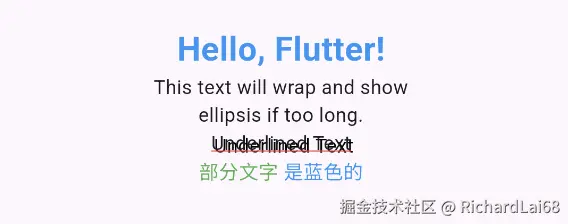
dart
import 'package:flutter/material.dart';

void main() {
  runApp(MaterialApp(
    home: Scaffold(
      appBar: AppBar(title: Text('Text Component Demo')),
      body: Padding(
        padding: EdgeInsets.all(16),
        child: Column(
          crossAxisAlignment: CrossAxisAlignment.start,
          children: [
            // 基础样式
            Text(
              'Hello, Flutter!',
              style: TextStyle(
                fontSize: 24,
                color: Colors.blue,
                fontWeight: FontWeight.bold,
              ),
            ),

            // 对齐和换行
            Container(
              width: 200,
              child: Text(
                'This text will wrap and show ellipsis if too long.',
                maxLines: 2,
                overflow: TextOverflow.ellipsis,
                textAlign: TextAlign.center,
              ),
            ),

            // 装饰和阴影
            Text(
              'Underlined Text',
              style: TextStyle(
                decoration: TextDecoration.underline,
                decorationColor: Colors.red,
                shadows: [
                  Shadow(color: Colors.black, offset: Offset(2, 2)),
                ],
              ),
            ),

            // 富文本
            Text.rich(
              TextSpan(
                text: '部分文字',
                style: TextStyle(color: Colors.green),
                children: [
                  TextSpan(
                    text: ' 是蓝色的',
                    style: TextStyle(color: Colors.blue),
                    recognizer: TapGestureRecognizer()
                      ..onTap = () => print('Clicked!'),
                  ),
                ],
              ),
            ),
          ],
        ),
      ),
    ),
  ));
}
七、扩展用法
- 渐变文字:
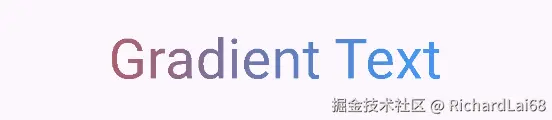
dart
Text(
    'Gradient Text',
    style: TextStyle(
      fontSize: 40,
      foreground:
          Paint()
            ..shader = LinearGradient(
              colors: [Colors.red, Colors.blue],
            ).createShader(Rect.fromLTWH(0, 0, 300, 70)),
    ),
  ),
通过以上属性和示例,你可以灵活控制文本的样式、布局和行为,满足大多数 UI 开发需求。如果需要更复杂的效果(如动态文本或动画),可以结合 AnimatedTextKit 等第三方库进一步扩展。