很早之前就写过自定义头部,但是那时偷懒写死了,现在用插槽重新写了个
有两种形式:
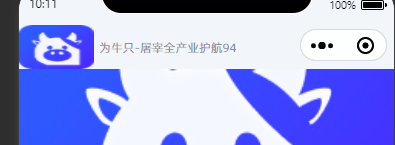
type1是完全自定义的,可以自己去组件改也可以用插槽改
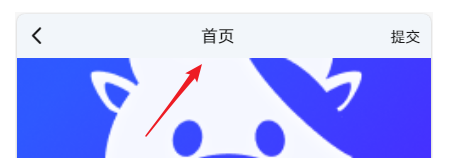
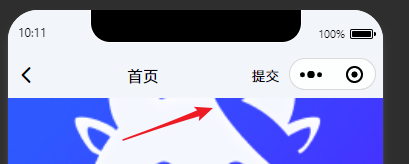
type2是正常的返回标题和右边按钮,使用就是title="标题" @rightClick = "函数",右边按钮是插槽,可以和下面例子一样用
效果图
类型1
类型2 的h5
类型2的小程序
使用
javascript
<myHead title="首页" type="2">
	<view slot="right">
		<text>提交</text>
	</view>
</myHead>
组件代码
javascript
<template>
	<view class="myHead">
		<!-- myHead的占位 -->
		<view class="myHead_placeholder" :style="{
				height: addUnit(height + statusBarHeight,'px')
			}">
		</view>
		<view class="myHead_fixed" :style="{'paddingRight': capsuleWidth + 'px'}">
			<!-- 状态栏 -->
			<view class="status_bar" :style="{
				height: addUnit(statusBarHeight)
			}"></view>
			<!-- 头部本体 -->
			<slot>
				<view v-if="type == 1" class="myHead_content" :style="{
					height: addUnit(height)
				}">
					<image src="/static/img/logo.png"></image>
					<text>为牛只-屠宰全产业护航{{capsuleWidth}}</text>
				</view>
				<view v-else class="myHead_content2" :style="{
					height: addUnit(height)
				}">
					<view class="left" @click="leftClick">
						<text class="iconfont icon-left"></text>
					</view>
					<view class="content">
						{{title}}
					</view>
					<view class="right" @click="rightClick">
						<text>提交</text>
					</view>
				</view>
			</slot>
		</view>
	</view>
</template>

<script>
	export default {
		name: "myHead",
		props: {
			// 点击左侧区域(返回图标),是否自动返回上一页
			autoBack: {
				type: Boolean,
				default: false
			},
			title: {
				type: String | Number,
				default: '标题'
			},
			type: {
				type: String | Number,
				default: 2
			}
		},
		data() {
			return {
				// 状态栏
				statusBarHeight: 0,
				// 头部本体高度
				height: 44,
				// 如果有胶囊
				capsuleWidth: 0
			};
		},
		mounted() {
			// 手机状态栏的高度
			this.statusBarHeight = uni.getSystemInfoSync().statusBarHeight || 0
			this.getNavBarHeight()
		},
		methods: {
			// 获取胶囊宽度
			getNavBarHeight() {
				// 小程序环境
				// #ifdef MP-WEIXIN
				const menuButtonInfo = uni.getMenuButtonBoundingClientRect();
				uni.getSystemInfo({
					success: (systemInfo) => {
						this.capsuleWidth = menuButtonInfo.width + systemInfo.screenWidth - menuButtonInfo
							.right; // 胶囊宽度
					}
				})
				// #endif
				// #ifdef H5
				this.capsuleWidth = 0
				// #endif
			},
			addUnit(num, unit = 'px') {
				return num + unit
			},
			// 点击左侧区域
			leftClick() {
				// 如果配置了autoBack,自动返回上一页
				this.$emit('leftClick')
				if (this.autoBack) {
					uni.navigateBack()
				}
			},
			// 点击右侧区域
			rightClick() {
				this.$emit('rightClick')
			},
		}
	}
</script>

<style lang="scss" scoped>
	.myHead {
		.myHead_placeholder {
			width: 100%;
		}

		.myHead_fixed {
			position: fixed;
			left: 0;
			right: 0;
			top: 0;
			z-index: 11;

			.myHead_content {
				display: flex;
				align-items: center;

				image {
					width: 150rpx;
					margin-right: 10rpx;
				}

				text {
					font-size: 24rpx;
					color: rgba(29, 37, 65, 0.5);
				}
			}

			.myHead_content2 {
				display: flex;
				align-items: center;
				justify-content: space-between;
				padding: 0 20rpx;

				.left {
					font-size: 28rpx;
				}

				.content {
					flex: 1;
					text-align: center;
					font-size: 32rpx;
				}

				.right {
					font-size: 28rpx;
				}
			}
		}
	}
</style>