<!DOCTYPE html>
<html lang="en">
<head>
    <meta charset="UTF-8">
    <meta name="viewport" content="width=device-width, initial-scale=1.0">
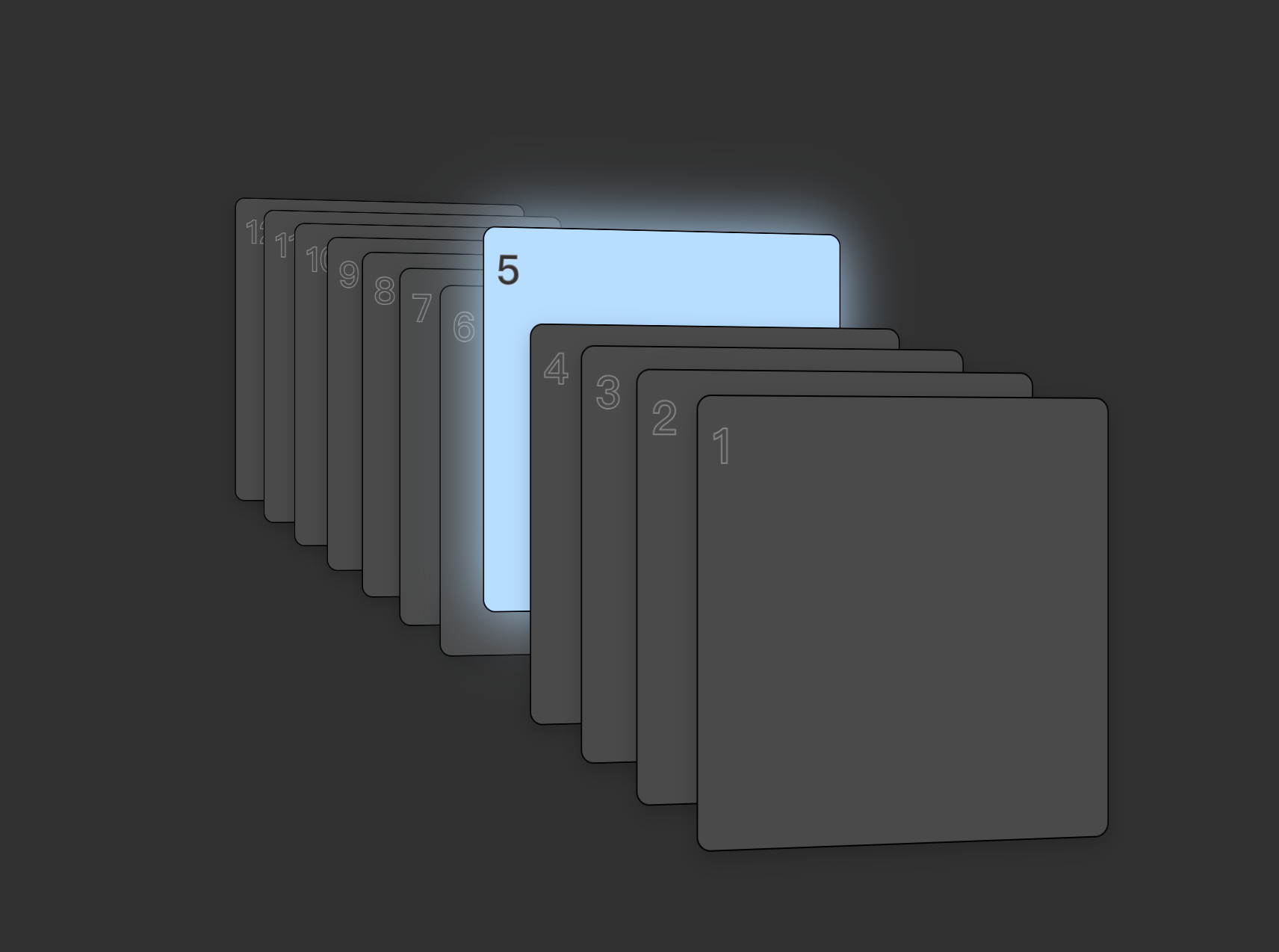
    <title>3D堆叠卡片</title>
    <style>
      * {
        margin: 0;
        padding: 0;
        box-sizing: border-box;
      }
      body {
        display: flex;
        justify-content: center;
        align-items: center;
        min-height: 100vh;
        background: #313131;
        perspective: 2500px;
      }
      .container {
        position: relative;
        top: 150px;
        left: 150px;
        width: 300px;
        height: 400px;
        transform-style: preserve-3d;
        transform: rotateY(20deg);
      }
      .card {
        position: absolute;
        top: 0;
        width: 300px;
        height: 300px;
        background: #4a4a4a;
        border-radius: 10px;
        box-shadow: 0 5px 15px rgba(0, 0, 0, 0.2);
        transition: .5s;
        font-size: 2em;
        -webkit-text-stroke: 1px #fff5;
        color: transparent;
        font-weight: 700;
        padding: 10px;
        border: 1px solid rgba(0, 0, 0, 1);
        transition: .5s;
      }
      .container .card:hover {
        opacity: 1;
        transition: 0.01s;
        top: -15%;
        color: #333;
        box-shadow: 0 0 50px #64ff74, inset 0 0 120px #64ff74;
        background: #64ff74;
      }
    </style>
</head>
<body>
  <div class="container"></div>
  <script>
    const container = document.querySelector('.container');
    const cardCount = 12;
    for(let i = 0; i < cardCount; i++) {
      const card = document.createElement('div');
      card.classList.add('card');
      card.textContent = `${i + 1}`;
      let zPos = i * -120;
      let yPos = i * -20;
      card.style.transform = `translateZ(${zPos}px) translateY(${yPos}px)`;
      card.style.filter = `hue-rotate(${i * 30}deg)`;
      container.appendChild(card);
    }
  </script>
</body>
</html>