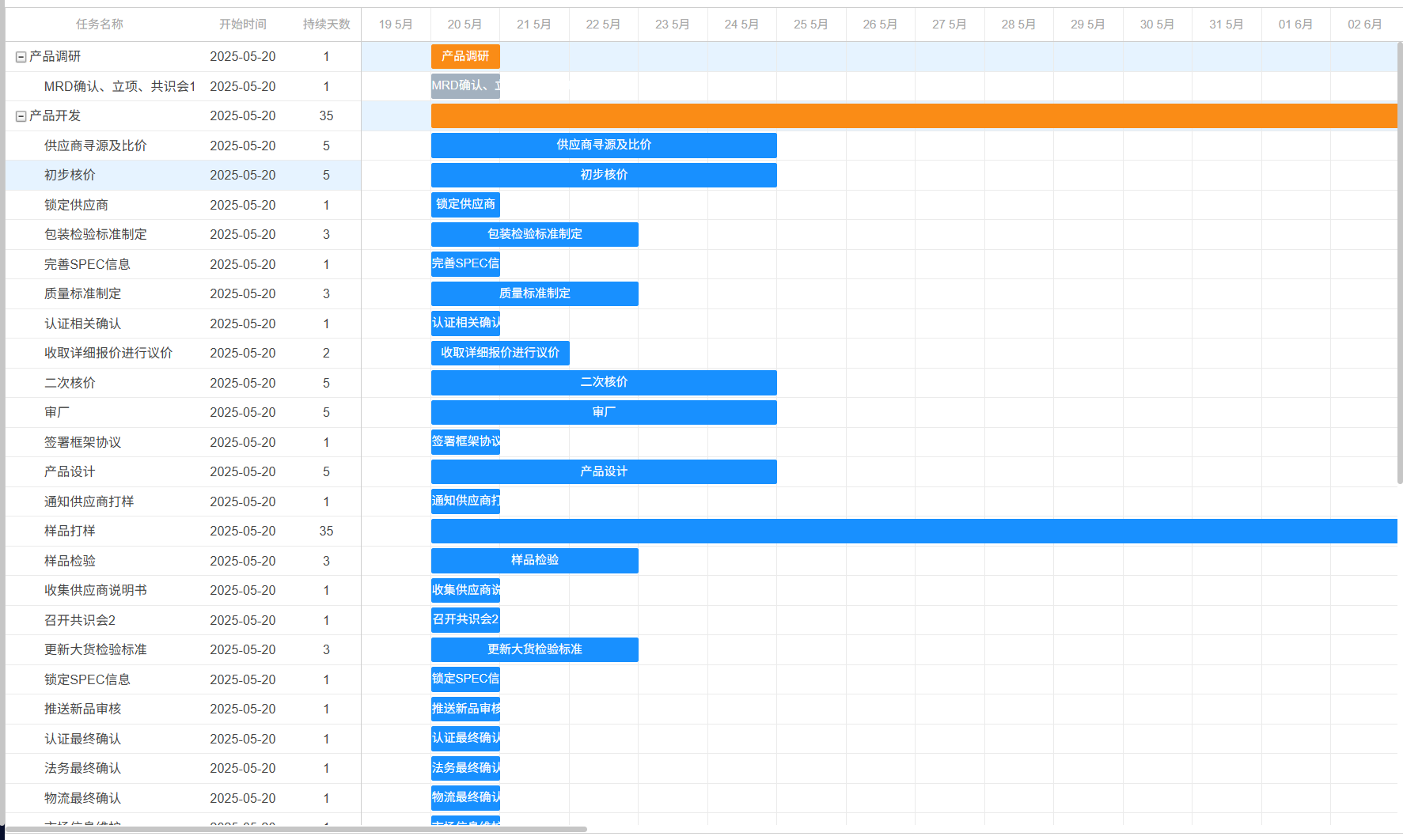
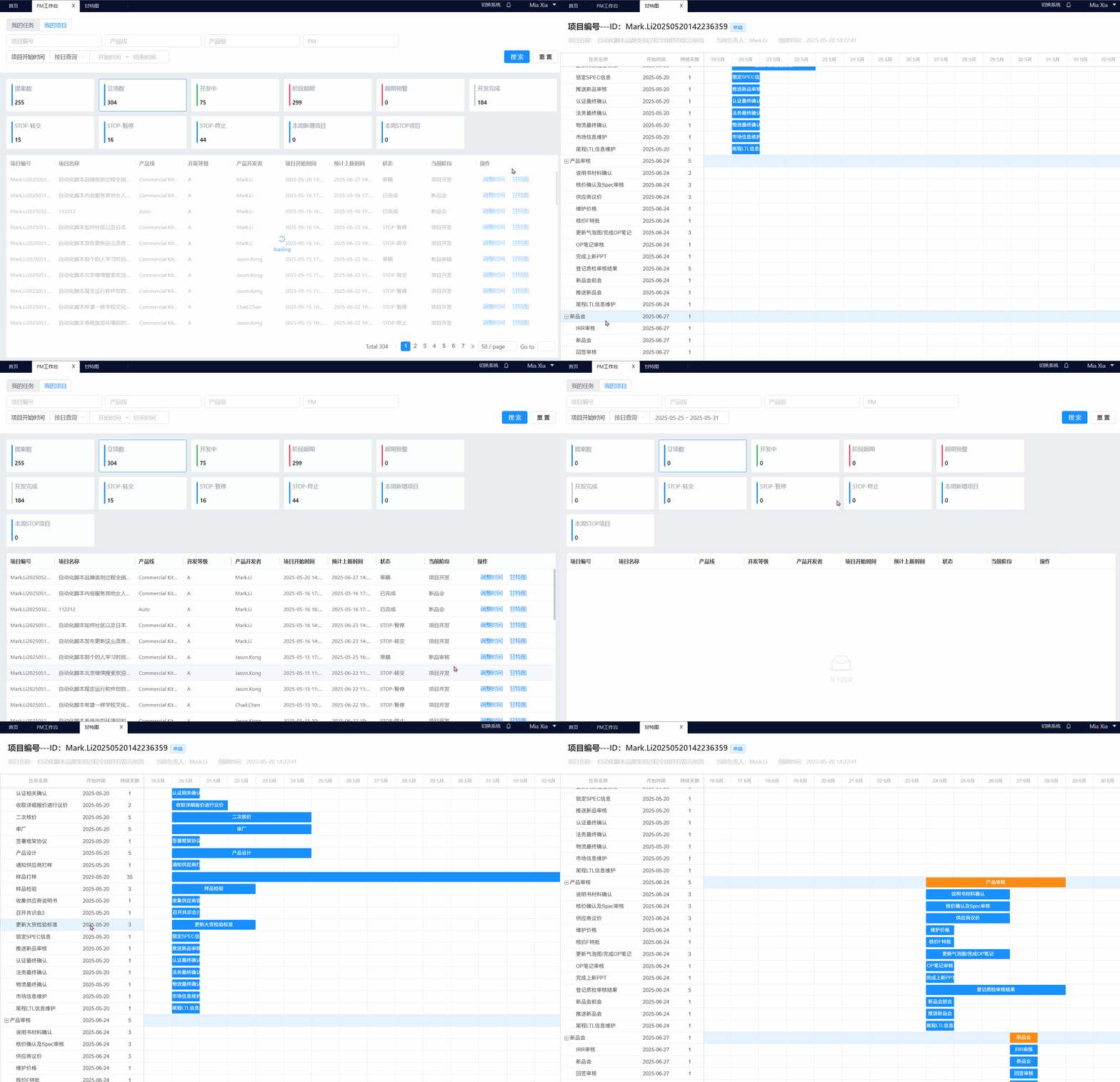
一、最终实现的结果gif展示
二、开发步骤简介
1、vue中引用甘特图包dhtmlx-gantt
html
// 可根据项目版本载入适配的版本
npm install dhtmlx-gantt@7.1.13
2、vue文件中引入
html
<script>
import { gantt } from 'dhtmlx-gantt/codebase/dhtmlxgantt.js'
import 'dhtmlx-gantt/codebase/dhtmlxgantt.css'
<script/>
3、html部分
html
<template>
 <div class="gantt-content"  style="width:100%;height: 100%;">
          <div ref="ganttContainer" style="width:100%;height: 100%;"></div>
    </div>
</template>
4、js部分
javascript
mounted () {
// 初始化甘特图 注意:保证先初始化,在加载数据,以防万一可以在此基础上自行修改为异步
this.initGantt()
// 初始化数据
this.loadData()
},
watch: {
'$route.query.id': {
handler (newId) {
if (newId) {
this.loadData('clearAll')
}
},
immediate: true // 立即执行以处理初始加载
}
},
methods: {
async loadData (type) {
this.spinning = true
if (type === 'clearAll') { gantt.clearAll() } // 避免来回切换页面更改数据时甘特图数据展示混乱
axiosxxx().then(res => {
if (rres.code === 200) {
// 处理任务阶段数据,甘特图回显
let formattedGanttData = []
formattedGanttData = res.data.progressItems.map(task => ({
id: task.id,
text: task.progressName, // 映射任务名称字段
start_date: this.formatDate(task.startTime), // 转换为gantt标准字段
parent: task.parentId,
open: task.level === 1 ? true : undefined,
level: task.level,
duration: task.duration,
status: task.status
}))
gantt.parse({ data: formattedGanttData })
gantt.render() // 强制重绘
} else {
this.$message.error(res.msg)
}
this.spinning = false
}).catch(err => {
this.$message.error(err.msg)
this.spinning = false
})
},
// 处理时间格式
formatDate (dateStr) {
// 根据你的接口日期格式进行调整-gantt图时间格式要求固定
let [year, month, day] = dateStr.split('-')
return new Date(year, month - 1, day) // 月份减1,因为月份是从0开始的
},
initGantt () {
// // 初始化容器
gantt.init(this.$refs.ganttContainer)
// 禁用所有交互
gantt.config.editable = false
gantt.config.drag_move = gantt.config.drag_resize = false
gantt.config.select_task = false
// 禁用编辑功能
gantt.config.readonly = true
gantt.config.drag_move = false
gantt.config.drag_resize = false
gantt.config.grid_editable = false
// 隐藏操作栏配置
gantt.config.tree_actions = true // 隐藏展开/折叠图标
gantt.config.tree_line = false // 隐藏层级连线
gantt.config.row_height = 30 // 调整行高适应多行内容
// gantt.config.min_column_width = 120 // 防止列宽过小
// 是否显示左侧树表格
gantt.config.show_grid = true
// 格式化日期-汉化
gantt.locale.date = {
month_full: ['1月', '2月', '3月', '4月', '5月', '6月', '7月', '8月', '9月', '10月', '11月', '12月'],
month_short: ['1月', '2月', '3月', '4月', '5月', '6月', '7月', '8月', '9月', '10月', '11月', '12月'],
day_full: ['星期日', '星期一', '星期二', '星期三', '星期四', '星期五', '星期六'],
day_short: ['星期日', '星期一', '星期二', '星期三', '星期四', '星期五', '星期六']
}
gantt.locale.labels = {
dhx_cal_today_button: '今天',
day_tab: '日',
week_tab: '周',
month_tab: '月',
new_event: '新建日程',
icon_save: '保存',
icon_cancel: '关闭',
icon_details: '详细',
icon_edit: '编辑',
icon_delete: '删除',
confirm_closing: '请确认是否撤销修改!', // Your changes will be lost, are your sure?
confirm_deleting: '是否删除计划?',
section_description: '描述:',
section_time: '时间范围:',
section_type: '类型:',
section_text: '计划名称:',
section_test: '测试:',
section_projectClass: '项目类型:',
taskProjectType_0: '项目任务',
taskProjectType_1: '普通任务',
section_head: '负责人:',
section_priority: '优先级:',
taskProgress: '任务状态',
taskProgress_0: '未开始',
taskProgress_1: '进行中',
taskProgress_2: '已完成',
taskProgress_3: '已延期',
taskProgress_4: '搁置中',
section_template: 'Details',
/* grid columns */
column_text: '计划名称',
column_start_date: '开始时间',
column_duration: '持续时间',
column_add: '',
column_priority: '难度',
/* link confirmation */
link: '关联',
confirm_link_deleting: '将被删除',
message_ok: '确定',
message_cancel: '取消',
link_start: ' (开始)',
link_end: ' (结束)',
type_task: '任务',
type_project: '项目',
type_milestone: '里程碑',
minutes: '分钟',
hours: '小时',
days: '天',
weeks: '周',
months: '月',
years: '年'
}
// 自定义左侧列配置
gantt.config.columns = [
{ name: 'text',
label: '任务名称',
width: '*',
tree: true,
// 插入template,title解决字段显示不全的问题
template: (task) => `
<div title="${task.text}">
${task.text}
</div>
`
},
{ name: 'start_date', label: '开始时间', align: 'center', width: 100 },
{ name: 'duration', label: '持续天数', align: 'center', width: 70 }
]
// 任务条文本模板
gantt.templates.task_text = (start, end, task) => {
const cleanText = task.text
.replace(/</g, '<')
.replace(/>/g, '>')
.replace(/"/g, '"')
return `
<div class="gantt-task-title" title="${cleanText}">
${task.text}
</div>
`
}
// 自定义行样式(关键修改部分)
gantt.templates.task_row_class = function (start, end, task) {
if (task.level === 1) {
return 'custom-gantt-level_1_row'
}
return ''
}
// 自定义任务条颜色模板(关键代码)
gantt.templates.task_class = function (start, end, task) {
// 调试输出(关键)
// console.log(`[DEBUG] Task ${task.id}:`, {
// level: task.level,
// status: task.status,
// hasLevel: task.hasOwnProperty('level'),
// hasStatus: task.hasOwnProperty('status')
// })
switch (true) {
case (task.level === 1):
return 'custom-gantt-level_1_bar'
case (task.level === 2 && task.status === 3):
return 'custom-gantt-task_status_done'
default:
return ''
}
}
}
}5、css部分
5-1、修改dhtmlxGantt 甘特图任务条的颜色
5-2、修改dhtmlxGantt 甘特图背景色
5-3、dhtmlxGantt 甘特图隐藏左侧侧边栏icon展示
css
<style>
.custom-gantt-level_1_row {
  background-color: #e6f3ff !important; /* 浅蓝色背景 */
}

/*修改任务条主题色*/
.gantt_task_line {
  background-color: #1890FF;
  border: 1px solid #1890FF;
}
.gantt_task_line.custom-gantt-level_1_bar {
  background: #FA8C16 !important;  /* 阶段任务条主色 */
  border-color: #FA8C16 !important;  /* 阶段边框颜色 */
}
.custom-gantt-task_status_done {
  background: #A3B1BF !important;  /* 已完成的任务条主色 */
  border-color: #A3B1BF !important;  /* 已完成的任务边框颜色 */
}

/* 隐藏文件夹图标 */
.gantt_tree_icon.gantt_folder_open,
.gantt_tree_icon.gantt_file,
.gantt_tree_icon.gantt_folder_closed {
  display: none !important;
}

/* 保留展开/收起图标 */
.gantt_grid_icon.gantt_open,
.gantt_tree_icon.gantt_close {
  display: inline-block !important;
  background-position: center; /* 修正图标位置 */
}
/* 调整层级缩进 */
.gantt_tree_indent {
  padding-left: 8px !important; /* 减少缩进间距 */
}
/*修改侧边栏hover颜色*/
.gantt_grid_data .gantt_row.odd:hover,
.gantt_grid_data .gantt_row:hover {
  background-color: #e6f3ff !important;
}
/* 在全局样式表中添加 */
.gantt_tree_text {
  display: inline-block;
  max-width: calc(100% - 24px); /* 为图标留出空间 */
  overflow: hidden;
  text-overflow: ellipsis;
  white-space: nowrap;
  vertical-align: middle;
}

/*任务条显示不全时样式*/
.gantt_task_content {
  overflow: visible !important; /* 允许溢出显示 */
}
.gantt_task_title {
  max-width: 100%;
  white-space: nowrap;
  overflow: hidden;
  text-overflow: ellipsis;
  pointer-events: none; /* 防止干扰拖拽操作 */
}

</style>
三、使用过程中问题总结
1、页面来回切换,数据更新后甘特图加载数据混乱的问题
使用gantt.clearAll()解决。但要注意再在初始化加载时不需要gantt.clearAll(),所以在再watch监听和初始化可以通过type却分
javascript
  watch: {
    '$route.query.id': {
      handler (newId) {
        if (newId) {
          this.loadData('clearAll')
        }
      },
      immediate: true // 立即执行以处理初始加载
    }
  },
  mounted () {
    this.initGantt()
    this.loadData() // 初始化不需要gantt.clearAll()
  },
methods: {
 async loadData (type) {
      ....
      if (type === 'clearAll') { gantt.clearAll() } // 避免来回切换页面更改数据时甘特图数据展示混乱
      // 源代码保持不变
.....
    },
}
2、自定义row背景色,根据状态不同自定义任务条的颜色
gantt.templates.task_class,gantt.templates.task_row_class
javascript
// 对应的class见css代码部分
initGantt(){

      // 自定义行样式(关键修改部分)
      gantt.templates.task_row_class = function (start, end, task) {
        if (task.level === 1) {
          return 'custom-gantt-level_1_row'
        }
        return ''
      }
      // 自定义任务条颜色模板(关键代码)
      gantt.templates.task_class = function (start, end, task) {
        // 调试输出(关键)
        // console.log(`[DEBUG] Task ${task.id}:`, {
        //   level: task.level,
        //   status: task.status,
        //   hasLevel: task.hasOwnProperty('level'),
        //   hasStatus: task.hasOwnProperty('status')
        // })
        switch (true) {
          case (task.level === 1):
            return 'custom-gantt-level_1_bar'
          case (task.level === 2 && task.status === 3):
            return 'custom-gantt-task_status_done'
          default:
            return ''
        }
      }

}
3、甘特图文案展示不全问题
甘特图禁止编辑操作后,左侧侧边栏text文案过长时展示不全,可自定义添加title
任务条持续时间短,文案展示不全时,添加title展示
javascript
// 自定义左侧列配置
gantt.config.columns = [
{ name: 'text',
label: '任务名称',
width: '*',
tree: true,
// 插入template,title解决字段显示不全的问题
template: (task) => `
<div title="${task.text}">
${task.text}
</div>
`
},
{ name: 'start_date', label: '开始时间', align: 'center', width: 100 },
{ name: 'duration', label: '持续天数', align: 'center', width: 70 }
]
// 任务条文本模板
gantt.templates.task_text = (start, end, task) => {
const cleanText = task.text
.replace(/</g, '<')
.replace(/>/g, '>')
.replace(/"/g, '"')
return `
<div class="gantt-task-title" title="${cleanText}">
${task.text}
</div>
`
}