文章目录
-
- [1 设计UI,组件拆分](#1 设计UI,组件拆分)
- [2 实现](#2 实现)
- 关于
1 设计UI,组件拆分
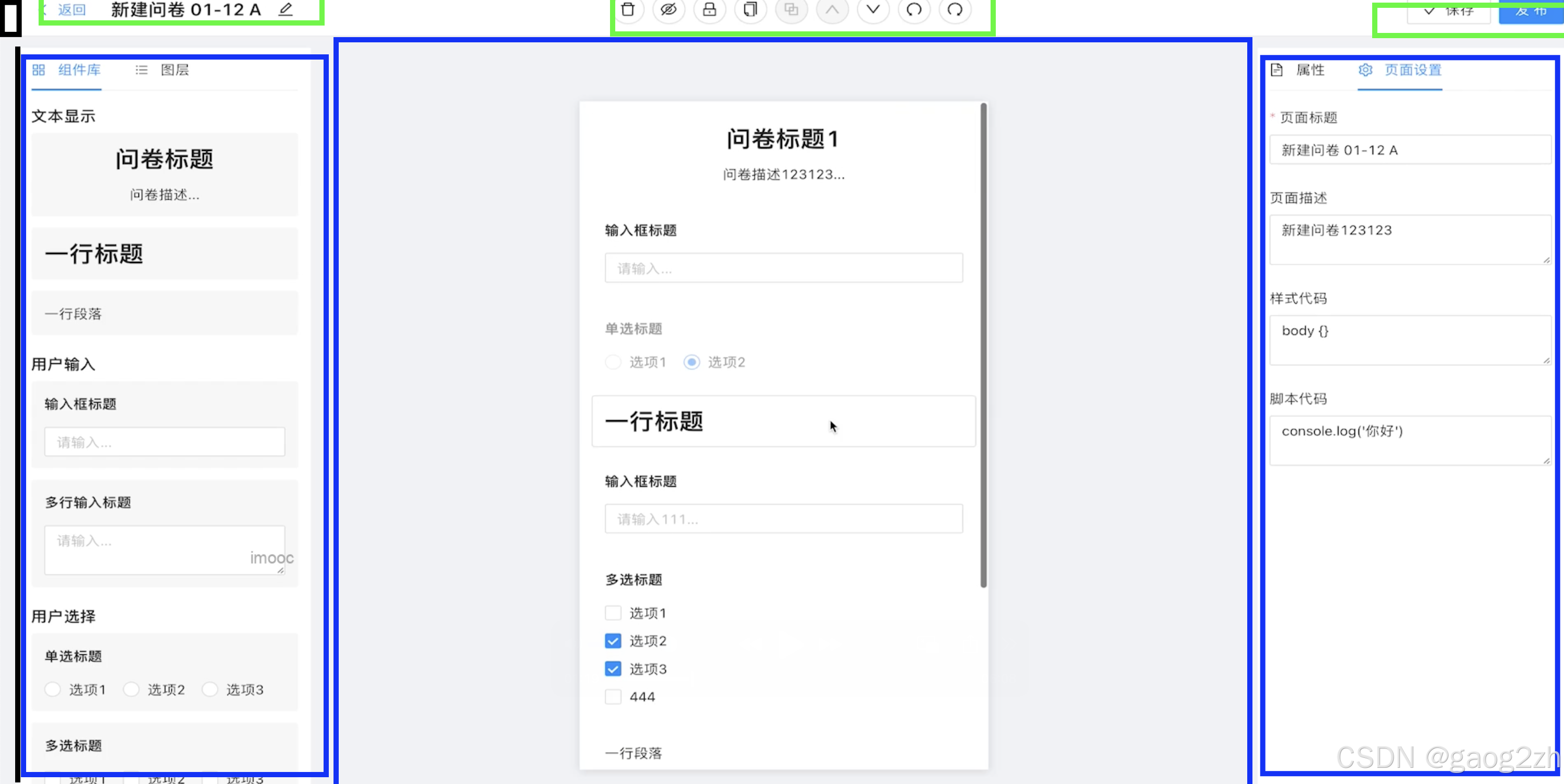
编辑器整体如上图所示,重点关注:
- flex弹性布局
- 上
- 左
- 中
- 右
- 下
- 左
- 中
- 右
- 上
- 画布居中
- 画布Y轴滚动
2 实现
src/pages/question/Edit/index.tsx代码如下:
ts
import { FC } from "react";
import useLoadQuestionData from "@/hooks/useLoadQuestionData";

import styles from "./index.module.scss";

const Edit: FC = () => {
  // 获取问卷信息
  const { loading } = useLoadQuestionData();

  return (
    <div className={styles.container}>
      <div style={{ backgroundColor: "#fff", height: "40px" }}>Header</div>
      <div className={styles["content-wrapper"]}>
        <div className={styles.content}>
          <div className={styles.left}>Left</div>
          <div className={styles.main}>
            <div className={styles["canvas-wrapper"]}>

            </div>
          </div>
          <div className={styles.right}>Right</div>
        </div>
      </div>
    </div>
  );
};

export default Edit;
src/pages/question/Edit/index.module.scss代码如下:
scss
.container {
  display: flex;
  flex-direction: column;
  height: 100vh;
  background-color: #f0f2f5;
}

.content-wrapper {
  flex: auto;
  padding: 12px 0;
}

.content {
  display: flex;
  margin: 0 24px;
  height: 100%;

  .left {
    width: 285px;
    background-color: #fff;
    padding: 0 12px;
  }

  .main {
    flex: 1;
    position: relative;
    overflow: hidden;

    .canvas-wrapper {
      position: absolute;
      width: 400px;
      height: 712px;
      top: 50%;
      left: 50%;
      transform: translateX(-50%) translateY(-50%);
      overflow: auto;
      box-shadow: 0 2px 10px #00001f;
    }
  }

  .right {
    width: 300px;
    background-color: #fff;
    padding: 0 12px;
  }
}
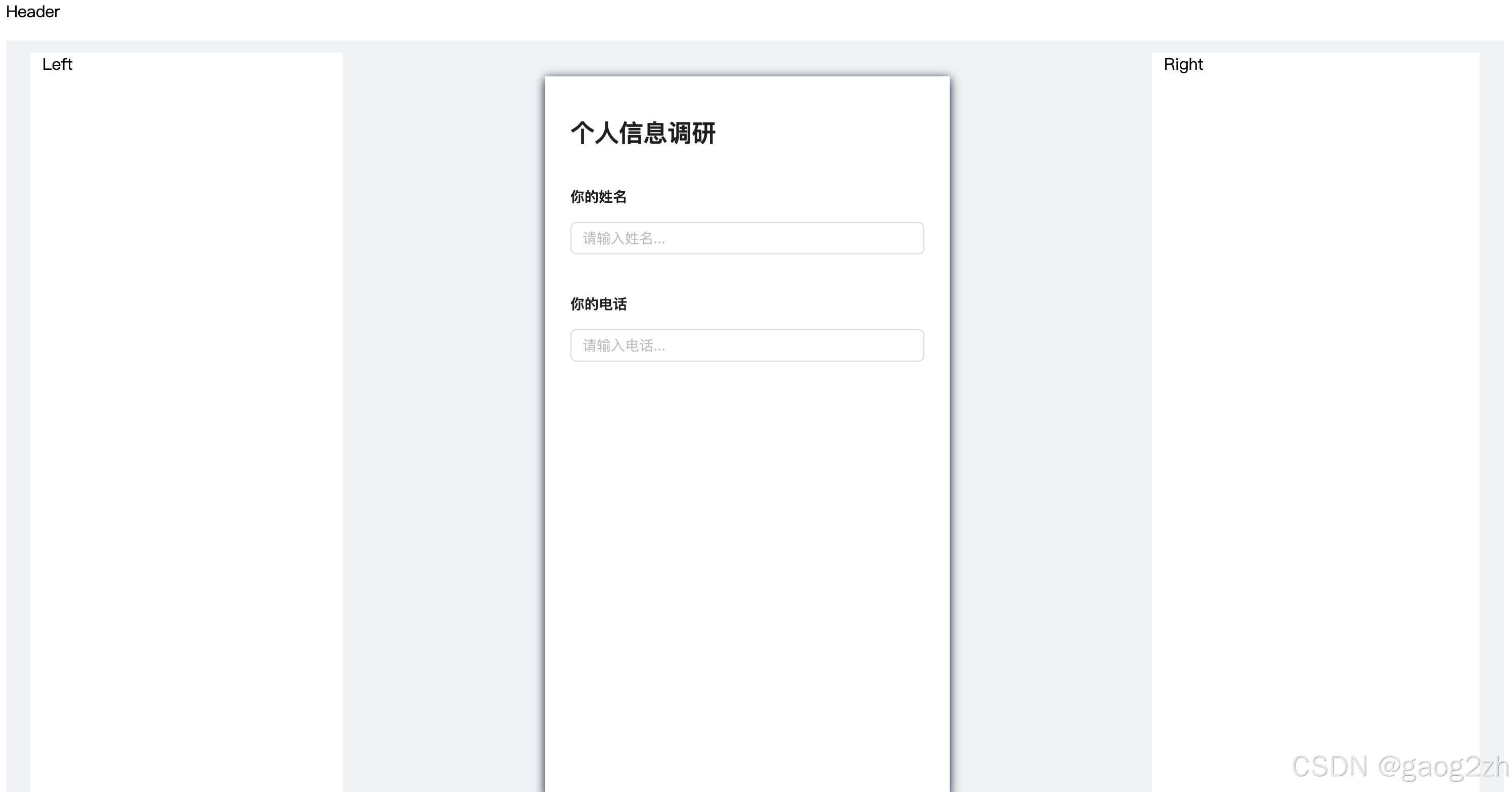
效果如下图所示:
关于
❓QQ:806797785
⭐️仓库地址:https://gitee.com/gaogzhen
⭐️仓库地址:https://github.com/gaogzhen
1react官网CP/OL.
2Redux官网CP/OL.