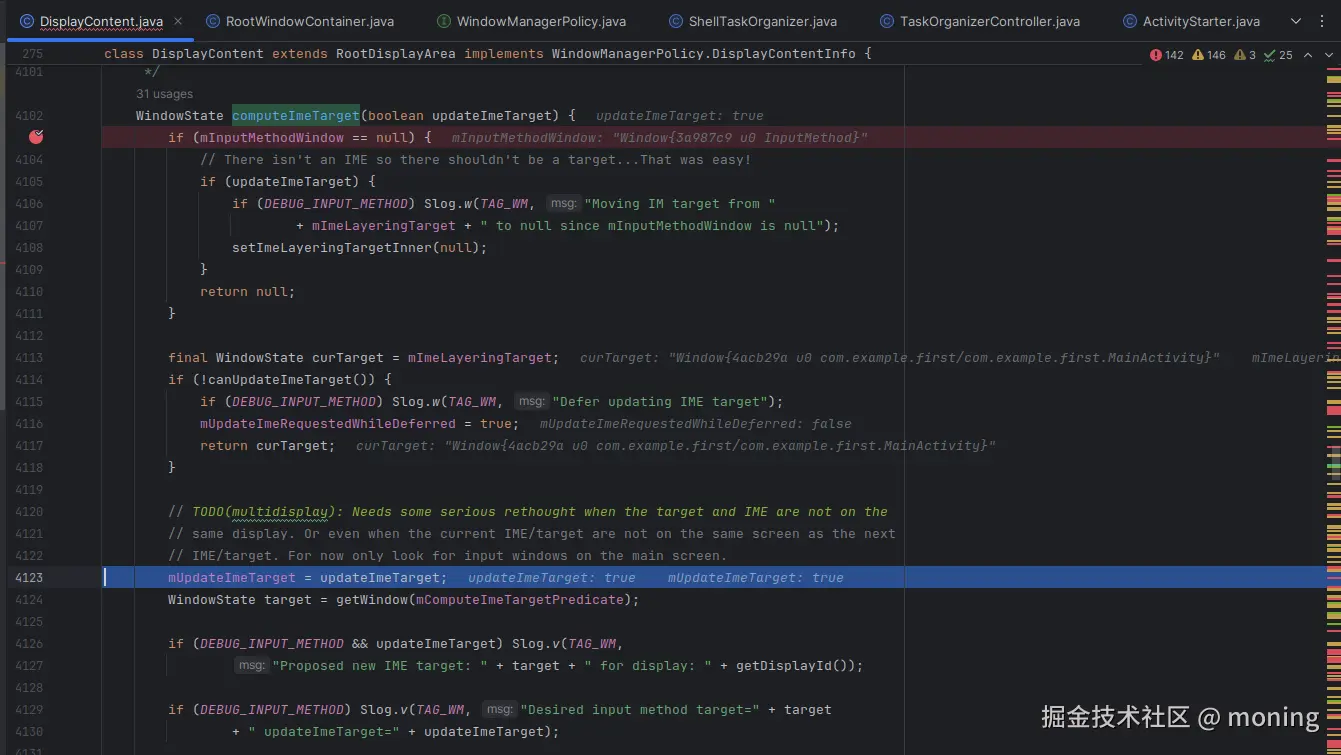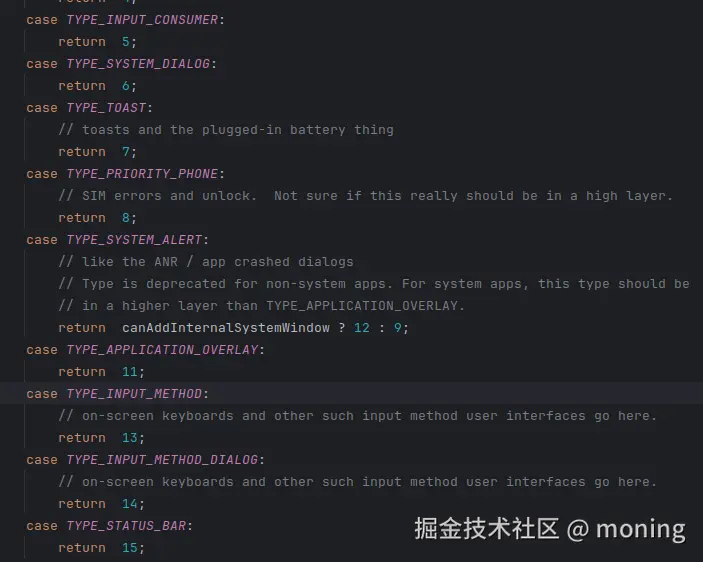
看起来,输入法的层级是比 Toast 要高的,为什么显示的时候,toast 在 ime 上方? 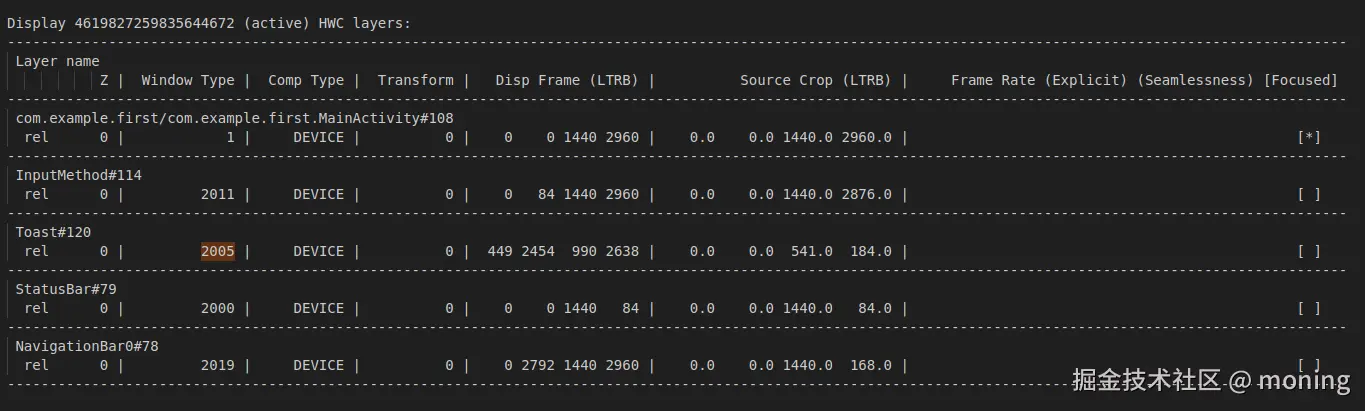
可以看到 ime 最终挂载到 Activity 下方 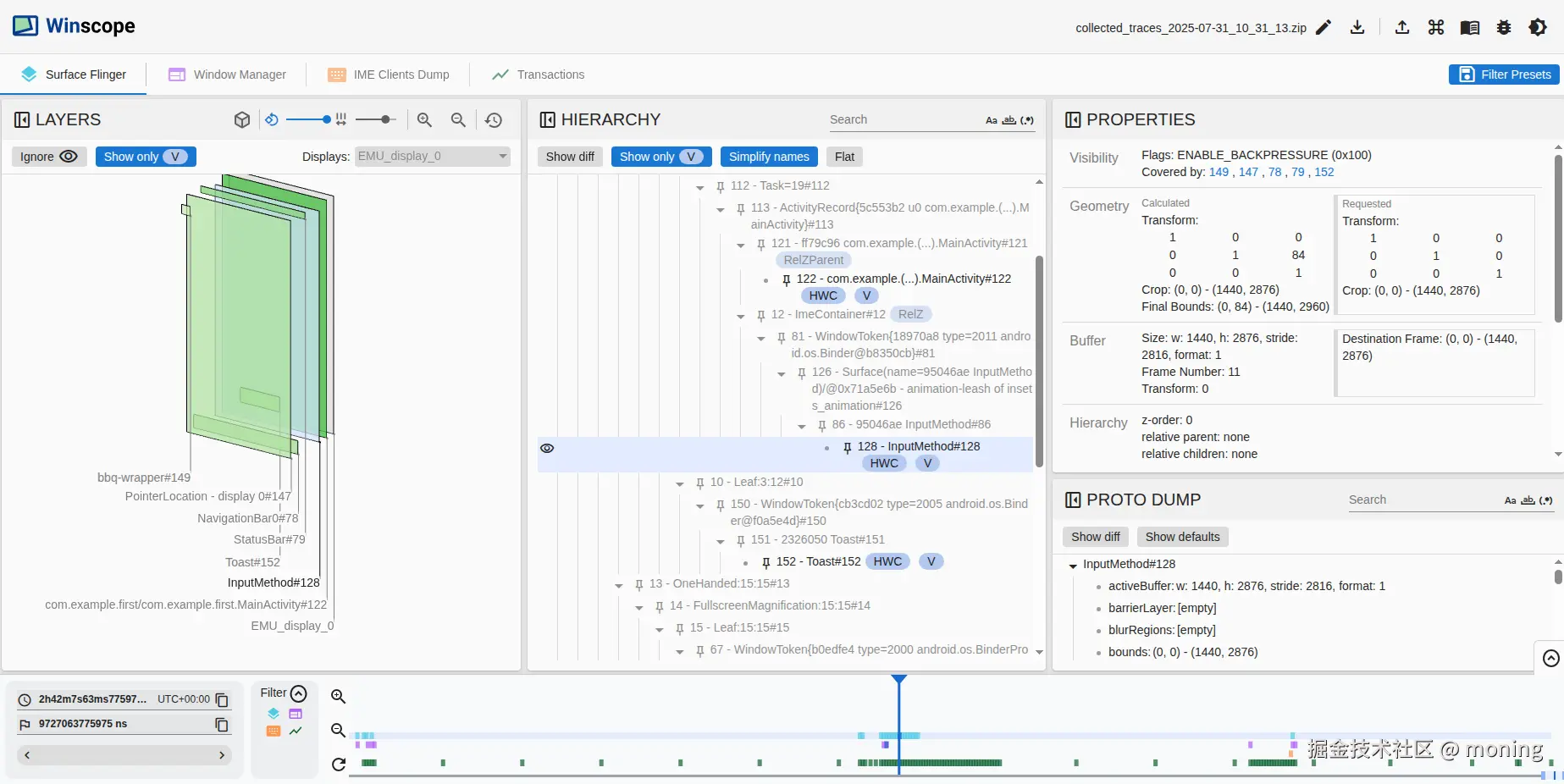
在 wms 的 addWindow 中可能对 ime 的位置进行移动。imMayMove 为 true 时就可以调用 displayContent 进行移动。
java
boolean imMayMove = true;

win.mToken.addWindow(win);
displayPolicy.addWindowLw(win, attrs);
displayPolicy.setDropInputModePolicy(win, win.mAttrs);
if (type == TYPE_APPLICATION_STARTING && activity != null) {
	activity.attachStartingWindow(win);
	ProtoLog.v(WM_DEBUG_STARTING_WINDOW, "addWindow: %s startingWindow=%s",
			activity, win);
} else if (type == TYPE_INPUT_METHOD
		// IME window is always touchable.
		// Ignore non-touchable windows e.g. Stylus InkWindow.java.
		&& (win.getAttrs().flags & FLAG_NOT_TOUCHABLE) == 0) {
	displayContent.setInputMethodWindowLocked(win);
	imMayMove = false;
} else if (type == TYPE_INPUT_METHOD_DIALOG) {
	displayContent.computeImeTarget(true /* updateImeTarget */);
	imMayMove = false;
} else {
	if (type == TYPE_WALLPAPER) {
		displayContent.mWallpaperController.clearLastWallpaperTimeoutTime();
		displayContent.pendingLayoutChanges |= FINISH_LAYOUT_REDO_WALLPAPER;
	} else if (win.hasWallpaper()) {
		displayContent.pendingLayoutChanges |= FINISH_LAYOUT_REDO_WALLPAPER;
	} else if (displayContent.mWallpaperController.isBelowWallpaperTarget(win)) {
		// If there is currently a wallpaper being shown, and
		// the base layer of the new window is below the current
		// layer of the target window, then adjust the wallpaper.
		// This is to avoid a new window being placed between the
		// wallpaper and its target.
		displayContent.pendingLayoutChanges |= FINISH_LAYOUT_REDO_WALLPAPER;
	}
}

final WindowStateAnimator winAnimator = win.mWinAnimator;
winAnimator.mEnterAnimationPending = true;
winAnimator.mEnteringAnimation = true;
// Check if we need to prepare a transition for replacing window first.
if (!win.mTransitionController.isShellTransitionsEnabled()
		&& activity != null && activity.isVisible()
		&& !prepareWindowReplacementTransition(activity)) {
	// If not, check if need to set up a dummy transition during display freeze
	// so that the unfreeze wait for the apps to draw. This might be needed if
	// the app is relaunching.
	prepareNoneTransitionForRelaunching(activity);
}

if (displayPolicy.areSystemBarsForcedConsumedLw()) {
	res |= WindowManagerGlobal.ADD_FLAG_ALWAYS_CONSUME_SYSTEM_BARS;
}

if (mInTouchMode) {
	res |= WindowManagerGlobal.ADD_FLAG_IN_TOUCH_MODE;
}
if (win.mActivityRecord == null || win.mActivityRecord.isClientVisible()) {
	res |= WindowManagerGlobal.ADD_FLAG_APP_VISIBLE;
}

displayContent.getInputMonitor().setUpdateInputWindowsNeededLw();

boolean focusChanged = false;
if (win.canReceiveKeys()) {
	focusChanged = updateFocusedWindowLocked(UPDATE_FOCUS_WILL_ASSIGN_LAYERS,
			false /*updateInputWindows*/);
	if (focusChanged) {
		imMayMove = false;
	}
}

if (imMayMove) {
	displayContent.computeImeTarget(true /* updateImeTarget */);
}
com.android.server.wm.DisplayContent#computeImeTarget