官方地址:
API Explorer - 云 API - 控制台 https://console.cloud.tencent.com/api/explorer?Product=ocr&Version=2018-11-19&Action=DriverLicenseOCR前置操作与下面博客前置操作一致:实名认证 ------ 腾讯云身份证认证接口-CSDN博客
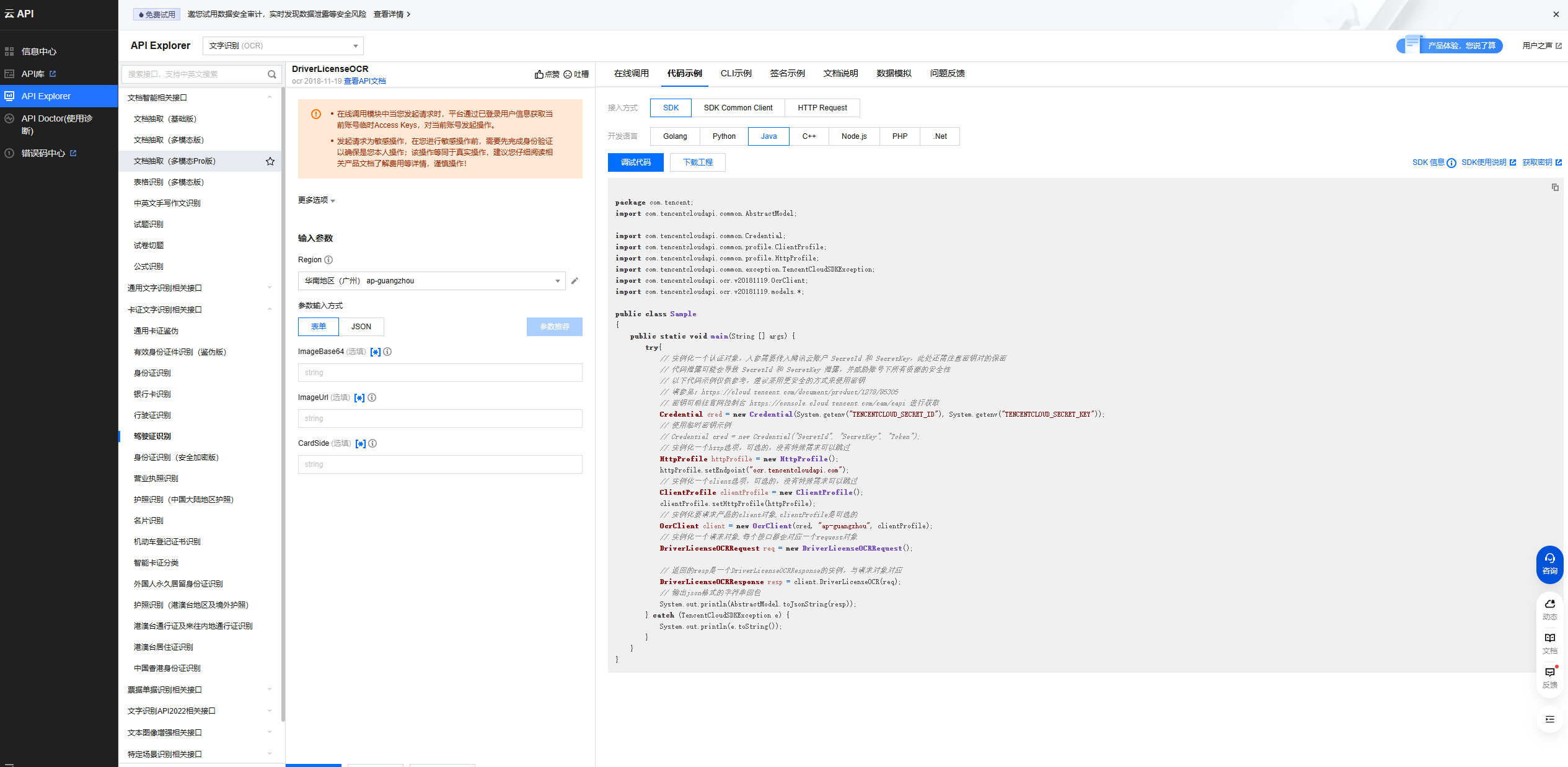
首先编写Controller:
java
@Operation(summary = "驾驶证识别")
@PostMapping("/driverLicenseOcr")
public Result<DriverLicenseOcrVo> driverLicenseOcr(@RequestPart("file") MultipartFile file) {
    return Result.ok(ocrService.driverLicenseOcr(file));
}
随后编写Service:
步骤解析: 与实名认证 ------ 腾讯云身份证认证接口-CSDN博客几乎一致
java
    ////驾驶证识别
    @Override
    public DriverLicenseOcrVo driverLicenseOcr(MultipartFile file) {
        try{
            //图片转换base64格式字符串
            byte[] base64 = Base64.encodeBase64(file.getBytes());
            String fileBase64 = new String(base64);

            // 实例化一个认证对象,入参需要传入腾讯云账户 SecretId 和 SecretKey,此处还需注意密钥对的保密
            Credential cred = new Credential(tencentCloudProperties.getSecretId(),
                    tencentCloudProperties.getSecretKey());
            // 实例化一个http选项,可选的,没有特殊需求可以跳过
            HttpProfile httpProfile = new HttpProfile();
            httpProfile.setEndpoint("ocr.tencentcloudapi.com");
            // 实例化一个client选项,可选的,没有特殊需求可以跳过
            ClientProfile clientProfile = new ClientProfile();
            clientProfile.setHttpProfile(httpProfile);
            // 实例化要请求产品的client对象,clientProfile是可选的
            OcrClient client = new OcrClient(cred, tencentCloudProperties.getRegion(),
                                                clientProfile);
            // 实例化一个请求对象,每个接口都会对应一个request对象
            DriverLicenseOCRRequest req = new DriverLicenseOCRRequest();
            req.setImageBase64(fileBase64);

            // 返回的resp是一个DriverLicenseOCRResponse的实例,与请求对象对应
            DriverLicenseOCRResponse resp = client.DriverLicenseOCR(req);

            //封装到vo对象里面
            DriverLicenseOcrVo driverLicenseOcrVo = new DriverLicenseOcrVo();
            if (StringUtils.hasText(resp.getName())) {
                //驾驶证正面
                //驾驶证名称要与身份证名称一致
                driverLicenseOcrVo.setName(resp.getName());
                driverLicenseOcrVo.setDriverLicenseClazz(resp.getClass_());
                driverLicenseOcrVo.setDriverLicenseNo(resp.getCardCode());
                driverLicenseOcrVo.setDriverLicenseIssueDate(DateTimeFormat.forPattern("yyyy-MM-dd").parseDateTime(resp.getDateOfFirstIssue()).toDate());
                driverLicenseOcrVo.setDriverLicenseExpire(DateTimeFormat.forPattern("yyyy-MM-dd").parseDateTime(resp.getEndDate()).toDate());

                //上传驾驶证反面图片到腾讯云cos
                CosUploadVo cosUploadVo = cosService.upload(file, "driverLicense");
                driverLicenseOcrVo.setDriverLicenseFrontUrl(cosUploadVo.getUrl());
                driverLicenseOcrVo.setDriverLicenseFrontShowUrl(cosUploadVo.getShowUrl());
            } else {
                //驾驶证反面
                //上传驾驶证反面图片到腾讯云cos
                CosUploadVo cosUploadVo =  cosService.upload(file, "driverLicense");
                driverLicenseOcrVo.setDriverLicenseBackUrl(cosUploadVo.getUrl());
                driverLicenseOcrVo.setDriverLicenseBackShowUrl(cosUploadVo.getShowUrl());
            }

            return driverLicenseOcrVo;
        } catch (Exception e) {
            e.printStackTrace();
            throw new GuiguException(ResultCodeEnum.DATA_ERROR);
        }
    }
随后编写feign:
java
/**
 * 驾驶证识别
 * @param file
 * @return
 */
@PostMapping(value = "/ocr/driverLicenseOcr", consumes = MediaType.MULTIPART_FORM_DATA_VALUE)
Result<DriverLicenseOcrVo> driverLicenseOcr(@RequestPart("file") MultipartFile file);