大家好,今天介绍ug二次开发过程中的一个叫面收集器的控件和曲线收集器控件,这个控件在块UI编辑器中可以使用。
1、下面是面收集器这个控件中的一些属性和方法:
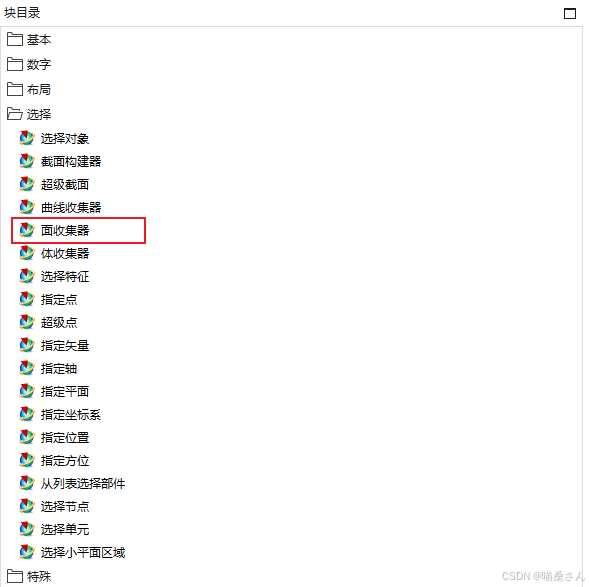
public class FaceCollector : UIBlock
{
protected internal FaceCollector();
public string SelectModeAsString { get; set; }
public bool PopupMenuEnabled { get; set; }
public string MaximumScopeAsString { get; set; }
public string LabelString { get; set; }
public string InterpartSelectionAsString { get; set; }
public int FaceRules { get; set; }
public int EntityType { get; set; }
public string DefaultFaceRulesAsString { get; set; }
public string Cue { get; set; }
public bool CreateInterpartLink { get; set; }
public bool BlendVirtualCurveOverlay { get; set; }
public string Bitmap { get; set; }
public string StepStatusAsString { get; set; }
public string BalloonTooltipText { get; set; }
public string BalloonTooltipImage { get; set; }
public bool AutomaticProgression { get; set; }
public bool AllowConvergentObject { get; set; }
public string BalloonTooltipLayoutAsString { get; set; }
public string ToolTip { get; set; }
public string\[\] GetBalloonTooltipLayoutMembers();
public ScCollector GetCollectorObjectOfFaceCollector();
public string\[\] GetDefaultFaceRulesMembers();
public string\[\] GetInterpartSelectionMembers();
public TaggedObject\[\] GetSelectedObjects();
public string\[\] GetSelectModeMembers();
public string\[\] GetStepStatusMembers();
public void SetCollectorObjectOfFaceCollector(ScCollector collectorObject);
public void SetSelectedObjects(TaggedObject\[\] objectVector);
}
2、下面是曲线收集器这个控件中的一些属性和方法:
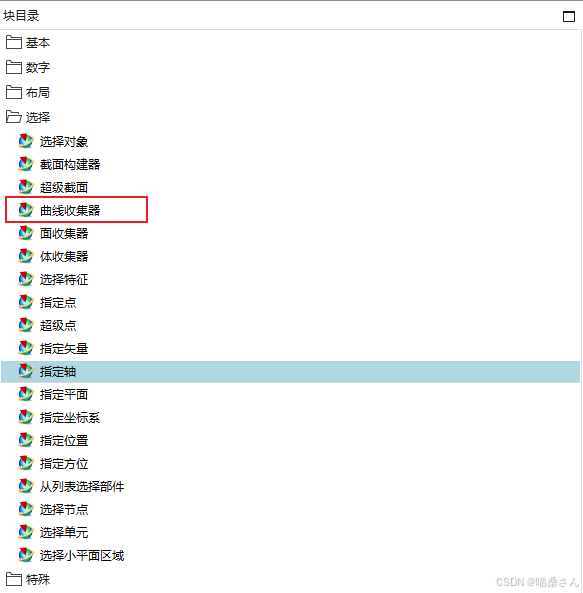
public class CurveCollector : UIBlock
{
protected internal CurveCollector();
public string SelectModeAsString { get; set; }
public bool PopupMenuEnabled { get; set; }
public string MaximumScopeAsString { get; set; }
public string LabelString { get; set; }
public string InterpartSelectionAsString { get; set; }
public bool InferredCurveSelection { get; set; }
public int EntityType { get; set; }
public string DefaultCurveRulesAsString { get; set; }
public int CurveRules { get; set; }
public string Cue { get; set; }
public bool CreateInterpartLink { get; set; }
public bool BlendVirtualCurveOverlay { get; set; }
public string Bitmap { get; set; }
public string StepStatusAsString { get; set; }
public string BalloonTooltipText { get; set; }
public string BalloonTooltipImage { get; set; }
public bool AutomaticProgression { get; set; }
public bool AllowInferredCurveSelection { get; set; }
public bool AllowConvergentObject { get; set; }
public string BalloonTooltipLayoutAsString { get; set; }
public string ToolTip { get; set; }
public string\[\] GetBalloonTooltipLayoutMembers();
public ScCollector GetCollectorObjectOfCurveCollector();
public string\[\] GetDefaultCurveRulesMembers();
public string\[\] GetInterpartSelectionMembers();
public TaggedObject\[\] GetSelectedObjects();
public string\[\] GetSelectModeMembers();
public string\[\] GetStepStatusMembers();
public void SetCollectorObjectOfCurveCollector(ScCollector collectorObject);
public void SetSelectedObjects(TaggedObject\[\] objectVector);
}
本篇文章要介绍的就是这么多,我们下篇文章再见。