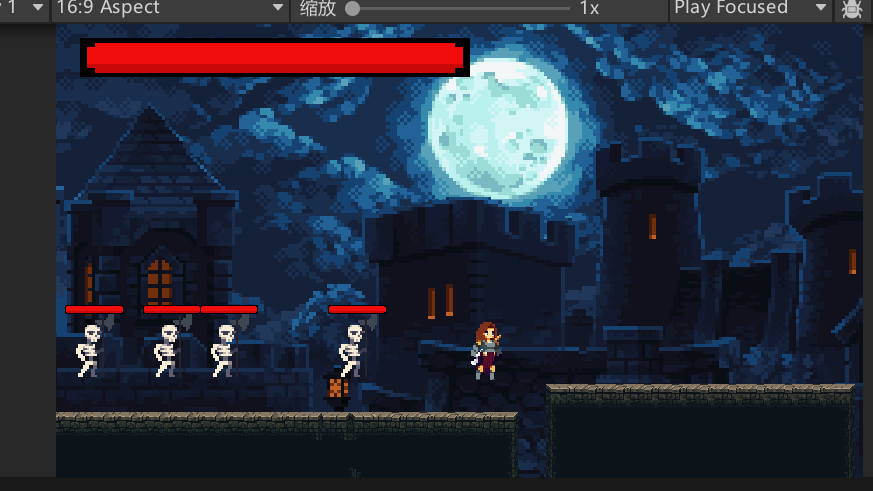
1.实现血条在屏幕左上角实现
在画布下创建UI_InGame对象,并添加血条子对象
创建UI_InGame脚本:
SerializeField private PlayerStats playerStats;//获取玩家状态
SerializeField private Slider slider;//血条
void Start()
{
if (playerStats != null)
playerStats.onHealthChange += UpdateHealthUI;//绑定事件
}
// Update is called once per frame
void Update()
{
}
private void UpdateHealthUI()
{
slider.maxValue = playerStats.GetMaxHealth();
slider.value = playerStats.currentHealth;
}
2.实现技能的冷却显示
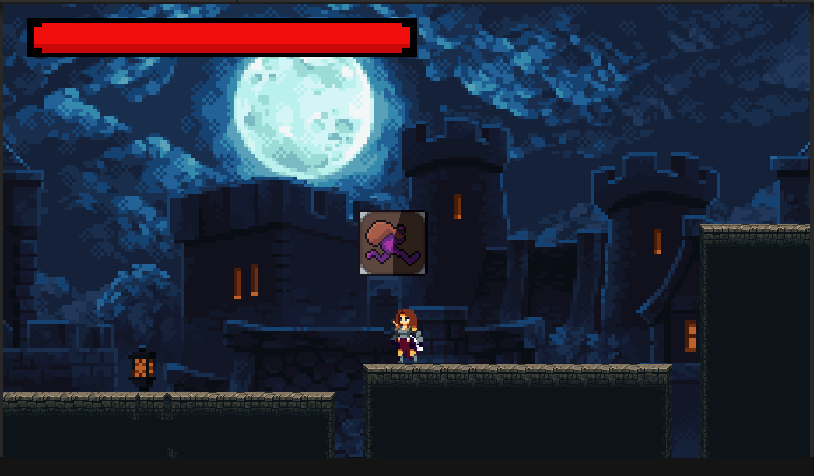
创建两个图像,都使用技能的图标,但是作为子对象的图标需要设置填充
UI_InGame脚本:
SerializeField private Image dashImage;//冷却图像
SerializeField private float dashCooldown;
void Start()
{
if (playerStats != null)
playerStats.onHealthChange += UpdateHealthUI;
dashCooldown = SkillManage.instance.dash.cooldown;//设置冷却时间
}
private void SetCoolOf(Image _image)//冷却,当填充等于0恢复到1
{
if(_image.fillAmount<=0)
{
_image.fillAmount = 1;
}
}
private void CheckCoolOf(Image _image,float cooldown)
{
if(_image.fillAmount>0)//如果在冷却,则减小填充
{
_image.fillAmount -= 1 / cooldown * Time.deltaTime;
}
}
void Update()
{
if (Input.GetKeyDown(KeyCode.LeftShift))//冲刺的冷却
SetCoolOf(dashImage);
CheckCoolOf(dashImage, dashCooldown);
}
3.实现游戏内UI的实时显示
UI脚本:
SerializeField private GameObject UI_InGame;
void Start()
{
SwithTo(UI_InGame);//初始时进入游戏内UI
ItemTip.gameObject.SetActive(false);
statTip.gameObject.SetActive(false);
}
private void CheckForInGameUI()//检查,如果ui中无任何面板激活则回到游戏内UI
{
for(int i=0;i<transform.childCount;i++)
{
if (transform.GetChild(i).gameObject.activeSelf)
return;
}
SwithTo(UI_InGame);
}
public void SwithWithKey(GameObject _menu)
{
if(_menu!=null&&_menu.activeSelf)
{
_menu.SetActive(false);
CheckForInGameUI();//检查
return;
}
SwithTo(_menu);
}
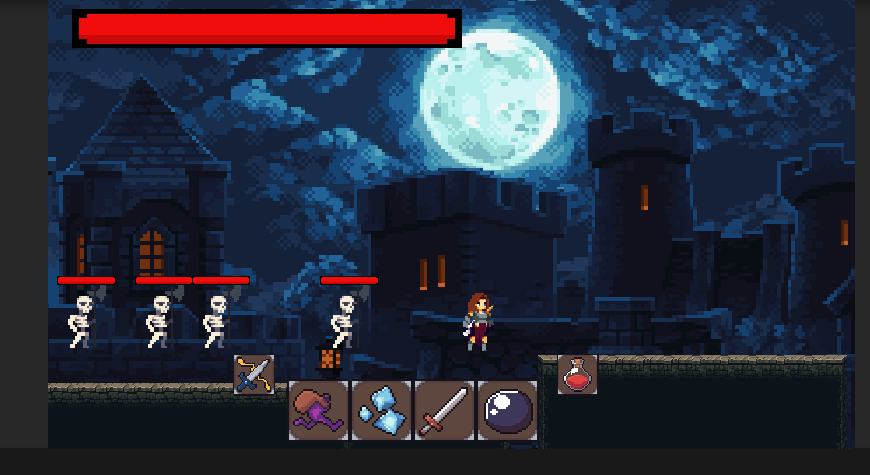
4.实现更多技能的冷却显示并且确保技能正确使用
UI_InGame脚本:
SerializeField private Image dashImage;
SerializeField private Image parryImage;
SerializeField private Image crystalImage;
SerializeField private Image swordImage;
SerializeField private Image blackholeImage;
SerializeField private Image flaskImage;//分别获取图像
private SkillManage skill;
void Start()
{
if (playerStats != null)
playerStats.onHealthChange += UpdateHealthUI;
skill = SkillManage.instance;
}
void Update()
{
if (Input.GetKeyDown(KeyCode.LeftShift)&&skill.dash.dashUnlocked)
SetCoolOf(dashImage);
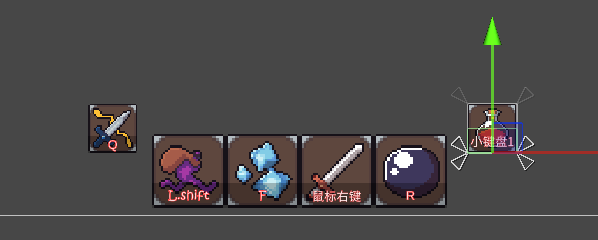
if(Input.GetKeyDown(KeyCode.Q)&&skill.parry.parryUnlocked)//对应的按键
SetCoolOf(parryImage);
if( Input.GetKeyDown(KeyCode.F)&&skill.crystal.CrystalUnlocked)
SetCoolOf(crystalImage);
if (Input.GetKeyDown(KeyCode.Mouse1)&&skill.sword.SwordUnlocked)
SetCoolOf(swordImage);
if(Input.GetKeyDown(KeyCode.R)&&skill.blackhole.BlackholeUnlocked)
SetCoolOf(blackholeImage);
if (Input.GetKeyDown(KeyCode.Alpha1)&&Inventory.instance.GetEquipment(EquipmentType.Flask)!=null)
SetCoolOf(flaskImage);
CheckCoolOf(dashImage, skill.dash.cooldown);//调用冷却
CheckCoolOf(parryImage, skill.parry.cooldown);
CheckCoolOf(crystalImage, skill.crystal.cooldown);
CheckCoolOf(swordImage, skill.sword.cooldown);
CheckCoolOf(blackholeImage, skill.blackhole.cooldown);
CheckCoolOf(flaskImage, Inventory.instance.flaskCooldown);
}
加上提示文本
5.实现货币数量的显示
PlayerManage脚本:
public int GetCurrentCurrency() => currency;返回当前货币
UI_InGame脚本:
SerializeField private TextMeshProUGUI CurrencySlots;//获取显示的文本
CurrencySlots.text = PlayerManage.instance.GetCurrentCurrency().ToString("#,#");//updata中调用
