每天一个安卓测试开发小知识之 (四) ---常用的adb shell命令第二期 pm命令
上一期我们简单介绍了如何进入\退出 adb shell以及 adb shell 的常用命令,本期继续介绍
pm命令
pm是什么,pm -> packageManager 翻译过来就是包管理 ,该命令就是提供包的管理功能
包是什么,在安卓系统中 一个包就是一个app,例如三方包,微信 qq等,手机自带的包,时钟、设置 都是一个个独立的包
1. 查看帮助
bash
adb shell pm -h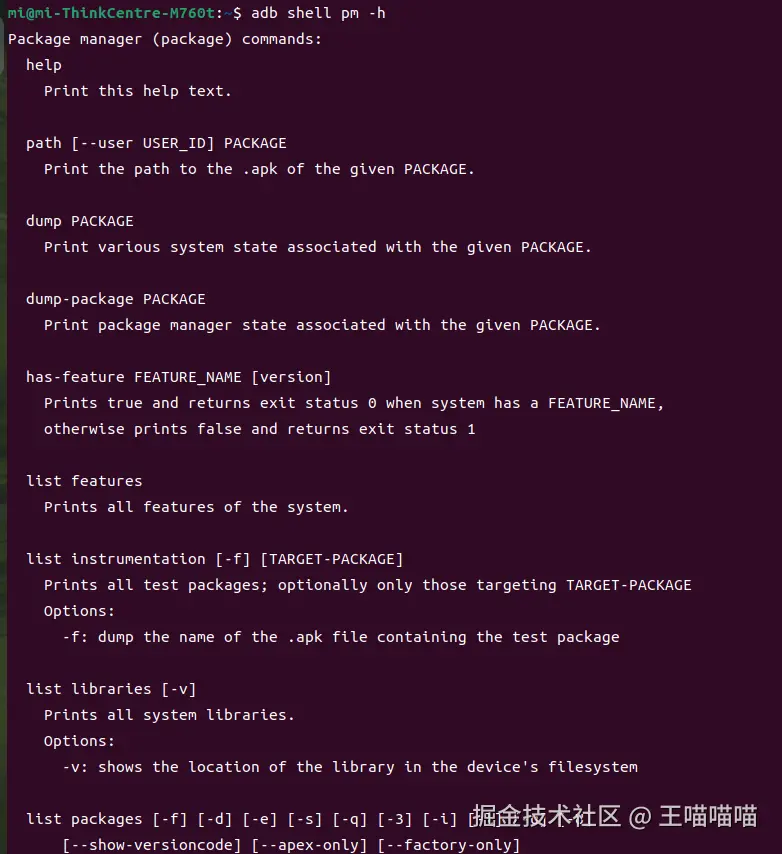
2. 查看已安装的全部包
adb shell pm list packages 会列出包名。 包名就是包的唯一id,例如微信的包名就是 com.tencent.mm ,一个手机中包名不能重复,即不能安装包名相同的app 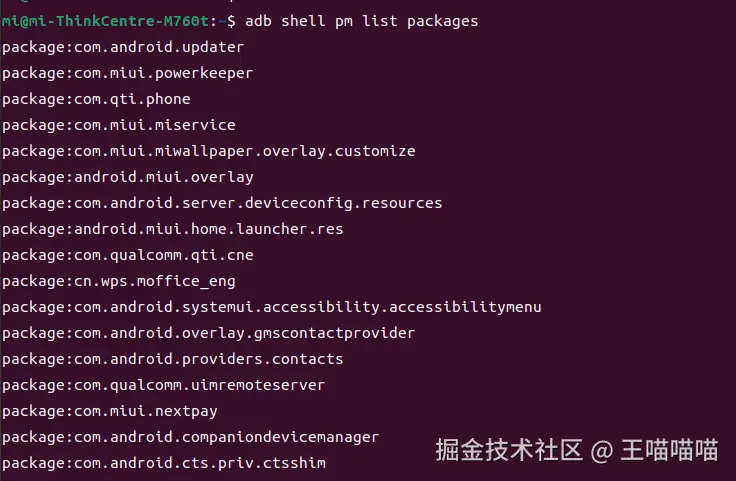
3. 包的安装
adb shell pm install *** 安装apk,** 是手机中的apk路径 例如安装 app-debug.apk (安卓系统中app的后缀名是 .apk) 1. push 主机上的apk到手机中 2. 通过 pm install安装  还有一种方式是 直接
 adb install app-debug.apk,也能实现相同的功能  无论是
无论是 adb install 还是 adb shell pm install 都可以加很多参数,不同的参数又不同的含义
bash
  install [-rtfdg] [-i PACKAGE] [--user USER_ID|all|current]
       [-p INHERIT_PACKAGE] [--install-location 0/1/2]
       [--install-reason 0/1/2/3/4] [--originating-uri URI]
       [--referrer URI] [--abi ABI_NAME] [--force-sdk]
       [--preload] [--instant] [--full] [--dont-kill]
       [--enable-rollback [0/1/2]]
       [--force-uuid internal|UUID] [--pkg PACKAGE] [-S BYTES]
       [--apex] [--non-staged] [--force-non-staged]
       [--staged-ready-timeout TIMEOUT] [--ignore-dexopt-profile]
       [--dexopt-compiler-filter FILTER]
       [PATH [SPLIT...]|-]
    Install an application.  Must provide the apk data to install, either as
    file path(s) or '-' to read from stdin.  Options are:
      -R: disallow replacement of existing application
      -t: allow test packages
      -i: specify package name of installer owning the app
      -f: install application on internal flash
      -d: allow version code downgrade (debuggable packages only)
      -p: partial application install (new split on top of existing pkg)
      -g: grant all runtime permissions
      -S: size in bytes of package, required for stdin
      --user: install under the given user.
      --dont-kill: installing a new feature split, don't kill running app
      --restrict-permissions: don't whitelist restricted permissions at install
      --originating-uri: set URI where app was downloaded from
      --referrer: set URI that instigated the install of the app
      --pkg: specify expected package name of app being installed
      --abi: override the default ABI of the platform
      --instant: cause the app to be installed as an ephemeral install app
      --full: cause the app to be installed as a non-ephemeral full app
      --enable-rollback: enable rollbacks for the upgrade.
          0=restore (default), 1=wipe, 2=retain
      --rollback-impact-level: set device impact required for rollback.
          0=low (default), 1=high, 2=manual only
      --install-location: force the install location:
          0=auto, 1=internal only, 2=prefer external
      --install-reason: indicates why the app is being installed:
          0=unknown, 1=admin policy, 2=device restore,
          3=device setup, 4=user request
      --update-ownership: request the update ownership enforcement
      --force-uuid: force install on to disk volume with given UUID
      --apex: install an .apex file, not an .apk
      --non-staged: explicitly set this installation to be non-staged.
          This flag is only useful for APEX installs that are implicitly
          assumed to be staged.
      --force-non-staged: force the installation to run under a non-staged
          session, which may complete without requiring a reboot. This will
          force a rebootless update even for APEXes that don't support it
      --staged-ready-timeout: By default, staged sessions wait 60000
          milliseconds for pre-reboot verification to complete when
          performing staged install. This flag is used to alter the waiting
          time. You can skip the waiting time by specifying a TIMEOUT of '0'
      --ignore-dexopt-profile: if set, all profiles are ignored by dexopt
          during the installation, including the profile in the DM file and
          the profile embedded in the APK file. If an invalid profile is
          provided during installation, no warning will be reported by `adb
          install`.
          This option does not affect later dexopt operations (e.g.,
          background dexopt and manual `pm compile` invocations).
      --dexopt-compiler-filter: the target compiler filter for dexopt during
          the installation. The filter actually used may be different.
          Valid values: one of the values documented in
          https://source.android.com/docs/core/runtime/configure#compiler_filters
          or 'skip'
      --disable-auto-install-dependencies: if set, any missing shared
          library dependencies will not be auto-installed
-R 允许重复安装 -t 允许安装测试包 -d 允许降级安装 -g 安装时直接授予app全部运行时权限 等等参数,这里只介绍一些常用的参数 例如 : 
4. 包的卸载
adb shell pm uninstall packageName 或者 adb uninstall packageName packageName 是包名 
4.1 包名如何获取
如果是自己开发的app,包名肯定已知,如果是其他的app呢
方式一:通过手机上的界面去查看包名 方式二:通过aapt命令查看 适用于在主机上查看apk的信息 方式三: 通过adb命令查看 适用于手机上查看apk信息
- 方式一,以小米手机为例,长按app图表 - > 点击感叹号 -> 点击右上角三个点->点击应用详情
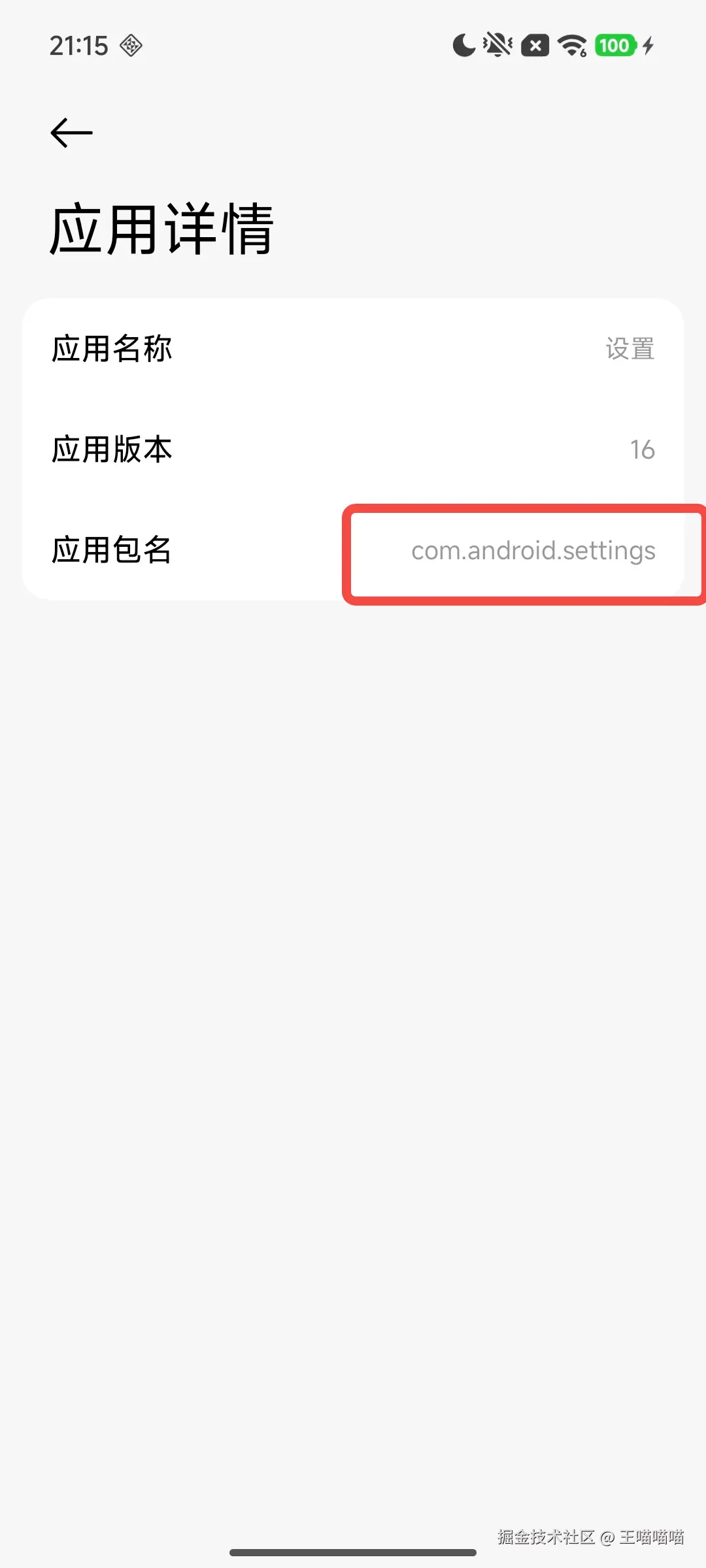
- 方式二: 通过aapt
以linux为例 直接在aapt的目录中运行 ./aapt2 则会看到aapt命令的帮助信息 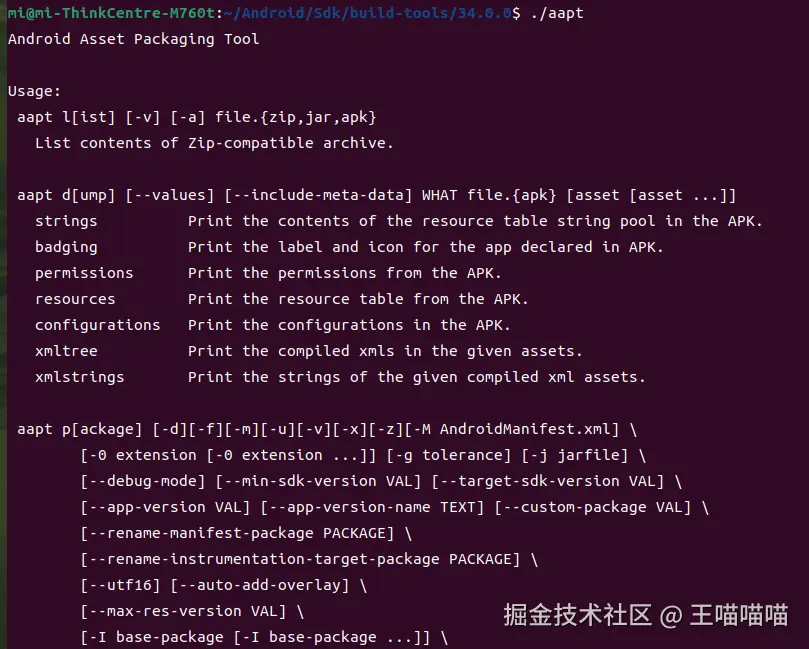
- 查看apk信息
./aapt dump badging ~/app-debug.apk,~/app-debug.apkapk的保存路径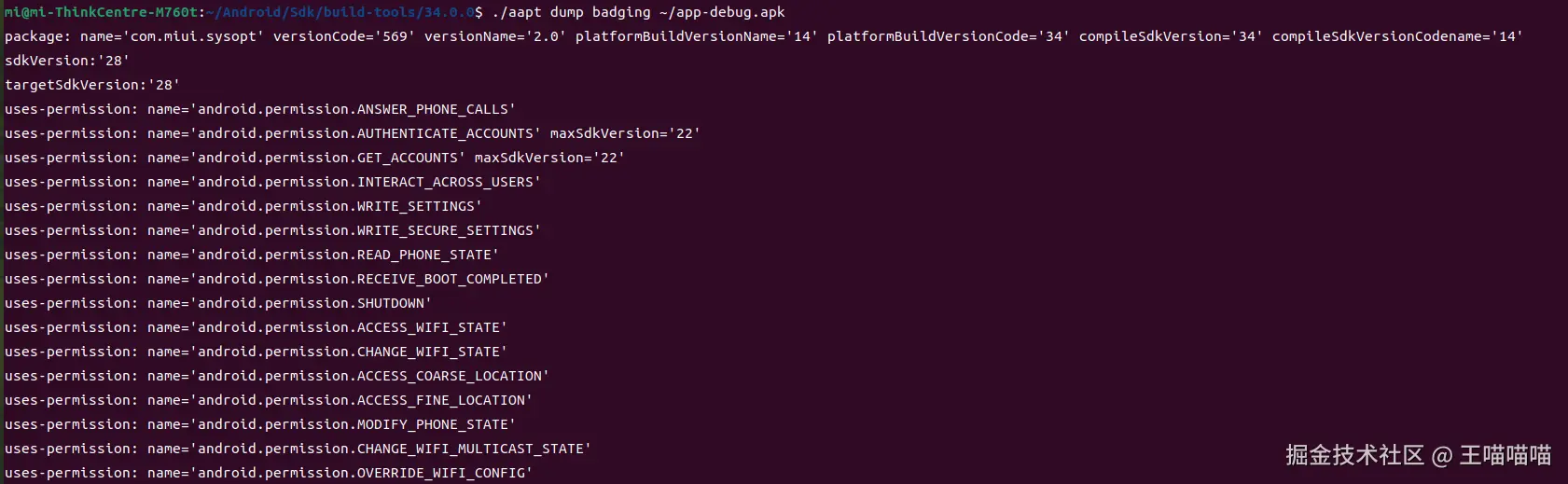 可以看到 包名是
 com.miui.sysopt当前的版本号569以及sdk版本、声明的权限等等 - 方式三 通过adb命令查看包名
当我们打开某个app时,以设置为例,我们可以通过adb命令获取当前界面上是哪个app,从而得到app的包名
对应的adb命令是 adb shell dumpsys activity activities | grep mFocusedApp=ActivityRecord  通过以上命令可以得到当前的app是
 com.android.settings 并且可以看到当前的 activity是 com.android.settings/.MainSettings
本期的分享先到这里,每天进步一点点!!!