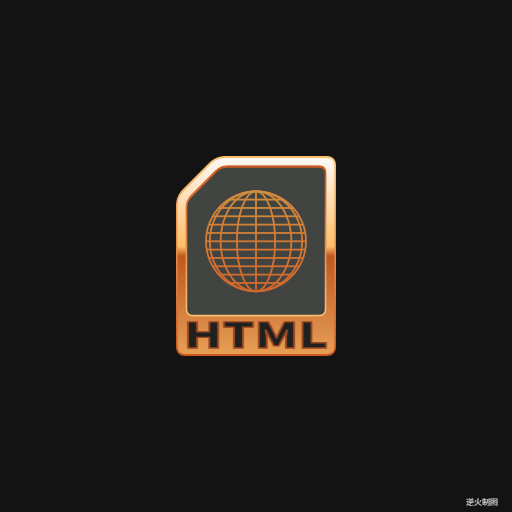
<!DOCTYPE html>
<html lang="utf-8">
<meta http-equiv="Content-Type" content="text/html; charset=utf-8"/>
<head>
     <title>html图标 Draft1</title>
     <style type="text/css">
     .centerlize{
        margin:0 auto;
        width:1200px;
     }
     </style>
     </head>

     <body onload="init();">
        <div class="centerlize">
            <canvas id="myCanvas" width="12px" height="12px" style="border:1px dotted black;">
                如果看到这段文字说您的浏览器尚不支持HTML5 Canvas,请更换浏览器再试.
            </canvas>
        </div>
     </body>
</html>
<script type="text/javascript">
<!--
/*****************************************************************
* 将全体代码(从<!DOCTYPE到script>)拷贝下来,粘贴到文本编辑器中,
* 另存为.html文件,再用chrome浏览器打开,就能看到实现效果。
******************************************************************/

// canvas的绘图环境
var ctx;

// 高宽
const WIDTH=512;
const HEIGHT=512;

// 舞台对象
var stage;

//-------------------------------
// 初始化
//-------------------------------
function init(){
    // 获得canvas对象
    var canvas=document.getElementById('myCanvas');
    canvas.width=WIDTH;
    canvas.height=HEIGHT;

    // 初始化canvas的绘图环境
    ctx=canvas.getContext('2d');
    ctx.translate(WIDTH/2,HEIGHT/2);// 原点平移

    // 准备
    stage=new Stage();
    stage.init();

    // 开幕
    animate();
}

// 播放动画
function animate(){
    stage.update();
    stage.paintBg(ctx);
    stage.paintFg(ctx);

    // 循环
    if(true){
        //sleep(100);
        window.requestAnimationFrame(animate);
    }
}

// 舞台类
function Stage(){
    // 初始化
    this.init=function(){

    }

    // 更新
    this.update=function(){

    }

    // 画背景
    this.paintBg=function(ctx){
        ctx.clearRect(-WIDTH/2,-HEIGHT/2,WIDTH,HEIGHT);// 清屏
    }

    // 画前景
    this.paintFg=function(ctx){
        // 底色
        ctx.save();
        ctx.fillStyle = "rgb(19,19,19)";
        ctx.fillRect(-WIDTH/2,-HEIGHT/2,WIDTH,HEIGHT);
        ctx.restore();

        const R=220;//基准尺寸
        var ct=createPt(0,0);// ct=center

        // #1 外轮廓
        ctx.save();
        var r=R*1.00;
        var h=2*r;
        var w=h*0.8;
        var top=createPt2(ct.x,ct.y,h/2,-Math.PI/2);
        var bottom=createPt2(ct.x,ct.y,h/2,Math.PI/2);
        var gnt=ctx.createLinearGradient(top.x,top.y,bottom.x,bottom.y);
        gnt.addColorStop(0,"rgb(250,194,109)");
        gnt.addColorStop(1,"rgb(203,86,31)");
        ctx.fillStyle=gnt;
        drawUnfilledCornerRect(ctx,ct.x,ct.y,w,h,h/5,h/20);
        ctx.fill();
        ctx.restore();

        // #2 内轮廓
        ctx.save();
        h-=2*r*0.02;
        w-=2*r*0.02*0.8;
        var top=createPt2(ct.x,ct.y,h/2,-Math.PI/2);
        var bottom=createPt2(ct.x,ct.y,h/2,Math.PI/2);
        var gnt=ctx.createLinearGradient(top.x,top.y,bottom.x,bottom.y);
        gnt.addColorStop(0,"rgb(252,249,245)");
        gnt.addColorStop(0.45,"rgb(254,191,106)");
        gnt.addColorStop(0.5,"rgb(190,89,33)");
        gnt.addColorStop(0.75,"rgb(210,122,62)");
        gnt.addColorStop(1,"rgb(229,159,83)");
        ctx.fillStyle=gnt;
        drawUnfilledCornerRect(ctx,ct.x,ct.y,w,h,h/5,h/20-r*0.02);
        ctx.fill();
        ctx.restore();

        // #3 内窗外轮廓
        ctx.save();
        h-=2*r*0.1+r*0.25;
        w-=2*r*0.08;
        var center=createPt2(ct.x,ct.y,h*0.10,-Math.PI/2);
        var top=createPt2(center.x,center.y,h/2,-Math.PI/2);
        var bottom=createPt2(center.x,center.y,h/2,Math.PI/2);
        var gnt=ctx.createLinearGradient(top.x,top.y,bottom.x,bottom.y);
        gnt.addColorStop(0,"rgb(203,86,31)");
        gnt.addColorStop(1,"rgb(250,194,109)");
        ctx.fillStyle=gnt;
        drawUnfilledCornerRect(ctx,center.x,center.y,w,h,h*0.23,h/20);
        ctx.fill();
        ctx.restore();

        // #4 内窗内轮廓
        ctx.save();
        h-=2*r*0.02;
        w-=2*r*0.02*0.8;
        var center=createPt2(ct.x,ct.y,h*0.10,-Math.PI/2);
        ctx.fillStyle="rgb(66,68,65)";
        drawUnfilledCornerRect(ctx,center.x,center.y,w,h,h*0.23,h*0.04);
        ctx.fill();
        ctx.restore();

        // #5 地球标志
        ctx.save();
        var r=R*0.50;
        var top=createPt2(center.x,center.y,r,-Math.PI/2);
        var bottom=createPt2(center.x,center.y,r,Math.PI/2);
        var gnt1=ctx.createLinearGradient(top.x,top.y,bottom.x,bottom.y);
        gnt1.addColorStop(0,"rgb(209,141,62)");
        gnt1.addColorStop(1,"rgb(210,102,43)");
        drawGridEarth(ctx,center.x,center.y,r,4,12,R/220*4,gnt1);
        ctx.restore();

        // #6 文字
        ctx.save();
        var r=R*1.00;
        ctx.lineWidth=R/220*4;
        ctx.scale(1,0.7);
        writeText2(ctx,ct.x,ct.y+r*1.38,"HTML",r*0.50+"px Noto Sans SC Black","rgb(32,32,32)","rgb(156,71,29)");
        ctx.restore();

        writeText(ctx,WIDTH/2-30,HEIGHT/2-5,"逆火制图","8px consolas","lightgrey");// 版权
    }
}

/*----------------------------------------------------------
函数:书写文字带描边
ctx:绘图上下文
x:横坐标
y:纵坐标
text:文字
font:字体
color:颜色
----------------------------------------------------------*/
function writeText2(ctx,x,y,text,font,fillColor,strokeColor){
    ctx.save();
    ctx.textBaseline="bottom";
    ctx.textAlign="center";
    ctx.font = font;
    ctx.fillStyle=fillColor;
    ctx.fillText(text,x,y);
    ctx.strokeStyle=strokeColor;
    ctx.strokeText(text,x,y);
    ctx.restore();
}

/*------------------------------------------------------------------------
 函数:绘制经纬度地球,依赖drawTuoYuan函数
 ctx:绘图上下文
 x:地球中心点横坐标
 y:地球中心点纵坐标
 r:地球半径
 nx:水平方向分多少份(范围r,本初子午线到两边),用于控制经线数目
 ny:竖直方向分多少份(范围2r,北极到南极),用于控制纬线数目
 lineWidth:线宽
 color:线颜色
------------------------------------------------------------------------*/
function drawGridEarth(ctx,x,y,r,nx,ny,lineWidth,color){
    ctx.save();
    ctx.strokeStyle=color;
    ctx.lineWidth=lineWidth;

    var ct=createPt(x,y);// ct=center

    // 本初子午线
    ctx.beginPath();
    ctx.moveTo(ct.x,ct.y-r);
    ctx.lineTo(ct.x,ct.y+r);
    ctx.stroke();

    // 经线
    var n=nx;
    var part=Math.PI/2/n;
    var arr=new Array();
    for(var i=0;i<=n;i++){
        var theta=part*i;
        arr.push(2*r*Math.sin(theta));
    }
    for(var i=1;i<arr.length;i++){
        drawTuoYuan(ctx,ct.x,ct.y,arr[i],2*r);
        ctx.stroke();
    }

    // 纬线
    var part=2*r/ny;
    for(var i=1;i<ny;i++){
        var y=ct.y-r+i*part;
        var x=Math.sqrt(r*r-(y-ct.y)*(y-ct.y));

        ctx.beginPath();
        ctx.moveTo(ct.x-x,y);
        ctx.lineTo(ct.x+x,y);
        ctx.stroke();
    }

    ctx.restore();
}

/*------------------------------------------------------------------------
 函数:drawEllipse函数的套娃函数
 ctx:绘图上下文
 x:椭圆中心点横坐标
 y:椭圆中心点纵坐标
 width:椭圆宽
 height:椭圆高
------------------------------------------------------------------------*/
function drawTuoYuan(ctx,x,y,width,height){
    drawEllipse(ctx,x-width/2,y-height/2,width,height);
}

/*------------------------------------------------------------------------
 函数:使用贝塞尔三次曲线拟近椭圆,
        该方法比原生的ellipse函数消耗小很多。
 ctx:绘图上下文
 x:椭圆左极点横坐标(注意不是中心点)
 y:椭圆左极点纵坐标(注意不是中心点)
 width:椭圆宽
 height:椭圆高
 注:该方法摘录自 张磊著《HTML5实验室-Canvas世界》,电子工业出版社出版
------------------------------------------------------------------------*/
function drawEllipse(ctx,x,y,width,height){
    var k=0.55228475;
    var ox=(width/2)*k;
    var oy=(height/2)*k;
    var xe=x+width;
    var ye=y+height;
    var xm=x+width/2;
    var ym=y+height/2;

    ctx.beginPath();
    ctx.moveTo(x,ym);
    ctx.bezierCurveTo(x,ym-oy,xm-ox,y,xm,y);
    ctx.bezierCurveTo(xm+ox,y,xe,ym-oy,xe,ym);
    ctx.bezierCurveTo(xe,ym+oy,xm+ox,ye,xm,ye);
    ctx.bezierCurveTo(xm-ox,ye,x,ym+oy,x,ym);
    ctx.closePath();
}

/*----------------------------------------------------------
函数:用于绘制左上缺角矩形
ctx:绘图上下文
x:矩形中心横坐标
y:矩形中心纵坐标
width:矩形宽
height:矩形高
cornerWidth:缺角宽度
roundRadius:圆角半径
----------------------------------------------------------*/
function drawUnfilledCornerRect(ctx,x,y,width,height,cornerWidth,roundRadius){
    var ct=createPt(x,y);
    var leftTop=createPt(x-width/2,y-height/2);
    var rightTop=createPt(x+width/2,y-height/2);
    var leftBottom=createPt(x-width/2,y+height/2);
    var rightBottom=createPt(x+width/2,y+height/2);

    var a=rightBottom;
    var b=leftBottom;
    var c=createPt2(leftTop.x,leftTop.y,cornerWidth,Math.PI/2);
    var d=createPt2(leftTop.x,leftTop.y,cornerWidth,0);
    var e=rightTop;

    var a1=createPt2(a.x,a.y,roundRadius,-Math.PI/2);
    var a2=createPt2(a.x,a.y,roundRadius,Math.PI);

    var b1=createPt2(b.x,b.y,roundRadius,0);
    var b2=createPt2(b.x,b.y,roundRadius,-Math.PI/2);

    var c1=createPt2(c.x,c.y,roundRadius,Math.PI/2);
    var c2=createPt2(c.x,c.y,roundRadius,-Math.PI/4);

    var d1=createPt2(d.x,d.y,roundRadius,Math.PI/4*3);
    var d2=createPt2(d.x,d.y,roundRadius,0);

    var e1=createPt2(e.x,e.y,roundRadius,Math.PI);
    var e2=createPt2(e.x,e.y,roundRadius,Math.PI/2);

    ctx.beginPath();
    ctx.moveTo(a1.x,a1.y);
    ctx.quadraticCurveTo(a.x,a.y,a2.x,a2.y);
    ctx.lineTo(b1.x,b1.y);
    ctx.quadraticCurveTo(b.x,b.y,b2.x,b2.y);
    ctx.lineTo(c1.x,c1.y);
    ctx.quadraticCurveTo(c.x,c.y,c2.x,c2.y);
    ctx.lineTo(d1.x,d1.y);
    ctx.quadraticCurveTo(d.x,d.y,d2.x,d2.y);
    ctx.lineTo(e1.x,e1.y);
    ctx.quadraticCurveTo(e.x,e.y,e2.x,e2.y);
    ctx.closePath();
}

/*----------------------------------------------------------
函数:用于绘制矩形
ctx:绘图上下文
x:矩形中心横坐标
y:矩形中心纵坐标
width:矩形宽
height:矩形高
----------------------------------------------------------*/
function drawRect(ctx,x,y,width,height){
    ctx.beginPath();
    ctx.moveTo(x-width/2,y-height/2);
    ctx.lineTo(x+width/2,y-height/2);
    ctx.lineTo(x+width/2,y+height/2);
    ctx.lineTo(x-width/2,y+height/2);
    ctx.closePath();
}

/*----------------------------------------------------------
函数:用于绘制实心圆
ctx:绘图上下文
x:矩形中心横坐标
y:矩形中心纵坐标
r:圆半径
style:填充圆的方案
----------------------------------------------------------*/
function drawSolidCircle(ctx,x,y,r,style){
    ctx.fillStyle=style;
    ctx.beginPath();
    ctx.arc(x,y,r,0,Math.PI*2,false);
    ctx.closePath();
    ctx.fill();
}

/*----------------------------------------------------------
函数:创建一个二维坐标点
baseX:基准点横坐标
baseY:基准点纵坐标
radius:当前点到基准点的距离
theta:当前点到基准点的角度
Pt即Point
----------------------------------------------------------*/
function createPt2(baseX,baseY,radius,theta){
    var retval={};
    retval.x=baseX+radius*Math.cos(theta);
    retval.y=baseY+radius*Math.sin(theta);
    return retval;
}

/*----------------------------------------------------------
函数:创建一个二维坐标点
x:横坐标
y:纵坐标
Pt即Point
----------------------------------------------------------*/
function createPt(x,y){
    var retval={};
    retval.x=x;
    retval.y=y;
    return retval;
}

/*----------------------------------------------------------
函数:延时若干毫秒
milliseconds:毫秒数
----------------------------------------------------------*/
function sleep(milliSeconds) {
    const date = Date.now();
    let currDate = null;
    while (currDate - date < milliSeconds) {
        currDate = Date.now();
    }
}

/*----------------------------------------------------------
函数:书写文字
ctx:绘图上下文
x:横坐标
y:纵坐标
text:文字
font:字体
color:颜色
----------------------------------------------------------*/
function writeText(ctx,x,y,text,font,color){
    ctx.save();
    ctx.textBaseline="bottom";
    ctx.textAlign="center";
    ctx.font = font;
    ctx.fillStyle=color;
    ctx.fillText(text,x,y);
    ctx.restore();
}

/*-------------------------------------------------------------
《朋友别哭》是吕方演唱的歌曲,
由陈乐融作词,莫凡作曲,Belinda Foo编曲,
收录于吕方1995年5月1日发行的专辑《爱一回伤一回》中 ,
该曲也是台剧《情浓半生缘》的主题曲。

歌词:
有没有一扇窗
能让你不绝望
看一看花花世界
原来像梦一场
有人哭 有人笑
有人输 有人老
到结局 还不是一样
有没有一种爱
能让你不受伤
这些年堆积多少
对你的知心话
什么酒醒不了
什么痛忘不掉
向前走 就不可能回头望
朋友别哭
我依然是你心灵的归宿
朋友别哭
要相信自己的路
红尘中
有太多茫然痴心的追逐
你的苦 我也有感触
有没有一种爱
能让你不受伤
这些年堆积多少
对你的知心话
什么酒醒不了
什么痛忘不掉
向前走 就不可能回头望
朋友别哭
我依然是你心灵的归宿
朋友别哭
要相信自己的路
红尘中
有太多茫然痴心的追逐
你的苦 我也有感触
朋友别哭
我一直在你心灵最深处
朋友别哭
我陪你就不孤独
人海中
难得有几个真正的朋友
这份情 请你不要不在乎
人海中
难得有几个真正的朋友
这份情 请你不要不在乎

以上资料来自百度百科
--------------------------------------------------------------*/
//-->
</script>