需求分析
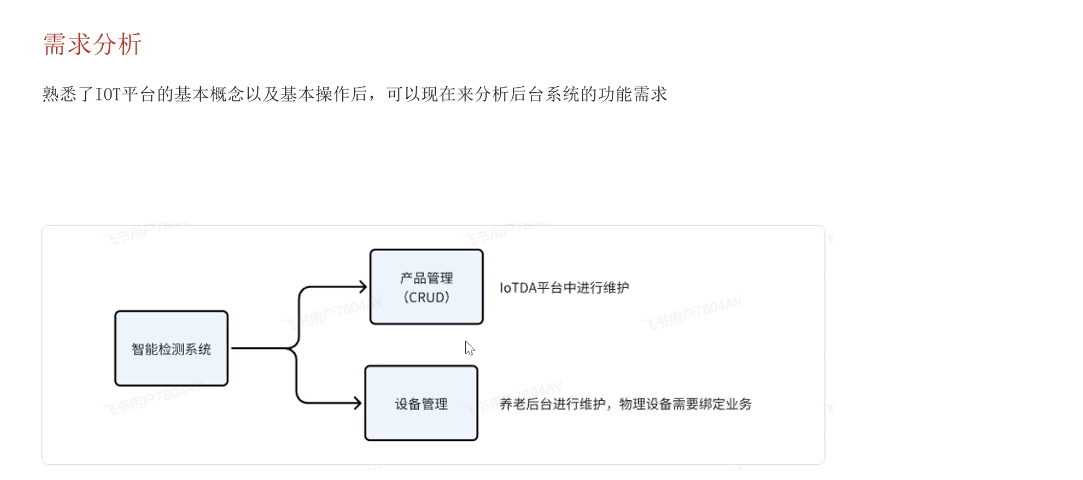
点击同步数据时,要把华为云的数据拉取到我们的系统中
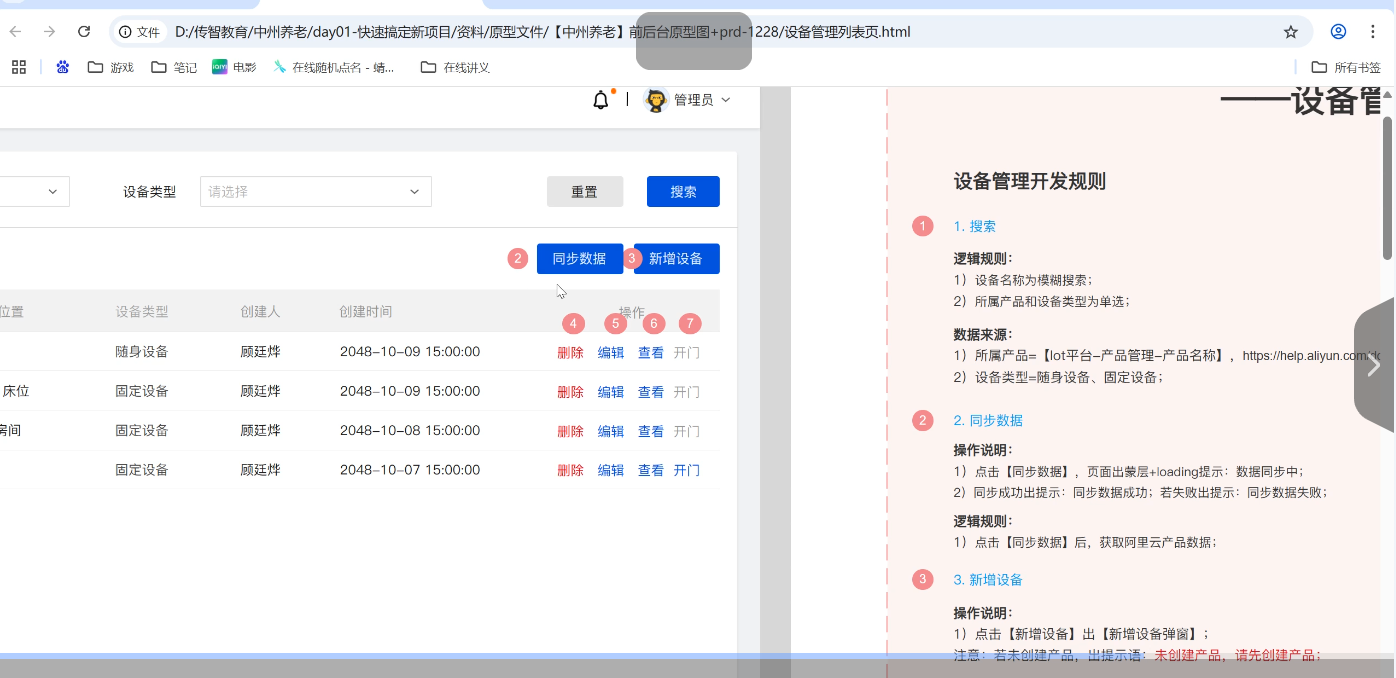
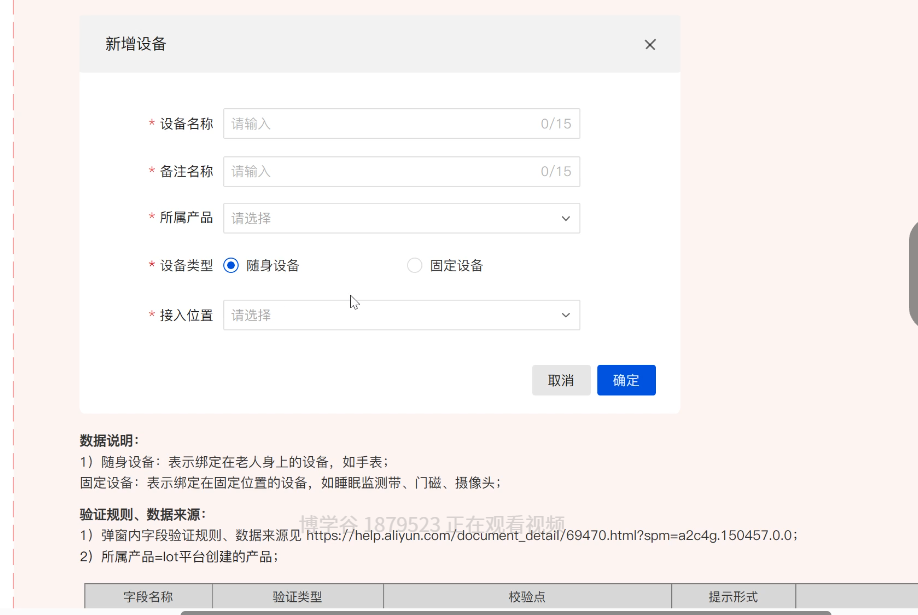
对于新增设备操作,实际上这些参数与华为云产品我们添加设备时的参数是一样的
表结构设计
E-R图
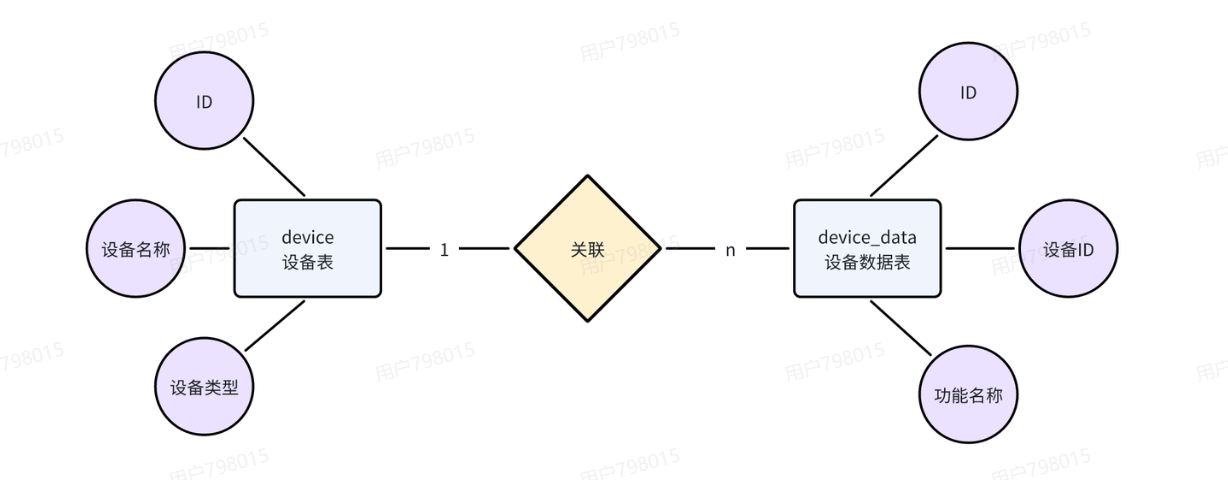
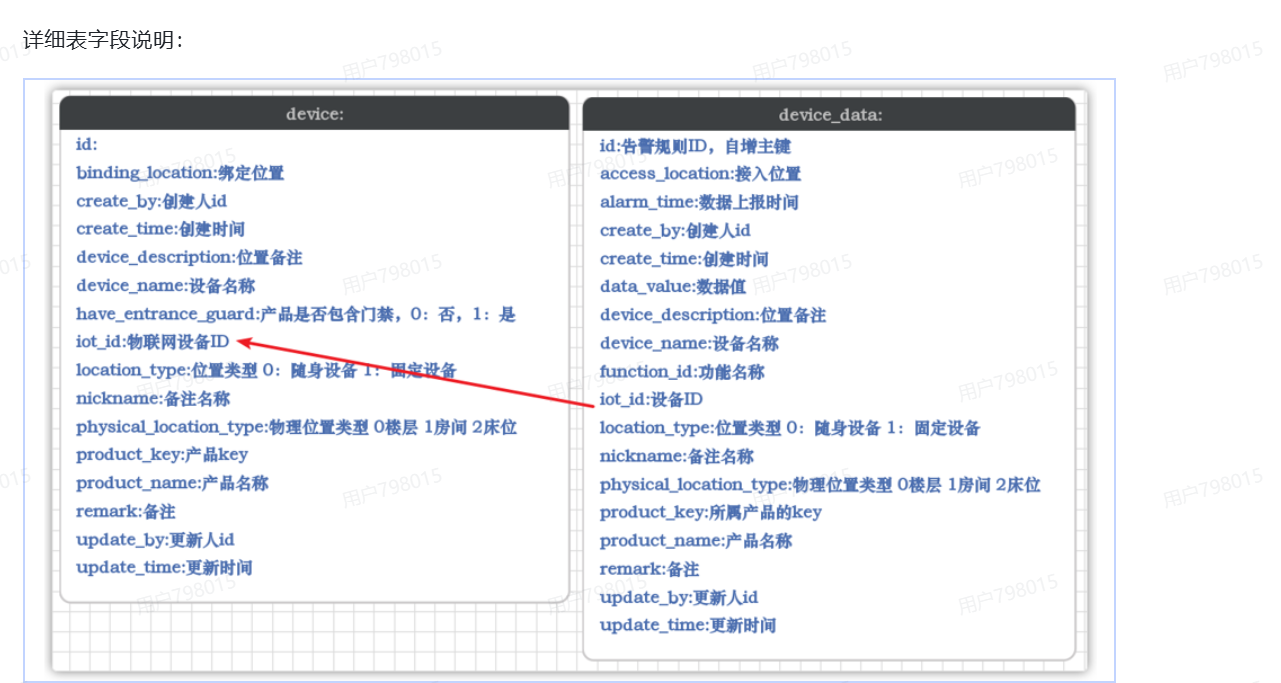
数据库字段
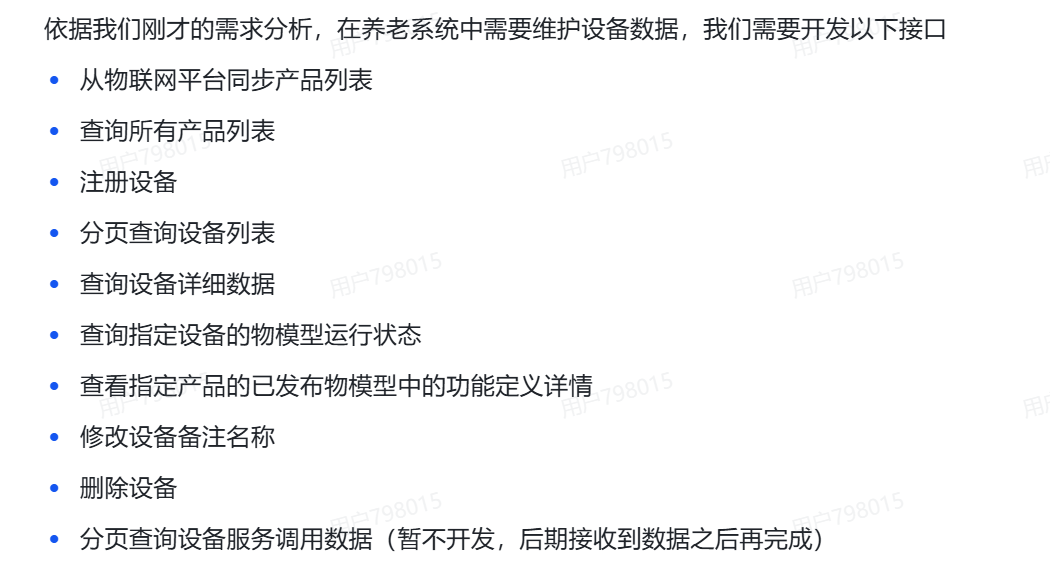
接口分析
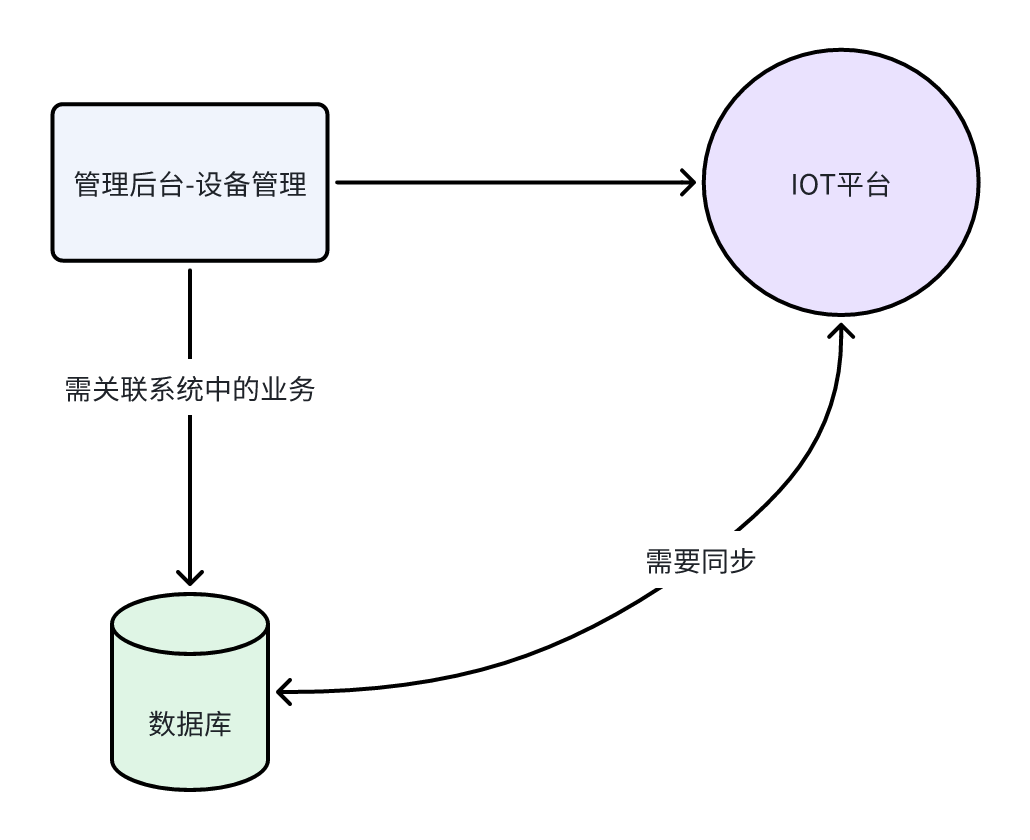
对于设备中的数据,我们既要再IOT平台存储,又要在数据库中存储.之所以保存两份数据的原因:
IOT平台中只是维护了基础的设备信息,并没有跟业务数据进行绑定,比如,设备属于哪个位置,绑定了哪个老人。
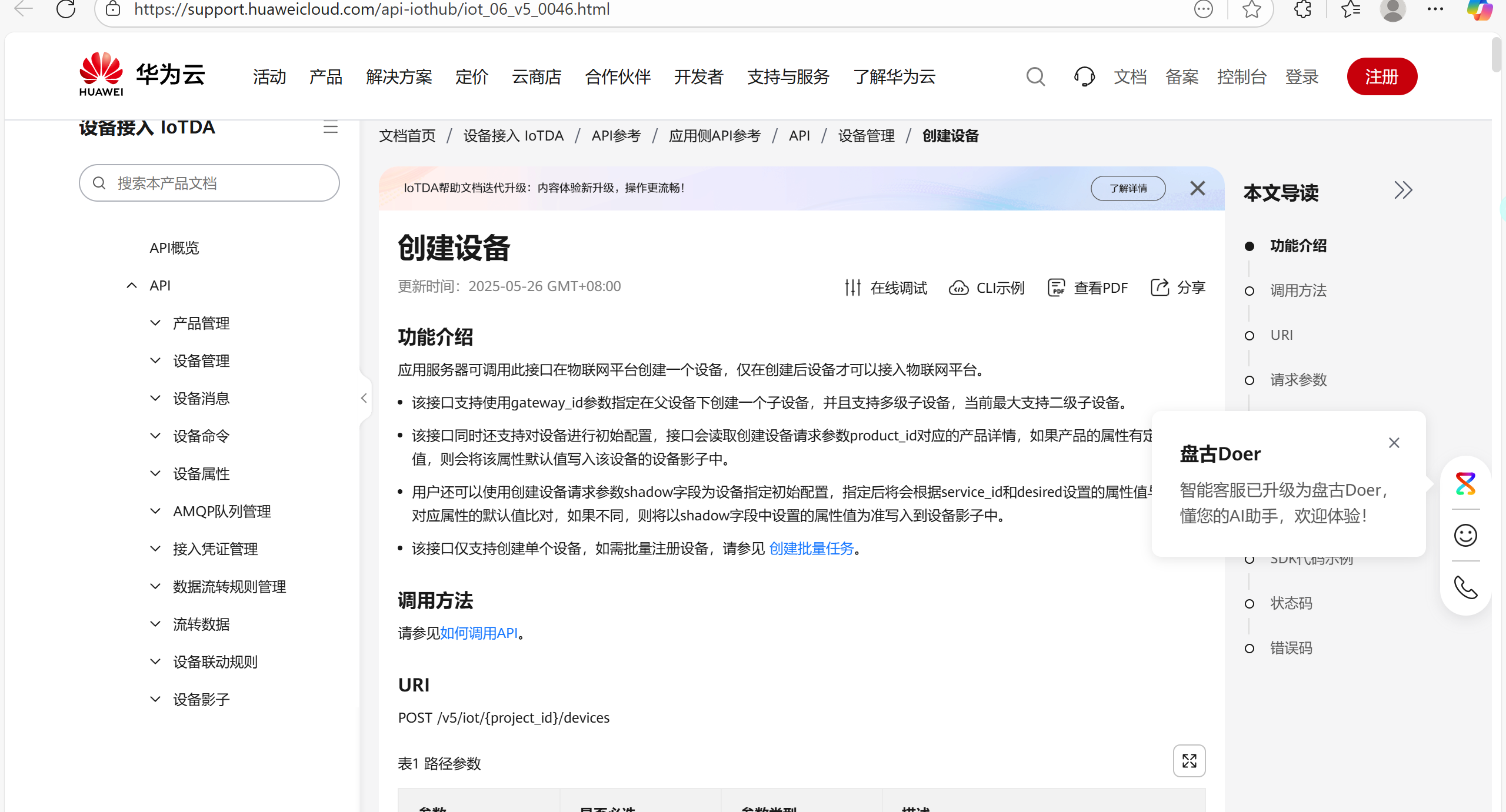
对于我们要实现的功能,华为云提供了丰富的接口
环境集成
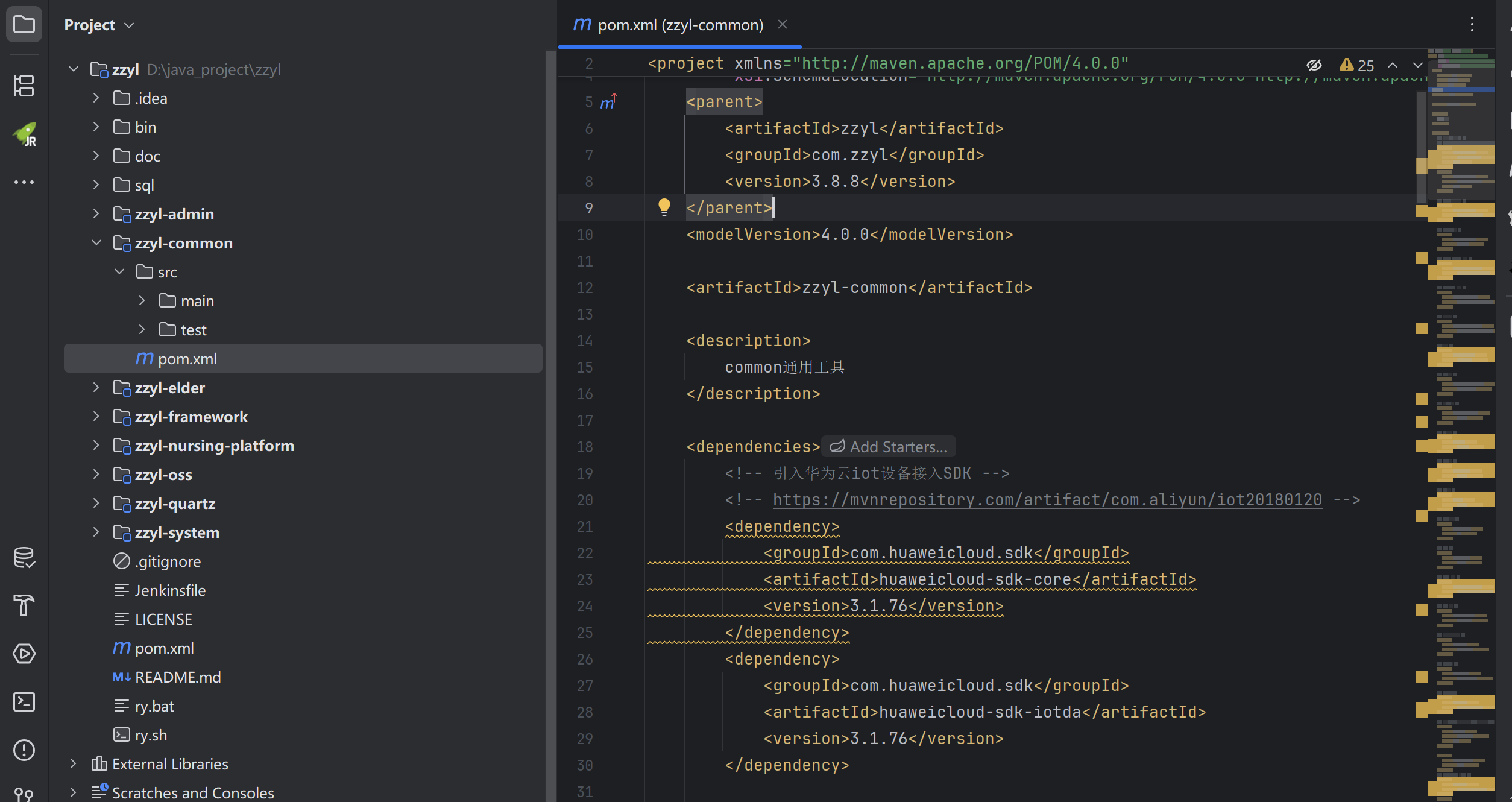
IOT平台目前已经给提供了完整的SDK,我们在conmon模块引入华为云的两个依赖
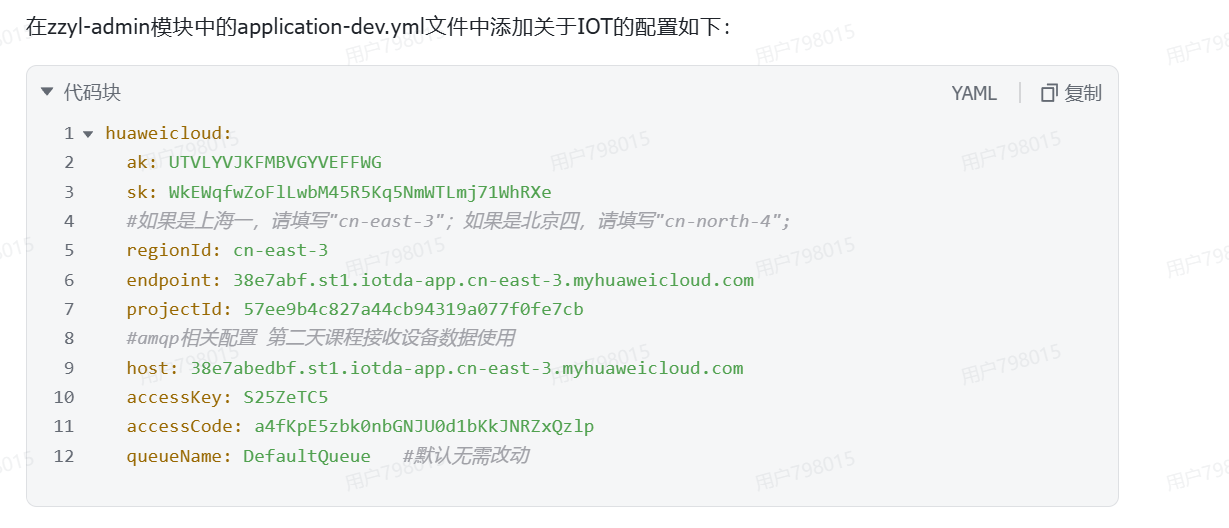
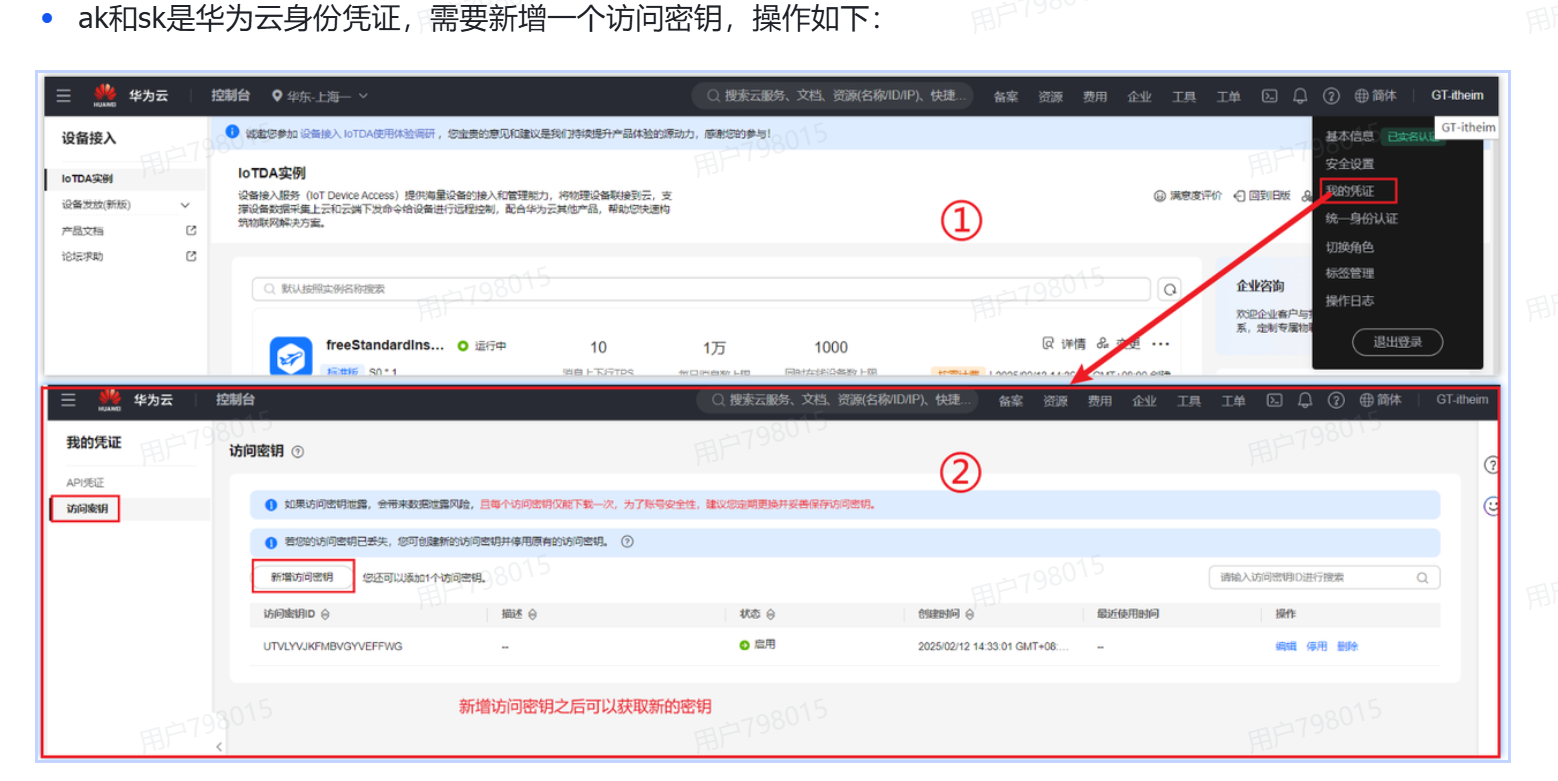
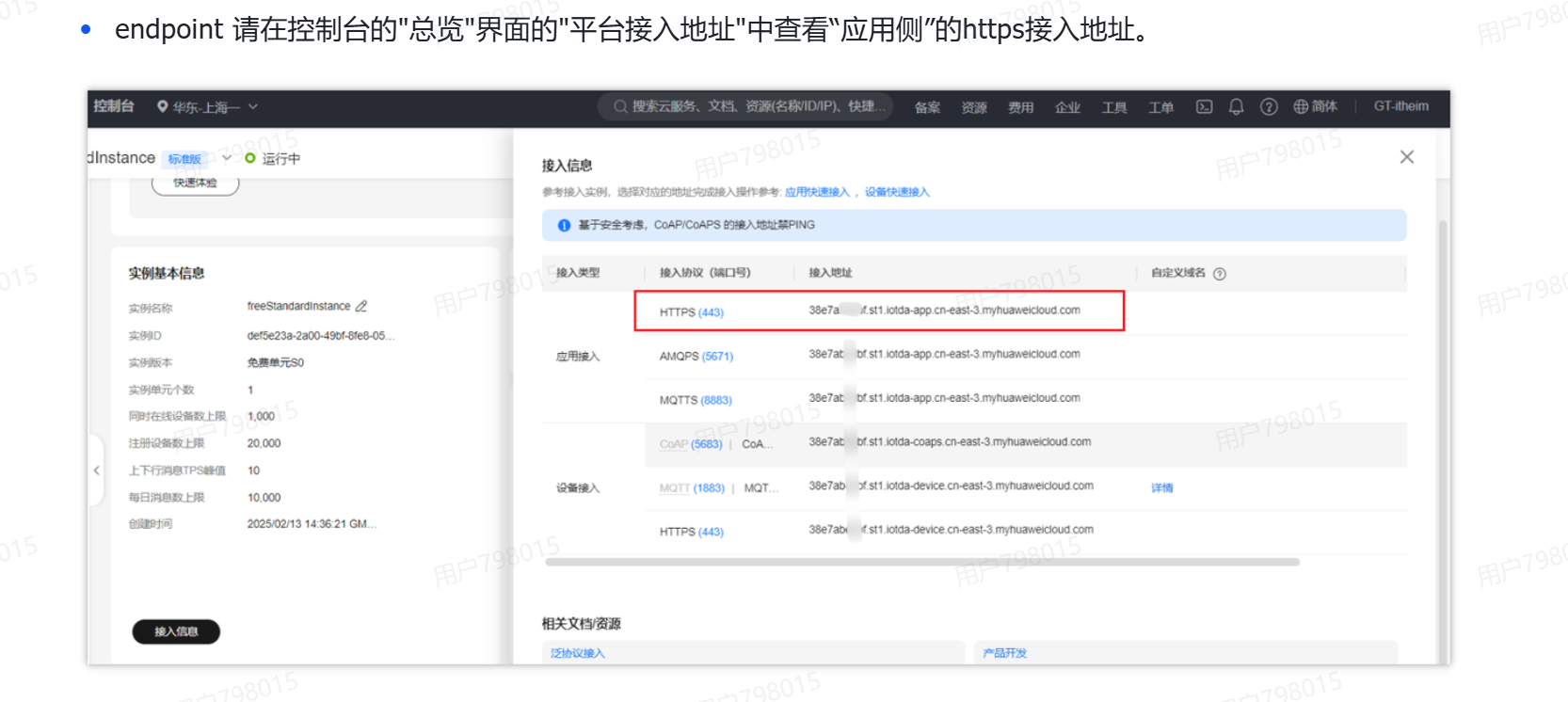
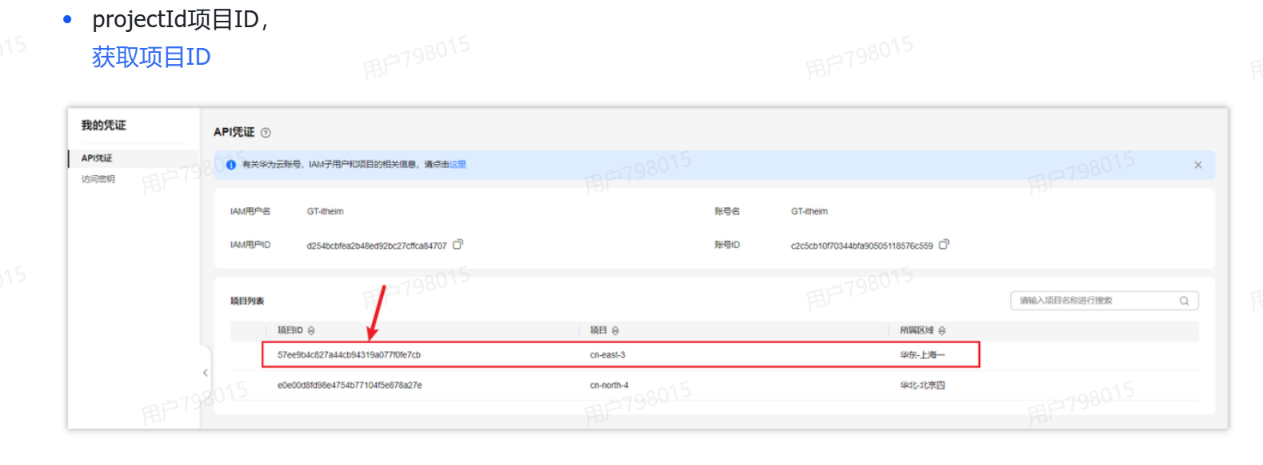
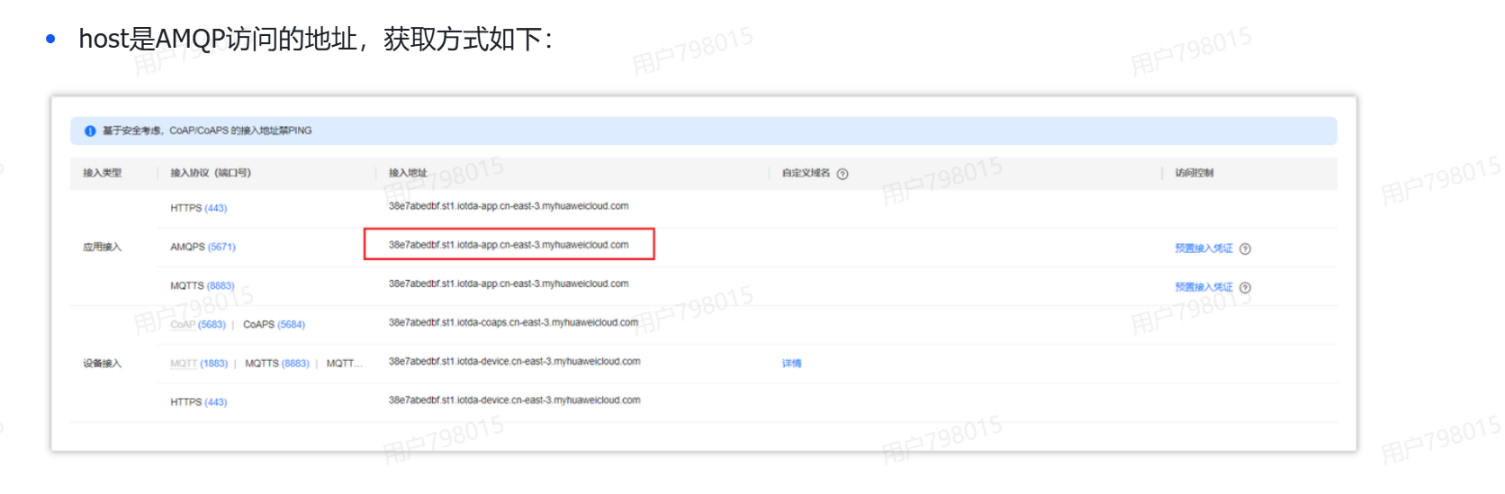
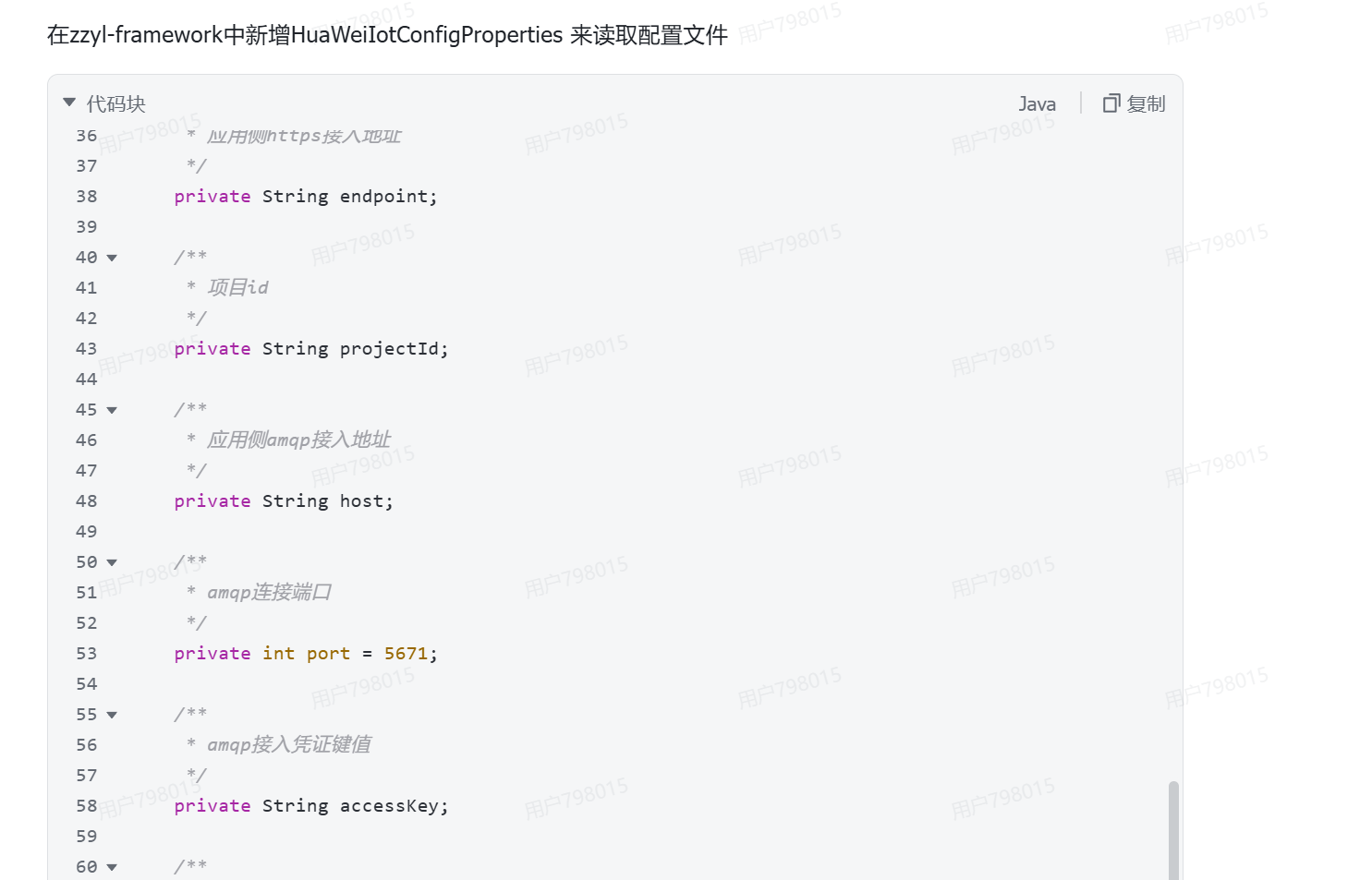
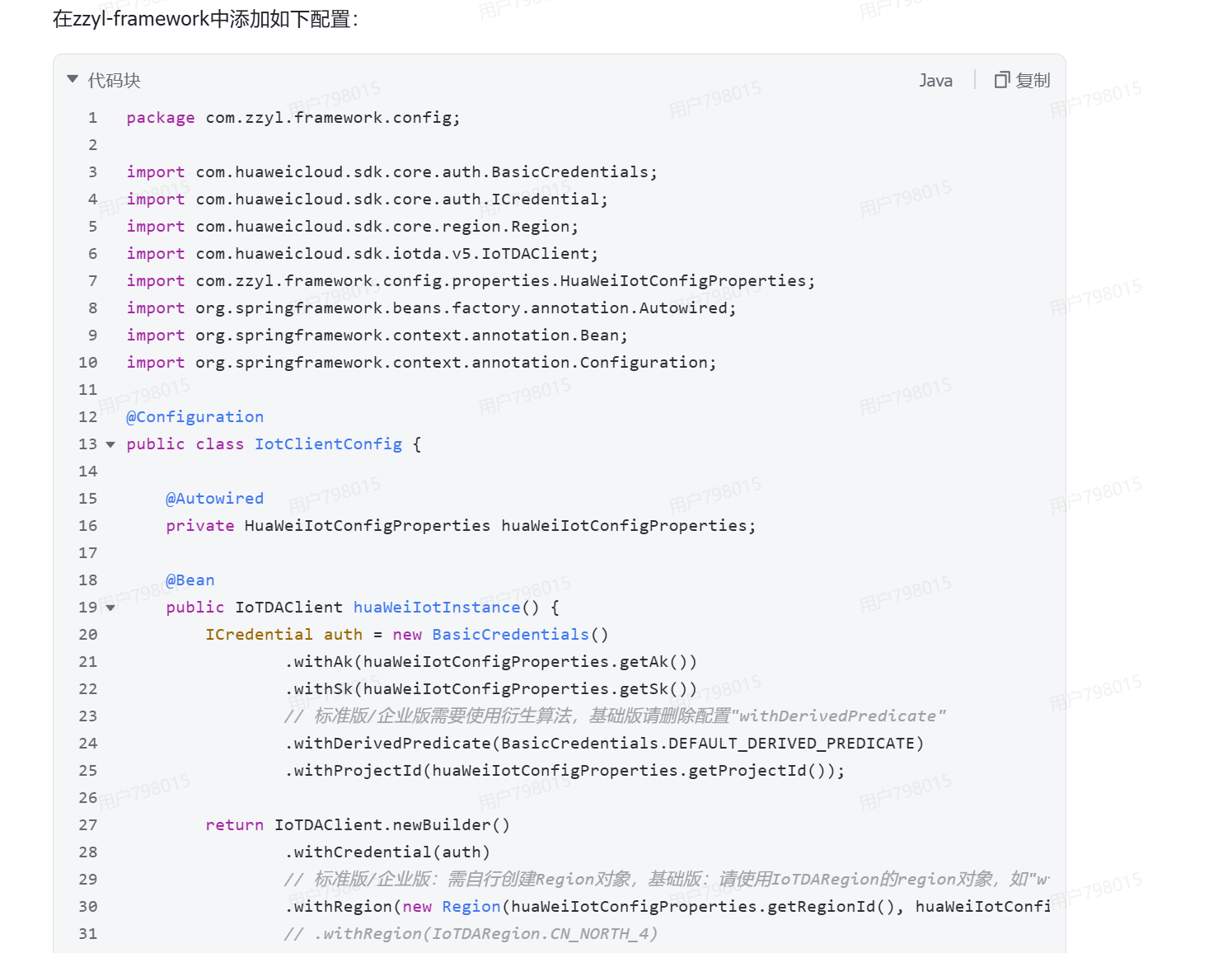
我们添加关于IOT的配置并修改
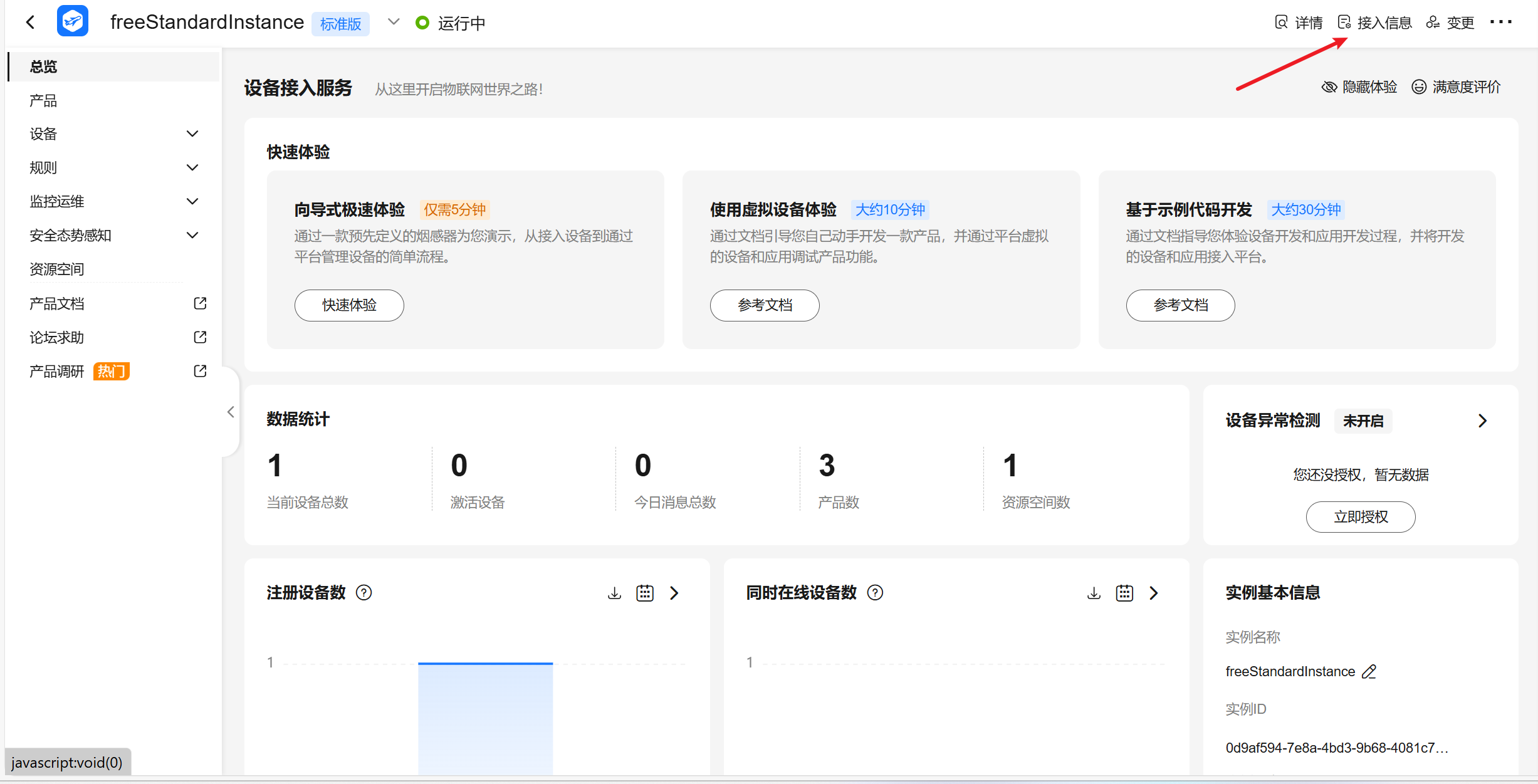
endpoint
测试客户端能否连接成功
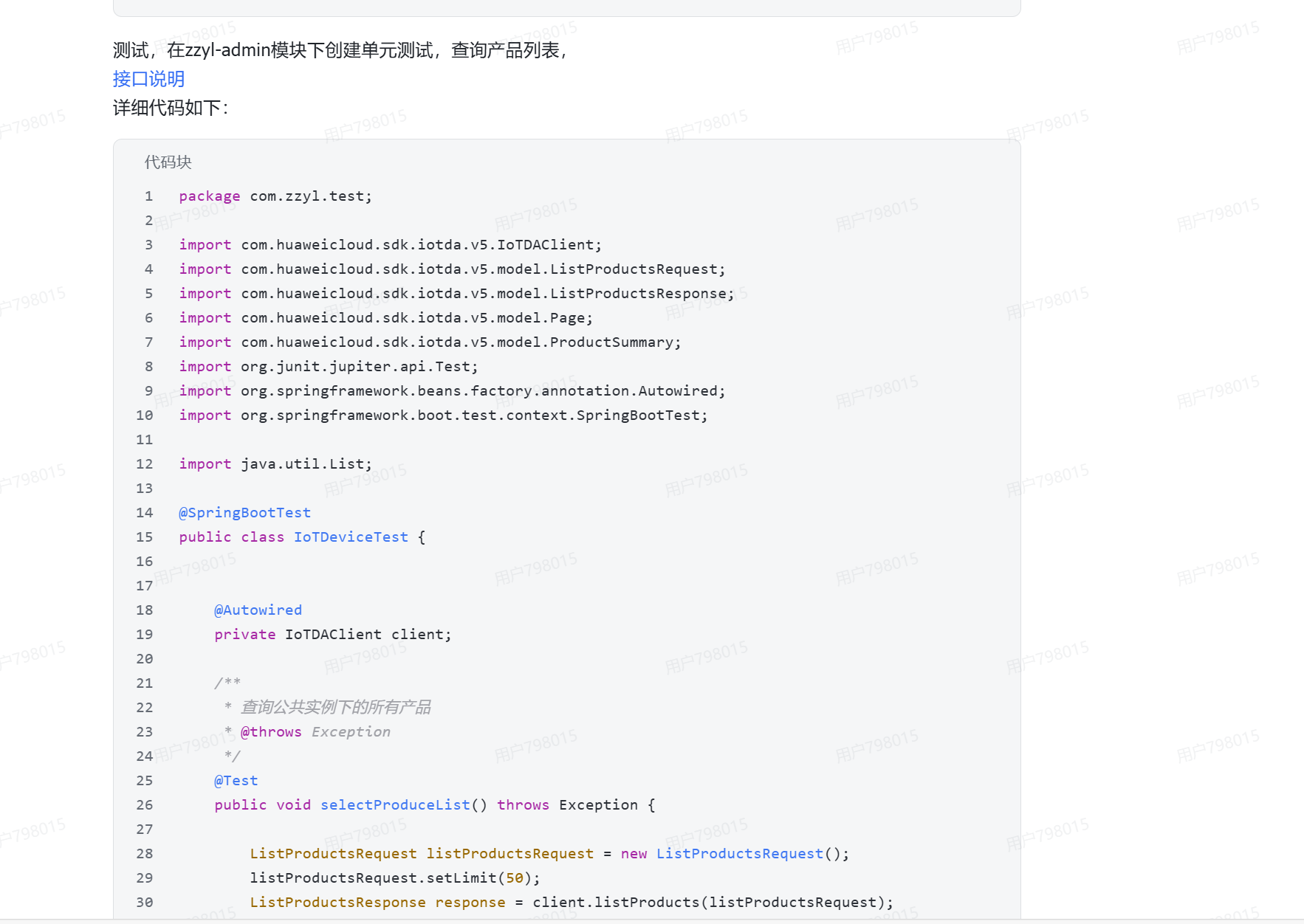
java
package com.zzyl.test;

import com.huaweicloud.sdk.iotda.v5.IoTDAClient;
import com.huaweicloud.sdk.iotda.v5.model.ListProductsRequest;
import com.huaweicloud.sdk.iotda.v5.model.ListProductsResponse;
import com.huaweicloud.sdk.iotda.v5.model.Page;
import com.huaweicloud.sdk.iotda.v5.model.ProductSummary;
import org.junit.jupiter.api.Test;
import org.springframework.beans.factory.annotation.Autowired;
import org.springframework.boot.test.context.SpringBootTest;

import java.util.List;

@SpringBootTest
public class IoTDeviceTest {


    @Autowired
    private IoTDAClient client;

    /**
     * 查询公共实例下的所有产品
     * @throws Exception
     */
    @Test
    public void selectProduceList() throws Exception {

        ListProductsRequest listProductsRequest = new ListProductsRequest();
        listProductsRequest.setLimit(50);
        ListProductsResponse response = client.listProducts(listProductsRequest);
        List<ProductSummary> products = response.getProducts();
        System.out.println(products);
    }

}
功能开发
从物联网平台同步产品列表
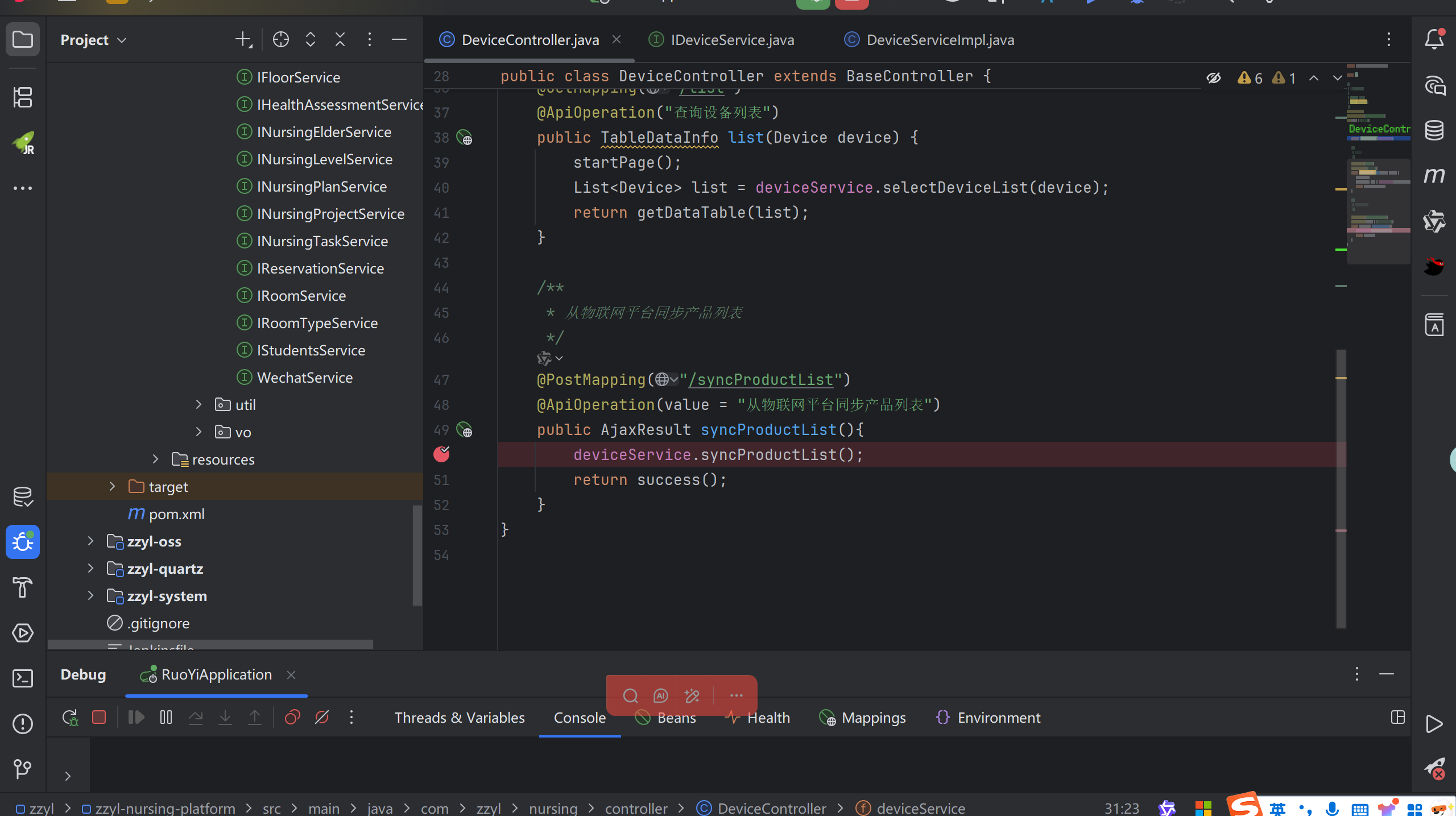
Controller层就是一个简单的post请求
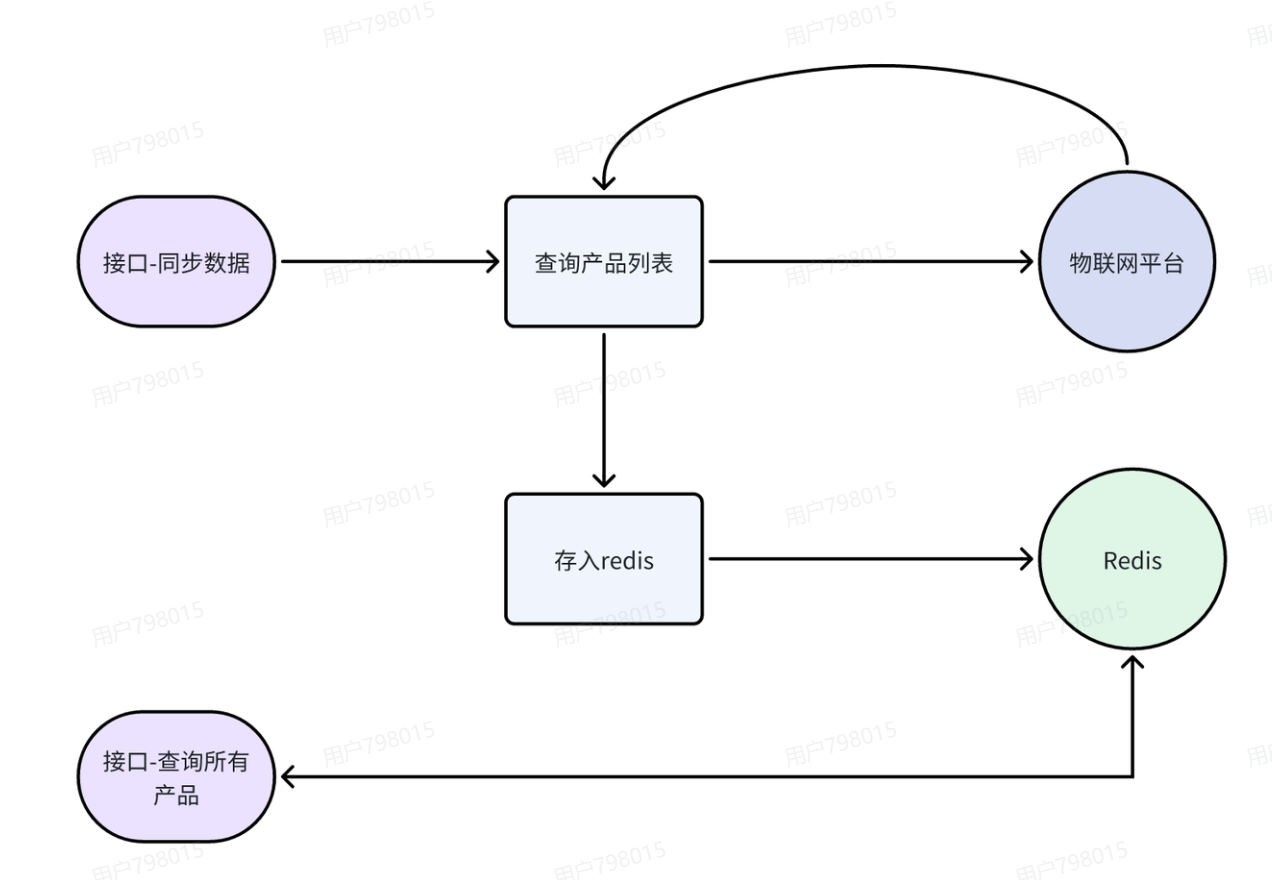
servic层,我们调用华为云的接口请求获得产品的列表存入到Redis中
java
 /**
     * 同步产品列表
     */
    @Override
    public void syncProductList(){
        //请求参数
        ListProductsRequest listProductsRequest=new ListProductsRequest();
        //设置条数
        listProductsRequest.setLimit(50);
        //发起请求
        ListProductsResponse response=client.listProducts(listProductsRequest);
        if(response.getHttpStatusCode()!=200){
            throw new BaseException("物联网接口 - 查询产品,同步失败");
        }
        //存储到redis
        redisTemplate.opsForValue().set(CacheConstants.IOT_ALL_PRODUCT_LIST,JSONUtil.toJsonStr(response.getProducts()));

    }
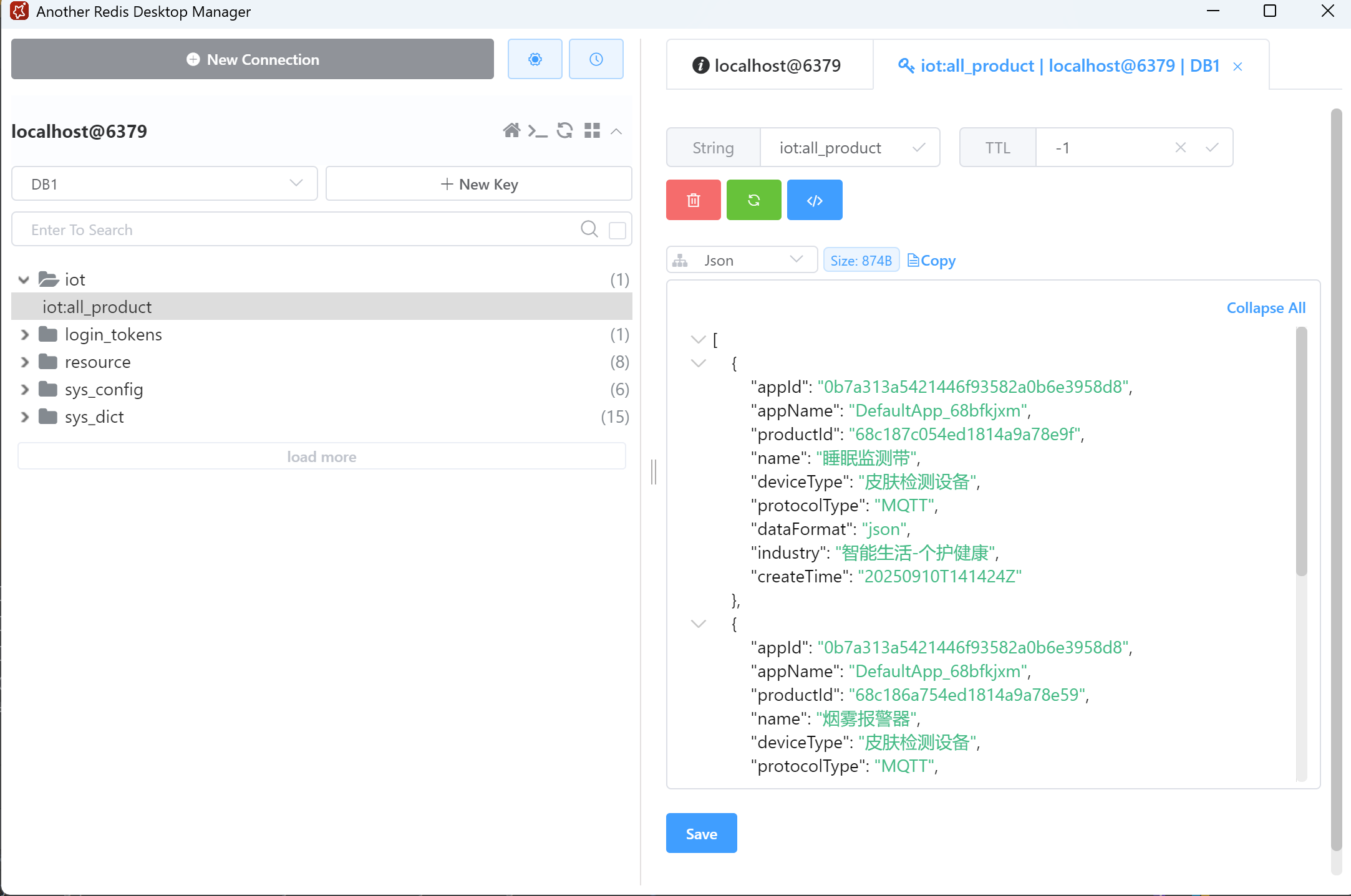
此时打开redis图形化界面,所有数据均已经存储到redis中
查询所有产品列表
Controller
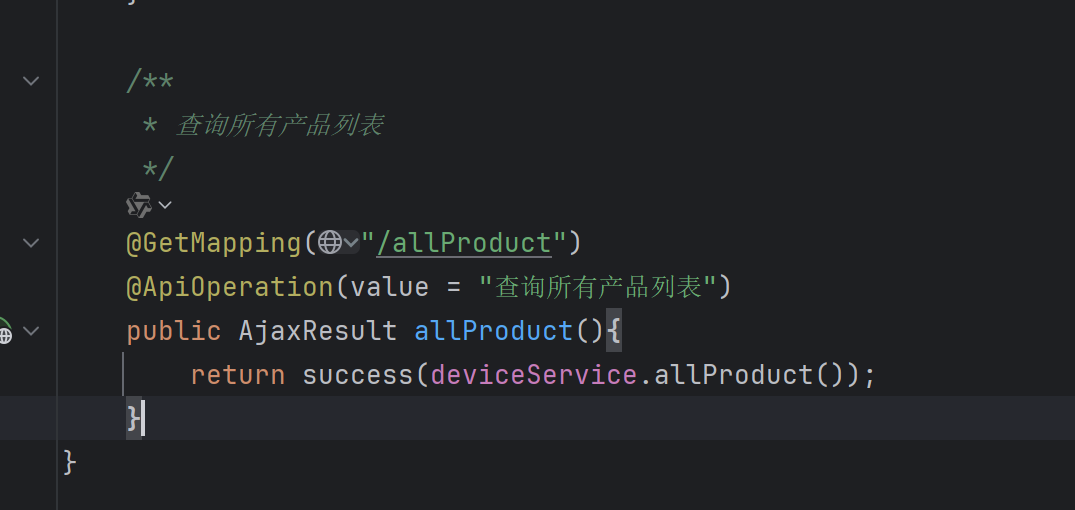
从redis中查询数据并返回
java
/**
     * 查询所有产品列表
     *
     * @return
     */
    @Override
    public List<ProductVo> allProduct(){
        //从redis中查询数据
        String jsonStr=redisTemplate.opsForValue().get(CacheConstants.IOT_ALL_PRODUCT_LIST);
        //如果数据为空,则返回一个空集合
        if(StringUtils.isEmpty(jsonStr)){
            return Collections.emptyList();
        }
        //解析数据,并返回
        return JSONUtil.toList(jsonStr,ProductVo.class);
    }
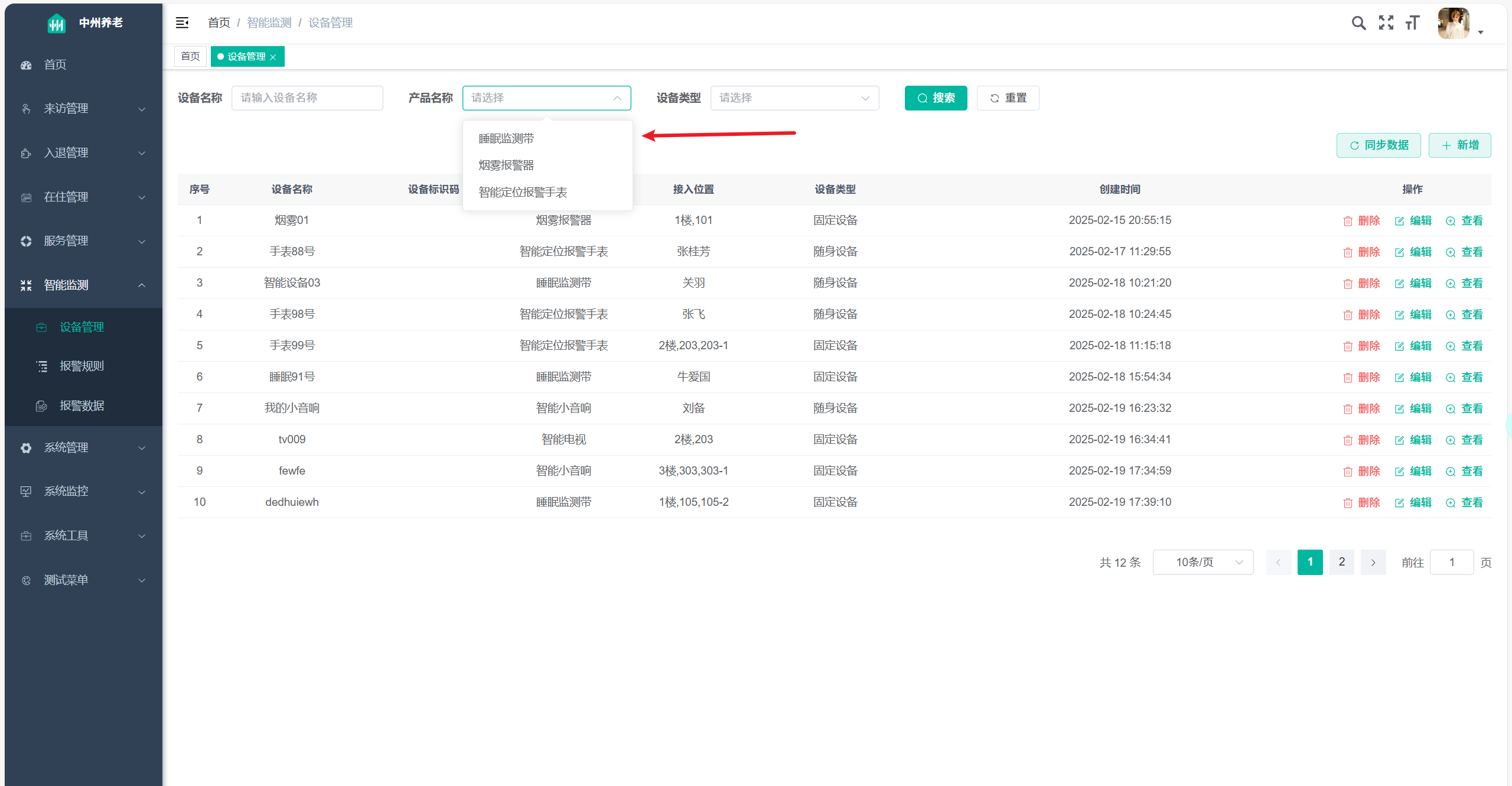
前后端联调查看结果
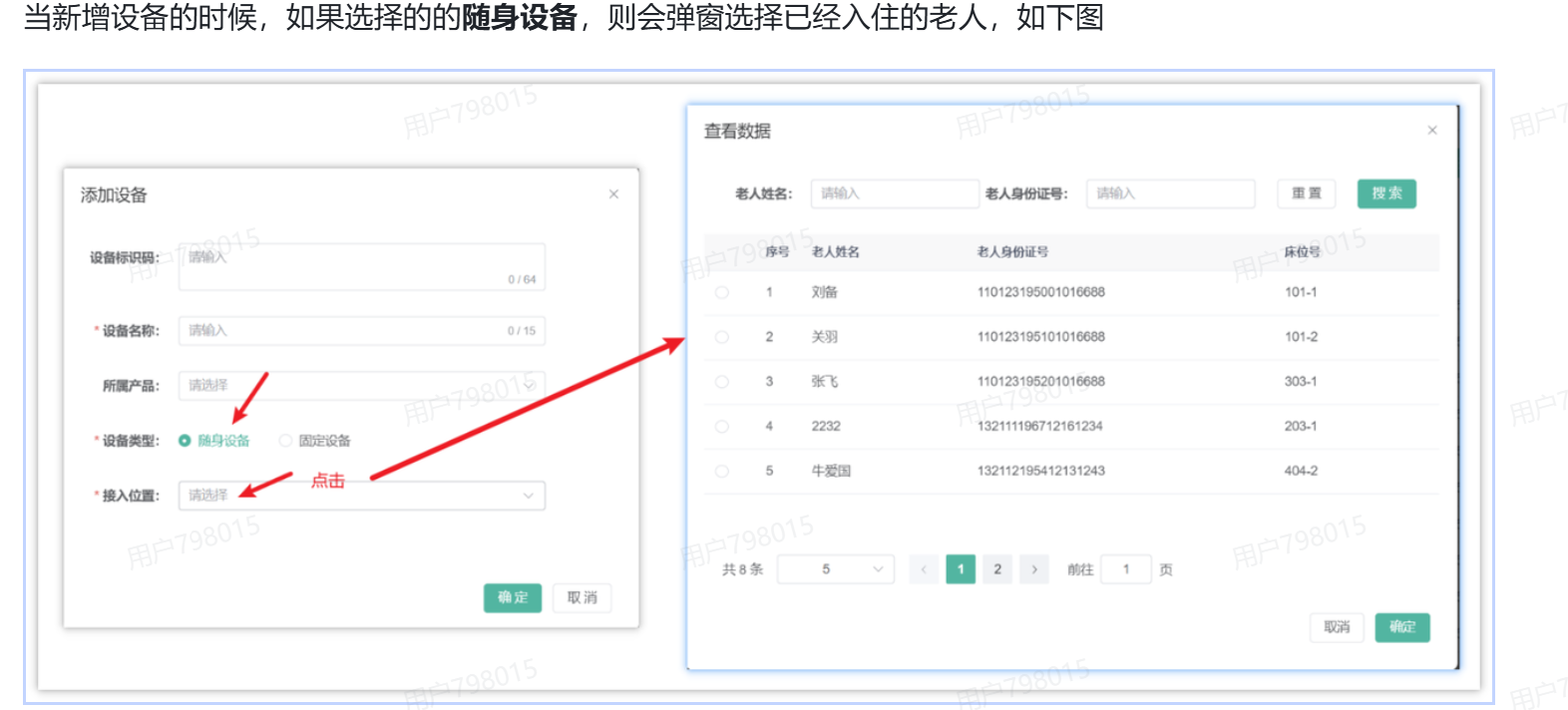
查询已经入住的老人列表
接口文档
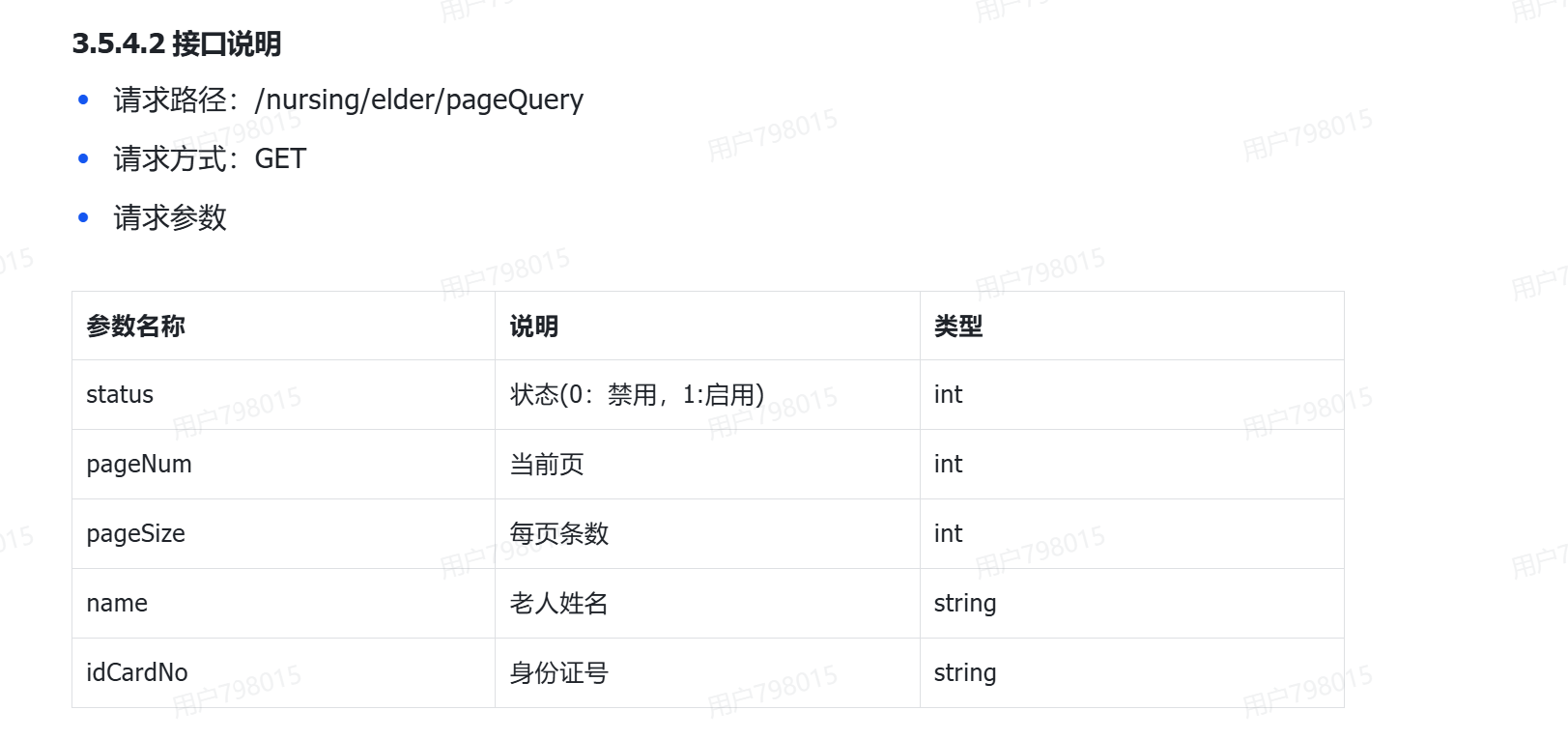
对于分页查询接口,传入分页数量和每页数量
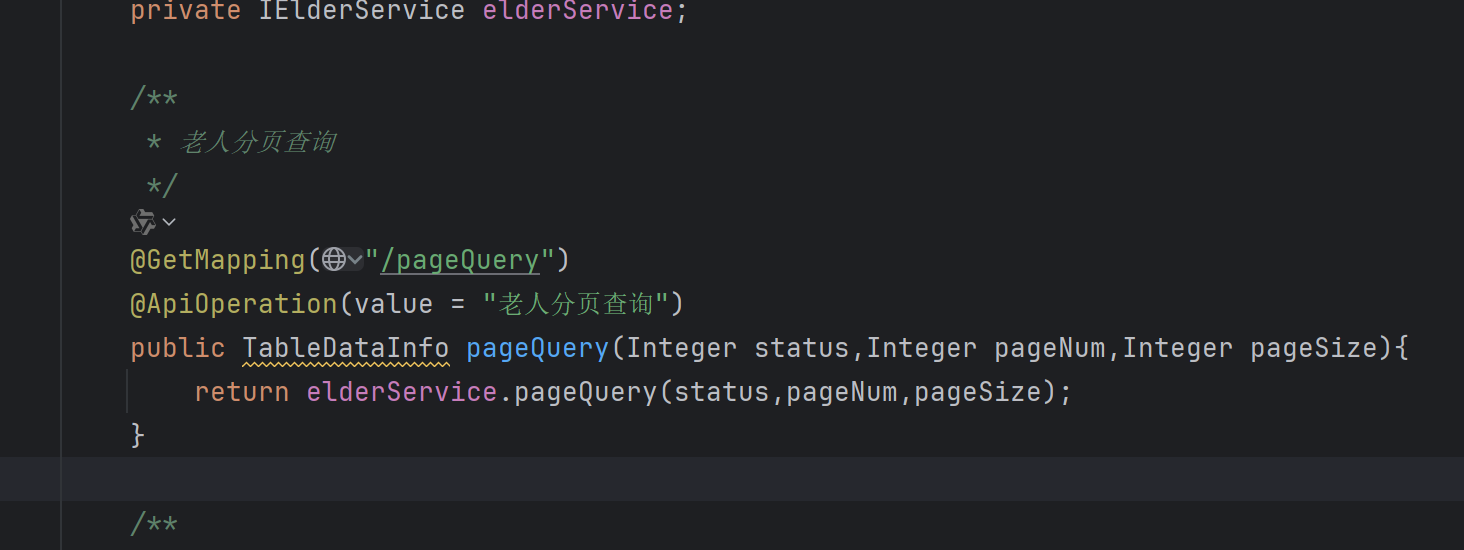
通过传入的状态作为mp的条件查询我们想要的姓名,年龄等
java
/**
     * 老人分页查询
     * @param status
     * @param pageNum
     * @param pageSize
     * @return
     */
    @Override
    public TableDataInfo pageQuery(Integer status,Integer pageNum,Integer pageSize){
        //分页查询老人数据

        //创建条件构建器
        LambdaQueryWrapper<Elder> queryWrapper=new LambdaQueryWrapper<>();

        //创建分页对象
        Page<Elder> page=new Page<>(pageNum,pageSize);

        //按照状态查询
        if(ObjectUtil.isNotNull(status)){
            queryWrapper.eq(Elder::getStatus,status);
        }

        //sql返回结果,只展示主键、名字、身份照号、床位编号
        queryWrapper.select(Elder::getId,Elder::getName,Elder::getIdCardNo,Elder::getBedNumber);

        //执行查询
        page=page(page,queryWrapper);

        //返回分页结果
        return getDataTable(page);
    }

    /**
     * 封装分页结果
     * @param page
     * @return
     */
    private TableDataInfo getDataTable(Page<Elder> page){
        //封装分页结果
        TableDataInfo tableDataInfo=new TableDataInfo();
        tableDataInfo.setTotal(page.getTotal());
        tableDataInfo.setCode(HttpStatus.SUCCESS);
        tableDataInfo.setMsg("请求成功");
        tableDataInfo.setRows(page.getRecords());
        return tableDataInfo;
    }
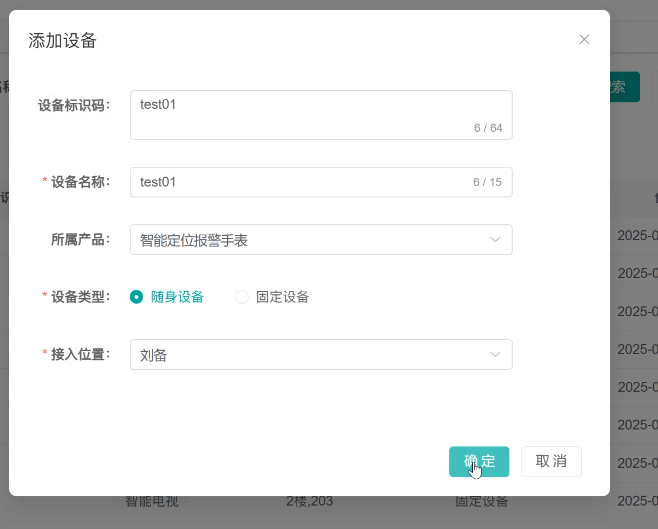
注册设备
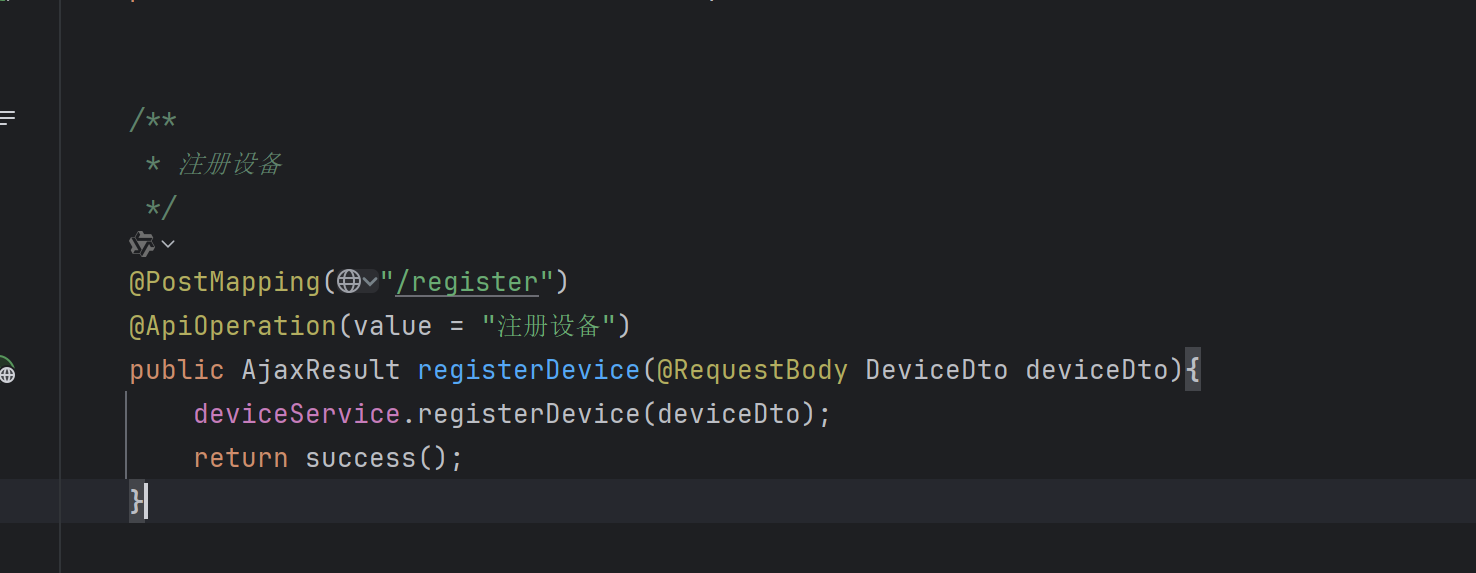
在Controller层,我们传入设备信息
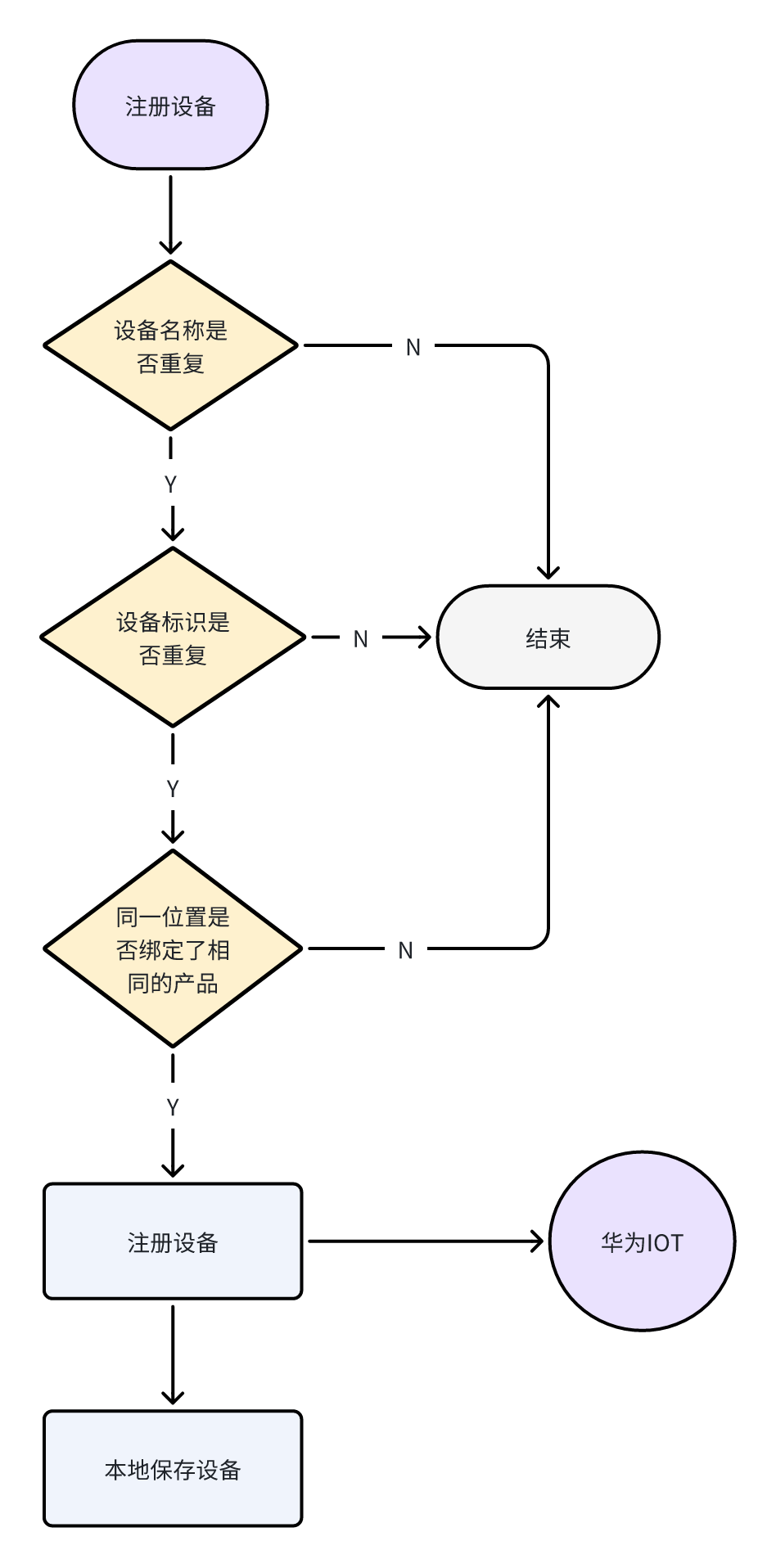
service层的逻辑
java
    /**
     * 注册设备
     * @param deviceDto
     */
    @Override
    public void registerDevice(DeviceDto deviceDto){
        //判断设备名称是否重复
        LambdaQueryWrapper<Device> queryWrapper=new LambdaQueryWrapper<>();
        queryWrapper.eq(Device::getDeviceName,deviceDto.getDeviceName());
        if(count(queryWrapper)>0){
            throw new BaseException("设备名称已存在,请重新输入");
        }
        //检验设备标识码是否重复
        LambdaQueryWrapper<Device> queryWrapperNodeId=new LambdaQueryWrapper<>();
        queryWrapperNodeId.eq(Device::getNodeId,deviceDto.getNodeId());
        if(count(queryWrapperNodeId)>0){
            throw new BaseException("设备标识码已存在,请重新输入");
        }

        //校验同一位置是否绑定了同一类产品
        LambdaQueryWrapper<Device> condition=new LambdaQueryWrapper<>();
        condition.eq(Device::getProductKey,deviceDto.getProductKey())
                .eq(Device::getLocationType,deviceDto.getLocationType())
                .eq(Device::getPhysicalLocationType,deviceDto.getPhysicalLocationType())
                .eq(Device::getBindingLocation,deviceDto.getBindingLocation());
        if(count(condition)>0){
            throw new BaseException("该老人/位置已绑定该产品,请重新选择");
        }

        //iot中新增设备
        AddDeviceRequest request=new AddDeviceRequest();
        AddDevice body=new AddDevice();
        body.withProductId(deviceDto.getProductKey());
        body.withDeviceName(deviceDto.getDeviceName());
        body.withNodeId(deviceDto.getNodeId());
        request.withBody(body);
        AuthInfo authInfo=new AuthInfo();
        //秘钥
        String secret=UUID.randomUUID().toString().replaceAll("-","");
        authInfo.withSecret(secret);
        body.setAuthInfo(authInfo);
        AddDeviceResponse response;
        try{
            response=client.addDevice(request);
        }catch(Exception e){
            e.printStackTrace();
            throw new BaseException("物联网接口 - 注册设备,调用失败");
        }

        //设备数据保存到数据库
        //属性拷贝
        Device device=BeanUtil.toBean(deviceDto,Device.class);
        //设备id、设备绑定状态
        device.setIotId(response.getDeviceId());
        //秘钥
        device.setSecret(secret);

        //在数据库中新增设备
        try{
            save(device);
        }catch(Exception e){
            throw new BaseException("同一个位置不能绑定同类型的产品");
        }
    }
测试
查看设备上报的数据
前端传入Controller层物联网设备的id
java
   /**
     * 获取设备详细信息
     */
    @GetMapping("/{iotId}")
    @ApiOperation("获取设备详细信息")
    @ApiImplicitParams({
            @ApiImplicitParam(name = "iotId", value = "物联网设备id", required = true, dataTypeClass = String.class)
    })
    public AjaxResult getInfo(@PathVariable("iotId") String iotId){
        return success(deviceService.queryDeviceDetail(iotId));
    }

    /**
     * 查询设备上报数据
     */
    @GetMapping("/queryServiceProperties/{iotId}")
    @ApiOperation("查询设备上报数据")
    @ApiImplicitParams({
            @ApiImplicitParam(name = "iotId", value = "物联网设备id", required = true, dataTypeClass = String.class)
    })
    public AjaxResult queryServiceProperties(@PathVariable("iotId") String iotId){
        AjaxResult ajaxResult=deviceService.queryServiceProperties(iotId);
        return ajaxResult;
    }
service层通过Controller层传入的iotId查询数据库中的设备信息,调用华为的物联网接口查询华为云中设备的实时信息,将数据封装到deviceVo中返回给前端
java
   /**
     * 查询设备详情
     *
     * @return
     */
    @Override
    public DeviceDetailVo queryDeviceDetail(String iotId){
        //查询数据库
        Device device=getOne(Wrappers.<Device>lambdaQuery().eq(Device::getIotId,iotId));
        if(ObjectUtil.isEmpty(device)){
            return null;
        }

        //调用华为云物联网接口
        ShowDeviceRequest request=new ShowDeviceRequest();
        request.setDeviceId(iotId);
        ShowDeviceResponse response;
        try{
            response=client.showDevice(request);
        }catch(Exception e){
            log.info("物联网接口 - 查询设备详情,调用失败:{}",e.getMessage());
            throw new BaseException("物联网接口 - 查询设备详情,调用失败");
        }

        //属性拷贝
        DeviceDetailVo deviceVo=BeanUtil.toBean(device,DeviceDetailVo.class);

        deviceVo.setDeviceStatus(response.getStatus());
        String activeTimeStr=response.getActiveTime();
        if(StringUtils.isNotEmpty(activeTimeStr)){
            LocalDateTime activeTime=LocalDateTimeUtil.parse(activeTimeStr,DatePattern.UTC_MS_PATTERN);
            //日期时区转换
            activeTime=activeTime.atZone(ZoneId.from(ZoneOffset.UTC))
                    .withZoneSameInstant(ZoneId.of("Asia/Shanghai"))
                    .toLocalDateTime();
            deviceVo.setActiveTime(activeTime);
        }

        return deviceVo;
    }
    /**
     * 查询设备上报数据
     *
     * @param iotId
     * @return
     */
    @Override
    public AjaxResult queryServiceProperties(String iotId){

        ShowDeviceShadowRequest request=new ShowDeviceShadowRequest();
        request.setDeviceId(iotId);
        ShowDeviceShadowResponse response=client.showDeviceShadow(request);
        if(response.getHttpStatusCode()!=200){
            throw new BaseException("物联网接口 - 查询设备上报数据,调用失败");
        }
        List<DeviceShadowData> shadow=response.getShadow();
        if(CollUtil.isEmpty(shadow)){
            List<Object> emptyList=Collections.emptyList();
            return AjaxResult.success(emptyList);
        }
        //返回数据
        JSONObject jsonObject=JSONUtil.parseObj(shadow.get(0).getReported().getProperties());

        List<Map<String, Object>>list=new ArrayList<>();

        //处理上报时间日期
        LocalDateTime activeTime=LocalDateTimeUtil.parse(shadow.get(0).getReported().getEventTime(),"yyyyMMdd'T'HHmmss'Z'");
        //日期时区转换
        LocalDateTime eventTime=activeTime.atZone(ZoneId.from(ZoneOffset.UTC))
                .withZoneSameInstant(ZoneId.of("Asia/Shanghai"))
                .toLocalDateTime();

        jsonObject.forEach((k,v)->{
            Map<String, Object> map=new HashMap<>();
            map.put("functionId",k);
            map.put("value",v);
            map.put("eventTime",eventTime);
            list.add(map);
        });

        return AjaxResult.success(list);

    }