前言
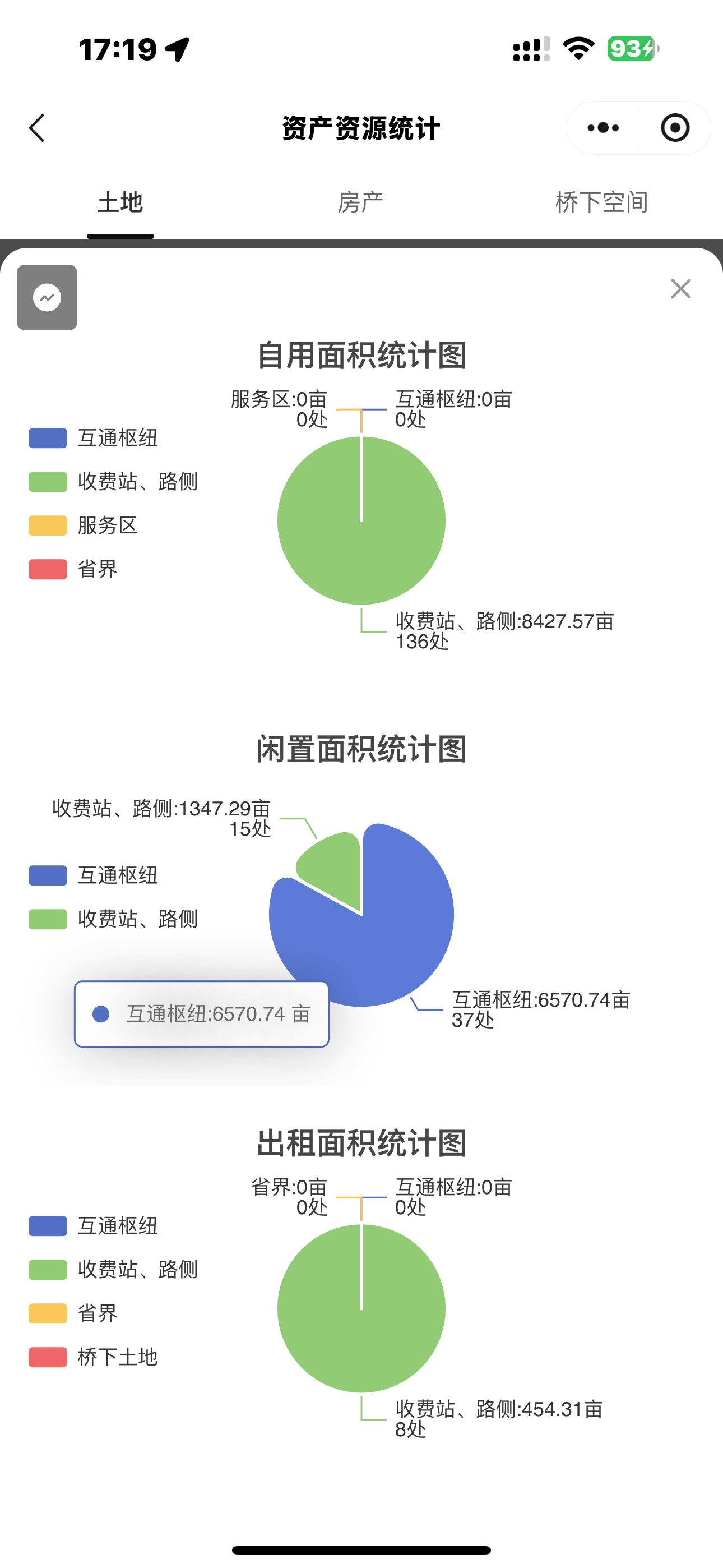
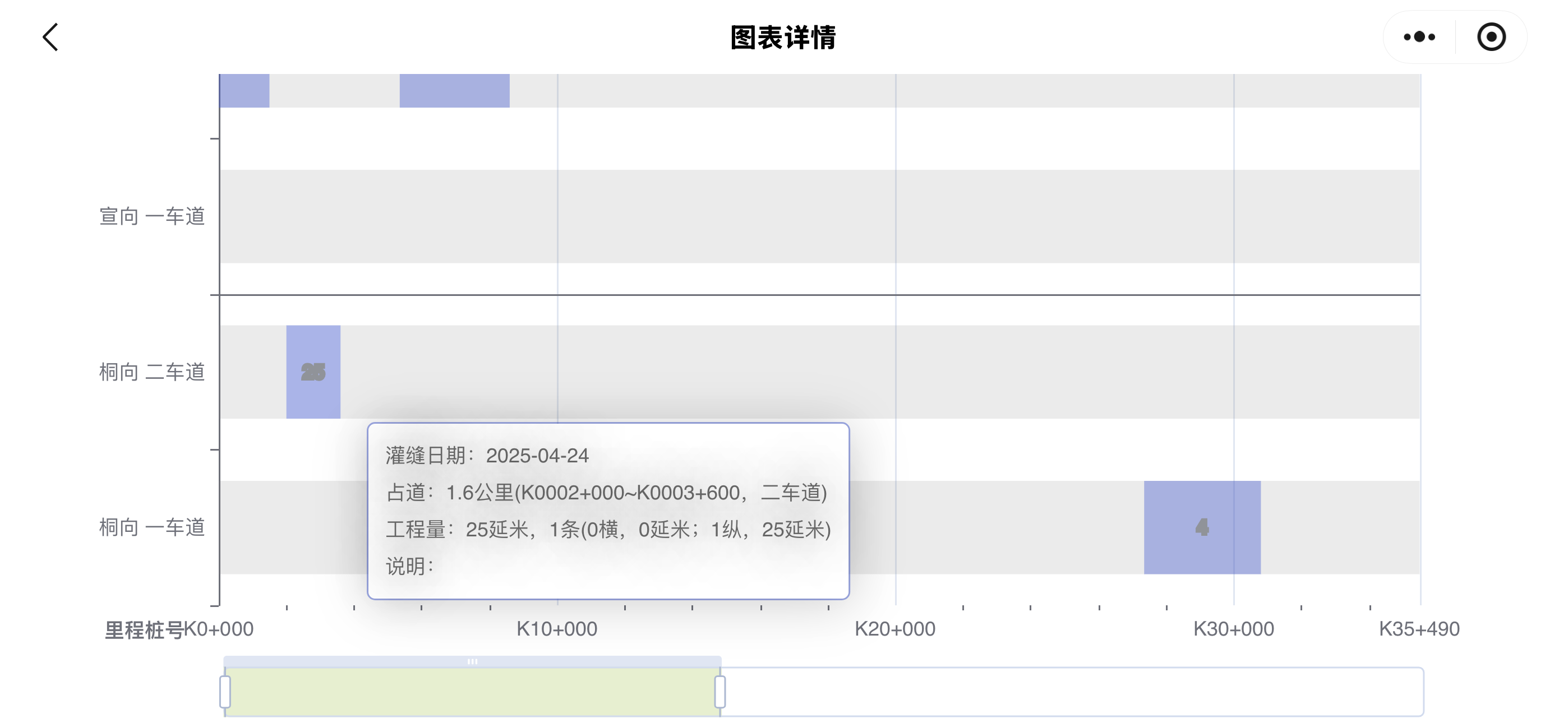
今天鸡米花给大家带来的是在uni里面使用echarts,能够完美支持和PC端一样的效果,我这边的工程是uni转为微信小程序,用的是vue3+vite来写的,然后实现了竖屏和横屏的展示方式,好了献上效果图。
效果图
一、引入插件
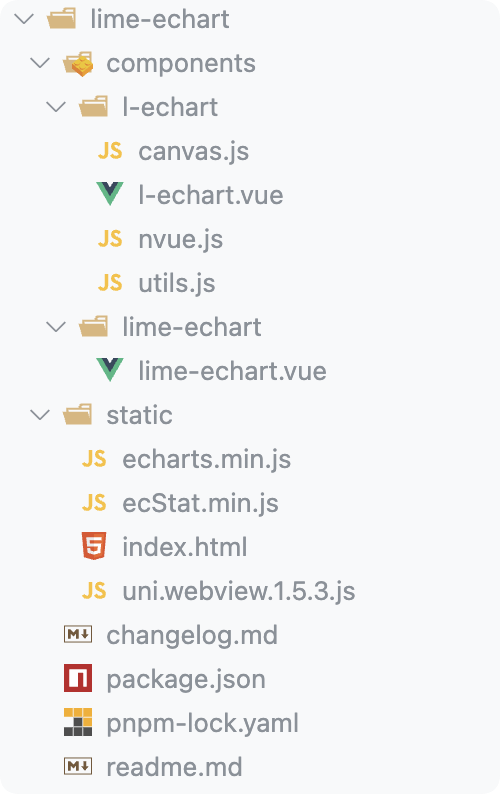
这里我们需要去到插件市场下载支持echarts的插件,附上链接。注意:由于微信小程序对主包大小有限制,所以可以去到echarts中的在线定制,按照您的需要去下载定制。以下是我项目中的目录,其中echarts.min.js就是我们在线定制的echarts资源。
二、引入组件
以下是我项目中的引入方式,大家可以作为参考:
html
<template>
  <div class="eChartsCom">
    <l-echart
      @finished="init"
      ref="chart"
      :custom-style="{
        height: '100vh',
        width: '100vw',
      }"
    ></l-echart>
  </div>
</template>

<script>
// 这里是下载的echarts.min.js
import * as echarts from "@/components/lime-echart/static/echarts.min";
// 这里是您下载的插件地址
import LEchart from "@/components/lime-echart/components/l-echart/l-echart.vue";

export default {
  components: {
    LEchart,
  },
  data() {
    return {
      eChartsOption: {},
    };
  },
  mounted() {
    // 这里是您的echarts的option,我这里是做了一个通用的组件,将配置放到全局,使用的时候直接跳转路由
    this.eChartsOption = this.$store.state.eChartsOption;
    this.$refs.chart.init(echarts, (chart) => {
      chart.setOption(this.eChartsOption);
    });
  },
  methods: {
    async init() {
      const chart = await this.$refs.chart.init(echarts);
      chart.setOption(this.eChartsOption);
    },
  },
};
</script>
由于以上组件是针对横向图表的一个全屏展示,所以需要在pages.json中配置一下横屏显示的代码,关键属性为"pageOrientation": "landscape"
javascript
{
    "path": "componentPages/eChartsCom/index",
    "style": {
        "navigationBarTitleText": "图表详情",
        "pageOrientation": "landscape"
    }
}
三、完整代码
以下为完整代码,大家可以做一个参考
html
<template>
  <div class="eChartLine">
      <l-echart @finished="init" ref="chart"></l-echart>
  </div>
</template>
<script>
import * as echarts from "@/components/lime-echart/static/echarts.min";
import LEchart from "@/components/lime-echart/components/l-echart/l-echart.vue";
export default {
  components: {
    LEchart,
  },
  data() {
    return {
      chartData: null,
      show: false,
      isArea: true,
      isPopupArea: true,
    };
  },
  mounted() {
    this.initChart();
  },
  methods: {
    async init() {
      const chart = await this.$refs.chart.init(echarts);
      chart.setOption(this.eChartsOption);
    },
    initChart() {
      let data = [];
      for (let index = 0; index < 10; index++) {
        let value = index
        let obj = {
          value,
          name: "数据"+index,
        };
        data.push(obj);
      }
      this.eChartsOption = {
        title: {
          text: `数量统计图`,
          top: 50,
          left: "center",
        },
        tooltip: {
          trigger: "item",
        },
        legend: {
          top: 80,
          left: "center",
        },
        series: [
          {
            name: "数量",
            type: "pie",
            radius: ["40%", "70%"],
            avoidLabelOverlap: false,
            itemStyle: {
              borderRadius: 10,
              borderColor: "#fff",
              borderWidth: 2,
            },
            label: {
              show: false,
              position: "center",
            },
            emphasis: {
              label: {
                show: true,
                fontSize: 40,
                fontWeight: "bold",
              },
            },
            labelLine: {
              show: false,
            },
            data,
          },
        ],
      };

      this.$refs.chart.init(echarts, (chart) => {
        chart.setOption(this.eChartsOption);
      });
    },

  },
}
</script>
结语
以上就是鸡米花分享的全部内容啦,如果在使用中有任何问题,欢迎在评论区交流沟通!