1.组件定义
TypeScript
import React, { useState, useEffect, useCallback } from "react";
import "./style.component.css";

interface SeamlessCarouselProps {
    imageList: string[];
    autoPlaying?: boolean;
}

const SeamlessCarousel: React.FC<SeamlessCarouselProps> = ({
    imageList,
    autoPlaying = true,
}) => {
    const [currentIndex, setCurrentIndex] = useState(1);
    const [isTransitioning, setIsTransitioning] = useState(true);
    const [isAutoPlaying, setIsAutoPlaying] = useState(autoPlaying);
    const [isPaused, setIsPaused] = useState(false);

    const extendedImages = [
        imageList[imageList.length - 1],
        ...imageList,
        imageList[0],
    ];

    const nextSlide = useCallback(() => {
        setCurrentIndex((prev) => {
            if (prev >= extendedImages.length - 1) {
                return prev;
            }
            return prev + 1;
        });
        setIsTransitioning(true);
    }, []);

    const prevSlide = () => {
        setCurrentIndex((prev) => {
            if (prev <= 0) {
                return prev;
            }
            return prev - 1;
        });
        setIsTransitioning(true);
    };

    useEffect(() => {
        if (!isAutoPlaying || isPaused) return;
        if (!isAutoPlaying) return;
        const interval = setInterval(nextSlide, 3000);
        return () => clearInterval(interval);
    }, [isAutoPlaying, isPaused, nextSlide]);

    useEffect(() => {
        if (currentIndex === extendedImages.length - 1) {
            const timeout = setTimeout(() => {
                setIsTransitioning(false);
                setCurrentIndex(1);
            }, 500);
            return () => clearTimeout(timeout);
        }
        if (currentIndex === 0) {
            const timeout = setTimeout(() => {
                setIsTransitioning(false);
                setCurrentIndex(imageList.length);
            }, 500);
            return () => clearTimeout(timeout);
        }
        setIsTransitioning(true);
    }, [currentIndex, extendedImages.length, imageList.length]);

    return (
        <div
            className={`carousel-container ${isPaused ? "show-arrows" : ""}`}
            onMouseEnter={() => setIsPaused(true)}
            onMouseLeave={() => setIsPaused(false)}
        >
            <div
                className="carousel-list"
                style={{
                    transform: `translateX(-${currentIndex * 100}%)`,
                    transition: isTransitioning
                        ? "transform 0.5s ease"
                        : "none",
                }}
            >
                {extendedImages.map((image, index) => (
                    <div
                        key={index}
                        className="carousel-item"
                        style={{ backgroundImage: `url(${image})` }}
                    ></div>
                ))}
            </div>

            <div
                className="carousel-arrow carousel-arrow-left"
                onClick={prevSlide}
            >
                <span className="arrow-left"></span>
            </div>
            <div
                className="carousel-arrow carousel-arrow-right"
                onClick={nextSlide}
            >
                <span className="arrow-right"></span>
            </div>

            <div className="circles-container">
                {imageList.map((_, index) => (
                    <span
                        key={index}
                        className={`circle ${
                            index === currentIndex - 1 ? "active" : ""
                        }`}
                        onClick={() => setCurrentIndex(index + 1)}
                    ></span>
                ))}
            </div>

            <div className="autoplay-control">
                <button onClick={() => setIsAutoPlaying(!isAutoPlaying)}>
                    {isAutoPlaying ? "暂停" : "播放"}
                </button>
            </div>
        </div>
    );
};

export default SeamlessCarousel;
2.样式设置
css
.carousel-container {
    display: flex;
    position: relative;
    align-items: center;
    justify-content: center;
    scroll-behavior: smooth;
    outline: 1px solid #dddedc;
    border-radius: 10px;
    width: 900px;
    height: 600px;
    margin: 30px auto;
    overflow: hidden;
}

.carousel-list {
    display: flex;
    position: relative;
    height: 100%;
    width: 100%;
    scroll-snap-align: start;
    aspect-ratio: 5 / 3;
}

.carousel-item {
    flex: 0 0 100%;
    height: 100%;
    background-size: cover;
    background-repeat: no-repeat;
    background-position: center;
}

.carousel-arrow {
    position: absolute;
    width: 40px;
    height: 40px;
    border-radius: 50%;
    background: rgba(255, 255, 255, 0.7);
    display: flex;
    align-items: center;
    justify-content: center;
    cursor: pointer;
    z-index: 10;
    transition: opacity 0.3s ease, background 0.3s ease;
    opacity: 0;
}

.carousel-container.show-arrows .carousel-arrow {
    opacity: 1; /* 悬停时显示 */
}

.carousel-arrow:hover {
    background: rgba(255, 255, 255, 0.9);
}

.carousel-arrow-left {
    left: 10px;
}

.carousel-arrow-right {
    right: 10px;
}

.arrow-left,
.arrow-right {
    width: 12px;
    height: 12px;
    border-top: 2px solid #333;
    border-right: 2px solid #333;
}

.arrow-left {
    transform: rotate(-135deg);
    margin-left: 4px;
}

.arrow-right {
    transform: rotate(45deg);
    margin-right: 4px;
}

/* 圆点指示器 */
.circles-container {
    display: flex;
    position: absolute;
    bottom: 20px;
    left: 50%;
    transform: translateX(-50%);
    gap: 20px;
}

.circle {
    display: block;
    width: 24px;
    height: 24px;
    border-radius: 50%;
    background: transparent;
    border:1px solid rgba(255, 255, 255, 0.7);
    cursor: pointer;
    transition: all 0.3s ease;
}

.circle.active {
    background-color: rgb(249, 246, 246);
    border-color: white;
}

.circle:hover {
    background-color: rgba(255, 255, 255, 0.5);
}

.autoplay-control {
    position: absolute;
    top: 15px;
    right: 15px;
}

.autoplay-control button {
    background: rgba(0, 0, 0, 0.2);
    color: white;
    border: none;
    padding: 5px 10px;
    border-radius: 4px;
    cursor: pointer;
}

.autoplay-control button:hover {
    background: rgba(0, 0, 0, 0.7);
}
3.组件使用
TypeScript
import SeamlessCarousel from "@/components/carousel/SeamlessMo"

import one from "@/components/carousel/img/abstract-2512412.jpg";
import two from "@/components/carousel/img/ai-generated-8061340.jpg";
import three from "@/components/carousel/img/asian-422700.jpg";
import four from "@/components/carousel/img/binary-978942.jpg";
import five from "@/components/carousel/img/code-113611.jpg";
import six from "@/components/carousel/img/fruit-7048114.jpg";
import seven from "@/components/carousel/img/moss-4930309.jpg";
import eight from "@/components/carousel/img/wood-591631.jpg";

const sampleImages = [one, two, three, four, five, six, seven, eight];

const CarouselPage: React.FC = () => {
    return (
        <>
            <h1>无缝轮播页面</h1>
            <div className="mb-4">
                <SeamlessCarousel imageList={sampleImages} autoPlaying={false} />
            </div>
        </>
    )
}

export default CarouselPage;
4.使用测试
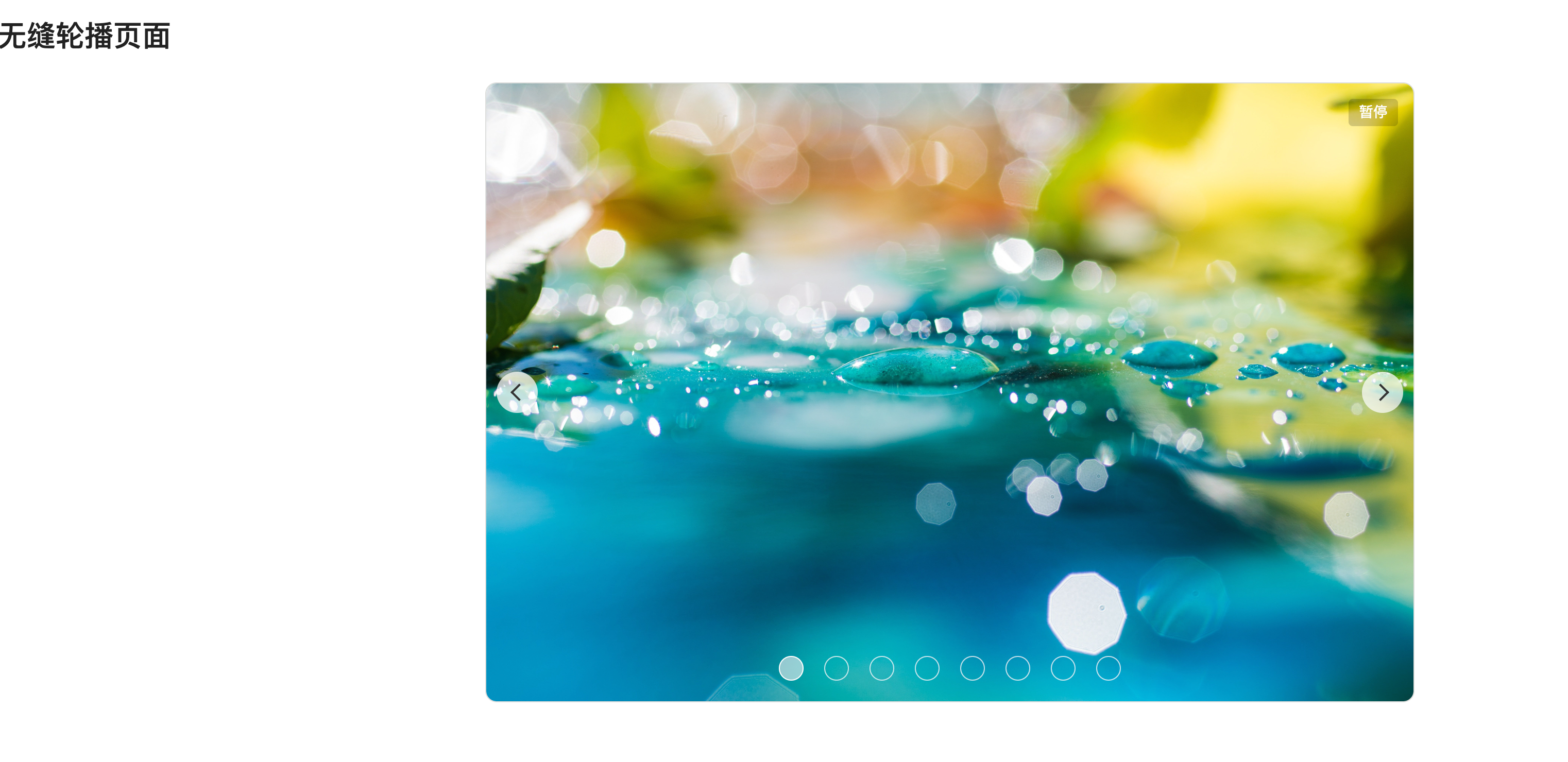

需要用到的图片请自行放到对应的目录,再将图片换成实际的路径即可。