背景
MongoDB 诞生之初,便以出色的易用性 与详尽的驱动程序文档脱颖而出,堪称对传统关系型数据库的一次重要革新,也正因如此,它迅速成为开发者社区的热门之选。
然而,随着其许可模式从开源转向 SSPL 许可证,MongoDB 的授权机制变得日趋复杂------这一变化直接导致它不再适配大量开源项目,同时也让许多处于早期阶段的商业项目难以将其纳入技术选型。
在此背景下,越来越多用户开始寻求 MongoDB 的文档数据库替代方案,其中,FerretDB 与搭载 DocumentDB 插件的 PostgreSQL 组合,凭借兼容特性与灵活的许可优势,成为了极具竞争力的优质选择。
DocumentDB 作为一个微软开发的引擎,用来驱动基于 vCore 的 Azure Cosmos DB for MongoDB,它引入了 BSON 数据类型,并提供 API 以便在原生 PostgreSQL 中无缝操作。
有不少人已经注意到,刚刚发布的 IvorySQL 4.6 有一个新特性是提供了兼容 MongoDB 的解决方案:使用 FerretDB 和 DocumentDB 提供兼容 MongoDB 的解决方案。这一解决方案使得 IvorySQL 4.6 除了兼容 Oracle 之外也兼容了 MongoDB。
ivydocumentdb 是基于微软 DocumentDB 并适配了 IvorySQL 的项目。它提供了面向文档的 NoSQL 数据库的原生实现,使用户能够在 IvorySQL 框架下,对 BSON(Binary JSON,二进制 JSON)数据类型进行无缝的 CRUD(创建、读取、更新、删除)操作。
本文将介绍如何使用 ivydocumentdb,在本地搭建一个含 DocumentDB 插件的 IvorySQL 环境,以平替 MongoDB。
安装方法
安装环境:CentOS Stream 9
下载源码
bash
sudo dnf install -y git
git clone https://github.com/IvorySQL/ivydocumentdb.git
cd ivydocumentdb && git checkout IVYDOCDB_REL_4_STABLE
创建临时文件夹并复制安装脚本
bash
sudo dnf install -y wget curl cmake unzip
sudo mkdir -p /tmp/install_setup
sudo cp ./scripts/* /tmp/install_setup
sudo chmod 777 /tmp/install_setup/*
准备编译环境
arduino
sudo dnf install -y epel-release
sudo dnf install -y bison readline-devel zlib-devel openssl-devel
sudo dnf groupinstall -y 'Development Tools'
sudo dnf config-manager --set-enabled crb
sudo dnf install -y perl-IPC-Run
sudo dnf install -y  gnupg2        tzdata pkgconf-pkg-config cmake       glibc-langpack-en     gcc     gdb      bison     flex     readline-devel     zlib-devel     krb5-devel     libtool     libicu-devel     openssl-devel perl-Test-Harness perl-core libxml2-devel
安装 IvorySQL 并编译相关插件
bash
export MAKE_PROGRAM=cmake && sudo INSTALL_DEPENDENCIES_ROOT=/tmp/install_setup /tmp/install_setup/install_setup_libbson.sh

sudo INSTALL_DEPENDENCIES_ROOT=/tmp/install_setup /tmp/install_setup/install_setup_postgres.sh -d "/var/local/ivorysql/ivory-4" -v 4

sudo env "PATH=/var/local/ivorysql/ivory-4/bin:$PATH" IVORYVERSION=4 INSTALL_DEPENDENCIES_ROOT=/tmp/install_setup /tmp/install_setup/install_setup_rum_oss.sh

sudo env "PATH=/var/local/ivorysql/ivory-4/bin:$PATH" IVORYVERSION=4 INSTALL_DEPENDENCIES_ROOT=/tmp/install_setup /tmp/install_setup/install_setup_citus_core_oss.sh 12

sudo env "PATH=/var/local/ivorysql/ivory-4/bin:$PATH" IVORYVERSION=4 INSTALL_DEPENDENCIES_ROOT=/tmp/install_setup /tmp/install_setup/install_citus_indent.sh


sudo env "PATH=/var/local/ivorysql/ivory-4/bin:$PATH"  IVORYVERSION=4 INSTALL_DEPENDENCIES_ROOT=/tmp/install_setup /tmp/install_setup/install_setup_system_rows.sh

sudo env "PATH=/var/local/ivorysql/ivory-4/bin:$PATH"  IVORYVERSION=4 INSTALL_DEPENDENCIES_ROOT=/tmp/install_setup /tmp/install_setup/install_setup_pg_cron.sh

sudo INSTALL_DEPENDENCIES_ROOT=/tmp/install_setup /tmp/install_setup/install_setup_intel_decimal_math_lib.sh

sudo INSTALL_DEPENDENCIES_ROOT=/tmp/install_setup /tmp/install_setup/install_setup_pcre2.sh

sudo env "PATH=/var/local/ivorysql/ivory-4/bin:$PATH"  INSTALL_DEPENDENCIES_ROOT=/tmp/install_setup IVORYVERSION=4 /tmp/install_setup/install_setup_pgvector.sh

sudo dnf install -y proj-devel libxml2-devel json-c-devel geos-devel

sudo env "PATH=/var/local/ivorysql/ivory-4/bin:$PATH"  INSTALL_DEPENDENCIES_ROOT=/tmp/install_setup IVORYVERSION=4 /tmp/install_setup/install_setup_postgis.sh
编译并安装 ivydocumentdb
bash
sudo env "PATH=/var/local/ivorysql/ivory-4/bin:$PATH" make
sudo env "PATH=/var/local/ivorysql/ivory-4/bin:$PATH" make install
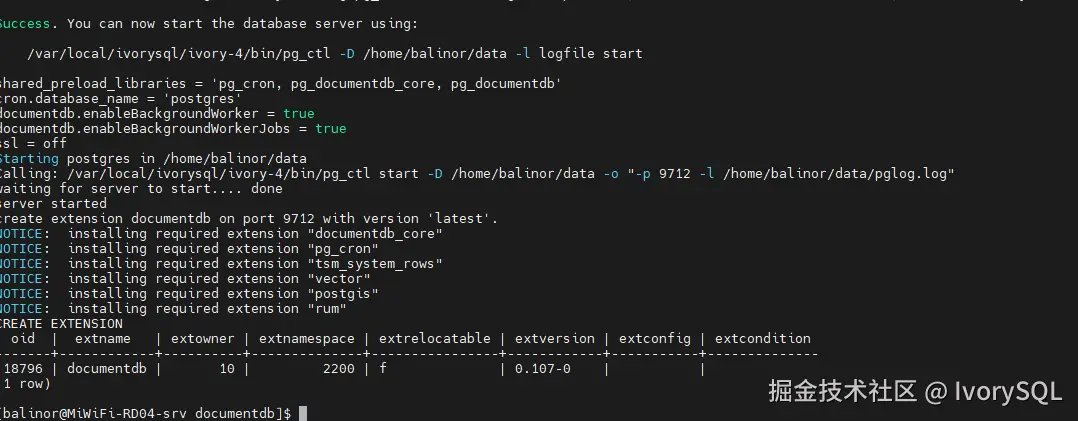
env "PATH=/var/local/ivorysql/ivory-4/bin:$PATH" IVY_VERSION_USED=4 /tmp/install_setup/start_oss_server.sh -d ~/data
当看到如下图所示内容,DocumentDB 就安装成功了。
使用方法
连接数据库并测试
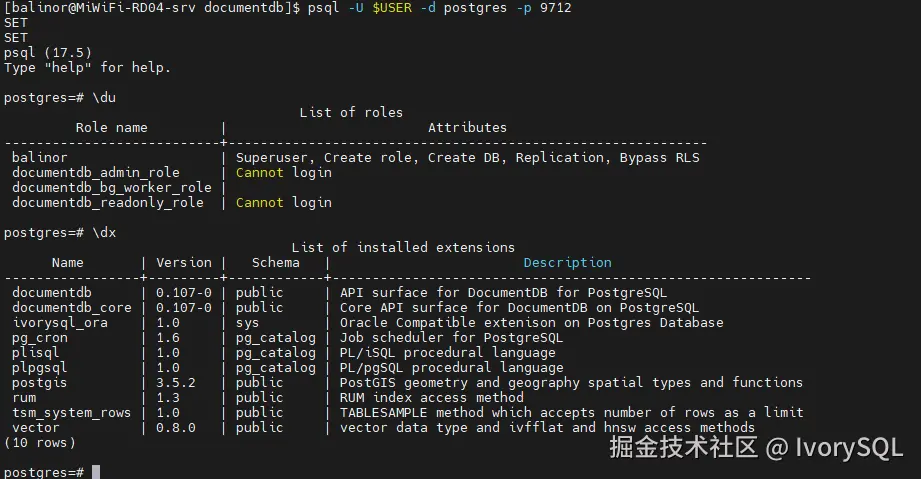
为检查 DocumentDB 插件是否正常工作,需要连接数据库进行增删改查操作。 psql -U $USER -d postgres -p 9712
创建文档并插入数据:
rust
SELECT documentdb_api.create_collection('documentdb','patient');

select documentdb_api.insert_one('documentdb','patient', '{ "patient_id": "P001", "name": "Alice Smith", "age": 30, "phone_number": "555-0123", "registration_year": "2023","conditions": ["Diabetes", "Hypertension"]}');
select documentdb_api.insert_one('documentdb','patient', '{ "patient_id": "P002", "name": "Bob Johnson", "age": 45, "phone_number": "555-0456", "registration_year": "2023", "conditions": ["Asthma"]}');
select documentdb_api.insert_one('documentdb','patient', '{ "patient_id": "P003", "name": "Charlie Brown", "age": 29, "phone_number": "555-0789", "registration_year": "2024", "conditions": ["Allergy", "Anemia"]}');
select documentdb_api.insert_one('documentdb','patient', '{ "patient_id": "P004", "name": "Diana Prince", "age": 40, "phone_number": "555-0987", "registration_year": "2024", "conditions": ["Migraine"]}');
select documentdb_api.insert_one('documentdb','patient', '{ "patient_id": "P005", "name": "Edward Norton", "age": 55, "phone_number": "555-1111", "registration_year": "2025", "conditions": ["Hypertension", "Heart Disease"]}');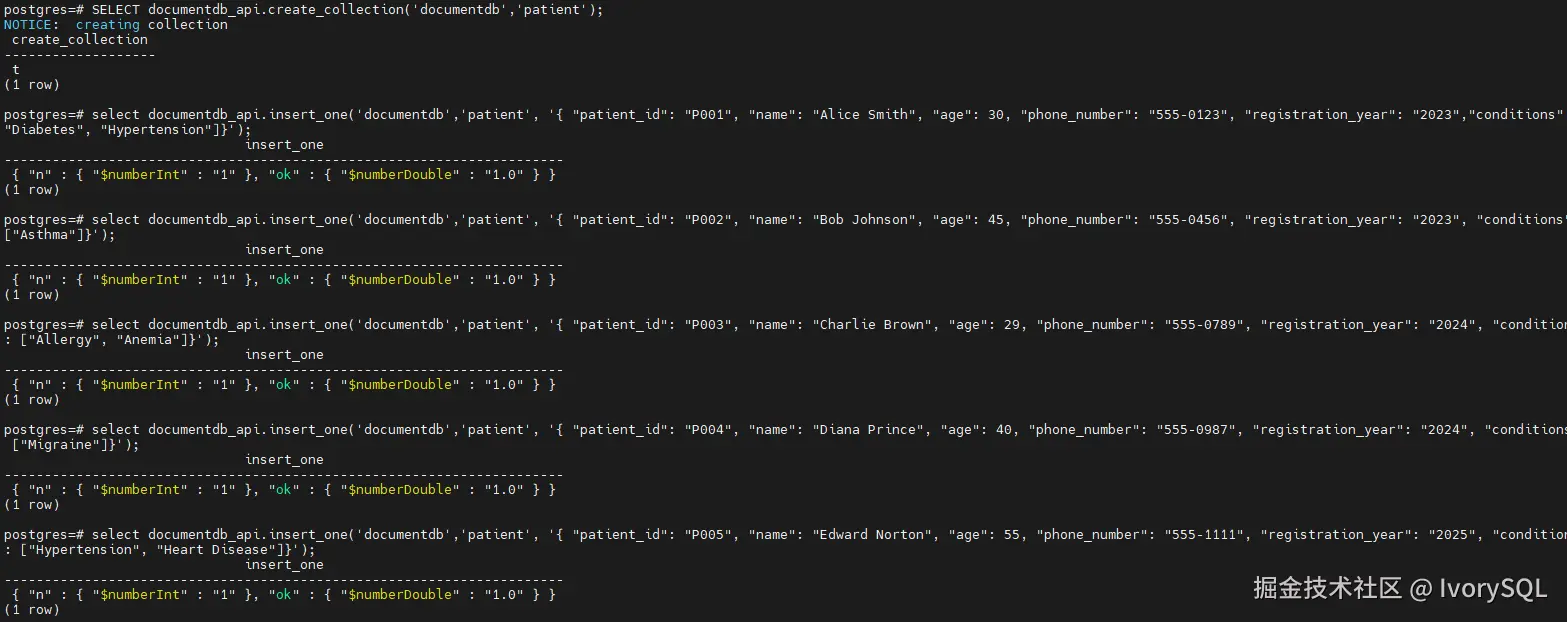
查询刚刚插入的数据:
sql
SELECT document FROM documentdb_api.collection('documentdb','patient');
至此,用户就可以在 IvorySQL 上使用 documentdb_api 进行增删改查了。
FerretDB
最后,我们需要使用 FerretDB 作为一个 Proxy,将 MongoDB 5.0+ wire 协议查询转换为 SQL,并使用带有 DocumentDB 扩展的 IvorySQL 作为数据库引擎,完成对 MongoDB 的平替。
bash
wget https://github.com/FerretDB/FerretDB/releases/download/v2.5.0/ferretdb-amd64-linux && chmod 777 ferretdb-amd64-linux
ferretdb-amd64-linux --postgresql-url "postgres://<username>:<user_password>@localhost:9712/postgres"
FerretDB 具体介绍及使用方式,可以参考 FerretDB 官网。
此时,FerretDB 就完成了部署,MongoDB 客户端通过 FerretDB 的 27017 端口及 IvorySQL 数据库的用户名密码,连上含 DocumentDB 插件的 IvorySQL,就可以顺利完成增删改查等操作。
总结
通过本文的步骤,我们成功在 CentOS Stream 9 环境下搭建了含 DocumentDB 插件的 IvorySQL 环境,并结合 FerretDB 实现了对 MongoDB 的平替。该方案不仅解决了 MongoDB 因 SSPL 许可证带来的适配难题,还借助 IvorySQL 本身兼容 Oracle 的特性,为企业提供了更灵活、多元的数据库选择。
对于开源项目或早期商业项目而言,此方案无需担心复杂的许可机制,同时能通过熟悉的 SQL 操作与 MongoDB 客户端交互,降低了技术迁移成本。后续,开发者可基于该环境进一步探索数据备份策略、性能优化方案,或结合实际业务场景扩展更多功能,充分发挥 IvorySQL 与 FerretDB 组合的优势,为业务发展提供稳定可靠的数据库支撑。