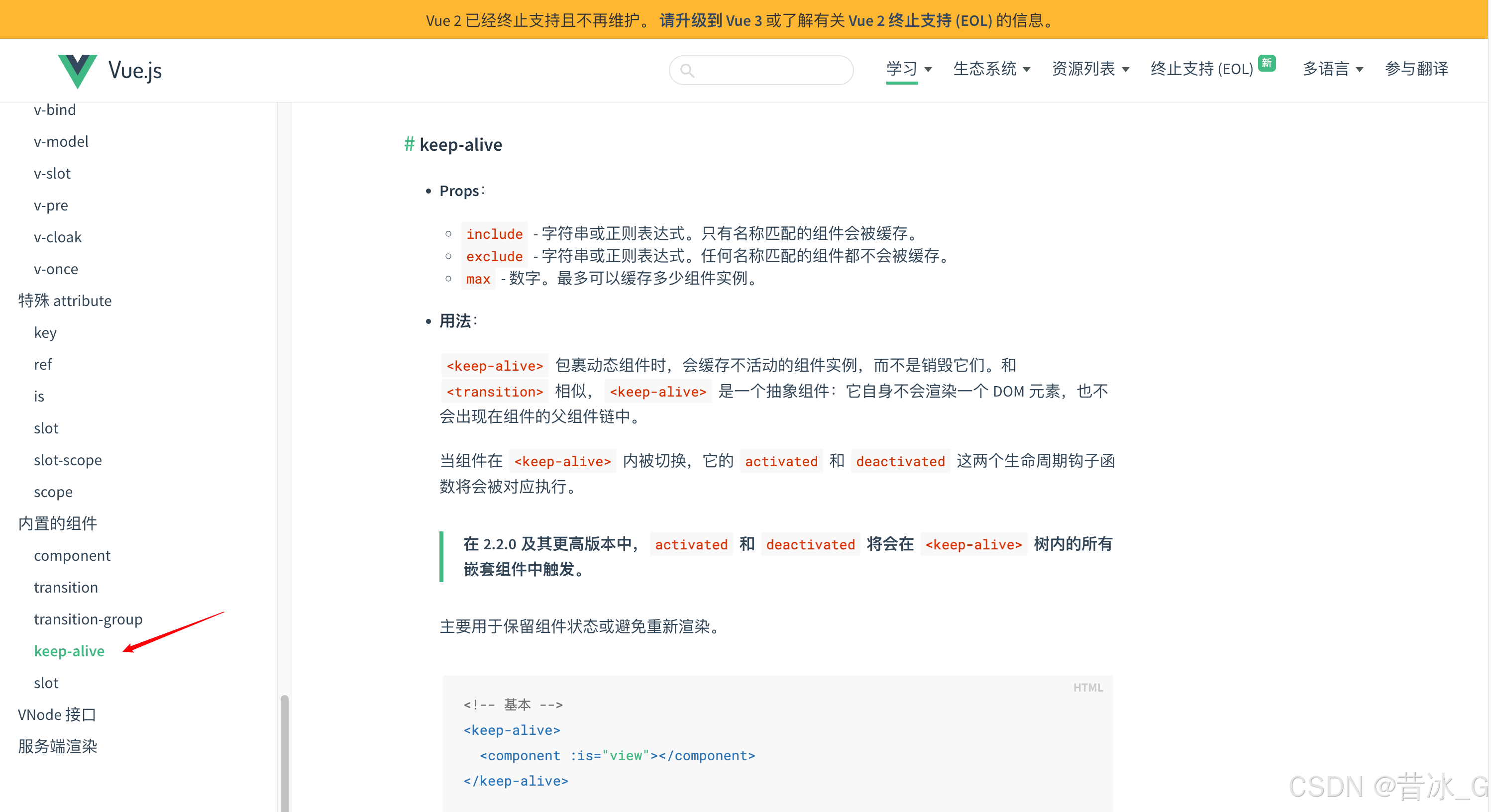
keep-alive 是一个Vue内置组件,它的功能是在多个组件间动态切换时缓存被移除的组件实例,而不是销毁它们。
【注意】这玩意儿可不是Vue3独有的,在Vue2中就已经有了,只不过没有像Vue3那样直接显示在文档首页的侧边栏中。
使用意义
- 性能优化:避免组件重复渲染带来的性能开销
- 状态保持:保留组件状态(数据、滚动位置等)
- 用户体验:实现页面的快速切换,保持用户操作状态
日常场景
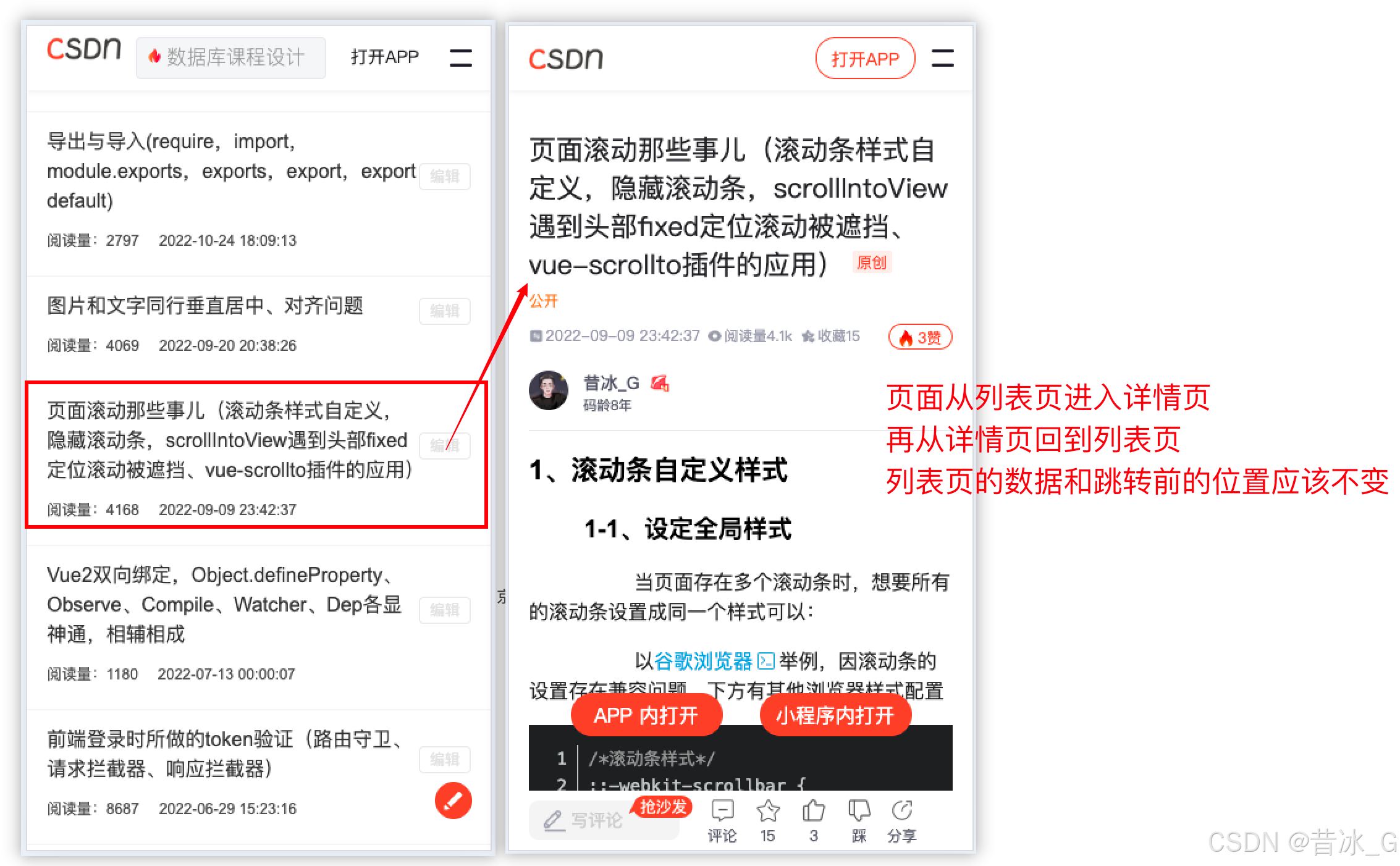
- 对于列表页面,点击列表项跳转到详情页面;
- 再从详情页面返回到列表页面:
- 列表页面重新加载?重置了数据?
- 列表页面原数据加载?但页面却回滚到顶部?
- 列表页面保持跳转前的状态,位置不变(这个才是对用户友好的方案)
页面重新加载源于页面从销毁又到呈现的状态切换;
如果可以留存住页面状态或不让页面销毁那页面便不需要重建------使用keep-alive做页面缓存
使用方法
基本用法
html
<!-- 非活跃的组件将会被缓存! -->
<KeepAlive>
  <component :is="activeComponent" />
</KeepAlive>
搭配RouterView当在处理 KeepAlive** **组件时,我们通常想要保持路由组件活跃,而不是 RouterView 本身。为了实现这个目的,我们可以将 KeepAlive 组件放置在插槽内:
html
<router-view v-slot="{ Component }">
  <keep-alive>
    <component :is="Component" />
  </keep-alive>
</router-view>
包含和排除
它会根据组件的 name 选项进行匹配,所以组件如果想要++条件性++地被 KeepAlive 缓存,就必须显式声明一个 name 选项。
在 3.2.34 或以上的版本中,使用 <script setup> 的单文件组件会++自动根据文件名生成++对应的 name 选项,无需再手动声明。
html
<!-- 以英文逗号分隔的字符串 -->
<KeepAlive include="a,b">
  <component :is="view" />
</KeepAlive>

<!-- 正则表达式 (需使用 v-bind) -->
<KeepAlive :include="/a|b/">
  <component :is="view" />
</KeepAlive>

<!-- 数组 (需使用 v-bind) -->
<KeepAlive :include="['a', 'b']">
  <component :is="view" />
</KeepAlive>
搭配路由渲染
javascript
import { createRouter, createWebHistory } from 'vue-router'
import List from '../components/list.vue'
const router = createRouter({
  history: createWebHistory(),
  routes: [
    {
      path: '/',
      component: () => import('../components/layout.vue'),
      redirect: '/home',
      children: [
        {
          path: '/home',
          component: () => import('../components/home.vue')
        },
        {
          path: '/list',
          // component: List,
          component: () => import('../components/lista.vue'),
          // 配置自定义属性keepAlive,在路由加载页面时做条件渲染
          meta: {
            keepAlive: true
          }
        },
        {
          path: '/myinfo',
          component: () => import('../components/myinfo.vue')
        },
        {
           path: '/iteminfo',
           component: () => import('../components/iteminfo.vue')
        }
      ]
    }
  ]
})
export default router
html
<!-- Layout.vue -->
 <router-view v-slot="{ Component }">
      <component :is="Component" :key="route.path" v-if="!route.meta?.keepAlive" />
      <keep-alive>
        <component :is="Component" :key="route.path" v-if="route.meta?.keepAlive" />
      </keep-alive>
</router-view>
缓存数量
可以通过传入**++max++** 来限制可被缓存的最大组件实例数(组件数量)。
如果缓存的实例数量即将超过指定的那个最大数量,则最久没有被访问的缓存实例将被销毁,以便为新的实例腾出空间。
html
<KeepAlive :max="10">
  <component :is="activeComponent" />
</KeepAlive>
生命周期
一个持续存在的组件(被Keep-alive缓存的组件)可以通过 onActivated() 和 onDeactivated() 注册相应的两个状态的生命周期钩子:
javascript
<script setup>
import { onActivated, onDeactivated } from 'vue'

onActivated(() => {
  // 调用时机为首次挂载
  // 以及每次从缓存中被重新插入时
})

onDeactivated(() => {
  // 在从 DOM 上移除、进入缓存
  // 以及组件卸载时调用
})
</script>onActivated在组件挂载时也会调用,并且onDeactivated在组件卸载时也会调用。- 这两个钩子不仅适用于
<KeepAlive>缓存的根组件,也适用于缓存树中的后代组件。
其他
举一反三:
当前的iteminfo页面路由处于layout管辖下,如若将iteminfo路由提至layout同级,怎么完成对list的缓存处理?
要先稳住layout,否则layout保不住,更别提保layout的子路由list了。
javascript
import { createRouter, createWebHistory } from 'vue-router'

const router = createRouter({
  history: createWebHistory(import.meta.env.BASE_URL),
  routes: [
    {
      path:'/',
      component:()=>import('../components/Layout.vue'),
      redirect:'/home',
      children:[
        {
          path:'/home',
          component:()=>import('../components/Home.vue')
        },
        {
          path:'/list',
          component:()=>import('../components/List.vue'),
          meta:{
            keepAlive:true
          }
        },
        {
          path:'/myinfo',
          component:()=>import('../components/Myinfo.vue')
        },
        // {
        //   path:'/iteminfo',
        //   component: () => import('../components/ItemInfo.vue')
        // }
      ]
    },
    // 挪到了外层,和layout同级
    {
      path:'/iteminfo',
      component: () => import('../components/ItemInfo.vue')
    }
  ],
})

export default router
html
<!-- App.vue -->
<script setup>

</script>

<template>
  <router-view v-slot="{ Component }">
    <!-- 要先稳住layout,否则layout保不住,更别提保layout的子路由list了 -->
    <KeepAlive include="Layout">
      <component :is="Component" />
    </KeepAlive>
  </router-view>
</template>

<style scoped></style>