Date: 2025-10-17 16:16:12 author: lijianzhan
Android Studio 中的每个项目都包含一个或多个内有源代码文件和资源文件的模块。模块的类型包括:
Android 应用模块
库模块
Google App Engine 模块
默认情况下,Android Studio 会在 Android 视图中显示您的项目文件(如图 1 所示)。该视图按模块组织结构,方便您快速访问项目的关键源文件。所有 build 文件都在顶层的 Gradle Scripts 下显示。
每个应用模块都包含以下文件夹:
manifests:包含 AndroidManifest.xml 文件。
java:包含 Kotlin 和 Java 源代码文件,包括 JUnit 测试代码。
res:包含所有非代码资源,例如界面字符串和位图图像。
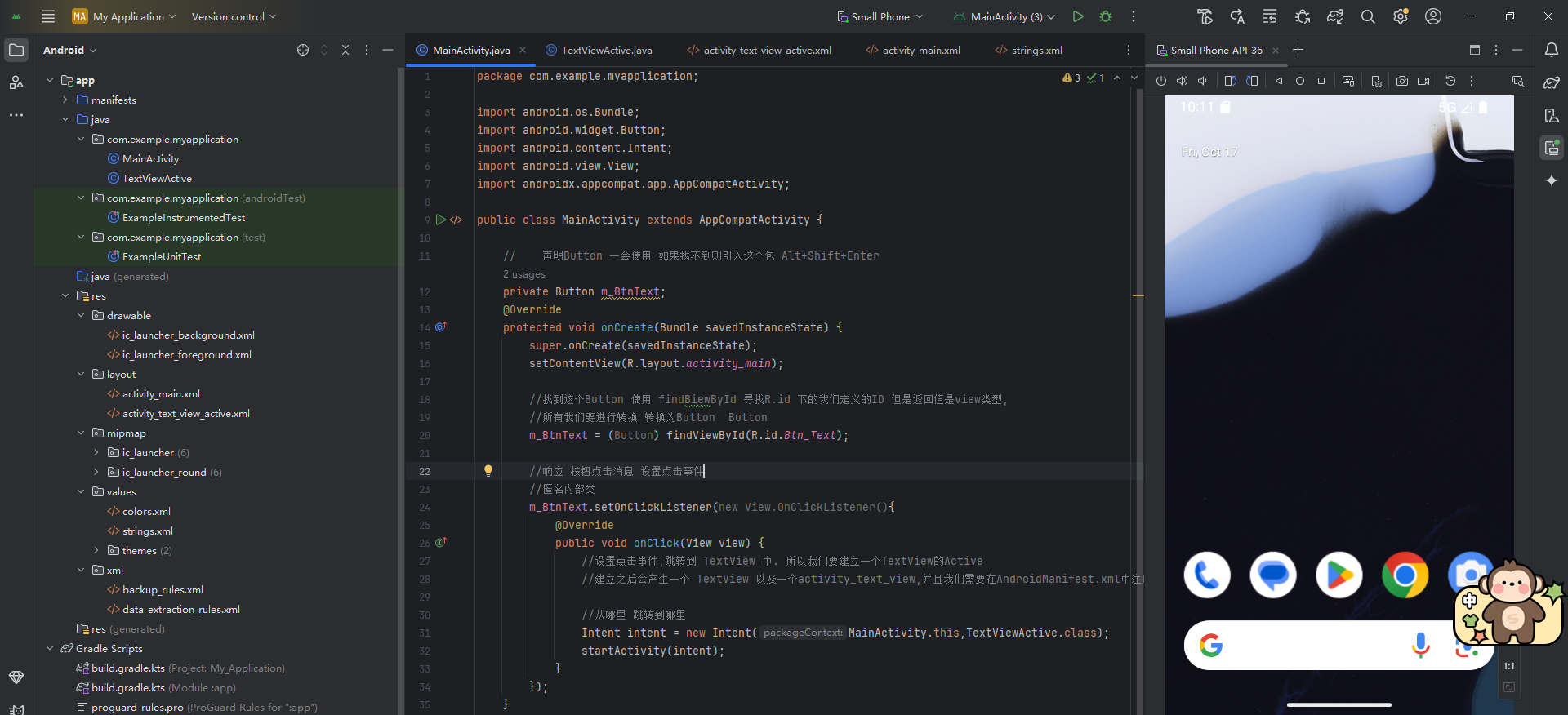
一、MainActivity.java文件声明Button
java
package com.example.myapplication;

import android.os.Bundle;
import android.widget.Button;
import android.content.Intent;
import android.view.View;
import androidx.appcompat.app.AppCompatActivity;

public class MainActivity extends AppCompatActivity {

    //    声明Button 一会使用 如果找不到则引入这个包 Alt+Shift+Enter
    private Button m_BtnText;
    @Override
    protected void onCreate(Bundle savedInstanceState) {
        super.onCreate(savedInstanceState);
        setContentView(R.layout.activity_main);

        //找到这个Button 使用 findBiewById 寻找R.id 下的我们定义的ID 但是返回值是view类型,
        //所有我们要进行转换 转换为Button  Button
        m_BtnText = (Button) findViewById(R.id.Btn_Text);

        //响应 按钮点击消息 设置点击事件
        //匿名内部类
        m_BtnText.setOnClickListener(new View.OnClickListener(){
            @Override
            public void onClick(View view) {
                //设置点击事件,跳转到 TextView 中. 所以我们要建立一个TextView的Active
                //建立之后会产生一个 TextView 以及一个activity_text_view,并且我们需要在AndroidManifest.xml中注册

                //从哪里 跳转到哪里
                Intent intent = new Intent(MainActivity.this,TextViewActive.class);
                startActivity(intent);
            }
        });
    }
}
二、activity_main.xml文件,在D:\Android\MyApplication\app\src\main\res\layout\activity_main.xml目录中
xml
<?xml version="1.0" encoding="utf-8"?>
<androidx.constraintlayout.widget.ConstraintLayout xmlns:android="http://schemas.android.com/apk/res/android"
    xmlns:app="http://schemas.android.com/apk/res-auto"
    xmlns:tools="http://schemas.android.com/tools"
    android:id="@+id/main"
    android:layout_width="match_parent"
    android:layout_height="match_parent"
    tools:context=".MainActivity">

    <Button
        android:id="@+id/Btn_Text"
        android:layout_width="match_parent"
        android:layout_height="wrap_content"
        android:text="点击我"
        tools:ignore="MissingConstraints"
        tools:layout_editor_absoluteX="16dp"
        tools:layout_editor_absoluteY="299dp" />

</androidx.constraintlayout.widget.ConstraintLayout>
三、activity_text_view_active.xml文件,在D:\Android\MyApplication\app\src\main\res\layout\activity_text_view_active.xml目录中
xml
<?xml version="1.0" encoding="utf-8"?>
<androidx.constraintlayout.widget.ConstraintLayout xmlns:android="http://schemas.android.com/apk/res/android"
    xmlns:app="http://schemas.android.com/apk/res-auto"
    xmlns:tools="http://schemas.android.com/tools"
    android:id="@+id/main"
    android:layout_width="match_parent"
    android:layout_height="match_parent"
    tools:context=".TextViewActive">

    <Button
        android:id="@+id/button"
        android:layout_width="wrap_content"
        android:layout_height="wrap_content"
        android:text="Button"
        tools:layout_editor_absoluteX="217dp"
        tools:layout_editor_absoluteY="151dp" />
</androidx.constraintlayout.widget.ConstraintLayout>
四、strings.xml文件,在D:\Android\MyApplication\app\src\main\res\values\strings.xml目录中
xml
<resources>
    <string name="app_name">My Application</string>
    <string name="TestVie1">我是第一个TextView是被引用的</string>
    <string name="click_me">点击我</string>
</resources>
五、页面展示
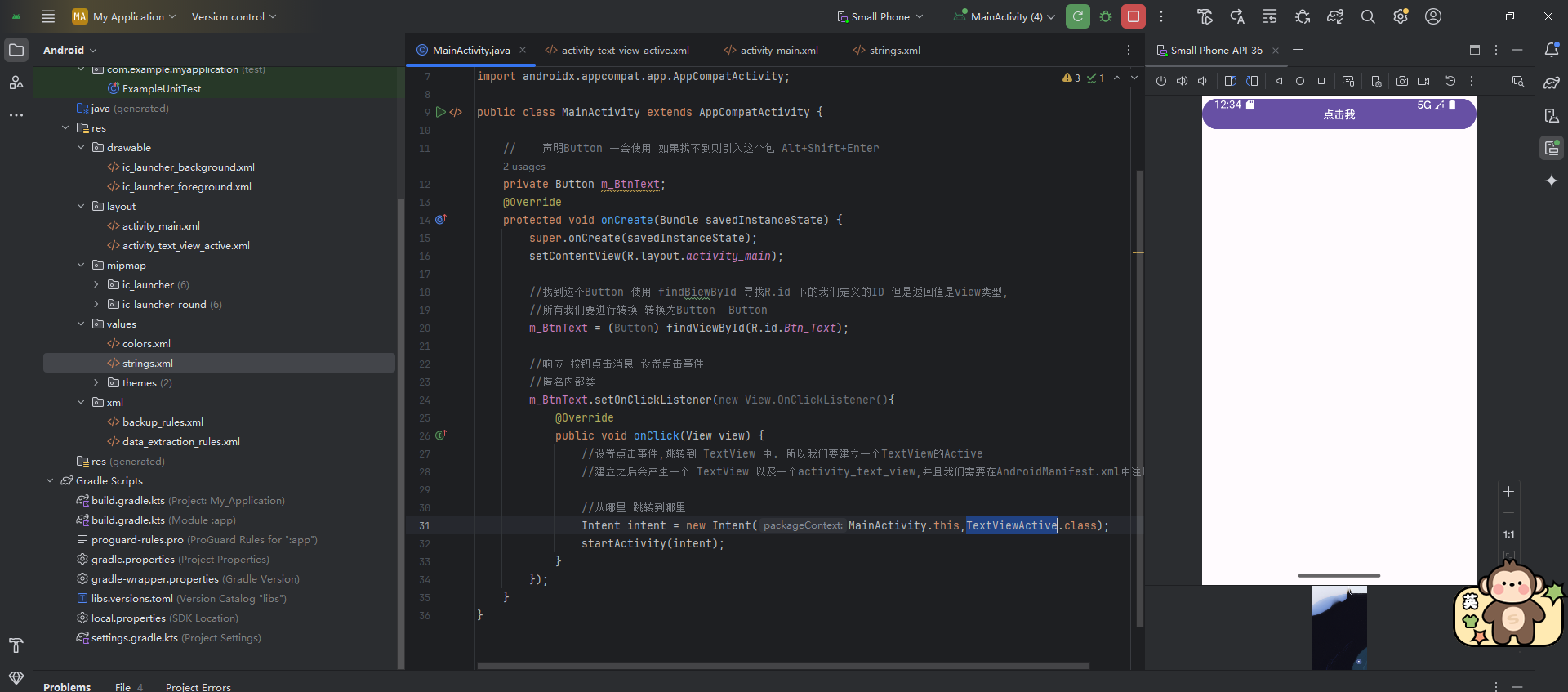
完成后
演示视频:
002