这里写目录标题
- [1 Ollama 软件下载](#1 Ollama 软件下载)
- [2 Ollama 模型下载](#2 Ollama 模型下载)
-
- [2.1 Ollama下载脚本](#2.1 Ollama下载脚本)
- [2.3 Ollama模型列表](#2.3 Ollama模型列表)
- [2.3 Ollama模型运行](#2.3 Ollama模型运行)
- [3 Kotlin SpringAI 配置](#3 Kotlin SpringAI 配置)
-
- [1 build.gradle.kts](#1 build.gradle.kts)
- [2 settings.gradle.kts](#2 settings.gradle.kts)
- [3 application.yml](#3 application.yml)
- [4 Kotlin SpringAI 代码](#4 Kotlin SpringAI 代码)
-
- [1 LogUtil.kt](#1 LogUtil.kt)
- [2 MemConf.kt](#2 MemConf.kt)
- [3 OllamaController.kt](#3 OllamaController.kt)
- [4 Application.kt](#4 Application.kt)
- [5 Kotlin SpringAI 结果](#5 Kotlin SpringAI 结果)
LangChain4j VS Spring AI
| 维度 | LangChain4j | Spring AI |
|---|---|---|
| 定位 | 专注于 LLM 应用开发的工具链,类似 Java 版 LangChain | Spring 生态的官方 AI 扩展,提供标准化集成 |
| 生态依赖 | 独立框架,可与任何 Java 框架集成(包括 Spring) | 深度依赖 Spring 生态(如 Spring Boot、Spring Cloud) |
| 核心能力 | 提供完整的 LLM 应用组件(链、记忆、工具等) | 聚焦于模型接口标准化、数据处理、集成能力 |
| 模型支持 | 支持主流闭源/开源模型,配置灵活 | 支持主流模型,通过统一接口抽象,符合 Spring 风格 |
| 易用性 | 需手动组合组件,灵活性高,但学习成本略高 | 遵循 Spring 约定优于配置,开箱即用,适合 Spring 开发者 |
| 企业级特性 | 需自行集成安全、监控等特性 | 天然支持 Spring 生态的企业级特性(如安全、审计、监控) |
| 社区与更新 | 社区活跃,更新频率中等 | 官方背书,更新频繁,与 Spring 版本同步演进 |
| 适用场景 | 复杂 LLM 应用(如多链协作、自定义记忆策略) | 快速集成 LLM 到 Spring 应用,追求标准化和稳定性 |
选择建议
- 若项目已基于 Spring 生态(如 Spring Boot),且希望快速集成 LLM 并利用 Spring 的企业级特性,优先选择 Spring AI。
- 若需要更灵活的 LLM 应用构建能力,或项目不依赖 Spring 框架,LangChain4j 是更合适的选择。
- 若需实现复杂的 RAG、多轮对话记忆或工具调用逻辑,LangChain4j 的组件化设计可能更具优势。
1 Ollama 软件下载
2 Ollama 模型下载
2.1 Ollama下载脚本
Win11 下载脚本
复制内容到ollama_download.ps1文件中
powershell
# 定义模型名称避免硬编码
$modelName = "gemma3:27b"

# 设置重试参数
$maxRetries = 50
$retryInterval = 3  # 秒
$downloadTimeout = 80  # 秒

for ($retry = 1; $retry -le $maxRetries; $retry++) {
    # 精确检查模型是否存在
    $modelExists = ollama list | Where-Object { $_ -match "\b$modelName\b" }

    if ($modelExists) {
        Write-Host "[$(Get-Date)] model is already downloaded!"
        exit 0
    }

    Write-Host "[$(Get-Date)] start $retry times downloading..."

    # 启动进程并显示实时输出
    $process = Start-Process -FilePath "ollama" `
        -ArgumentList "run", $modelName `
        -PassThru `
        -NoNewWindow

    # 等待下载完成或超时
    try {
        $process | Wait-Process -Timeout $downloadTimeout -ErrorAction Stop
    } catch {
        # 超时处理
        Write-Host "download timeout, safe terminate process..."
        $process | Stop-Process -Force
    }

    if (-not $process.HasExited) {
        $process | Stop-Process -Force
        Write-Host "process terminated due to timeout."
    } else {
        # 检查退出代码
        if ($process.ExitCode -eq 0) {
            Write-Host "download success!"
            exit 0
        }
        Write-Host "download failed, exit code: $($process.ExitCode)"
    }

    Start-Sleep -Seconds $retryInterval
}

Write-Host "exceeded maximum retries ($maxRetries), download failed."
exit 1
powershell
PS C:\Users\xuhya\Desktop> .\ollama_download.ps1
[10/09/2025 21:42:20] start 1 times downloading...
pulling manifest
pulling e796792eba26:  98% ▕████████████████████████████████████████████████████████  ▏  17 GB/ 17 GB  1.7 MB/s   3m20sdownload timeout, safe terminate process...
download failed, exit code: -1
[10/09/2025 21:43:43] start 2 times downloading...
pulling manifest
pulling e796792eba26: 100% ▕██████████████████████████████████████████████████████████▏  17 GB
pulling e0a42594d802: 100% ▕██████████████████████████████████████████████████████████▏  358 B
pulling dd084c7d92a3: 100% ▕██████████████████████████████████████████████████████████▏ 8.4 KB
pulling 3116c5225075: 100% ▕██████████████████████████████████████████████████████████▏   77 B
pulling f838f048d368: 100% ▕██████████████████████████████████████████████████████████▏  490 B
verifying sha256 digest ⠸ download timeout, safe terminate process...
download failed, exit code: -1
[10/09/2025 21:45:06] start 3 times downloading...
pulling manifest
pulling e796792eba26: 100% ▕██████████████████████████████████████████████████████████▏  17 GB
pulling e0a42594d802: 100% ▕██████████████████████████████████████████████████████████▏  358 B
pulling dd084c7d92a3: 100% ▕██████████████████████████████████████████████████████████▏ 8.4 KB
pulling 3116c5225075: 100% ▕██████████████████████████████████████████████████████████▏   77 B
pulling f838f048d368: 100% ▕██████████████████████████████████████████████████████████▏  490 B
verifying sha256 digest
writing manifest
success
⠏ download timeout, safe terminate process...
download failed, exit code: -1
[10/09/2025 21:46:29] model is already downloaded!
PS C:\Users\xuhya\Desktop>
2.3 Ollama模型列表
powershell
PS C:\Users\hyacinth\Desktop> ollama list
NAME                      ID              SIZE      MODIFIED
llava-llama3:latest       44c161b1f465    5.5 GB    4 days ago
qwen3:latest              500a1f067a9f    5.2 GB    4 days ago
llama3.2-vision:latest    6f2f9757ae97    7.8 GB    4 days ago
deepseek-r1:latest        6995872bfe4c    5.2 GB    4 days ago
deepseek-coder:6.7b       ce298d984115    3.8 GB    4 days ago
gemma3:4b                 a2af6cc3eb7f    3.3 GB    4 days ago
llama3.2:latest           a80c4f17acd5    2.0 GB    4 days ago
PS C:\Users\hyacinth\Desktop>
2.3 Ollama模型运行
powershell
PS C:\Users\hyacinth\Desktop> ollama ps
NAME                      ID              SIZE     PROCESSOR    CONTEXT    UNTIL
llama3.2-vision:latest    6f2f9757ae97    34 GB    100% CPU     262144     2 minutes from now
PS C:\Users\hyacinth\Desktop>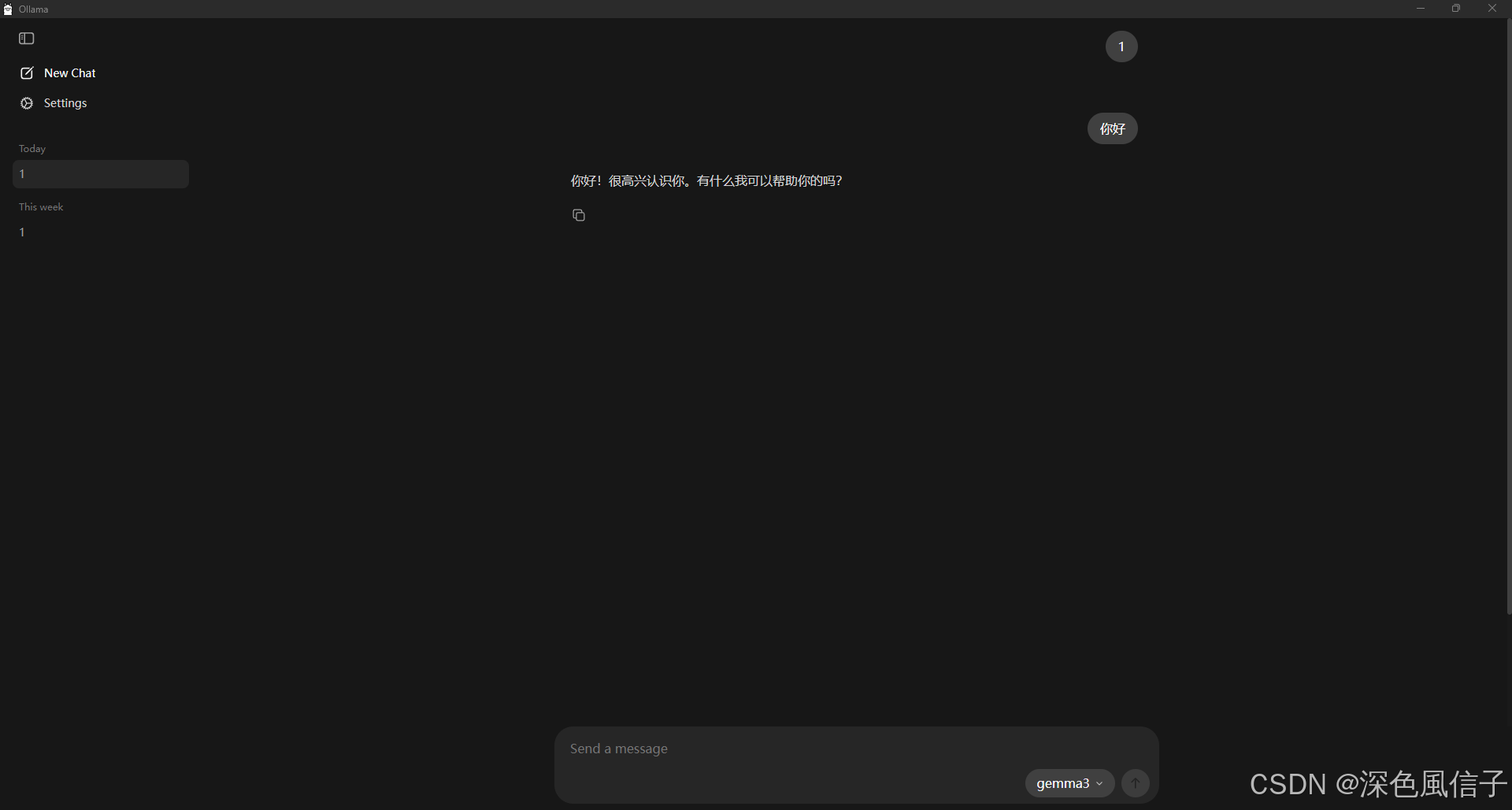
3 Kotlin SpringAI 配置
1 build.gradle.kts
kts
plugins {
    // Kotlin JVM 插件,用于支持 Kotlin 语言编译到 JVM 字节码,版本 1.9.25。
	kotlin("jvm") version "1.9.25"
    // Kotlin 官方提供的 Spring 插件,用于增强 Kotlin 与 Spring 的兼容性(例如自动开启 open 类支持,因为 Spring AOP 需要类可继承),版本与 Kotlin 一致。
	kotlin("plugin.spring") version "1.9.25"
    // Spring Boot 插件,提供 Spring Boot 特有的构建功能(如打包可执行 JAR、自动配置依赖版本等),版本 3.5.6。
	id("org.springframework.boot") version "3.5.6"
    // Spring 依赖管理插件,用于统一管理项目依赖的版本(配合 dependencyManagement 块使用),版本 1.1.7。
	id("io.spring.dependency-management") version "1.1.7"
}

group = "com.xu"
version = "1.0.0"
description = "Kotlin AI 示例项目,集成 Spring AI 和 Ollama 大模型"

// 定义项目使用的 Java 版本为 25,Gradle 会自动寻找或下载对应版本的 JDK 进行编译、运行。
//java {
//	toolchain {
//        // toolchain 是 Gradle 推荐的配置方式,比传统的 sourceCompatibility 更灵活,支持自动管理 JDK 版本。
//		languageVersion = JavaLanguageVersion.of(25)
//	}
//}


configurations {
    // 这里配置 compileOnly 继承 annotationProcessor 配置,确保注解处理器(如 Lombok)在编译时能被正确识别。
	compileOnly {
		extendsFrom(configurations.annotationProcessor.get())
	}
}

repositories {
    // 声明项目依赖的仓库为 Maven Central(中央仓库),Gradle 会从这里下载所需的依赖包。
	mavenCentral()
}

// 定义一个名为 springAiVersion 的全局属性,值为 1.0.3,用于统一管理 Spring AI 相关依赖的版本(后续可通过 ${property("springAiVersion")} 引用)。
extra["springAiVersion"] = "1.0.3"

dependencies {
    // Spring Boot Web  Starter(包含Spring MVC、Tomcat等Web相关依赖)
    implementation("org.springframework.boot:spring-boot-starter-web")
    // Jackson Kotlin模块(支持Kotlin数据类与JSON的序列化/反序列化)
    implementation("com.fasterxml.jackson.module:jackson-module-kotlin")
    // Kotlin反射库(Spring等框架需要反射支持)
    implementation("org.jetbrains.kotlin:kotlin-reflect")
    // Spring AI Ollama Starter(集成Ollama大模型的依赖)
    implementation("org.springframework.ai:spring-ai-starter-model-ollama")
    // Lombok(编译时生成getter/setter等代码,仅编译时需要)
    compileOnly("org.projectlombok:lombok")
    // Spring Boot开发工具(热部署等开发期功能,仅开发环境需要)
    developmentOnly("org.springframework.boot:spring-boot-devtools")
    // Lombok注解处理器(编译时处理Lombok注解)
    annotationProcessor("org.projectlombok:lombok")
    // Spring Boot测试 Starter(包含JUnit、Mockito等测试依赖)
    testImplementation("org.springframework.boot:spring-boot-starter-test")
    // Kotlin测试与JUnit5集成
    testImplementation("org.jetbrains.kotlin:kotlin-test-junit5")
    // JUnit平台启动器(支持IDE运行JUnit5测试)
    testRuntimeOnly("org.junit.platform:junit-platform-launcher")
}

// 通过导入 Maven BOM(Bill of Materials) 统一管理 Spring AI 相关依赖的版本。
dependencyManagement {
	imports {
		mavenBom("org.springframework.ai:spring-ai-bom:${property("springAiVersion")}")
	}
}

// 配置 Kotlin 编译器选项:
kotlin {
    // -Xjsr305=strict:启用 JSR-305 注解(如 @Nullable、@Nonnull)的严格检查,增强代码的空安全。
	compilerOptions {
		freeCompilerArgs.addAll("-Xjsr305=strict")
	}
}

// 单元测试
tasks.withType<Test> {
	useJUnitPlatform()
}
2 settings.gradle.kts
kts
rootProject.name = "kotlin-ai"3 application.yml
yml
spring:
  application:
    name: spring-ai
  ai:
    ollama:
      base-url: http://localhost:11434
      chat:
        model: llama3.2-vision:latest
      init:
        timeout: 50m
  servlet:
    multipart:
      enabled: true
      max-file-size: 10MB
      max-request-size: 10MB
      file-size-threshold: 10MB
4 Kotlin SpringAI 代码
1 LogUtil.kt
java
package com.xu.conf

import org.slf4j.Logger
import org.slf4j.LoggerFactory

@Target(AnnotationTarget.CLASS, AnnotationTarget.FUNCTION)
@Retention(AnnotationRetention.RUNTIME)
annotation class LogUtil(){
    companion object{
        val <reified T> T.log: Logger
            inline get() = LoggerFactory.getLogger(T::class.java)
    }
}
2 MemConf.kt
java
package com.xu.conf

import com.xu.conf.LogUtil.Companion.log
import org.springframework.ai.chat.memory.ChatMemory
import org.springframework.ai.chat.memory.InMemoryChatMemoryRepository
import org.springframework.ai.chat.memory.MessageWindowChatMemory
import org.springframework.context.annotation.Bean
import org.springframework.context.annotation.Configuration

@LogUtil
@Configuration
class MemConf {

    @Bean
    fun chatMemory(): ChatMemory {
        log.info("初始化聊天记忆成功!!!")
        return MessageWindowChatMemory.builder()
            .chatMemoryRepository(InMemoryChatMemoryRepository())
            .maxMessages(20)
            .build()
    }

}
3 OllamaController.kt
java
package com.xu.controller

import com.xu.conf.LogUtil
import com.xu.conf.LogUtil.Companion.log
import org.springframework.ai.chat.memory.ChatMemory
import org.springframework.ai.chat.messages.UserMessage
import org.springframework.ai.chat.prompt.Prompt
import org.springframework.ai.content.Media
import org.springframework.ai.ollama.OllamaChatModel
import org.springframework.http.MediaType
import org.springframework.util.MimeType
import org.springframework.web.bind.annotation.RequestMapping
import org.springframework.web.bind.annotation.RequestParam
import org.springframework.web.bind.annotation.RestController
import org.springframework.web.multipart.MultipartFile
import reactor.core.publisher.Flux

@LogUtil
@RestController
@RequestMapping("/ollama")
class OllamaController(val chatMemory: ChatMemory, val model: OllamaChatModel) {

    /**
     * 聊天
     *
     * @param content 聊天内容
     * @return 聊天结果
     */
    @RequestMapping("/common/chat")
    fun chat(content: String?): Any? {
        return model.call(content)
    }

    /**
     * 聊天记忆
     *
     * @param content 聊天内容
     * @return 聊天结果
     */
    @RequestMapping("/common/memory")
    fun memory(content: String, msgId: String): Any? {
        val message = UserMessage.builder().text(content).build()
        chatMemory.add(msgId, message)
        val response = model.call(Prompt(message))
        chatMemory.add(msgId, response.result.output)
        return response.result.output.text
    }

    /**
     * 聊天图片识别
     *
     * @param content 聊天内容
     * @return 聊天结果
     */
    @RequestMapping("/common/image")
    fun image(@RequestParam("content") content: String, @RequestParam("file") file: MultipartFile): Any? {
        val t1 = System.currentTimeMillis()
        log.info("聊天图片识别开始...")
        if (file.isEmpty) {
            return model.call(content)
        }
        val media = Media(MimeType("image", "png"), file.resource)
        val prompt = Prompt(UserMessage.builder().media(media).text(content).build())
        val response = model.call(prompt)
        val t2 = System.currentTimeMillis()
        log.info("聊天图片识别结束...${(t2 - t1) / 1000.0}秒")
        return response.result.output.text
    }

    /**
     * 聊天流式
     *
     * @param content 聊天内容
     * @return 聊天结果
     */
    @RequestMapping(value = ["/stream/chat"], produces = [MediaType.TEXT_EVENT_STREAM_VALUE])
    fun stream(content: String?): Flux<String?>? {
        log.info("开始流式聊天...")
        return model.stream(content)
    }

}
4 Application.kt
kotlin
package com.xu

import org.springframework.boot.autoconfigure.SpringBootApplication
import org.springframework.boot.runApplication

@SpringBootApplication
class KotlinAiApplication

fun main(args: Array<String>) {
    runApplication<KotlinAiApplication>(*args)
    println("当前 Java 版本: " + System.getProperty("java.version"))
    println("当前 Kotlin 版本: " + KotlinVersion.CURRENT)
}
5 Kotlin SpringAI 结果
java
  .   ____          _            __ _ _
 /\\ / ___'_ __ _ _(_)_ __  __ _ \ \ \ \
( ( )\___ | '_ | '_| | '_ \/ _` | \ \ \ \
 \\/  ___)| |_)| | | | | || (_| |  ) ) ) )
  '  |____| .__|_| |_|_| |_\__, | / / / /
 =========|_|==============|___/=/_/_/_/

 :: Spring Boot ::                (v3.5.6)

2025-10-21T15:29:48.706+08:00  INFO 26288 --- [spring-ai] [  restartedMain] com.xu.ApplicationKt                     : Starting ApplicationKt using Java 25 with PID 26288 (D:\SourceCode\KotlinLearn\kotlin-ai\build\classes\kotlin\main started by hyacinth in D:\SourceCode\KotlinLearn\kotlin-ai)
2025-10-21T15:29:48.708+08:00  INFO 26288 --- [spring-ai] [  restartedMain] com.xu.ApplicationKt                     : No active profile set, falling back to 1 default profile: "default"
2025-10-21T15:29:48.738+08:00  INFO 26288 --- [spring-ai] [  restartedMain] .e.DevToolsPropertyDefaultsPostProcessor : Devtools property defaults active! Set 'spring.devtools.add-properties' to 'false' to disable
2025-10-21T15:29:48.738+08:00  INFO 26288 --- [spring-ai] [  restartedMain] .e.DevToolsPropertyDefaultsPostProcessor : For additional web related logging consider setting the 'logging.level.web' property to 'DEBUG'
2025-10-21T15:29:49.487+08:00  INFO 26288 --- [spring-ai] [  restartedMain] o.s.b.w.embedded.tomcat.TomcatWebServer  : Tomcat initialized with port 8080 (http)
2025-10-21T15:29:49.501+08:00  INFO 26288 --- [spring-ai] [  restartedMain] o.apache.catalina.core.StandardService   : Starting service [Tomcat]
2025-10-21T15:29:49.501+08:00  INFO 26288 --- [spring-ai] [  restartedMain] o.apache.catalina.core.StandardEngine    : Starting Servlet engine: [Apache Tomcat/10.1.46]
2025-10-21T15:29:49.537+08:00  INFO 26288 --- [spring-ai] [  restartedMain] o.a.c.c.C.[Tomcat].[localhost].[/]       : Initializing Spring embedded WebApplicationContext
2025-10-21T15:29:49.537+08:00  INFO 26288 --- [spring-ai] [  restartedMain] w.s.c.ServletWebServerApplicationContext : Root WebApplicationContext: initialization completed in 799 ms
2025-10-21T15:29:49.653+08:00  INFO 26288 --- [spring-ai] [  restartedMain] com.xu.conf.MemConf                      : 初始化聊天记忆成功!!!
2025-10-21T15:29:50.434+08:00  INFO 26288 --- [spring-ai] [  restartedMain] o.s.b.d.a.OptionalLiveReloadServer       : LiveReload server is running on port 35729
2025-10-21T15:29:50.452+08:00  INFO 26288 --- [spring-ai] [  restartedMain] o.s.b.w.embedded.tomcat.TomcatWebServer  : Tomcat started on port 8080 (http) with context path '/'
2025-10-21T15:29:51.464+08:00  INFO 26288 --- [spring-ai] [  restartedMain] com.xu.ApplicationKt                     : Started ApplicationKt in 3.459 seconds (process running for 4.469)
当前 Java 版本: 25
当前 Kotlin 版本: 2.1.20
2025-10-21T15:29:52.290+08:00  INFO 26288 --- [spring-ai] [nio-8080-exec-1] o.a.c.c.C.[Tomcat].[localhost].[/]       : Initializing Spring DispatcherServlet 'dispatcherServlet'
2025-10-21T15:29:52.290+08:00  INFO 26288 --- [spring-ai] [nio-8080-exec-1] o.s.web.servlet.DispatcherServlet        : Initializing Servlet 'dispatcherServlet'
2025-10-21T15:29:52.291+08:00  INFO 26288 --- [spring-ai] [nio-8080-exec-1] o.s.web.servlet.DispatcherServlet        : Completed initialization in 1 ms
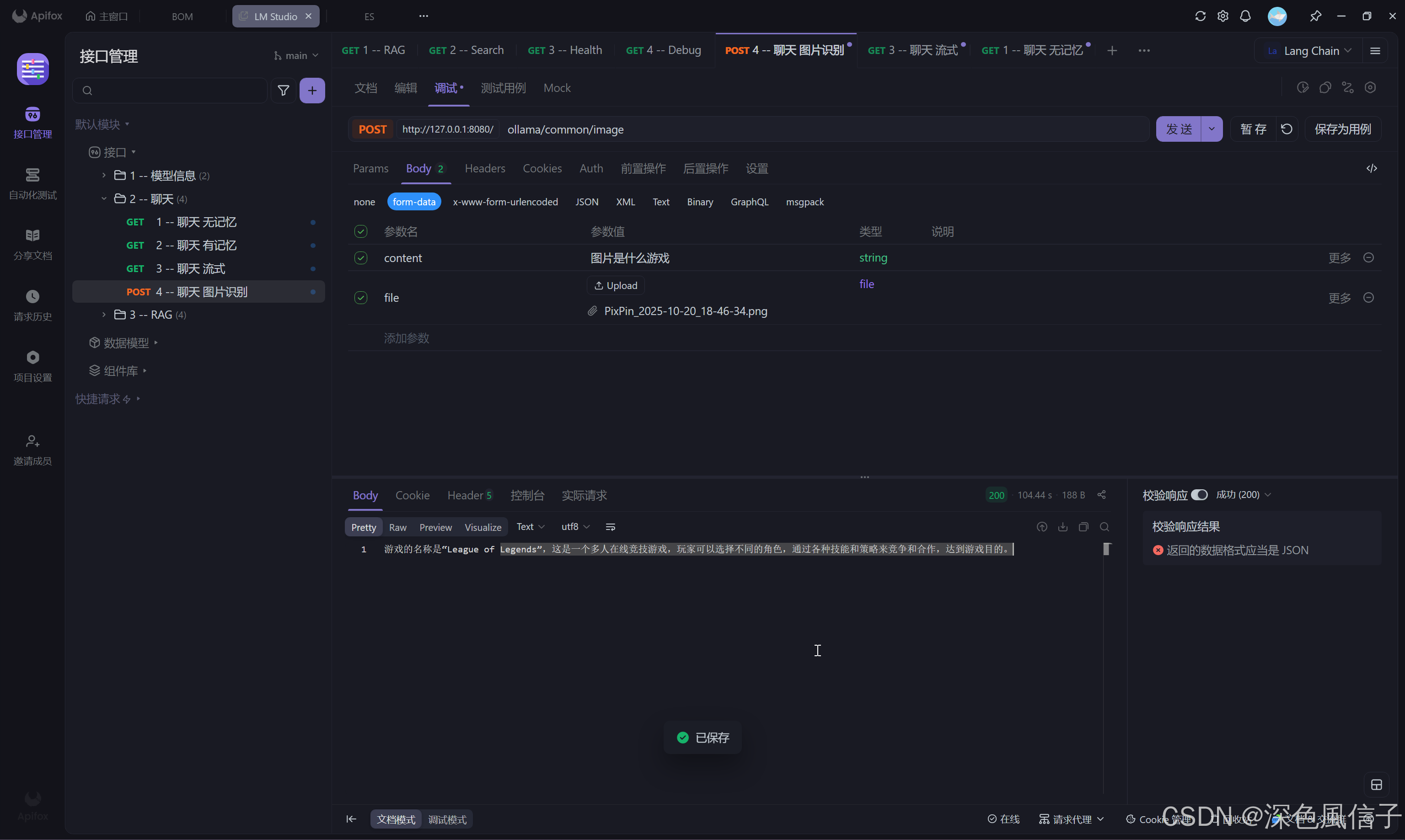
2025-10-21T15:29:52.368+08:00  INFO 26288 --- [spring-ai] [nio-8080-exec-1] com.xu.controller.OllamaController       : 聊天图片识别开始...
2025-10-21T15:31:36.664+08:00  INFO 26288 --- [spring-ai] [nio-8080-exec-1] com.xu.controller.OllamaController       : 聊天图片识别结束...104.295秒