一、安装第三方库
使用pip命令安装第三方库
bash
pip install PyQt5 -i https://pypi.tuna.tsinghua.edu.cn/simple
pip install pyqt5-tools -i https://pypi.tuna.tsinghua.edu.cn/simple
二、使用designer设计界面
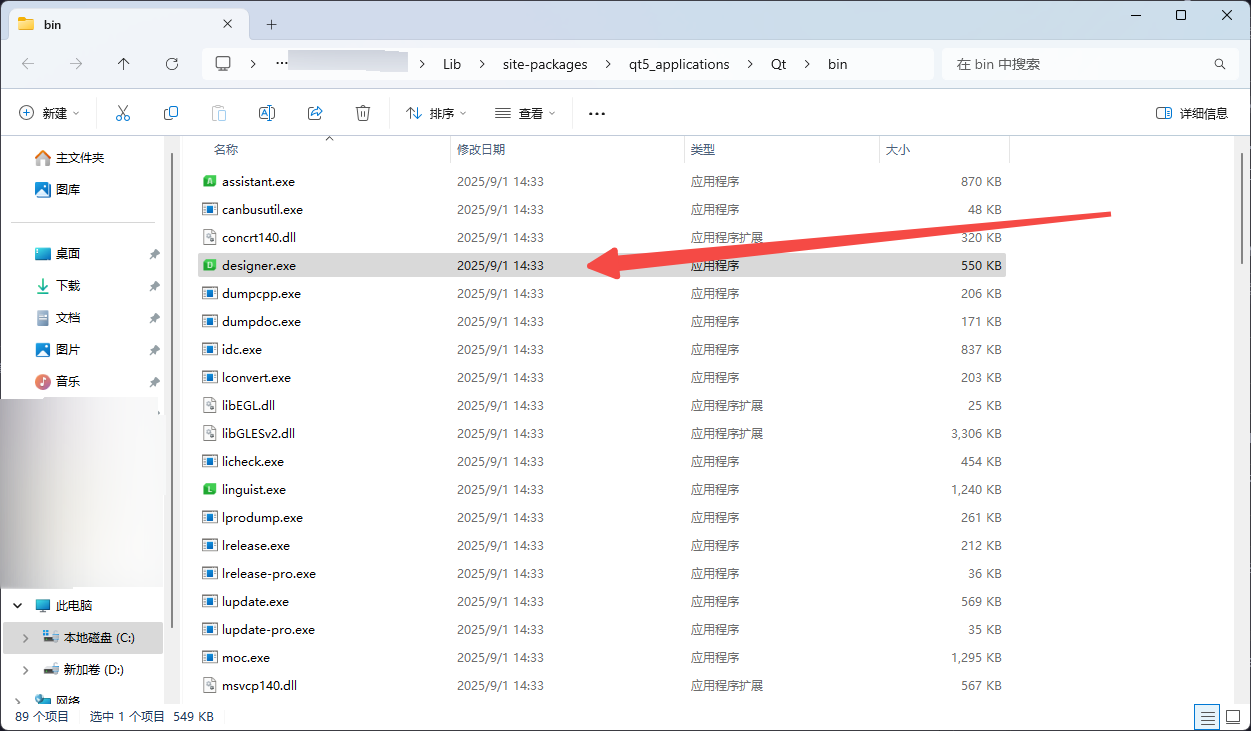
1、找到对应的designer.exe,双击进入界面设计。
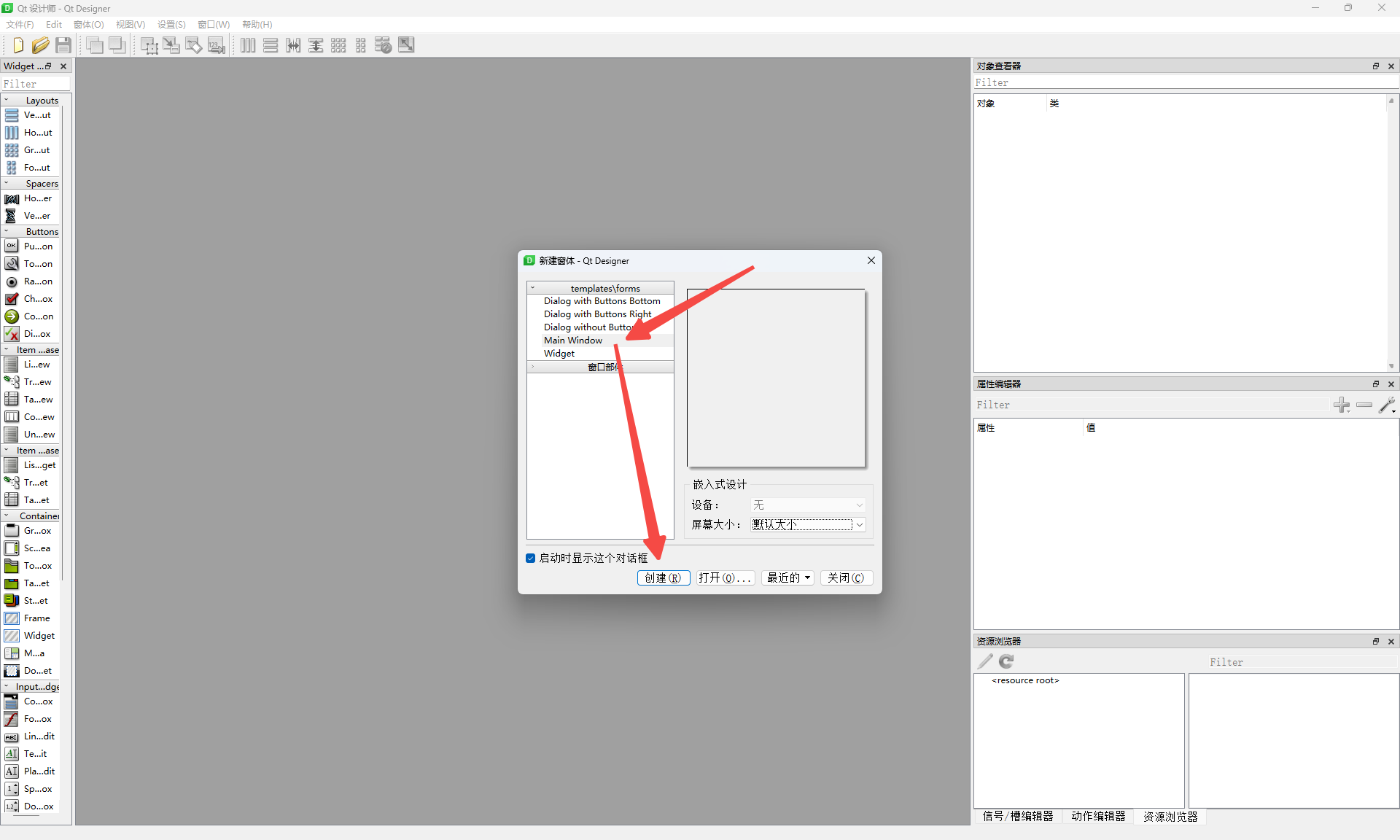
2、创建一个主界面。
2.1 实现一个按钮弹窗的功能
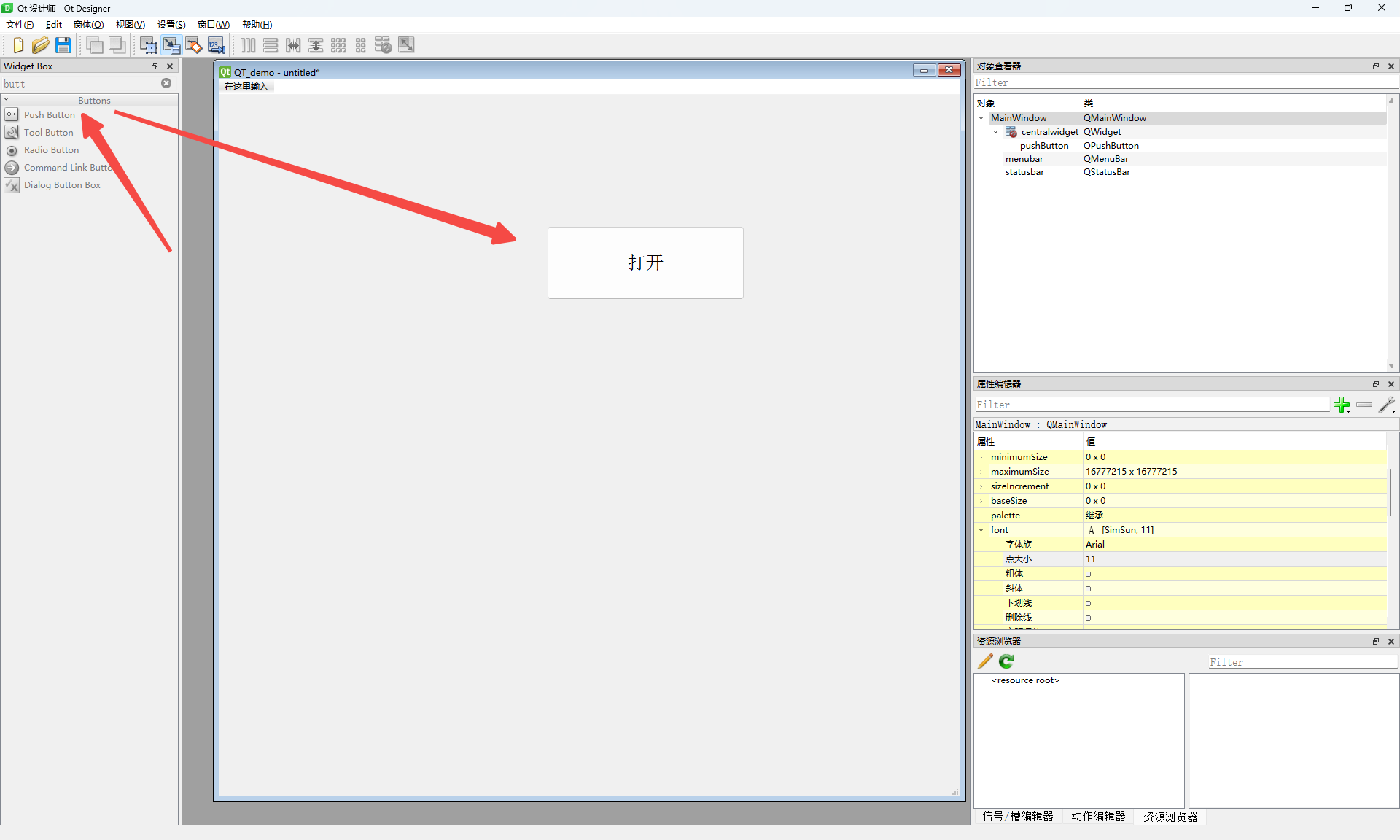
1、拖出来一个按钮
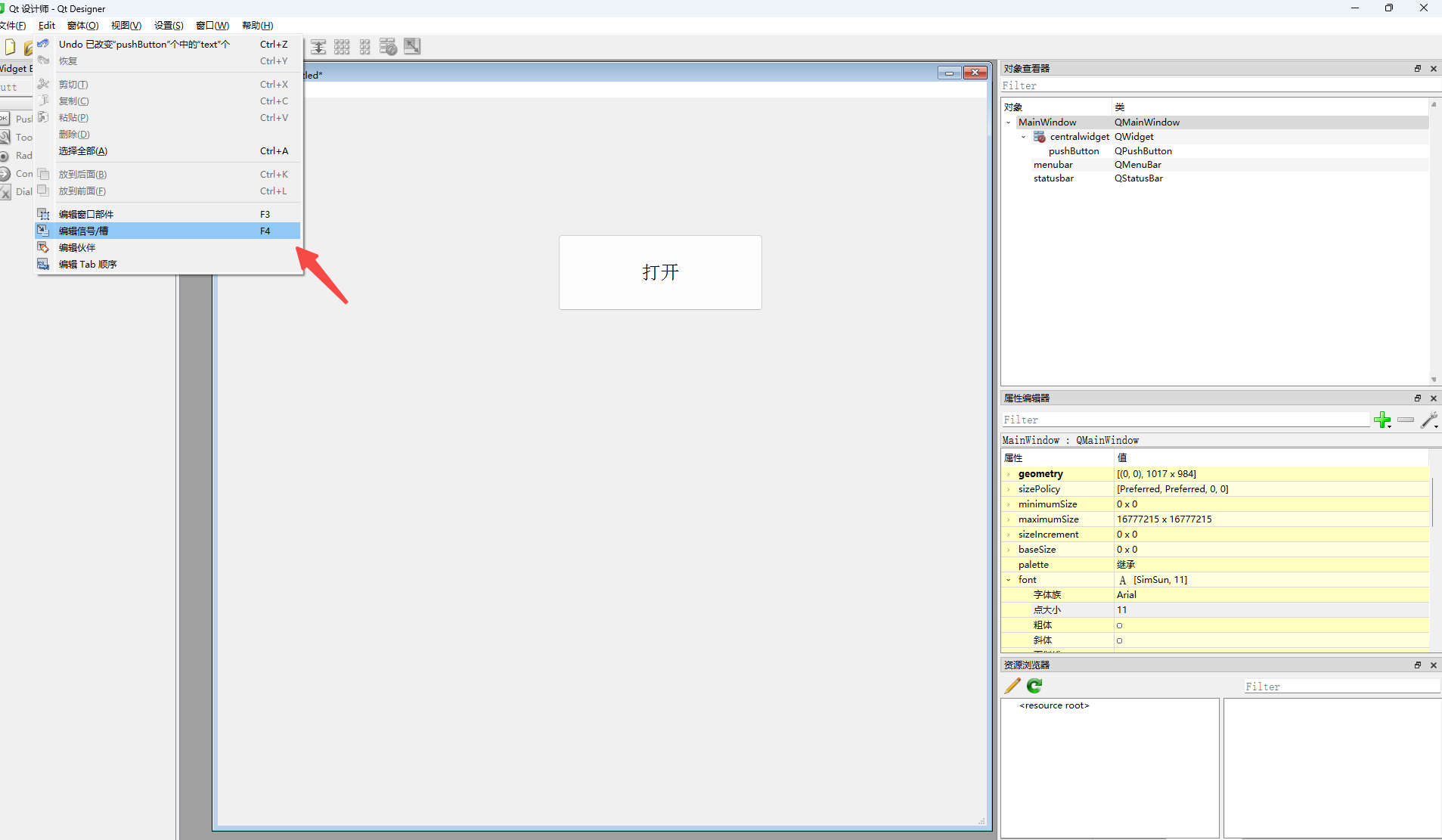
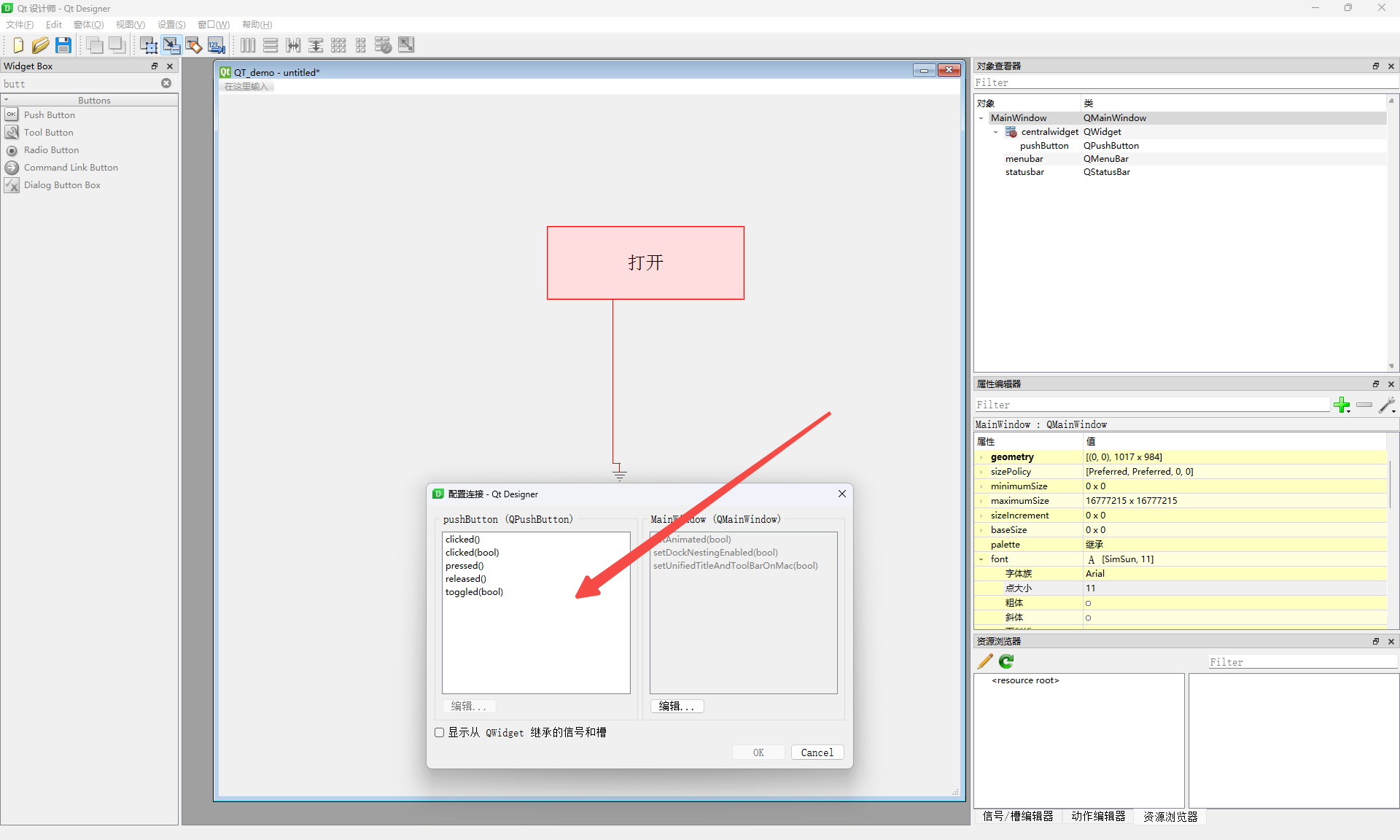
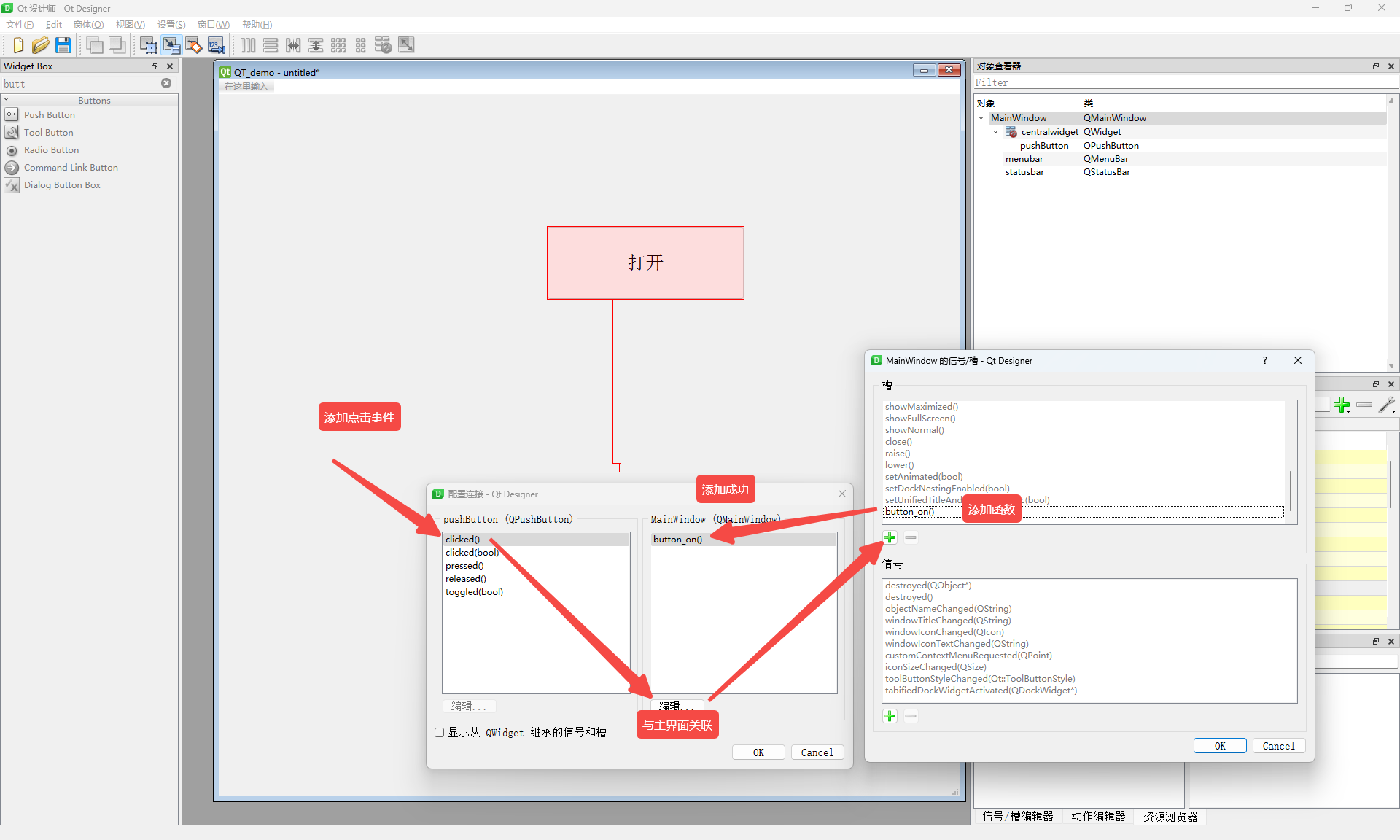
2、关联UI背后的动作事件
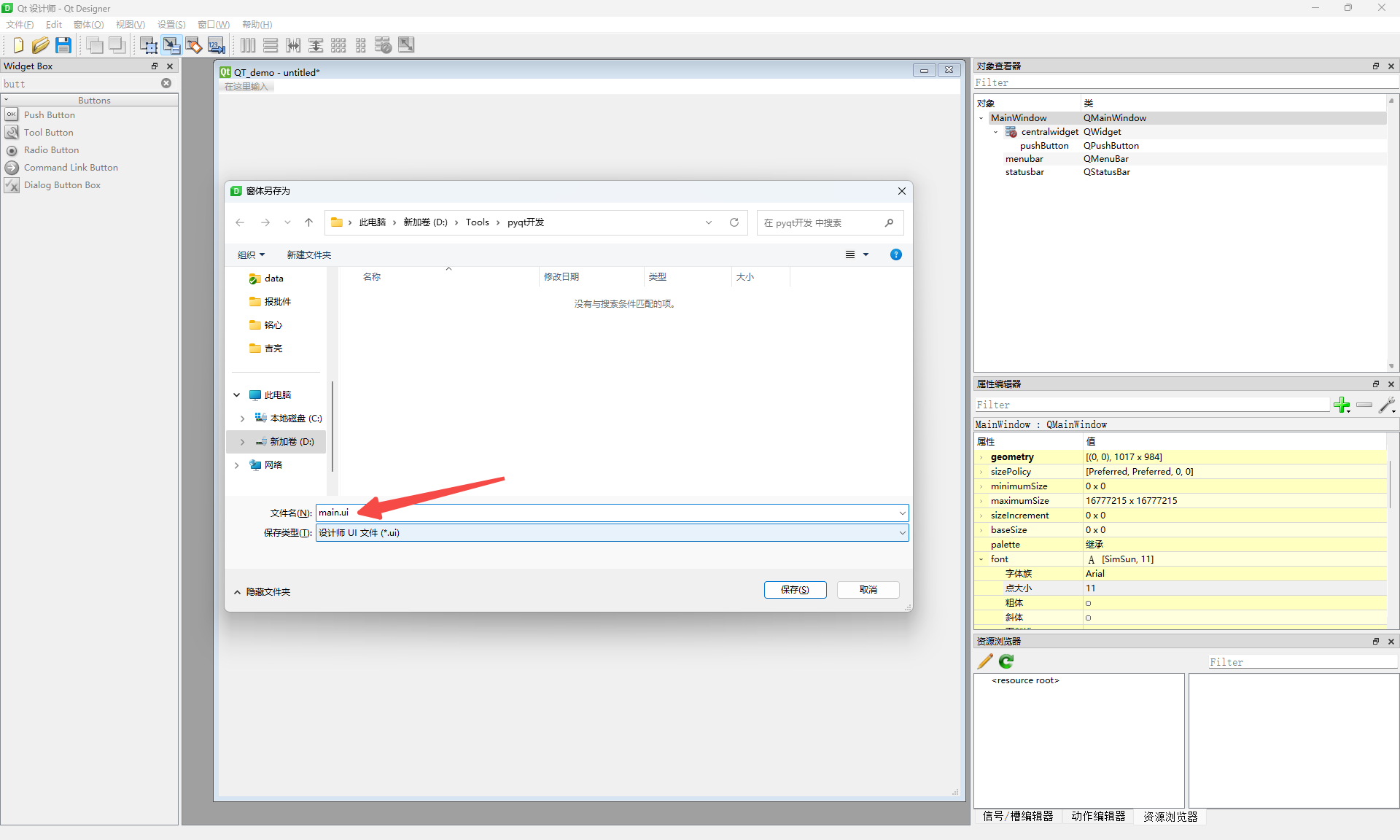
3、保存.ui文件
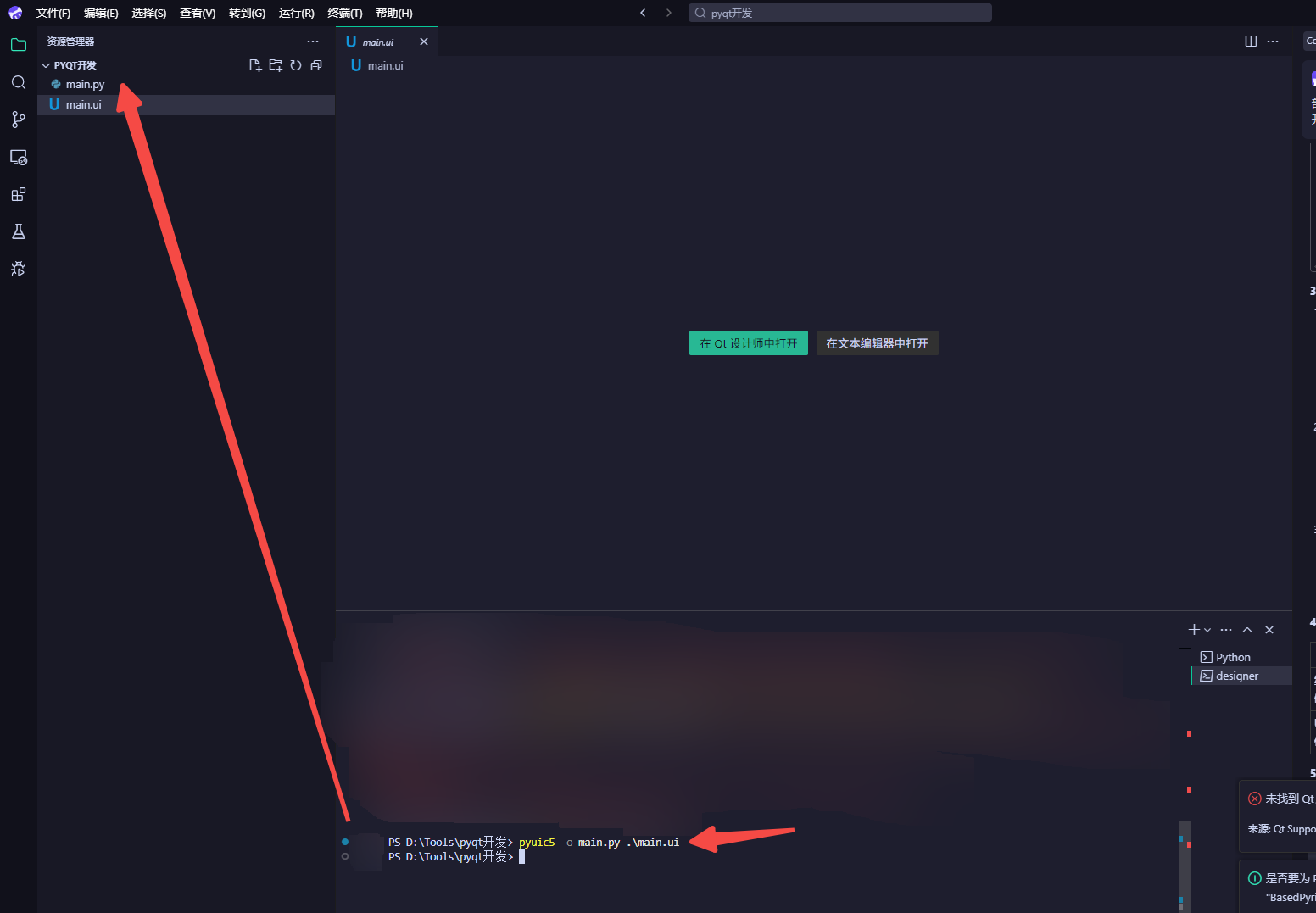
bash
pyuic5 -o main.py .\main.ui4、把生成的.ui文件生成对应的py文件
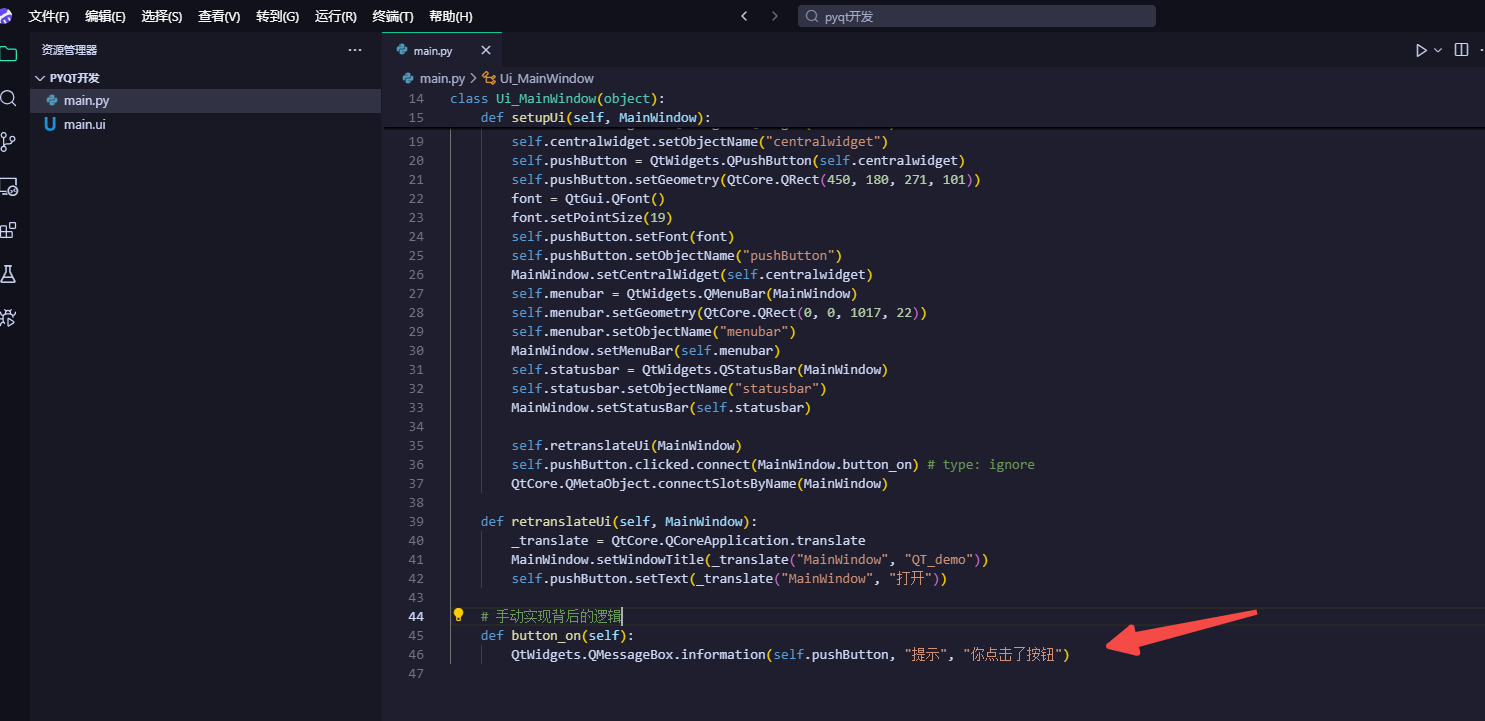
5、手动实现按钮背后的逻辑
2.2 测试
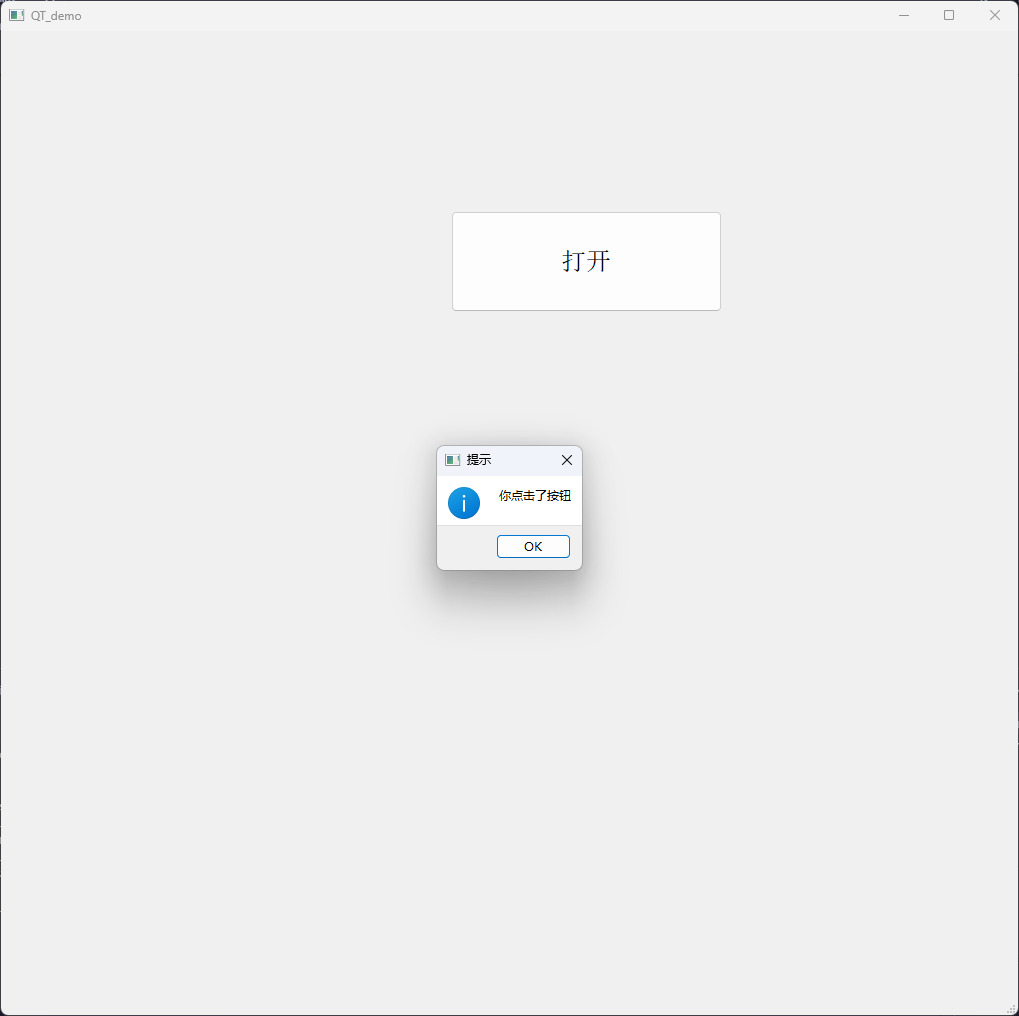
测试ok
三、源码
python
# -*- coding: utf-8 -*-

# Form implementation generated from reading ui file '.\main.ui'
#
# Created by: PyQt5 UI code generator 5.15.9
#
# WARNING: Any manual changes made to this file will be lost when pyuic5 is
# run again.  Do not edit this file unless you know what you are doing.


from PyQt5 import QtCore, QtGui, QtWidgets

import sys
from PyQt5.QtWidgets import QApplication,QMainWindow


class Ui_MainWindow(object):
    def setupUi(self, MainWindow):
        MainWindow.setObjectName("MainWindow")
        MainWindow.resize(1017, 984)
        self.centralwidget = QtWidgets.QWidget(MainWindow)
        self.centralwidget.setObjectName("centralwidget")
        self.pushButton = QtWidgets.QPushButton(self.centralwidget)
        self.pushButton.setGeometry(QtCore.QRect(450, 180, 271, 101))
        font = QtGui.QFont()
        font.setPointSize(19)
        self.pushButton.setFont(font)
        self.pushButton.setObjectName("pushButton")
        MainWindow.setCentralWidget(self.centralwidget)
        self.menubar = QtWidgets.QMenuBar(MainWindow)
        self.menubar.setGeometry(QtCore.QRect(0, 0, 1017, 22))
        self.menubar.setObjectName("menubar")
        MainWindow.setMenuBar(self.menubar)
        self.statusbar = QtWidgets.QStatusBar(MainWindow)
        self.statusbar.setObjectName("statusbar")
        MainWindow.setStatusBar(self.statusbar)

        self.retranslateUi(MainWindow)
        self.pushButton.clicked.connect(self.button_on) # type: ignore
        QtCore.QMetaObject.connectSlotsByName(MainWindow)

    def retranslateUi(self, MainWindow):
        _translate = QtCore.QCoreApplication.translate
        MainWindow.setWindowTitle(_translate("MainWindow", "QT_demo"))
        self.pushButton.setText(_translate("MainWindow", "打开"))

    # 手动实现背后的逻辑
    def button_on(self):
        QtWidgets.QMessageBox.information(self.pushButton, "提示", "你点击了按钮")


if __name__ == "__main__":
    app = QApplication(sys.argv)

    mainWindow = QMainWindow()
    ui = Ui_MainWindow()
    ui.setupUi(mainWindow)
    mainWindow.show()
    sys.exit(app.exec_())
XML
<?xml version="1.0" encoding="UTF-8"?>
<ui version="4.0">
 <class>MainWindow</class>
 <widget class="QMainWindow" name="MainWindow">
  <property name="geometry">
   <rect>
    <x>0</x>
    <y>0</y>
    <width>1017</width>
    <height>984</height>
   </rect>
  </property>
  <property name="windowTitle">
   <string>QT_demo</string>
  </property>
  <widget class="QWidget" name="centralwidget">
   <widget class="QPushButton" name="pushButton">
    <property name="geometry">
     <rect>
      <x>450</x>
      <y>180</y>
      <width>271</width>
      <height>101</height>
     </rect>
    </property>
    <property name="font">
     <font>
      <pointsize>19</pointsize>
     </font>
    </property>
    <property name="text">
     <string>打开</string>
    </property>
   </widget>
  </widget>
  <widget class="QMenuBar" name="menubar">
   <property name="geometry">
    <rect>
     <x>0</x>
     <y>0</y>
     <width>1017</width>
     <height>22</height>
    </rect>
   </property>
  </widget>
  <widget class="QStatusBar" name="statusbar"/>
 </widget>
 <resources/>
 <connections>
  <connection>
   <sender>pushButton</sender>
   <signal>clicked()</signal>
   <receiver>MainWindow</receiver>
   <slot>button_on()</slot>
   <hints>
    <hint type="sourcelabel">
     <x>540</x>
     <y>289</y>
    </hint>
    <hint type="destinationlabel">
     <x>550</x>
     <y>527</y>
    </hint>
   </hints>
  </connection>
 </connections>
 <slots>
  <slot>button_on()</slot>
 </slots>
</ui>