一. 简介
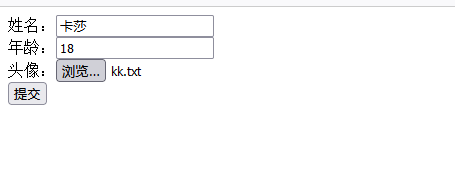
- 文件上传;指将本地图片、视频、音频等文件上传到服务器,供其他用户浏览或下载的过程
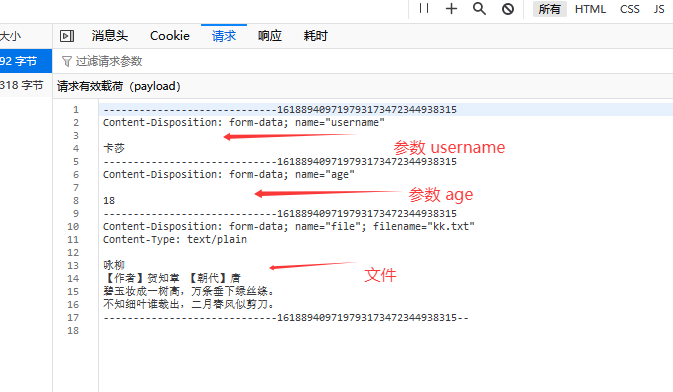
二. 本地存储
java
@Slf4j
@RestController
public class UploadController {

    @PostMapping("/upload")
    public Result upload(String username, Integer age, MultipartFile file) throws IOException {

        log.info("接收参数{},{},{}",username,age,file);
        //获取原始文件名
        String originalFilename =  file.getOriginalFilename();

        //获取原始文件名的扩展名
        String extension = originalFilename.substring(originalFilename.lastIndexOf("."));
        //生成新的唯一的文件名
        String newFileName = UUID.randomUUID().toString() + extension;
        //保存文件
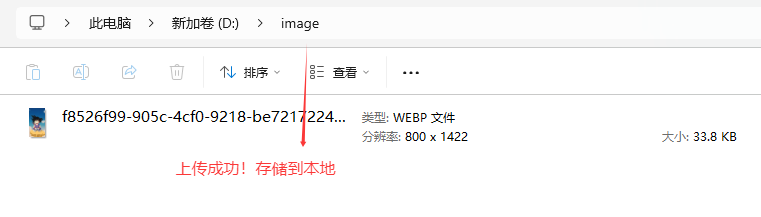
        file.transferTo(new File("D:/image/" + newFileName));

        return Result.success();
    }
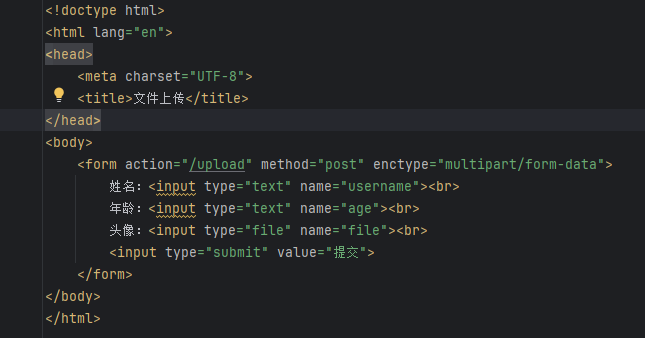
html
<!doctype html>
<html lang="en">
<head>
    <meta charset="UTF-8">
    <title>文件上传</title>
</head>
<body>
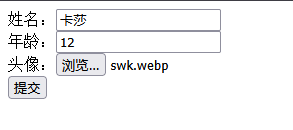
    <form action="/upload" method="post" enctype="multipart/form-data">
        姓名:<input type="text" name="username"><br>
        年龄:<input type="text" name="age"><br>
        头像:<input type="file" name="file"><br>
        <input type="submit" value="提交">
    </form>
</body>
</html>
三. 配置文件上传大小
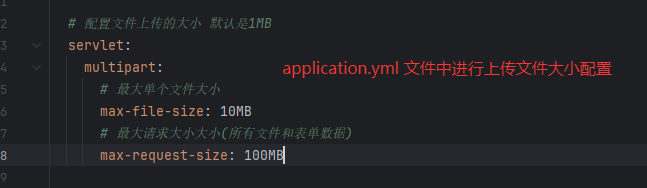
- 上传文件时,默认上传文件的最大大小为1MB,超过1MB需要在配置文件中配置
四. 阿里云OSS
1. 介绍
阿里云是阿里巴巴集团旗下全球领先的云计算公司,也是国内最大的云服务提供商。
阿里云对象存储OSS(Object Storage Service),是一款海量、安全、低成本、高可靠的云存储服务,使用OSS,您可以通过网络随时存储和调用包括文本、图片、音频和视频等在内的各种文件。
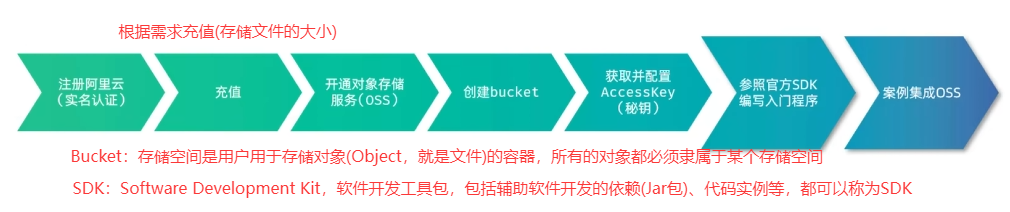
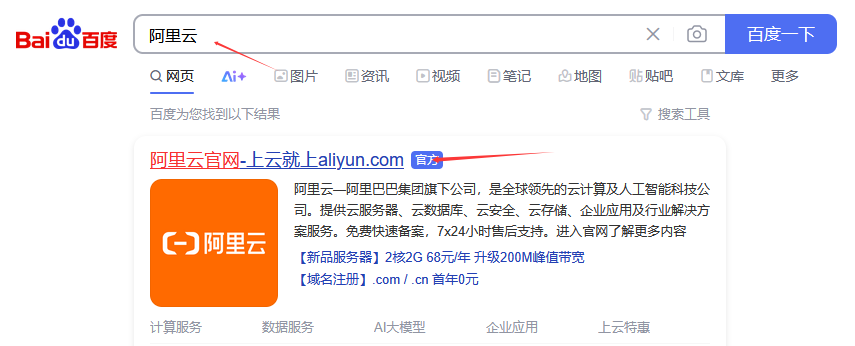
2. 注册阿里云

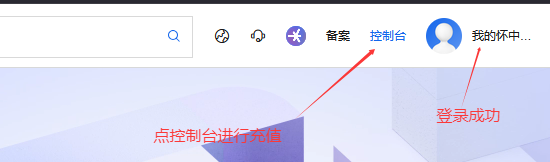
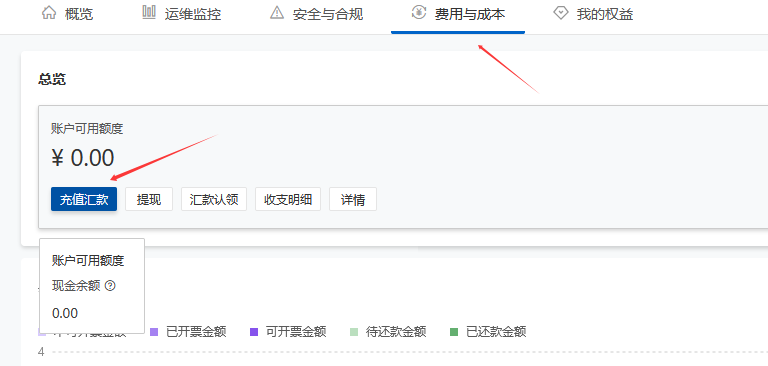
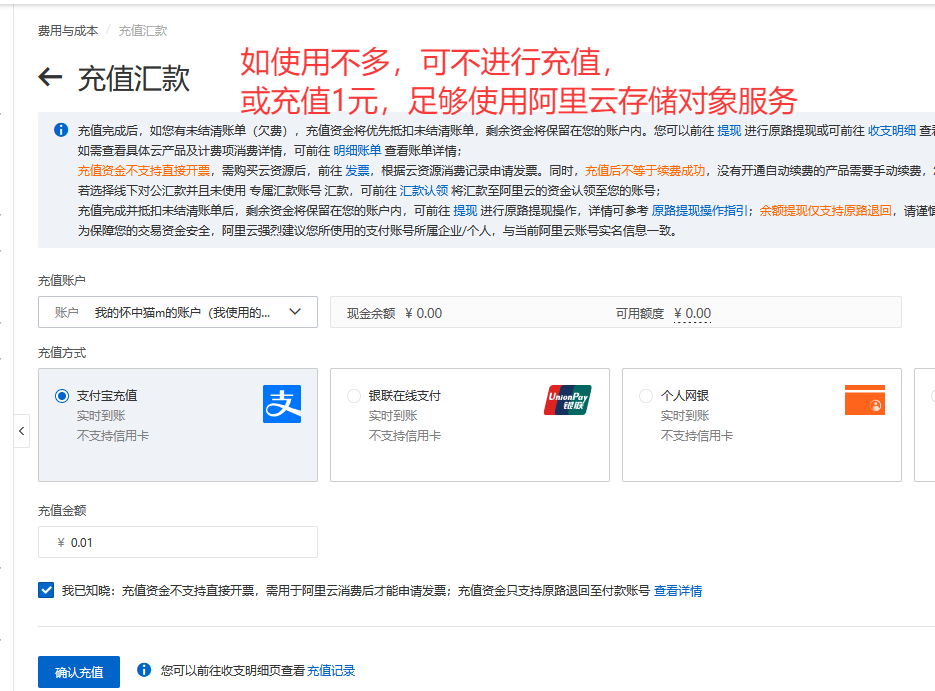
3. 充值
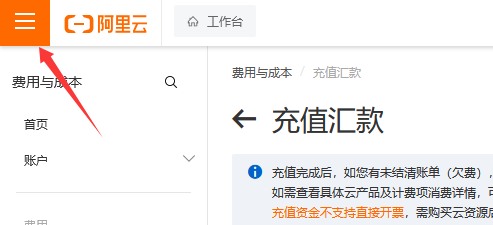
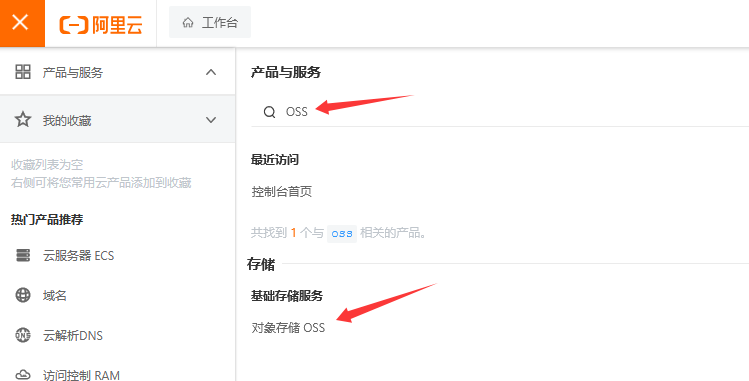
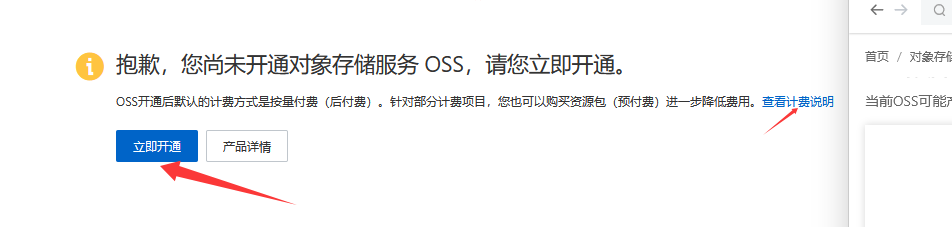
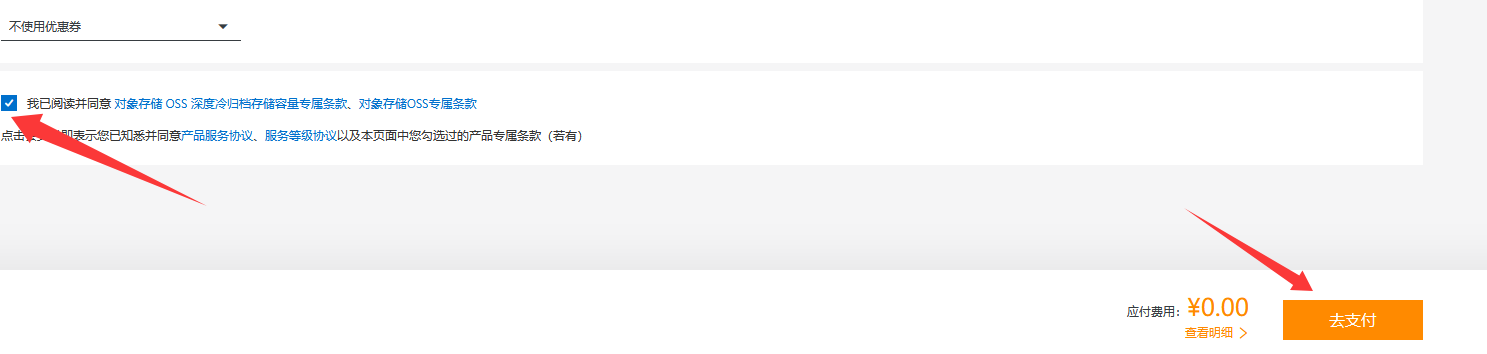
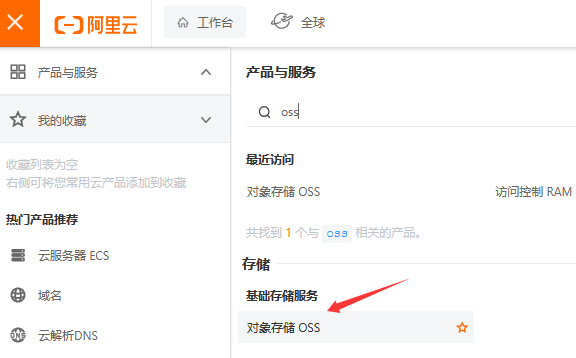
4. 开通对象存储服务


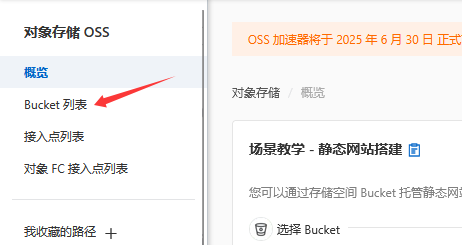
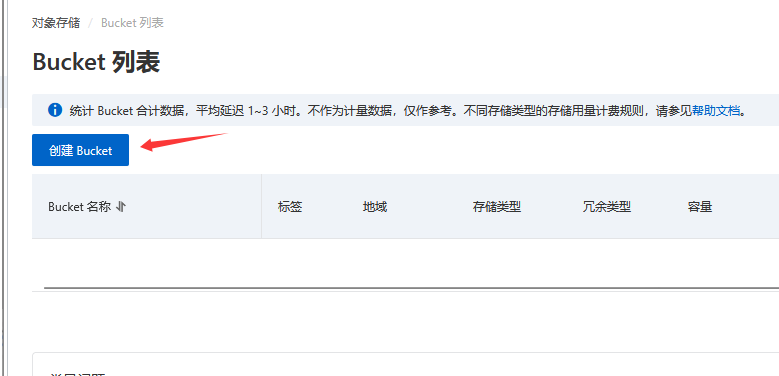
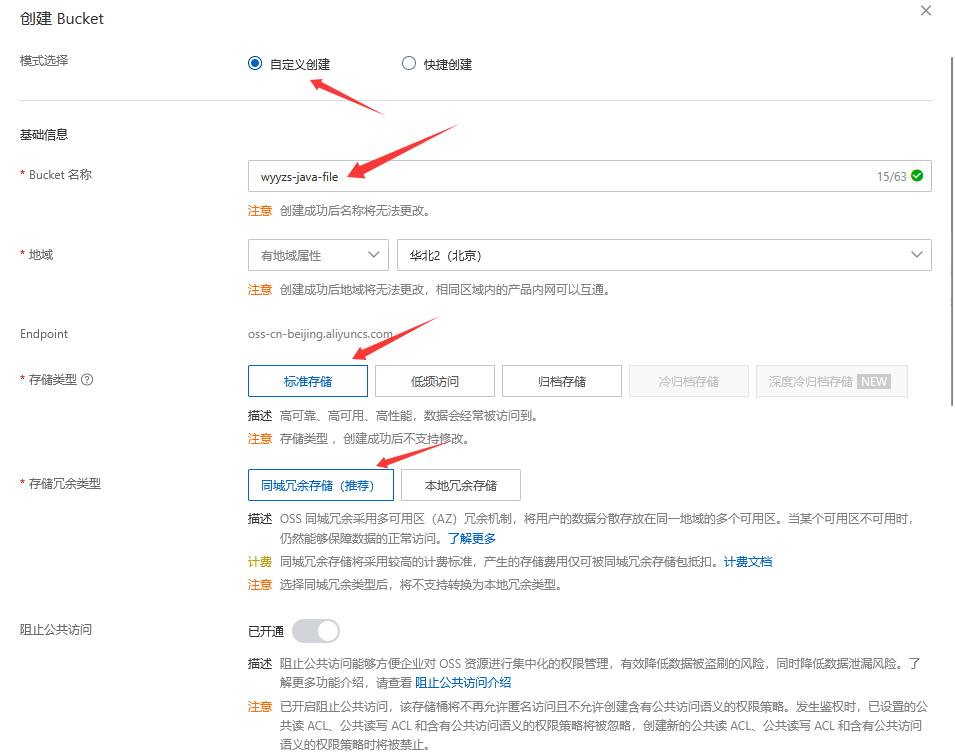
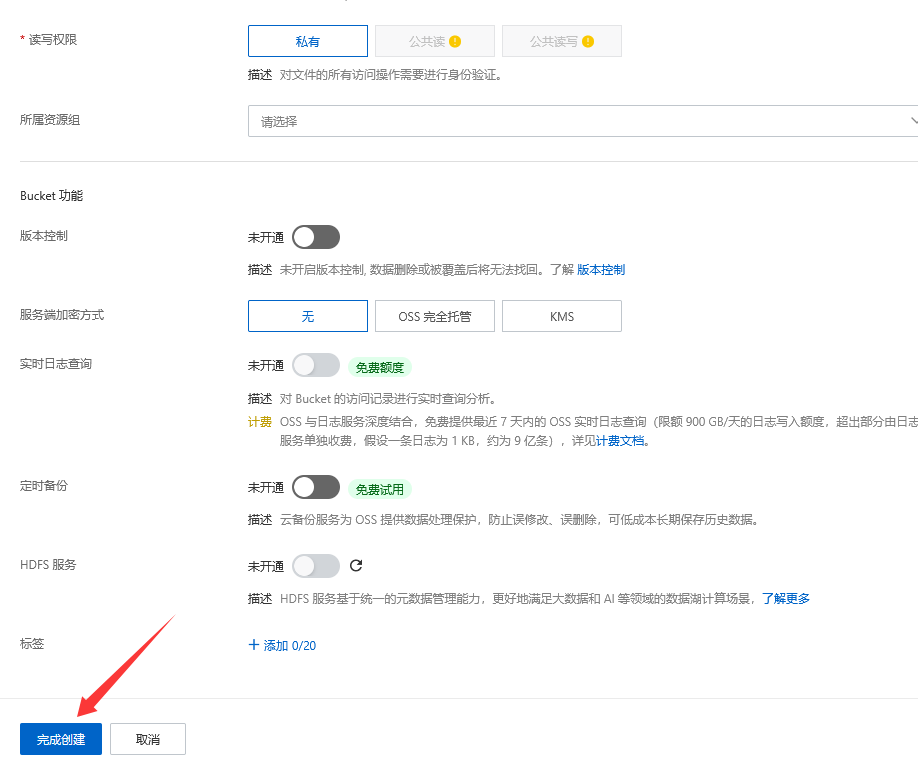
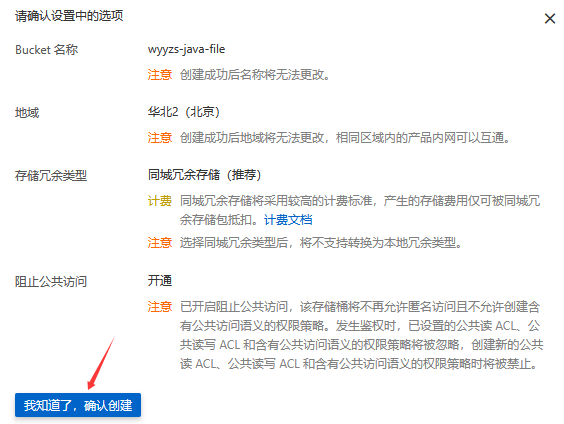
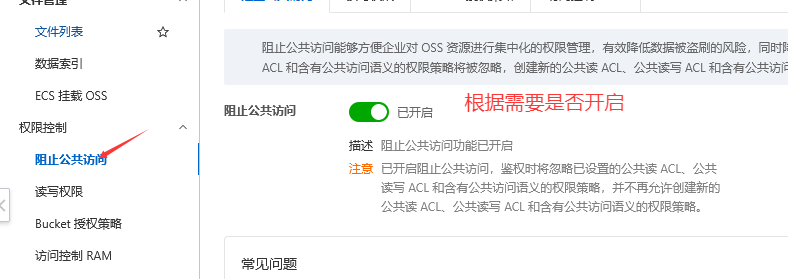
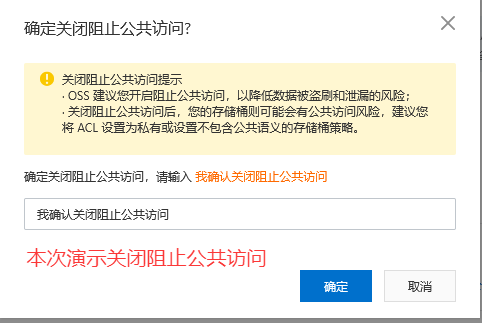
5. 创建Bucket

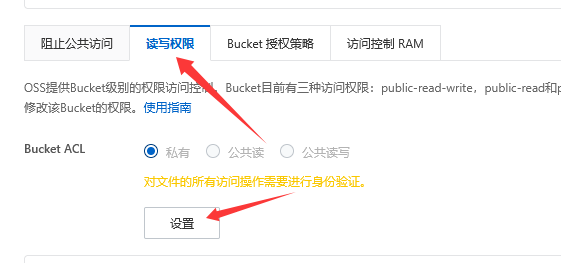
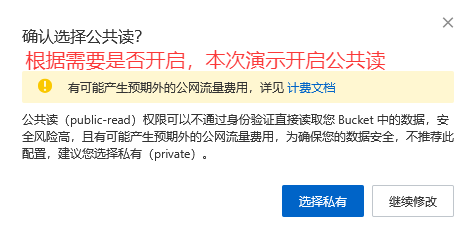
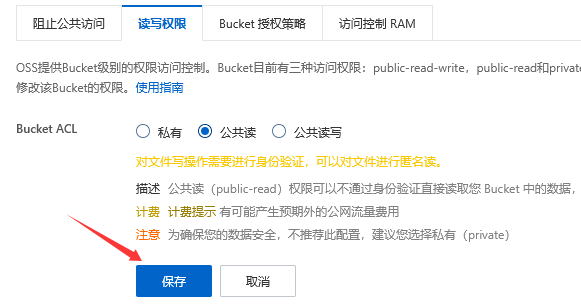
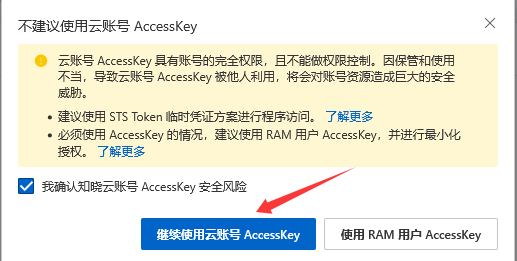
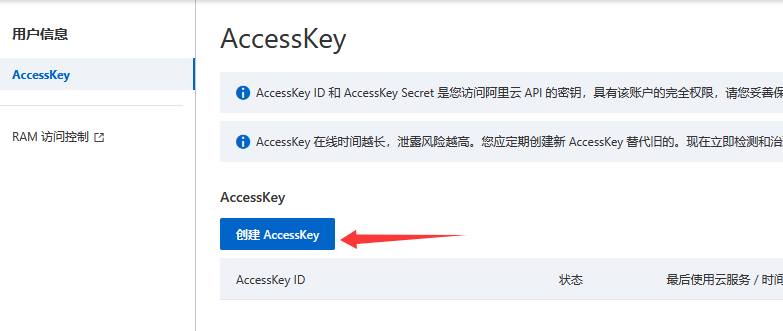
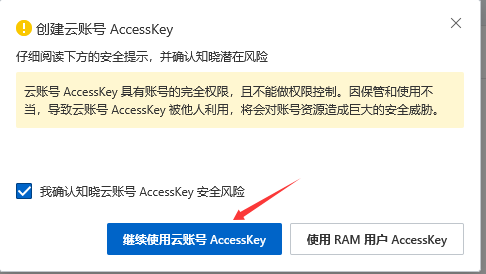
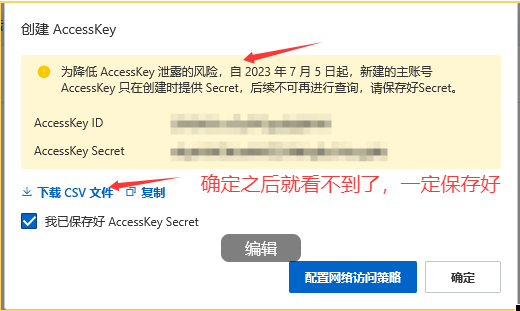
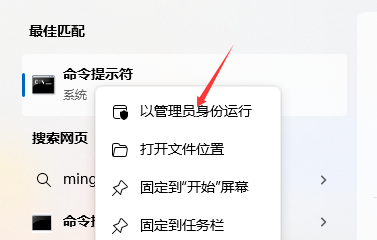
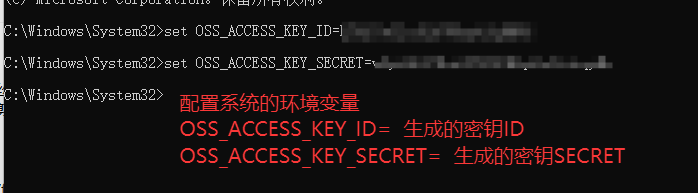
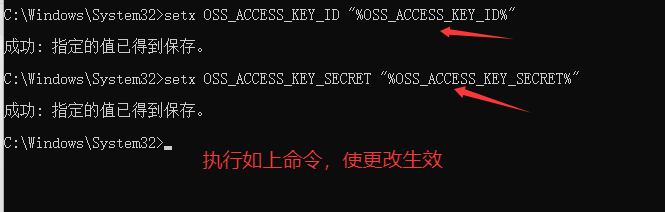
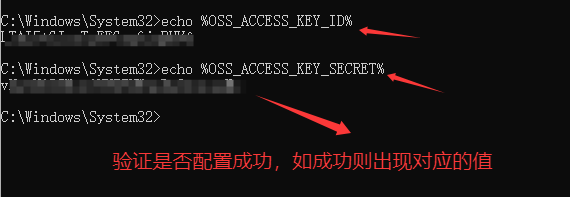
6. 获取并配置AccessKey(秘钥)
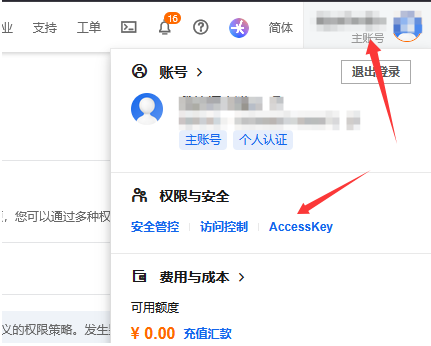

五. 注意 注意 注意


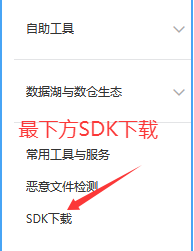
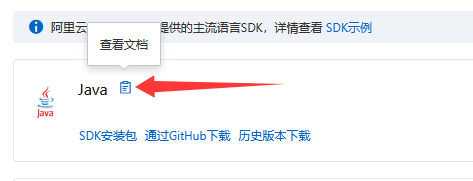
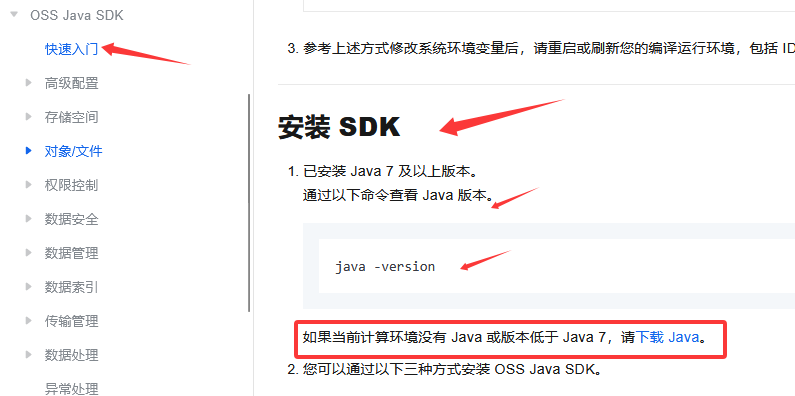
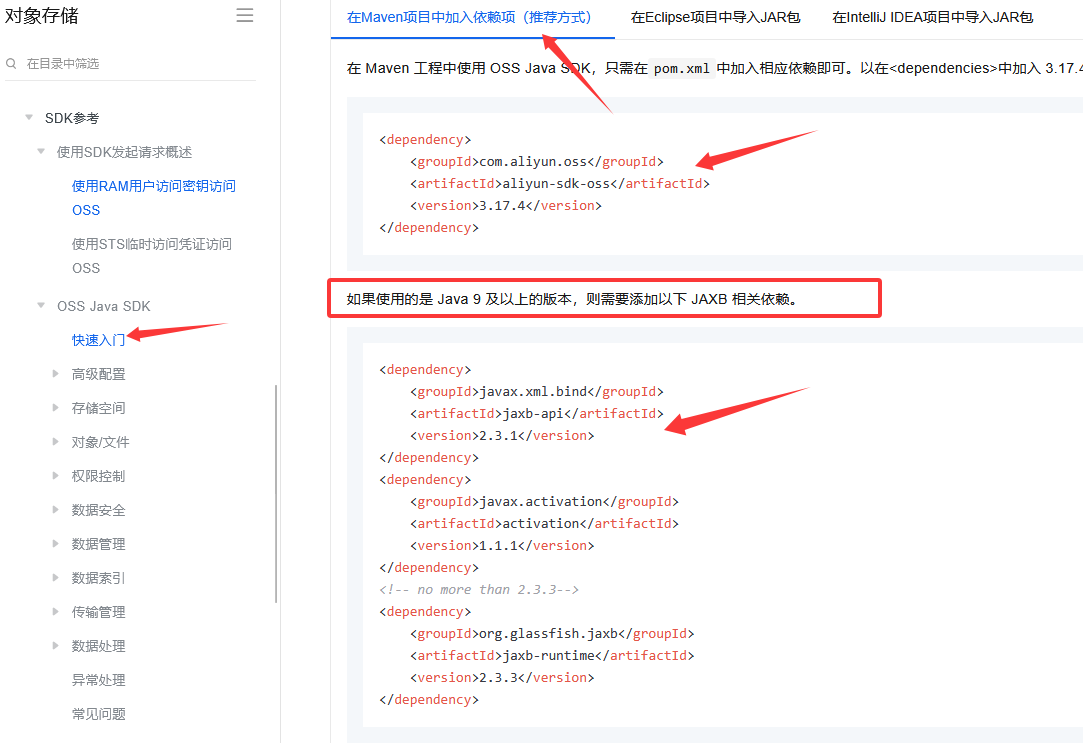
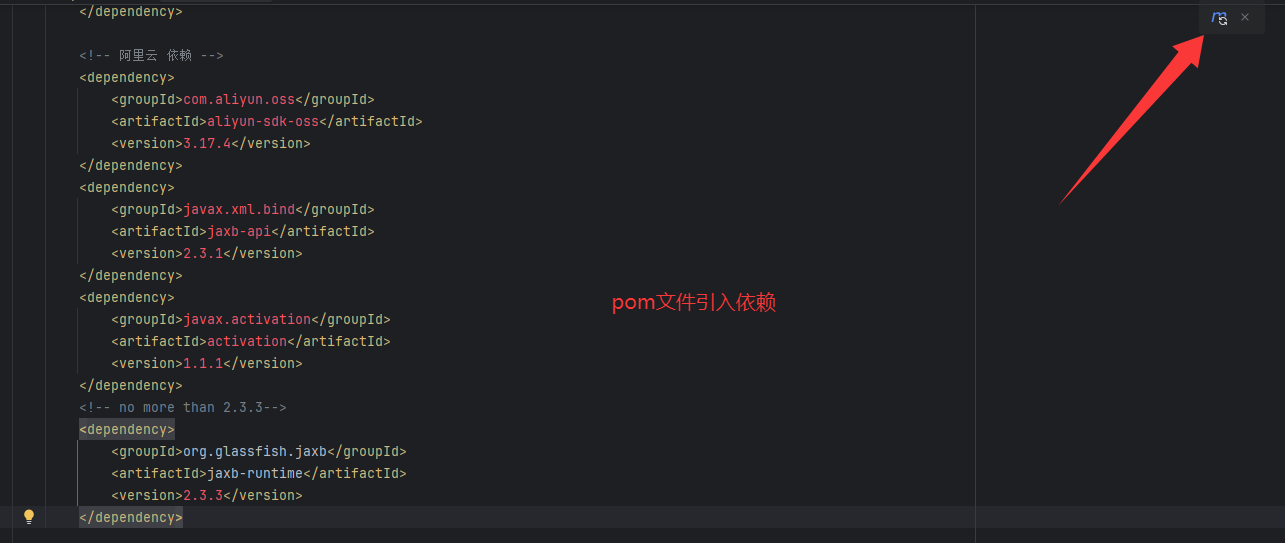
六. 阿里云OSS-入门程序-pom依赖引入
- 注意:在使用第三方提供的云服务或技术时,一定要参照对应的官方文档进行开发和测试
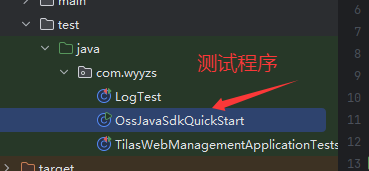
注意:环境变量配置成功后重启idea,进行测试程序编写
七. 程序-测试文件上传

java
import com.aliyun.oss.*;
import com.aliyun.oss.common.auth.*;
import com.aliyun.oss.common.comm.SignVersion;
import java.io.*;
import java.nio.file.Files;


public class OssJavaSdkQuickStart {


    public static void main(String[] args) throws com.aliyuncs.exceptions.ClientException {
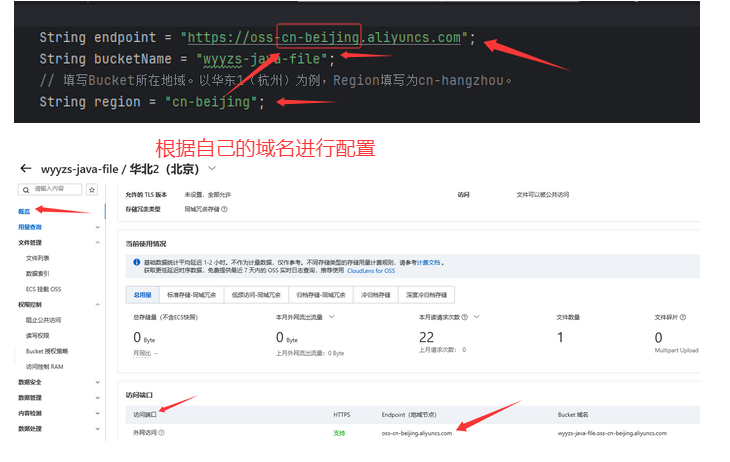
        // Endpoint以华东1(杭州)为例,填写为https://oss-cn-hangzhou.aliyuncs.com,其它Region请按实际情况填写。

        String endpoint = "https://oss-cn-beijing.aliyuncs.com";
        String bucketName = "wyyzs-java-file";
        // 填写Bucket所在地域。以华东1(杭州)为例,Region填写为cn-hangzhou。
        String region = "cn-beijing";

        // 从环境变量中获取访问凭证。运行本代码示例之前,请先配置环境变量
        EnvironmentVariableCredentialsProvider credentialsProvider =
                CredentialsProviderFactory.newEnvironmentVariableCredentialsProvider();

        // 创建OSSClient实例。
        // 当OSSClient实例不再使用时,调用shutdown方法以释放资源。
        ClientBuilderConfiguration clientBuilderConfiguration = new ClientBuilderConfiguration();
        // 显式声明使用 V4 签名算法
        clientBuilderConfiguration.setSignatureVersion(SignVersion.V4);
        OSS ossClient = OSSClientBuilder.create()
                .endpoint(endpoint)
                .credentialsProvider(credentialsProvider)
                .region(region)
                .build();
        try {
            // 1. 创建存储空间(Bucket)
            ossClient.createBucket(bucketName);
            System.out.println("1. Bucket " + bucketName + " 创建成功。");
            // 2. 上传文件
            File file = new File("D:\\照片\\swk.webp");
            byte[] content = Files.readAllBytes(file.toPath());

            String objectName = "swk.webp";
            ossClient.putObject(bucketName, objectName, new ByteArrayInputStream(content));
            System.out.println("2. 文件 " + objectName + " 上传成功。");
        } catch (OSSException oe) {
            System.out.println("Caught an OSSException, which means your request made it to OSS, "
                    + "but was rejected with an error response for some reason.");
            System.out.println("Error Message:" + oe.getErrorMessage());
            System.out.println("Error Code:" + oe.getErrorCode());
            System.out.println("Request ID:" + oe.getRequestId());
            System.out.println("Host ID:" + oe.getHostId());
        } catch (ClientException | IOException ce) {
            System.out.println("Caught an ClientException, which means the client encountered "
                    + "a serious internal problem while trying to communicate with OSS, "
                    + "such as not being able to access the network.");
            System.out.println("Error Message:" + ce.getMessage());
        } finally {
            if (ossClient != null) {
                ossClient.shutdown();
            }
        }
    }
}
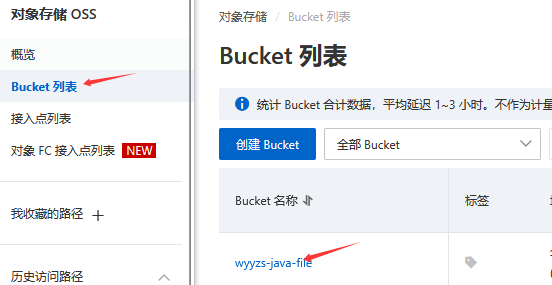
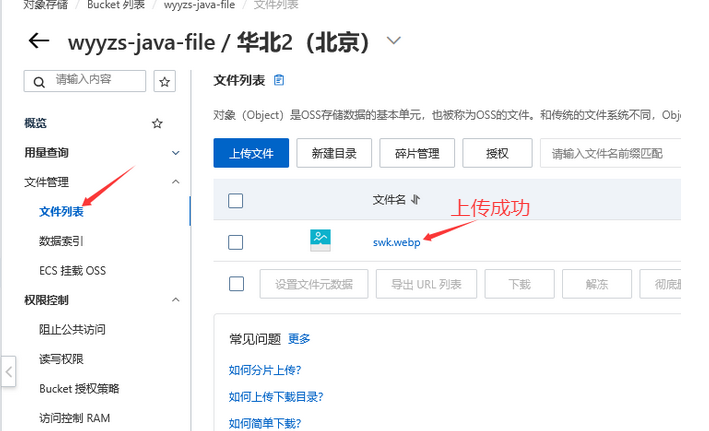
八. 参数化配置
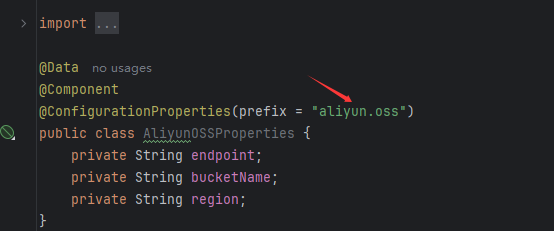
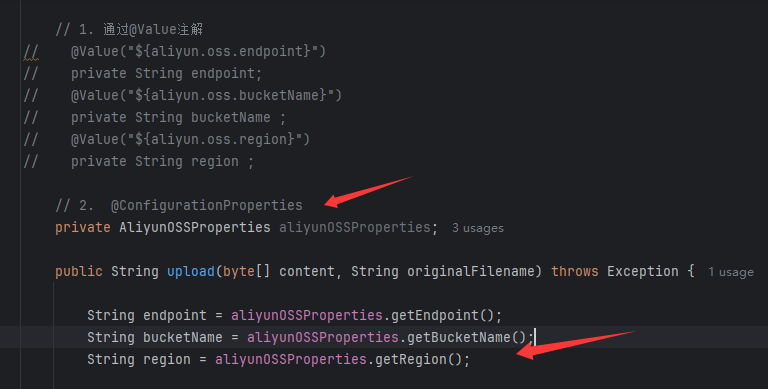
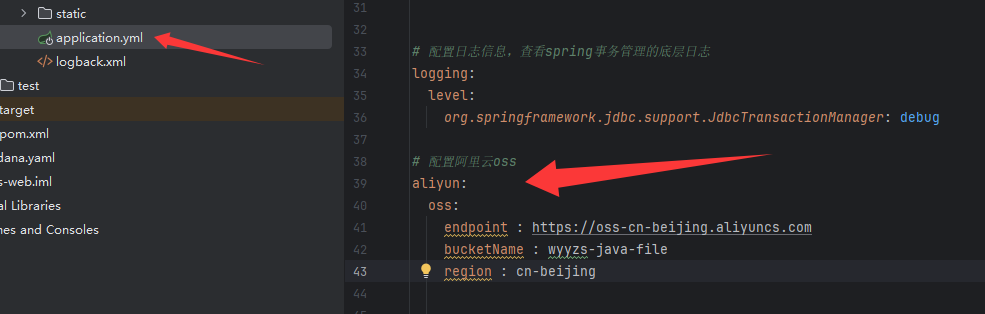
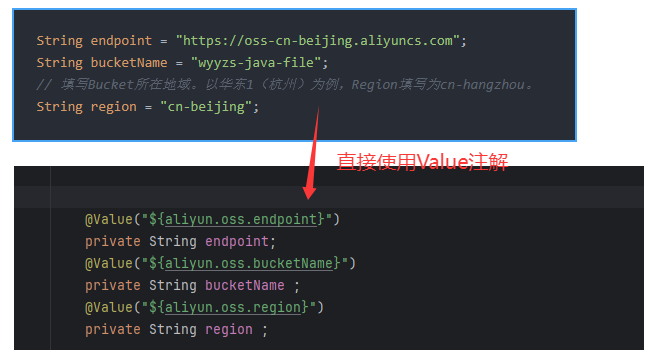
1. @Value("${key}")
指将一些需要灵活变化的参数,配置在配置文件中,然后通过@Value注解来注入外部配置的属性。
2. @ConfigurationProperties
使用@Value注解注入配置文件的配置项,如果配置项多,注入繁琐,不便于维护管理和复用