代码资源
https://download.csdn.net/download/hashiqimiya/92240321
上面的代码是springboot后端源码。
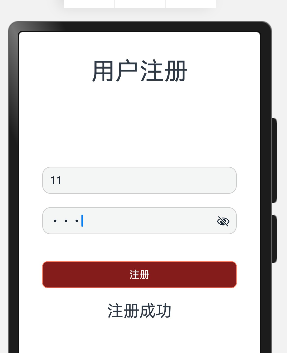
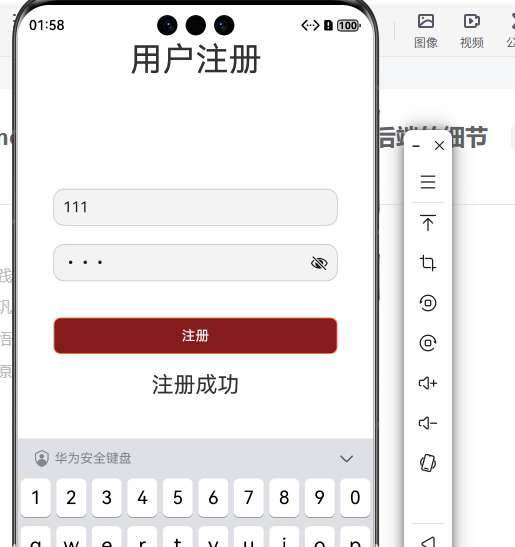
接下来是鸿蒙的注册页面代码:
import http from '@ohos.net.http';

// Header 接口
interface Header {
  'Content-Type': string;
}

// RequestOptions 接口
interface RequestOptions {
  url: string;
  method: string;
  header: Header;
  body: string;
}


@Entry
@Component
struct RegisterPage {
  @State username: string = '';
  @State password: string = '';
  @State confirmPassword: string = '';
  @State errorMsg: string = '';

  build() {
    Column({ space: 20 }) {
      Text("用户注册")
        .fontSize(36)
        // .marginBottom(40)
        .textAlign(TextAlign.Center)
      //
      TextInput({ placeholder: "请输入用户名", text: this.username })
        .onChange((value: string) => {
          this.username = value
        })
        .width('80%')
        .height(40)
        .padding(10)
        .border({ width: 1, color: '#ccc', radius: 12 })
        .margin({ top: 100 })

      Row({ space: 10 }) {
        TextInput({
          placeholder: "请输入密码",
          text: this.password,
        })
          .type(InputType.Password) // ✅ 正确设置方式
          .onChange((value: string) => {
            this.password = value
          })
          .width('80%')
          .height(40)
          .padding(10)
          .border({ width: 1, color: '#ccc', radius: 12 })
      }
      // 注册按钮
      Button("注册")
        .onClick(() => {
          this.handleRegister();
        })
        .width('80%')
        .height(40)
        .padding(10)
        .backgroundColor('#ff851c1c')
        .fontColor('white')
        .border({ width: 1, color: '#ff7e5f', radius: 8 })
        .margin({ top: 20 })

      Text(this.errorMsg)
        .fontSize(24)

    }
    .alignItems(HorizontalAlign.Center)
    .width('100%')
  }
  handleRegister() {
    // 检查输入是否为空
    if (this.username === "" || this.password === "") {
      this.errorMsg = "用户名和密码不能为空";
      return;
    }


    // 打包成 JSON 格式
    // 将 JSON 对象转换为字符串
    // const jsonString = JSON.stringify(userData);
    //参数
    const params = JSON.stringify({
      username: this.username,
      password: this.password,
    })
    // 创建 HTTP 请求
    const httpRequest = http.createHttp();
    // const request:RequestOptions = {
    //   url: 'http://localhost:8080/api/register', // 替换为你的后端API地址
    //   method: 'POST',
    //   header: {
    //     'Content-Type': 'application/json'
    //   },
    //   body: params
    // };

    httpRequest.request('http://localhost:8080/api/register',
      {
        method: http.RequestMethod.POST,
        header: {
          'Content-Type': 'application/json'
        },
        extraData: params
      },
      (err, data) => {
      if (err) {
        console.error('请求失败:', err);
        this.errorMsg = "注册失败,请稍后再试";
      } else {
        console.log('请求成功:', data);
        this.errorMsg = "注册成功";
      }
    });
  }
}
在上面代码中的接口链接是
http://localhost:8080/api/register包含localhost。
如果运行在模拟器应该使用的是电脑ip,把localhost改为电脑本地ip。
在preview预览器中的localhost表示的是电脑的本地接口,可调用电脑后端接口,在模拟器中的localhost表示的是模拟器的ip。
注意:
Android的10.0.2.2就是电脑后端的服务,不是电脑ip。