https://docs.spring.io/spring-framework/reference/6.1/integration/rest-clients.html
http-service-client-enhancements)
简介
Spring Framework 6 引入了通过 Java 接口定义 HTTP 服务的能力,该接口的方法使用 @HttpExchange 注解标记。
它的用法看起来特别像
Spring Cloud OpenFeign.
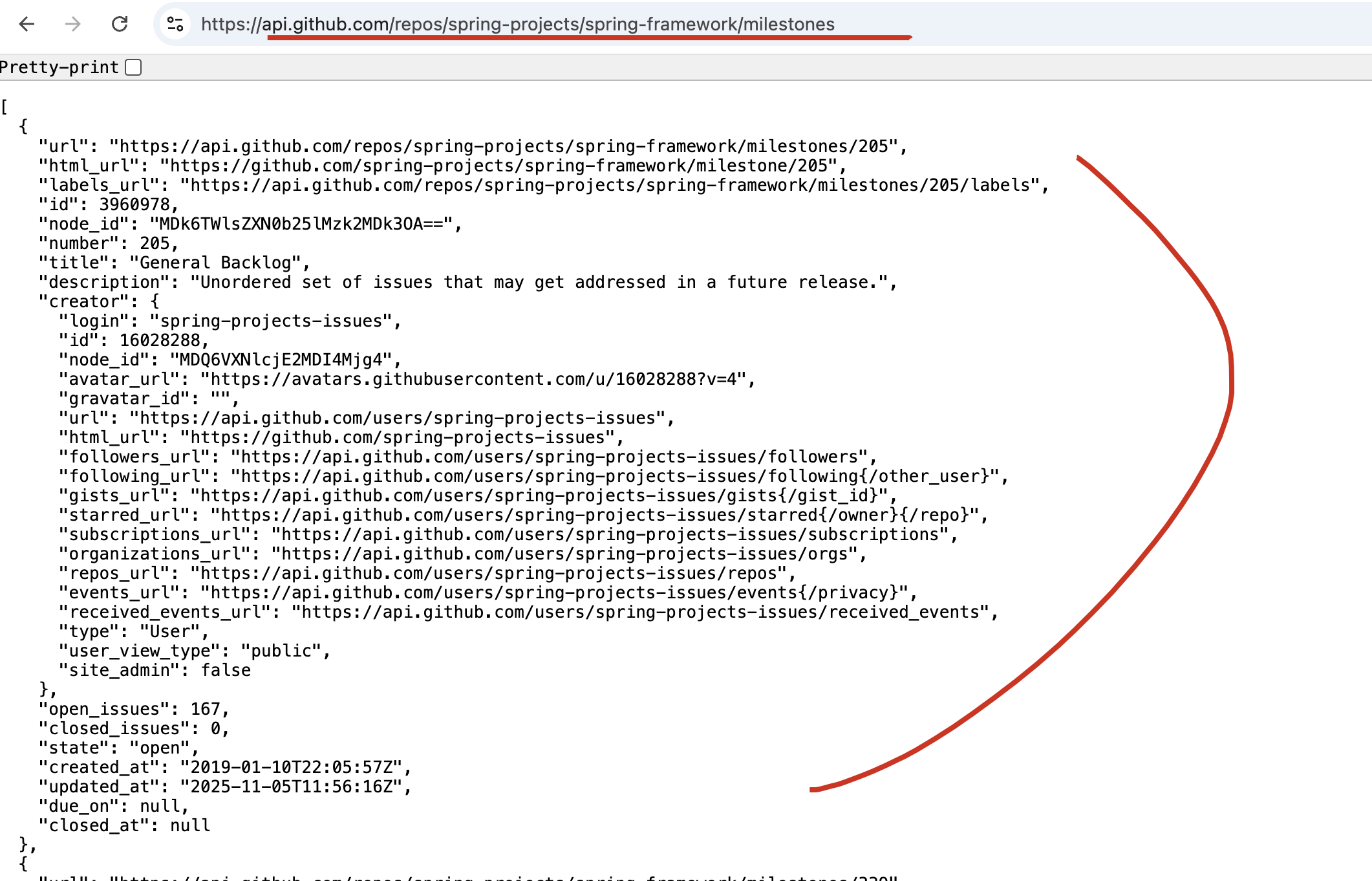
下面可以通过访问API: https://api.github.com/repos/spring-projects/spring-framework/milestones ,来展示HTTP interface 的使用方法。
API response :
定义HTTP interface接口
在接口的方法上带上:@GetExchange 接口即可
java
// @HttpExchange  (optional)
public interface MilestoneService {
    @GetExchange("/repos/{org}/{repo}/milestones")
    List<Milestone> getMilestones(@PathVariable String org, @PathVariable String repo);
}
使用RestClient
java
// Initialize HTTP client
RestClient restClient = RestClient.create("https://api.github.com");

// Create factory for client proxies
HttpServiceProxyFactory proxyFactory = HttpServiceProxyFactory.builder()
        .exchangeAdapter(RestClientAdapter.create(restClient))
        .build();

// Create client proxy -- 创建MilestoneService
MilestoneService client = proxyFactory.createClient(MilestoneService.class);

// Use proxy for HTTP requests
List<Milestone> milestones = client.getMilestones("spring-projects", "spring-framework");
System.out.println("Found "+milestones.size()+" milestones, [0]:"+ milestones.get(0));
执行结果
Found 7 milestones, [0]:Milestone[url=https://api.github.com/repos/spring-projects/spring-framework/milestones/205, htmlUrl=null, labelsUrl=null, id=3960978, nodeId=null, number=205, title=General Backlog, description=Unordered set of issues that may get addressed in a future release., creator=Creator[login=spring-projects-issues, id=16028288, nodeId=null, avatarUrl=null, gravatarId=null, url=https://api.github.com/users/spring-projects-issues, htmlUrl=null, followersUrl=null, followingUrl=null, gistsUrl=null, starredUrl=null, subscriptionsUrl=null, organizationsUrl=null, reposUrl=null, eventsUrl=null, receivedEventsUrl=null, type=User, userViewType=null, siteAdmin=false], openIssues=0, closedIssues=0, state=open, createdAt=null, updatedAt=null, dueOn=null, closedAt=null]配置
创建一个HttpServiceProxyFactory并使用它来创建一个或两个或三个客户端代理是很简单的,但是随着数量的增长,这变得重复和繁琐,特别是因为客户端代理通常被声明为Spring bean。
例
java
@Bean
MilestoneService milestoneService(HttpServiceProxyFactory factory) {
    return factory.createClient(MilestoneService.class);
}

@Bean
ReleaseService releaseService(HttpServiceProxyFactory factory) {
    return factory.createClient(ReleaseService.class);
}

// More client beans

@Bean
HttpServiceProxyFactory proxyFactory(RestClient.Builder clientBuilder) {
    RestClient client = clientBuilder.baseUrl("https://api.github.com").build();
    return HttpServiceProxyFactory.builderFor(RestClientAdapter.create(client)).build();
}
HTTP Service Registry(Spring Framework 7)
为了解决 Spring 框架中手动注册客户端代理的挑战,Spring Framework 7 引入了一个额外的注册层,该注册层位于 HttpServiceProxyFactory 之上,提供以下功能:
- 配置模型: 用于注册 HTTP 接口并初始化 HTTP 客户端基础设施。
- 透明创建和注册: 自动将客户端代理创建并注册为 Spring Bean。
- 统一访问: 通过 HttpServiceProxyRegistry 统一访问所有客户端代理。
这意味着,开发者现在可以通过配置或自动扫描的方式来声明 HTTP 服务,而无需手动编写工厂方法。
在配置模型中,HTTP服务是按group组织的,其中同一group共享相同HTTP客户端配置的HTTP服务,以及由此产生的客户端实例。
声明式-通过@ ImportHttpServices
java
//指定classes
@ImportHttpServices(group = "github", types = {MilestoneService.class, ... })
@ImportHttpServices(group = "stackoverflow", types = {QuestionService.class, ... })
@Configuration
public class DemoConfig {
}

//或者指定package
@ImportHttpServices(group = "github", basePackages = ""client.github")
@ImportHttpServices(group = "stackoverflow", basePackages = "client.stackoverflow")
@Configuration
public class DemoConfig {
}
HTTP
group默认配置RestClient ,可通过注释的clientType 属性切换为WebClient。
编程式注册 - AbstractHttpServiceRegistrar
java
public class CustomHttpServiceRegistrar extends AbstractHttpServiceRegistrar {

    @Override
    protected void registerHttpServices(GroupRegistry registry, AnnotationMetadata metadata) {
        registry.forGroup("github").detectInBasePackages("client.github);
        // more registrations...
    }
}

@Configuration
@Import(CustomHttpServiceRegistrar.class)
public class ClientConfig {
}
HTTP Client Initialization(Spring Framework 7 & spring-boot4)
一旦HTTP服务组被声明,剩下的就是为每个组配置HTTP客户端。您可以为此使用HttpServiceGroupConfigurer bean方法。例如:
java
@Bean
RestClientHttpServiceGroupConfigurer groupConfigurer() {
    return groups -> {

        groups.filterByName("github").forEachClient((_, builder) ->
                builder.baseUrl("https://api.github.com"));

        groups.filterByName("stackoverflow").forEachClient((_, builder) ->
                builder.baseUrl("https://api.stackexchange.com?site=stackoverflow"));
    };
}spring-boot4可以通过配置自动的为webclient,restclient进行配置
java
# Global, applies to all groups
spring.http.client.service.read-timeout=2s

# GitHub group
spring.http.client.service.group.github.base-url=https://api.github.com

# Stackoverflow group
spring.http.client.service.group.stackoverflow.base-url=https://api.stackexchange.com
RestClient 详细用法
参数与注解
java
mport org.springframework.web.service.annotation.*;

@HttpExchange(url = "https://api.example.com")
public interface UserService {

    @GetExchange("/users/{id}")
    User getUser(@PathVariable("id") Long id);

    @PostExchange("/users")
    User createUser(@RequestBody User user);

    @PutExchange("/users/{id}")
    void updateUser(@PathVariable("id") Long id, @RequestBody User user);

    @DeleteExchange("/users/{id}")
    void deleteUser(@PathVariable("id") Long id);
}
这就像声明一个 REST API 客户端。Spring 会根据接口定义自动生成代理实现。
认证与授权(Auth)
手动申明Token
java
RestClient restClient = RestClient.builder()
        .baseUrl("https://api.example.com")
        .defaultHeaders(headers -> headers.setBasicAuth("user", "password"))
        .build();
拦截器(Interceptor) 自动注入 Token
java
RestClient restClient = RestClient.builder()
        .requestInterceptor((req, body, exec) -> {
            req.getHeaders().setBearerAuth(getJwtToken());
            return exec.execute(req, body);
        })
        .build();
异常处理机制
异常类型
Spring 6 的 RestClient 在执行 HTTP 调用时,如果遇到错误(如 4xx、5xx、网络异常等),
会抛出一系列基于 RestClientException 的异常类型。
RestClientException (基础异常)
├── HttpStatusCodeException
│     ├── HttpClientErrorException (4xx 客户端错误)
│     └── HttpServerErrorException (5xx 服务端错误)
└── ResourceAccessException (网络或连接错误)
常见使用示例
java
try {
    User user = restClient.get()
            .uri("/users/{id}", 1001)
            .retrieve()
            .body(User.class);
} catch (HttpClientErrorException.NotFound ex) {
    log.warn("用户未找到: {}", ex.getMessage());
} catch (HttpServerErrorException ex) {
    log.error("服务器内部错误: {}", ex.getMessage());
} catch (ResourceAccessException ex) {
    log.error("网络异常,请检查连接: {}", ex.getMessage());
} catch (RestClientException ex) {
    log.error("其他 RestClient 异常: {}", ex.getMessage());
}
自定义异常处理
你可以自定义一个 RestClient.ResponseErrorHandler:
java
RestClient restClient = RestClient.builder()
        .baseUrl("https://api.example.com")
        .defaultStatusHandler(HttpStatusCode::isError, (req, res) -> {
            String body = res.getBody().readAllBytes().toString();
            throw new CustomApiException("API Error: " + body);
        })
        .build();
RestTemplate vs RestClient vs WebClient
| 阶段 | 客户端 | 特点 |
|---|---|---|
| Spring 3.x | RestTemplate | 简单易用,但同步阻塞、API 设计陈旧 |
| Spring 5.x | WebClient | 基于 Reactor 的响应式客户端,异步非阻塞 |
| Spring 6.x | RestClient | 同步客户端,现代化 API,线程安全,可测试性强 |