记录Queen Mary University of London的macOS配置Apocrita及ssh访问及获取GPU权限
Your ITS Research account has been created, your credentials are printed below:
Username: qp1111
Password: ***********
✅ Step 1:在 Mac 上生成 SSH key(如果你之前没生成过),打开 Terminal(应用 → 实用工具 → Terminal),输入:
powershell
ssh-keygen -t ed25519 -C "your_email@example.com"看到提示:
powershell
Enter file in which to save the key (/Users/你的用户名/.ssh/id_ed25519):直接按 回车(使用默认路径即可)。
再提示设置 passphrase(密钥密码)
👉 可以设置,也可以直接回车跳过。
如果设置了,每次登录需要再输入一次。
完成后你会得到两个文件:
powershell
~/.ssh/id_ed25519	私钥(不能给任何人)
~/.ssh/id_ed25519.pub	公钥(要上传给 Apocrita)
查看公钥:
powershell
cat ~/.ssh/id_ed25519.pub✅ Step 2:把公钥上传到 Apocrita 网站
登录 Apocrita 的账户管理页面(你应该有链接,比如 My HPC Account)。
找到类似:
"SSH Keys" → Add SSH Public Key
✅ Step 3:首次登录(使用密码 + 私钥)
在 Mac 终端里:
直接 SSH 登录(USERNAME 替换成你的 Apocrita 用户名,注意不是学校邮箱名)
powershell
ssh -i ~/.ssh/id_ed25519 USERNAME@login.hpc.universityname.ac.uk这一步会要求:
密钥的 passphrase(如果你设置过)& Apocrita 的账户密码
这是 Apocrita 的安全策略:必须私钥 + 密码 双认证
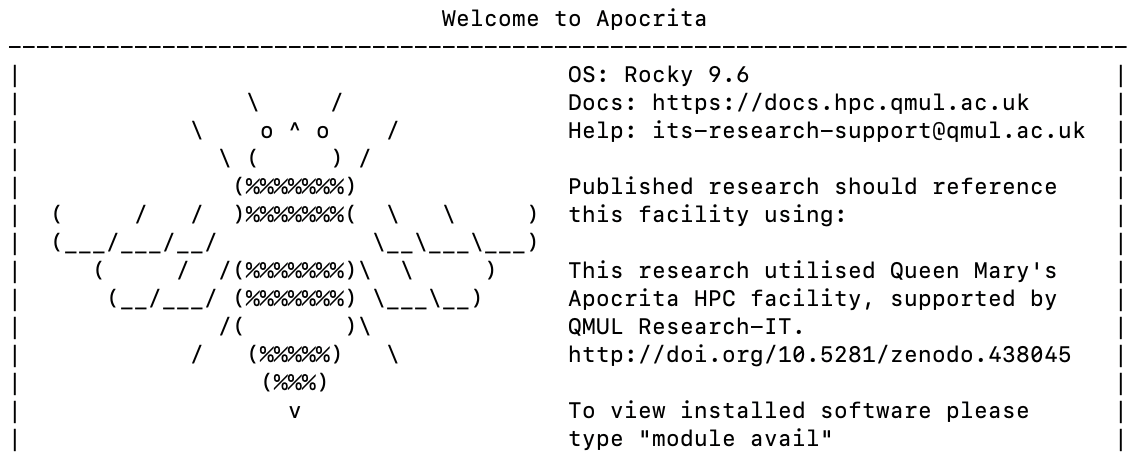
✅ Step 4:修改密码指令
powershell
passwd输入旧的和新的密码
✅ Step 5(可选):让每次登录更方便(推荐)
使用 ssh-agent(不必每次输入密钥密码)
powershell
ssh-add ~/.ssh/id_ed25519然后直接,后输入修改的密码
powershell
ssh USERNAME@login.hpc.universityname.ac.uk✅ 然后是提交一个作业获取GPU权限:这里提示大家要交一个真实的code不能是空跑一下哈哈
You account has now been created.
Access to GPUs is subject to the vetting process below.
Please can you run jobs on the short queue (set job runtime to 1 hour) and provide the job number(s) so we can double check they are optimised to run on the GPU cards? To speed up the validation process, please add echo $SGE_HGR_gpu into your job script to print out the GPU devices allocated to your job.
This is a one-off process which we ask all GPU users to complete before we grant access because we have limited GPU nodes and we want to ensure all jobs submitted to those nodes run correctly.
Once we have inspected your job and are satisfied it will run on the GPU nodes correctly, we'll grant access to run longer jobs.
✅ 创建conda环境
powershell
module load miniforge/25.3.0
conda --version
conda create -n llm_gpu python=3.10 -y
conda activate llm_gpu
装环境
powershell
pip install torch torchvision torchaudio --index-url https://download.pytorch.org/whl/cu121
pip install transformers
跑推理还要下载权重,跑个train吧
✅ Step1: mini_gpt_train.py
powershell
vi mini_gpt_train.py
python
import math
import time
import torch
import torch.nn as nn
import torch.nn.functional as F


# --------------------
# Configuration
# --------------------
VOCAB_SIZE = 4096
D_MODEL = 512
N_HEAD = 8
NUM_LAYERS = 8
DIM_FF = 2048
SEQ_LEN = 256
BATCH_SIZE = 32
NUM_STEPS = 20000
# NUM_STEPS = 3500 七分钟就跑完了
LOG_INTERVAL = 50


# --------------------
# Mini GPT-like Transformer Decoder
# --------------------
class MultiHeadSelfAttention(nn.Module):
    def __init__(self, d_model, num_heads):
        super().__init__()
        assert d_model % num_heads == 0
        self.num_heads = num_heads
        self.head_dim = d_model // num_heads

        self.qkv_proj = nn.Linear(d_model, 3 * d_model)
        self.out_proj = nn.Linear(d_model, d_model)

    def forward(self, x, attn_mask=None):
        B, T, D = x.size()
        qkv = self.qkv_proj(x)
        qkv = qkv.view(B, T, 3, self.num_heads, self.head_dim)
        qkv = qkv.permute(2, 0, 3, 1, 4)
        q, k, v = qkv[0], qkv[1], qkv[2]

        attn_scores = torch.matmul(q, k.transpose(-2, -1)) / math.sqrt(self.head_dim)
        if attn_mask is not None:
            attn_scores = attn_scores.masked_fill(attn_mask == 0, float("-inf"))

        attn_weights = torch.softmax(attn_scores, dim=-1)
        attn_output = torch.matmul(attn_weights, v)

        attn_output = (
            attn_output.transpose(1, 2).contiguous().view(B, T, D)
        )
        out = self.out_proj(attn_output)
        return out


class TransformerBlock(nn.Module):
    def __init__(self, d_model, num_heads, dim_ff):
        super().__init__()
        self.ln1 = nn.LayerNorm(d_model)
        self.attn = MultiHeadSelfAttention(d_model, num_heads)
        self.ln2 = nn.LayerNorm(d_model)
        self.ff = nn.Sequential(
            nn.Linear(d_model, dim_ff),
            nn.GELU(),
            nn.Linear(dim_ff, d_model),
        )

    def forward(self, x, attn_mask=None):
        x = x + self.attn(self.ln1(x), attn_mask=attn_mask)
        x = x + self.ff(self.ln2(x))
        return x


class MiniGPT(nn.Module):
    def __init__(self, vocab_size, d_model, n_head, num_layers, dim_ff, max_seq_len):
        super().__init__()
        self.token_emb = nn.Embedding(vocab_size, d_model)
        self.pos_emb = nn.Embedding(max_seq_len, d_model)
        self.layers = nn.ModuleList(
            [TransformerBlock(d_model, n_head, dim_ff) for _ in range(num_layers)]
        )
        self.ln_f = nn.LayerNorm(d_model)
        self.head = nn.Linear(d_model, vocab_size, bias=False)
        self.max_seq_len = max_seq_len

    def forward(self, idx):
        B, T = idx.size()
        pos = torch.arange(0, T, device=idx.device).unsqueeze(0)

        x = self.token_emb(idx) + self.pos_emb(pos)

        mask = (
            torch.tril(torch.ones(T, T, device=idx.device))
            .unsqueeze(0)
            .unsqueeze(0)
        )

        for layer in self.layers:
            x = layer(x, attn_mask=mask)

        x = self.ln_f(x)
        logits = self.head(x)
        return logits


def main():
    device = torch.device("cuda" if torch.cuda.is_available() else "cpu")
    print("Using device:", device, flush=True)

    model = MiniGPT(
        vocab_size=VOCAB_SIZE,
        d_model=D_MODEL,
        n_head=N_HEAD,
        num_layers=NUM_LAYERS,
        dim_ff=DIM_FF,
        max_seq_len=SEQ_LEN,
    ).to(device)

    print(
        "Model parameters:",
        sum(p.numel() for p in model.parameters()) / 1e6,
        "M",
        flush=True,
    )

    optimizer = torch.optim.AdamW(model.parameters(), lr=3e-4)
    criterion = nn.CrossEntropyLoss()

    start_time = time.time()

    for step in range(1, NUM_STEPS + 1):
        x = torch.randint(
            0, VOCAB_SIZE, (BATCH_SIZE, SEQ_LEN), device=device, dtype=torch.long
        )
        y = x[:, 1:].contiguous()
        x_input = x[:, :-1].contiguous()

        logits = model(x_input)
        logits = logits.view(-1, VOCAB_SIZE)
        y = y.view(-1)

        loss = criterion(logits, y)

        optimizer.zero_grad()
        loss.backward()
        optimizer.step()

        if step % LOG_INTERVAL == 0:
            elapsed_min = (time.time() - start_time) / 60.0
            print(
                f"Step {step}/{NUM_STEPS}, loss={loss.item():.4f}, elapsed={elapsed_min:.2f} min",
                flush=True,
            )

    total_min = (time.time() - start_time) / 60.0
    print(f"Training finished. Total time: {total_min:.2f} minutes", flush=True)


if __name__ == "__main__":
    main()
✅ Step2: 作业脚本:mini_gpt_job.sh
powershell
vi mini_gpt_job.sh
powershell
#!/bin/bash
#$ -l h_rt=1:00:00        # walltime limit: 1 hour
#$ -cwd                   # run in current working directory
#$ -l gpu=1               # request 1 GPU
#$ -pe smp 8              # request 8 CPU cores (required per GPU)
#$ -l h_vmem=8G           # 8 GB RAM per core

echo "Job running on:"
hostname

echo "GPU allocated:"
echo $SGE_HGR_gpu

# Load Miniforge (conda) module
module load miniforge/25.3.0

# Properly initialize conda in a non-interactive shell
source "$(conda info --base)/etc/profile.d/conda.sh"

# Activate the LLM environment
conda activate llm_gpu

echo "Starting Mini-GPT training..."
python3 mini_gpt_train.py

echo "Job finished."
退出编辑
powershell
chmod +x mini_gpt_job.sh✅ Step3: 提交
powershell
qsub mini_gpt_job.sh会返回
powershell
Your job 6653935 ("mini_gpt_job.sh") has been submitted跑完的话把这个id发给管理员就可以了,中途查看状态
powershell
qstat
qstat -j <jobid>
查看运行结果
powershell
cat mini_gpt_job.sh.o6653935   # stdout(主要输出)
cat mini_gpt_job.sh.e6653935 # stderr(错误输出)