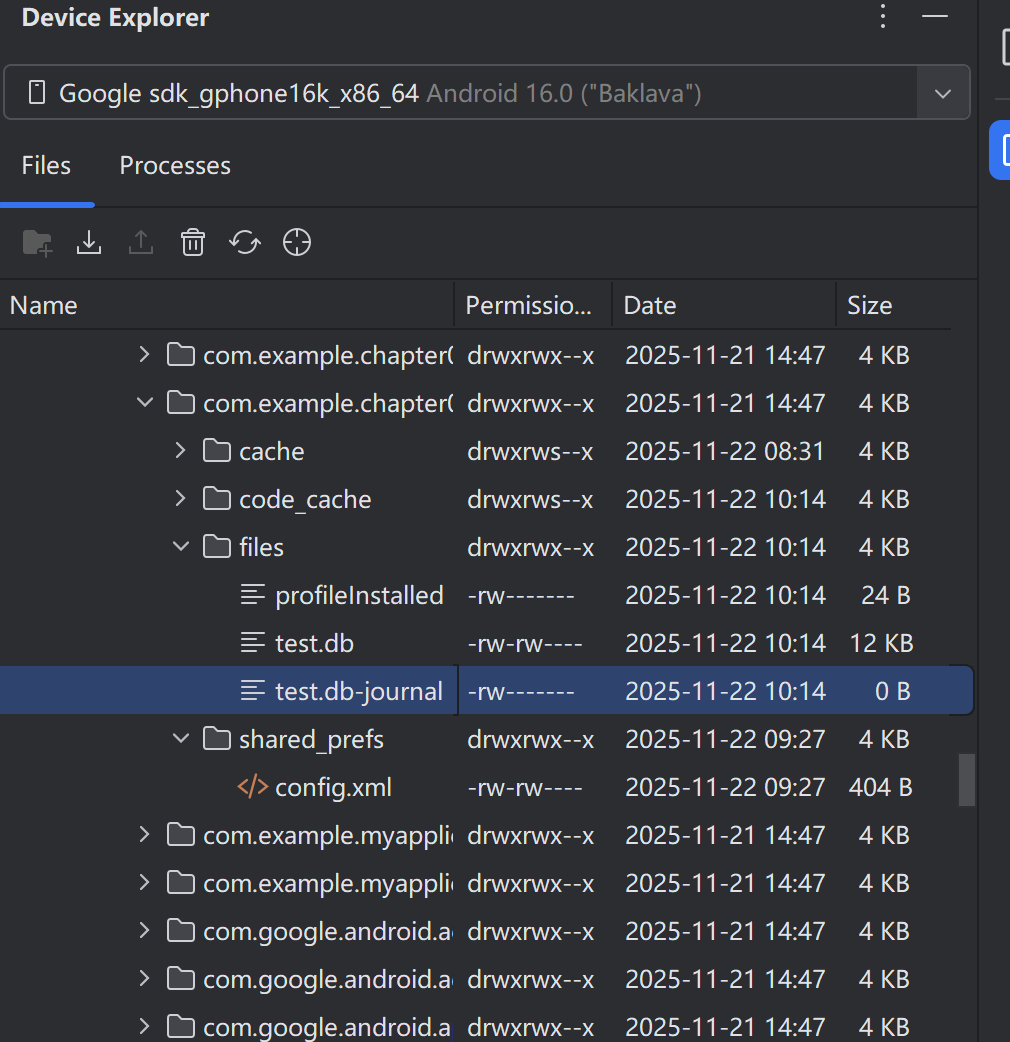
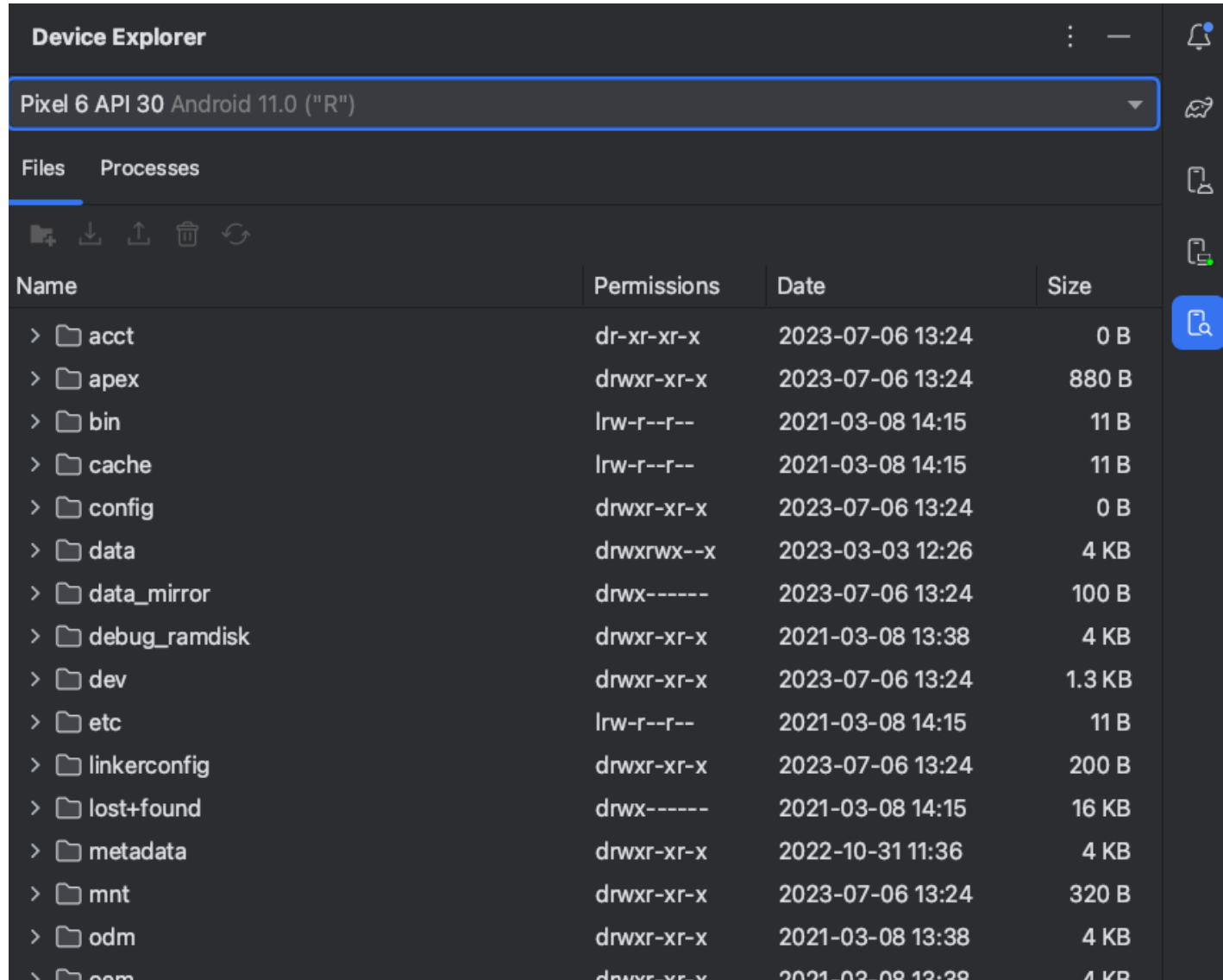
如需使用设备的文件系统,请按以下步骤操作:
-
如需打开设备浏览器,请依次选择 View > Tool Windows > Device Explorer ,或点击工具窗口栏中的 Device Explorer

按钮。 -
从下拉列表中选择一个设备。
-
在文件浏览器窗口中与设备内容交互:
- 右键点击某个文件或目录即可创建新的文件或目录。
- 保存、上传、删除所选文件或目录,或将其同步到您的计算机。
- 双击某个文件可在 Android Studio 中将其打开。
相关SharedPreferences保存数据代码和取出数据代码
java
package com.example.chapter06;

import android.content.Context;
import android.content.SharedPreferences;
import android.os.Bundle;
import android.view.View;
import android.widget.CheckBox;
import android.widget.EditText;

import androidx.activity.EdgeToEdge;
import androidx.appcompat.app.AppCompatActivity;
import androidx.core.graphics.Insets;
import androidx.core.view.ViewCompat;
import androidx.core.view.WindowInsetsCompat;

public class ShareWriteActivity extends AppCompatActivity implements View.OnClickListener {

    private EditText et_name;
    private EditText et_age;
    private EditText et_height;
    private EditText et_weight;
    private CheckBox ck_married;
    private SharedPreferences preferences;

    @Override
    protected void onCreate(Bundle savedInstanceState) {
        super.onCreate(savedInstanceState);
        setContentView(R.layout.activity_share_write);

        et_name = findViewById(R.id.et_name);
        et_age = findViewById(R.id.et_age);
        et_height = findViewById(R.id.et_height);
        et_weight = findViewById(R.id.et_weight);
        ck_married = findViewById(R.id.ck_married);

        findViewById(R.id.btn_save).setOnClickListener(this);

        preferences = getSharedPreferences("config", Context.MODE_PRIVATE);

        reload();
    }

    private void reload() {
        String name = preferences.getString("name", null);
        if(name != null){
            et_name.setText(name);
        }
        int age = preferences.getInt("age", 0);
        if(age != 0){
            et_age.setText(String.valueOf(age));
        }

        float height = preferences.getFloat("height", 0);
        if(height != 0f){
            et_height.setText(String.valueOf(height));
        }

        float weight = preferences.getFloat("weight", 0f);
        if(weight != 0f){
            et_height.setText(String.valueOf(weight));
        }

        boolean married = preferences.getBoolean("married", false);
        ck_married.setChecked(married);
    }

    @Override
    public void onClick(View v) {
        String name = et_name.getText().toString();
        String age = et_age.getText().toString();
        String height = et_height.getText().toString();
        String weight = et_weight.getText().toString();

        SharedPreferences.Editor editor = preferences.edit();
        editor.putString("name",name);
        editor.putInt("age", Integer.parseInt(age));
        editor.putFloat("height", Float.parseFloat(height));
        editor.putFloat("weight", Float.parseFloat(weight));
        editor.putBoolean("married", ck_married.isChecked());
        editor.commit();
    }
}
创建一个数据库和删除一个数据库的代码
java
package com.example.chapter06;

import android.content.Context;
import android.database.sqlite.SQLiteDatabase;
import android.os.Bundle;
import android.view.View;
import android.widget.TextView;

import androidx.activity.EdgeToEdge;
import androidx.appcompat.app.AppCompatActivity;
import androidx.core.graphics.Insets;
import androidx.core.view.ViewCompat;
import androidx.core.view.WindowInsetsCompat;

public class DatabaseActivity extends AppCompatActivity implements View.OnClickListener {

    private TextView tv_database;
    private String mDatabaseName;
    private String desc;

    @Override
    protected void onCreate(Bundle savedInstanceState) {
        super.onCreate(savedInstanceState);
        setContentView(R.layout.activity_database);

        tv_database = findViewById(R.id.tv_database);
        findViewById(R.id.btn_database_create).setOnClickListener(this);
        findViewById(R.id.btn_database_delete).setOnClickListener(this);
        // 生成一个测试数据库的完整路径
        mDatabaseName = getFilesDir() + "/test.db";
    }

    @Override
    public void onClick(View v) {
        int id = v.getId();
        if(id == R.id.btn_database_create){
            // 创建或者打开数据库,数据库如果不存在就创建它,如果存在就打开它
            SQLiteDatabase db = openOrCreateDatabase(mDatabaseName, Context.MODE_PRIVATE, null);
            String desc = String.format("数据库%s创建%s", db.getPath(), (db != null) ? "成功" : "失败");
            tv_database.setText(desc);
        }else if(id == R.id.btn_database_delete){
            // 删除数据库
            boolean result = deleteDatabase(mDatabaseName);
            desc = String.format("数据库%s删除%s", mDatabaseName, result ? "成功" : "失败");
            tv_database.setText(desc);
        }
    }
}
layout/activity_database.xml
java
<?xml version="1.0" encoding="utf-8"?>
<LinearLayout xmlns:android="http://schemas.android.com/apk/res/android"
    android:layout_width="match_parent"
    android:layout_height="match_parent"
    android:orientation="vertical"
    android:paddingTop="22dp">

    <LinearLayout
        android:layout_width="match_parent"
        android:layout_height="wrap_content"
        android:orientation="horizontal">

        <Button
            android:id="@+id/btn_database_create"
            android:layout_width="0dp"
            android:layout_height="wrap_content"
            android:layout_weight="1"
            android:text="创建数据库"
            android:textColor="@color/black"
            android:textSize="17sp"/>

        <Button
            android:id="@+id/btn_database_delete"
            android:layout_width="0dp"
            android:layout_height="wrap_content"
            android:layout_weight="1"
            android:text="删除数据库"
            android:textColor="@color/black"
            android:textSize="17sp"/>

    </LinearLayout>

    <TextView
        android:id="@+id/tv_database"
        android:layout_width="match_parent"
        android:layout_height="wrap_content"
        android:paddingLeft="5dp"
        android:textColor="@color/black"
        android:textSize="17sp"/>


</LinearLayout>