1. 热门推荐
1.1 热门推荐-准备工作
内容不同,但结构相同,所以要复用热门推荐组件,再动态传值渲染 
1.2 静态结构
html
// /src/pages/hot/hot.vue
<script setup lang="ts">
// 热门推荐页 标题和url
const hotMap = [
  { type: '1', title: '特惠推荐', url: '/hot/preference' },
  { type: '2', title: '爆款推荐', url: '/hot/inVogue' },
  { type: '3', title: '一站买全', url: '/hot/oneStop' },
  { type: '4', title: '新鲜好物', url: '/hot/new' },
]
</script>

<template>
  <view class="viewport">
    <!-- 推荐封面图 -->
    <view class="cover">
      <image
        src="http://yjy-xiaotuxian-dev.oss-cn-beijing.aliyuncs.com/picture/2021-05-20/84abb5b1-8344-49ae-afc1-9cb932f3d593.jpg"
      ></image>
    </view>
    <!-- 推荐选项 -->
    <view class="tabs">
      <text class="text active">抢先尝鲜</text>
      <text class="text">新品预告</text>
    </view>
    <!-- 推荐列表 -->
    <scroll-view scroll-y class="scroll-view">
      <view class="goods">
        <navigator
          hover-class="none"
          class="navigator"
          v-for="goods in 10"
          :key="goods"
          :url="`/pages/goods/goods?id=`"
        >
          <image
            class="thumb"
            src="https://yanxuan-item.nosdn.127.net/5e7864647286c7447eeee7f0025f8c11.png"
          ></image>
          <view class="name ellipsis">不含酒精,使用安心爽肤清洁湿巾</view>
          <view class="price">
            <text class="symbol">¥</text>
            <text class="number">29.90</text>
          </view>
        </navigator>
      </view>
      <view class="loading-text">正在加载...</view>
    </scroll-view>
  </view>
</template>

<style lang="scss">
page {
  height: 100%;
  background-color: #f4f4f4;
}
.viewport {
  display: flex;
  flex-direction: column;
  height: 100%;
  padding: 180rpx 0 0;
  position: relative;
}
.cover {
  width: 750rpx;
  height: 225rpx;
  border-radius: 0 0 40rpx 40rpx;
  overflow: hidden;
  position: absolute;
  left: 0;
  top: 0;
}
.scroll-view {
  flex: 1;
}
.tabs {
  display: flex;
  justify-content: space-evenly;
  height: 100rpx;
  line-height: 90rpx;
  margin: 0 20rpx;
  font-size: 28rpx;
  border-radius: 10rpx;
  box-shadow: 0 4rpx 5rpx rgba(200, 200, 200, 0.3);
  color: #333;
  background-color: #fff;
  position: relative;
  z-index: 9;
  .text {
    margin: 0 20rpx;
    position: relative;
  }
  .active {
    &::after {
      content: '';
      width: 40rpx;
      height: 4rpx;
      transform: translate(-50%);
      background-color: #27ba9b;
      position: absolute;
      left: 50%;
      bottom: 24rpx;
    }
  }
}
.goods {
  display: flex;
  flex-wrap: wrap;
  justify-content: space-between;
  padding: 0 20rpx 20rpx;
  .navigator {
    width: 345rpx;
    padding: 20rpx;
    margin-top: 20rpx;
    border-radius: 10rpx;
    background-color: #fff;
  }
  .thumb {
    width: 305rpx;
    height: 305rpx;
  }
  .name {
    height: 88rpx;
    font-size: 26rpx;
  }
  .price {
    line-height: 1;
    color: #cf4444;
    font-size: 30rpx;
  }
  .symbol {
    font-size: 70%;
  }
  .decimal {
    font-size: 70%;
  }
}

.loading-text {
  text-align: center;
  font-size: 28rpx;
  color: #666;
  padding: 20rpx 0 50rpx;
}
</style>
1.3 给热门组件绑定跳转到hot页面
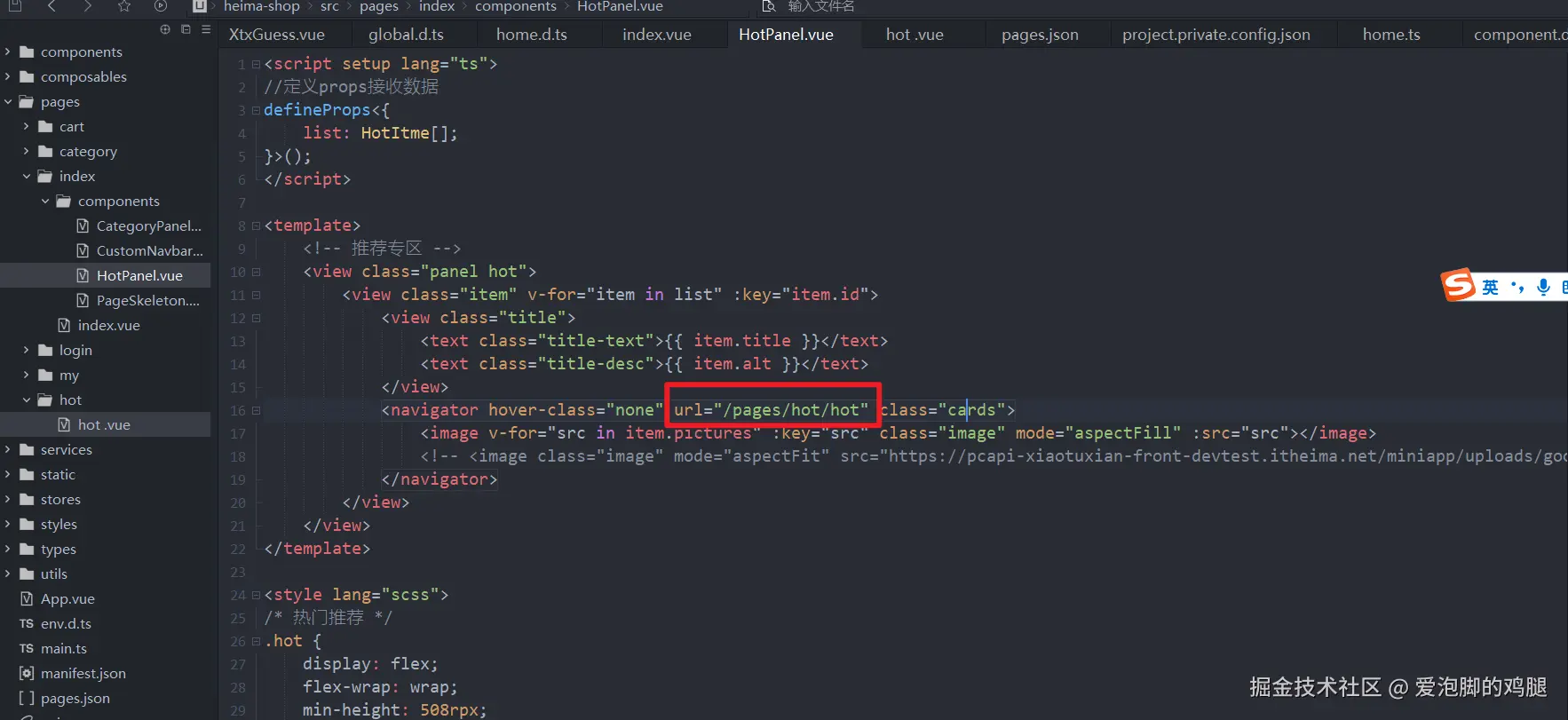
1.3.1 传参
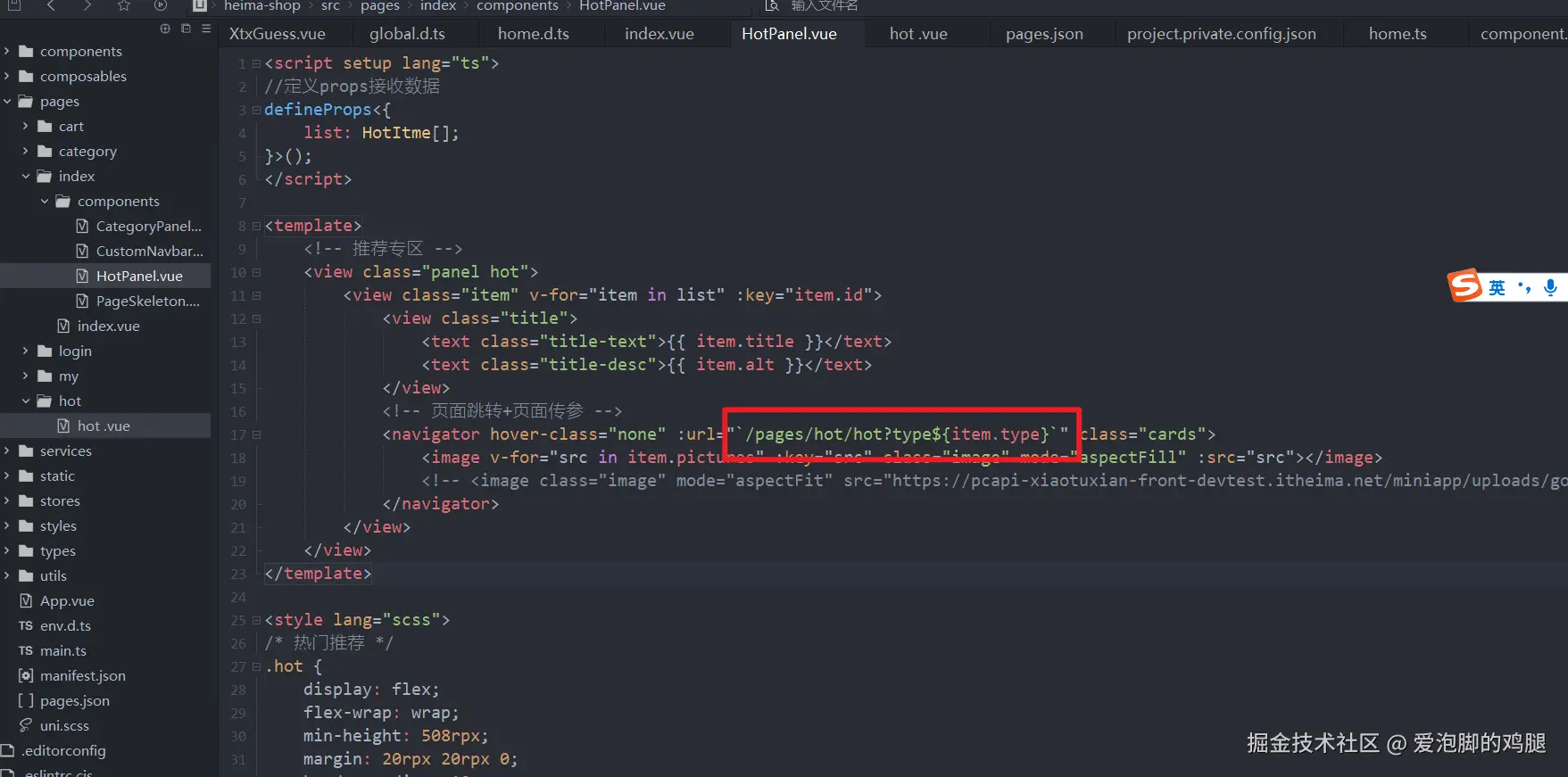
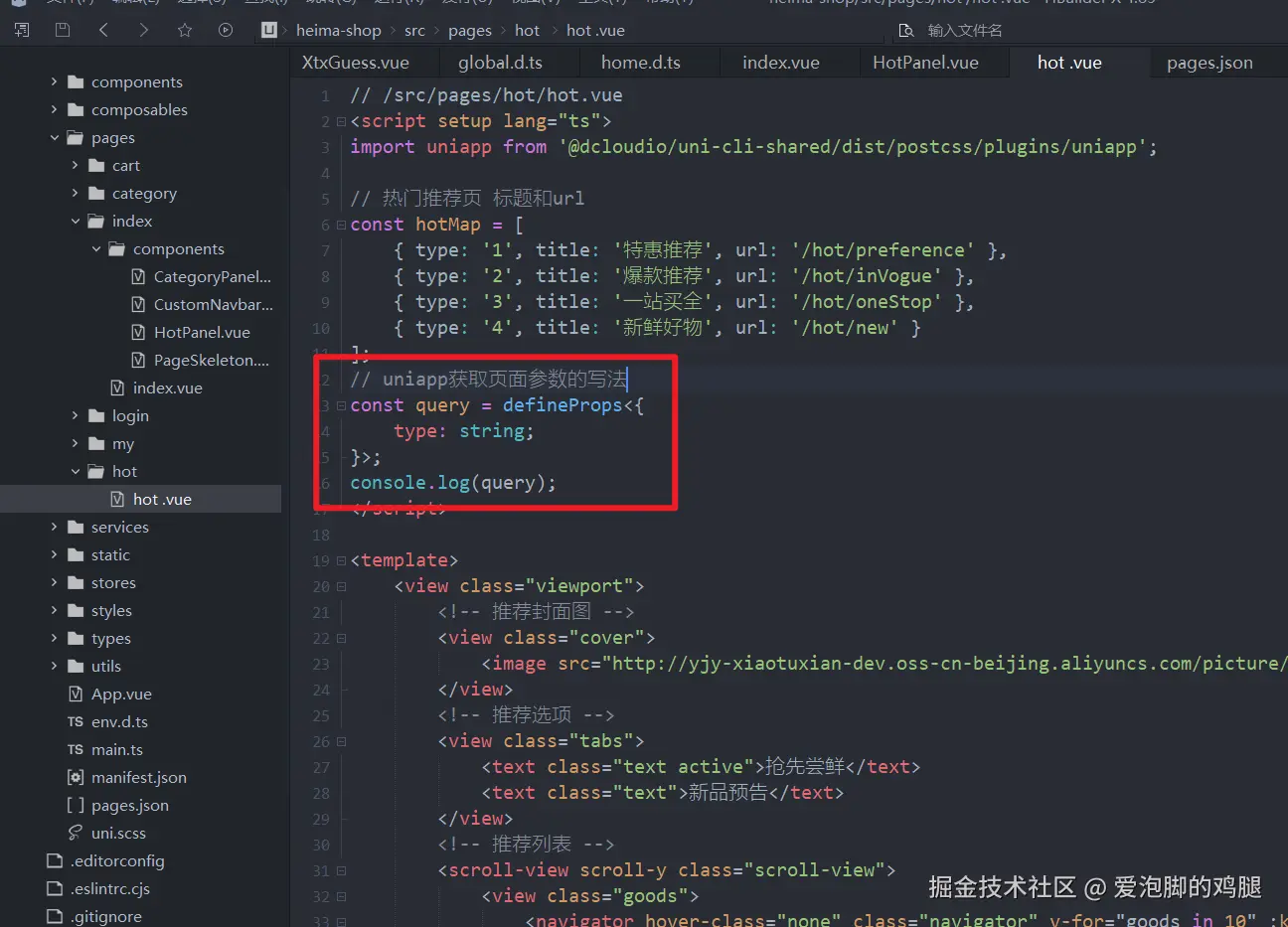
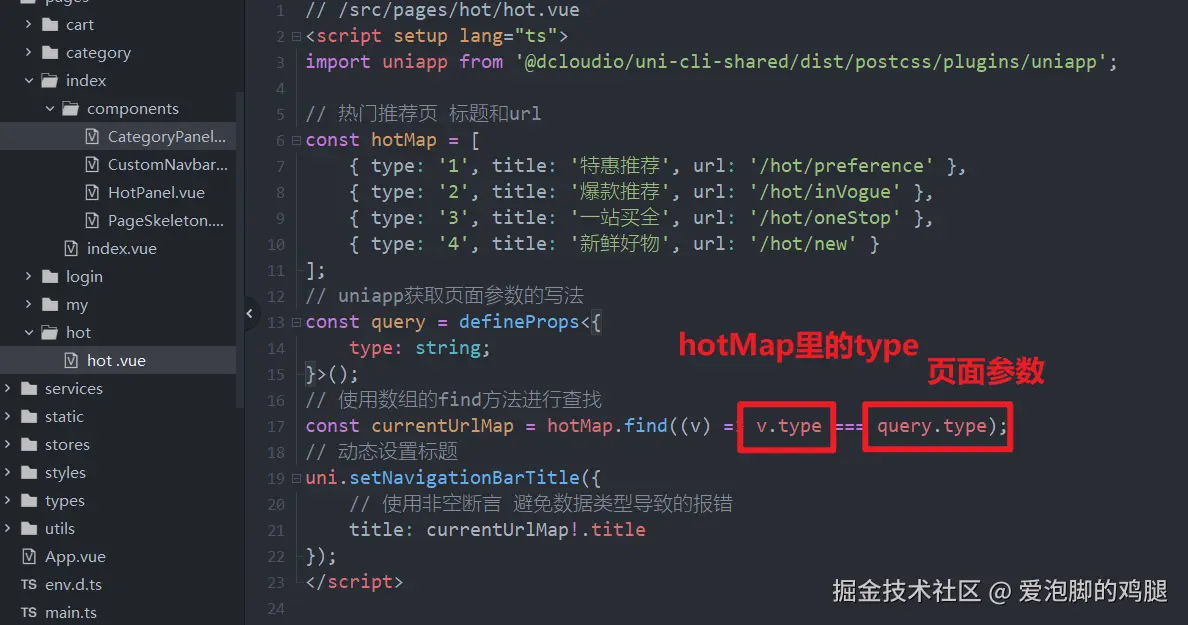
1.3.2 顶部传参结果
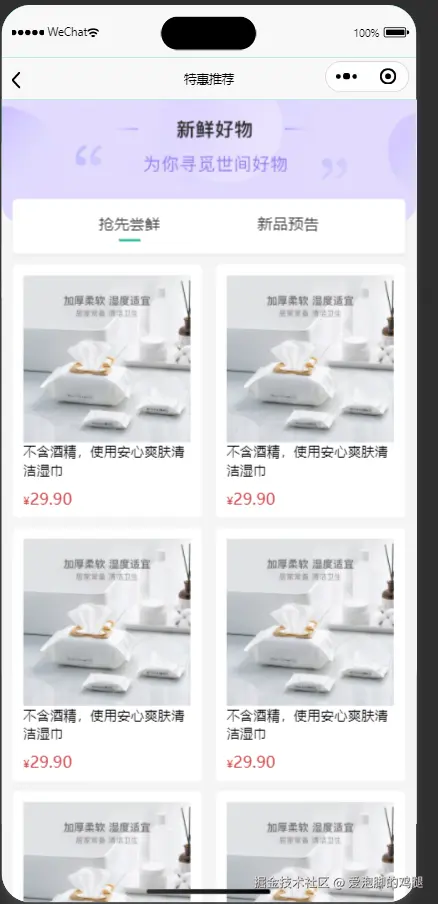
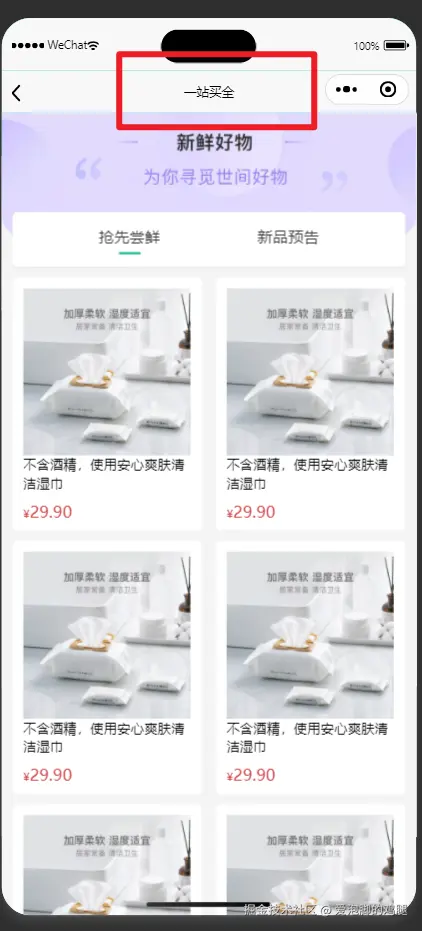
1.4 获取数据-获取热门推荐的数据
 四个接口除路径,其他都相同,所以做个统一封装,提高代码复用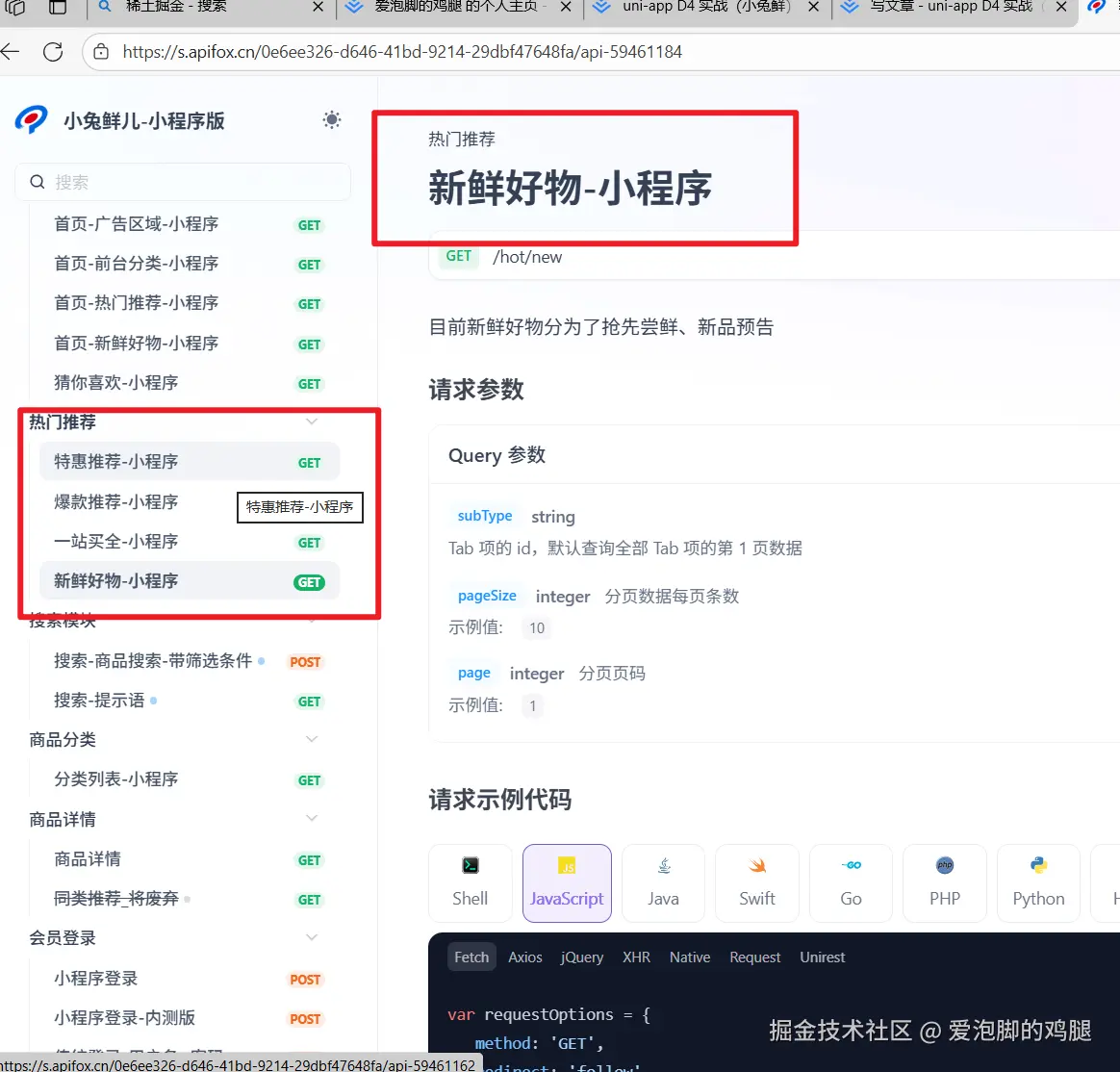
1.4.1 封装四个接口的通用结构
使用交叉类型'&'拓展字段 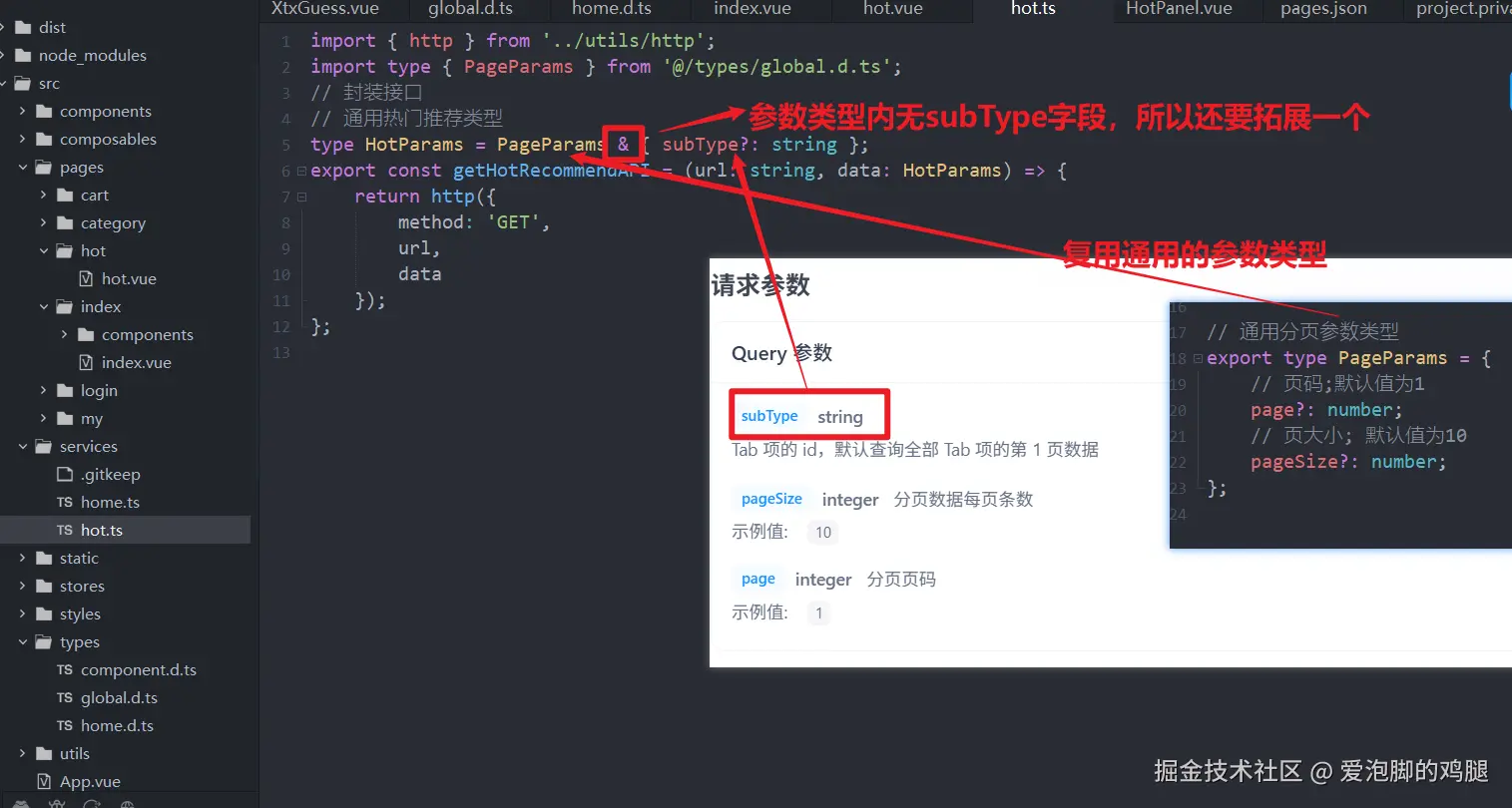
1.4.2 在热门页面中获取数据并调用
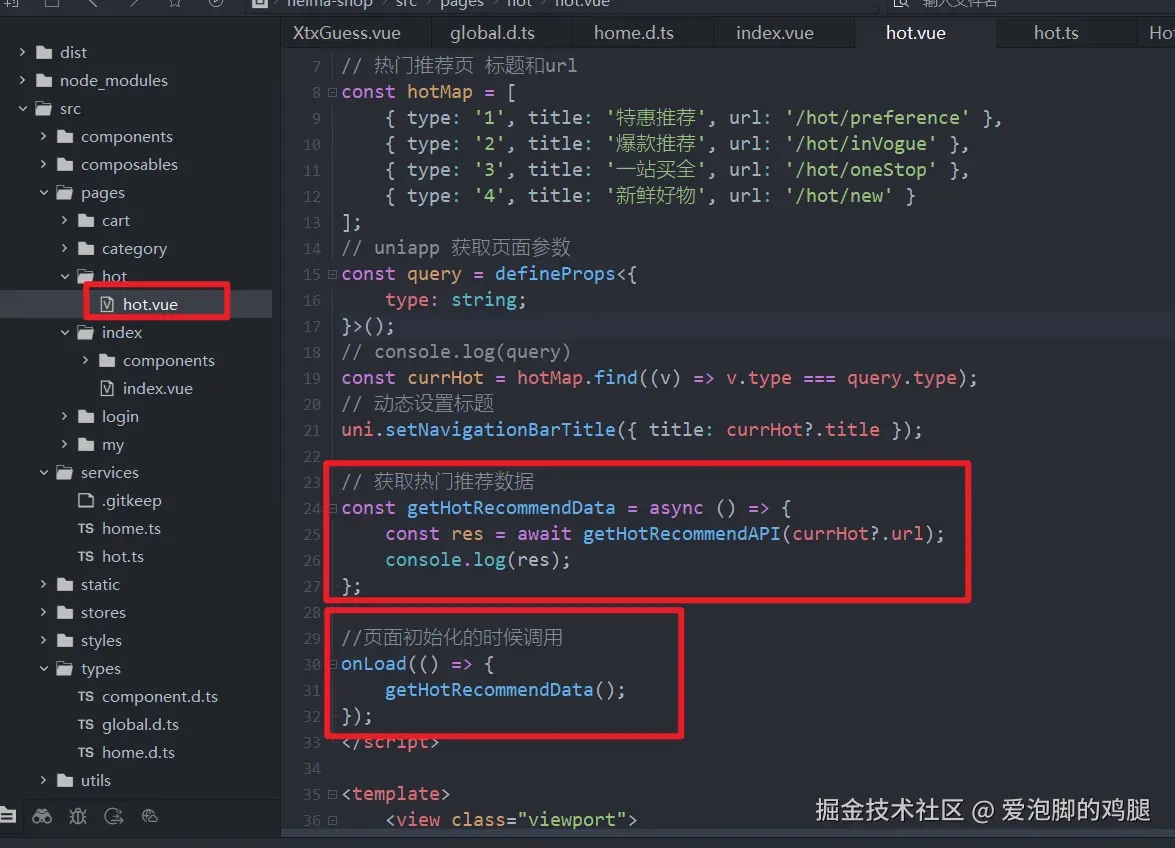
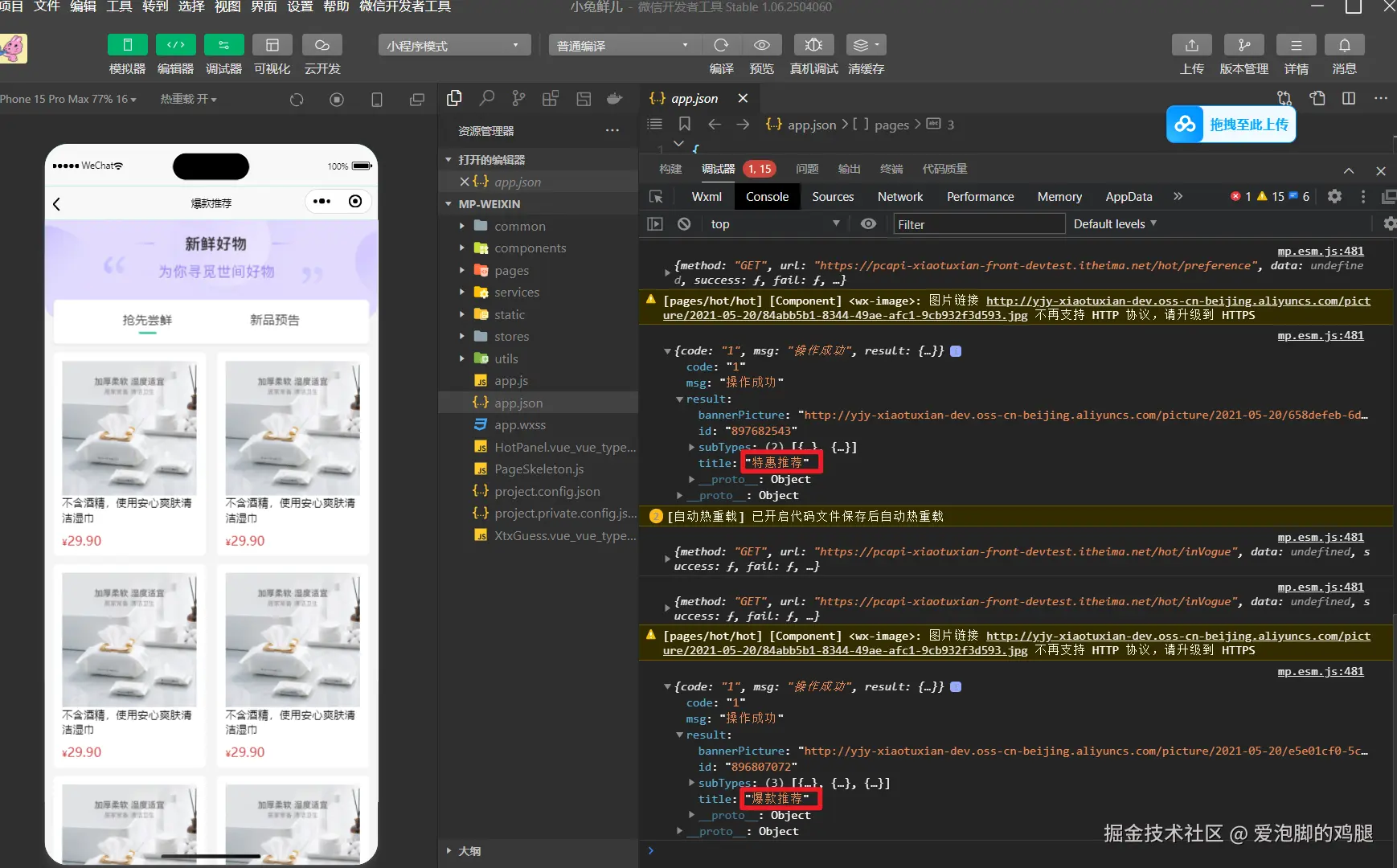
1.4.3 控制台输出的结果:
1.5 热门推荐-定义类型
返回的数据结构和类型与先前的'猜你喜欢'差不多,所以可以复用'猜你喜欢'
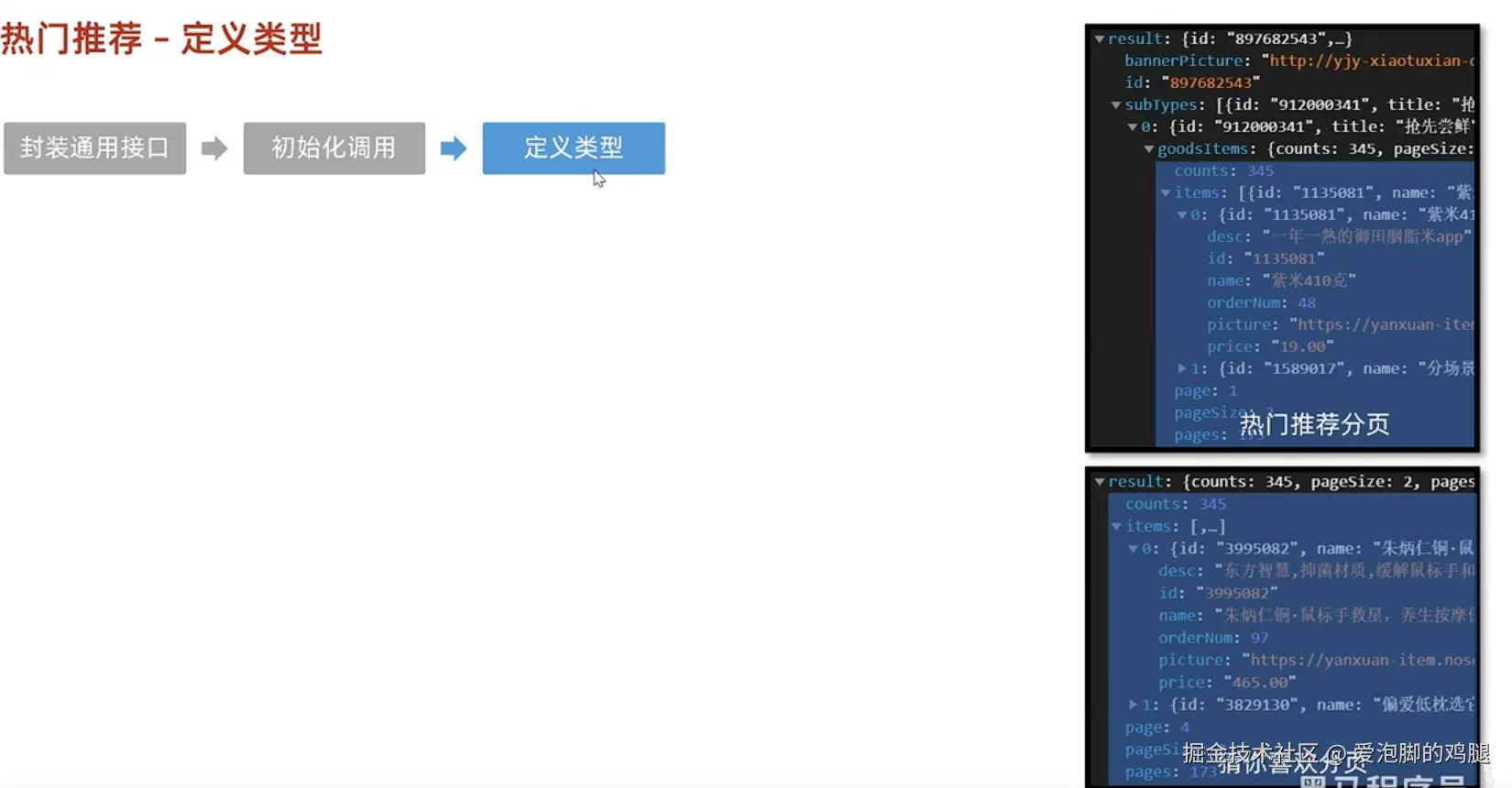 返回的结构为:
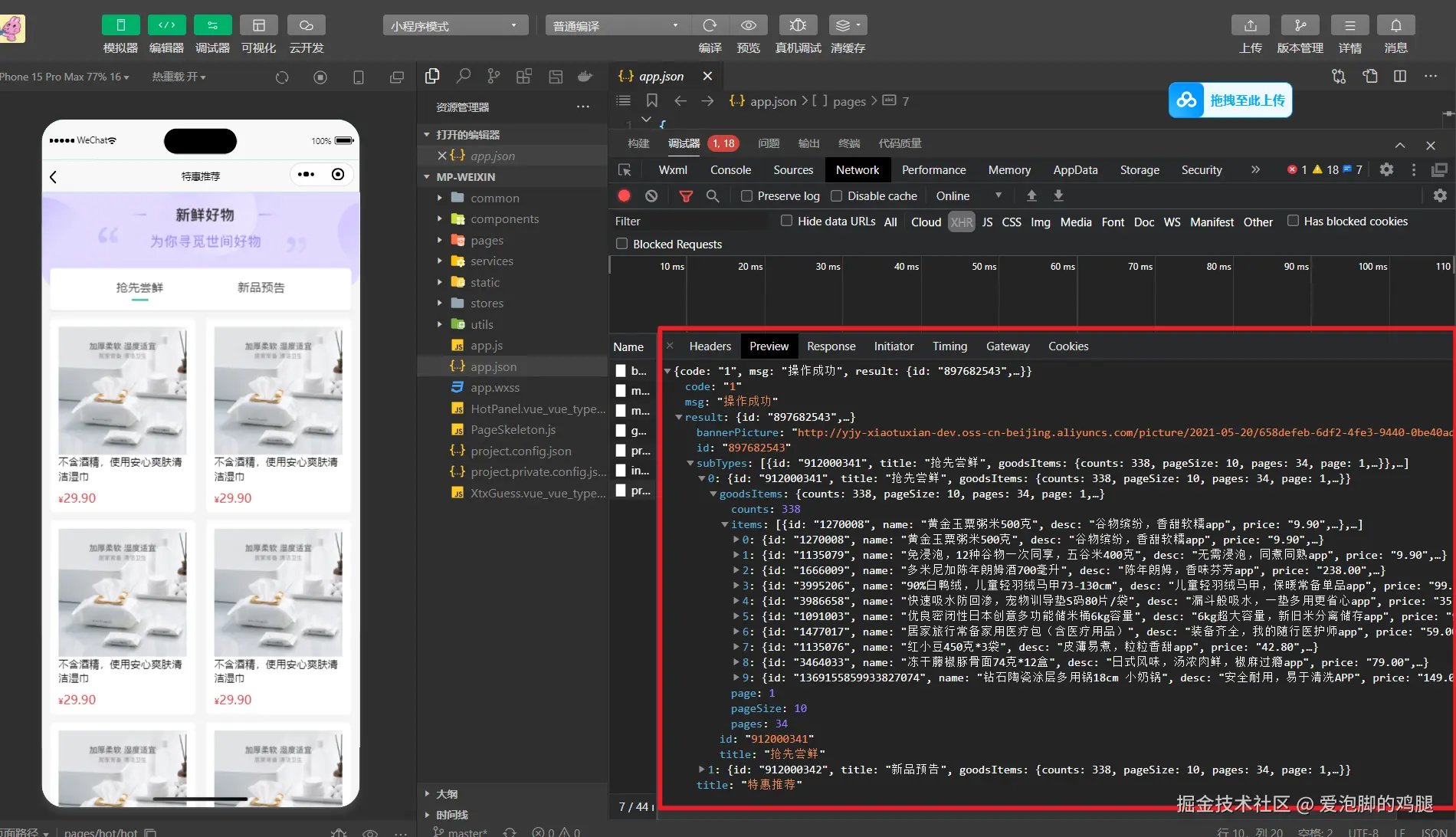
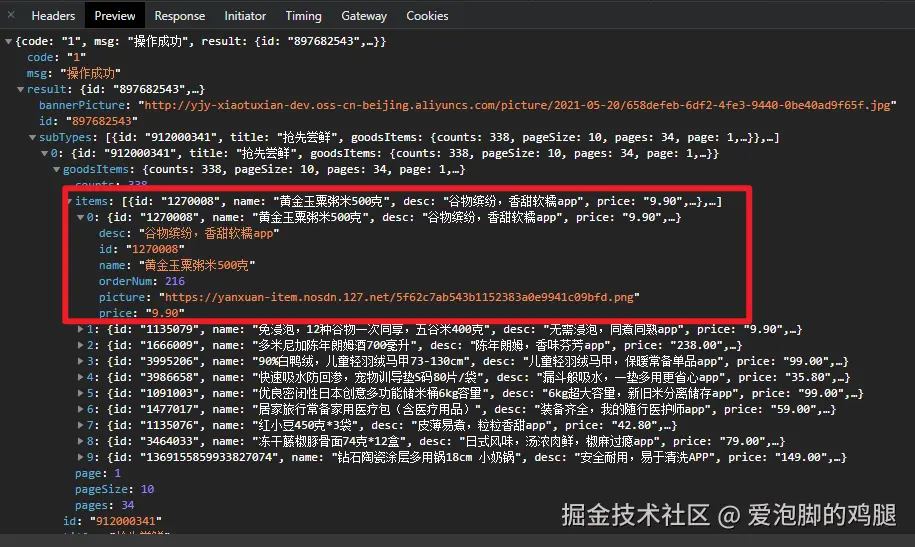
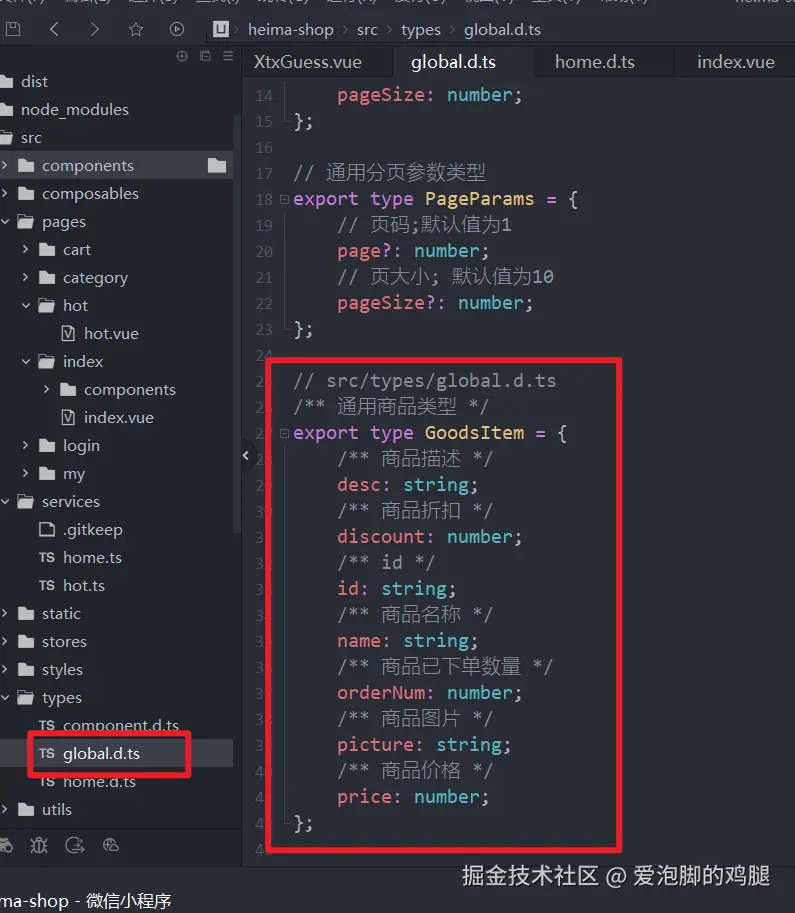
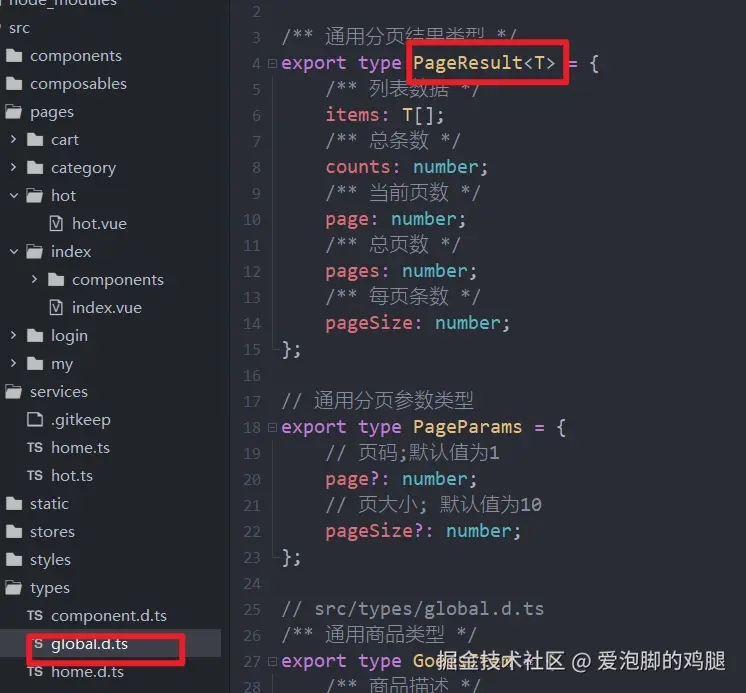
1.5.1 通用类型的定义
item:
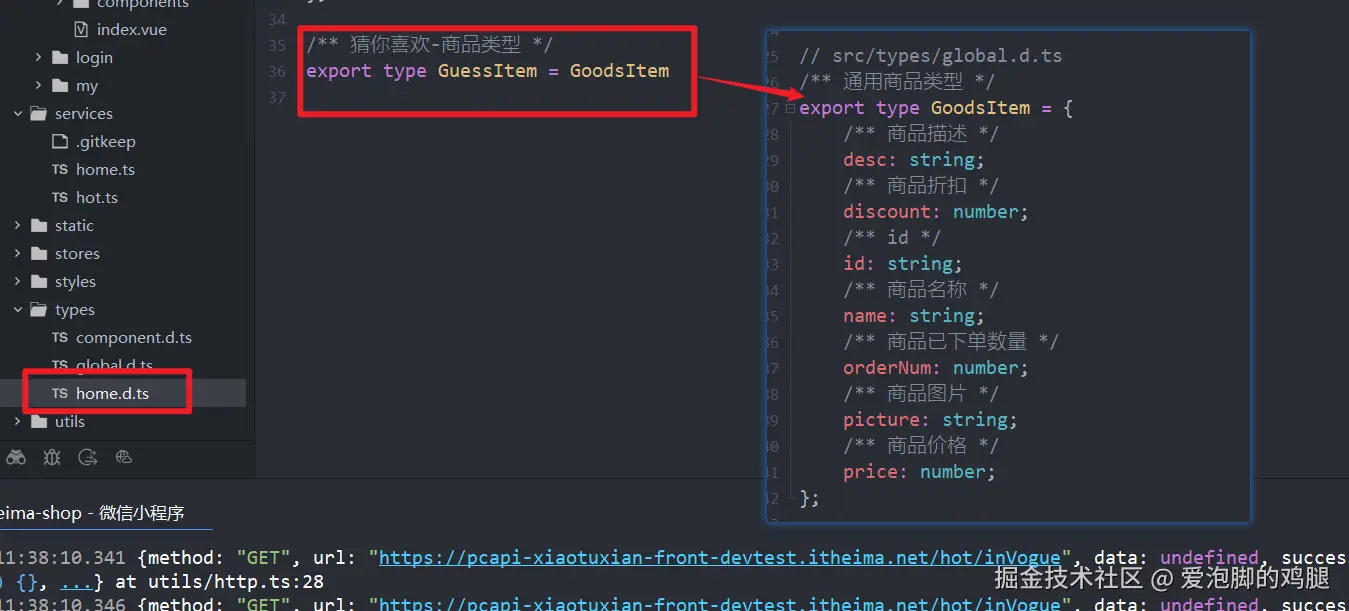
1.5.2 因为热门推荐和'猜你喜欢'的数据类型完全一致,所以直接复用
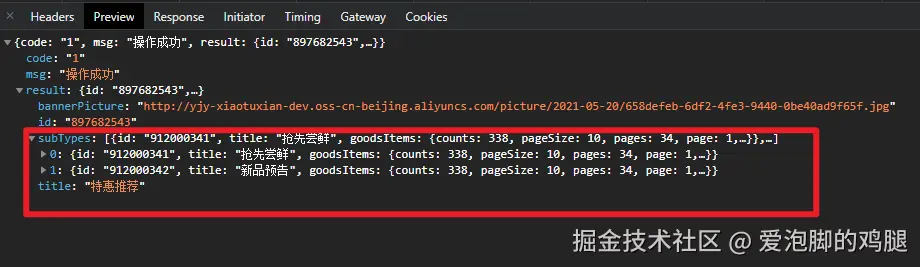
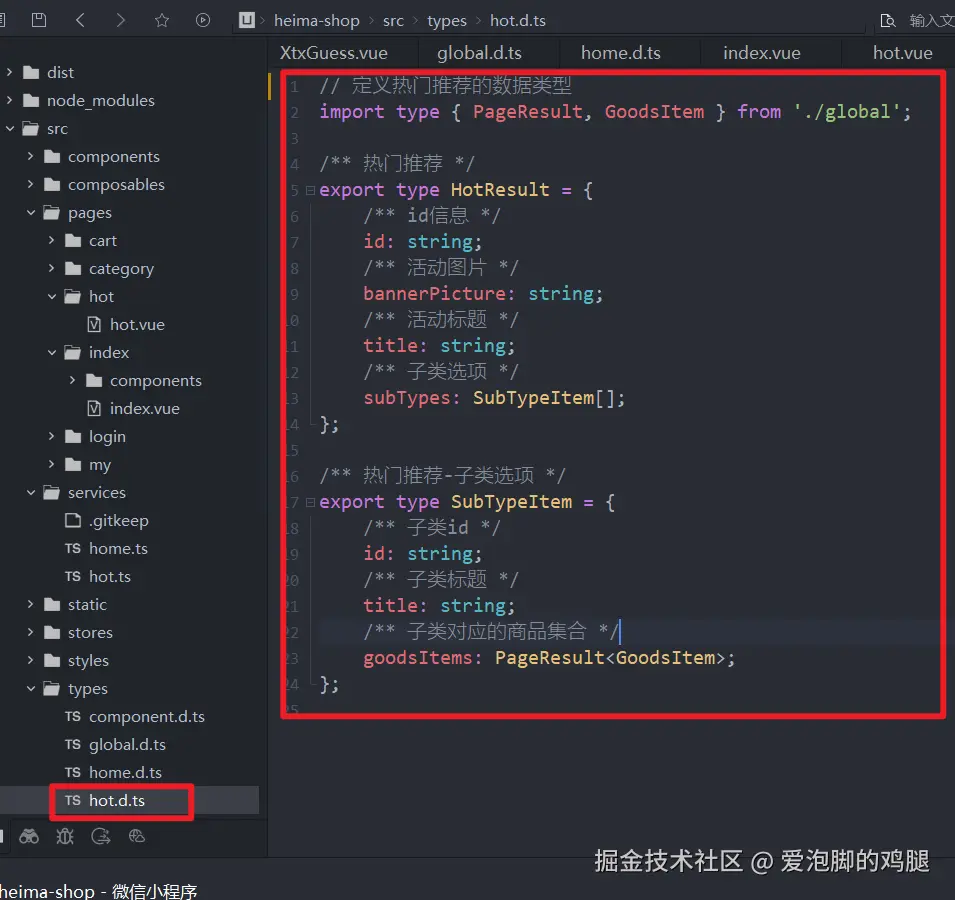
1.5.3 封装热门推荐的数据类型(有复用之前的数据类型)
HotResult:
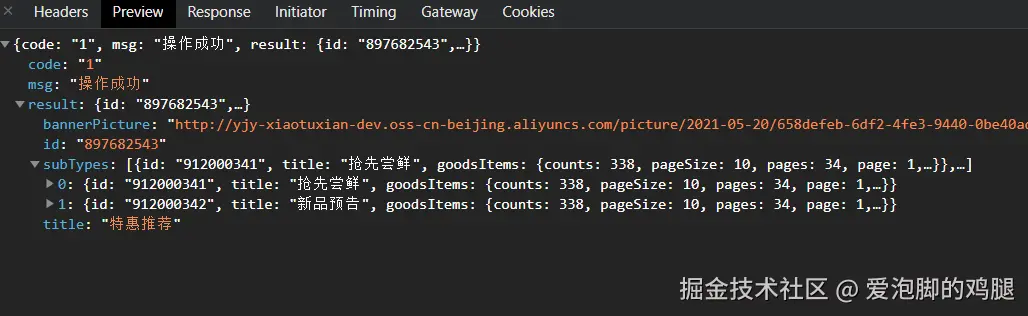
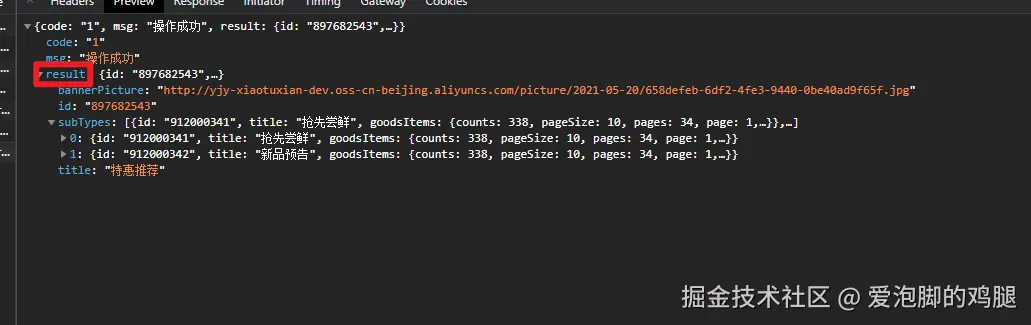 subTypes:
 之前封装的通用分页类型:
最终的代码展示:
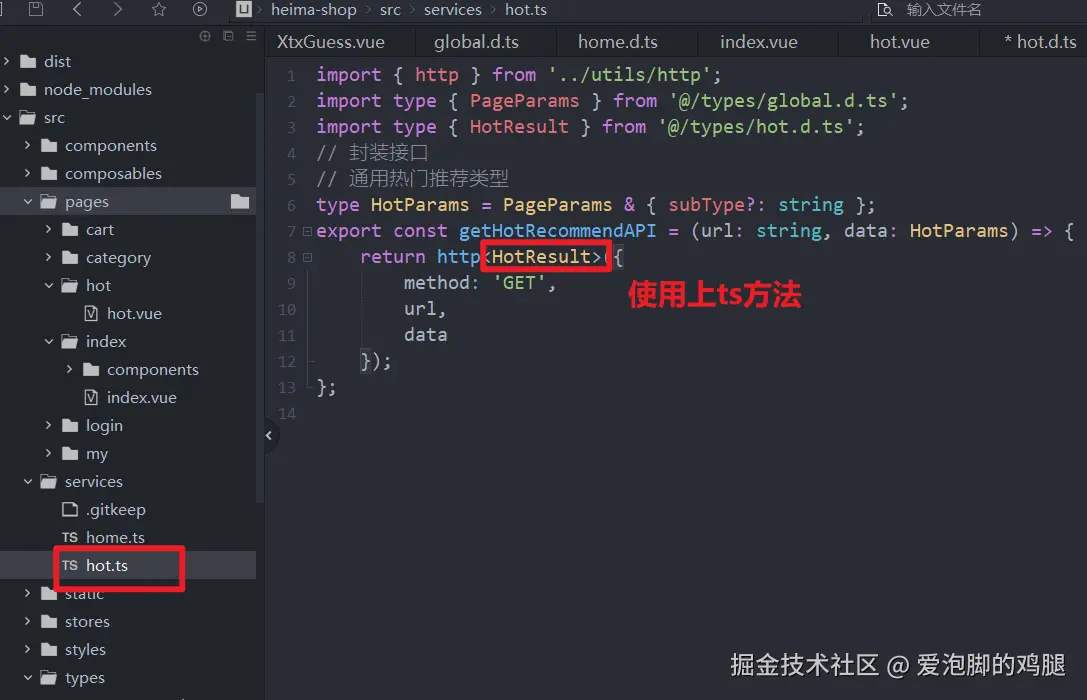
1.5.4 使用定义好的HotResult方法
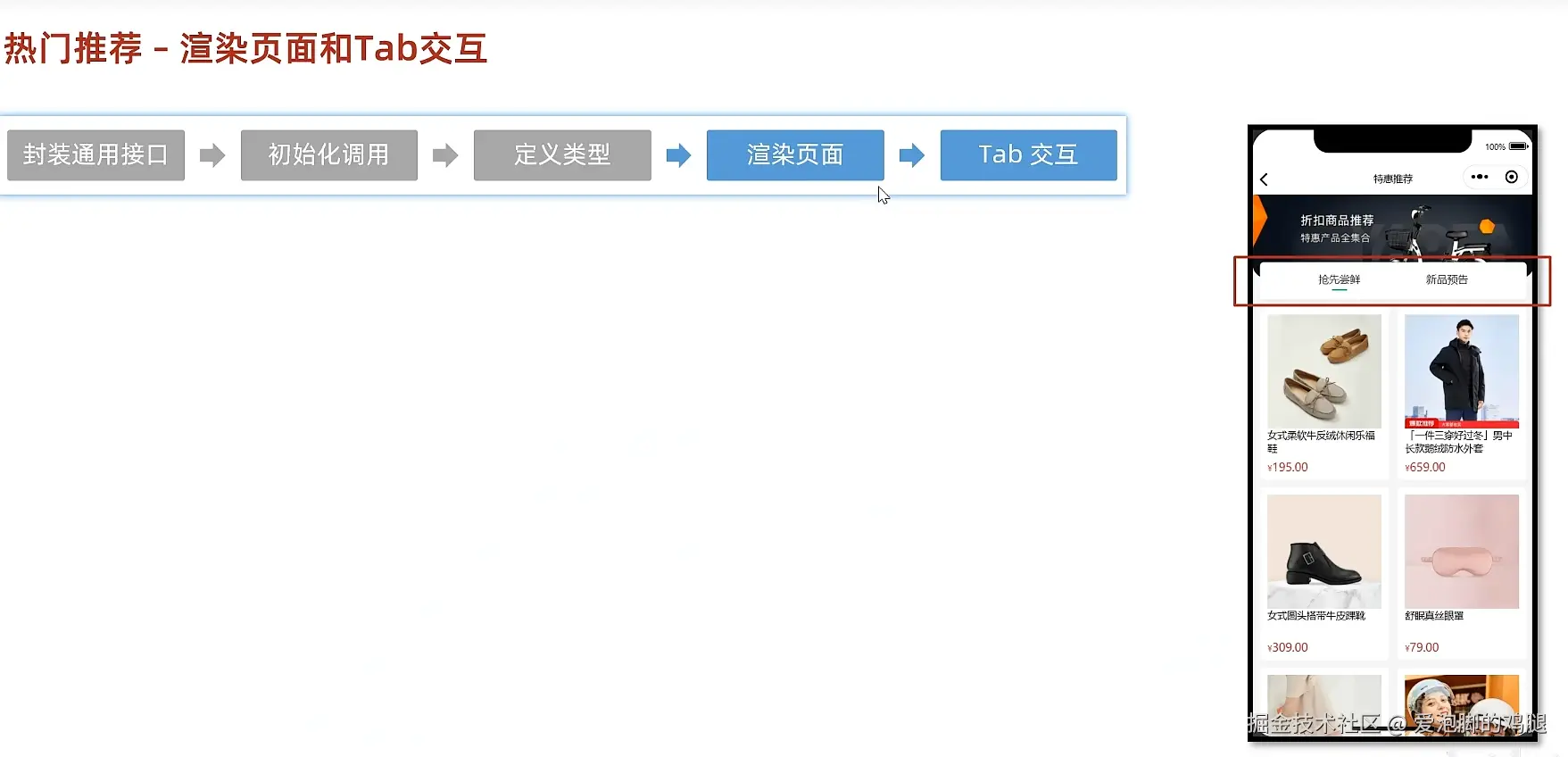
1.6 热门推荐-渲染页面和Tab交互
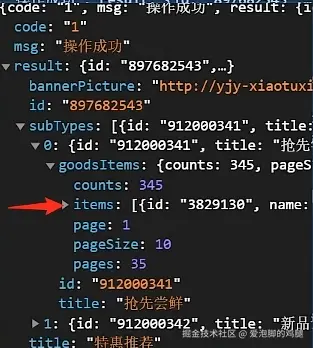
 给渲染作为参考的后端数据:
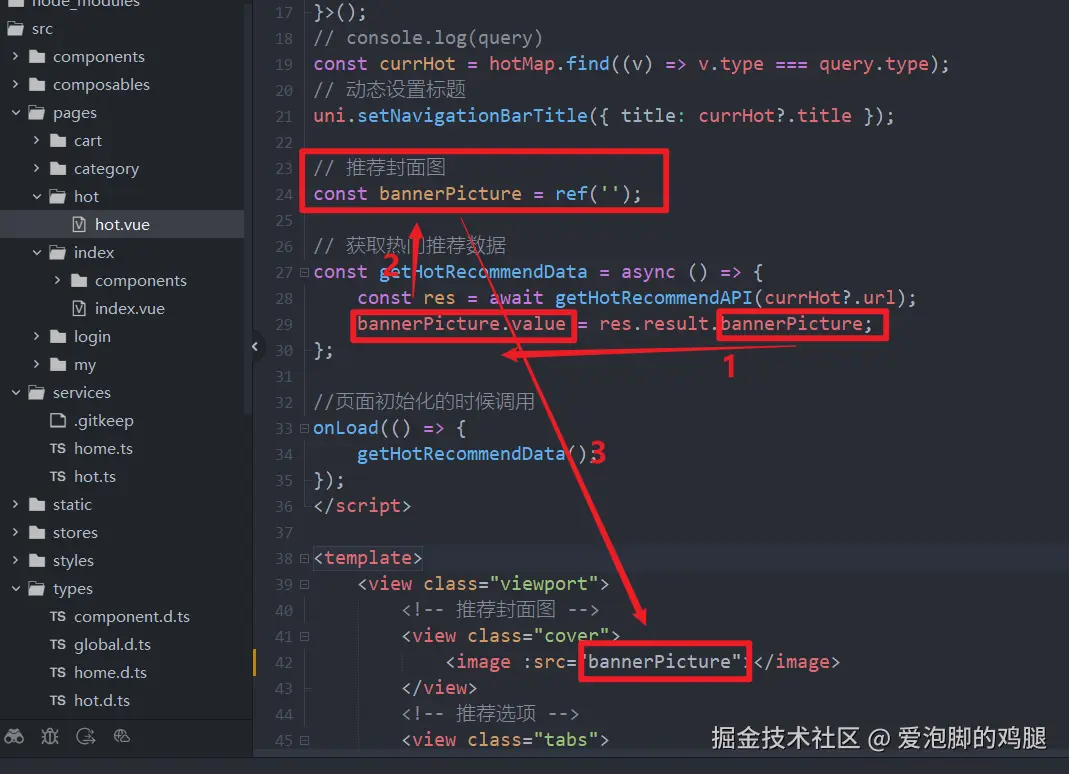
1.6.1 使用ref,定义bannerpicture接收res。reslut。bannerpicture,再动态传值给对应的页面标签
1.6.2 bannerpicture成功渲染

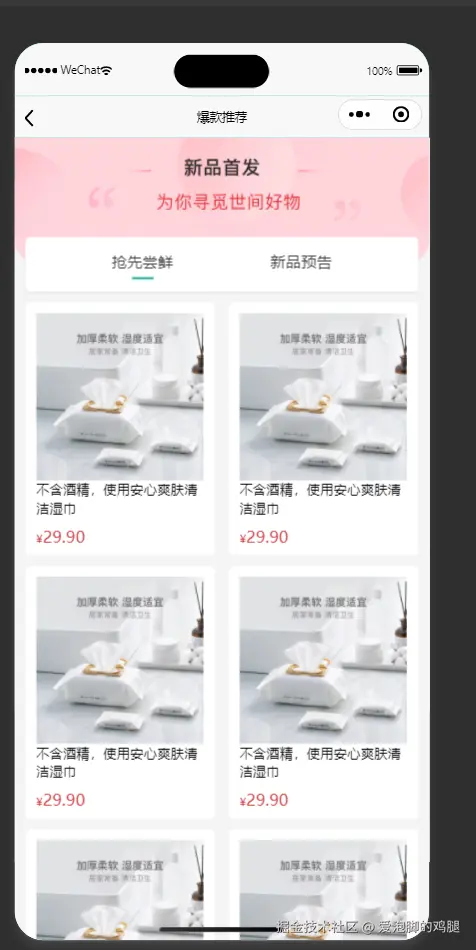
1.6.3 使用同样的方法更改hot页面的两个title
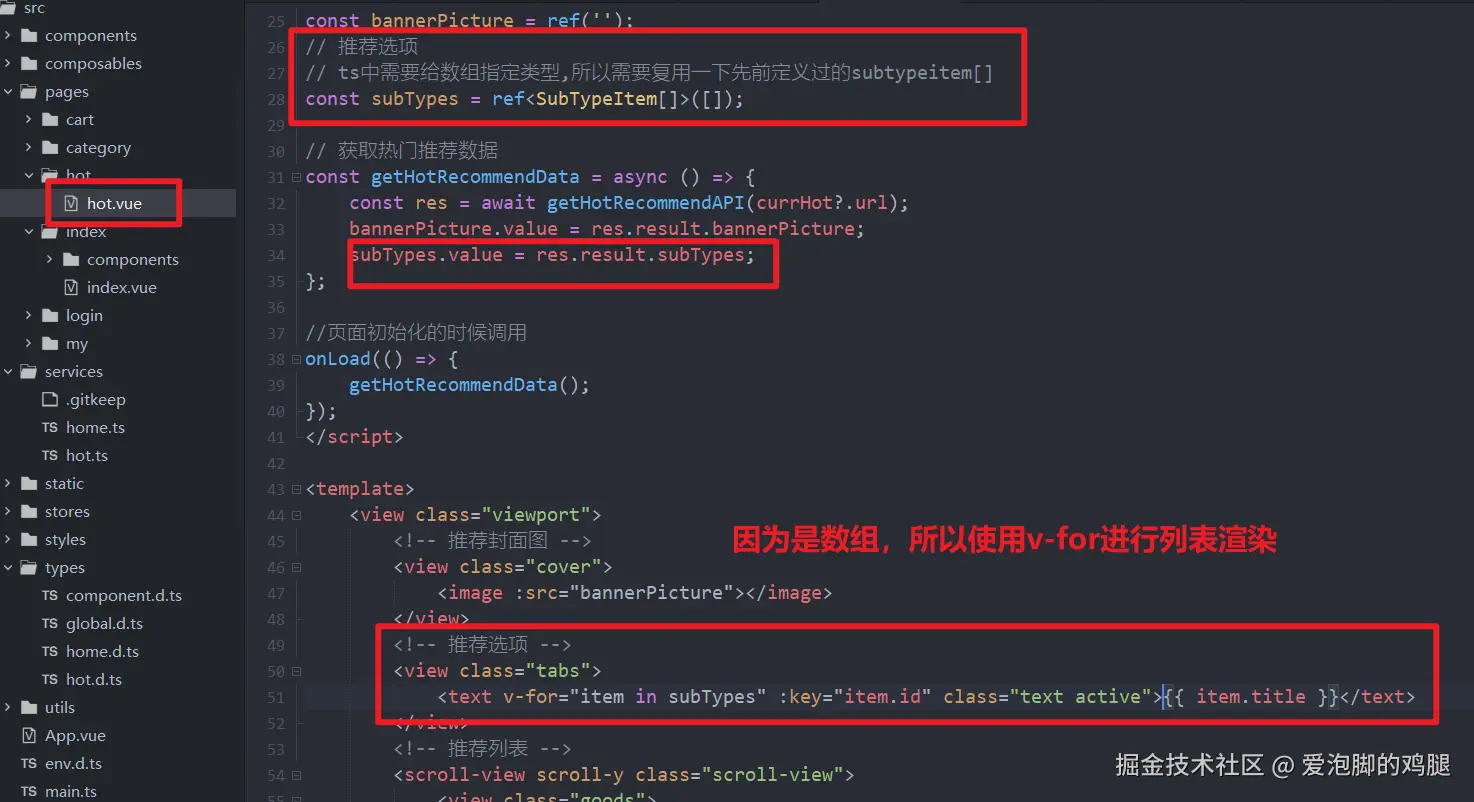
1.6.4 数据渲染成功

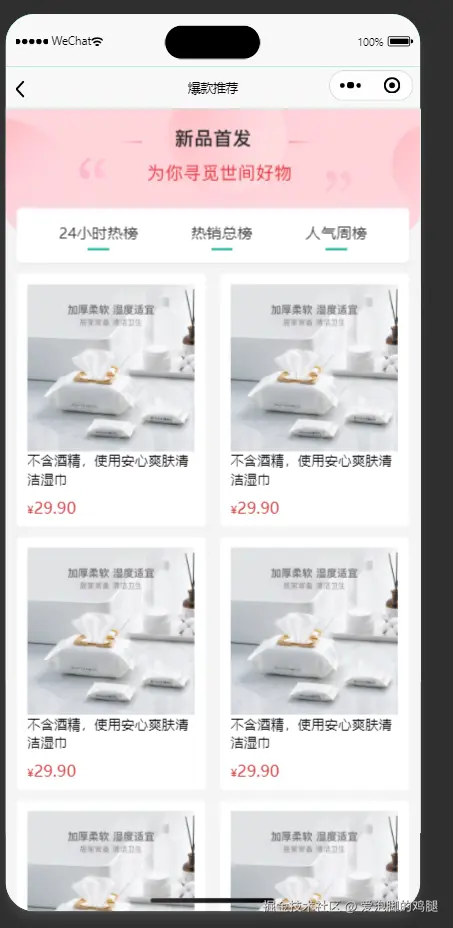
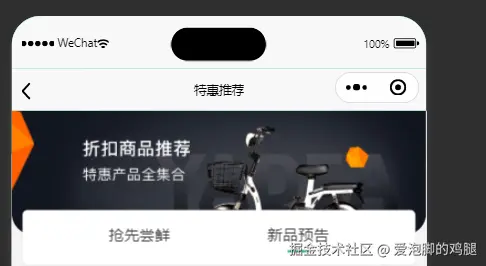
1.7 解决字段都有active导致的所有字段高亮问题(使用动态绑定样式)
v-for自动循环activeIndex,先默认选中第一个activeindex(下标为0)。index是tap事件获得的,如果activeIndex===index,就给对应的activeindex添加高亮, 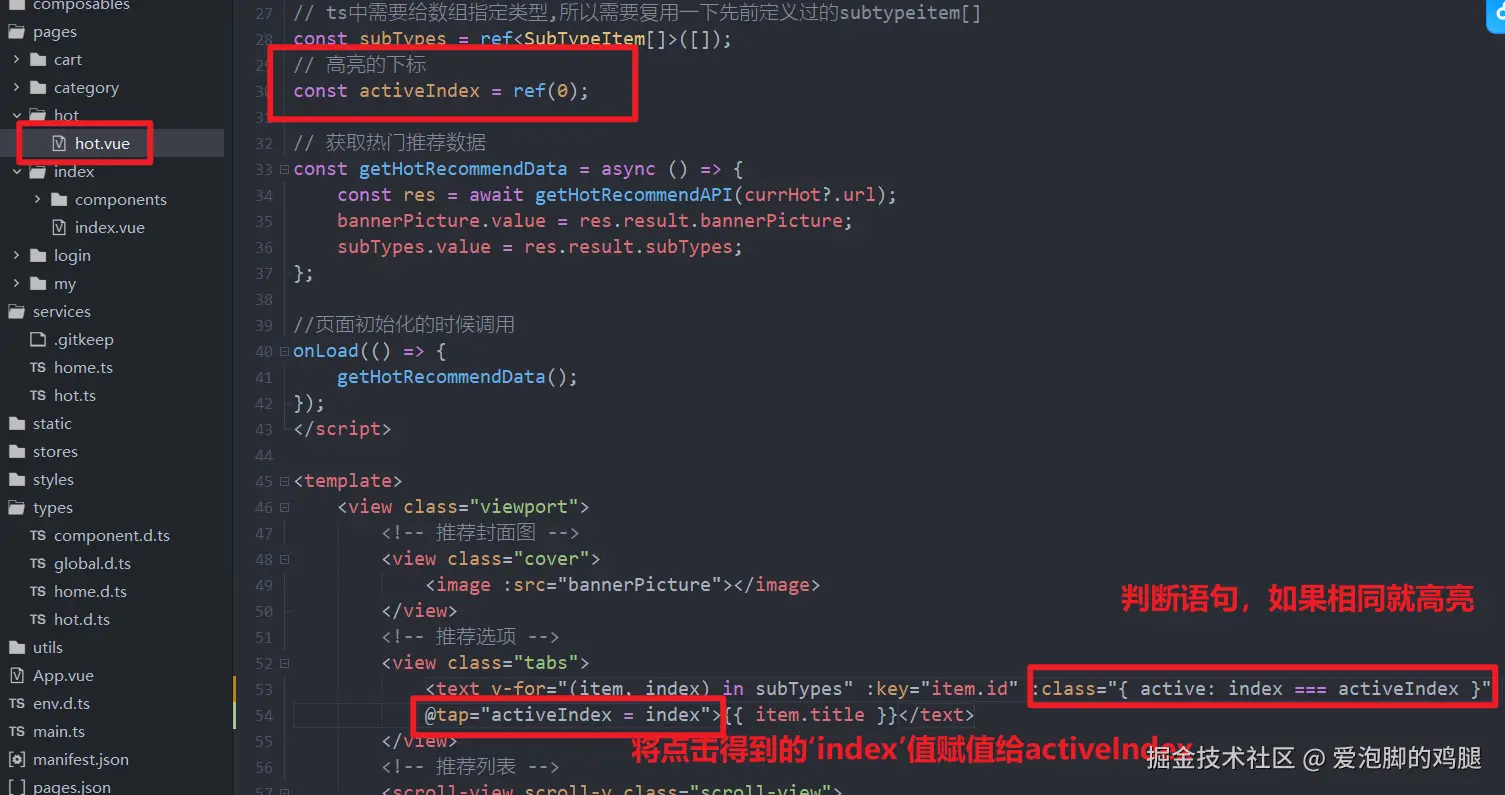
1.7.1结果:
1.8 列表内容的渲染
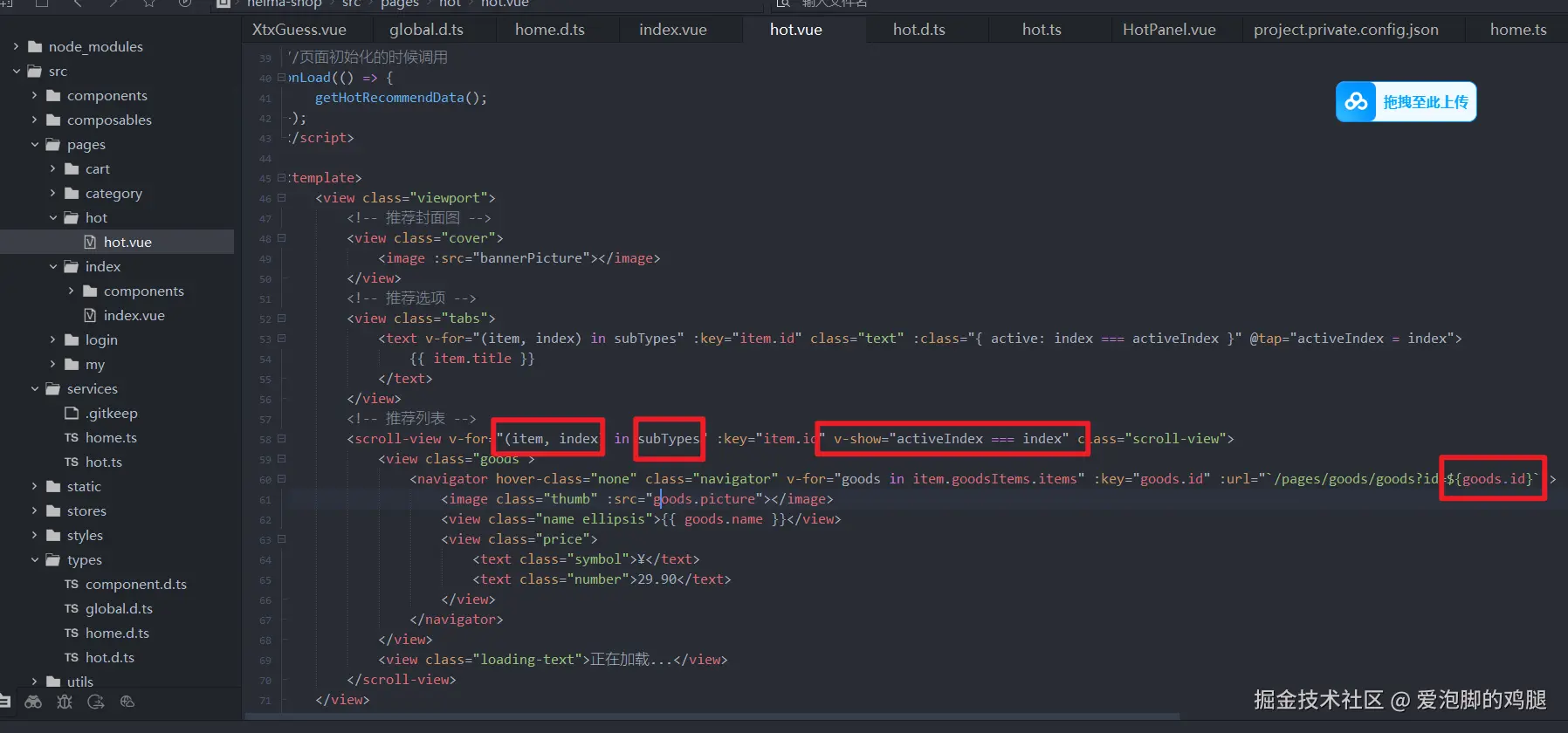
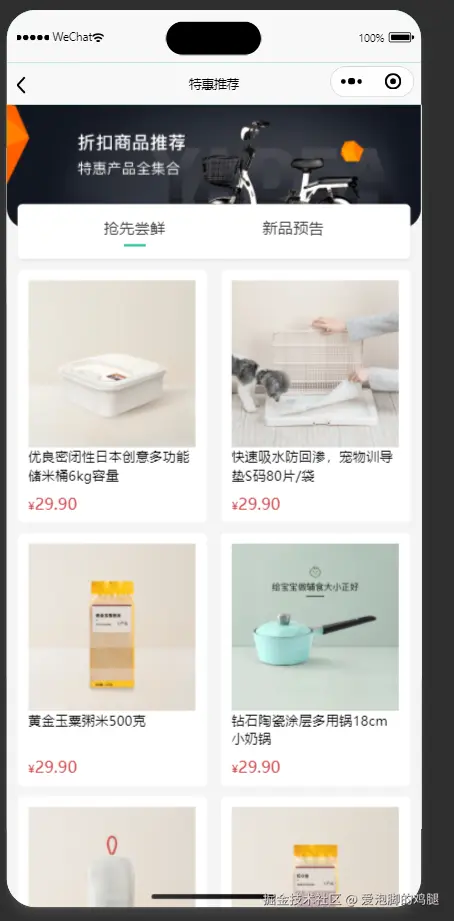
(点击tap实现内容的切换)(这里使用v-show;不用v-if,因为v-if就是在不断的销毁和创建,很消耗性能)
1.8.1 结果:
1.9 列表的分页加载
当页面滚动触底的时候加载页面数据
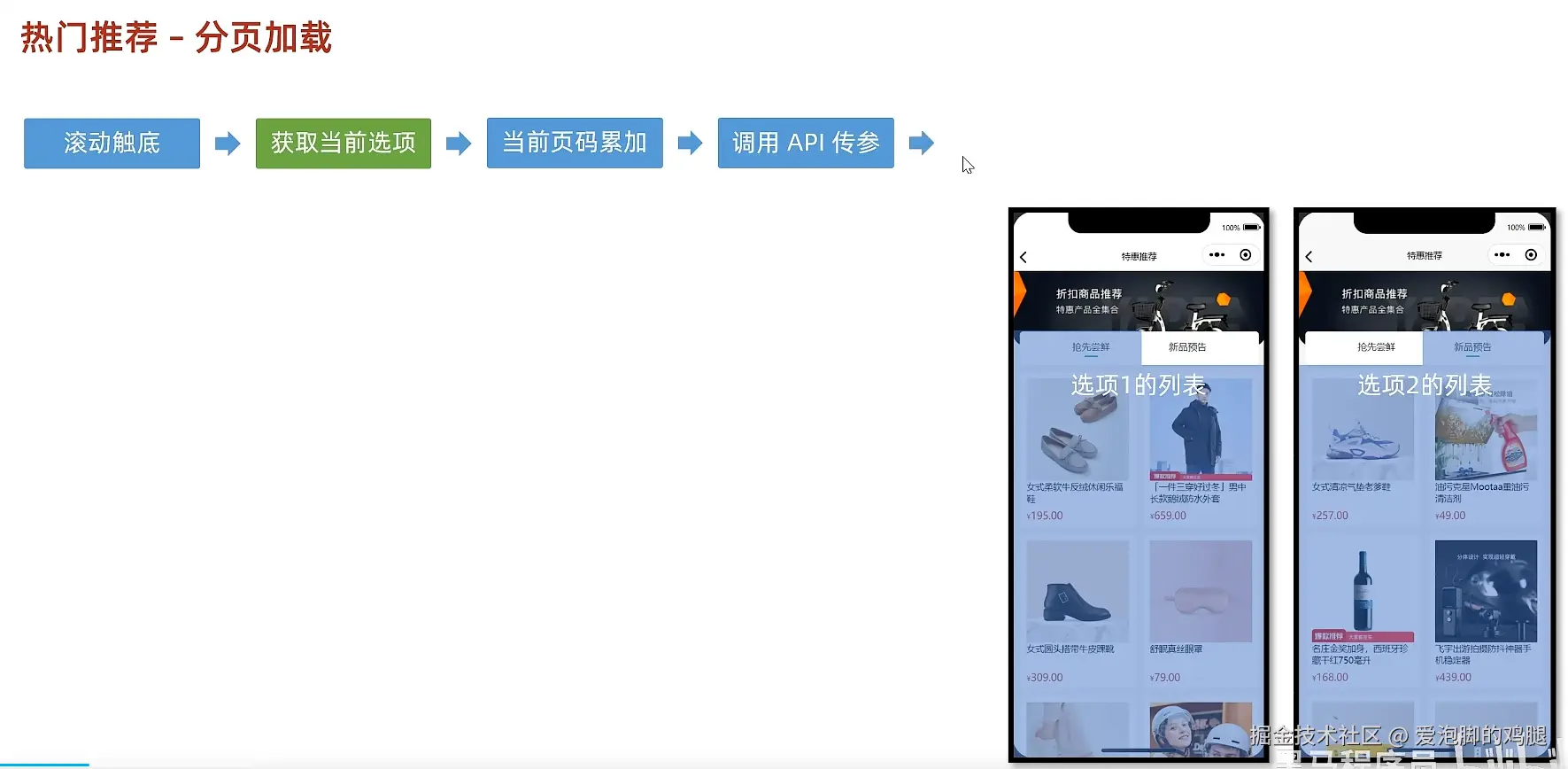
1.9.1 给滚动容器添加一个滚动触底的事件
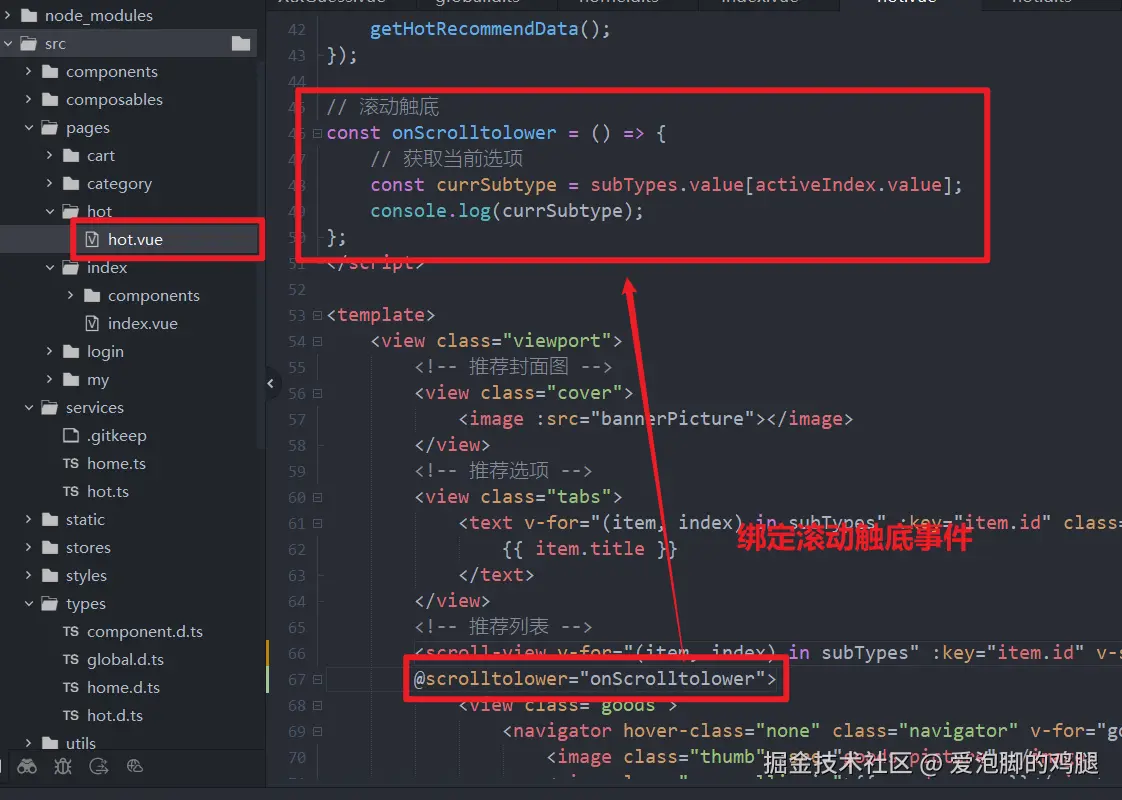 滚动tab触底,输出的结果:
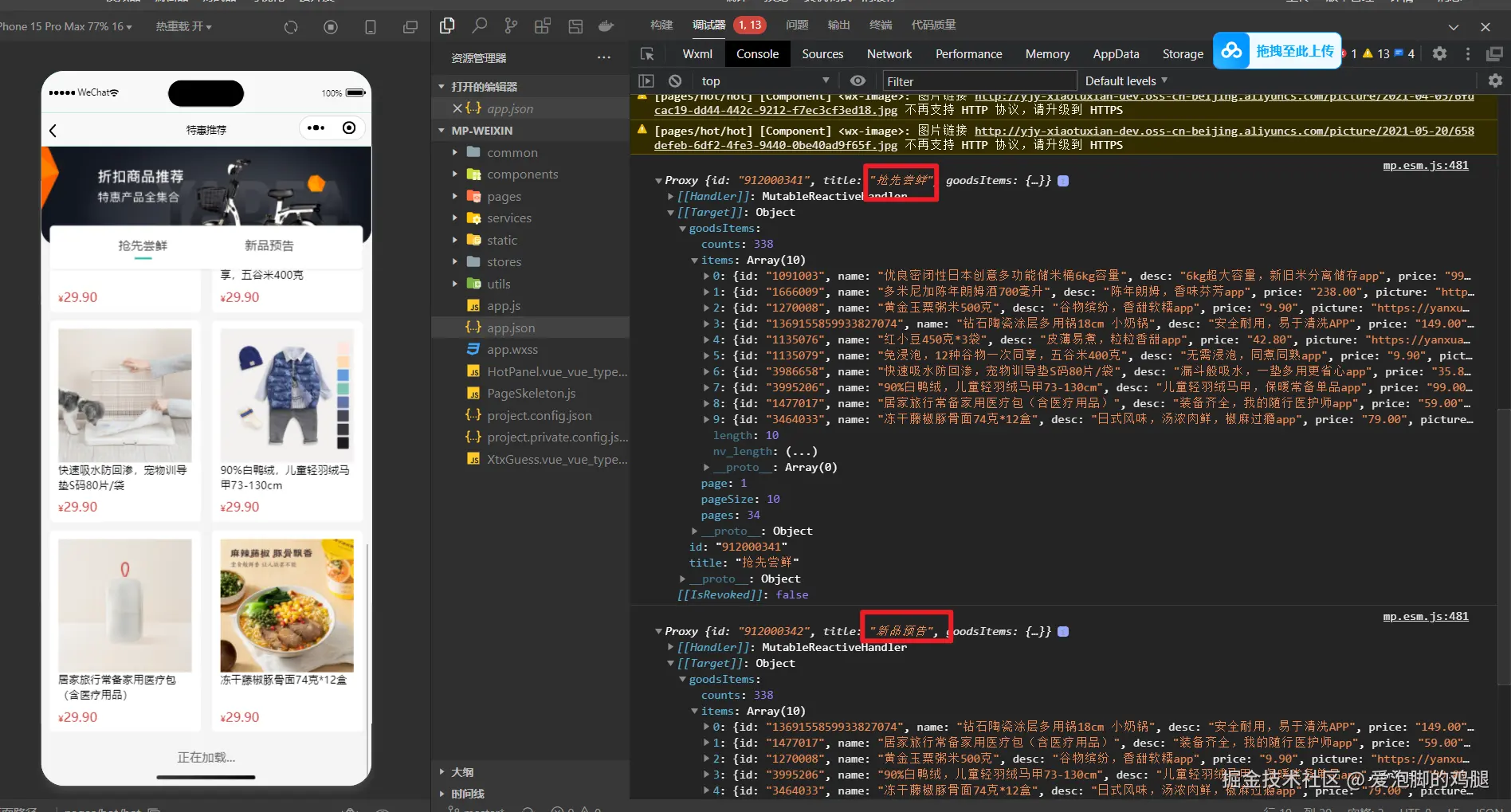
1.9.2 基于对应的id,触底才传goodsitem(用于区别tab)
- getHotRecommendAPI 被调用时传入的就是 currHot?.url,也就是那一个匹配项的 url。所以只会返回哪一个页面的goodsitem 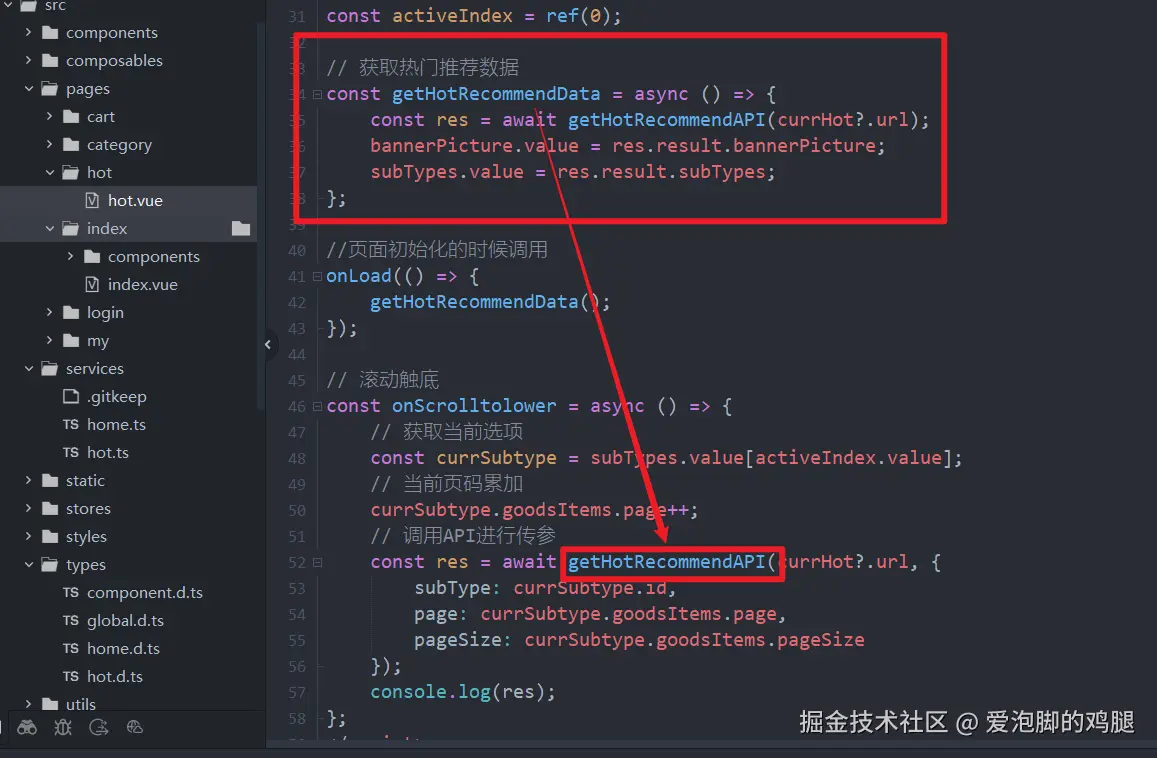 发现只有滚动的对应的tabs才会有goodsitem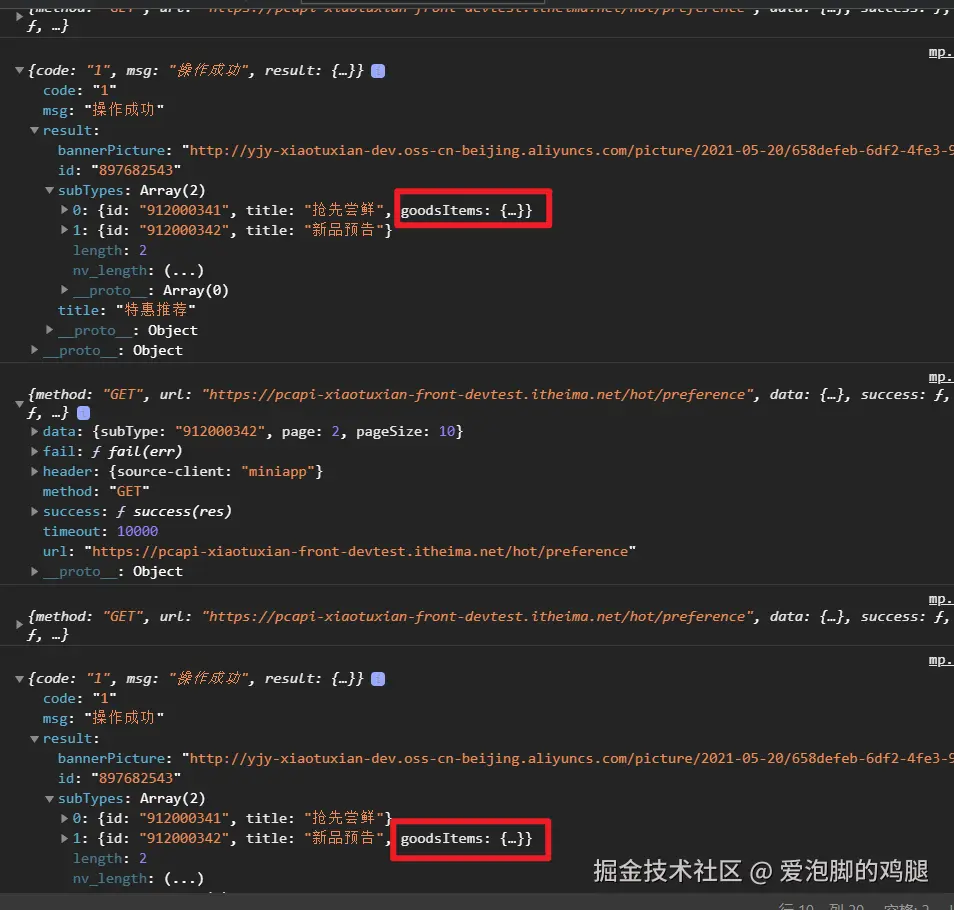
1.9.3 将获取到的新的后端数据添加到列表
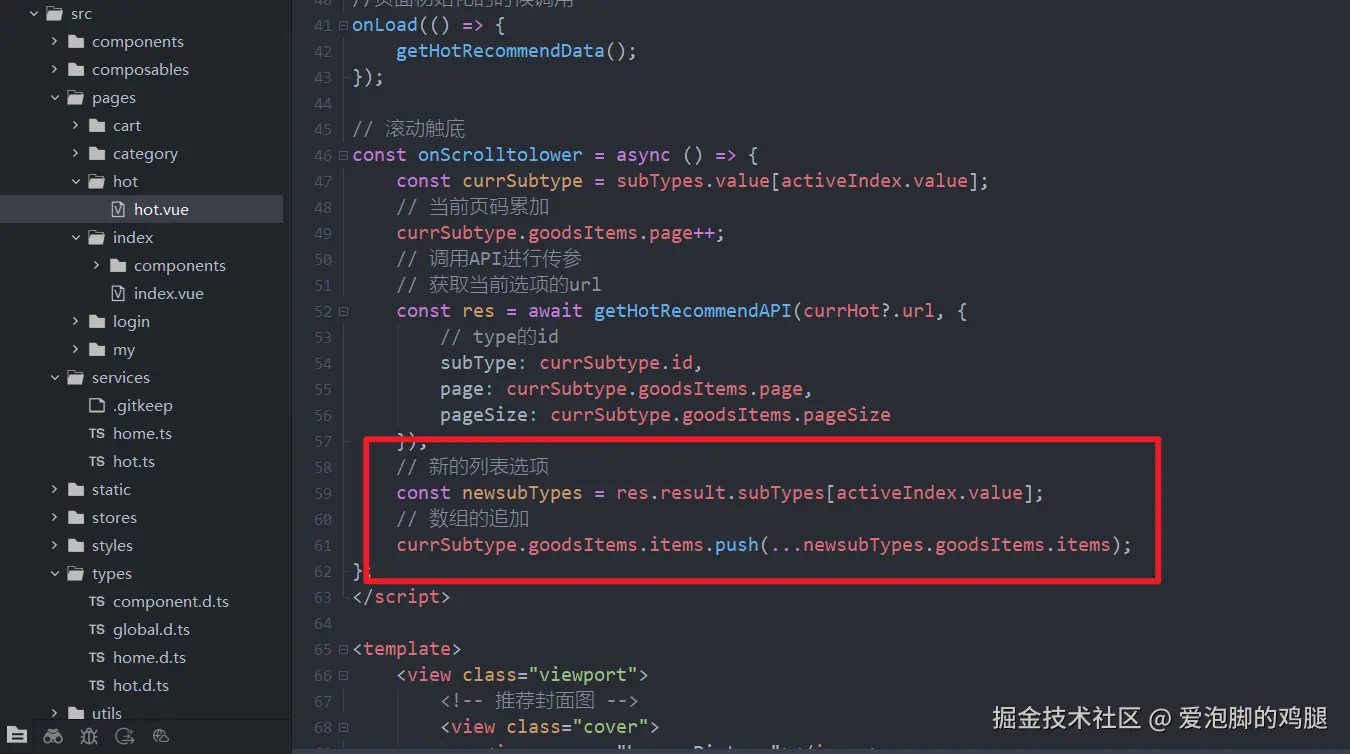
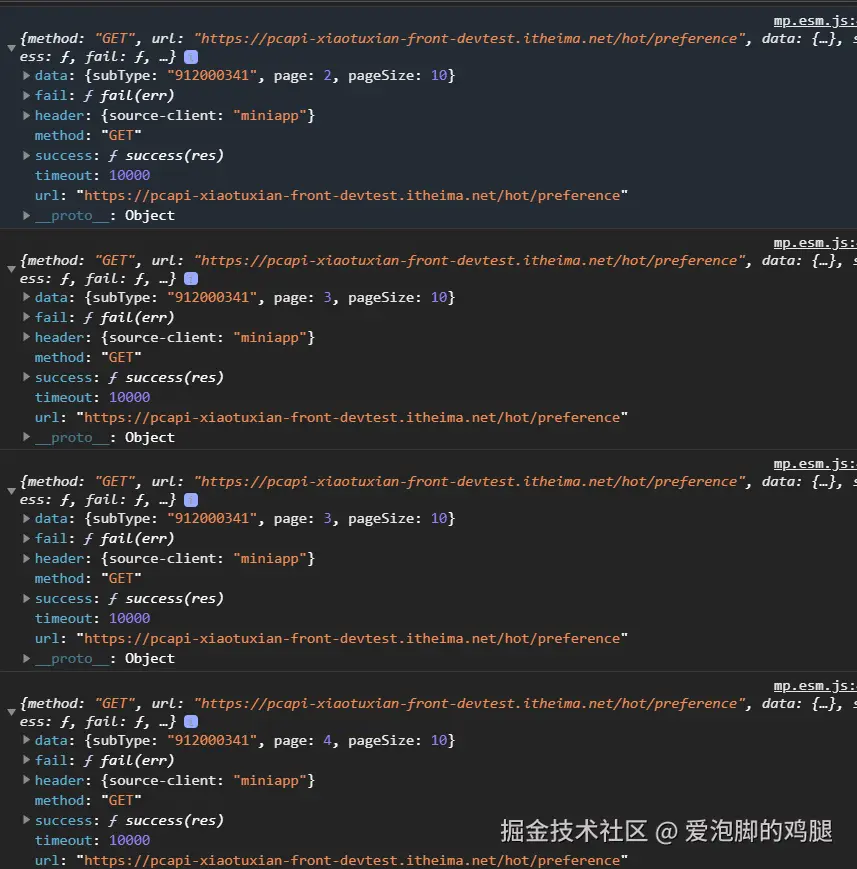
1.9.4 实现了页码的累加和数组的追加
1.10 分页条件
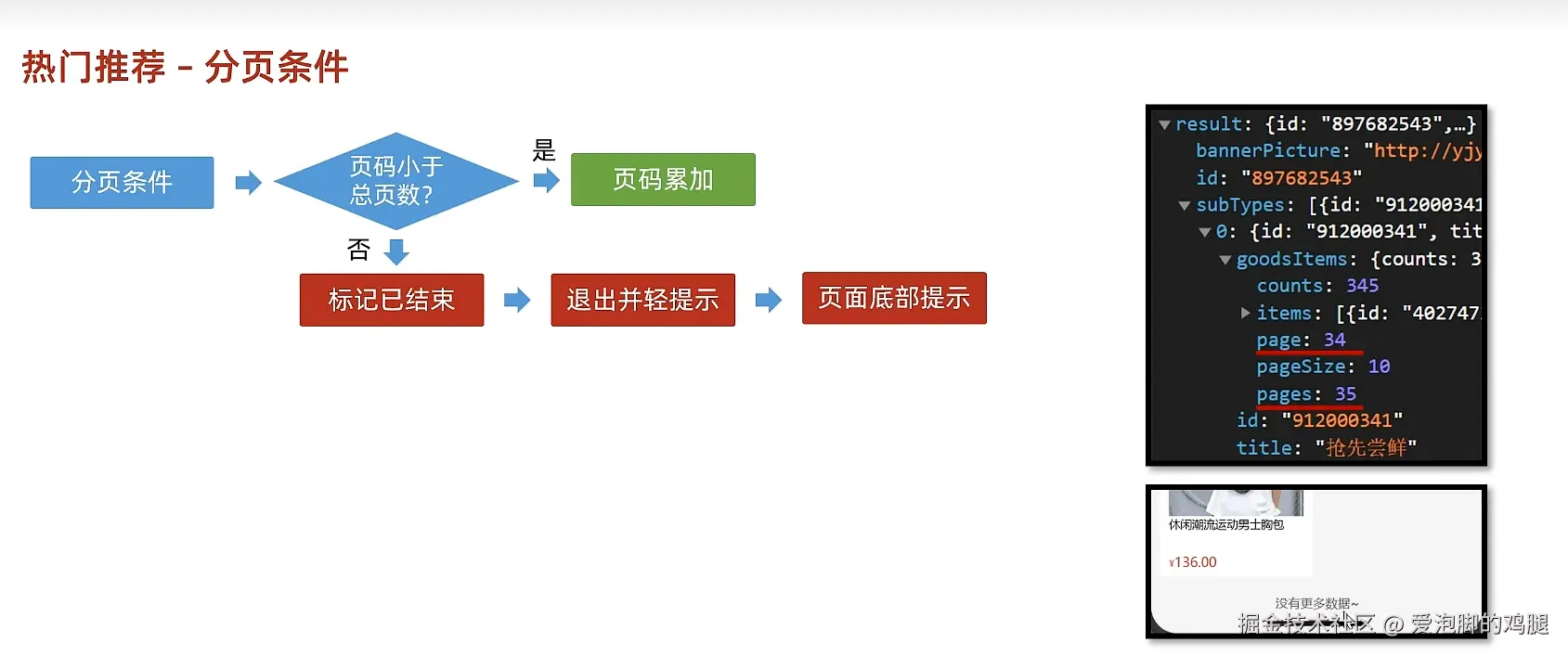
1.10.1 使用条件语句判断是否能继续加载,否则轻提示

页面全都加载完,触发轻提示 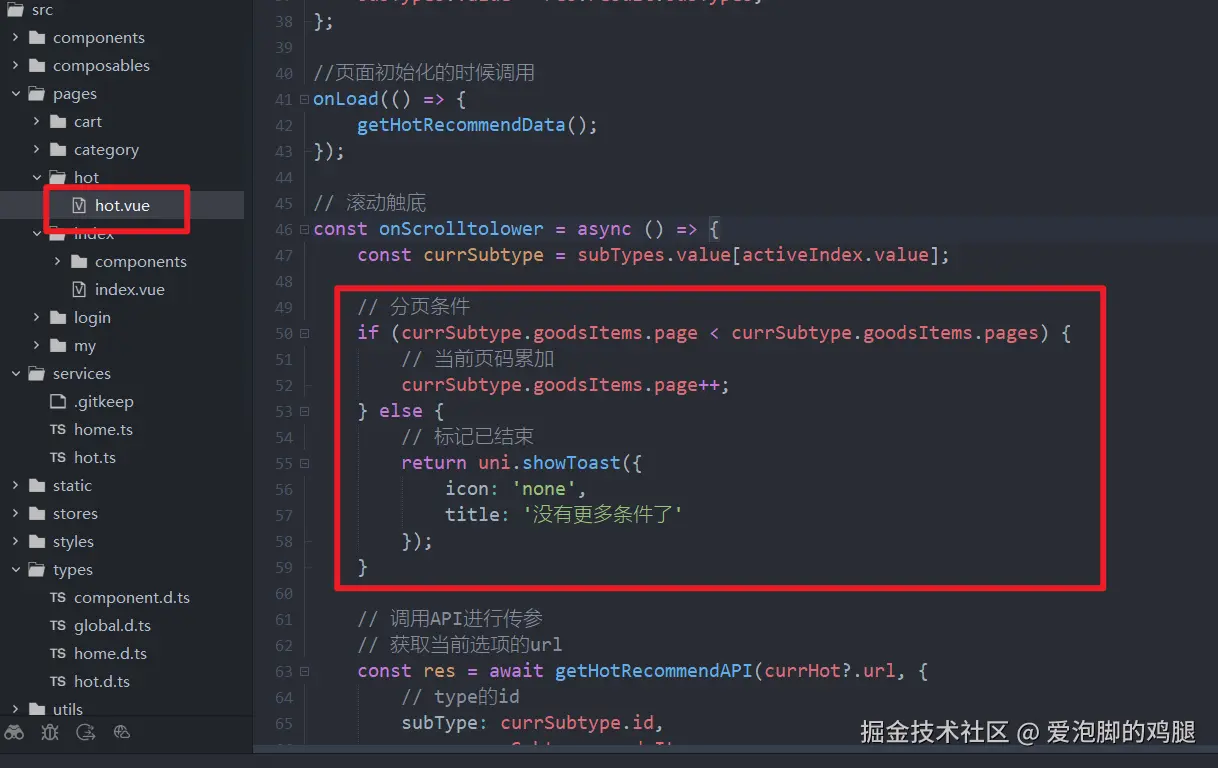
小技巧:如果在开发环境,则设置为30,便于测试。否则为1 
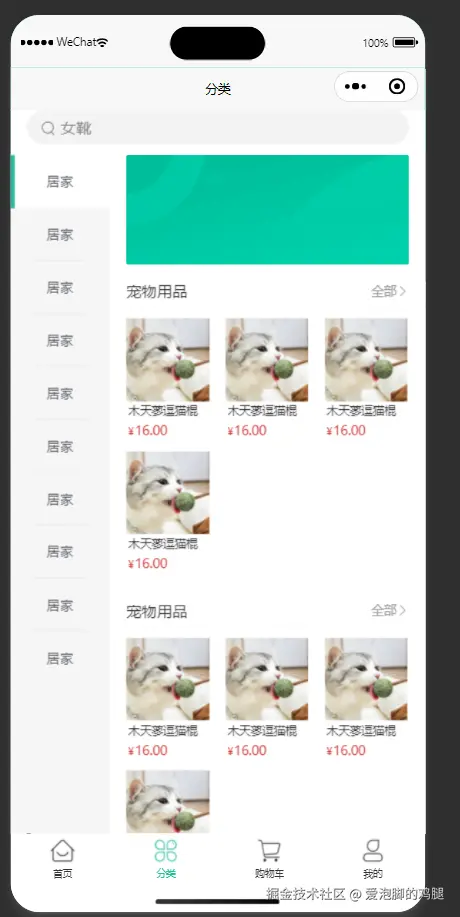
2.商品分类
2.1 静态结构-商品分类页属于tabBar页
html
<script setup lang="ts">
//
</script>

<template>
  <view class="viewport">
    <!-- 搜索框 -->
    <view class="search">
      <view class="input">
        <text class="icon-search">女靴</text>
      </view>
    </view>
    <!-- 分类 -->
    <view class="categories">
      <!-- 左侧:一级分类 -->
      <scroll-view class="primary" scroll-y>
        <view v-for="(item, index) in 10" :key="item" class="item" :class="{ active: index === 0 }">
          <text class="name"> 居家 </text>
        </view>
      </scroll-view>
      <!-- 右侧:二级分类 -->
      <scroll-view class="secondary" scroll-y>
        <!-- 焦点图 -->
        <XtxSwiper class="banner" :list="[]" />
        <!-- 内容区域 -->
        <view class="panel" v-for="item in 3" :key="item">
          <view class="title">
            <text class="name">宠物用品</text>
            <navigator class="more" hover-class="none">全部</navigator>
          </view>
          <view class="section">
            <navigator
              v-for="goods in 4"
              :key="goods"
              class="goods"
              hover-class="none"
              :url="`/pages/goods/goods?id=`"
            >
              <image
                class="image"
                src="https://yanxuan-item.nosdn.127.net/674ec7a88de58a026304983dd049ea69.jpg"
              ></image>
              <view class="name ellipsis">木天蓼逗猫棍</view>
              <view class="price">
                <text class="symbol">¥</text>
                <text class="number">16.00</text>
              </view>
            </navigator>
          </view>
        </view>
      </scroll-view>
    </view>
  </view>
</template>

<style lang="scss">
page {
  height: 100%;
  overflow: hidden;
}
.viewport {
  height: 100%;
  display: flex;
  flex-direction: column;
}
.search {
  padding: 0 30rpx 20rpx;
  background-color: #fff;
  .input {
    display: flex;
    align-items: center;
    justify-content: space-between;
    height: 64rpx;
    padding-left: 26rpx;
    color: #8b8b8b;
    font-size: 28rpx;
    border-radius: 32rpx;
    background-color: #f3f4f4;
  }
}
.icon-search {
  &::before {
    margin-right: 10rpx;
  }
}
/* 分类 */
.categories {
  flex: 1;
  min-height: 400rpx;
  display: flex;
}
/* 一级分类 */
.primary {
  overflow: hidden;
  width: 180rpx;
  flex: none;
  background-color: #f6f6f6;
  .item {
    display: flex;
    justify-content: center;
    align-items: center;
    height: 96rpx;
    font-size: 26rpx;
    color: #595c63;
    position: relative;
    &::after {
      content: '';
      position: absolute;
      left: 42rpx;
      bottom: 0;
      width: 96rpx;
      border-top: 1rpx solid #e3e4e7;
    }
  }
  .active {
    background-color: #fff;
    &::before {
      content: '';
      position: absolute;
      left: 0;
      top: 0;
      width: 8rpx;
      height: 100%;
      background-color: #27ba9b;
    }
  }
}
.primary .item:last-child::after,
.primary .active::after {
  display: none;
}
/* 二级分类 */
.secondary {
  background-color: #fff;
  .carousel {
    height: 200rpx;
    margin: 0 30rpx 20rpx;
    border-radius: 4rpx;
    overflow: hidden;
  }
  .panel {
    margin: 0 30rpx 0rpx;
  }
  .title {
    height: 60rpx;
    line-height: 60rpx;
    color: #333;
    font-size: 28rpx;
    border-bottom: 1rpx solid #f7f7f8;
    .more {
      float: right;
      padding-left: 20rpx;
      font-size: 24rpx;
      color: #999;
    }
  }
  .more {
    &::after {
      font-family: 'erabbit' !important;
      content: '\e6c2';
    }
  }
  .section {
    width: 100%;
    display: flex;
    flex-wrap: wrap;
    padding: 20rpx 0;
    .goods {
      width: 150rpx;
      margin: 0rpx 30rpx 20rpx 0;
      &:nth-child(3n) {
        margin-right: 0;
      }
      image {
        width: 150rpx;
        height: 150rpx;
      }
      .name {
        padding: 5rpx;
        font-size: 22rpx;
        color: #333;
      }
      .price {
        padding: 5rpx;
        font-size: 18rpx;
        color: #cf4444;
      }
      .number {
        font-size: 24rpx;
        margin-left: 2rpx;
      }
    }
  }
}
</style>
2.2 获取轮播图数据
首页轮播图和这里的轮播可以复用
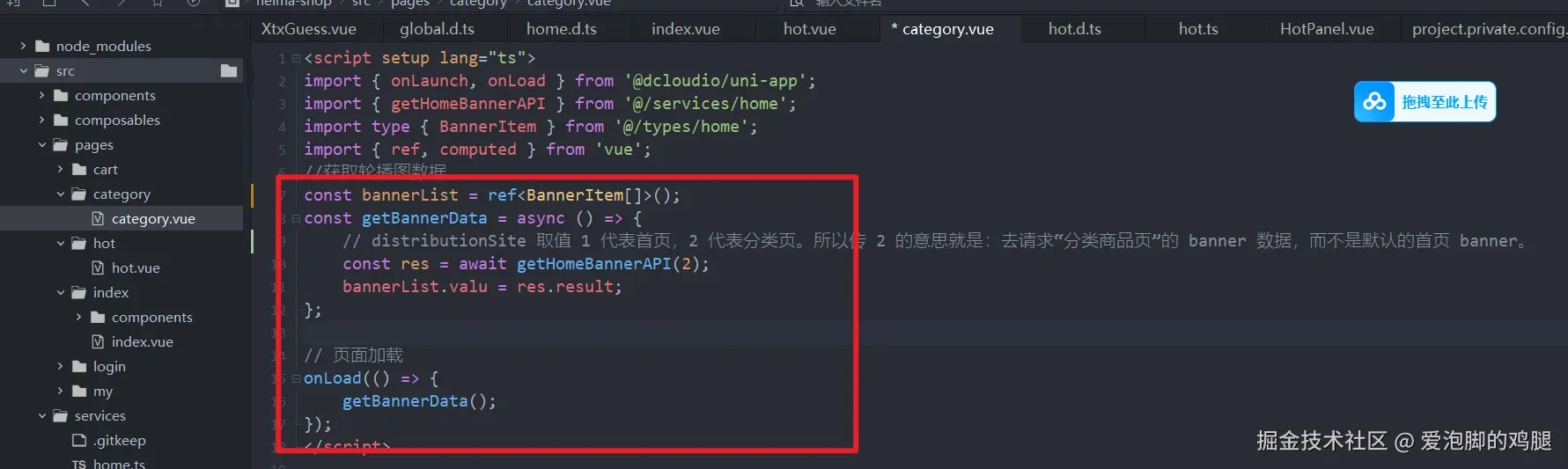 结果:
结果: