1.前言
接到一个将窗合同签署弹窗导出盖章之后的内容为PDF需求,首先想到后端导出,后端反馈导出样式把控困难,实现时间非常久。前端被迫接活导出PDF🤡。
2.实现方案
采用html2Canvas对页面内容进行截图,生成页面内容对应的图片,之后通过JsPDF将图片添加到pdf文件,并导出为PDF文件
html2Canvas + JsPDF
javascript
import html2Canvas from 'html2canvas'
import JsPDF from 'jspdf'
3.具体代码实现
具体代码位置:pv-admin\src\views\devopsManage\noticeManage\list\components\previewDialog.vue
这里大概阐述一下代码逻辑。
1.采用html2Canvas生成一张完整的图片
2.判断图片是否大于一页,如果只有一页则通过pdf.addImage方法塞入pdf
3.如果图片长度大于一页,则需要将图片分割生成多页,这里图片分割采用的方案是,通过canvas的drawImage方法渲染图片的某个高度到某个高度的内容,然后再转成图片,然后通过pdf.addImage一页一页的塞到pdf
4.通过pdf.output('blob')既可获取pdf文件流。
java
async generatePdf() {
  this.loading = true
  try {
    // 导出内容对应的dom的ref
    const element = this.$refs.rightContent
    const canvas = await html2Canvas(element, {
      allowTaint: true,
      useCORS: true,
      scale: 2,
      logging: false,
      letterRendering: true,
    })

    const imgData = canvas.toDataURL('image/jpeg', 1.0)
    // 初始化一个A4纸大小的PDF
    const pdf = new JsPDF('p', 'pt', 'a4')

    // 获取PDF的宽度和高度
    const pdfWidth = pdf.internal.pageSize.getWidth()
    const pdfHeight = pdf.internal.pageSize.getHeight()

    // 设置页面边距
    const marginTop = 40
    const marginBottom = 60

    // 计算图片的宽度和高度及比例
    const imgWidth = canvas.width
    const imgHeight = canvas.height
    const ratio = pdfWidth / imgWidth
    const scaledImgHeight = imgHeight * ratio

    // 使用新的分页方法:按照页面高度切割原始图像
    if (scaledImgHeight <= pdfHeight - marginTop - marginBottom) {
      // 如果内容高度不超过一页,直接添加图像
      pdf.addImage(imgData, 'JPEG', 0, marginTop, pdfWidth, scaledImgHeight)
    } else {
      // 如果内容超过一页,使用多页PDF
      let remainingHeight = imgHeight
      let yOffset = 0
      let pageCount = 0

      while (remainingHeight > 0) {
        // 计算当前页能显示的高度(以原始图像高度计算)
        const pageHeightInCanvas = ((pdfHeight - marginTop - marginBottom) / ratio)
        // 计算实际可用的高度
        const heightToPrint = Math.min(pageHeightInCanvas, remainingHeight)
        // 转换为PDF上实际高度
        const heightOnPdf = heightToPrint * ratio

        // 创建一个新的canvas,只包含当前页需要的部分
        const tmpCanvas = document.createElement('canvas')
        tmpCanvas.width = imgWidth
        tmpCanvas.height = heightToPrint

        const ctx = tmpCanvas.getContext('2d')
        // 将原始canvas的特定部分绘制到临时canvas
        ctx.drawImage(
          canvas,
          0, yOffset, // 源图像的起始位置
          imgWidth, heightToPrint, // 源图像的宽高
          0, 0, // 目标起始位置
          imgWidth, heightToPrint // 目标宽高
        )

        // 如果不是第一页,添加新页
        if (pageCount > 0) {
          pdf.addPage()
        }

        // 将当前页绘制到PDF
        const pageImgData = tmpCanvas.toDataURL('image/jpeg', 1.0)
        pdf.addImage(pageImgData, 'JPEG', 0, marginTop, pdfWidth, heightOnPdf)

        // 更新剩余高度和垂直偏移
        remainingHeight -= heightToPrint
        yOffset += heightToPrint
        pageCount++
      }
    }

    // 获取PDF的blob对象
    const pdfBlob = pdf.output('blob')
    // 创建File对象
    const fileName = `运维工作告知函_${this.detail.noticeNo}.pdf`
    const pdfFile = new File([pdfBlob], fileName, { type: 'application/pdf' })

    // 生成文件路径
    const filePath = '/notice/' + new Date().getTime() + '/' + fileName

    // 直接上传文件
    try {
      const res = await UploadFile(pdfFile, filePath, filePath.substring(1))
      if (res && res.url) {
        this.queryFn(res.url)
      } else {
        this.$message.error('生成PDF失败')
      }
    } catch (error) {
      console.error('上传PDF失败:', error)
      this.$message.error('上传PDF失败')
    }
  } catch (error) {
    console.error('生成PDF失败:', error)
    this.$message.error('生成PDF失败')
  } finally {
    this.loading = false
  }
},
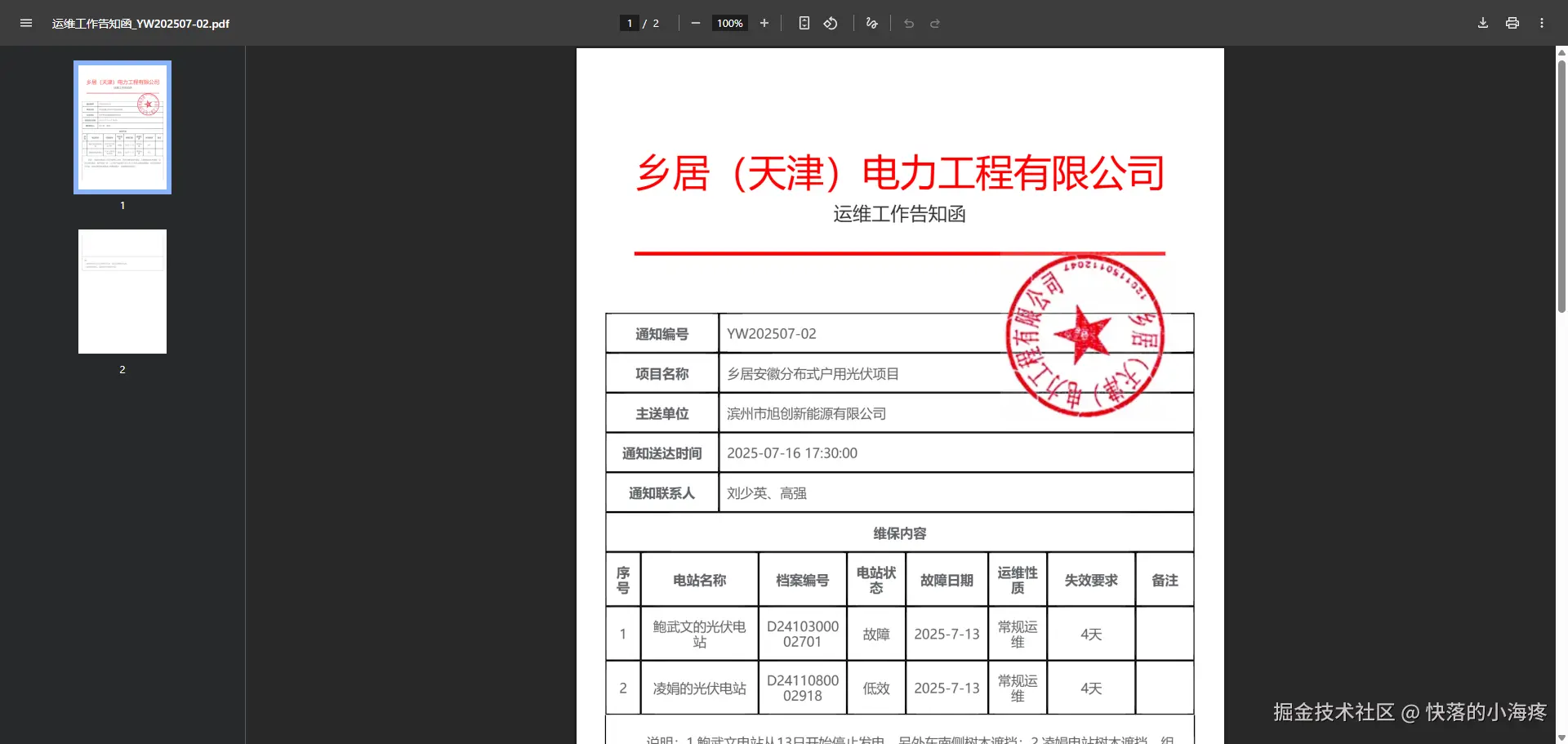
4.效果展示
5.存在问题
采用html2Canvas生成的图片,如果过长,分页时,分页截断的位置不好控制,会出现部分模块被分割到两页(哪怕一行字也看也能会被从中间截断展示)