pytest -- 测试报告allure
官⽅⽂档:https://allurereport.org/docs/pytest-configuration
介绍
Allure Report 由⼀个框架适配器和 allure 命令⾏⼯具组成,是⼀个流⾏的开源⼯具,⽤于可视化测试运⾏的结果。它可以以很少甚⾄零配置的⽅式添加到您的测试⼯作流中。它⽣成的报告可以在任何地⽅打开,并且任何⼈都可以阅读,⽆需深厚的技术知识
安装
下载allure-pytest包
python
pip install allure-pytest==2.13.5下载Windows版Allure报告
下载压缩包
下载链接:https://github.com/allure-framework/allure2/releases/download/2.30.0/allure-2.30.0.zip
添加系统环境变量
将allure-2.29.0对应bin⽬录添加到系统环境变量中
确认结果
打开cmd,查看allure版本
出现 allure 版本则安装成功。
💡 若出现cmd中执⾏ allure --version 可以打印版本,但是pycharm控制台执⾏命令提⽰命题找不到,则需要修改pycharm中命令⾏环境,如下:
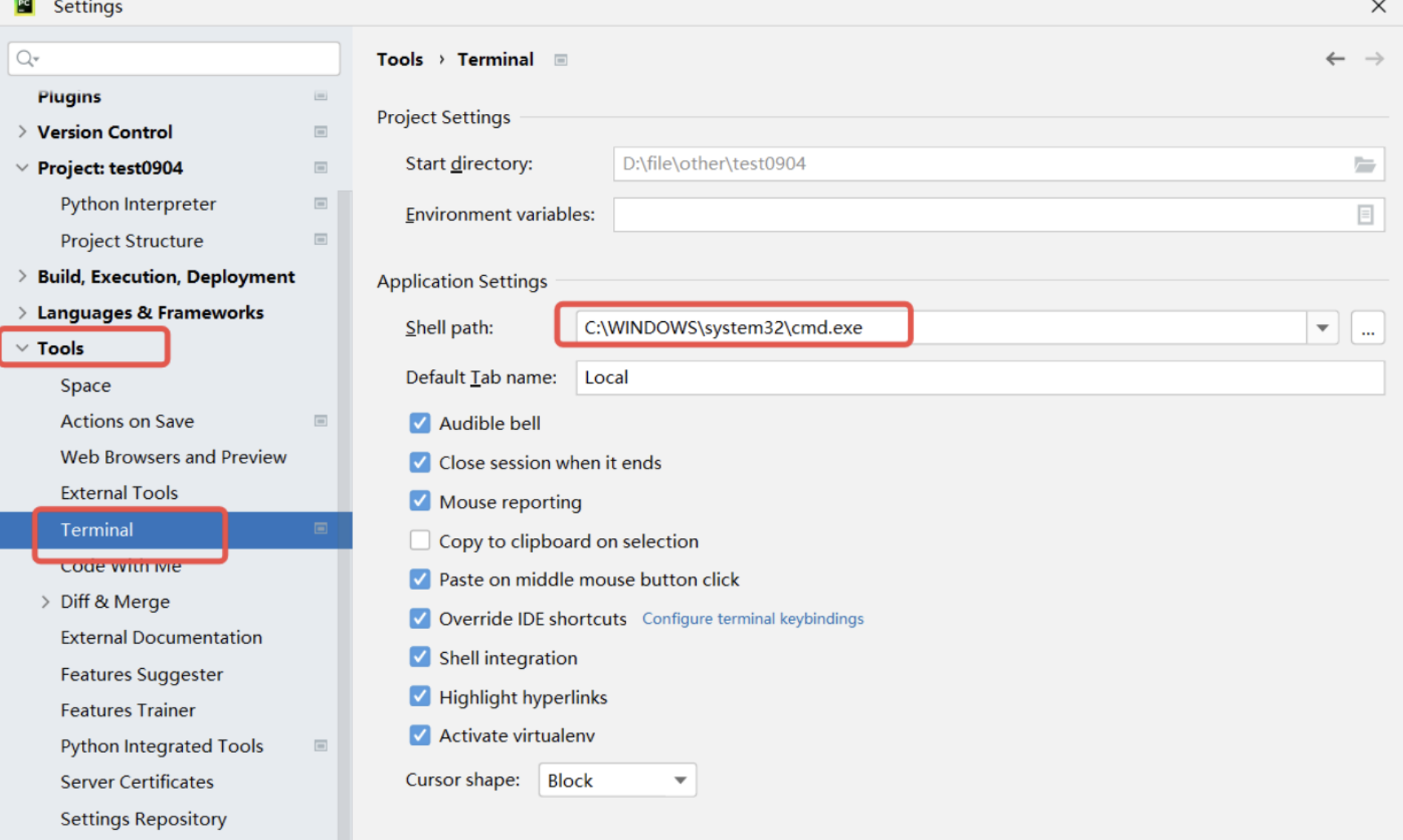
保存后需要重启pycharm!!!!!!
检查pycharm中命令⾏是否可以使⽤allure命令
使⽤
step1:运⾏⾃动化,并指定测试报告放置路径
python
pytest --alluredir=results_dir(保存测试报告的路径)
⽰例:pytest --alluredir=allure-results
step2:查看测试报告
1)⽅法⼀:启动⼀个本地服务器来在浏览器中展⽰测试报告
终端执⾏命令: allure serve options ,⾃动在浏览器打开测试报告
• --host :指定服务器监听的主机地址,默认为 localhost。
• --port :指定服务器监听的端⼝号,默认为 0(⾃动选择空闲端⼝)
• --clean-alluredir :清除上⼀次⽣成的测试报告
⽰例:
python
#不指定端⼝号和主机地址
allure serve .\allure-results\
#指定端⼝号
allure serve --port 8787 .\allure-results\
2)⽅法⼆:从测试结果⽣成测试报告
终端执⾏命令: allure generate options -o
⽰例:
python
allure generate .\allure-results\ -o .\allure-report --clean
python
allure generate .\allure-results\ -o .\allure-report --clean