Wireshark 配置 RTPEngine 解码

Wireshark 菜单/编辑/首选/Protocols

找到 RTPproxy

RTPproxy UDP port(s) 设置为 2223

tcpdump -i any port 2223 -w rtpengine.pcap

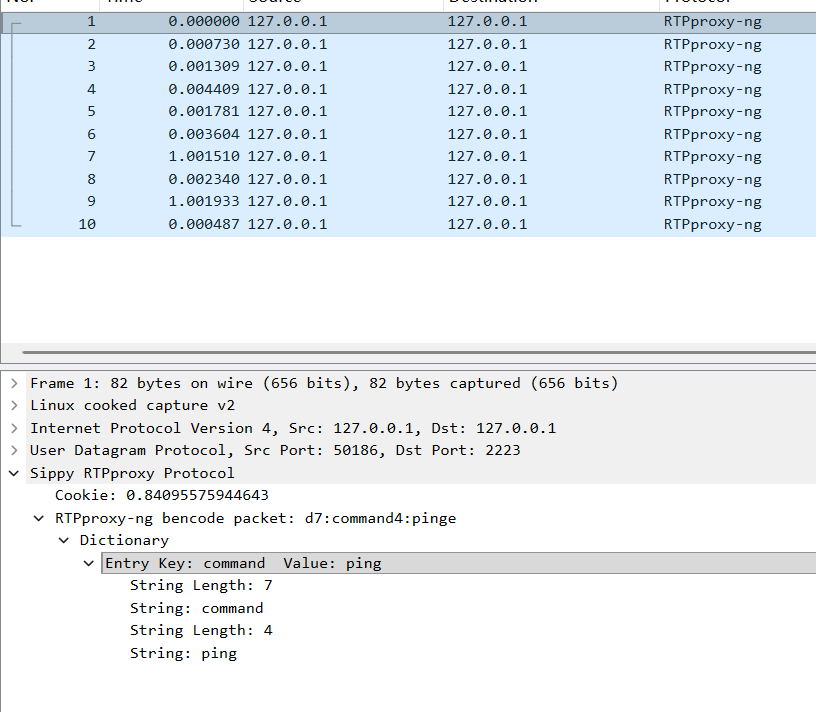
抓到包之后用 Wireshark 打开
您学废了木有?

相关推荐
辣香牛肉面1 天前
Wireshark v4.6.2 开源免费网络嗅探抓包工具中文便携版
网络·测试工具·wireshark
2501_915106321 天前
使用 Sniffmaster TCP 抓包和 Wireshark 网络分析
网络协议·tcp/ip·ios·小程序·uni-app·wireshark·iphone
M_qsqsqsq3 天前
Wireshark过滤 -两条报文之间的时间差
网络·tcp/ip·wireshark
小李独爱秋3 天前
计算机网络经典问题透视:如何探知无线AP的SSID与BSSID?
网络协议·计算机网络·wireshark·信息与通信
佟以冬4 天前
Wireshark抓包基础
网络·测试工具·安全·网络安全·wireshark
Wpa.wk5 天前
curl-发送请求 和 tcpdump与wireshark的介绍
测试工具·wireshark·tcpdump·curl
云小逸8 天前
【网络通信】Wireshark 教程与抓包实战
网络·测试工具·wireshark
zhaotiannuo_19988 天前
渗透测试之wireshark
网络·测试工具·wireshark
云小逸9 天前
【网络通信】Wireshark 与 TCP/IP 五层模型速读手册
tcp/ip·测试工具·wireshark
Remember_99311 天前
TCP/IP协议深度解析:从传输控制到网络互联的完整体系
网络·网络协议·tcp/ip·http·wireshark·信息与通信