uniapp实现数据存储到本地文件,除非卸载app,否则数据一直存在
storeFile.js:
bash
// /common/StoreFile.js
/**
 * 文件持久化存储工具(App 端专属)
 * - 数据存于 _doc/ 目录(永不被系统清理)
 * - 支持任意 JSON 对象的 CRUD 操作
 */

export default {
  /**
   * 保存数据到文件
   * @param {string} fileName - 文件名(如 'user_profile')
   * @param {Object} data - 要存储的数据对象
   */
  save(fileName, data) {
    // #ifdef APP-PLUS
    try {
      const basePath = plus.io.convertLocalFileSystemURL('_doc/');
      plus.io.resolveLocalFileSystemURL(basePath, (entry) => {
        entry.getFile(`${fileName}.json`, { create: true }, (fileEntry) => {
          fileEntry.createWriter((writer) => {
            writer.onerror = (e) => console.error(`❌ ${fileName}写入失败`, e);
            writer.onwrite = () => console.log(`✅ ${fileName} 已持久化存储`);
            writer.write(JSON.stringify(data, null, 2));
          });
        });
      });
    } catch (e) {
      console.error(`❌ ${fileName}存储异常`, e);
    }
    // #endif
  },

  /**
   * 读取文件数据
   * @param {string} fileName
   * @returns {Promise<Object>} 数据对象
   */
  read(fileName) {
    return new Promise((resolve, reject) => {
      // #ifdef APP-PLUS
      try {
        const basePath = plus.io.convertLocalFileSystemURL('_doc/');
        plus.io.resolveLocalFileSystemURL(basePath, (entry) => {
          entry.getFile(`${fileName}.json`, { create: false }, (fileEntry) => {
            fileEntry.file((file) => {
              const reader = new plus.io.FileReader();
              reader.onload = (e) => {
                try {
                  resolve(JSON.parse(e.target.result));
                } catch (err) {
                  reject(new Error(`JSON解析失败: ${err.message}`));
                }
              };
              reader.onerror = (e) => reject(new Error(`读取失败: ${e.message}`));
              reader.readAsText(file);
            });
          }, () => reject(new Error('文件不存在')));
        });
      } catch (e) {
        reject(new Error(`读取异常: ${e.message}`));
      }
      // #endif
    });
  },

  /**
   * 删除文件
   * @param {string} fileName
   */
  delete(fileName) {
    // #ifdef APP-PLUS
    try {
      const basePath = plus.io.convertLocalFileSystemURL('_doc/');
      plus.io.resolveLocalFileSystemURL(basePath, (entry) => {
        entry.getFile(`${fileName}.json`, { create: false }, (fileEntry) => {
          fileEntry.remove(() => console.log(`🗑️ ${fileName} 已删除`));
        });
      });
    } catch (e) {
      console.error(`❌ ${fileName}删除异常`, e);
    }
    // #endif
  }
};
App.vue:
bash
<script>
// 🔑 新增:导入存储工具
import StoreFile from '@/common/StoreFile.js';

export default {
  onLaunch: function() {
    console.log('App Launch');
    this.clearAllBadges();
    this.clearHuaweiBadgeOnLaunch();

    // 🔑【关键】存储用户数据(App.vue 只负责存)
    // 示例1:基础数据
    const userData1 = { username: 'zhangchang', age: 30 };
    StoreFile.save('user_profile', userData1);

    // 示例2:复杂数据(含 person, oaid 等)
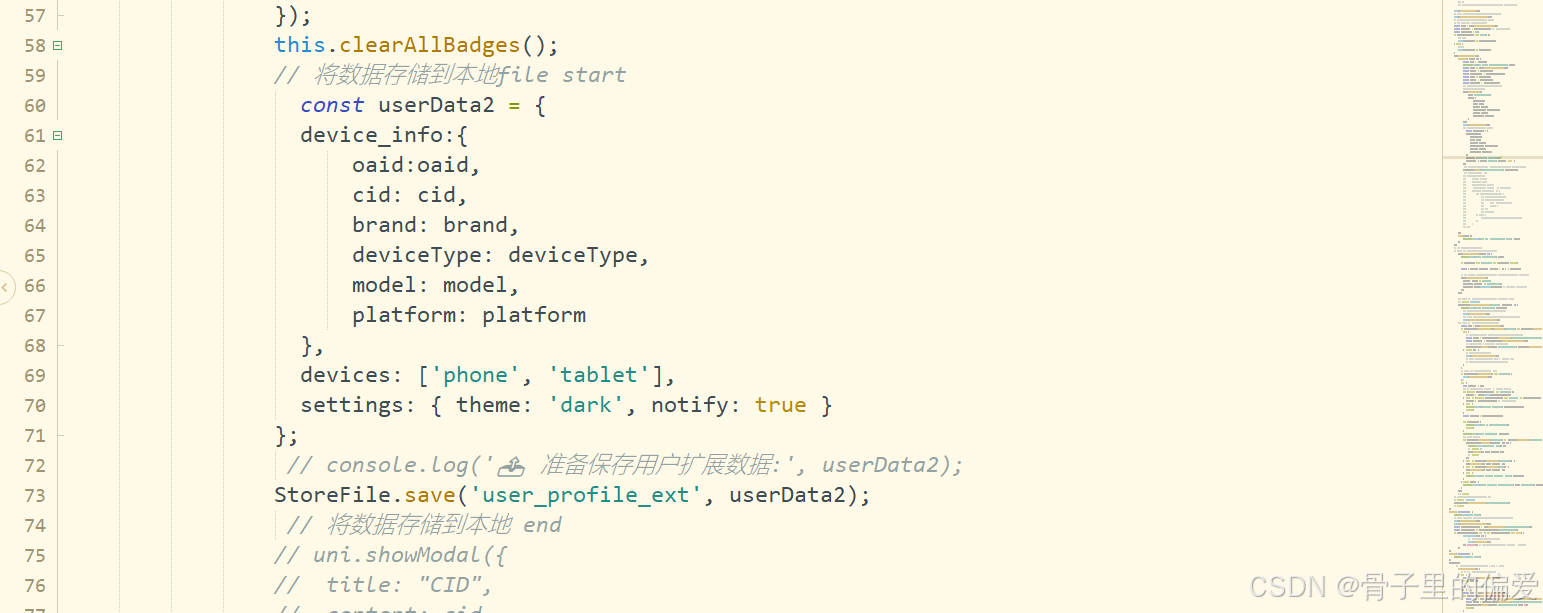
    const userData2 = {
      username: 'zhang1111',
      age: 30,
      person: 20,
      oaid: '77777xxxcc-oocds',
      devices: ['phone', 'tablet'],
      settings: { theme: 'dark', notify: true }
    };
    StoreFile.save('user_profile_ext', userData2);

    // 👇 你原有的全部逻辑(完全保留)👇
    const info = uni.getSystemInfoSync();
    const platform = info.platform;
    const deveiceId = '';
    if (info.platform === 'ios') {
      this.deveiceId = info.deviceId;
    } else {
      this.deveiceId = info.oaid;
    }
    uni.getPushClientId({
      success: (res) => {
        const cid = res.cid;
        console.log('✅ 获取到 push_clientid:', cid);
        const info = uni.getSystemInfoSync();
        const brand = info.brand;
        const deviceType = info.deviceType;
        const oaid = info.oaid;
        const model = info.model;
        const platform = info.platform;
        uni.setStorage({
          key: 'device_info',
           {
            oaid:oaid,
            cid: cid,
            brand: brand,
            deviceType: deviceType,
            model: model,
            platform: platform
          }
        });
        this.clearAllBadges();
        uni.showModal({
          title: "CID",
          content: cid,
          confirmText: "确认",
           showCancel: false,
          success: (modalRes) => {
            if (modalRes.confirm) {
              // ...
            } else {
              console.log('用户取消了隐私政策的确认');
            }
          }
        });
      },
      fail(err) {
        console.error('❌ 获取 push_clientid 失败', err);
      }
    });
    // ...(后续推送监听等代码完全不变,此处省略以节省篇幅)
  },

  // ... 其他 methods(完全不变)
}
</script>

<style>
/*每个页面公共css */
</style>index.vue中的代码如下:(完整的CURD操作)
bash
<template>
  <view class="container">
    <view class="card">
      <text class="title">📁 用户数据操作</text>
      <button @click="loadData" class="btn">🔍 读取数据</button>
      <button @click="addNewField" class="btn">➕ 新增字段</button>
      <button @click="updateAge" class="btn">✏️ 修改年龄</button>
      <button @click="deleteData" class="btn btn-danger">🗑️ 删除数据</button>
    </view>

    <view class="card" v-if="userData">
      <text class="title">📊 当前数据</text>
      <view v-for="(value, key) in userData" :key="key" class="item">
        <text class="key">{{ key }}:</text>
        <text class="value">{{ formatValue(value) }}</text>
      </view>
    </view>
  </view>
</template>

<script>
// 🔑 新增:导入存储工具
import StoreFile from '@/common/StoreFile.js';
import permision from "@/common/permission.js";
import Coordinates from './coordinates/coordinates.vue';

export default {
  components: { Coordinates },
  data() {
    return {
      userData: null,
      network: '',
      // ... 你的其他 data
    };
  },
  onLoad(options) {
    this.network = options.network ? decodeURIComponent(options.network) : '';
    this.startNetworkCheck();
    console.log('之后获取到的数据展示');

    // 自动加载数据
    this.loadData();
  },

  methods: {
    // 1️⃣ 读取数据
    async loadData() {
      try {
        // 读取基础数据
        const data1 = await StoreFile.read('user_profile');
        console.log('✅ 读取 user_profile:', data1);

        // 读取扩展数据
        const data2 = await StoreFile.read('user_profile_ext');
        console.log('✅ 读取 user_profile_ext:', data2);

        // 合并展示(或单独使用)
        this.userData = { ...data1, ...data2 };
      } catch (err) {
        console.warn('⚠️ 读取失败:', err.message);
        uni.showToast({ title: '无用户数据', icon: 'none' });
      }
    },

    // 2️⃣ 新增字段(例如添加 phone)
    async addNewField() {
      try {
        // 读取现有数据
        const current = await StoreFile.read('user_profile_ext');

        // 新增字段
        current.phone = '13800138000';
        current.lastModified = new Date().toISOString();

        // 保存
        StoreFile.save('user_profile_ext', current);

        uni.showToast({ title: '新增字段成功', icon: 'success' });
        this.userData = current;
      } catch (err) {
        uni.showToast({ title: '新增失败', icon: 'error' });
        console.error('新增失败', err);
      }
    },

    // 3️⃣ 修改年龄
    async updateAge() {
      try {
        const current = await StoreFile.read('user_profile');
        current.age += 1; // 年龄+1
        StoreFile.save('user_profile', current);

        uni.showToast({ title: `年龄更新为 ${current.age}`, icon: 'success' });
        this.userData = { ...this.userData, ...current };
      } catch (err) {
        uni.showToast({ title: '修改失败', icon: 'error' });
        console.error('修改失败', err);
      }
    },

    // 4️⃣ 删除数据
    deleteData() {
      uni.showModal({
        title: '确认删除',
        content: '将永久删除用户数据!',
        success: (res) => {
          if (res.confirm) {
            StoreFile.delete('user_profile');
            StoreFile.delete('user_profile_ext');
            this.userData = null;
            uni.showToast({ title: '数据已删除', icon: 'success' });
          }
        }
      });
    },

    // 辅助方法:格式化显示
    formatValue(val) {
      if (typeof val === 'object') {
        return JSON.stringify(val).substring(0, 30) + '...';
      }
      return String(val);
    },

    // 👇 你原有的 methods(完全保留)👇
    // ...(onBackPress, message, scan 等,此处省略)
  }
};
</script>

<style>
.container {
  padding: 20rpx;
  background-color: #f5f5f5;
}
.card {
  background: white;
  border-radius: 12rpx;
  padding: 30rpx;
  margin-bottom: 20rpx;
  box-shadow: 0 2rpx 10rpx rgba(0,0,0,0.05);
}
.title {
  font-size: 32rpx;
  font-weight: bold;
  margin-bottom: 20rpx;
  display: block;
}
.btn {
  background-color: #007aff;
  color: white;
  border: none;
  border-radius: 8rpx;
  padding: 20rpx;
  margin: 10rpx 0;
  width: 100%;
}
.btn-danger { background-color: #e64340; }
.item {
  margin: 10rpx 0;
  padding: 10rpx 0;
  border-bottom: 1rpx solid #eee;
}
.key {
  font-weight: bold;
  color: #555;
}
.value {
  color: #888;
  font-size: 26rpx;
}
</style>
文件存储验证:
真机运行后,文件路径:
Android: /data/data/【包名】/files/user_profile.json
iOS: Documents/user_profile.json