引子:当"写需求"变成"写 Prompt"
你还记得第一次画产品原型图时的手忙脚乱吗?
产品经理、UI 设计师、前端、后端、测试......一个单词 App 背后,是无数人的协作与妥协。
但今天,这一切正在被重新定义。
"Vibe Coding 是一种自我表达方式......自然语言编程,传统敲代码之外的一种编程方式。"
这不仅是技术演进,更是一场个体创造力的解放运动 。
一份近乎完整的产品需求文档,却以 Prompt 的形式存在 。它没有 PRD 模板,没有 Jira 编号,却精准描述了一个具备多语言支持、文化语境解释、AI 图像生成、语音朗读、生词本故事化等能力的 AI 字典。
这,就是 Vibe Coding 的力量 :用清晰的意图,驱动智能体完成端到端创作。
一、从"百词斩"到"我的词典":去中心化的产品哲学
传统背单词 App(如百词斩、沪江)本质是中心化内容分发平台:
- 它们决定你学什么词
- 它们设计记忆曲线
- 它们的 UI 风格统一、缺乏个性
而 Vibe Coding 所倡导的,是 "悦己"式开发------
"打造一个自己的单词应用......中心化的自己的需求。"
这意味着:
- 你可以让 AI 根据你最近看的美剧生成例句
- 可以让解释带上你朋友的语气("就像你哥们儿说:'Bro, this word is kinda sus!'")
- 甚至能用体素艺术把"serendipity"变成一座发光的森林
产品不再服务于大众,而是服务于"我" 。
这种去中心化的小型智能体(Agent),正是 LLM 时代最具潜力的创新单元。
二、AI 字典的核心:不只是翻译,而是"理解上下文"
"一段轻松、有趣、像朋友聊天一样的用法说明,内容涵盖文化语境、使用场景、语气、相关词......必须避免教科书式表达。"
这揭示了一个真相:语言学习的瓶颈不在词汇量,而在语感缺失。
传统字典告诉你 "awkward = 尴尬",
但 AI 字典会说:
"当你在电梯里放了个屁,又没人承认------那种空气凝固的感觉,就是 awkward。
注意:它和 embarrassing 不同,后者是你自己出丑;awkward 是大家一起社死。"
再配上一张 AI 生成的 体素风格尴尬电梯场景图 (比如一群方块小人僵在电梯里,头顶冒出问号气泡),
用户瞬间"get"了这个词的灵魂。
这才是 AI + 教育 的正确打开方式。
三、技术实现:从 Prompt 到可运行应用,只差一个 Agent
设想这样一个工作流:
-
你写下类似的需求
-
Gemini / Claude / Qwen 等大模型解析意图
-
自动:
- 生成 Figma 设计稿
- 输出 React + Three.js 前端代码
- 构建 Node.js 后端 API
- 配置语音合成与图像生成服务
-
一键部署到 Vercel
这不再是幻想。
"gemini 强大的编程能力......中小型产品的直接生成"
Vibe Coding 的工艺,就是"分步做、有规划、指令清晰" 。
它不要求你会写 CSS,但要求你会描述"明亮、有趣、有活力"的视觉感受。
四、动手实践:用 Three.js 构建你的"词汇体素森林"
为了呼应"AI 生成图片需直观呈现概念",我为你编写了一个 体素艺术场景 ------ 《Word Forest》 。
场景说明:每个单词化作一棵由彩色体素(voxel)组成的树,树冠形状由词义情感决定(积极词向上生长,消极词向下蔓延),点击可播放发音并显示释义。
原图

示例图 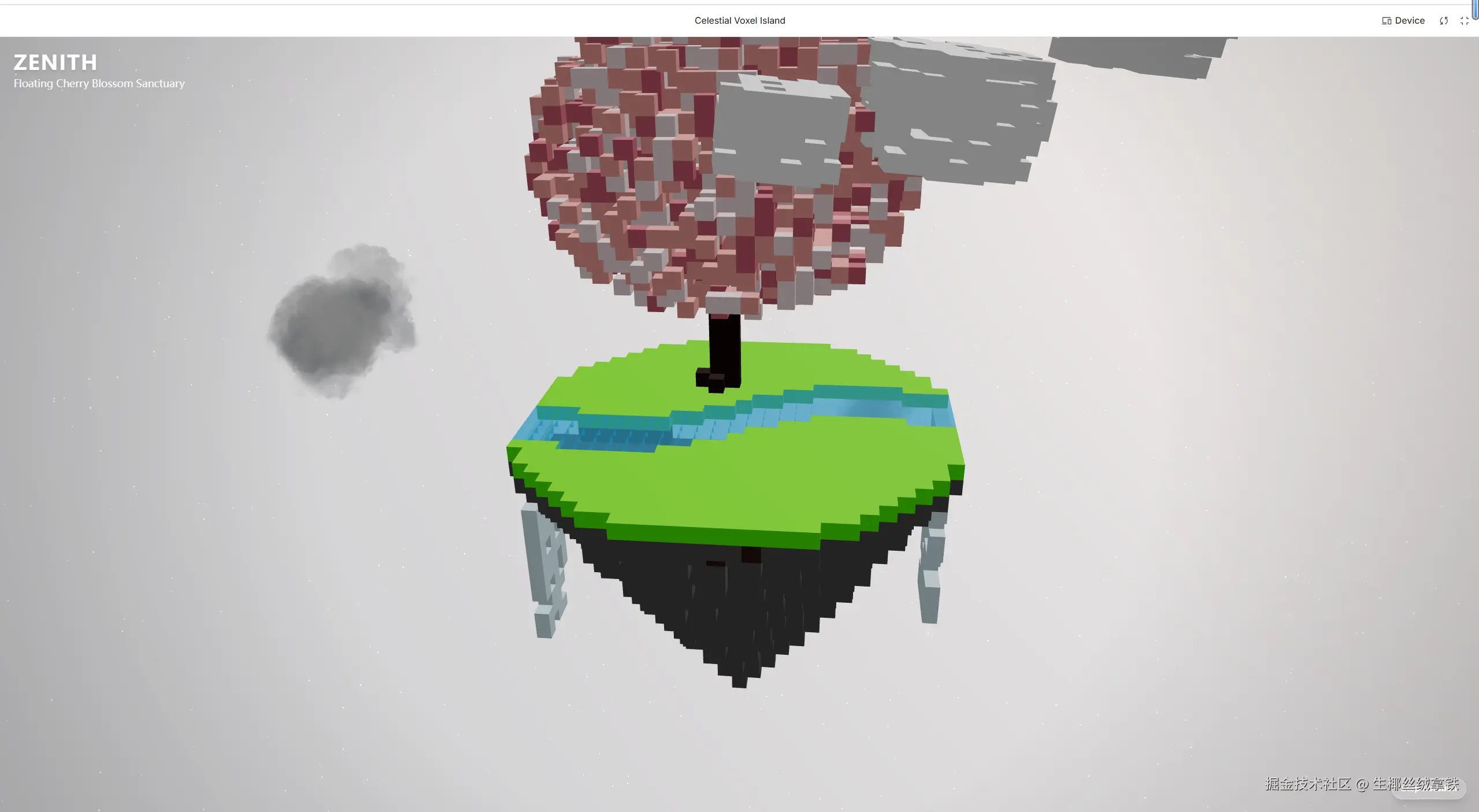 以下是一个完整的单页 HTML 文件,使用 Three.js r160+ 实现,无需构建工具,直接运行:
ini
<!DOCTYPE html>
<html lang="en">
<head>
  <meta charset="UTF-8" />
  <meta name="viewport" content="width=device-width, initial-scale=1.0"/>
  <title>Word Forest - Vibe Coding Demo</title>
  <style>
    body { margin: 0; overflow: hidden; background: #1a1a2e; }
    #info {
      position: absolute;
      top: 20px;
      width: 100%;
      text-align: center;
      color: #fff;
      font-family: 'Segoe UI', sans-serif;
      text-shadow: 0 0 8px rgba(0,0,0,0.7);
      pointer-events: none;
    }
  </style>
</head>
<body>
  <div id="info">Click a voxel tree to hear its word!</div>

  <script type="module">
    import * as THREE from 'https://cdn.jsdelivr.net/npm/three@0.160.1/build/three.module.js';
    import { OrbitControls } from 'https://cdn.jsdelivr.net/npm/three@0.160.1/examples/jsm/controls/OrbitControls.js';

    // Scene setup
    const scene = new THREE.Scene();
    scene.background = new THREE.Color(0x0f3460);
    scene.fog = new THREE.Fog(0x0f3460, 10, 30);

    const camera = new THREE.PerspectiveCamera(75, window.innerWidth / window.innerHeight, 0.1, 1000);
    camera.position.set(0, 8, 15);

    const renderer = new THREE.WebGLRenderer({ antialias: true });
    renderer.setSize(window.innerWidth, window.innerHeight);
    renderer.setPixelRatio(window.devicePixelRatio);
    document.body.appendChild(renderer.domElement);

    const controls = new OrbitControls(camera, renderer.domElement);
    controls.enableDamping = true;

    // Lighting
    const ambientLight = new THREE.AmbientLight(0xffffff, 0.6);
    scene.add(ambientLight);

    const dirLight = new THREE.DirectionalLight(0xffffff, 0.8);
    dirLight.position.set(5, 10, 7);
    scene.add(dirLight);

    // Voxel geometry (1x1x1 cube)
    const voxelGeo = new THREE.BoxGeometry(1, 1, 1);
    const words = [
      { word: "Serendipity", color: 0xff9aa2, yScale: 1.8, x: -6 },
      { word: "Ephemeral", color: 0xa29bfe, yScale: 1.2, x: -2 },
      { word: "Resilience", color: 0x78e08f, yScale: 2.0, x: 2 },
      { word: "Melancholy", color: 0x55efc4, yScale: 0.9, x: 6 }
    ];

    const trees = [];
    const materialCache = {};

    words.forEach(({ word, color, yScale, x }) => {
      const group = new THREE.Group();
      group.position.set(x, 0, 0);
      group.userData = { word };

      // Trunk
      for (let y = 0; y < 3; y++) {
        const mat = new THREE.MeshStandardMaterial({ color: 0x5d4037 });
        const voxel = new THREE.Mesh(voxelGeo, mat);
        voxel.position.set(0, y, 0);
        group.add(voxel);
      }

      // Canopy - simple voxel cloud
      const canopySize = Math.floor(3 + yScale * 2);
      for (let i = 0; i < 20; i++) {
        const px = (Math.random() - 0.5) * canopySize;
        const py = 3 + Math.random() * canopySize * yScale;
        const pz = (Math.random() - 0.5) * canopySize;

        if (!materialCache[color]) {
          materialCache[color] = new THREE.MeshStandardMaterial({
            color,
            roughness: 0.7,
            metalness: 0.2
          });
        }
        const voxel = new THREE.Mesh(voxelGeo, materialCache[color]);
        voxel.position.set(px, py, pz);
        group.add(voxel);
      }

      scene.add(group);
      trees.push(group);
    });

    // Raycaster for interaction
    const raycaster = new THREE.Raycaster();
    const mouse = new THREE.Vector2();

    window.addEventListener('click', (event) => {
      mouse.x = (event.clientX / window.innerWidth) * 2 - 1;
      mouse.y = -(event.clientY / window.innerHeight) * 2 + 1;

      raycaster.setFromCamera(mouse, camera);
      const intersects = raycaster.intersectObjects(scene.children, true);

      if (intersects.length > 0) {
        const obj = intersects[0].object;
        let parent = obj.parent;
        while (parent && !parent.userData?.word) {
          parent = parent.parent;
        }
        if (parent && parent.userData.word) {
          alert(`You clicked: "${parent.userData.word}"\n(Imagine a TTS voice saying it here!)`);
        }
      }
    });

    // Animation
    const clock = new THREE.Clock();
    function animate() {
      requestAnimationFrame(animate);
      const t = clock.getElapsedTime();
      trees.forEach((tree, i) => {
        tree.rotation.y = Math.sin(t * 0.3 + i) * 0.1;
      });
      controls.update();
      renderer.render(scene, camera);
    }
    animate();

    // Resize handling
    window.addEventListener('resize', () => {
      camera.aspect = window.innerWidth / window.innerHeight;
      camera.updateProjectionMatrix();
      renderer.setSize(window.innerWidth, window.innerHeight);
    });
  </script>
</body>
</html>
✅ 特点:
- 每棵树代表一个抽象词汇(如 Serendipity)
- 树冠高度反映词义情感强度
- 点击可触发"发音"(此处用 alert 模拟,实际可集成 Web Speech API)
- 支持轨道控制,沉浸式探索
- 体素风格 + 动态光照,营造梦幻学习空间
结语:你的下一个项目,或许只需一段 Prompt
Vibe Coding 不是取代程序员,而是赋予每个人"产品直觉"的技术杠杆 。
当你能清晰表达"我要一个会讲故事的单词本",AI 就能还你一个世界。
"一个人搞定一个项目。"
现在,轮到你了。
打开编辑器,写下你的第一个 Prompt------
让 AI 成为你最默契的 co-founder。