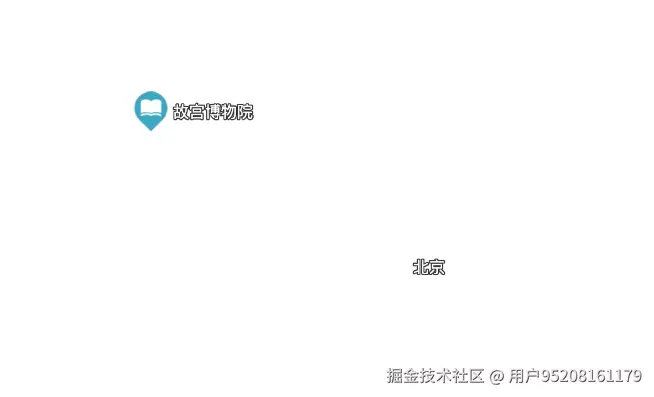
在地图可视化项目中,标签(Label)是最常见的元素之一。无论是 POI 点标注、道路名称显示,还是自定义图标展示,都需要一个强大且易用的标签组件。MapVThree 的 Label 组件正是为此而生,它提供了丰富的功能和灵活的配置选项,让开发者能够轻松实现各种标签渲染需求。
本文将详细介绍 Label 组件的使用方法,包括基础配置、样式自定义、数据绑定等实用技巧,帮助开发者快速上手并应用到实际项目中。
一、Label 组件简介
Label 组件是 MapVThree 中用于批量渲染标签的核心组件,它支持三种渲染类型:
- 文本标签(text):纯文本渲染,适用于地名、POI 名称等场景
- 图标标签(icon):图标渲染,适用于自定义图标展示
- 组合标签(icontext):图标和文字的组合,适用于需要同时显示图标和文字的场景
Label 组件特别适合批量管理大量标签数据,提供了整体显隐控制、碰撞检测等高级功能。对于少量标签的加载和管理,推荐使用 RenderingLabel 组件。
二、快速开始
2.1 基础文本标签
创建一个简单的文本标签只需要几个步骤:
js
// 1. 创建 Label 实例
const textLabel = engine.add(new mapvthree.Label({
    type: 'text',
    textSize: 16,
    textFillStyle: 'rgb(255, 8, 8)', // 文字颜色
    textStrokeStyle: 'rgba(0, 0, 0, 1)', // 描边颜色
    textStrokeWidth: 2, // 描边宽度
}));

// 2. 准备数据
const data = mapvthree.GeoJSONDataSource.fromGeoJSON([
    {
        type: 'Feature',
        geometry: {
            type: 'Point',
            coordinates: [116.404, 39.915] // 经纬度坐标
        },
        properties: {
            text: '北京市',
        }
    }
]);

// 3. 定义属性映射
data.defineAttribute('text', 'text');

// 4. 绑定数据源
textLabel.dataSource = data;
2.2 图标标签
创建图标标签需要启用 vertexIcons 选项:
js
// 创建图标标签
const iconLabel = engine.add(new mapvthree.Label({
    type: 'icon',
    vertexIcons: true, // 启用数据中的图标属性
    iconWidth: 40,
    iconHeight: 40,
}));

// 准备数据
const data = mapvthree.GeoJSONDataSource.fromGeoJSON([
    {
        type: 'Feature',
        geometry: {
            type: 'Point',
            coordinates: [116.404, 39.915]
        },
        properties: {
            icon: 'path/to/icon.png', // 图标路径
        }
    }
]);

// 定义属性
data.defineAttribute('icon', 'icon');
iconLabel.dataSource = data;
2.3 组合标签
组合标签可以同时显示图标和文字:
js
// 创建组合标签
const label = engine.add(new mapvthree.Label({
    type: 'icontext',
    vertexIcons: true,
    textSize: 16,
    textFillStyle: 'rgb(255, 8, 8)',
    iconWidth: 40,
    iconHeight: 40,
}));

// 准备数据
const data = mapvthree.GeoJSONDataSource.fromGeoJSON([
    {
        type: 'Feature',
        geometry: {
            type: 'Point',
            coordinates: [116.404, 39.915]
        },
        properties: {
            icon: 'path/to/icon.png',
            text: '北京市',
        }
    }
]);

// 定义属性
data.defineAttribute('icon', 'icon');
data.defineAttribute('text', 'text');
label.dataSource = data;
三、配置参数详解
3.1 基础配置
| 参数 | 类型 | 默认值 | 说明 |
|---|---|---|---|
type |
String | 'icon' |
渲染类型:'icon'、'text'、'icontext' |
vertexIcons |
Boolean | false |
是否从数据中读取图标路径 |
flat |
Boolean | false |
是否贴地渲染(文字会随地形起伏) |
3.2 文本样式配置
| 参数 | 类型 | 默认值 | 说明 |
|---|---|---|---|
textSize |
Number | 16 |
文字大小(像素) |
textFamily |
String | 'sans-serif' |
字体族 |
textFillStyle |
String/Array | [255,255,255] |
文字颜色,支持 CSS 颜色字符串或 RGBA 数组 |
textStrokeStyle |
String/Array | [0,0,0] |
描边颜色 |
textStrokeWidth |
Number | 0 |
描边宽度 |
textWeight |
String | '400' |
字体粗细 |
textAnchor |
String | 'center' |
文字锚点位置 |
textOffset |
Array | [0,0] |
文字偏移量 [x, y] |
textAlign |
String | 'center' |
文本对齐方式:'left'、'right'、'center' |
textPadding |
Array | [0,2] |
文字内边距 [x, y] |
**文字锚点(textAnchor)**支持以下值:
'center':居中'left'、'right'、'top'、'bottom':单方向对齐'top-left'、'top-right'、'bottom-left'、'bottom-right':角落对齐
3.3 图标样式配置
| 参数 | 类型 | 默认值 | 说明 |
|---|---|---|---|
iconWidth |
Number | 40 |
图标宽度(像素) |
iconHeight |
Number | 40 |
图标高度(像素) |
mapSrc |
String | - | 默认图标路径(当 vertexIcons 为 false 时使用) |
useIconScale |
Boolean | false |
是否使用图片自身的宽高比 |
3.4 布局配置
| 参数 | 类型 | 默认值 | 说明 |
|---|---|---|---|
padding |
Array | [2, 2] |
文字与图标之间的间距 [x, y] |
offset |
Array | [0, 0] |
标签整体偏移量 |
rotateZ |
Number | 0 |
旋转角度(度) |
3.5 高级配置
| 参数 | 类型 | 默认值 | 说明 |
|---|---|---|---|
enableFade |
Boolean | false |
是否启用淡入淡出效果(需要数据中包含 id 字段) |
enableCollision |
Boolean | false |
是否启用碰撞检测 |
keepSize |
Boolean | false |
是否保持标签大小不变(不受缩放影响) |
transparent |
Boolean | false |
是否透明 |
opacity |
Number | 1 |
透明度(0-1) |
四、数据绑定
4.1 属性定义
在使用 Label 组件时,需要通过 defineAttribute 方法定义数据属性与组件属性的映射关系:
js
const data = mapvthree.GeoJSONDataSource.fromGeoJSON([...]);

// 定义文本属性
data.defineAttribute('text', 'text');

// 定义图标属性
data.defineAttribute('icon', 'icon');

// 使用函数定义属性(动态计算)
data.defineAttribute('textSize', (properties, item, index) => {
    return properties.count > 100 ? 20 : 16;
});
4.2 自定义样式属性
除了在初始化时设置全局样式,还可以在数据中为每个标签设置自定义样式:
js
const data = mapvthree.GeoJSONDataSource.fromGeoJSON([
    {
        type: 'Feature',
        geometry: {
            type: 'Point',
            coordinates: [116.404, 39.915]
        },
        properties: {
            text: '北京市',
            textSize: 18, // 自定义文字大小
            textFillStyle: 'rgb(255, 0, 0)', // 自定义文字颜色
            textAnchor: 'bottom', // 自定义锚点
            textOffset: [0, 10], // 自定义偏移
            rotateZ: 45, // 自定义旋转角度
            iconSize: [50, 50], // 自定义图标大小(仅图标标签)
        }
    }
]);

// 定义所有自定义属性
data.defineAttribute('text', 'text');
data.defineAttribute('textSize', 'textSize');
data.defineAttribute('textFillStyle', 'textFillStyle');
data.defineAttribute('textAnchor', 'textAnchor');
data.defineAttribute('textOffset', 'textOffset');
data.defineAttribute('rotateZ', 'rotateZ');
data.defineAttribute('iconSize', 'iconSize');
4.3 属性重命名
当多个对象共享同一个数据源时,可以使用 addAttributeRename 方法重命名属性:
js
// 创建共享数据源
const sharedData = mapvthree.GeoJSONDataSource.fromGeoJSON([...]);
sharedData.defineAttribute('color1', (p, item, j, i) => {
    return new THREE.Color(i / totalSize, 0, 0);
});
sharedData.defineAttribute('color2', (p, item, j, i) => {
    return new THREE.Color(0, i / totalSize, 0);
});
sharedData.defineAttribute('text', (p, item, j, i) => {
    return `标签 ${i}`;
});

// 创建点对象,使用 color1
const point = engine.add(new mapvthree.SimplePoint({
    vertexColors: true,
}));
point.addAttributeRename('color', 'color1');
point.dataSource = sharedData;

// 创建标签对象,使用 color2 作为文字颜色
const label = engine.add(new mapvthree.Label({
    type: 'text',
}));
label.addAttributeRename('textFillStyle', 'color2');
label.dataSource = sharedData;
五、实际应用场景
5.1 POI 点标注
在地图上标注 POI 点,通常需要显示名称和图标:
js
const poiLabel = engine.add(new mapvthree.Label({
    type: 'icontext',
    vertexIcons: true,
    textSize: 14,
    textFillStyle: '#333333',
    textStrokeStyle: 'rgba(255, 255, 255, 0.8)',
    textStrokeWidth: 2,
    iconWidth: 32,
    iconHeight: 32,
    textAnchor: 'bottom',
    padding: [4, 4],
}));

const poiData = mapvthree.GeoJSONDataSource.fromGeoJSON(poiFeatures);
poiData.defineAttribute('icon', 'icon');
poiData.defineAttribute('text', 'name');
poiLabel.dataSource = poiData;
5.2 道路名称标注
道路名称通常需要贴地显示,并支持旋转:
js
const roadLabel = engine.add(new mapvthree.Label({
    type: 'text',
    textSize: 12,
    textFillStyle: '#666666',
    textStrokeStyle: 'rgba(255, 255, 255, 0.9)',
    textStrokeWidth: 3,
    flat: true, // 贴地显示
    textAnchor: 'center',
}));

const roadData = mapvthree.GeoJSONDataSource.fromGeoJSON(roadFeatures);
roadData.defineAttribute('text', 'name');
roadData.defineAttribute('rotateZ', 'angle'); // 根据道路方向旋转
roadLabel.dataSource = roadData;
5.3 动态数据更新
当标签数据需要动态更新时,直接修改数据源即可:
js
// 添加新标签
dataSource.add([
    new mapvthree.DataItem([116.404, 39.915], {
        id: 'new-label',
        text: '新标签',
    })
]);

// 更新标签属性
dataSource.setAttributeValues('new-label', {
    text: '更新后的标签',
    textSize: 20,
});

// 删除标签
dataSource.remove('new-label');
5.4 启用淡入淡出效果
当标签数据频繁变化时,启用淡入淡出可以提升用户体验:
js
const label = engine.add(new mapvthree.Label({
    type: 'text',
    enableFade: true, // 启用淡入淡出
    fadeDuration: 300, // 淡入淡出时长(毫秒)
}));

// 数据中必须包含 id 字段
const data = mapvthree.GeoJSONDataSource.fromGeoJSON([
    {
        type: 'Feature',
        geometry: {
            type: 'Point',
            coordinates: [116.404, 39.915]
        },
        properties: {
            id: 'label-1', // 必须包含 id
            text: '标签',
        }
    }
]);
5.5 启用碰撞检测
当标签数量较多时,启用碰撞检测可以自动隐藏重叠的标签:
js
const label = engine.add(new mapvthree.Label({
    type: 'text',
    enableCollision: true, // 启用碰撞检测
}));
六、动画效果
Label 组件支持多种动画效果,让标签更加生动:
js
const label = engine.add(new mapvthree.Label({
    type: 'text',
    animationRotate: true, // 旋转动画
    animationJump: true, // 跳跃动画
    animationJumpHeight: 10, // 跳跃高度
    // animationBreath: true, // 呼吸动画
    // animationScale: true, // 缩放动画
}));
七、事件交互
Label 组件支持点击和右键点击事件:
js
label.addEventListener('click', (event) => {
    console.log('点击了标签', event.entity.value);
    // event.entity.value 包含标签的数据
    // event.entity.index 是标签的索引
});

label.addEventListener('rightclick', (event) => {
    console.log('右键点击了标签', event.entity.value);
});
八、完整示例
下面是一个完整的使用示例,展示了如何创建一个功能完整的标签系统:
js
// 初始化引擎
const engine = new mapvthree.Engine({
    // ... 引擎配置
});

// 创建标签组件
const label = engine.add(new mapvthree.Label({
    type: 'icontext',
    vertexIcons: true,
    textSize: 16,
    textFillStyle: '#333333',
    textStrokeStyle: 'rgba(255, 255, 255, 0.9)',
    textStrokeWidth: 2,
    iconWidth: 40,
    iconHeight: 40,
    textAnchor: 'bottom',
    padding: [4, 4],
    enableFade: true,
    enableCollision: true,
}));

// 准备数据
const features = [
    {
        type: 'Feature',
        geometry: {
            type: 'Point',
            coordinates: [116.404, 39.915]
        },
        properties: {
            id: 'poi-1',
            icon: 'assets/icons/restaurant.png',
            text: '餐厅',
            category: 'food',
        }
    },
    // ... 更多数据
];

const dataSource = mapvthree.GeoJSONDataSource.fromGeoJSON(features);

// 定义属性
dataSource.defineAttribute('icon', 'icon');
dataSource.defineAttribute('text', 'text');

// 根据类别设置不同的文字颜色
dataSource.defineAttribute('textFillStyle', (properties) => {
    const colorMap = {
        food: '#FF6B6B',
        hotel: '#4ECDC4',
        shop: '#FFE66D',
    };
    return colorMap[properties.category] || '#333333';
});

// 绑定数据源
label.dataSource = dataSource;

// 添加交互事件
label.addEventListener('click', (event) => {
    const data = event.entity.value;
    console.log('点击了', data.text);
    // 可以在这里实现详情展示、高亮等交互
});

// 动态更新数据
function updateLabels(newFeatures) {
    dataSource.clear();
    dataSource.add(newFeatures);
}
九、总结
Label 组件是 MapVThree 中功能强大且易于使用的标签渲染组件。
在实际项目中,根据具体需求选择合适的配置,合理使用碰撞检测、淡入淡出等高级功能,可以创建出既美观又高性能的地图标签系统。