通过 Gemini 写了一个手势交互的动画网页。
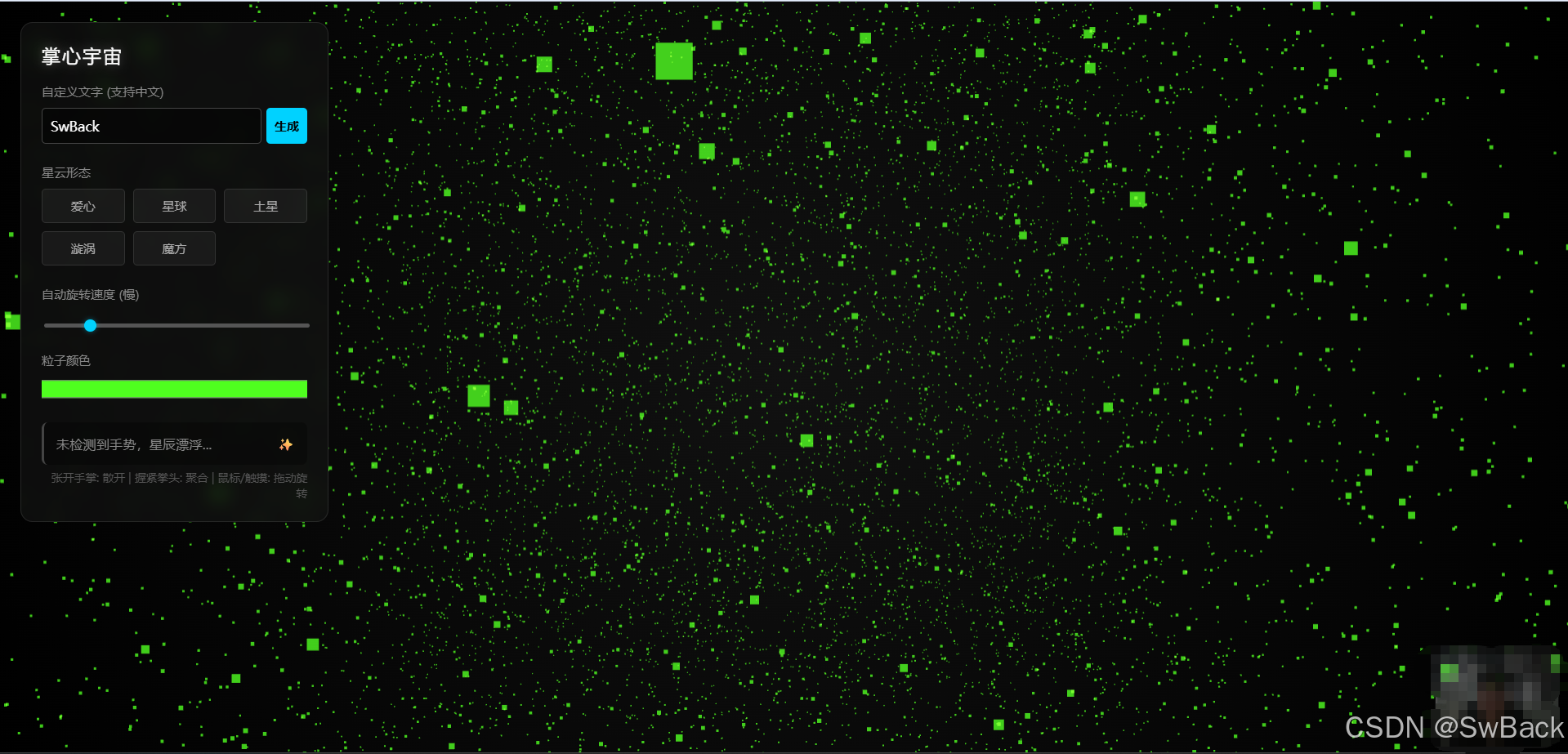
当张开手掌时 为散开。
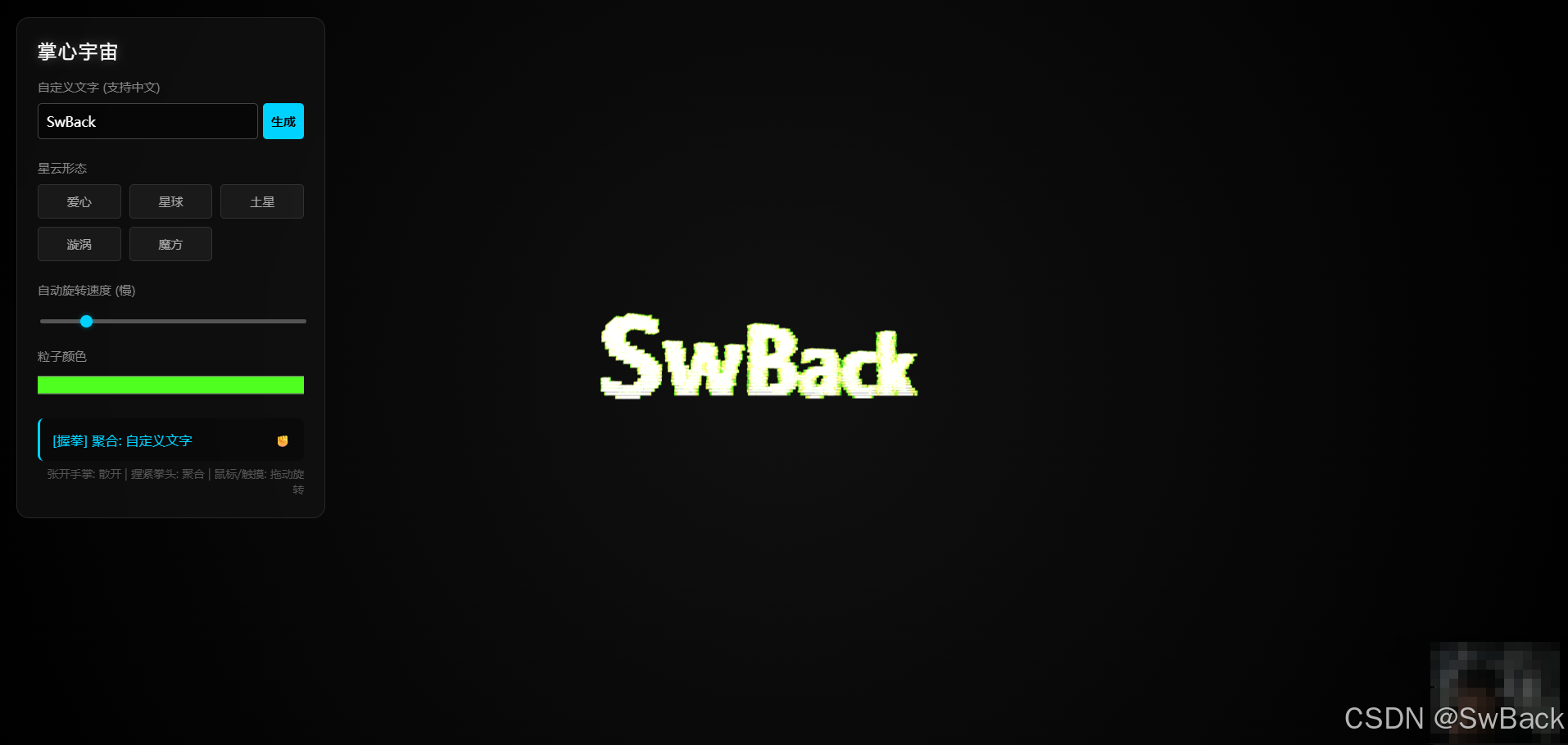
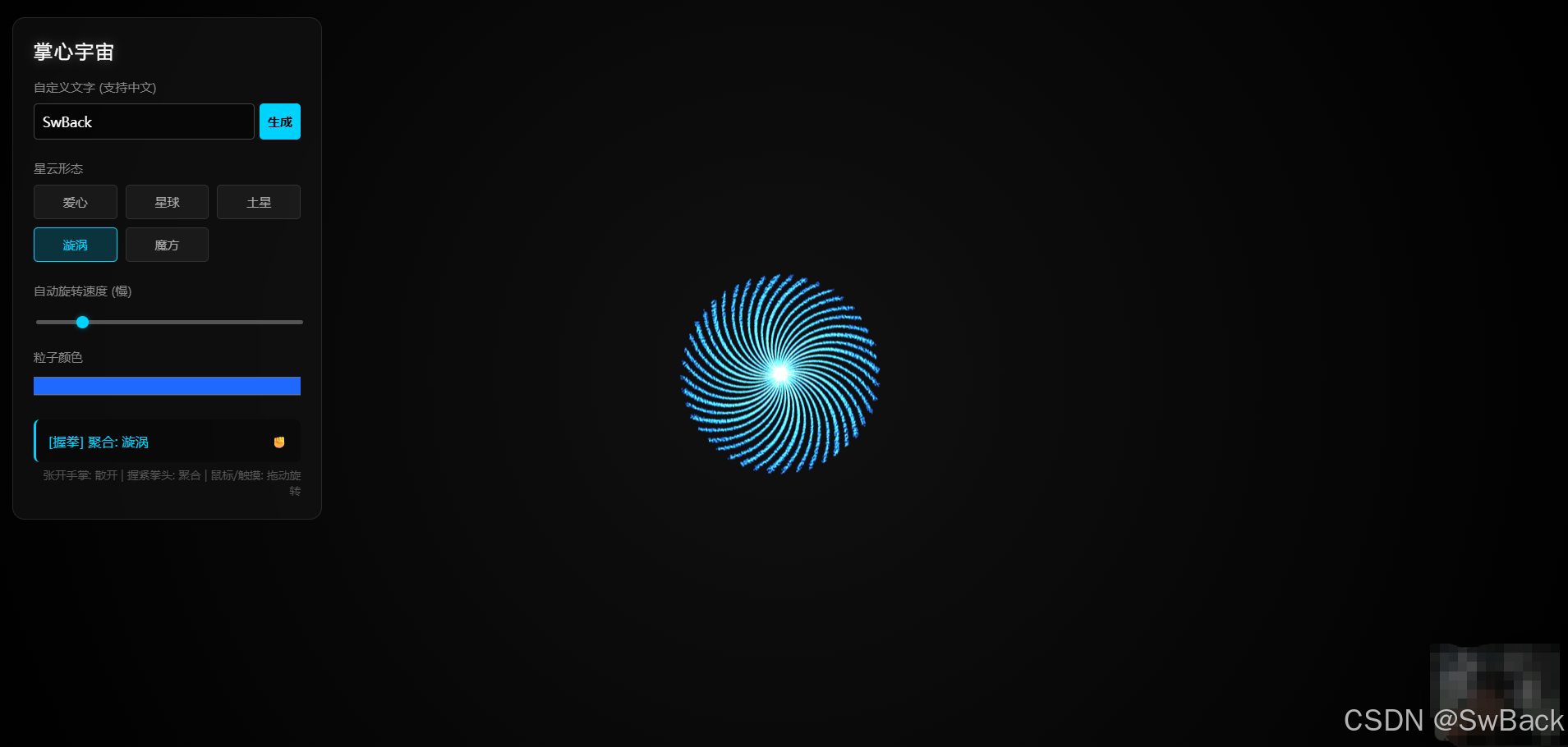
握紧拳头时就会聚合成相关图案。
代码如下
html
<!DOCTYPE html>
<html lang="zh-CN">
<head>
<meta charset="UTF-8">
<meta name="viewport" content="width=device-width, initial-scale=1.0">
<title>粒子星辰:掌心宇宙 (完整版)</title>
<style>
body { margin: 0; overflow: hidden; background-color: #000; font-family: "Microsoft YaHei", "SimHei", sans-serif; }
#canvas-container {
width: 100vw; height: 100vh; position: absolute; top: 0; left: 0; z-index: 1;
background: radial-gradient(circle at center, #111 0%, #000 100%);
}
#video-feed {
position: absolute; bottom: 10px; right: 10px; width: 120px; height: 90px;
border-radius: 8px; border: 1px solid rgba(255,255,255,0.2); z-index: 2;
transform: scaleX(-1); opacity: 0.3; pointer-events: none;
}
#ui-panel {
position: absolute; top: 20px; left: 20px; z-index: 10;
background: rgba(20, 20, 20, 0.6);
backdrop-filter: blur(10px);
padding: 20px; border-radius: 12px;
border: 1px solid rgba(255, 255, 255, 0.1);
color: #eee; width: 260px;
}
h2 { margin: 0 0 15px 0; font-size: 18px; font-weight: normal; letter-spacing: 2px; color: #fff; text-shadow: 0 0 10px rgba(255,255,255,0.3); }
.control-group { margin-bottom: 20px; }
label { display: block; margin-bottom: 8px; font-size: 12px; color: #888; }
.btn-grid { display: grid; grid-template-columns: 1fr 1fr 1fr; gap: 8px; }
button {
background: rgba(255, 255, 255, 0.05); border: 1px solid rgba(255,255,255,0.1);
padding: 8px; color: #aaa; border-radius: 4px; cursor: pointer; transition: 0.3s;
font-family: inherit; font-size: 12px;
}
button:hover { background: rgba(255, 255, 255, 0.15); color: #fff; }
button.active { background: rgba(0, 200, 255, 0.2); color: #00d2ff; border-color: #00d2ff; }
.input-group { display: flex; gap: 5px; }
input[type="text"] {
flex: 1; background: rgba(0,0,0,0.5); border: 1px solid #444; color: #fff;
padding: 8px; border-radius: 4px; outline: none; font-family: inherit;
}
#gen-btn { background: #00d2ff; color: #000; font-weight: bold; border: none; }
#gen-btn:hover { background: #33e0ff; }
#status-box {
margin-top: 15px; padding: 12px; background: rgba(0,0,0,0.3); border-radius: 6px;
font-size: 13px; color: #888; border-left: 3px solid #444;
transition: 0.3s; display: flex; align-items: center; justify-content: space-between;
}
#status-box.active-scatter { border-left-color: #ffaa00; color: #ffaa00; }
#status-box.active-gather { border-left-color: #00d2ff; color: #00d2ff; }
.color-picker-wrap { width: 100%; height: 25px; cursor: pointer; border-radius: 4px; overflow: hidden; margin-top: 5px;}
input[type="color"] { width: 110%; height: 110%; transform: translate(-5%, -5%); cursor: pointer; border: none; background: none;}
input[type=range] {
width: 100%; height: 4px; background: #555; border-radius: 2px;
-webkit-appearance: none; margin-top: 5px; cursor: pointer;
}
input[type=range]::-webkit-slider-thumb {
-webkit-appearance: none;
width: 12px; height: 12px; border-radius: 50%;
background: #00d2ff; cursor: pointer;
box-shadow: 0 0 5px rgba(0, 210, 255, 0.5);
}
</style>
</head>
<body>
<div id="loader">
<div style="font-size: 24px; margin-bottom: 20px;">✧ 正在初始化星系 ✧</div>
<div style="font-size: 12px; color: #666;">加载国内镜像资源与AI模型...</div>
</div>
<video id="video-feed" playsinline autoplay muted></video>
<div id="ui-panel">
<h2>掌心宇宙</h2>
<div class="control-group">
<label>自定义文字 (支持中文)</label>
<div class="input-group">
<input type="text" id="text-input" placeholder="输入汉字..." value="SwBack" maxlength="4">
<button id="gen-btn" onclick="generateTextShape()">生成</button>
</div>
</div>
<div class="control-group">
<label>星云形态</label>
<div class="btn-grid" id="shape-buttons">
<button onclick="setShape('heart')">爱心</button>
<button onclick="setShape('sphere')">星球</button>
<button onclick="setShape('saturn')">土星</button>
<button onclick="setShape('spiral')">漩涡</button>
<button onclick="setShape('cube')">魔方</button>
</div>
</div>
<div class="control-group">
<label>自动旋转速度 <span id="speed-value">(慢)</span></label>
<input type="range" id="rotation-speed" min="0" max="100" value="10">
</div>
<div class="control-group">
<label>粒子颜色</label>
<div class="color-picker-wrap">
<input type="color" id="color-picker" value="#00d2ff">
</div>
</div>
<div id="status-box">
<span id="status-text">请举起手...</span>
<span id="gesture-icon">✨</span>
</div>
<div style="font-size:11px; color:#555; margin-top:5px; text-align:right;">
张开手掌: 散开 | 握紧拳头: 聚合 | 鼠标/触摸: 拖动旋转
</div>
</div>
<div id="canvas-container"></div>
<script type="importmap">
{
"imports": {
"three": "https://cdn.staticfile.org/three.js/0.160.0/three.module.js",
"three/addons/": "https://cdn.jsdelivr.net/npm/three@0.160.0/examples/jsm/"
}
}
</script>
<script src="https://cdn.jsdelivr.net/npm/@mediapipe/camera_utils/camera_utils.js" crossorigin="anonymous"></script>
<script src="https://cdn.jsdelivr.net/npm/@mediapipe/control_utils/control_utils.js" crossorigin="anonymous"></script>
<script src="https://cdn.jsdelivr.net/npm/@mediapipe/hands/hands.js" crossorigin="anonymous"></script>
<script type="module">
import * as THREE from 'three';
import { OrbitControls } from 'three/addons/controls/OrbitControls.js';
// --- 核心配置 ---
const PARTICLE_COUNT = 20000;
const SCATTER_RADIUS = 200;
let scene, camera, renderer, particles;
let positionsAttribute;
let targetPositions = [];
let starPositions = [];
let currentState = 'scatter';
let currentShapeName = 'sphere';
const shapesCache = { sphere: [], heart: [], saturn: [], spiral: [], cube: [], text: [] };
let controls;
let rotationSpeed = 0.0001; // 初始较慢
// UI 元素
const statusBox = document.getElementById('status-box');
const statusText = document.getElementById('status-text');
const gestureIcon = document.getElementById('gesture-icon');
const speedInput = document.getElementById('rotation-speed');
const speedValueSpan = document.getElementById('speed-value');
// --- 初始化 Three.js ---
function init() {
const container = document.getElementById('canvas-container');
scene = new THREE.Scene();
scene.fog = new THREE.FogExp2(0x000000, 0.002);
camera = new THREE.PerspectiveCamera(75, window.innerWidth / window.innerHeight, 0.1, 1000);
camera.position.z = 40;
renderer = new THREE.WebGLRenderer({ antialias: true, alpha: true });
renderer.setSize(window.innerWidth, window.innerHeight);
renderer.setPixelRatio(window.devicePixelRatio);
container.appendChild(renderer.domElement);
precomputeShapes();
generateParticles();
// 1. 初始化 OrbitControls
controls = new OrbitControls(camera, renderer.domElement);
controls.enableDamping = true;
controls.dampingFactor = 0.05;
controls.minDistance = 10;
controls.maxDistance = 100;
controls.autoRotate = false; // 默认不自动旋转,由下面的 rotationSpeed 控制
// 2. 绑定 UI 旋转速度控制
speedInput.addEventListener('input', (e) => {
const val = parseInt(e.target.value);
rotationSpeed = val / 100000;
let label = "慢";
if (val > 60) label = "快";
else if (val > 30) label = "中";
else if (val === 0) label = "停止";
speedValueSpan.innerText = `(${label})`;
});
window.addEventListener('resize', onWindowResize);
document.getElementById('color-picker').addEventListener('input', (e) => {
particles.material.color.set(e.target.value);
});
// 默认设置
setShape('sphere');
generateTextShape(true);
animate();
document.getElementById('loader').style.display = 'none'; // 初始加载完成后隐藏
}
// --- 粒子生成 ---
function generateParticles() {
const geometry = new THREE.BufferGeometry();
const posArray = new Float32Array(PARTICLE_COUNT * 3);
for (let i = 0; i < PARTICLE_COUNT; i++) {
const x = starPositions[i].x;
const y = starPositions[i].y;
const z = starPositions[i].z;
posArray[i*3] = x;
posArray[i*3+1] = y;
posArray[i*3+2] = z;
}
geometry.setAttribute('position', new THREE.BufferAttribute(posArray, 3));
positionsAttribute = geometry.attributes.position;
const material = new THREE.PointsMaterial({
color: 0x00d2ff, size: 0.4, transparent: true, opacity: 0.8,
sizeAttenuation: true, blending: THREE.AdditiveBlending, depthWrite: false
});
particles = new THREE.Points(geometry, material);
scene.add(particles);
}
// --- 形状生成算法 ---
function precomputeShapes() {
for (let i = 0; i < PARTICLE_COUNT; i++) {
// 初始星辰位置
starPositions.push({
x: (Math.random() - 0.5) * SCATTER_RADIUS,
y: (Math.random() - 0.5) * SCATTER_RADIUS,
z: (Math.random() - 0.5) * SCATTER_RADIUS
});
// 球体
const r = 12;
const theta = Math.random() * Math.PI * 2;
const phi = Math.acos((Math.random() * 2) - 1);
shapesCache.sphere.push({
x: r * Math.sin(phi) * Math.cos(theta),
y: r * Math.sin(phi) * Math.sin(theta),
z: r * Math.cos(phi)
});
// 爱心
let x, y, z;
while(true) {
x = (Math.random() * 4 - 2);
y = (Math.random() * 4 - 2);
z = (Math.random() * 4 - 2);
const a = x*x + 9/4*y*y + z*z - 1;
if (a*a*a - x*x*z*z*z - 9/80*y*y*z*z*z < 0) break;
}
const scale = 10;
shapesCache.heart.push({ x: x*scale, y: y*scale + 2, z: z*scale });
// 土星
if (Math.random() < 0.4) {
const pt = shapesCache.sphere[i];
shapesCache.saturn.push({ x: pt.x * 0.6, y: pt.y * 0.6, z: pt.z * 0.6 });
} else {
const angle = Math.random() * Math.PI * 2;
const r = 10 + Math.random() * 8;
shapesCache.saturn.push({
x: Math.cos(angle) * r,
y: (Math.random() - 0.5) * 0.5,
z: Math.sin(angle) * r
});
}
// 漩涡 Galaxy
const angle = i * 0.005;
const rSpiral = (i % 200) * 0.1;
shapesCache.spiral.push({
x: rSpiral * Math.cos(angle),
y: (Math.random() - 0.5) * (rSpiral * 0.2),
z: rSpiral * Math.sin(angle)
});
// 魔方 Cube
const s = 14;
shapesCache.cube.push({
x: (Math.random() - 0.5) * s,
y: (Math.random() - 0.5) * s,
z: (Math.random() - 0.5) * s
});
// 文字占位 (使用星辰坐标)
shapesCache.text.push(starPositions[i]);
}
}
// --- Canvas 扫描生成文字粒子 ---
window.generateTextShape = function(isInit = false) {
const text = document.getElementById('text-input').value || "你好";
if (!isInit) {
setShape('text');
}
const canvas = document.createElement('canvas');
const size = 256;
canvas.width = size;
canvas.height = size;
const ctx = canvas.getContext('2d');
ctx.fillStyle = '#000000';
ctx.fillRect(0, 0, size, size);
ctx.fillStyle = '#ffffff';
ctx.textAlign = 'center';
ctx.textBaseline = 'middle';
const fontSize = text.length > 2 ? 60 : 120;
ctx.font = `bold ${fontSize}px "Microsoft YaHei", "SimHei", sans-serif`;
ctx.fillText(text, size/2, size/2);
const imageData = ctx.getImageData(0, 0, size, size).data;
const validPixels = [];
for (let y = 0; y < size; y += 2) {
for (let x = 0; x < size; x += 2) {
const index = (y * size + x) * 4;
const r = imageData[index];
if (r > 128) {
validPixels.push({
x: (x - size/2) / 6,
y: -(y - size/2) / 6,
z: 0
});
}
}
}
shapesCache.text = [];
for (let i = 0; i < PARTICLE_COUNT; i++) {
if (validPixels.length === 0) {
shapesCache.text.push(starPositions[i]);
continue;
}
const pixel = validPixels[i % validPixels.length];
shapesCache.text.push({
x: pixel.x,
y: pixel.y,
z: (Math.random() - 0.5) * 2
});
}
};
// --- UI 控制 ---
window.setShape = function(shapeName) {
currentShapeName = shapeName;
document.querySelectorAll('button').forEach(b => b.classList.remove('active'));
if(shapeName !== 'text') {
const btns = document.querySelectorAll('#shape-buttons button');
for(let b of btns) {
if(b.getAttribute('onclick').includes(shapeName)) b.classList.add('active');
}
} else {
document.getElementById('gen-btn').classList.add('active');
}
targetPositions = shapesCache[shapeName];
};
function onWindowResize() {
camera.aspect = window.innerWidth / window.innerHeight;
camera.updateProjectionMatrix();
renderer.setSize(window.innerWidth, window.innerHeight);
}
// --- 核心算法:手势状态判断 ---
function detectHandState(landmarks) {
const wrist = landmarks[0];
const tips = [8, 12, 16, 20];
let totalDist = 0;
for (let i of tips) {
const dx = landmarks[i].x - wrist.x;
const dy = landmarks[i].y - wrist.y;
totalDist += Math.sqrt(dx*dx + dy*dy);
}
const avgDist = totalDist / 4;
if (avgDist < 0.25) return 'gather';
if (avgDist > 0.30) return 'scatter';
return null;
}
// --- MediaPipe 配置 ---
function onResults(results) {
if (results.multiHandLandmarks && results.multiHandLandmarks.length > 0) {
const landmarks = results.multiHandLandmarks[0];
const state = detectHandState(landmarks);
if (state) {
currentState = state;
if (state === 'gather') {
statusBox.className = 'active-gather';
statusText.innerText = `[握拳] 聚合: ${getShapeNameCN()}`;
gestureIcon.innerText = '✊';
} else {
statusBox.className = 'active-scatter';
statusText.innerText = "[张手] 散开: 漫天星辰";
gestureIcon.innerText = '🖐';
}
}
} else {
currentState = 'scatter';
statusBox.className = '';
statusText.innerText = "未检测到手势,星辰漂浮...";
gestureIcon.innerText = '✨';
}
}
function getShapeNameCN() {
const map = {sphere:'星球', heart:'爱心', saturn:'土星', spiral:'漩涡', cube:'魔方', text:'自定义文字'};
return map[currentShapeName] || '';
}
const hands = new Hands({locateFile: (file) => {
return `https://cdn.jsdelivr.net/npm/@mediapipe/hands/${file}`;
}});
hands.setOptions({
maxNumHands: 1,
modelComplexity: 1,
minDetectionConfidence: 0.5,
minTrackingConfidence: 0.5
});
hands.onResults(onResults);
const cameraFeed = new Camera(document.getElementById('video-feed'), {
onFrame: async () => { await hands.send({image: document.getElementById('video-feed')}); },
width: 640, height: 480
});
cameraFeed.start();
// --- 动画循环 ---
function animate() {
requestAnimationFrame(animate);
const destArray = (currentState === 'gather') ? targetPositions : starPositions;
const speed = (currentState === 'gather') ? 0.08 : 0.04;
for (let i = 0; i < PARTICLE_COUNT; i++) {
const target = destArray[i] || starPositions[i];
const tx = target.x;
const ty = target.y;
const tz = target.z;
let cx = positionsAttribute.getX(i);
let cy = positionsAttribute.getY(i);
let cz = positionsAttribute.getZ(i);
cx += (tx - cx) * speed;
cy += (ty - cy) * speed;
cz += (tz - cz) * speed;
positionsAttribute.setXYZ(i, cx, cy, cz);
}
positionsAttribute.needsUpdate = true;
// 自动旋转:使用UI滑块控制的速度
particles.rotation.y += rotationSpeed;
// 交互控制:更新 OrbitControls (处理鼠标/触摸输入)
controls.update();
renderer.render(scene, camera);
}
init();
</script>
</body>
</html>