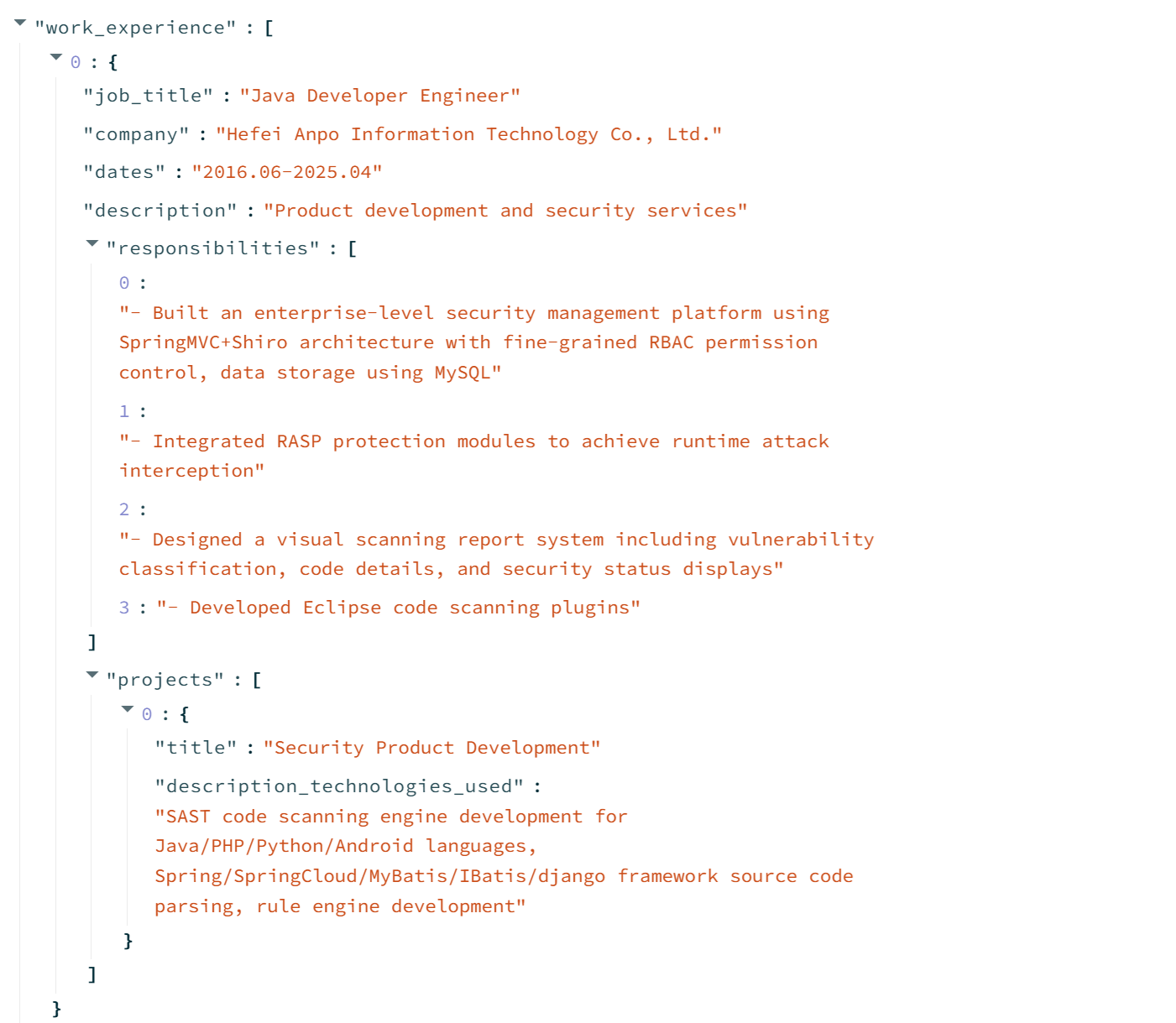
本篇文章主要介绍如何构建一个Agent能够解析PDF格式的简历,并将其中的简历的各个部分内容解析出来,以JSON的格式打印出来,支持中文和英文。
1、环境依赖
首先,需要去https://ollama.com/download 安装ollama软件,然后,根据需求去下载不同的模型,例如:qwen2.5 或者 llama3.2 , 可以使用一下命令:
bash
ollama pull llama3.2
ollama pull qwen2.5
下载成功之后,可以执行:ollama list查看有哪些模型:

其次,是安装依赖的库:
Groovy
langchain_ollama
langchain_core
streamlit
pymupdf
2、构建可以解析简历的Agent
主要包括:通过一个prompt的模板来指导Agent如何解析和输出JSON格式的文档,这了可以根据不同的简历的需求进行适当调整。以防输出的JSON格式不正确,可以进一步通过一个validate_json的Agent在进行一次校正。
python
from langchain_ollama import ChatOllama
from langchain_core.prompts import SystemMessagePromptTemplate, HumanMessagePromptTemplate, ChatPromptTemplate

from langchain_core.output_parsers import StrOutputParser, JsonOutputParser

base_url  = "http://localhost:11434"
#model = 'llama3.2'
model = "qwen2.5"

llm = ChatOllama(model=model, base_url=base_url)

system = SystemMessagePromptTemplate.from_template("""You are a helpful assistant. You are helpful AI assistant who answer questions based on the context provided.""")

prompt = """
    **Task:** Extract key information from the following resume text.
    **Resume Text:**
    {context}

    **Instructions:**
    Please extract the following information from the resume and format it in a clear structure:
    1. Key Skills
    2. Interests
    3. Preferred Job Types

    **Output Format:**
    Return a JSON object with the following keys:
    1. "skills": A list of key skills
    2. "interests": A list of interests
    3. "job_types": A list of preferred job types

    1. **Contact Information:**
    - Name
    - Email
    - Phone
    - website/Portfolio

    2. **Education:**
    - Degree
    - Institution
    - Field of Study
    - Graduation Year

    3. **Work Experience:**
    - Job Title
    - Company
    - Dates
    - Description
    - Responsibilities / Projects

    4. **Projects:**
    - Project Title
    - Description/Technologies Used
    - Outcomes/Results

    5. **Skills:**
    - Programming Languages
    - Frameworks
    - Databases
    - Tools
    - Other Skills

    6. **Interests:**
    - Hobbies
    - Passions
    - Areas of Interest

    7. **additional information:** (if appicable)
    - Certificates
    - Languages
    - Awards or Honors
    - Passions
    - Professional Affiliations

    **Question**:
    {question}

    **Extracted Information:**

"""

prompt = HumanMessagePromptTemplate.from_template(prompt)

def ask_llm(question, context):
    messages = [system, prompt]
    template = ChatPromptTemplate.from_messages(messages)

    qa_chain = template | llm | StrOutputParser()
    return qa_chain.invoke({"question": question, "context": context})


def validate_json(data):
    json_prompt = """
            Please validate and correct the following JSON string.

            **Extracted Information**:
            {data}

            Provide only the corrected JSON, with no preamble or explanation.

            **Corrected JSON**:
    """

    json_prompt = HumanMessagePromptTemplate.from_template(json_prompt)
    json_messages = [system, json_prompt]
    json_template = ChatPromptTemplate.from_messages(json_messages)

    json_chain = json_template | llm | JsonOutputParser()
    return json_chain.invoke({"data": data})
3、通过Streamlit构建Web page实现简历解析通能
通过streamlit实现一个最简单的Web page,可以上传一个PDF格式的简历,并且解析简历的格式,输出为JSON格式。
示例代码如下:
python
import streamlit as st
import pymupdf

from script.llm import ask_llm, validate_json

st.title("Resume Parser")
st.write("Upload a resume in PDF format to extract information")
uploaded_file = st.file_uploader("Choose a file")

if uploaded_file is not None:
    bytearray = uploaded_file.read()
    pdf = pymupdf.open(stream=bytearray, filetype="pdf")

    context = ""
    for page in pdf:
        context = context + "\n\n" + page.get_text()

    pdf.close()

#st.write(context)

question = """
        You are tasked to parse a resume. Your goal is to extract the related information from the resume in a valid structured format.
        If the resume is Chinese, please translate it into English before parsing.
        Do not write preamble or explanation.
        """

if st.button("Parse Resume"):
    with st.spinner("Parsing..."):
        result = ask_llm(question, context)

    with st.expander("Validating JSON..."):
        result = validate_json(result)

    st.write("**Extracted Information:**")
    st.write(result)

    st.write("**You can use the parsed JSON to build your resume:**")

    st.balloons()
运行Web应用,会显示Web page如下:
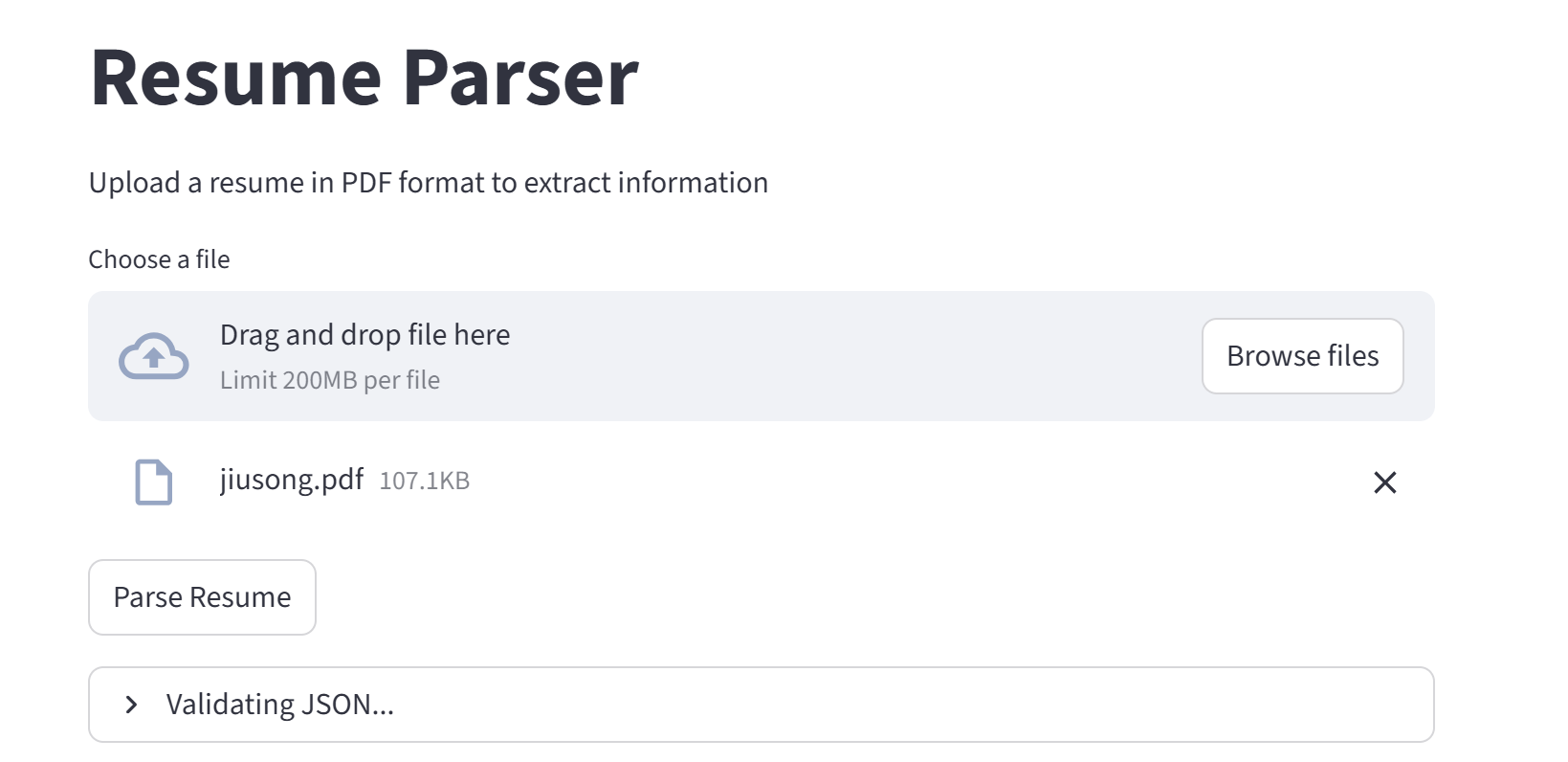
选择PDF格式的简历,无论是中文简历和英文简历都可以,点击【Parse Resume】按钮,可以看到显示结果如下: