前端页面

excel
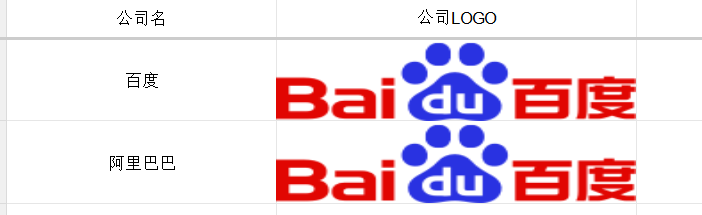
控制层
java
@PostMapping("/importCompanyExcelWithImg")
    @CrossOrigin
    public boolean importCompanyExcelWithImg(@RequestParam("file") MultipartFile file) throws Exception {

        if (file.isEmpty()) {
            throw new Exception("error file is empty");
        }

        ImportParams params = new ImportParams();
        //这里也要设置,否则会有异常
        params.setTitleRows(0);
        params.setHeadRows(1);
        //params.setNeedSave(true);
        List<CompanyImport> companyImports = ExcelImportUtil.importExcel(file.getInputStream(), CompanyImport.class, params);

        List<Company> companies = companyImports.stream().map(e -> {

            Company company = new Company();
            company.setCompanyName(e.getCompanyName());
            company.setCompanyLog(e.getCompanyLogo());
            return company;

        }).collect(Collectors.toList());

        return companyService.saveBatch(companies);
    }
导入实体
java
@Data
public class   CompanyImport {

    @Excel(name = "公司名",orderNum = "0")
    private String companyName;

	//注意,这里type要是2,savaPath是图片保存路径
    @Excel(name = "公司LOGO",orderNum = "1",type = 2,savePath = "D:\\tmp_img")
    private String companyLogo;

}
数据库实体
java
@Data
@EqualsAndHashCode(callSuper = false)
public class   Company implements Serializable {

    private static final long serialVersionUID = 1L;

    @TableId(value = "id", type = IdType.AUTO)
    private Long id;

    private String companyName;

    private String companyLog;


}
结果如下

如果要保存远端文件服务器怎么办?
在D:\tmp_img此路径下保存图片,然后将该路径下的文件上传到FastDFS中
java
@PostMapping("/food/import")
@ApiOperation(value = "批量导入Excel")
public String save(@RequestParam("foots") MultipartFile foots) throws Exception {
        ImportParams params = new ImportParams();
        List<FoodInfoImport> result = ExcelImportUtil.importExcel(foots.getInputStream(),FoodInfoImport.class, params);
        //将图片上传到FastDFS并且将地址保存
        result.forEach(food->{
             if(StringUtil.isNotEmpty(food.getFoodImg())){
                 try {
                     File file = new File(food.getFoodImg());
                     FileInputStream fileInputStream = new FileInputStream(file);
                     //用FileInputStream、File构造MultipartFile
                     MultipartFile multipartFile = new MockMultipartFile("file", file.getName(), "text/plain",IOUtils.toByteArray(fileInputStream));
                     //调用FastDFS工具类上传到FastDFS
                     String imgUrl = uploadUtils.uploadFile(multipartFile);
                     food.setFoodImg(imgUrl);
                 } catch (Exception e) {
                     e.printStackTrace();
                 }
             }
         });
         List<FoodInfo> info = result.stream().map(foodDc::invoke).collect(Collectors.toList());
         //业务层保存数据
         service.saveBatch(info);
         return "success";
    }