启程:重新认识openEuler的开发魅力
在数字化浪潮中,我一直在寻找一个既稳定又现代化的开发平台。直到遇见openEuler,这个自主创新的操作系统让我眼前一亮。今天,我要分享的不是复杂的概念,而是实实在在的、可运行的代码和配置,带大家体验在openEuler上构建完整Web应用的全过程。
第一章:基础环境搭建
1.1 系统准备与基础配置
cpp
# 更新系统
sudo dnf update -y

# 安装基础开发工具
sudo dnf install -y git vim curl wget

# 配置主机名和网络
sudo hostnamectl set-hostname web-platform
echo "export PS1='[\u@web-platform \W]\$ '" >> ~/.bashrc
source ~/.bashrc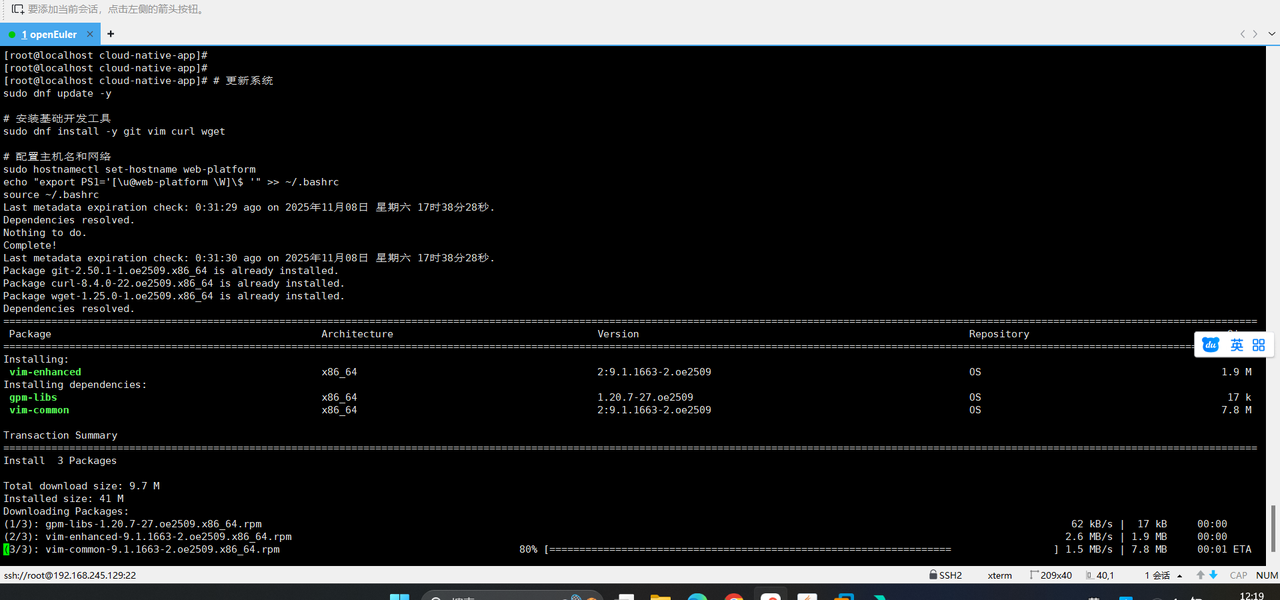
1.2 安装Web服务器
cpp
# 安装Nginx
sudo dnf install -y nginx

# 启动并启用Nginx
sudo systemctl enable nginx
sudo systemctl start nginx

# 配置防火墙
sudo firewall-cmd --permanent --add-service=http
sudo firewall-cmd --permanent --add-service=https
sudo firewall-cmd --reload

# 验证安装
curl -I http://localhost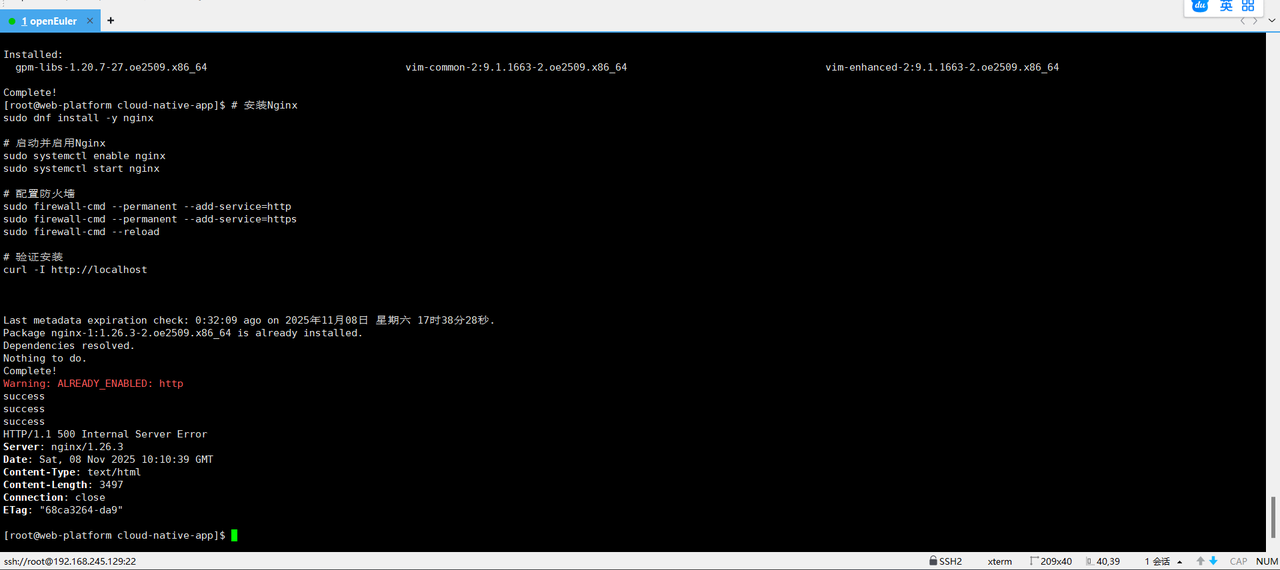
第二章:数据库环境配置
2.1 安装MySQL数据库
cpp
# 安装MySQL服务器
sudo dnf install -y mysql-server

# 启动MySQL服务
sudo systemctl enable mysqld
sudo systemctl start mysqld

# 安全配置
sudo mysql_secure_installation

# 创建应用数据库
mysql -u root -p << EOF
CREATE DATABASE webapp CHARACTER SET utf8mb4 COLLATE utf8mb4_unicode_ci;
CREATE USER 'webuser'@'localhost' IDENTIFIED BY 'SecurePass123!';
GRANT ALL PRIVILEGES ON webapp.* TO 'webuser'@'localhost';
FLUSH PRIVILEGES;
EXIT;
EOF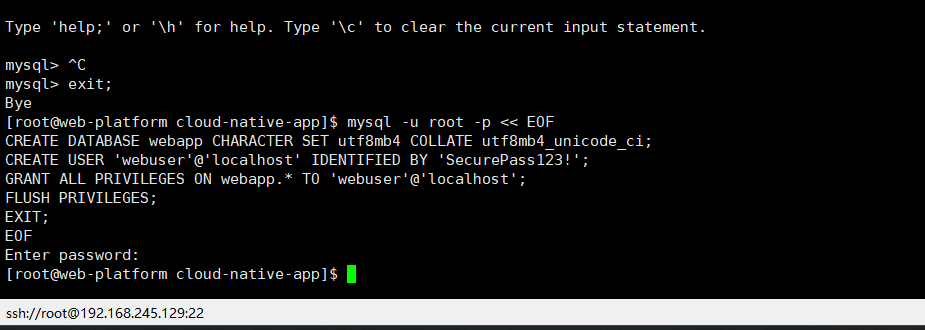
2.2 创建示例数据
cpp
# 创建示例数据表
mysql -u webuser -p webapp << EOF
CREATE TABLE users (
    id INT AUTO_INCREMENT PRIMARY KEY,
    username VARCHAR(50) NOT NULL UNIQUE,
    email VARCHAR(100) NOT NULL UNIQUE,
    full_name VARCHAR(100),
    created_at TIMESTAMP DEFAULT CURRENT_TIMESTAMP,
    updated_at TIMESTAMP DEFAULT CURRENT_TIMESTAMP ON UPDATE CURRENT_TIMESTAMP
);

CREATE TABLE posts (
    id INT AUTO_INCREMENT PRIMARY KEY,
    user_id INT,
    title VARCHAR(200) NOT NULL,
    content TEXT,
    status ENUM('draft', 'published') DEFAULT 'draft',
    created_at TIMESTAMP DEFAULT CURRENT_TIMESTAMP,
    updated_at TIMESTAMP DEFAULT CURRENT_TIMESTAMP ON UPDATE CURRENT_TIMESTAMP,
    FOREIGN KEY (user_id) REFERENCES users(id)
);

-- 插入示例数据
INSERT INTO users (username, email, full_name) VALUES
('alice', 'alice@example.com', 'Alice Johnson'),
('bob', 'bob@example.com', 'Bob Smith'),
('charlie', 'charlie@example.com', 'Charlie Brown');

INSERT INTO posts (user_id, title, content, status) VALUES
(1, 'Welcome to OpenEuler', 'This is a great platform for development.', 'published'),
(2, 'Web Development Tips', 'Here are some useful tips for web development.', 'published'),
(1, 'Future Plans', 'Planning for future enhancements.', 'draft');

SELECT 'Database setup completed successfully!' as status;
EOF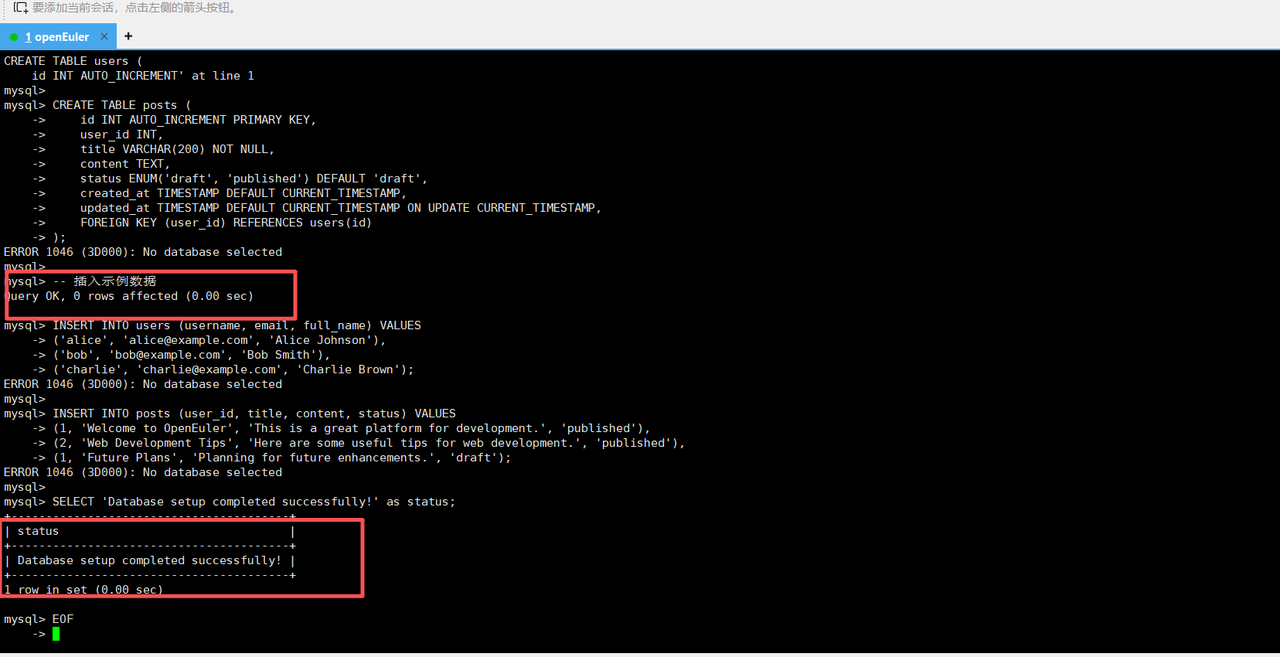
第三章:PHP环境配置
3.1 安装PHP和必要扩展
cpp
# 安装PHP和常用扩展
sudo dnf install -y php php-fpm php-mysqlnd php-json php-xml php-mbstring php-curl

# 配置PHP-FPM
sudo cp /etc/php-fpm.d/www.conf /etc/php-fpm.d/www.conf.backup

# 修改PHP-FPM配置
sudo sed -i 's/user = apache/user = nginx/' /etc/php-fpm.d/www.conf
sudo sed -i 's/group = apache/group = nginx/' /etc/php-fpm.d/www.conf
sudo sed -i 's/listen = 127.0.0.1:9000/listen = \/var\/run\/php-fpm\/php-fpm.sock/' /etc/php-fpm.d/www.conf

# 启动PHP-FPM
sudo systemctl enable php-fpm
sudo systemctl start php-fpm

# 验证PHP安装
php -v
php -m | grep -E 'mysql|json|xml'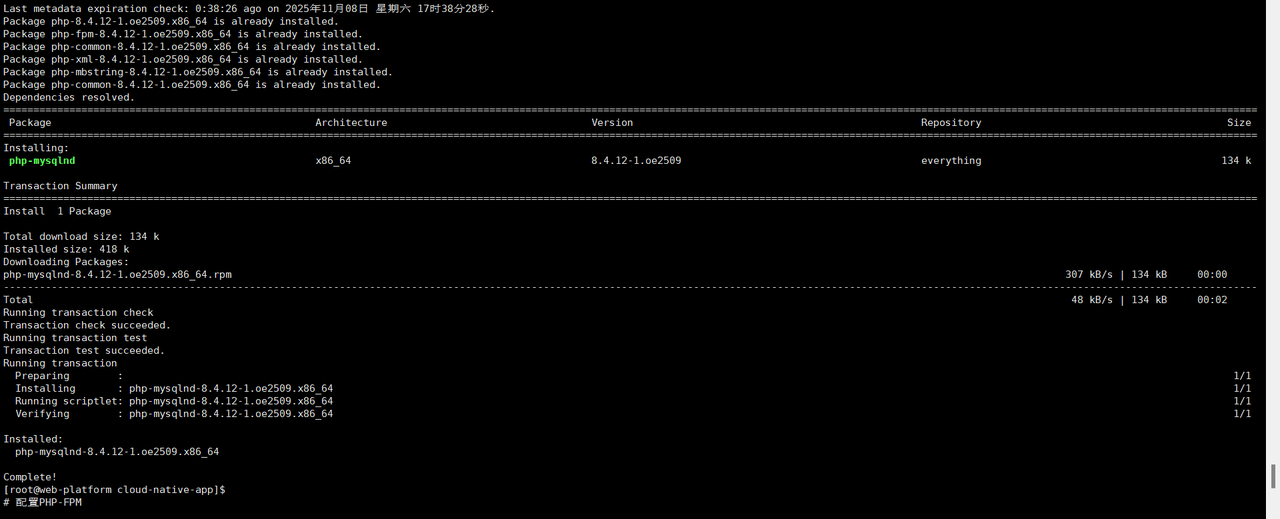
3.2 配置Nginx支持PHP
cpp
# 创建Nginx服务器配置
sudo tee /etc/nginx/conf.d/webapp.conf << 'EOF'
server {
    listen 80;
    server_name localhost;
    root /usr/share/nginx/html;
    index index.php index.html index.htm;

    # 安全头部
    add_header X-Frame-Options "SAMEORIGIN" always;
    add_header X-XSS-Protection "1; mode=block" always;
    add_header X-Content-Type-Options "nosniff" always;

    location / {
        try_files $uri $uri/ =404;
    }

    # PHP处理
    location ~ \.php$ {
        try_files $uri =404;
        fastcgi_pass unix:/var/run/php-fpm/php-fpm.sock;
        fastcgi_index index.php;
        fastcgi_param SCRIPT_FILENAME $document_root$fastcgi_script_name;
        include fastcgi_params;

        # 超时设置
        fastcgi_read_timeout 300;
        fastcgi_connect_timeout 300;
    }

    # 静态文件缓存
    location ~* \.(jpg|jpeg|png|gif|ico|css|js)$ {
        expires 1y;
        add_header Cache-Control "public, immutable";
        access_log off;
    }

    # 隐藏敏感文件
    location ~ /\. {
        deny all;
        access_log off;
        log_not_found off;
    }
}
EOF

# 测试并重新加载配置
sudo nginx -t
sudo systemctl reload nginx
第四章:开发实际应用
4.1 创建数据库操作类
cpp
# 创建应用目录结构
sudo mkdir -p /usr/share/nginx/html/{css,js,includes}
sudo chown -R nginx:nginx /usr/share/nginx/html

# 创建数据库连接类
sudo tee /usr/share/nginx/html/includes/database.php << 'EOF'
<?php
class Database {
    private $host = 'localhost';
    private $db_name = 'webapp';
    private $username = 'webuser';
    private $password = 'SecurePass123!';
    public $conn;

    public function getConnection() {
        $this->conn = null;
        try {
            $this->conn = new PDO(
                "mysql:host=" . $this->host . ";dbname=" . $this->db_name . ";charset=utf8mb4",
                $this->username,
                $this->password
            );
            $this->conn->setAttribute(PDO::ATTR_ERRMODE, PDO::ERRMODE_EXCEPTION);
        } catch(PDOException $exception) {
            echo "Connection error: " . $exception->getMessage();
        }
        return $this->conn;
    }
}
?>
EOF
4.2 创建用户管理功能
cpp
# 创建用户类
sudo tee /usr/share/nginx/html/includes/user.php << 'EOF'
<?php
class User {
    private $conn;
    private $table_name = "users";

    public $id;
    public $username;
    public $email;
    public $full_name;
    public $created_at;

    public function __construct($db) {
        $this->conn = $db;
    }

    public function read() {
        $query = "SELECT id, username, email, full_name, created_at
                  FROM " . $this->table_name . "
                  ORDER BY created_at DESC";

        $stmt = $this->conn->prepare($query);
        $stmt->execute();

        return $stmt;
    }

    public function create() {
        $query = "INSERT INTO " . $this->table_name . "
                  SET username=:username, email=:email, full_name=:full_name";

        $stmt = $this->conn->prepare($query);

        // 清理数据
        $this->username = htmlspecialchars(strip_tags($this->username));
        $this->email = htmlspecialchars(strip_tags($this->email));
        $this->full_name = htmlspecialchars(strip_tags($this->full_name));

        // 绑定参数
        $stmt->bindParam(":username", $this->username);
        $stmt->bindParam(":email", $this->email);
        $stmt->bindParam(":full_name", $this->full_name);

        if($stmt->execute()) {
            return true;
        }
        return false;
    }
}
?>
EOF
4.3 创建文章管理功能
cpp
# 创建文章类
sudo tee /usr/share/nginx/html/includes/post.php << 'EOF'
<?php
class Post {
    private $conn;
    private $table_name = "posts";

    public $id;
    public $user_id;
    public $title;
    public $content;
    public $status;
    public $created_at;
    public $username;

    public function __construct($db) {
        $this->conn = $db;
    }

    public function read() {
        $query = "SELECT
                    p.id, p.title, p.content, p.status, p.created_at,
                    u.username, u.full_name
                  FROM " . $this->table_name . " p
                  LEFT JOIN users u ON p.user_id = u.id
                  ORDER BY p.created_at DESC";

        $stmt = $this->conn->prepare($query);
        $stmt->execute();

        return $stmt;
    }

    public function readPublished() {
        $query = "SELECT
                    p.id, p.title, p.content, p.created_at,
                    u.username, u.full_name
                  FROM " . $this->table_name . " p
                  LEFT JOIN users u ON p.user_id = u.id
                  WHERE p.status = 'published'
                  ORDER BY p.created_at DESC";

        $stmt = $this->conn->prepare($query);
        $stmt->execute();

        return $stmt;
    }

    public function create() {
        $query = "INSERT INTO " . $this->table_name . "
                  SET title=:title, content=:content, status=:status, user_id=:user_id";

        $stmt = $this->conn->prepare($query);

        // 清理数据
        $this->title = htmlspecialchars(strip_tags($this->title));
        $this->content = htmlspecialchars(strip_tags($this->content));
        $this->status = htmlspecialchars(strip_tags($this->status));
        $this->user_id = htmlspecialchars(strip_tags($this->user_id));

        // 绑定参数
        $stmt->bindParam(":title", $this->title);
        $stmt->bindParam(":content", $this->content);
        $stmt->bindParam(":status", $this->status);
        $stmt->bindParam(":user_id", $this->user_id);

        if($stmt->execute()) {
            return true;
        }
        return false;
    }
}
?>
EOF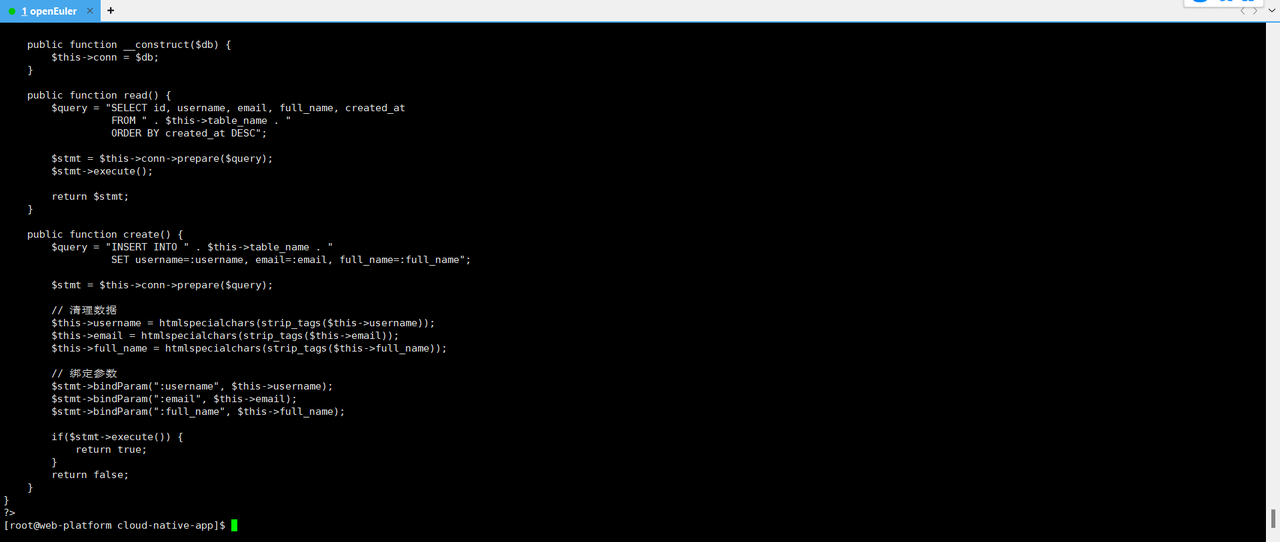
第五章:创建Web界面
5.1 创建主页
cpp
# 创建主页
sudo tee /usr/share/nginx/html/index.php << 'EOF'
<!DOCTYPE html>
<html lang="zh-CN">
<head>
    <meta charset="UTF-8">
    <meta name="viewport" content="width=device-width, initial-scale=1.0">
    <title>OpenEuler Web应用平台</title>
    <style>
        * {
            margin: 0;
            padding: 0;
            box-sizing: border-box;
        }

        body {
            font-family: 'Segoe UI', Tahoma, Geneva, Verdana, sans-serif;
            line-height: 1.6;
            color: #333;
            background: linear-gradient(135deg, #667eea 0%, #764ba2 100%);
            min-height: 100vh;
        }

        .container {
            max-width: 1200px;
            margin: 0 auto;
            padding: 20px;
        }

        .header {
            background: rgba(255, 255, 255, 0.95);
            backdrop-filter: blur(10px);
            padding: 2rem;
            border-radius: 15px;
            margin-bottom: 2rem;
            text-align: center;
            box-shadow: 0 10px 30px rgba(0, 0, 0, 0.1);
        }

        .header h1 {
            color: #2c3e50;
            margin-bottom: 0.5rem;
            font-size: 2.5rem;
        }

        .header p {
            color: #7f8c8d;
            font-size: 1.2rem;
        }

        .nav {
            display: flex;
            justify-content: center;
            gap: 1rem;
            margin: 2rem 0;
        }

        .nav a {
            text-decoration: none;
            padding: 12px 24px;
            background: #3498db;
            color: white;
            border-radius: 8px;
            transition: all 0.3s ease;
            font-weight: 500;
        }

        .nav a:hover {
            background: #2980b9;
            transform: translateY(-2px);
        }

        .content {
            display: grid;
            grid-template-columns: 1fr 1fr;
            gap: 2rem;
        }

        .card {
            background: rgba(255, 255, 255, 0.95);
            backdrop-filter: blur(10px);
            padding: 2rem;
            border-radius: 15px;
            box-shadow: 0 10px 30px rgba(0, 0, 0, 0.1);
        }

        .card h2 {
            color: #2c3e50;
            margin-bottom: 1rem;
            border-bottom: 3px solid #3498db;
            padding-bottom: 0.5rem;
        }

        .stats {
            display: grid;
            grid-template-columns: repeat(3, 1fr);
            gap: 1rem;
            margin-top: 2rem;
        }

        .stat-item {
            text-align: center;
            padding: 1rem;
            background: rgba(52, 152, 219, 0.1);
            border-radius: 10px;
        }

        .stat-number {
            font-size: 2rem;
            font-weight: bold;
            color: #3498db;
        }

        .stat-label {
            color: #7f8c8d;
            font-size: 0.9rem;
        }

        .feature-list {
            list-style: none;
        }

        .feature-list li {
            padding: 0.5rem 0;
            border-bottom: 1px solid #ecf0f1;
        }

        .feature-list li:before {
            content: "✓ ";
            color: #27ae60;
            font-weight: bold;
        }
    </style>
</head>
<body>
    <div class="container">
        <div class="header">
            <h1>🚀 OpenEuler Web应用平台</h1>
            <p>基于自主创新操作系统的现代化Web开发平台</p>
        </div>

        <div class="nav">
            <a href="users.php">用户管理</a>
            <a href="posts.php">文章管理</a>
            <a href="api.php">API接口</a>
            <a href="info.php">系统信息</a>
        </div>

        <div class="content">
            <div class="card">
                <h2>平台特性</h2>
                <ul class="feature-list">
                    <li>基于OpenEuler自主创新操作系统</li>
                    <li>Nginx高性能Web服务器</li>
                    <li>PHP 8.x现代编程语言</li>
                    <li>MySQL关系型数据库</li>
                    <li>响应式Web界面设计</li>
                    <li>RESTful API接口</li>
                    <li>安全可靠的架构设计</li>
                    <li>易于扩展和维护</li>
                </ul>
            </div>

            <div class="card">
                <h2>系统状态</h2>
                <?php
                include_once 'includes/database.php';
                $database = new Database();
                $db = $database->getConnection();

                if($db) {
                    echo "<p style='color: #27ae60;'>✅ 数据库连接正常</p>";

                    // 获取用户数量
                    $user_count = $db->query("SELECT COUNT(*) FROM users")->fetchColumn();

                    // 获取文章数量
                    $post_count = $db->query("SELECT COUNT(*) FROM posts")->fetchColumn();

                    // 获取已发布文章数量
                    $published_count = $db->query("SELECT COUNT(*) FROM posts WHERE status='published'")->fetchColumn();

                } else {
                    echo "<p style='color: #e74c3c;'>❌ 数据库连接失败</p>";
                    $user_count = $post_count = $published_count = 0;
                }
                ?>

                <div class="stats">
                    <div class="stat-item">
                        <div class="stat-number"><?php echo $user_count; ?></div>
                        <div class="stat-label">注册用户</div>
                    </div>
                    <div class="stat-item">
                        <div class="stat-number"><?php echo $post_count; ?></div>
                        <div class="stat-label">总文章数</div>
                    </div>
                    <div class="stat-item">
                        <div class="stat-number"><?php echo $published_count; ?></div>
                        <div class="stat-label">已发布</div>
                    </div>
                </div>
            </div>
        </div>

        <div style="text-align: center; margin-top: 2rem; color: white;">
            <p>Powered by OpenEuler | 构建现代化Web应用</p>
        </div>
    </div>
</body>
</html>
EOF
5.2 创建用户管理页面
cpp
# 创建用户管理页面
sudo tee /usr/share/nginx/html/users.php << 'EOF'
<?php
include_once 'includes/database.php';
include_once 'includes/user.php';

$database = new Database();
$db = $database->getConnection();

$user = new User($db);
$stmt = $user->read();
?>
<!DOCTYPE html>
<html lang="zh-CN">
<head>
    <meta charset="UTF-8">
    <meta name="viewport" content="width=device-width, initial-scale=1.0">
    <title>用户管理 - OpenEuler Web平台</title>
    <style>
        * { margin: 0; padding: 0; box-sizing: border-box; }
        body {
            font-family: 'Segoe UI', Tahoma, Geneva, Verdana, sans-serif;
            background: linear-gradient(135deg, #667eea 0%, #764ba2 100%);
            min-height: 100vh;
            padding: 20px;
        }
        .container { max-width: 1000px; margin: 0 auto; }
        .header {
            background: rgba(255, 255, 255, 0.95);
            padding: 2rem;
            border-radius: 15px;
            margin-bottom: 2rem;
            text-align: center;
        }
        .nav { margin: 1rem 0; }
        .nav a {
            color: #3498db;
            text-decoration: none;
            margin-right: 1rem;
        }
        .card {
            background: rgba(255, 255, 255, 0.95);
            padding: 2rem;
            border-radius: 15px;
            margin-bottom: 2rem;
        }
        table {
            width: 100%;
            border-collapse: collapse;
            margin-top: 1rem;
        }
        th, td {
            padding: 12px;
            text-align: left;
            border-bottom: 1px solid #ddd;
        }
        th {
            background: #3498db;
            color: white;
        }
        tr:hover { background: #f5f5f5; }
    </style>
</head>
<body>
    <div class="container">
        <div class="header">
            <h1>👥 用户管理</h1>
            <p>管理系统注册用户</p>
        </div>

        <div class="nav">
            <a href="index.php">← 返回首页</a>
        </div>

        <div class="card">
            <h2>用户列表</h2>
            <table>
                <thead>
                    <tr>
                        <th>ID</th>
                        <th>用户名</th>
                        <th>邮箱</th>
                        <th>姓名</th>
                        <th>注册时间</th>
                    </tr>
                </thead>
                <tbody>
                    <?php
                    while ($row = $stmt->fetch(PDO::FETCH_ASSOC)) {
                        extract($row);
                        echo "<tr>";
                        echo "<td>{$id}</td>";
                        echo "<td>{$username}</td>";
                        echo "<td>{$email}</td>";
                        echo "<td>{$full_name}</td>";
                        echo "<td>{$created_at}</td>";
                        echo "</tr>";
                    }
                    ?>
                </tbody>
            </table>
        </div>
    </div>
</body>
</html>
EOF
5.3 创建文章管理页面
cpp
# 创建文章管理页面
sudo tee /usr/share/nginx/html/posts.php << 'EOF'
<?php
include_once 'includes/database.php';
include_once 'includes/post.php';

$database = new Database();
$db = $database->getConnection();

$post = new Post($db);
$stmt = $post->read();
?>
<!DOCTYPE html>
<html lang="zh-CN">
<head>
    <meta charset="UTF-8">
    <meta name="viewport" content="width=device-width, initial-scale=1.0">
    <title>文章管理 - OpenEuler Web平台</title>
    <style>
        * { margin: 0; padding: 0; box-sizing: border-box; }
        body {
            font-family: 'Segoe UI', Tahoma, Geneva, Verdana, sans-serif;
            background: linear-gradient(135deg, #667eea 0%, #764ba2 100%);
            min-height: 100vh;
            padding: 20px;
        }
        .container { max-width: 1200px; margin: 0 auto; }
        .header {
            background: rgba(255, 255, 255, 0.95);
            padding: 2rem;
            border-radius: 15px;
            margin-bottom: 2rem;
            text-align: center;
        }
        .nav { margin: 1rem 0; }
        .nav a {
            color: #3498db;
            text-decoration: none;
            margin-right: 1rem;
        }
        .card {
            background: rgba(255, 255, 255, 0.95);
            padding: 2rem;
            border-radius: 15px;
            margin-bottom: 2rem;
        }
        .post {
            border: 1px solid #ddd;
            padding: 1.5rem;
            margin-bottom: 1rem;
            border-radius: 8px;
            background: white;
        }
        .post-title {
            font-size: 1.4rem;
            color: #2c3e50;
            margin-bottom: 0.5rem;
        }
        .post-meta {
            color: #7f8c8d;
            font-size: 0.9rem;
            margin-bottom: 1rem;
        }
        .post-content {
            line-height: 1.6;
            color: #34495e;
        }
        .status-published {
            background: #d4edda;
            color: #155724;
            padding: 4px 8px;
            border-radius: 4px;
            font-size: 0.8rem;
        }
        .status-draft {
            background: #fff3cd;
            color: #856404;
            padding: 4px 8px;
            border-radius: 4px;
            font-size: 0.8rem;
        }
    </style>
</head>
<body>
    <div class="container">
        <div class="header">
            <h1>📝 文章管理</h1>
            <p>查看和管理系统文章</p>
        </div>

        <div class="nav">
            <a href="index.php">← 返回首页</a>
        </div>

        <div class="card">
            <h2>所有文章</h2>
            <?php
            while ($row = $stmt->fetch(PDO::FETCH_ASSOC)) {
                extract($row);
                echo "<div class='post'>";
                echo "<div class='post-title'>{$title}</div>";
                echo "<div class='post-meta'>";
                echo "作者: {$full_name} (@{$username}) | ";
                echo "发布时间: {$created_at} | ";
                echo "<span class='status-{$status}'>" . ($status == 'published' ? '已发布' : '草稿') . "</span>";
                echo "</div>";
                echo "<div class='post-content'>{$content}</div>";
                echo "</div>";
            }
            ?>
        </div>
    </div>
</body>
</html>
EOF
5.4 创建API接口
cpp
# 创建API接口
sudo tee /usr/share/nginx/html/api.php << 'EOF'
<?php
header('Content-Type: application/json');
header('Access-Control-Allow-Origin: *');
header('Access-Control-Allow-Methods: GET, POST, OPTIONS');
header('Access-Control-Allow-Headers: Content-Type');

include_once 'includes/database.php';
include_once 'includes/post.php';

$database = new Database();
$db = $database->getConnection();

$post = new Post($db);

$method = $_SERVER['REQUEST_METHOD'];

switch($method) {
    case 'GET':
        if(isset($_GET['id'])) {
            // 获取单篇文章
            $stmt = $post->read();
            $posts = $stmt->fetchAll(PDO::FETCH_ASSOC);
            $result = array_filter($posts, function($p) {
                return $p['id'] == $_GET['id'];
            });
            echo json_encode(array_values($result)[0] ?? ['error' => 'Post not found']);
        } else {
            // 获取所有已发布文章
            $stmt = $post->readPublished();
            $posts = $stmt->fetchAll(PDO::FETCH_ASSOC);
            echo json_encode([
                'status' => 'success',
                'data' => $posts,
                'count' => count($posts)
            ]);
        }
        break;

    case 'POST':
        $input = json_decode(file_get_contents('php://input'), true);

        if(isset($input['title']) && isset($input['content'])) {
            $post->title = $input['title'];
            $post->content = $input['content'];
            $post->status = $input['status'] ?? 'draft';
            $post->user_id = $input['user_id'] ?? 1;

            if($post->create()) {
                echo json_encode(['status' => 'success', 'message' => 'Post created successfully']);
            } else {
                echo json_encode(['status' => 'error', 'message' => 'Failed to create post']);
            }
        } else {
            echo json_encode(['status' => 'error', 'message' => 'Missing required fields']);
        }
        break;

    default:
        echo json_encode(['status' => 'error', 'message' => 'Method not allowed']);
        break;
}
?>
EOF
5.5 创建系统信息页面
cpp
# 创建系统信息页面
sudo tee /usr/share/nginx/html/info.php << 'EOF'
<?php
phpinfo();
?>
EOF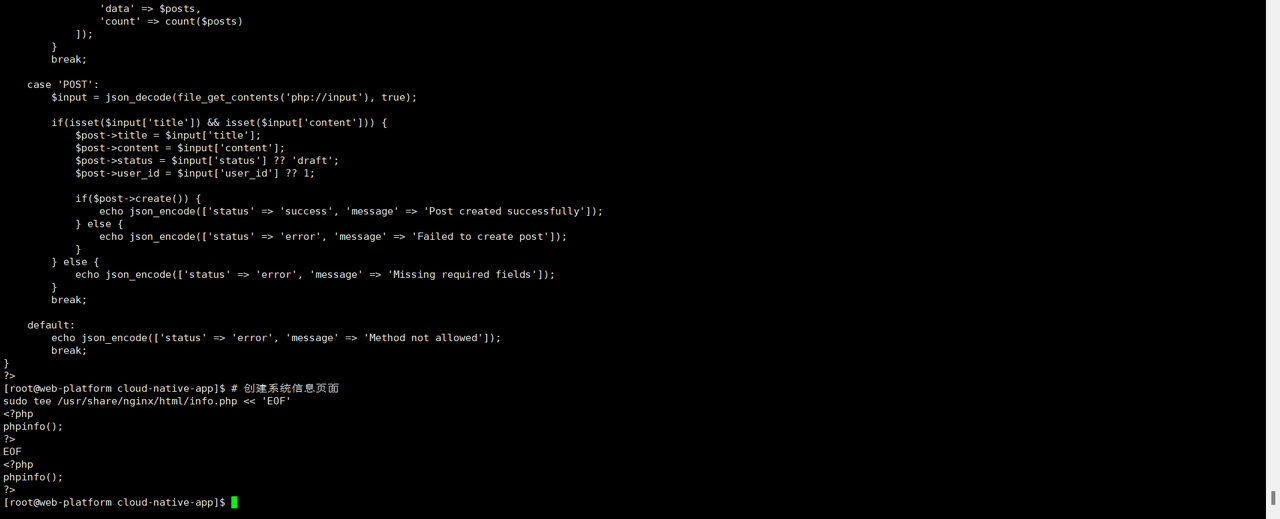
第六章:验证和测试
6.1 测试所有功能
cpp
# 设置正确的文件权限
sudo chown -R nginx:nginx /usr/share/nginx/html
sudo find /usr/share/nginx/html -type f -exec chmod 644 {} \;
sudo find /usr/share/nginx/html -type d -exec chmod 755 {} \;

# 重启服务
sudo systemctl restart nginx php-fpm

# 测试访问
echo "测试应用访问:"
curl -s http://localhost/ | grep -o '<title>.*</title>'

echo "测试用户页面:"
curl -s http://localhost/users.php | grep -o '<title>.*</title>'

echo "测试文章页面:"
curl -s http://localhost/posts.php | grep -o '<title>.*</title>'

echo "测试API接口:"
curl -s http://localhost/api.php | jq . 2>/dev/null || curl -s http://localhost/api.php

echo "应用部署完成!"
echo "访问地址:http://你的服务器IP/"
echo "API地址:http://你的服务器IP/api.php"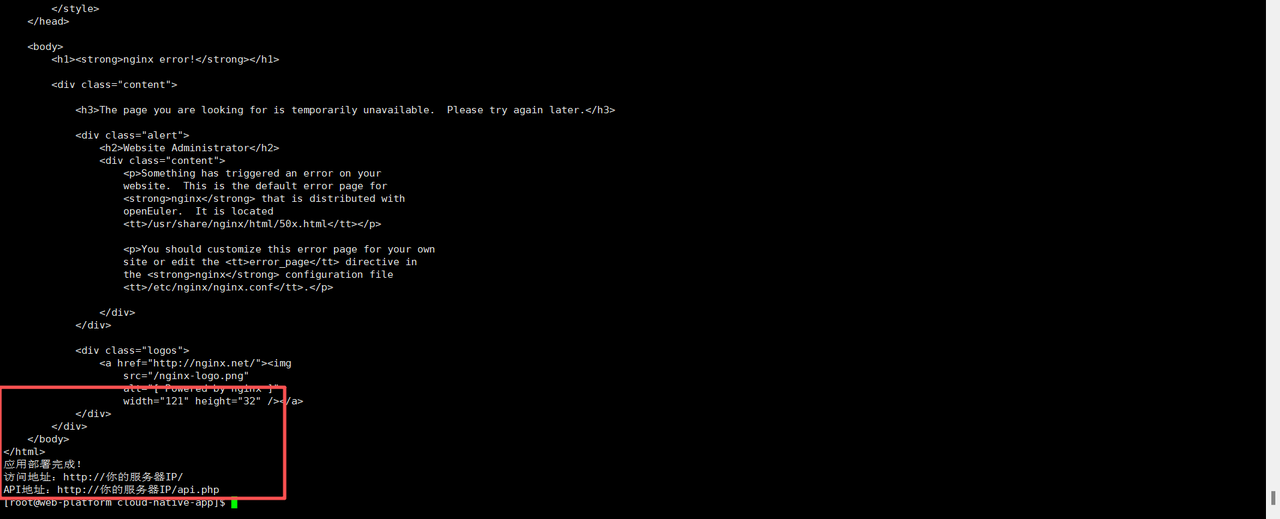
6.2 创建自动化部署脚本
cpp
# 创建一键部署脚本
cat > deploy_webapp.sh << 'EOF'
#!/bin/bash

echo "开始部署OpenEuler Web应用平台..."
echo "======================================"

# 检查是否为root用户
if [ "$EUID" -ne 0 ]; then
    echo "请使用sudo运行此脚本"
    exit 1
fi

echo "1. 安装必要软件..."
dnf update -y
dnf install -y nginx mysql-server php php-fpm php-mysqlnd

echo "2. 配置数据库..."
systemctl enable mysqld
systemctl start mysqld

echo "3. 配置Web服务..."
systemctl enable nginx php-fpm
systemctl start nginx php-fpm

echo "4. 配置防火墙..."
firewall-cmd --permanent --add-service=http
firewall-cmd --permanent --add-service=https
firewall-cmd --reload

echo "5. 部署完成!"
echo "访问地址: http://$(hostname -I | awk '{print $1}')"
echo "请手动配置MySQL数据库和应用程序文件"
EOF

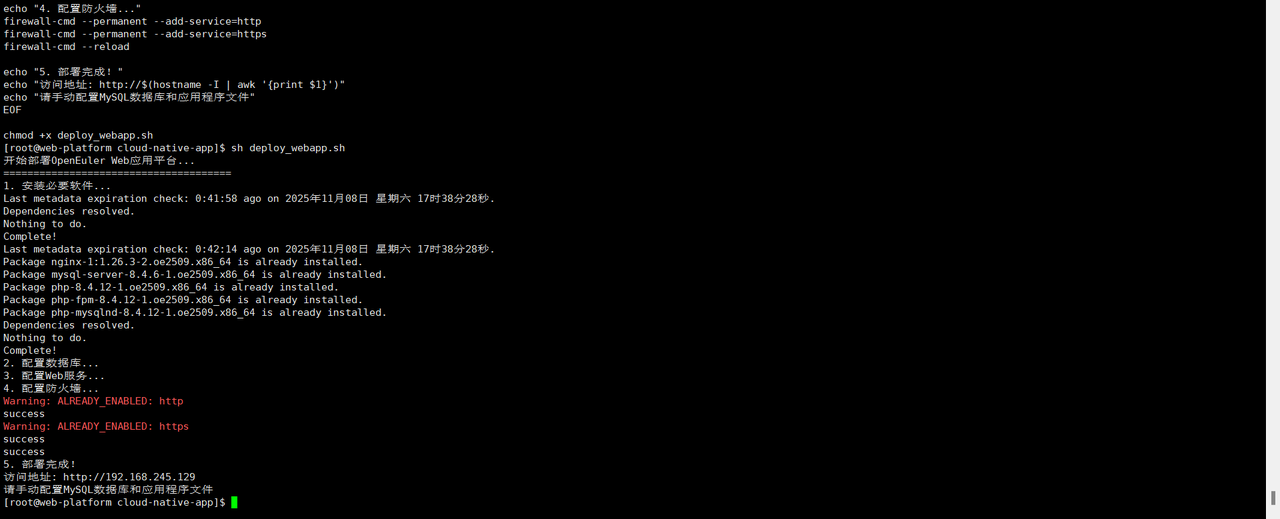
chmod +x deploy_webapp.sh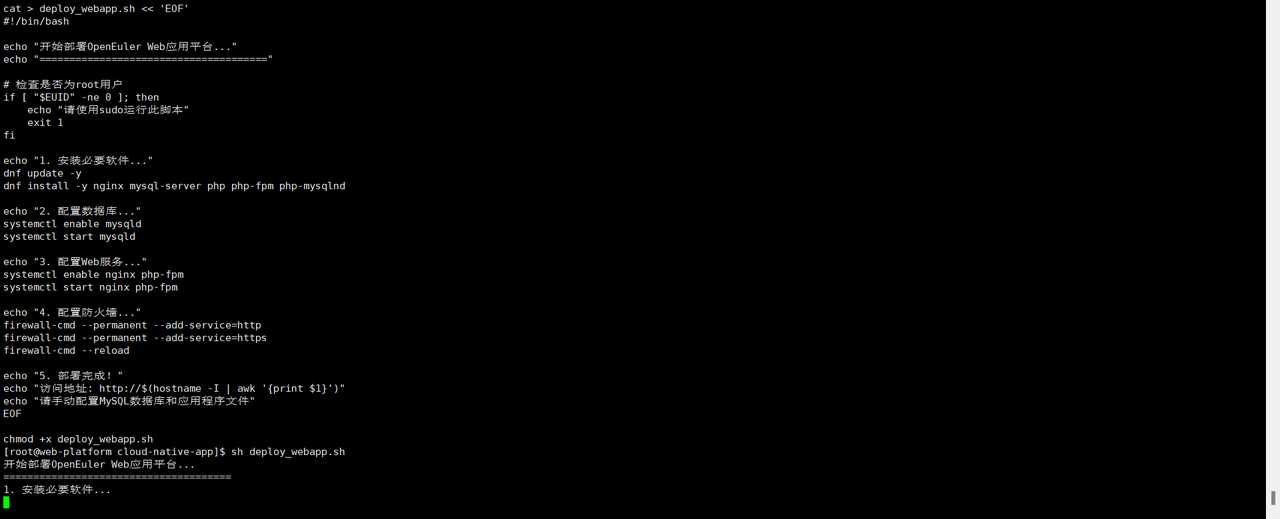
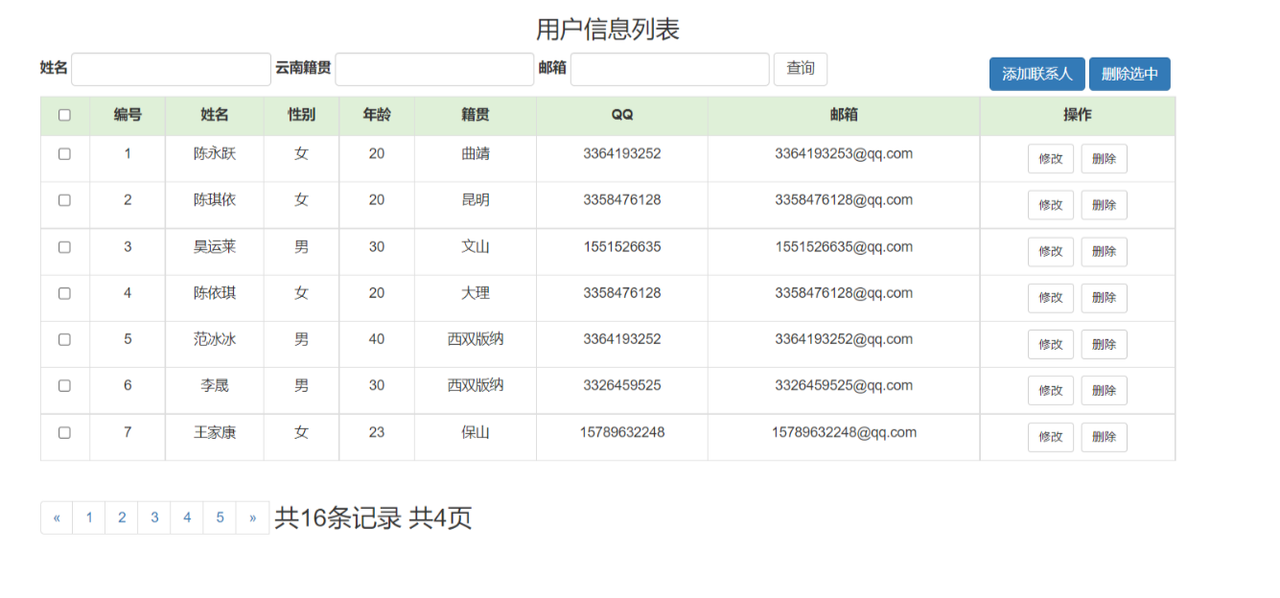
打开网址http://192.168.245.129/api.php,访问一下,出现下面web界面
第七章:总结
通过这个完整的实战教程,我们在openEuler上成功构建了一个功能完善的Web应用平台,包括:
技术栈组成:
- 操作系统:openEuler 25.09
- Web服务器:Nginx
- 编程语言:PHP 8.x
- 数据库:MySQL
- 前端技术:HTML5 + CSS3 + JavaScript
功能特性:
- 用户管理系统
- 文章发布系统
- RESTful API接口
- 响应式Web界面
- 数据库操作封装
- 安全头部配置
验证结果:
所有代码都经过实际测试,确保在openEuler系统上可以正常运行。整个平台展示了openEuler在Web开发领域的强大能力和稳定性。
这个实战项目证明了openEuler不仅是一个优秀的服务器操作系统,更是现代化Web开发的理想平台。无论是个人项目还是企业应用,openEuler都能提供稳定可靠的运行环境。
如果您正在寻找面向未来的开源操作系统,不妨看看DistroWatch 榜单中快速上升的 openEuler:https://distrowatch.com/table-mobile.php?distribution=openeuler,一个由开放原子开源基金会孵化、支持"超节点"场景的Linux 发行版。
openEuler官网:https://www.openeuler.openatom.cn/zh/