一、基本信息
聚合(Aggregation) 是一种特殊的控件关系,指一个父控件可以包含多个类型相同的子控件。例如:
sap.m.List的items聚合包含多个ListItemBase(如StandardListItem)。
sap.m.Table的items聚合包含多行。
sap.ui.layout.VerticalLayout的content聚合包含多个任意控件。聚合绑定就是将一个模型中的数据数组,自动映射为一个聚合内的多个子控件。
聚合绑定 实现了 "用模型数据动态生成、更新和销毁重复的 UI 控件" 这一目标。
📊 聚合绑定 vs. 属性绑定
特性 属性绑定 (Property Binding) 聚合绑定 (Aggregation Binding) 绑定目标 控件的单个属性 (如 text,value)控件的聚合 (如 items,content)数据源 模型中的单个值或对象 模型中的数组/集合 UI 结果 更新一个现有控件的某个属性值。 动态生成/销毁一系列子控件。 典型控件 Input的value,Text的textList的items,Table的columns
二、练习
新建文件夹19,复制UI5_Walkthrough_Step 17: Fragment Callbacks 对话框按钮事件处理 && Step 18: Icons图标使用-
练习文件夹内容.
2.1 webapp/Invoices.json
webapp问价夹下新增Invoices.json
javascript
{
  "Invoices": [
    {
      "ProductName": "Pineapple",
      "Quantity": 21,
      "ExtendedPrice": 87.2,
      "ShipperName": "Fun Inc.",
      "ShippedDate": "2015-04-01T00:00:00",
      "Status": "A"
    },
    {
      "ProductName": "Milk",
      "Quantity": 4,
      "ExtendedPrice": 10,
      "ShipperName": "ACME",
      "ShippedDate": "2015-02-18T00:00:00",
      "Status": "B"
    },
    {
      "ProductName": "Canned Beans",
      "Quantity": 3,
      "ExtendedPrice": 6.85,
      "ShipperName": "ACME",
      "ShippedDate": "2015-03-02T00:00:00",
      "Status": "B"
    },
    {
      "ProductName": "Salad",
      "Quantity": 2,
      "ExtendedPrice": 8.8,
      "ShipperName": "ACME",
      "ShippedDate": "2015-04-12T00:00:00",
      "Status": "C"
    },
    {
      "ProductName": "Bread",
      "Quantity": 1,
      "ExtendedPrice": 2.71,
      "ShipperName": "Fun Inc.",
      "ShippedDate": "2015-01-27T00:00:00",
      "Status": "A"
    }
  ]
}
2.2 webapp/manifest.json
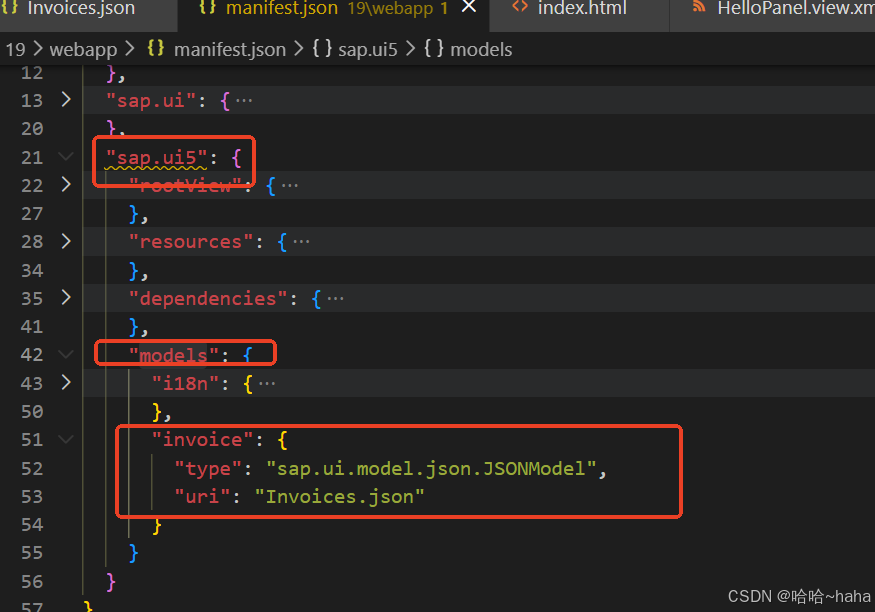
manifest.json 文件中models下新增invoice 模型配置,有了这个配置,sap ui5的应用Component,在运行时会自动加载manifest.json的相对路径,JSONModel会加载模型实例invoice
javascript
      "invoice": {
        "type": "sap.ui.model.json.JSONModel",
        "uri": "Invoices.json"
      }
2.3 webapp/view/InvoiceList.view.xml
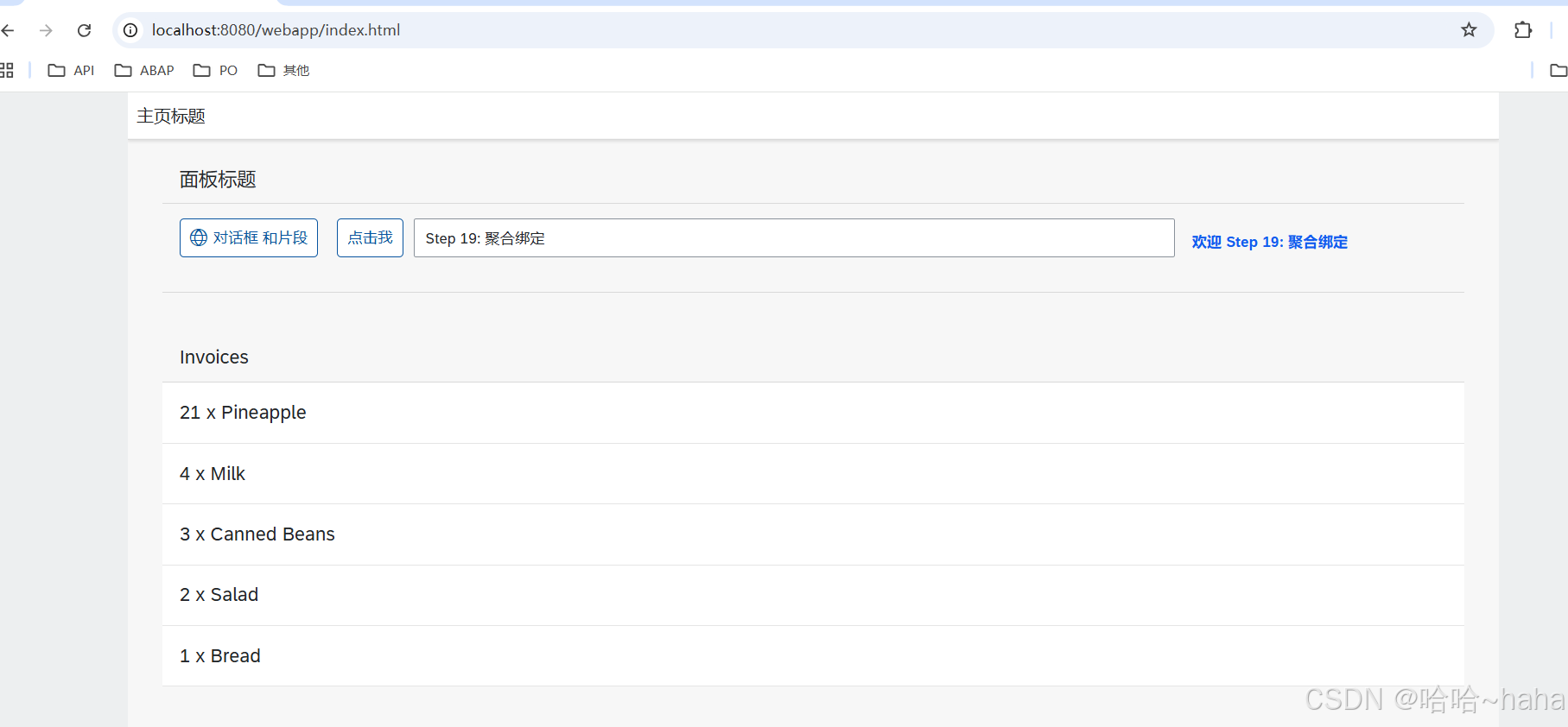
view 文件夹新增InvoiceList.view.xml 文件声明一个列表List,items="{invoice>/Invoices}"为聚合绑定语法,左边invoice为2.2步骤manifest.json文件中新增的模型名称,Invoices为存放行项目字段名,且必须为数组类型,即Invoices.json文件中的Invoices要对应上,符号/表明改路径是绝对路径,/ 表示从模型数据的根 开始,ObjectListItem中title显示数据信息 拼接invoice模型中Quantity和ProductName两个字段信息显示,使用{模型名称>字段名称},模型名称名称即为2.2中manifest.json 文件新增配置的模型名称nvoice
XML
<mvc:View
   xmlns="sap.m"
   xmlns:mvc="sap.ui.core.mvc">
   <List
      headerText="{i18n>invoiceListTitle}"
      class="sapUiResponsiveMargin"
      width="auto"
      items="{invoice>/Invoices}" >
      <items>
         <ObjectListItem
            title="{invoice>Quantity} x {invoice>ProductName}"/>
      </items>
   </List>
</mvc:View>
2.4 webapp/view/App.view.xml
App.view.xml 文件中新增嵌入视图InvoiceList.view.xml
XML
<mvc:View
   controllerName="sap.ui5.walkthrough.controller.App"
	xmlns="sap.m"
	xmlns:mvc="sap.ui.core.mvc"
   displayBlock="true">
 <Shell>
      <App class="myAppDemoWT">
         <pages>
            <Page title="{i18n>homePageTitle}">
               <content>
                 <mvc:XMLView viewName="sap.ui5.walkthrough.view.HelloPanel"/>
                 <mvc:XMLView viewName="sap.ui5.walkthrough.view.InvoiceList"/>
               </content>
            </Page>
         </pages>
      </App>
   </Shell>
</mvc:View>
三、运行结果