如何将指定html内容转化成图片保存?这个问题很值得深思,实际应用中也很有价值。最直接的想法就是使用
canvas,熟悉canvas的同学可以尝试一下。这里不做太多的说明,本文采用html2canvas库来实现。
html2canvas库的使用非常简单,只需要引入html2canvas库,然后调用html2canvas方法即可,官方地址。
接下来说一下简单的使用,以react项目为例。
获取整个页面截图,可以使用底层IDroot,这样下载的就是root下的所有元素。
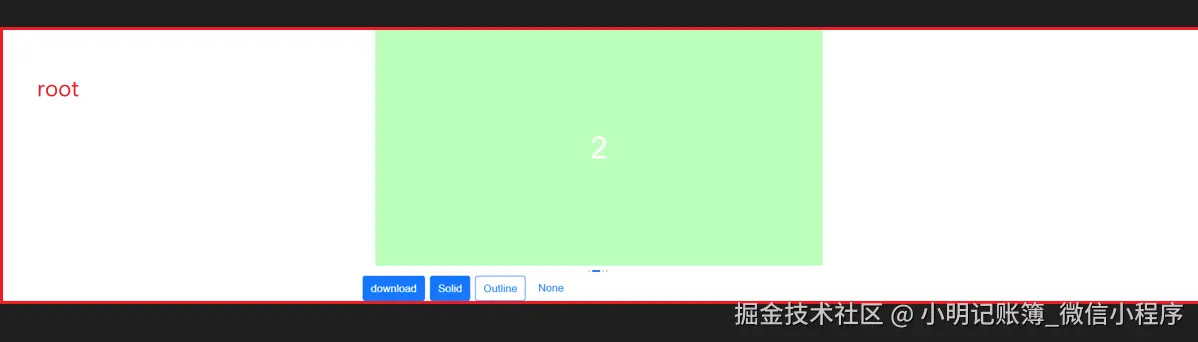
js
import html2canvas from "html2canvas";

const saveCanvas = () => {
    // 画布基础元素,要绘制的元素
    const canvas: any = document.getElementById("root");
    const options: any = { scale: 1, useCORS: true };
    html2canvas(canvas, options).then((canvas) => {
      const type = "png";
      // 返回值是一个数据url,是base64组成的图片的源数据
      let imgDt = canvas.toDataURL(type);
      let fileName = "img" + "." + type;
      // 保存为文件
      let a = document.createElement("a");
      document.body.appendChild(a);
      a.href = imgDt;
      a.download = fileName;
      a.click();
    });
};图片的默认背景色是#ffffff,如果想要透明色可设置为null,比如设置为红色。
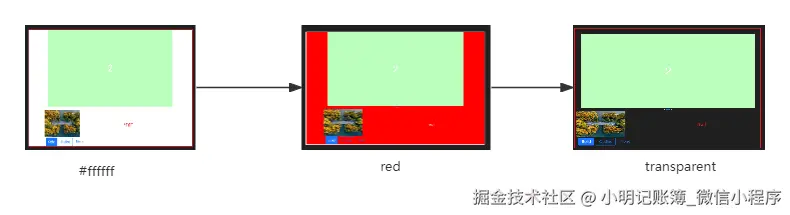
js
const options: any = { scale: 1, useCORS: true, backgroundColor: "red" };正常情况下网络图片是无法渲染的,可以使用useCORS属性,设置为true即可。
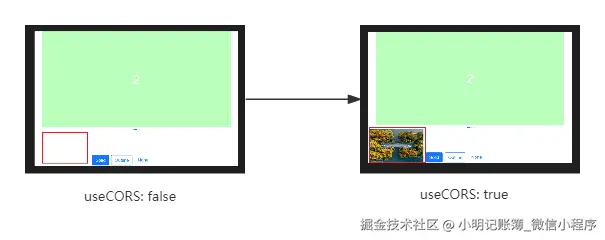
js
const options: any = { scale: 1, useCORS: true };保存某块元素的截图
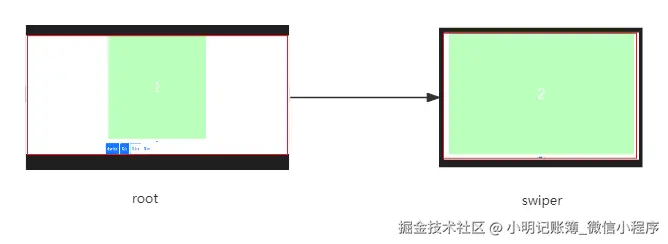
js
const canvas: any = document.getElementById("swiper");如果希望将某些元素排除,可以将data-html2canvas-ignore属性添加到这些元素中,html2canvas将从渲染中排除这些元素。
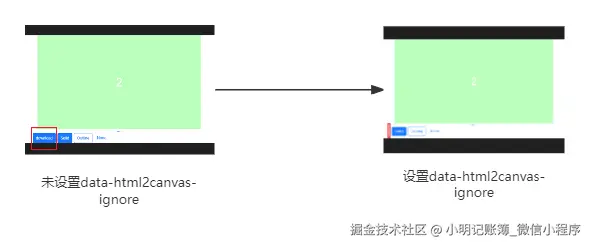
html
<Button
  data-html2canvas-ignore
  color="primary"
  fill="solid"
  onClick={saveCanvas}
>
  download
</Button>
完整代码
js
npm install html2canvas
css
// demo.less
.contentSwiper {
  width: 710px;
  height: 375px;
  color: #ffffff;
  display: flex;
  justify-content: center;
  align-items: center;
  font-size: 48px;
  user-select: none;
}
.swiper {
  padding: 0 20px;
}
js
import React from "react";
import { Button, Space, Swiper } from "antd-mobile";
import html2canvas from "html2canvas";
import styles from "./demo.less";

export default () => {
  const saveCanvas = () => {
    // 画布基础元素,要绘制的元素
    const canvas: any = document.getElementById("root");
    const options: any = { scale: 1, useCORS: true, backgroundColor: "red"
  };
    html2canvas(canvas, options).then((canvas) => {
      const type = "png";
      // 返回值是一个数据url,是base64组成的图片的源数据
      let imgDt = canvas.toDataURL(type);
      let fileName = "img" + "." + type;
      // 保存为文件
      let a = document.createElement("a");
      document.body.appendChild(a);
      a.href = imgDt;
      a.download = fileName;
      a.click();
    });
  };
  const colors: string[] = ["#ace0ff", "#bcffbd", "#e4fabd", "#ffcfac"];
  const items = colors.map((color, index) => (
    <Swiper.Item key={index}>
      <div className={styles.contentSwiper} style={{ background: color }}>
        {index + 1}
      </div>
    </Swiper.Item>
  ));
  return (
    <div className="content">
      <div id="swiper" className={styles.swiper}>
        <Swiper
          style={{
            "--track-padding": " 0 0 16px",
          }}
          defaultIndex={1}
        >
          {items}
        </Swiper>
      </div>
      <div>
        <img
          width={200}
          src="https://t7.baidu.com/it/u=2621658848,3952322712&fm=193&f=GIF"
        />
      </div>
      <Space>
        <Button
          data-html2canvas-ignore
          color="primary"
          fill="solid"
          onClick={saveCanvas}
        >
          download
        </Button>
        <Button color="primary" fill="solid">
          Solid
        </Button>
        <Button color="primary" fill="outline">
          Outline
        </Button>
        <Button color="primary" fill="none">
          None
        </Button>
      </Space>
    </div>
  );
};