前言
我们经常 会碰到的 基于 http 流式交互的数据方式
一般在 现在常见的大模型中, 一般是基于 websocket 来进行流式交互
这里 来介绍一下 基于 http 的流式数据交互
基于 http 协议的流式数据交互 - 服务器
主要是基于 println 和 flush
@RestController
@RequestMapping("/HelloWorld")
public class HelloWorldController {

    @PostMapping("/flowResponse")
    public void flowResponse(HttpServletResponse response) throws Exception {
        response.setContentType("text/event-stream");
        response.setCharacterEncoding("utf8");
        PrintWriter pw = response.getWriter();

        for (int i = 1; i < 10; i++) {
            pw.println(String.format("this is section %s", i));
            pw.flush();
            Thread.sleep(1000);
        }
    }

}
基于 http 协议的流式数据交互 - 客户端
发送请求这边的处理如下
/**
 * Test26PostFlowRequest
 *
 * @author Jerry.X.He <970655147@qq.com>
 * @version 1.0
 * @date 2024-07-30 21:29
 */
public class Test26PostFlowRequest {

    // Test26PostFlowRequest
    public static void main(String[] args) {

        String url = "http://localhost:8080/HelloWorld/flowResponse";
        Map<String, String> headers = URLConnectionUtils.commonHeaders();
        String postBody = "{}";
        URLConnectionUtils.postBodyWithFlow(url, headers, postBody, "utf8", line -> {
            System.out.println(line);
        });

    }

}
postBodyWithFlow 的处理如下
发送 http 请求, 然后 一行一行的处理接收到的数据
    /**
     * postBodyWithFlow
     *
     * @return java.lang.String
     * @author Jerry.X.He
     * @date 2024/7/30 20:26
     */
    public static HttpResponse postBodyWithFlow(String urlStr, Map<String, String> headers, String postBody,
                                            String respCharset, Consumer<String> func) {
        HttpURLConnection conn = null;
        try {
            disableSSLVerification();
            URL url = new URL(urlStr);
            conn = (HttpURLConnection) url.openConnection();
            conn.setRequestMethod("POST");//POST GET PUT DELETE
            for (Map.Entry<String, String> entry : headers.entrySet()) {
                conn.setRequestProperty(entry.getKey(), entry.getValue());
            }
            conn.setRequestProperty("Content-Type", "application/json;charset=UTF-8");
            conn.setDoInput(true);
            conn.setDoOutput(true);
            conn.connect();
            OutputStream os = conn.getOutputStream();
            os.write(postBody.getBytes());
            os.flush();
            os.close();

            HttpResponse result = new HttpResponse();
            result.setUrl(conn.getURL());
            result.setMethod(conn.getRequestMethod());
            result.setHeaders(conn.getHeaderFields());
            result.setResponseCode(conn.getResponseCode());
            result.setResponseMessage(conn.getResponseMessage());

            StringBuilder respFromServer = new StringBuilder();
            // if success, read response from server
            if (conn.getResponseCode() >= 200 && conn.getResponseCode() < 300) {
                if (respCharset == null) {
                    respCharset = getCharsetFromServer(result);
                }

                BufferedReader reader = new BufferedReader(new InputStreamReader(conn.getInputStream(), respCharset));
                String line = null;
                while ((line = reader.readLine()) != null) {
                    func.accept(line);
                    respFromServer.append(line).append("\r\n");
                }
            }

            result.setRespCharset(respCharset);
            result.setRespFromServer(respFromServer.toString());
            return result;
        } catch (Exception e) {
            e.printStackTrace();
            return null;
        } finally {
            if (conn != null) {
                conn.disconnect();
            }
        }
    }
演示效果
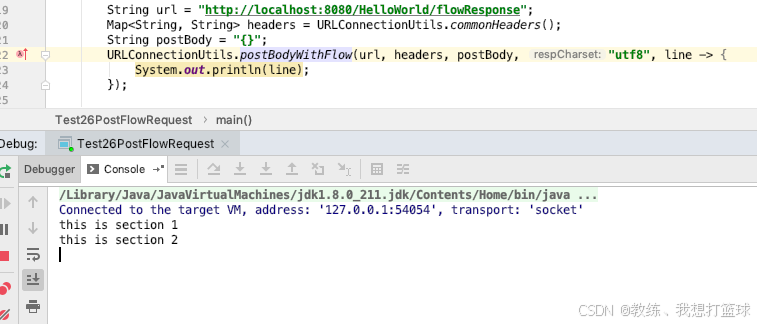
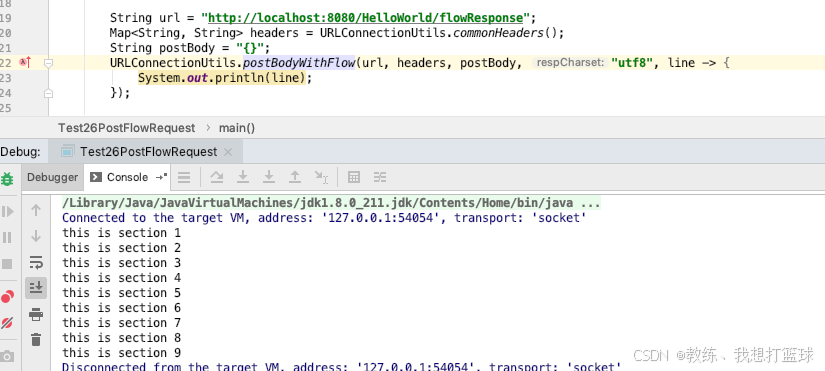
一秒中输出一个 "this is section $id"
完