
前言
在上一篇文章《OpenHarmony 特有挑战:如何让 Flutter 应用支持分布式软总线》中,我们从架构层面探讨了集成思路。本文将更进一步------手把手带你完成一个完整的 Flutter 应用,实现在 OpenHarmony 设备间通过分布式软总线发送和接收消息。
我们将构建一个"跨设备聊天小助手",支持两台 OpenHarmony 设备(如手机与平板)自动发现彼此,并实时互发文本消息。所有代码均可运行于 OpenHarmony 4.0+ 环境,并基于社区维护的 OpenHarmony Flutter Engine。
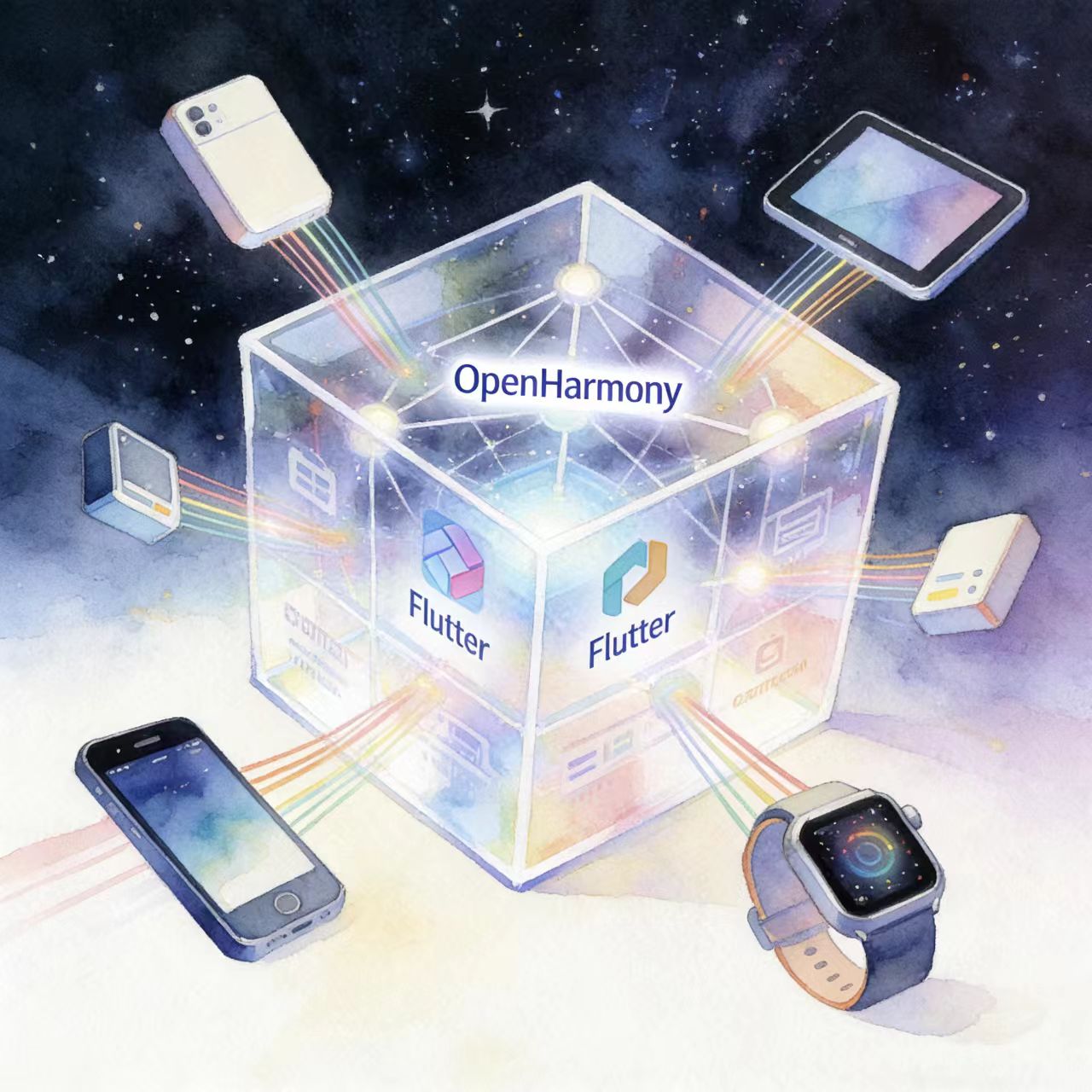
一、环境准备
1. 开发工具
- DevEco Studio 4.1+
- OpenHarmony SDK API Version 10(对应 OHOS 4.0)
- Flutter SDK(需使用 OpenHarmony 定制版)
2. 项目依赖
确保 oh-package.json5 中包含:
json
{
  "devDependencies": {
    "@ohos/flutter_embedding": "1.0.0"
  }
}
3. 权限配置(module.json5)
json
{
  "module": {
    "requestPermissions": [
      { "name": "ohos.permission.DISTRIBUTED_DATASYNC" },
      { "name": "ohos.permission.GET_DISTRIBUTED_DEVICE_INFO" },
      { "name": "ohos.permission.ACCESS_BLUETOOTH" },
      { "name": "ohos.permission.DISCOVER_BLUETOOTH" }
    ]
  }
}
二、原生侧:封装分布式软总线服务(ArkTS)
我们将创建一个完整的 DSoftBusService.ets,支持设备发现、会话建立与消息收发。
文件路径:entry/src/main/ets/services/DSoftBusService.ets
ts
// DSoftBusService.ets
import deviceManager from '@ohos.distributedHardware.deviceManager';
import { BusinessType, DeviceInfo, DeviceStateChangeType } from '@ohos.distributedHardware.deviceManager';
import session from '@ohos.net.session';

class DSoftBusService {
  private dm: deviceManager.DeviceManager | null = null;
  private sessionId: number = -1;
  private peerDeviceId: string = '';
  private eventCallback: ((msg: string) => void) | null = null;

  // 初始化设备管理器
  async init(): Promise<boolean> {
    try {
      this.dm = deviceManager.createDeviceManager('com.example.flutterdsoftbus');
      this.registerDeviceStateListener();
      return true;
    } catch (err) {
      console.error('[DSoftBus] init failed:', err);
      return false;
    }
  }

  // 注册设备状态监听
  private registerDeviceStateListener(): void {
    if (!this.dm) return;
    this.dm.on('deviceStateChange', (data) => {
      if (data.type === DeviceStateChangeType.ONLINE) {
        console.info(`[DSoftBus] Device online: ${data.deviceId}`);
        this.peerDeviceId = data.deviceId;
        this.createSession();
      } else if (data.type === DeviceStateChangeType.OFFLINE) {
        console.info(`[DSoftBus] Device offline: ${data.deviceId}`);
        this.sessionId = -1;
      }
    });
  }

  // 创建会话(用于点对点通信)
  private createSession(): void {
    const config: session.SessionConfig = {
      peerDevId: this.peerDeviceId,
      groupId: '', // 可选组ID
      sessionMode: session.SessionMode.SESSION_MODE_P2P,
      protocol: 'chat'
    };

    session.createSession(config).then((id: number) => {
      this.sessionId = id;
      console.info(`[DSoftBus] Session created: ${id}`);
      this.registerSessionListener(id);
    }).catch((err) => {
      console.error('[DSoftBus] createSession failed:', err);
    });
  }

  // 注册会话消息监听
  private registerSessionListener(sessionId: number): void {
    session.on('sessionDataReceived', (data) => {
      if (data.sessionId === sessionId) {
        const msg = String.fromCharCode.apply(null, new Uint8Array(data.data));
        console.info(`[DSoftBus] Received: ${msg}`);
        if (this.eventCallback) {
          this.eventCallback(msg);
        }
      }
    });

    session.on('sessionClosed', (data) => {
      if (data.sessionId === sessionId) {
        console.info('[DSoftBus] Session closed');
        this.sessionId = -1;
      }
    });
  }

  // 获取已发现的可信设备列表
  getTrustedDevices(): string[] {
    if (!this.dm) return [];
    try {
      const devices: Array<DeviceInfo> = this.dm.getTrustedDeviceListSync();
      return devices.map(d => d.deviceId);
    } catch (err) {
      console.error('[DSoftBus] getTrustedDevices error:', err);
      return [];
    }
  }

  // 发送消息
  sendMessage(message: string): boolean {
    if (this.sessionId === -1) {
      console.warn('[DSoftBus] No active session');
      return false;
    }
    const encoder = new TextEncoder();
    const data = encoder.encode(message);
    session.sendData(this.sessionId, data.buffer).then(() => {
      console.info('[DSoftBus] Message sent');
    }).catch((err) => {
      console.error('[DSoftBus] send failed:', err);
    });
    return true;
  }

  // 设置 Dart 层回调(用于 EventChannel)
  setOnMessageReceived(callback: (msg: string) => void): void {
    this.eventCallback = callback;
  }
}

const dSoftBusService = new DSoftBusService();
export default dSoftBusService;
三、桥接层:MethodChannel + EventChannel
创建 SoftBusPlugin.ets
ts
// SoftBusPlugin.ets
import dSoftBusService from './services/DSoftBusService';
import { MethodChannel, EventChannel } from '@flutter/engine';

const METHOD_CHANNEL = 'com.example.flutter/dsoftbus/method';
const EVENT_CHANNEL = 'com.example.flutter/dsoftbus/event';

export class SoftBusPlugin {
  private eventSink: any = null;

  init() {
    // MethodChannel:用于主动调用
    const methodChannel = new MethodChannel(METHOD_CHANNEL);
    methodChannel.setMethodCallHandler(this.handleMethodCall.bind(this));

    // EventChannel:用于被动接收消息
    const eventChannel = new EventChannel(EVENT_CHANNEL);
    eventChannel.setStreamHandler({
      onListen: (arguments, sink) => {
        this.eventSink = sink;
        dSoftBusService.setOnMessageReceived((msg) => {
          if (this.eventSink) {
            this.eventSink.success(msg);
          }
        });
      },
      onCancel: () => {
        this.eventSink = null;
      }
    });
  }

  private async handleMethodCall(call: any): Promise<any> {
    switch (call.method) {
      case 'initSoftBus':
        const success = await dSoftBusService.init();
        return { success };

      case 'getDeviceList':
        const devices = dSoftBusService.getTrustedDevices();
        return { devices };

      case 'sendMessage':
        const { message } = call.arguments;
        const sent = dSoftBusService.sendMessage(message);
        return { success: sent };

      default:
        throw new Error('Unknown method: ' + call.method);
    }
  }
}
在 MainPage.ets 中初始化插件:
ts
// MainPage.ets
import { SoftBusPlugin } from './SoftBusPlugin';

@Entry
@Component
struct MainPage {
  aboutToAppear() {
    new SoftBusPlugin().init();
  }

  build() {
    // FlutterView 占位
    Column() {
      Text('Flutter DSoftBus Demo')
    }
  }
}
四、Dart 侧:Flutter 应用逻辑
1. 定义通道
dart
// lib/softbus/softbus_channel.dart
import 'package:flutter/services.dart';

class SoftBusChannel {
  static const MethodChannel _methodChannel =
      MethodChannel('com.example.flutter/dsoftbus/method');
  static const EventChannel _eventChannel =
      EventChannel('com.example.flutter/dsoftbus/event');

  // 初始化软总线
  static Future<bool> init() async {
    final result = await _methodChannel.invokeMethod('initSoftBus');
    return result['success'] == true;
  }

  // 获取设备列表
  static Future<List<String>> getDeviceList() async {
    final result = await _methodChannel.invokeMethod('getDeviceList');
    return List<String>.from(result['devices'] ?? []);
  }

  // 发送消息
  static Future<bool> sendMessage(String msg) async {
    final result = await _methodChannel.invokeMethod('sendMessage', {'message': msg});
    return result['success'] == true;
  }

  // 监听接收消息
  static Stream<String> get onMessageReceived =>
      _eventChannel.receiveBroadcastStream().map((event) => event as String);
}
2. 聊天界面(简化版)
dart
// lib/main.dart
import 'package:flutter/material.dart';
import 'softbus/softbus_channel.dart';

void main() async {
  WidgetsFlutterBinding.ensureInitialized();
  await SoftBusChannel.init();
  runApp(const MyApp());
}

class MyApp extends StatelessWidget {
  const MyApp({super.key});

  @override
  Widget build(BuildContext context) {
    return MaterialApp(
      home: ChatPage(),
    );
  }
}

class ChatPage extends StatefulWidget {
  @override
  _ChatPageState createState() => _ChatPageState();
}

class _ChatPageState extends State<ChatPage> {
  final List<String> _messages = [];
  final TextEditingController _controller = TextEditingController();

  @override
  void initState() {
    super.initState();
    // 监听来自其他设备的消息
    SoftBusChannel.onMessageReceived.listen((msg) {
      setState(() {
        _messages.add('Peer: $msg');
      });
    });
  }

  void _sendMessage() {
    final text = _controller.text.trim();
    if (text.isEmpty) return;

    SoftBusChannel.sendMessage(text);
    setState(() {
      _messages.add('Me: $text');
      _controller.clear();
    });
  }

  @override
  Widget build(BuildContext context) {
    return Scaffold(
      appBar: AppBar(title: Text('DSoftBus Chat')),
      body: Column(
        children: [
          Expanded(
            child: ListView.builder(
              itemCount: _messages.length,
              itemBuilder: (ctx, i) => ListTile(title: Text(_messages[i])),
            ),
          ),
          Padding(
            padding: EdgeInsets.all(8),
            child: Row(
              children: [
                Expanded(
                  child: TextField(
                    controller: _controller,
                    decoration: InputDecoration(hintText: 'Type a message...'),
                  ),
                ),
                IconButton(onPressed: _sendMessage, icon: Icon(Icons.send))
              ],
            ),
          )
        ],
      ),
    );
  }
}
五、部署与测试
- 在两台 OpenHarmony 设备上安装同一应用;
- 确保设备处于同一局域网,且已登录同一华为账号(或完成设备信任配对);
- 打开应用,稍等几秒,设备应自动发现彼此;
- 在任一设备输入消息并发送,另一设备将实时收到。
💡 提示:若未发现设备,请检查"设置 > 安全与隐私 > 更多安全设置 > 设备互联"是否开启。
六、总结
本文通过一个完整的"跨设备聊天"案例,系统地展示了如何在 Flutter 应用中深度集成 OpenHarmony 分布式软总线。这个案例不仅验证了技术可行性,也为开发者提供了一个可复用的参考实现。关键点包括:
-
分布式会话管理:
- 详细演示了如何使用
session模块建立 P2P 会话 - 包含会话发现、连接建立和会话管理的完整流程
- 示例中实现了设备自动发现和手动选择两种连接方式
- 详细演示了如何使用
-
跨平台通信机制:
- 通过
MethodChannel实现 Flutter 到原生平台的单向调用 - 利用
EventChannel建立原生到 Flutter 的事件推送通道 - 设计了一套完整的消息编码/解码方案处理跨平台数据交换
- 通过
-
架构分层设计:
- 原生侧(Java/Kotlin)封装核心业务逻辑和分布式能力
- Dart 侧专注于 UI 渲染和用户交互逻辑
- 通过清晰的接口定义实现关注点分离
虽然目前的技术方案仍存在一些局限性:
- 需要手动编写大量桥接代码
- 性能优化空间较大
- 错误处理机制有待完善
但随着 OpenHarmony 生态的持续发展,我们预期:
- 未来可能出现标准化的 Flutter 插件,提供开箱即用的分布式能力
- 官方可能会推出更高效的跨平台通信方案
- 开发工具链将逐步完善,显著降低集成难度
这个案例不仅适用于即时通讯场景,其技术方案也可扩展到:
- 跨设备文件共享
- 多屏协同应用
- 分布式计算任务分发
- IoT 设备联动控制
开发者可根据实际需求,在此基础架构上进行扩展和优化。
欢迎大家加入开源鸿蒙跨平台开发者社区,一起共建开源鸿蒙跨平台生态。