前言
如今AI大模型遍地开花,我们的项目要基于公司已有的大模型,在某个系统中加入一个基于已有的知识库,在系统首页做一个所谓的"智能回复",因为项目框架比较老,所以大家就当随便看看吧,项目虽然老,但是开发思想是差不多的。
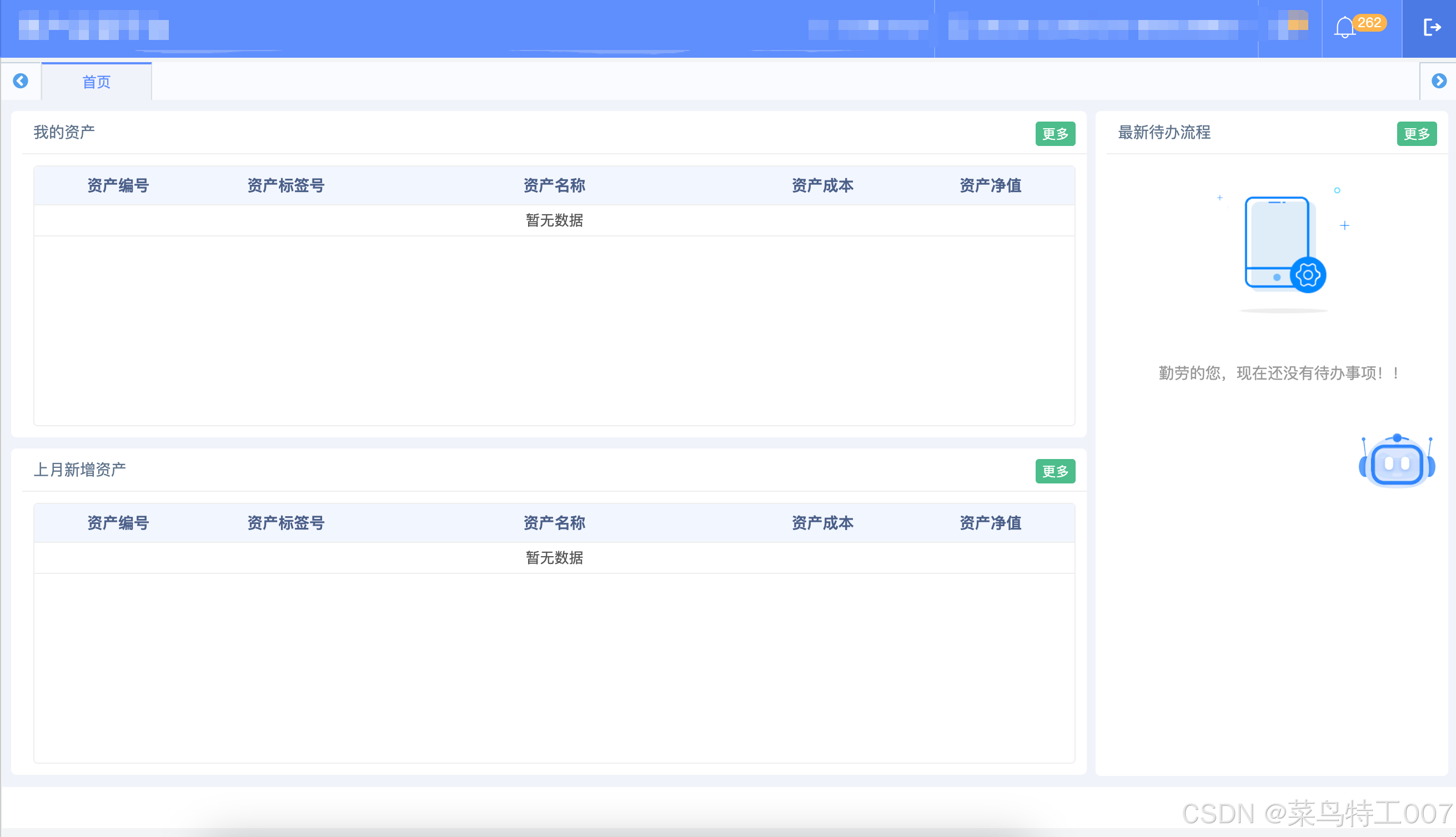
首页
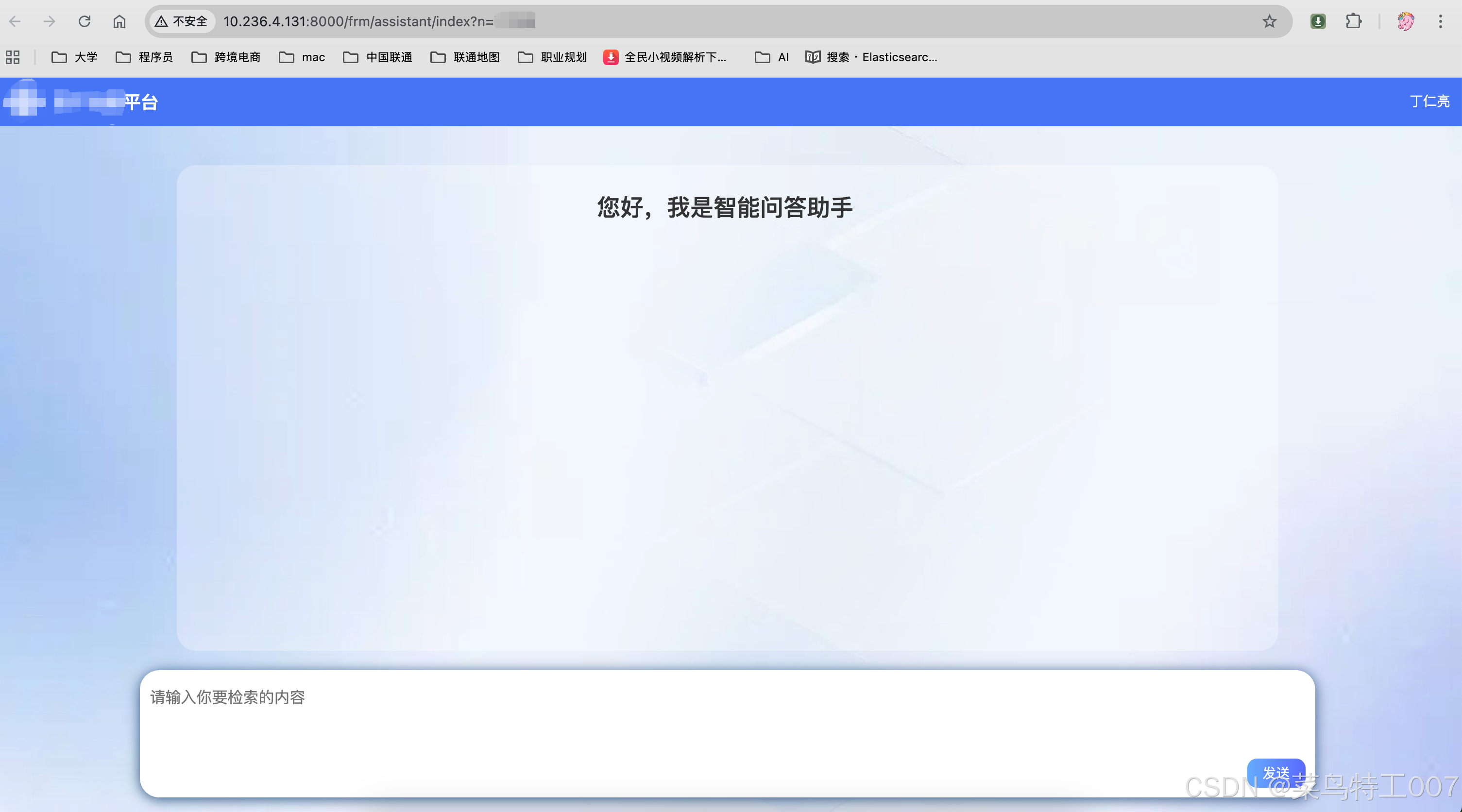
在右侧有个机器人的头像,点击头像后,即可跳转到聊天区域。
后端具体实现
开启过滤器异步
xml
<?xml version="1.0" encoding="UTF-8"?>
<web-app xmlns:xsi="http://www.w3.org/2001/XMLSchema-instance"
         xmlns="http://java.sun.com/xml/ns/javaee"
         xsi:schemaLocation="http://java.sun.com/xml/ns/javaee http://java.sun.com/xml/ns/javaee/web-app_3_0.xsd"
         id="WebApp_ID" version="3.0">
	<display-name>ict</display-name>

	<context-param>
		<description>spring 配置文件</description>
		<param-name>contextConfigLocation</param-name>
		<param-value>classpath*:application*.xml</param-value>
	</context-param>

	<filter>
		<description>字符集过滤器</description>
		<filter-name>encodingFilter</filter-name>
		<filter-class>org.springframework.web.filter.CharacterEncodingFilter</filter-class>
        <async-supported>true</async-supported>
		<init-param>
			<description>字符集编码</description>
			<param-name>encoding</param-name>
			<param-value>UTF-8</param-value>
		</init-param>
	</filter>
	<filter-mapping>
		<filter-name>encodingFilter</filter-name>
		<url-pattern>/*</url-pattern>
	</filter-mapping>

	<listener>
		<description>spring监听器</description>
		<listener-class>org.springframework.web.context.ContextLoaderListener</listener-class>
	</listener>
	<listener>
		<description>spring监听器</description>
		<listener-class>org.springframework.web.context.request.RequestContextListener</listener-class>
	</listener>
	<listener>
		<listener-class>org.springframework.web.util.IntrospectorCleanupListener</listener-class>
	</listener>

	<!-- <listener> <listener-class>org.apache.shiro.web.env.EnvironmentLoaderListener</listener-class>
		</listener> -->

	<filter>
		<description>Apache Shiro</description>
		<filter-name>shiroFilter</filter-name>
		<filter-class>org.springframework.web.filter.DelegatingFilterProxy</filter-class>
        <async-supported>true</async-supported>
		<init-param>
			<param-name>targetFilterLifecycle</param-name>
			<param-value>true</param-value>
		</init-param>
	</filter>

	<filter-mapping>
		<filter-name>shiroFilter</filter-name>
		<url-pattern>/*</url-pattern>
	</filter-mapping>
    <filter>
        <filter-name>XssSqlFilter</filter-name>
        <filter-class>cn.chinaunicom.sdsi.frm.xss.XssFilter</filter-class>
        <async-supported>true</async-supported>
        <init-param>
            <param-name>exclude</param-name>
            <param-value>/;/scripts/*;/styles/*;/images/*;</param-value>
        </init-param>
    </filter>
    <filter-mapping>
        <filter-name>XssSqlFilter</filter-name>
        <url-pattern>/*</url-pattern>
    </filter-mapping>

    <filter>
        <filter-name>httpHeaderSecurity</filter-name>
        <filter-class>org.apache.catalina.filters.HttpHeaderSecurityFilter</filter-class>
        <async-supported>true</async-supported>
        <init-param>
            <param-name>antiClickJackingOption</param-name>
            <param-value>SAMEORIGIN</param-value>
        </init-param>
    </filter>
    <filter-mapping>
        <filter-name>httpHeaderSecurity</filter-name>
        <url-pattern>/*</url-pattern>
    </filter-mapping>

    <context-param>
		<description>Log4j 配置</description>
		<param-name>log4jConfigLocation</param-name>
		<param-value>/WEB-INF/classes/log4j.properties</param-value>
	</context-param>
	<context-param>
		<param-name>log4jRefreshInterval</param-name>
		<param-value>60000</param-value>
	</context-param>
	<context-param>
		<param-name>webAppRootKey</param-name>
		<param-value>ams.root</param-value>
	</context-param>
	<listener>
		<listener-class>org.springframework.web.util.Log4jConfigListener</listener-class>
	</listener>

	<filter>
		<description>AjaxAnywhere 配置</description>
		<filter-name>AjaxAnywhere</filter-name>
		<filter-class>org.ajaxanywhere.AAFilter</filter-class>
        <async-supported>true</async-supported>
		<init-param>
			<param-name>ShowInfo</param-name>
			<param-value>false</param-value>
		</init-param>
		<init-param>
			<param-name>encoding</param-name><!-- 普通提交方式编码 -->
			<param-value>UTF-8</param-value>
		</init-param>
		<init-param>
			<param-name>ajaxencoding</param-name><!-- AJAX提交方式编码 -->
			<param-value>UTF-8</param-value>
		</init-param>
	</filter>
	<filter-mapping>
		<filter-name>AjaxAnywhere</filter-name>
		<url-pattern>*.do</url-pattern>
	</filter-mapping>

	<servlet>
		<description>springMVC 请求分发</description>
		<servlet-name>springMVC_dispatcher</servlet-name>
		<servlet-class>org.springframework.web.servlet.DispatcherServlet</servlet-class>
		<init-param>
			<param-name>contextConfigLocation</param-name>
			<param-value>classpath*:springMVC-servlet.xml</param-value>
		</init-param>
		<init-param>
			<param-name>throwExceptionIfNoHandlerFound</param-name>
			<param-value>true</param-value>
		</init-param>
		<load-on-startup>1</load-on-startup>
        <async-supported>true</async-supported>
	</servlet>
	<servlet-mapping>
		<servlet-name>springMVC_dispatcher</servlet-name>
		<url-pattern>/frm/*</url-pattern>
        <url-pattern>/mobile/*</url-pattern>
	</servlet-mapping>

	<servlet>
		<description>配置 Druid 监控信息显示页面</description>
		<servlet-name>DruidStatView</servlet-name>
		<servlet-class>com.alibaba.druid.support.http.StatViewServlet</servlet-class>
		<init-param>
			<param-name>exclusions</param-name>
			<param-value>*.js,*.gif,*.jpg,*.png,*.css,*.ico,/druid/*</param-value>
		</init-param>

		<init-param>
			<!-- 允许清空统计数据 -->
			<param-name>resetEnable</param-name>
			<param-value>true</param-value>
		</init-param>
		<init-param>
			<!-- 用户名 -->
			<param-name>loginUsername</param-name>
			<param-value>druid</param-value>
		</init-param>
		<init-param>
			<!-- 密码 -->
			<param-name>loginPassword</param-name>
			<param-value>druid</param-value>
		</init-param>
	</servlet>

	<servlet-mapping>
		<servlet-name>DruidStatView</servlet-name>
		<url-pattern>/druid/*</url-pattern>
	</servlet-mapping>

	<!-- 程序异常错误页面配置 -->
	<error-page>
		<exception-type>java.lang.Exception</exception-type>
		<location>/WEB-INF/jsp/frm/exception/error.jsp</location>
	</error-page>

	<!-- 程序异常错误页面配置 -->
	<error-page>
		<exception-type>javax.servlet.ServletException</exception-type>
		<location>/WEB-INF/jsp/frm/exception/error.jsp</location>
	</error-page>

	<!-- 程序异常错误页面配置 -->
	<error-page>
		<exception-type>java.lang.IllegalArgumentException</exception-type>
		<location>/WEB-INF/jsp/frm/exception/error.jsp</location>
	</error-page>

	<!-- 错误页面配置 -->
	<error-page>
		<error-code>400</error-code>
		<location>/WEB-INF/jsp/frm/exception/error.jsp</location>
	</error-page>

	<!-- 错误页面配置 -->
	<error-page>
		<error-code>404</error-code>
		<location>/WEB-INF/jsp/frm/exception/error.jsp</location>
	</error-page>

	<!-- 无权限跳转页面 -->
	<error-page>
		<error-code>406</error-code>
		<location>/WEB-INF/jsp/frm/sys/error/406.jsp</location>
	</error-page>

	<error-page>
		<error-code>500</error-code>
		<location>/WEB-INF/jsp/frm/exception/error.jsp</location>
	</error-page>

    <!-- 302-->
    <error-page>
        <error-code>302</error-code>
        <location>/WEB-INF/jsp/frm/exception/error.jsp</location>
    </error-page>

	<!-- 欢迎页面 -->
	<welcome-file-list>
		<welcome-file>/login.jsp</welcome-file>
	</welcome-file-list>
</web-app>
注意:<async-supported>true</async-supported>
控制器代码
java
package unicom.ams.assistant.controller;

import org.springframework.beans.factory.annotation.Autowired;
import org.springframework.stereotype.Controller;
import org.springframework.web.bind.annotation.*;

import cn.chinaunicom.sdsi.frm.base.BaseController;
import org.springframework.web.servlet.ModelAndView;
import org.springframework.web.servlet.mvc.method.annotation.SseEmitter;
import unicom.ams.assistant.entity.AiChatInput;
import unicom.ams.assistant.service.IAssistantService;
import unicom.ams.caCount.service.CaCountService;

import javax.servlet.http.HttpServletRequest;

/**
 * @author pgq
 * @date 2025/06/10 09:05
 */
@Controller
@RequestMapping("/assistant")
public class AssistantController extends BaseController {

    @Autowired(required = false)
    private IAssistantService assistantService;

    @Autowired(required = false)
    private CaCountService caCountService;

    /**
     * 获取ai聊天输出
     *
     * @param input
     * @return
     */
    @RequestMapping(value = "/getAiOutput",method = RequestMethod.POST,produces = "text/event-stream")
    public SseEmitter getAIOutput(@RequestBody AiChatInput input) {
        String currUserLoginName = this.getNowUser().getLoginName();
        return assistantService.getAiOutput(currUserLoginName, input);
    }

    @RequestMapping(value = "/index")
    public ModelAndView index(ModelAndView view, HttpServletRequest request) {
        view.setViewName("/unicom/ams/assistant/index");
        // 更新使用次数
        caCountService.updateAssistantRecode();
        return view;
    }

}
业务逻辑层
java
package unicom.ams.assistant.service.impl;

import org.springframework.beans.factory.annotation.Autowired;
import org.springframework.stereotype.Service;

import cn.chinaunicom.sdsi.gateway.sdk.http.HMacAuthRequestBuilder;
import cn.hutool.core.net.url.UrlBuilder;
import cn.hutool.http.HttpRequest;
import cn.hutool.http.HttpResponse;
import cn.hutool.http.Method;
import cn.hutool.json.JSONUtil;
import lombok.extern.slf4j.Slf4j;
import org.springframework.web.servlet.mvc.method.annotation.SseEmitter;
import unicom.ams.assistant.config.AssistantConfig;
import unicom.ams.assistant.entity.AiChatInput;
import unicom.ams.assistant.service.IAssistantService;

import java.io.BufferedReader;
import java.io.InputStreamReader;
import java.util.Map;

/**
 * @author pgq
 * @date 2025/06/10 09:06
 */
@Slf4j
@Service
public class AssistantServiceImpl implements IAssistantService {
    @Autowired
    private AssistantConfig assistantConfig;

    @Override
    public SseEmitter getAiOutput(String loginName, AiChatInput input) {
        SseEmitter sseEmitter = new SseEmitter(60000L);
        input.setUser_id(loginName);
        input.setStream(true);
        input.setScene(assistantConfig.getSceneName());
        HttpRequest httpRequest = HMacAuthRequestBuilder.builder()
            .method(Method.POST)
            .url(UrlBuilder.of(assistantConfig.getUrl()))
            .algorithm("hmac-sha256")
            .username(assistantConfig.getAppKey())
            .password(assistantConfig.getAppSecret())
            .build();
        httpRequest.header("Application-Scene",assistantConfig.getCode());
        // 设置httpRequest的内容类型为JSON格式。
        httpRequest.contentType("application/json");
        String inputStr = JSONUtil.toJsonStr(input);
        log.info("AI Chat询问内容:{}", inputStr);
        httpRequest.body(inputStr);
        HttpResponse httpResponse = httpRequest.execute();
        String body = httpResponse.body();
        log.info("AI Chat回复结果:{}", body);
        if (null == body) {
            sseEmitter.completeWithError(new RuntimeException("空响应体"));
        }
        processStream(httpResponse, sseEmitter);
        return sseEmitter;
    }

    private void processStream(HttpResponse httpResponse, SseEmitter sseEmitter) {
        try (BufferedReader bufferedReader = new BufferedReader(new InputStreamReader(httpResponse.bodyStream()))) {
            String line;
            while ((line = bufferedReader.readLine()) != null) {
                if (line.startsWith("data: ")){
                    String eventData = line.substring(6).trim();
                    sseEmitter.send(SseEmitter.event().name("message").data(JSONUtil.toBean(eventData, Map.class)));
                }
            }
        } catch (Exception e) {
            log.info("流式响应异常:{}", e);
        }
    }
}
页面实际请求
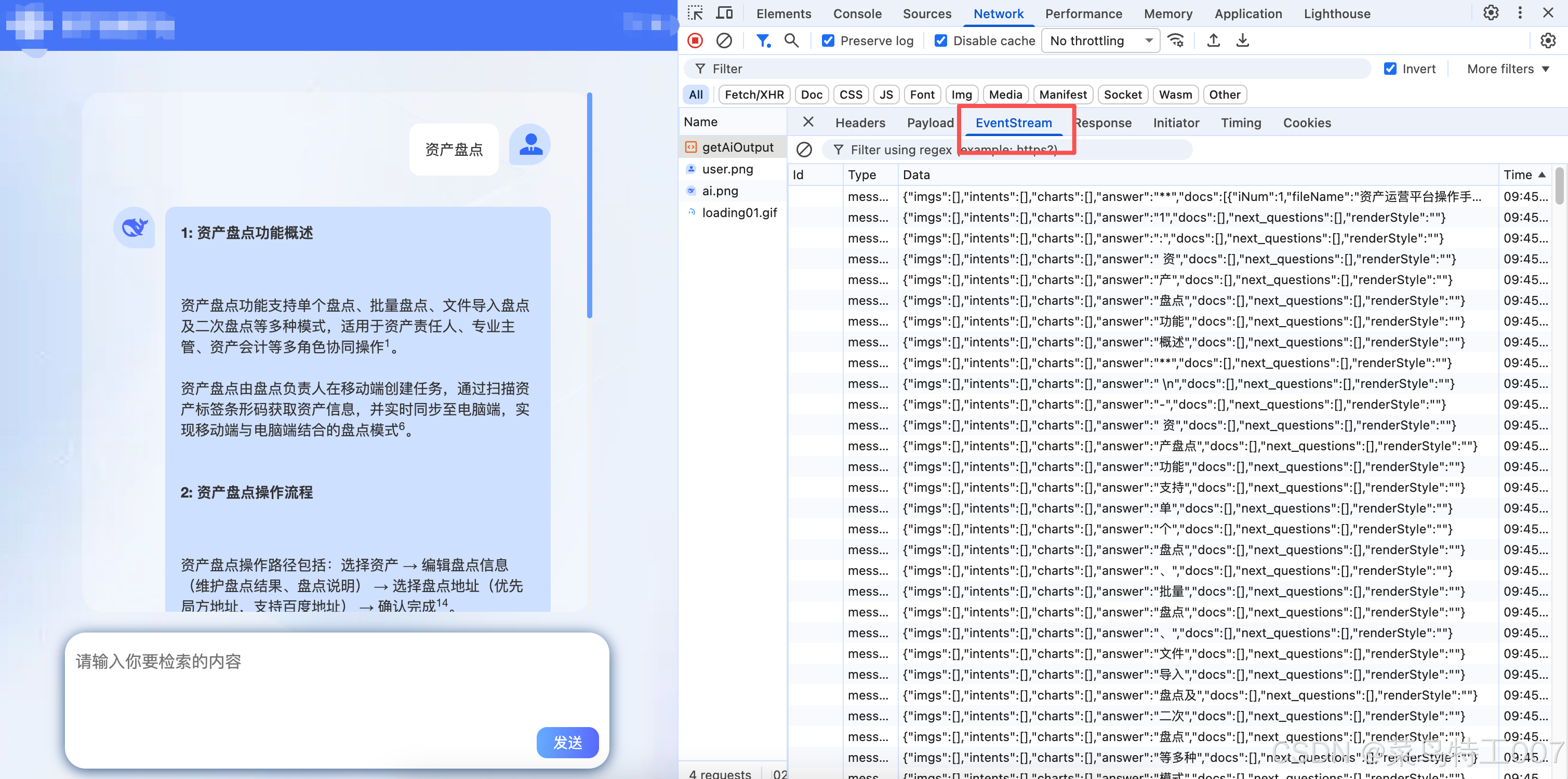
大家可以看到这个响应结果是EventStream,前端要做的就是把响应结果逐字的拼接,然后响应。(因为前端技术不同,写法也不同,这里不做展示)。