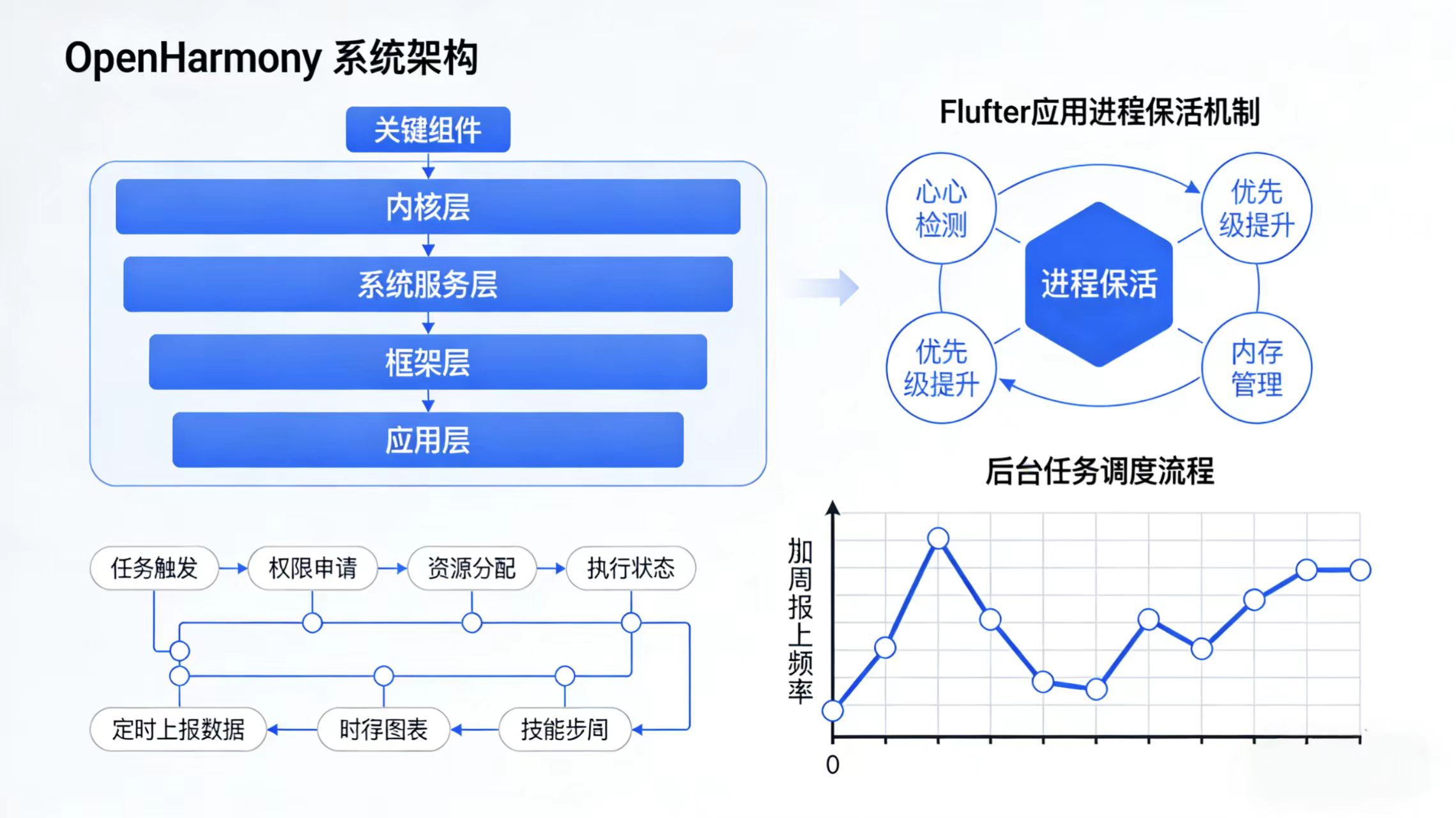
前言
在 OpenHarmony 生态中,许多应用场景(如健康监测、设备状态上报、位置追踪)要求应用即使在退到后台或屏幕关闭后 ,仍能周期性执行任务。然而,出于系统资源与电池优化的考虑,OpenHarmony 对后台进程有严格的管控策略。
而 Flutter 作为 UI 框架,默认不具备后台运行能力------一旦应用进入后台,Dart VM 就会被挂起,Timer、Future.delayed 等异步任务将停止执行。
本文将深入探讨如何在 OpenHarmony 上实现 Flutter 应用的"保活"与后台定时任务 ,并通过一个完整的 "每5分钟上报设备状态" 案例,手把手教你构建可落地的解决方案。
一、OpenHarmony 后台限制机制简析
OpenHarmony(4.0+)对后台应用采取以下策略:
| 状态 | 行为 |
|---|---|
| 前台应用 | 全功能运行 |
| 后台应用(未加白名单) | 10秒后冻结(CPU 停止,网络断开) |
| 后台应用(加入允许后台运行列表) | 可持续运行,但受资源调度限制 |
| 灭屏状态 | 所有后台应用默认冻结 |
✅ 关键结论 :仅靠 Dart 代码无法实现可靠后台任务,必须依赖 原生 Ability + 后台 Service。
二、整体方案设计
我们采用 "原生后台 Service + Flutter 前台控制" 的混合架构:
+---------------------+
|   Flutter App       |
| - 用户开启/关闭上报 |
| - 显示最近上报时间  |
+----------+----------+
           |
   MethodChannel(启动/停止)
           |
+----------v----------+
| OpenHarmony Native  |
| - ForegroundAbility |
| - BackgroundService |
| - AlarmManager      |
+----------+----------+
           |
   定时触发 → 上报数据(HTTP / 软总线)
核心组件说明:
- ForegroundAbility:前台服务能力,用于申请"前台服务"权限,防止被系统杀死;
- BackgroundService:真正的后台任务执行者;
- AlarmManager:使用系统级定时器,即使应用被杀也能唤醒(需配合持久化配置);
- MethodChannel:Flutter 与原生通信桥梁。
三、原生侧实现(ArkTS)
1. 创建后台服务 ReportService.ets
ts
// entry/src/main/ets/service/ReportService.ets
import serviceExtensionAbility from '@ohos.application.ServiceExtensionAbility';
import { Http } from '@kit.NetworkKit';
import notificationManager from '@ohos.notification.notificationManager';

export default class ReportService extends serviceExtensionAbility.ServiceExtensionAbility {
  private isRunning: boolean = false;
  private timerId: number = -1;

  onCreate(): void {
    console.info('[ReportService] onCreate');
  }

  onRequest(want, startId): void {
    if (want?.parameters?.action === 'start') {
      this.startReporting();
    } else if (want?.parameters?.action === 'stop') {
      this.stopReporting();
    }
  }

  private startReporting(): void {
    if (this.isRunning) return;
    this.isRunning = true;

    // 创建前台通知(必须!否则服务会被杀)
    this.createForegroundNotification();

    // 启动定时上报(每5分钟)
    this.timerId = globalThis.setInterval(() => {
      this.reportDeviceStatus();
    }, 5 * 60 * 1000); // 5分钟

    console.info('[ReportService] Reporting started');
  }

  private stopReporting(): void {
    if (!this.isRunning) return;
    globalThis.clearInterval(this.timerId);
    this.isRunning = false;
    this.terminateSelf(); // 停止服务
    console.info('[ReportService] Reporting stopped');
  }

  private async reportDeviceStatus(): Promise<void> {
    try {
      const data = {
        deviceId: 'device_123',
        timestamp: Date.now(),
        batteryLevel: await this.getBatteryLevel(), // 模拟获取电量
        status: 'active'
      };

      // 示例:通过 HTTP 上报(也可改为软总线)
      const httpRequest = new Http.HttpRequest();
      await httpRequest.request('https://your-api.com/report', {
        method: Http.RequestMethod.POST,
        header: { 'Content-Type': 'application/json' },
        extraData: JSON.stringify(data)
      });

      console.info('[ReportService] Report sent successfully');
    } catch (err) {
      console.error('[ReportService] Report failed:', err);
    }
  }

  private async getBatteryLevel(): Promise<number> {
    // 此处可调用系统 API 获取真实电量
    return 85; // 模拟值
  }

  private async createForegroundNotification(): Promise<void> {
    const notificationRequest = {
      id: 1001,
      content: {
        title: '设备状态上报服务',
        text: '正在后台运行,每5分钟上报一次',
        additionalText: ''
      },
      slotType: 'SERVICE'
    };
    try {
      await notificationManager.publish(notificationRequest);
      // 将服务转为前台服务(关键!)
      this.setForegroundNotification(1001);
    } catch (err) {
      console.error('[ReportService] Failed to create foreground notification:', err);
    }
  }
}
2. 注册服务到 module.json5
json
{
  "module": {
    "extensionAbilities": [
      {
        "name": "ReportService",
        "srcEntry": "./ets/service/ReportService.ets",
        "type": "service",
        "exported": true,
        "permissions": ["ohos.permission.START_FOREGROUND_SERVICES"]
      }
    ],
    "requestPermissions": [
      { "name": "ohos.permission.INTERNET" },
      { "name": "ohos.permission.START_FOREGROUND_SERVICES" },
      { "name": "ohos.permission.GET_BATTERY_INFO" }
    ]
  }
}
3. 创建 Flutter 插件桥接 BackgroundTaskPlugin.ets
ts
// entry/src/main/ets/plugins/BackgroundTaskPlugin.ets
import { MethodChannel } from '@flutter/engine';
import common from '@ohos.app.ability.common';

const CHANNEL = 'com.example.flutter/background_task';

export class BackgroundTaskPlugin {
  private context: common.Context;

  constructor(context: common.Context) {
    this.context = context;
  }

  init() {
    const channel = new MethodChannel(CHANNEL);
    channel.setMethodCallHandler(this.handleMethod.bind(this));
  }

  private handleMethod(call: any): Promise<any> {
    switch (call.method) {
      case 'startBackgroundReporting':
        this.startService('start');
        return Promise.resolve({ success: true });

      case 'stopBackgroundReporting':
        this.startService('stop');
        return Promise.resolve({ success: true });

      default:
        return Promise.reject('Unknown method');
    }
  }

  private startService(action: string): void {
    const want = {
      bundleName: 'com.example.flutterbackground',
      abilityName: 'ReportService',
      parameters: { action }
    };
    this.context.startServiceExtensionAbility(want).catch(err => {
      console.error('[Plugin] startService failed:', err);
    });
  }
}
4. 在 EntryAbility.ets 中初始化插件
ts
// entry/src/main/ets/entryability/EntryAbility.ets
import UIAbility from '@ohos.app.ability.UIAbility';
import { BackgroundTaskPlugin } from '../plugins/BackgroundTaskPlugin';

export default class EntryAbility extends UIAbility {
  onWindowStageCreate(windowStage) {
    // 初始化 Flutter 插件
    new BackgroundTaskPlugin(this.context).init();

    // ... 其他逻辑
  }
}
四、Flutter 侧实现
1. 定义通道方法
dart
// lib/services/background_task_service.dart
import 'package:flutter/services.dart';

class BackgroundTaskService {
  static const _channel = MethodChannel('com.example.flutter/background_task');

  static Future<bool> startReporting() async {
    try {
      final result = await _channel.invokeMethod('startBackgroundReporting');
      return result == true;
    } catch (e) {
      print('Failed to start reporting: $e');
      return false;
    }
  }

  static Future<bool> stopReporting() async {
    try {
      final result = await _channel.invokeMethod('stopBackgroundReporting');
      return result == true;
    } catch (e) {
      print('Failed to stop reporting: $e');
      return false;
    }
  }
}
2. 构建控制界面
dart
// lib/main.dart
import 'package:flutter/material.dart';
import 'services/background_task_service.dart';

void main() {
  runApp(const MyApp());
}

class MyApp extends StatelessWidget {
  const MyApp({super.key});

  @override
  Widget build(BuildContext context) {
    return MaterialApp(
      home: BackgroundControlPage(),
    );
  }
}

class BackgroundControlPage extends StatefulWidget {
  @override
  _BackgroundControlPageState createState() => _BackgroundControlPageState();
}

class _BackgroundControlPageState extends State<BackgroundControlPage> {
  bool _isReporting = false;

  void _toggleReporting() async {
    if (_isReporting) {
      final success = await BackgroundTaskService.stopReporting();
      if (success) {
        setState(() => _isReporting = false);
      }
    } else {
      final success = await BackgroundTaskService.startReporting();
      if (success) {
        setState(() => _isReporting = true);
        // 提示用户需保持通知栏显示
        ScaffoldMessenger.of(context).showSnackBar(
          const SnackBar(content: Text('后台服务已启动,请勿清除通知')),
        );
      }
    }
  }

  @override
  Widget build(BuildContext context) {
    return Scaffold(
      appBar: AppBar(title: const Text('后台定时上报 Demo')),
      body: Center(
        child: Column(
          mainAxisAlignment: MainAxisAlignment.center,
          children: [
            Text(
              _isReporting ? '✅ 正在后台上报' : '❌ 未启动',
              style: TextStyle(
                fontSize: 24,
                color: _isReporting ? Colors.green : Colors.red,
              ),
            ),
            const SizedBox(height: 40),
            ElevatedButton(
              onPressed: _toggleReporting,
              child: Text(_isReporting ? '停止上报' : '启动上报'),
            ),
            const SizedBox(height: 20),
            const Padding(
              padding: EdgeInsets.symmetric(horizontal: 20),
              child: Text(
                '注意:启动后系统会显示前台通知,这是 OpenHarmony 保活的必要条件。',
                textAlign: TextAlign.center,
                style: TextStyle(color: Colors.grey),
              ),
            )
          ],
        ),
      ),
    );
  }
}
五、关键注意事项
1. 必须使用前台服务(Foreground Service)
- OpenHarmony 不允许纯后台服务长期运行;
- 必须调用
setForegroundNotification()并显示通知; - 用户可手动关闭通知,此时服务会被终止。
2. 权限声明不可遗漏
ohos.permission.START_FOREGROUND_SERVICES是前台服务必需权限;- 若涉及网络,还需
ohos.permission.INTERNET。
3. 灭屏后是否继续?
- 默认情况下,灭屏后前台服务仍可运行;
- 但若用户手动"强制停止"应用,则服务终止;
- 如需更高可靠性,可结合 AlarmManager + BootReceiver 实现开机自启(需额外权限)。
4. Flutter 本身不运行
- 后台任务完全由 ArkTS 执行;
- Flutter 仅用于控制启停和展示状态;
- 不要尝试在 Dart 中使用 isolate 或 workmanager ------ 在 OHOS 上无效。
六、测试验证步骤
- 安装应用到 OpenHarmony 设备;
- 点击"启动上报",观察通知栏出现"设备状态上报服务";
- 按 Home 键退到后台;
- 等待 5 分钟,查看日志是否打印
Report sent successfully; - 灭屏后再次等待,确认任务仍在执行;
- 点击"停止上报",通知应消失,服务终止。
💡 日志查看命令(DevEco Terminal):
bashhdc shell hilog -t 0 | grep ReportService
七、总结
本文通过一个真实的"定时上报"场景,完整展示了:
- 如何利用 OpenHarmony 前台服务突破后台限制;
- 如何通过 MethodChannel 实现 Flutter 与原生后台任务的协同;
- 如何正确处理 通知、权限、生命周期等关键问题。
欢迎大家加入开源鸿蒙跨平台开发者社区,一起共建开源鸿蒙跨平台生态。