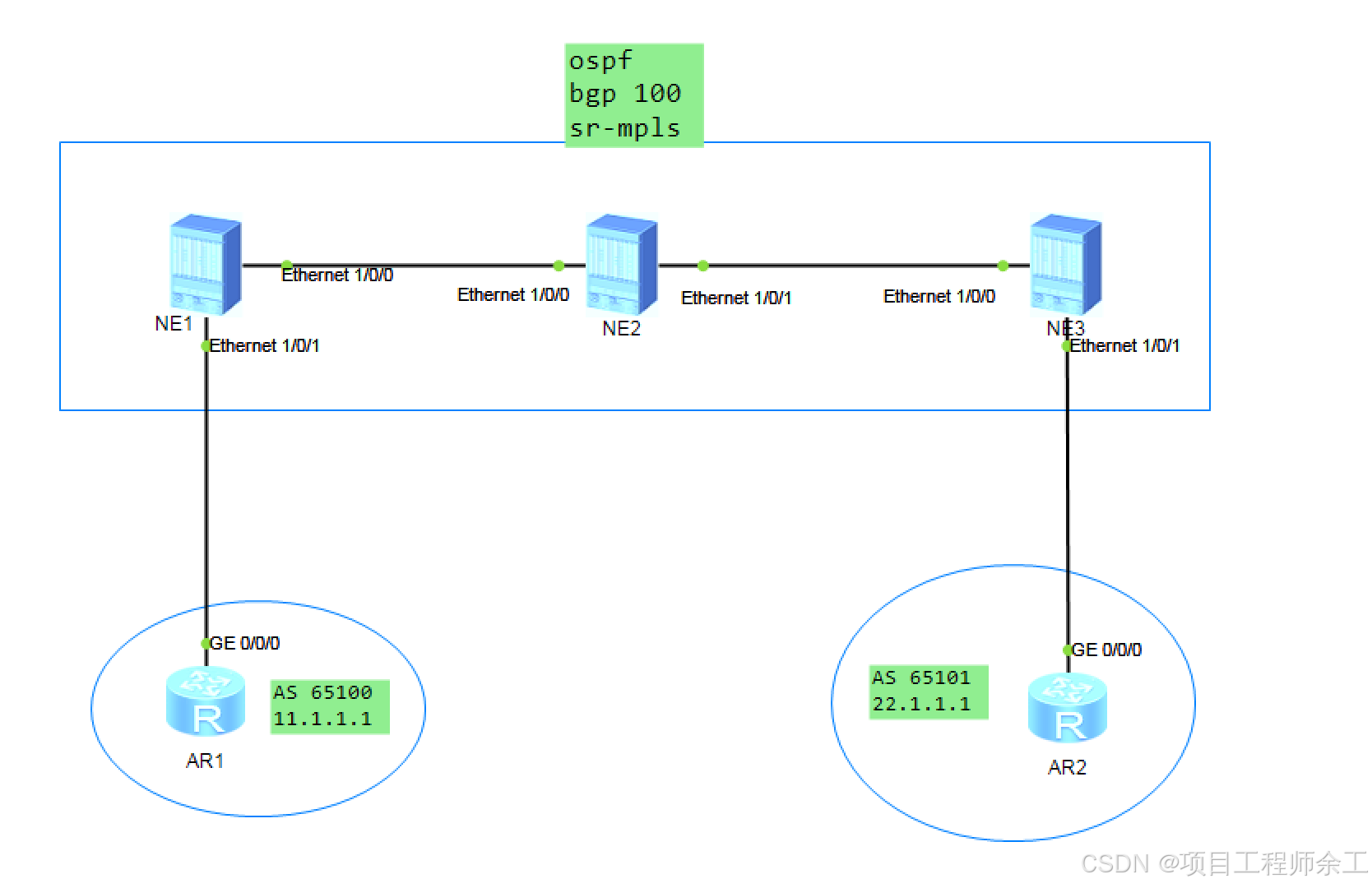
网络规划设计
1、使用sr-mpls TE
2、SRGB范围统一为16000-23999
3、使用显示路径
NE1配置
pe1dis current-configuration
sysname pe1
ip vpn-instance a
ipv4-family
route-distinguisher 1:1
tnl-policy p1 //调用策略p1
vpn-target 1:1 export-extcommunity
vpn-target 1:1 import-extcommunity
mpls lsr-id 1.1.1.1
mpls
mpls te
explicit-path te1 //定义两条显示路径先到NE2设备再到NE3
next sid label 16002 type prefix
next sid label 16003 type prefix
segment-routing //全局开户段路由功能
interface Ethernet1/0/0
undo shutdown
ip address 10.0.12.1 255.255.255.0
ospf enable 1 area 0.0.0.0
undo dcn
undo dcn mode vlan
interface Ethernet1/0/1
undo shutdown
ip binding vpn-instance a
ip address 10.0.11.1 255.255.255.0
undo dcn
undo dcn mode vlan
interface LoopBack0
ip address 1.1.1.1 255.255.255.255
ospf enable 1 area 0.0.0.0
ospf prefix-sid index 1 //本节点node sid偏移值,全局唯一
interface Tunnel1 //配置sr-mpls te隧道接口
ip address unnumbered interface LoopBack0
tunnel-protocol mpls te //指定隧道协议
destination 3.3.3.3 隧道对端地址
mpls te signal-protocol segment-routing //使用SR-mpls te作为标签协议
mpls te tunnel-id 1 //配置隧道ID
mpls te path explicit-path te1 //调用显示路径
bgp 100
peer 3.3.3.3 as-number 100
peer 3.3.3.3 connect-interface LoopBack0
ipv4-family unicast
undo synchronization
peer 3.3.3.3 enable
ipv4-family vpnv4
policy vpn-target
peer 3.3.3.3 enable //跨设备建立vpnv4邻居
ipv4-family vpn-instance a
peer 10.0.11.2 as-number 65100 //和ce建立实例bgp邻居
ospf 1
opaque-capability enable //开10类lsb功能
segment-routing mpls //为sr-mpls分配标签
segment-routing global-block 16000 23999 //srgb标签范围,建议所有设备一致
area 0.0.0.0
mpls-te enable //ospf中开户mpls-te功能
tunnel-policy p1 //定义隧道策略
tunnel select-seq sr-te load-balance-number 1 //显示路径只给一条,不让其负载
NE2配置
pdis current-configuration
sysname p
mpls lsr-id 2.2.2.2
mpls
mpls te
segment-routing
interface Ethernet1/0/0
undo shutdown
ip address 10.0.12.2 255.255.255.0
ospf enable 1 area 0.0.0.0
undo dcn
undo dcn mode vlan
interface Ethernet1/0/1
undo shutdown
ip address 10.0.23.2 255.255.255.0
ospf enable 1 area 0.0.0.0
undo dcn
undo dcn mode vlan
interface LoopBack0
ip address 2.2.2.2 255.255.255.255
ospf enable 1 area 0.0.0.0
ospf prefix-sid index 2
interface NULL0
ospf 1
opaque-capability enable
segment-routing mpls
segment-routing global-block 16000 23999
area 0.0.0.0
mpls-te enable
NE3配置
pe2dis current-configuration
sysname pe2
ip vpn-instance a
ipv4-family
route-distinguisher 2:1
tnl-policy p1
vpn-target 1:1 export-extcommunity
vpn-target 1:1 import-extcommunity
mpls lsr-id 3.3.3.3
mpls
mpls te
explicit-path te2
next sid label 16002 type prefix
next sid label 16001 type prefix
segment-routing
interface Ethernet1/0/0
undo shutdown
ip address 10.0.23.3 255.255.255.0
ospf enable 1 area 0.0.0.0
undo dcn
undo dcn mode vlan
interface Ethernet1/0/1
undo shutdown
ip binding vpn-instance a
ip address 10.0.32.3 255.255.255.0
undo dcn
undo dcn mode vlan
interface LoopBack0
ip address 3.3.3.3 255.255.255.255
ospf enable 1 area 0.0.0.0
ospf prefix-sid index 3
interface Tunnel1
ip address unnumbered interface LoopBack0
tunnel-protocol mpls te
destination 1.1.1.1
mpls te signal-protocol segment-routing
mpls te tunnel-id 1
mpls te path explicit-path te2
interface NULL0
bgp 100
peer 1.1.1.1 as-number 100
peer 1.1.1.1 connect-interface LoopBack0
ipv4-family unicast
undo synchronization
peer 1.1.1.1 enable
ipv4-family vpnv4
policy vpn-target
peer 1.1.1.1 enable
ipv4-family vpn-instance a
peer 10.0.32.2 as-number 65101
ospf 1
opaque-capability enable
segment-routing mpls
segment-routing global-block 16000 23999
area 0.0.0.0
mpls-te enable
tunnel-policy p1
tunnel select-seq sr-te load-balance-number 1
结果验证
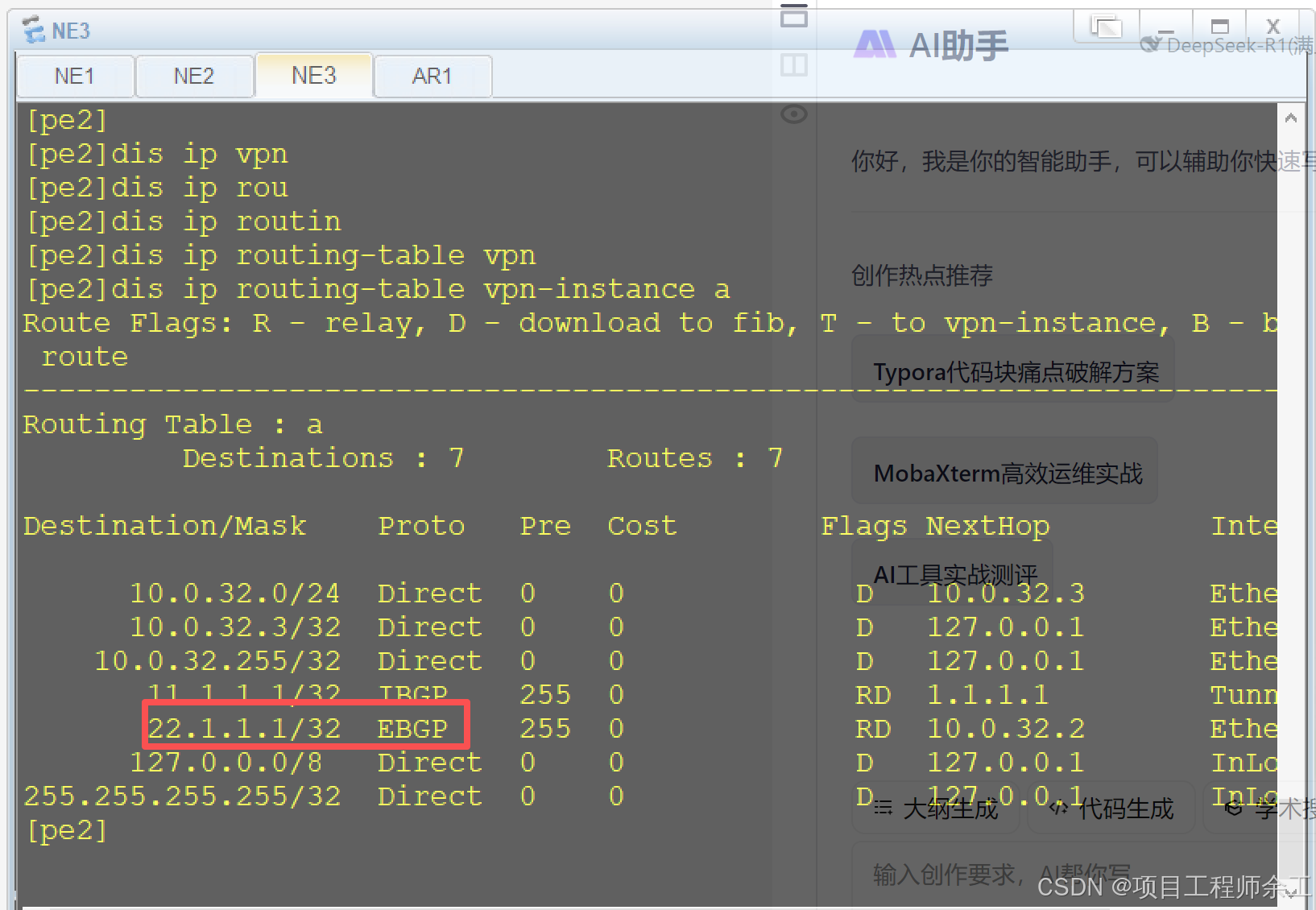
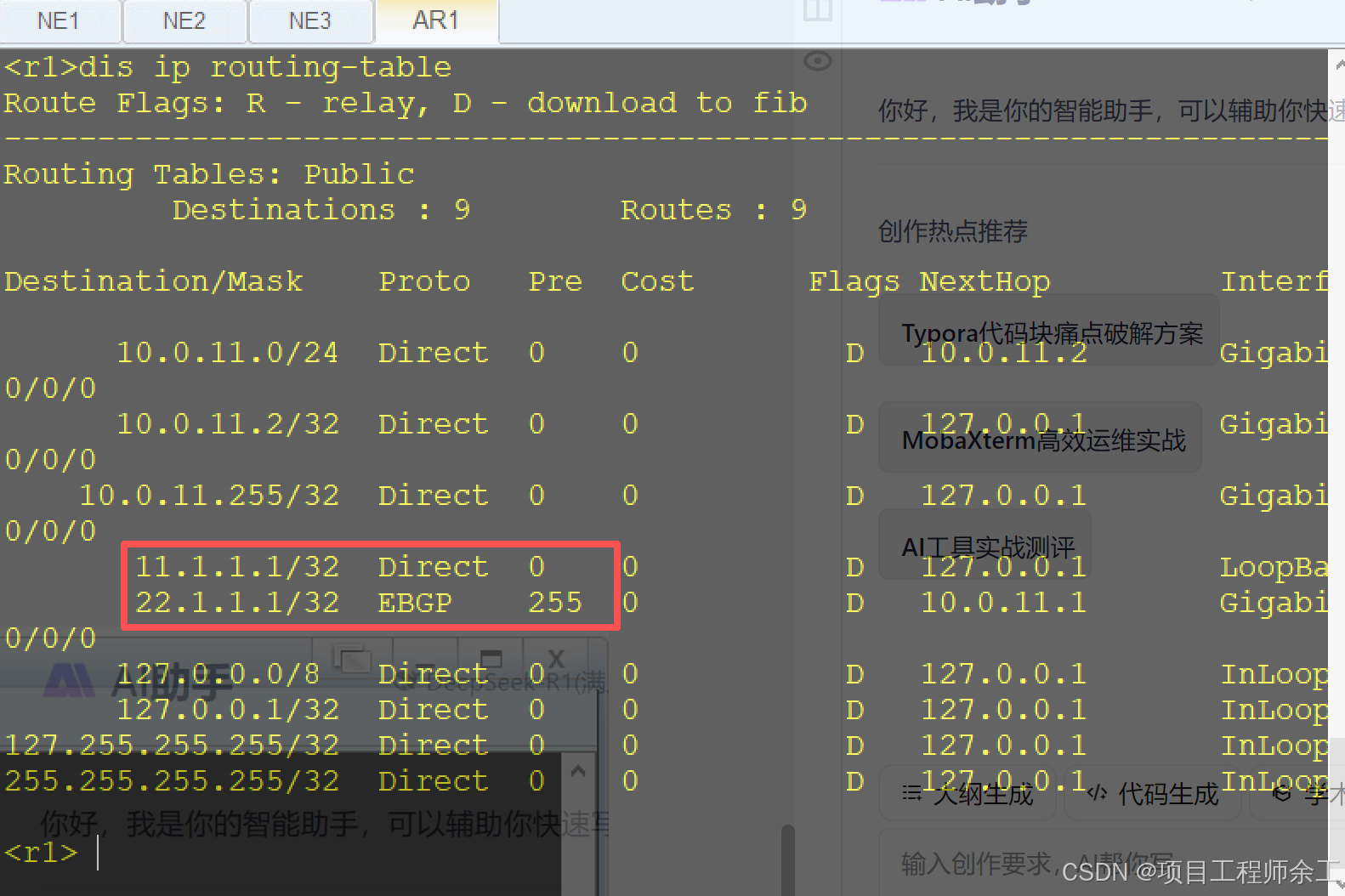
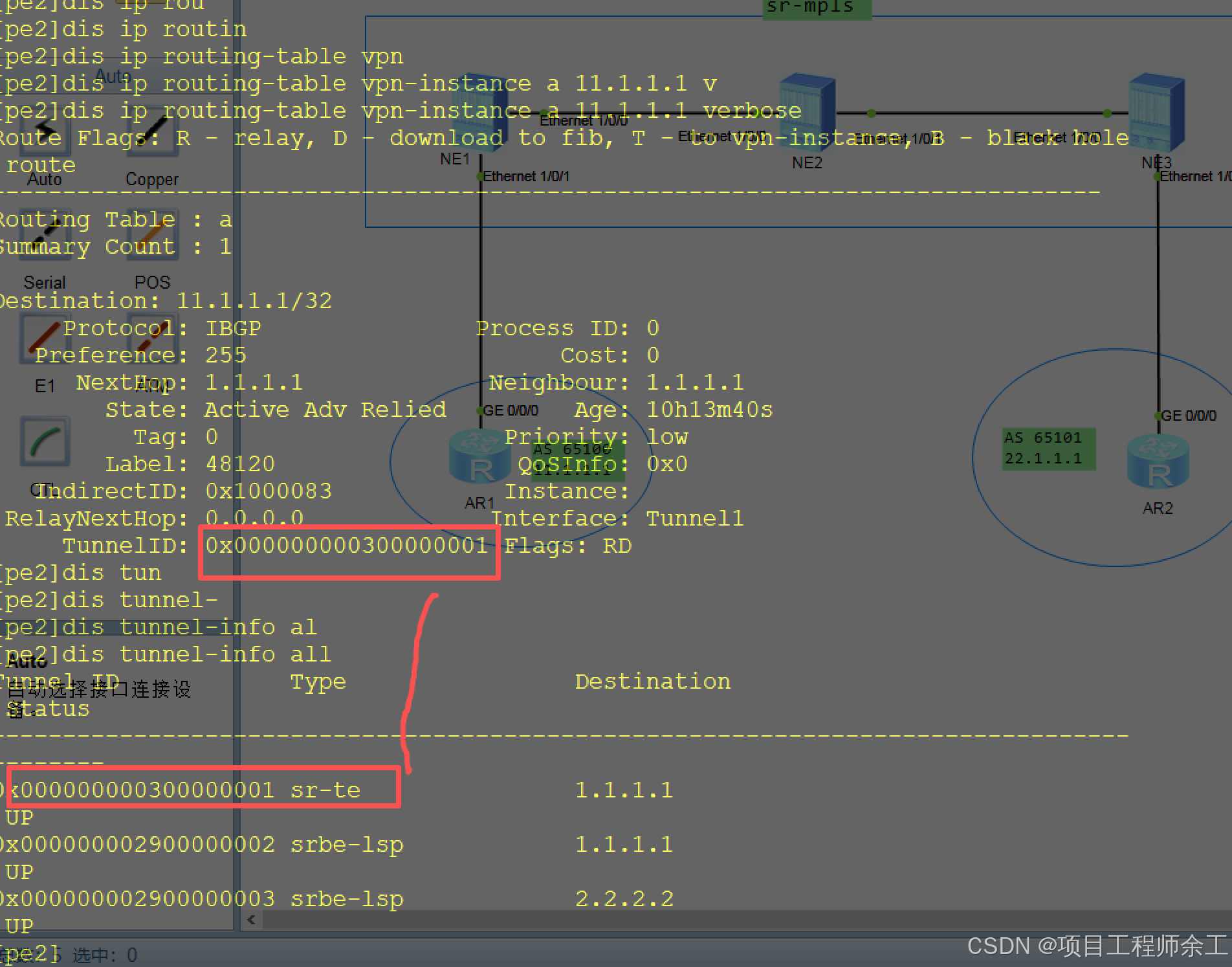
看路由学习情况
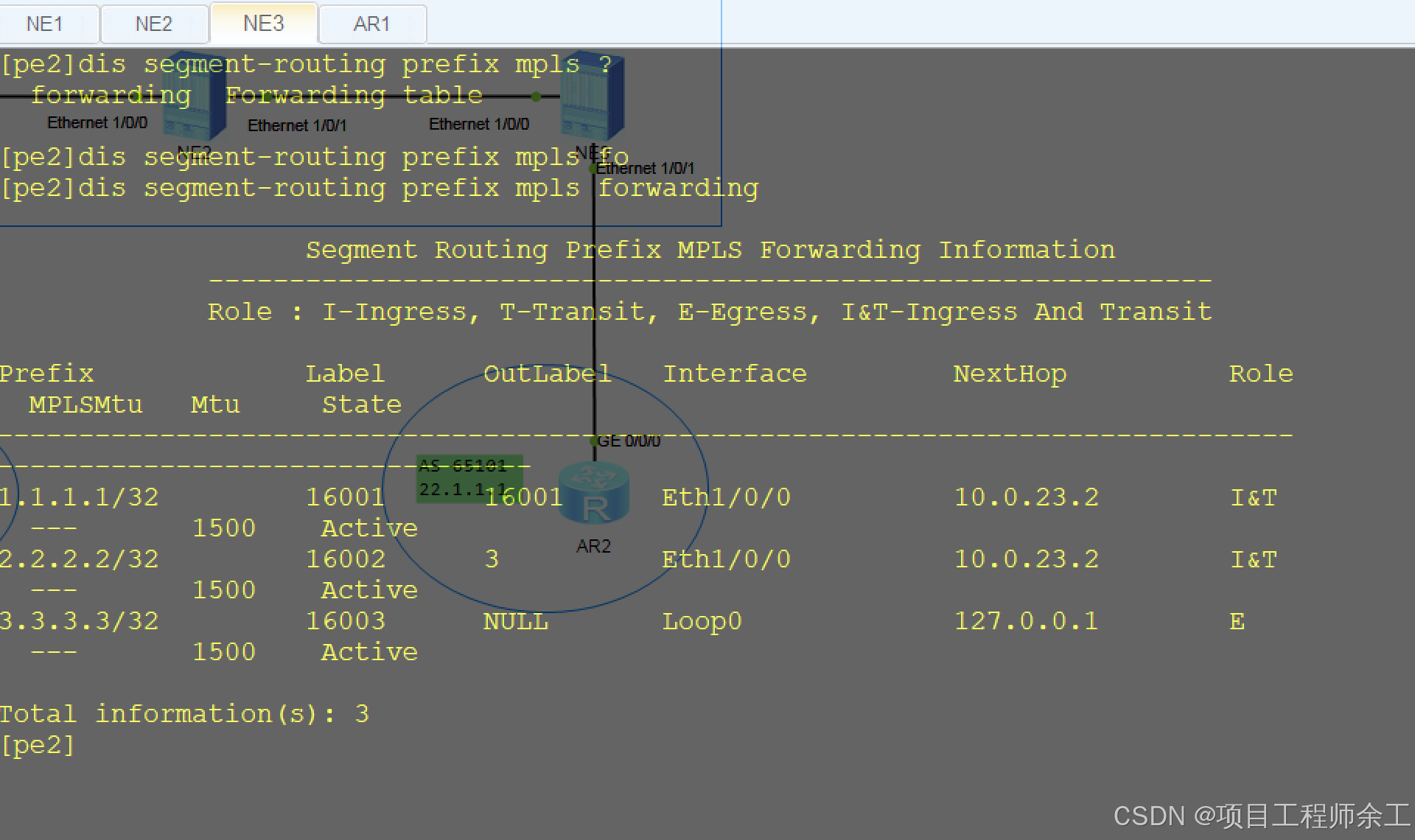
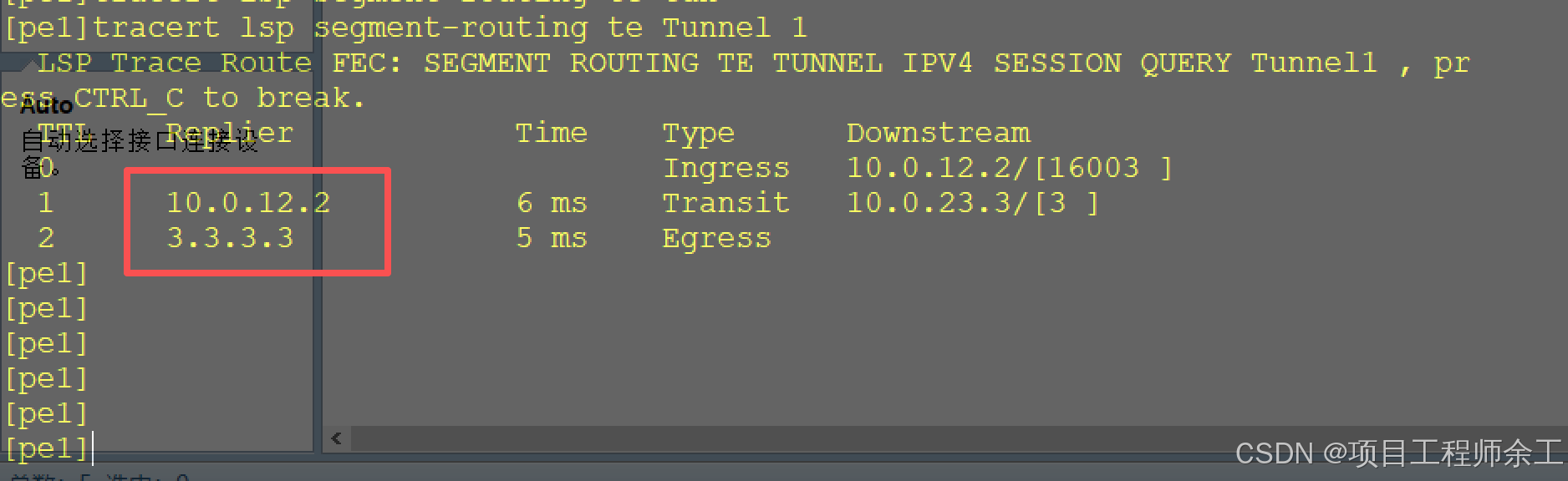
查隧道情况
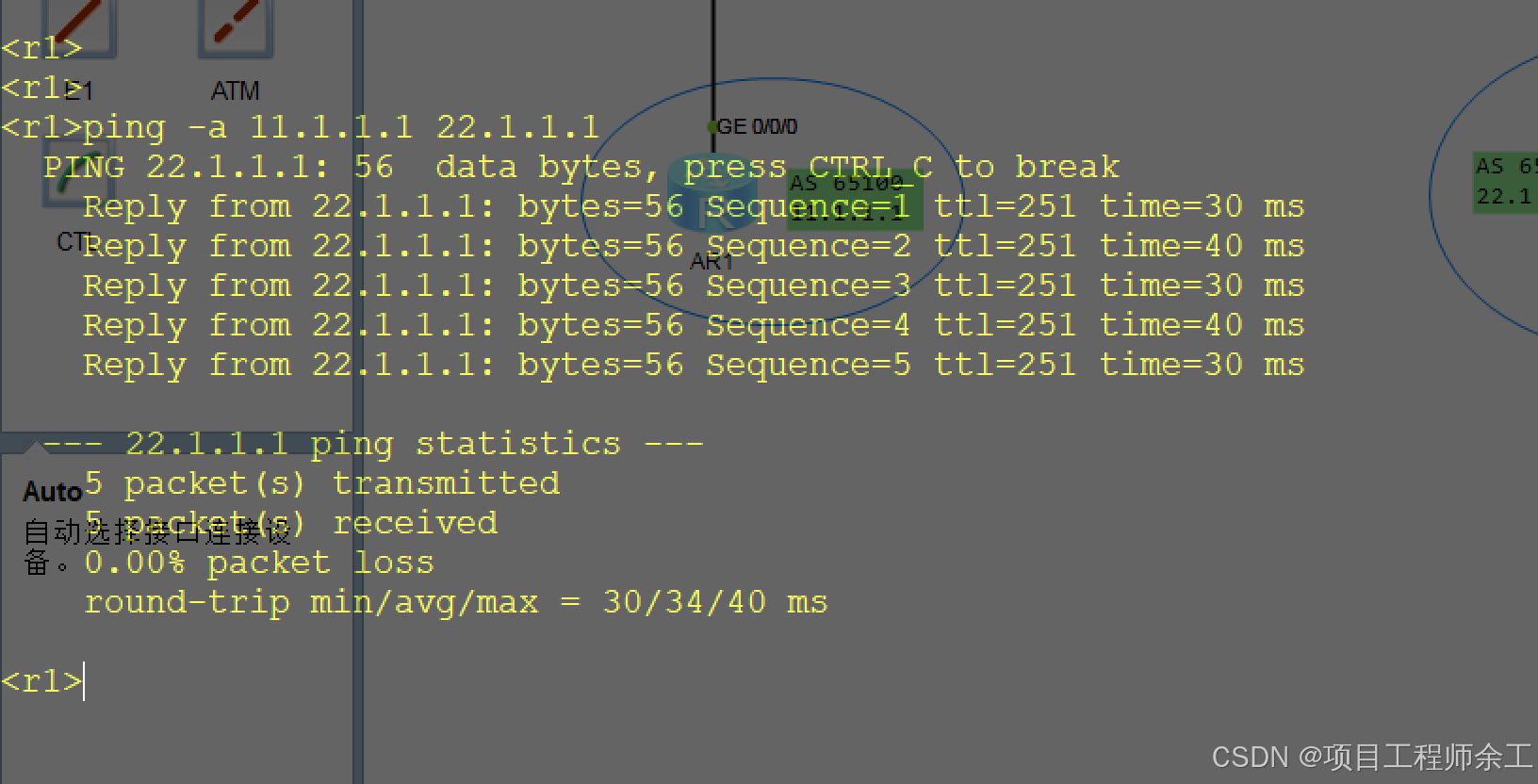
联通性测试
更多技术细节来全球计算机技术群,一起讨论学习!