unimported 查看没有引用的文件
-
全局安装 unimported
npm install -g unimported
-
在 package.json 的 scripts 增加
json
"scripts": {
  "analyze:deadcode": "unimported && webpack --profile --json > stats.json"
} - 增加文件 .unimportedrc.json
json
{
    "entry": [
      "src/app.{js,ts,jsx,tsx}",
      "src/app.config.{js,ts}",
      "src/pages/**/*.{js,ts,jsx,tsx}"
    ],
    "ignore": [
      "**/node_modules/**",
      "**/dist/**",
      "**/*.d.ts",
      "**/*.test.{js,ts}",
      "**/*.spec.{js,ts}",
      "**/__mocks__/**",
      "project.config.json",
      "config/**/*.js"
    ],
    "ignoreUnused": [
      "src/types/**/*.d.ts",
      "src/assets/**/*",
      "src/styles/**/*.{css,scss,less}"
    ]
}- 然后运行
arduino
npm run analyze:deadcode运行后输出以下内容,列出未引用的文件
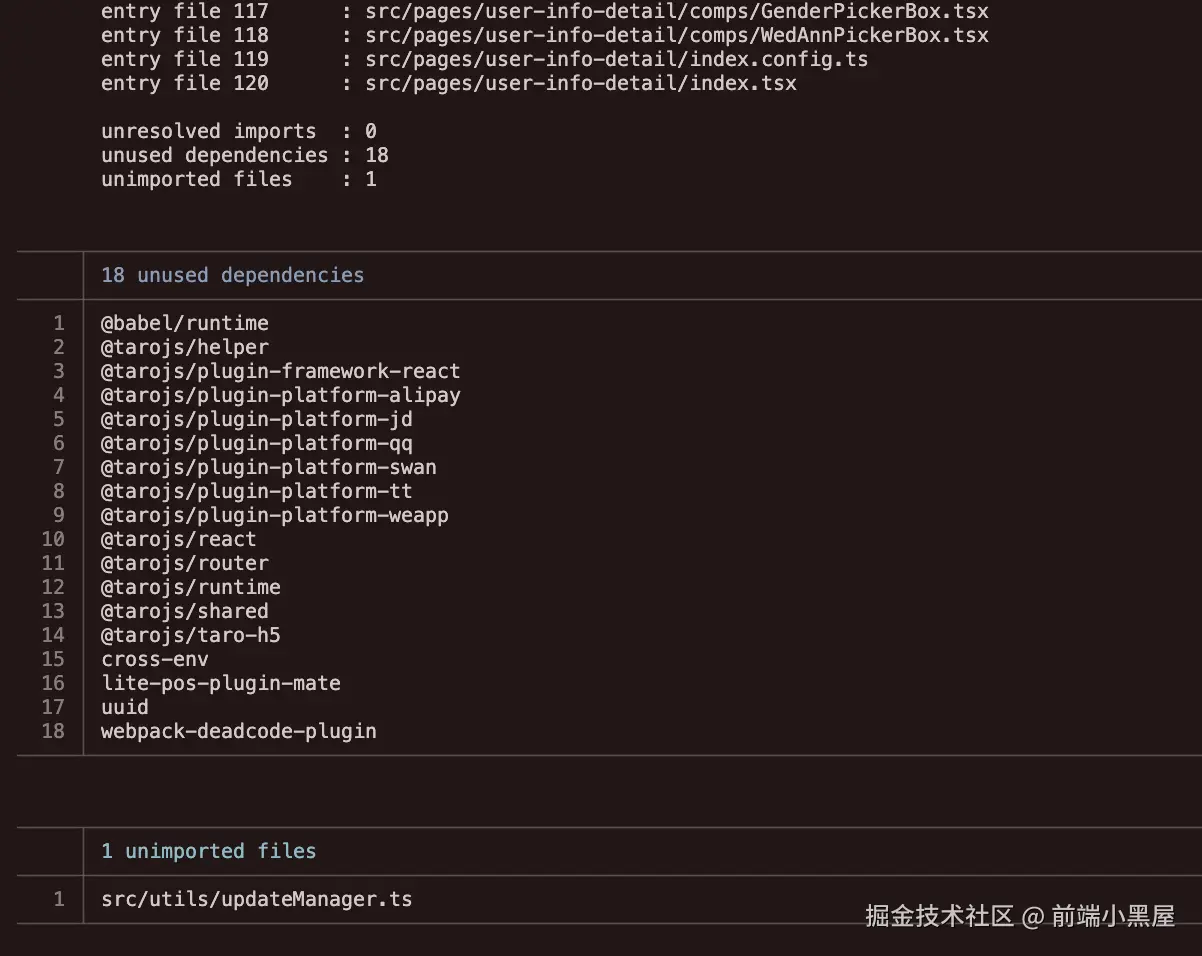
注意 有些小程序页面 A 也会有 /component 的组件,只给页面A用, 但是 "src/pages/**/*.{js,ts,jsx,tsx}" 会涵盖掉,不会把A的无用组件列出来, 这种情况下,小程序最好每个页面的路径都列出来,例如以下,这样可以更加精确的定位到每个页面ABCD里面的component是否真正有被使用
json
{
    "entry": [
      "src/app.{js,ts,jsx,tsx}",
      "src/app.config.{js,ts}",
      "src/pages/index/index.{js,ts,jsx,tsx,config.ts}",
      "src/pages/home/index.{js,ts,jsx,tsx,config.ts}",
      "src/pages/category/index.{js,ts,jsx,tsx,config.ts}",
      "src/pages/cart/index.{js,ts,jsx,tsx,config.ts}",
      "src/pages/mine/index.{js,ts,jsx,tsx,config.ts}",
      "src/pages/product/detail/index.{js,ts,jsx,tsx,config.ts}",
      "src/pages/product/content-hub/index.{js,ts,jsx,tsx,config.ts}",
    ],
    "ignore": [ ],
    "ignoreUnused": [ ]
  }
使用Webpack插件 webpack-deadcode-plugin 查看未使用的函数和变量
- 安装 webpack-deadcode-plugin
css
npm install webpack-deadcode-plugin --save-dev- 在webpack配置中添加:
php
const DeadCodePlugin = require('webpack-deadcode-plugin');

// 增强配置可检测具体方法
chain.plugin('deadcode')
  .use(DeadCodePlugin, [{
    detectUnusedExport: true,    // 检测未使用的导出
    detectUnusedClass: true,     // 检测未使用的类
    detectUnusedFunction: true,  // 检测未使用的函数
    detectUnusedVariable: true,  // 检测未使用的变量
    log: 'all'                   // 显示所有未使用项
}]);- 运行构建后会生成未使用文件的报告

通过这些方式可以 了解到 哪些文件、函数、变量没有使用到
如果要删除
- 一定要确认、确认、确认、多次确认 清楚再删
- 小规模的删,不要一次性删太多东西
- 删除之后,对于相关的流程做好自测,也要跟 QA 和 产品说明清楚,可能要做大版本的回测
- 对于已经上线的项目,不建议再做这样的操作,如果需要做也必须【提前】跟 PM、QA 商量一下是否有足够的时间安排来做代码优化和流程测试,避免出现生产事故