SuperMap iPortal 提供了丰富的地图大屏模板,但实际应用中这些预设模板可能不完全符合业务需求,那要如何去删除不需要的模版呢?下面以删除第一个模板"四川省发电量及发电结构统计"为例进行介绍。
一、导出地图大屏模板数据
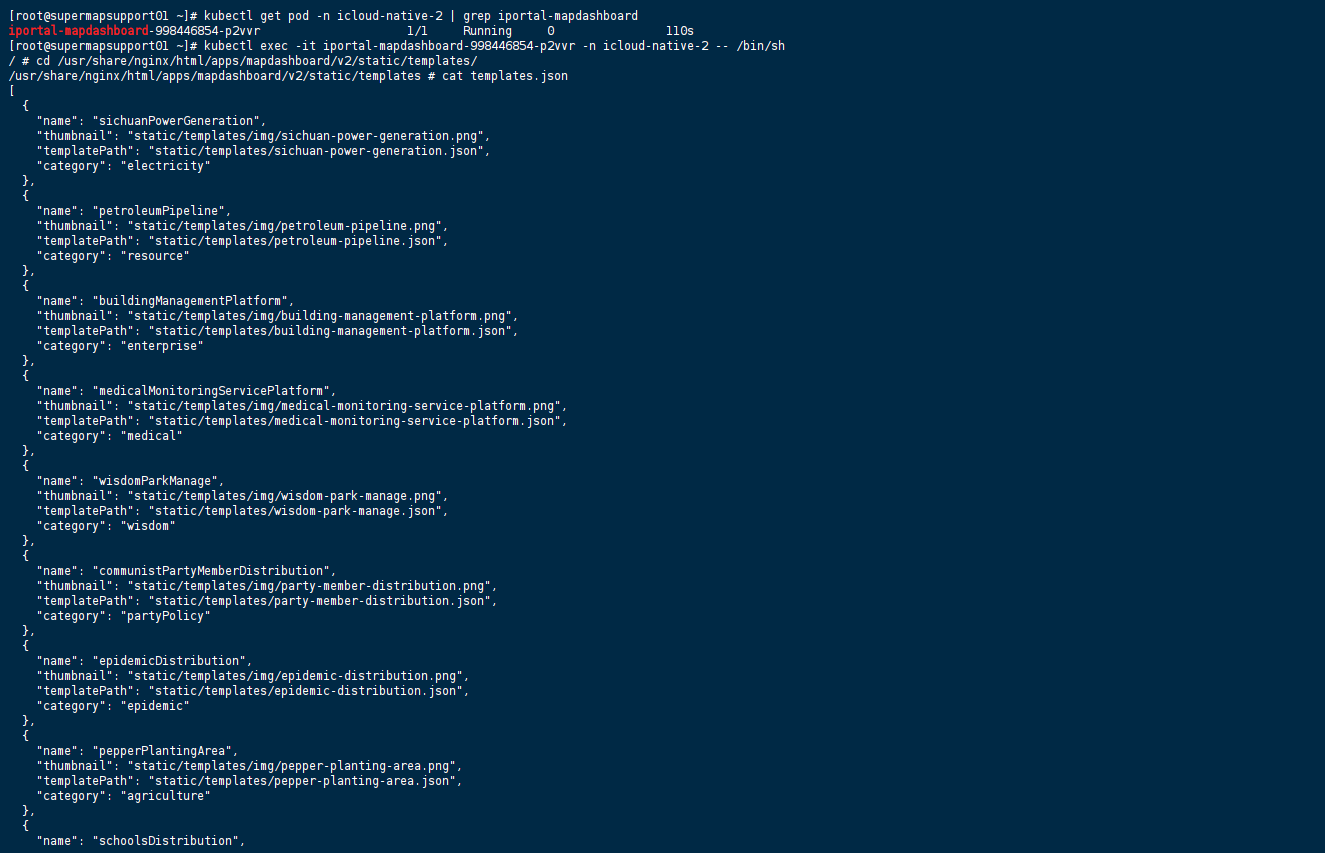
1、找到iPortal 地图大屏 pod
bash
kubectl get pod -n {云套件命名空间} | grep iportal-mapdashboard2、访问地图大屏模板目录
bash
# 进入容器
kubectl exec -it {pod名称} -n {云套件命名空间} -- /bin/sh
# 查看模版
cd /usr/share/nginx/html/apps/mapdashboard/v2/static/templates/
cat templates.json
3、拷贝 templates.json 到宿主机
bash
kubectl cp {pod名称}:/usr/share/nginx/html/apps/mapdashboard/v2/static/templates/templates.json {宿主机templates.json存储位置} -n {云套件命名空间}操作截图

二、编写大屏模板configmap
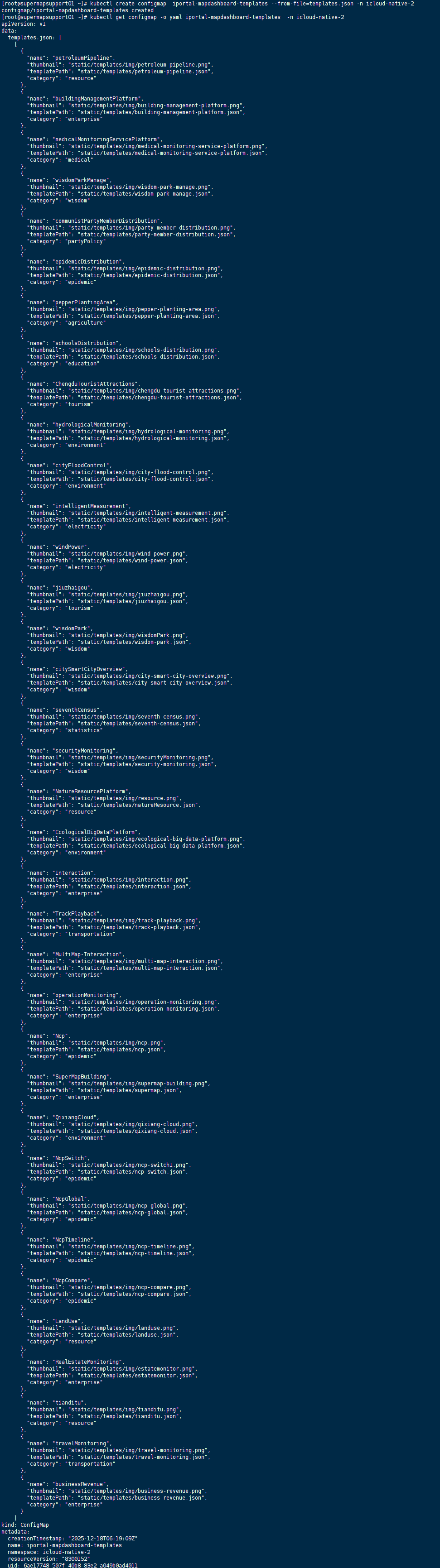
1、删除templates.json中的"四川省发电量及发电结构统计"模板,即为删除 "name": "sichuanPowerGeneration"。
2、将修改后的模版导入configmap中。
bash
# 创建 configmap
kubectl create configmap {configmap名称} --from-file={文件路径} -n {云套件命名空间}
# 查看 configmap 内容
kubectl get configmap -o yaml {configmap名称} -n {云套件命名空间}
# 编辑 configmap 内容
kubectl edit configmap {configmap名称} -n {云套件命名空间}
操作截图
三、修改地图大屏编排
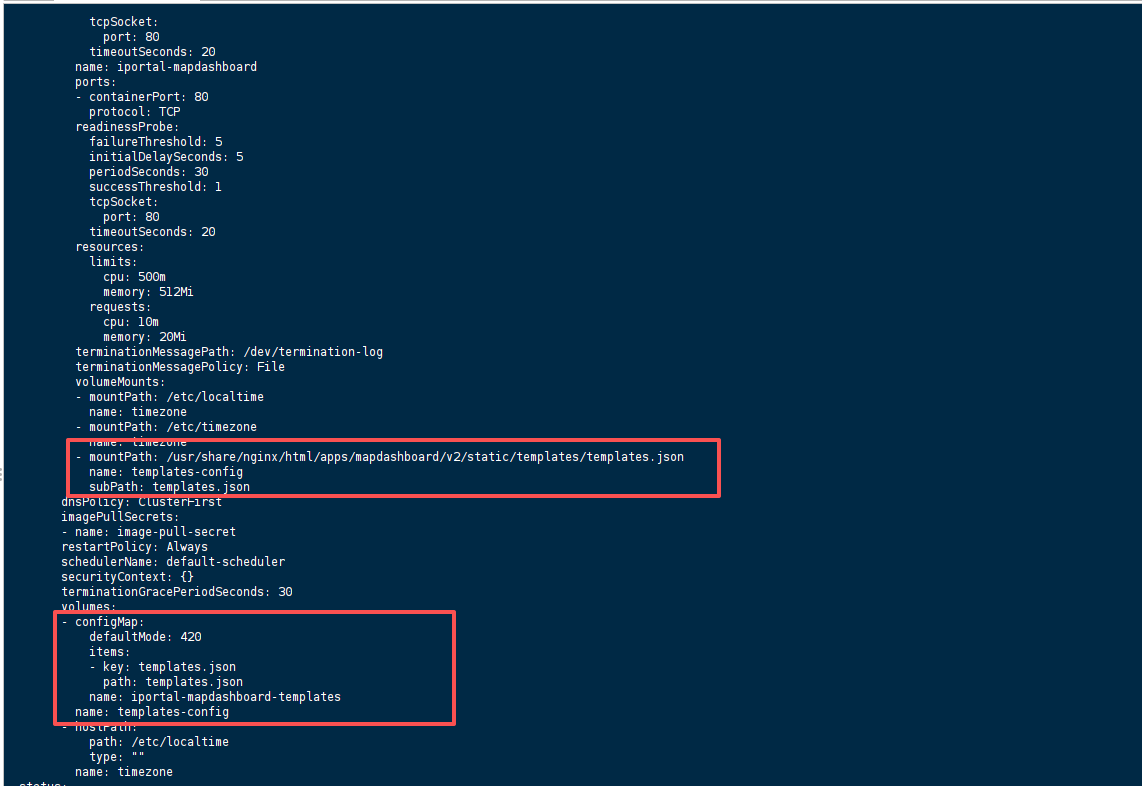
修改iportal大屏(iportal-mapdashboard)编排,对容器"/usr/share/nginx/html/apps/mapdashboard/v2/static/templates/templates.json"文件通过configmap方式进行持久化。
bash
# 修改iportal大屏编排
kubectl edit deployment iportal-mapdashboard -n {云套件命名空间}
修改编排格式内容如下:
bash
spec:
  template:
    spec:
      containers:
        name: iportal-mapdashboard
        volumeMounts:
        - mountPath: /usr/share/nginx/html/apps/mapdashboard/v2/static/templates/templates.json
          name: templates-config
          subPath: templates.json
      volumes:
      - configMap:
          defaultMode: 420
          items:
          - key: templates.json
            path: templates.json
          name: iportal-mapdashboard-templates
        name: templates-config
操作截图
修改后显示截图
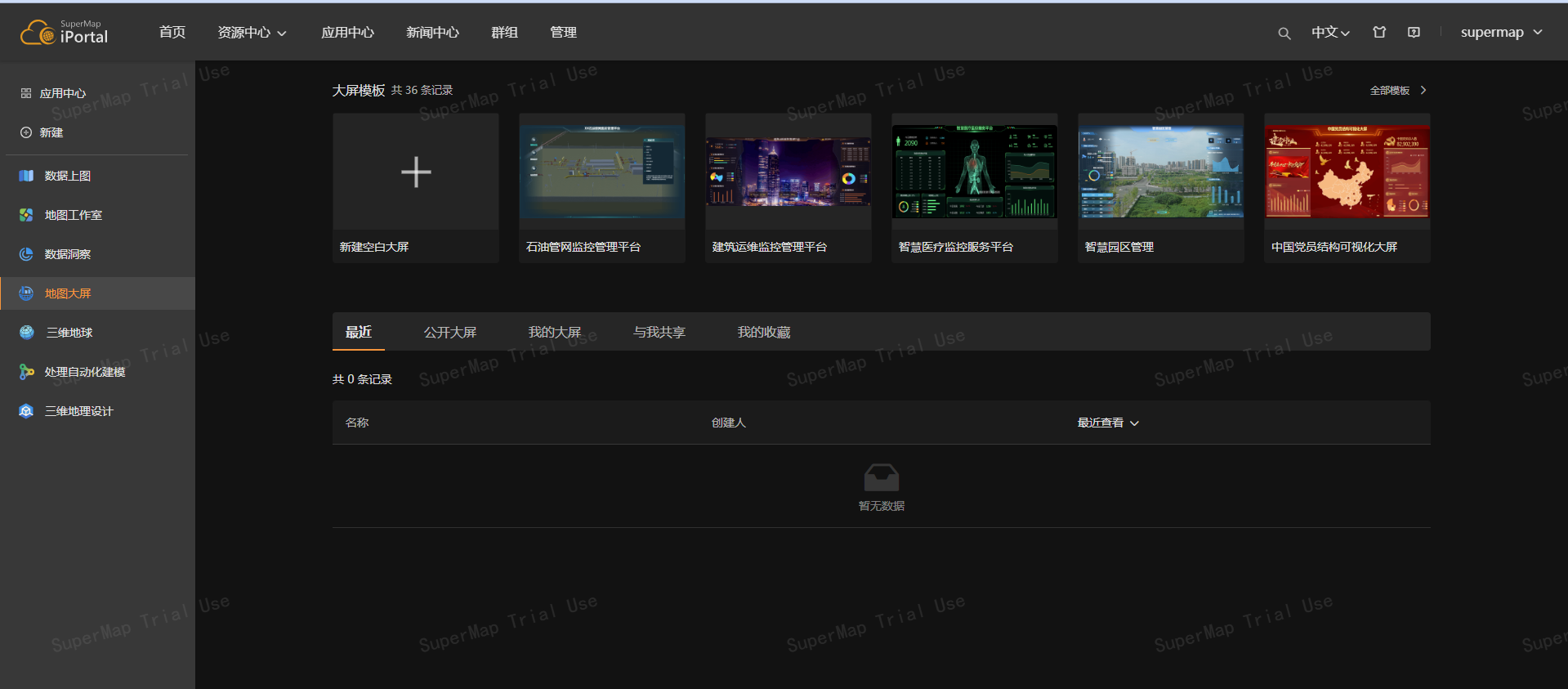
修改后访问iPortal 大屏,模板仍然存在排查思路
A. 进入地图大屏(iportal-mapdashboard)容器的查看/usr/share/nginx/html/apps/mapdashboard/v2/static/templates/templates.json文件内容是否有改变;
B. 未改变,需要检查:
a. 持久化目录是否正确;
b. configmap文件是否有删除模板;
C. 已改变,清除浏览器缓存