前端登录验证码组件
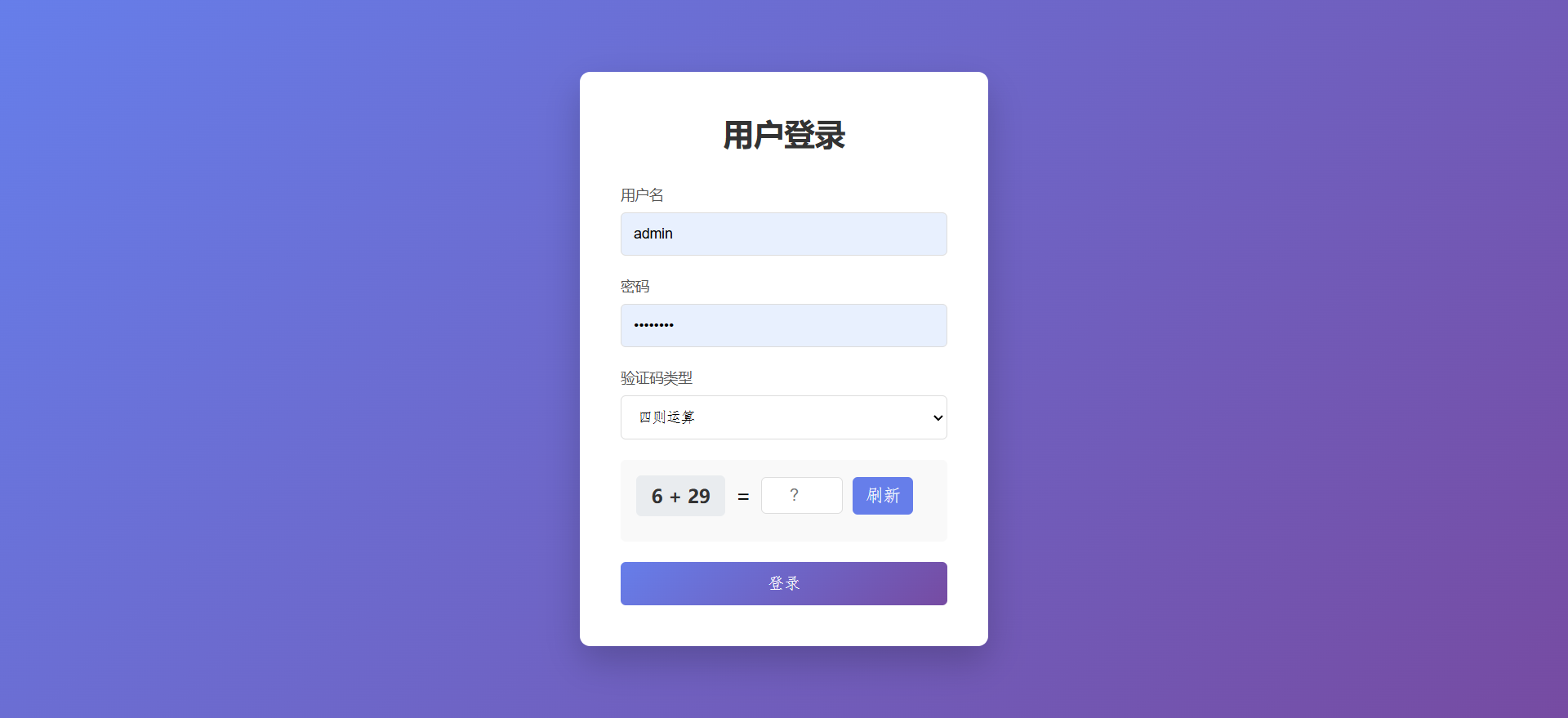
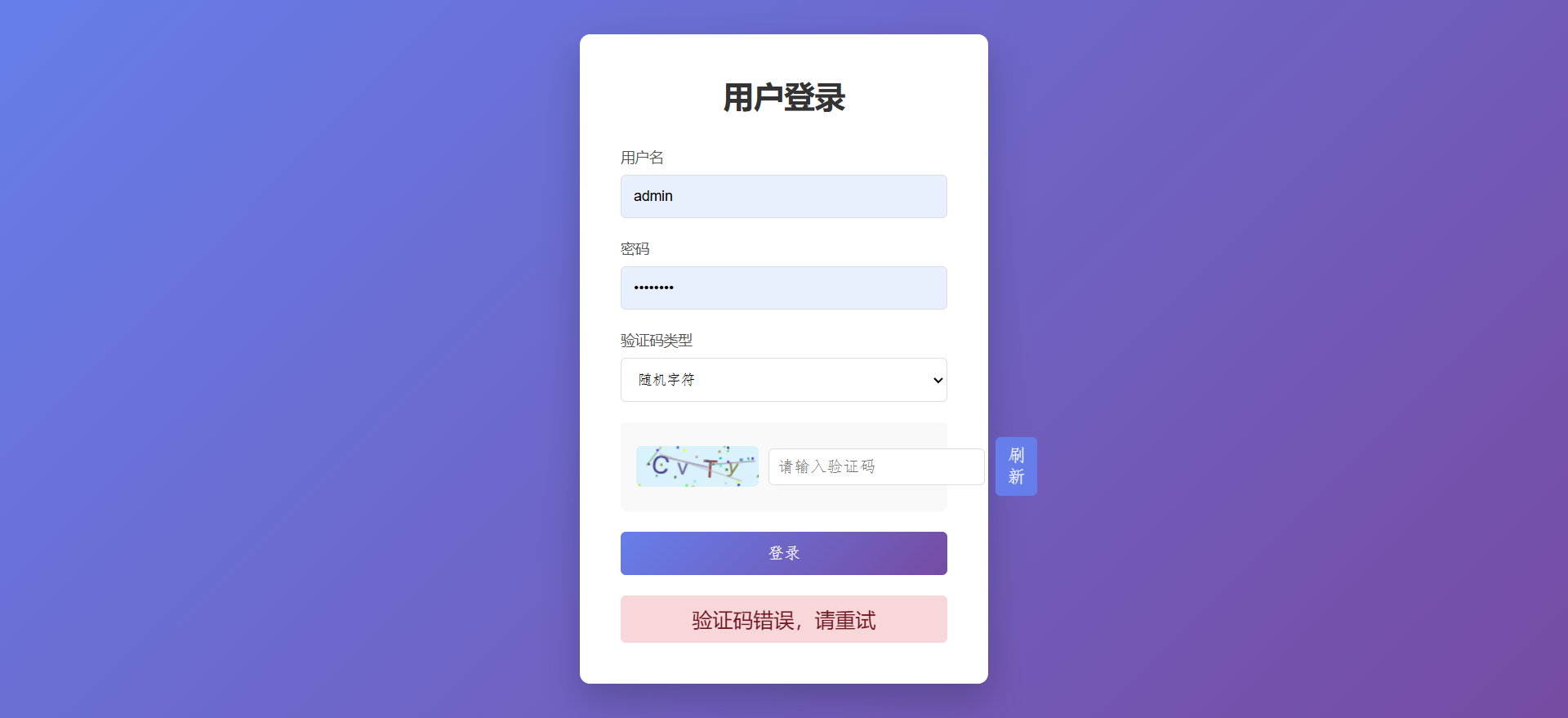
一个纯前端的登录验证码解决方案,提供原生 JavaScript 和 Vue 3 两种实现方式,包含四则运算、随机字符、滑块三种验证码类型。
效果展示
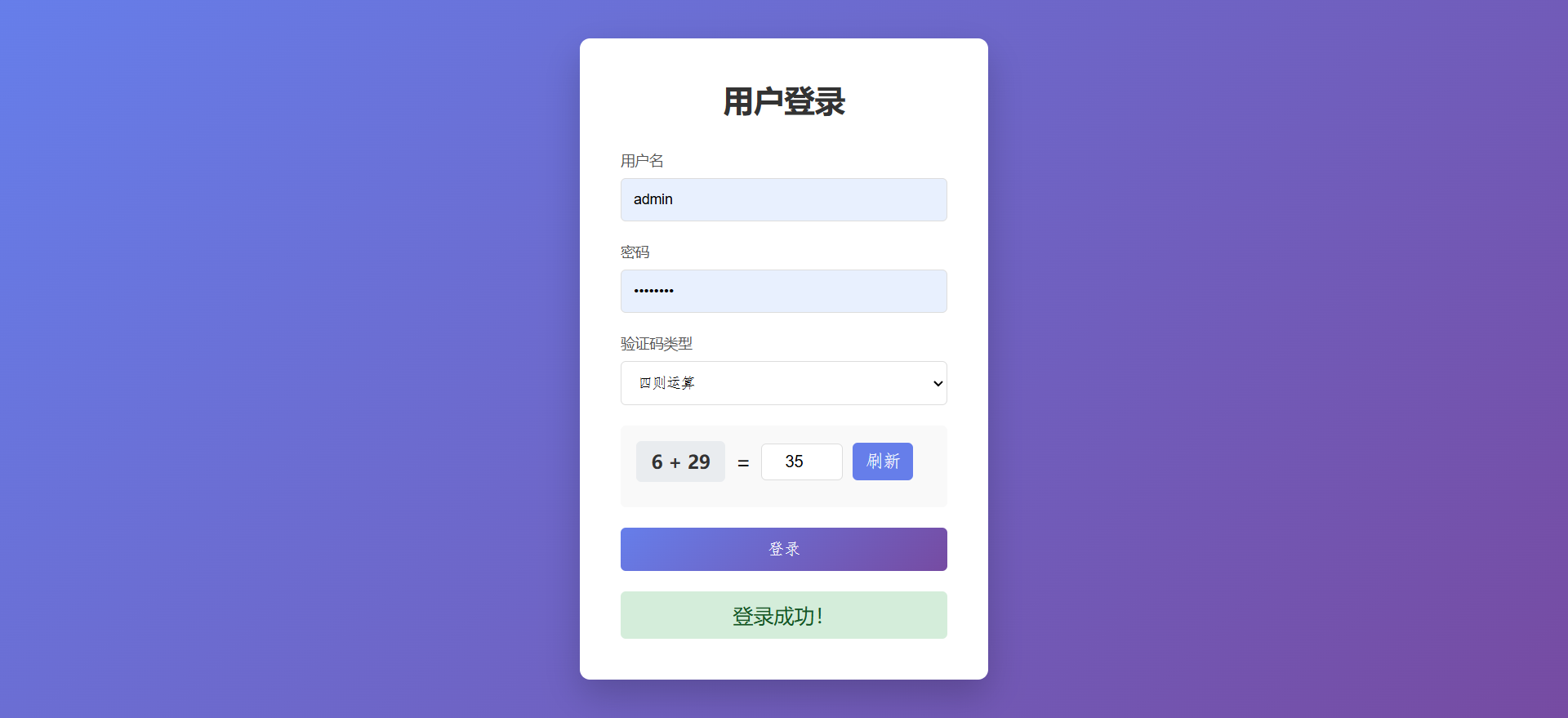
四则运算验证码
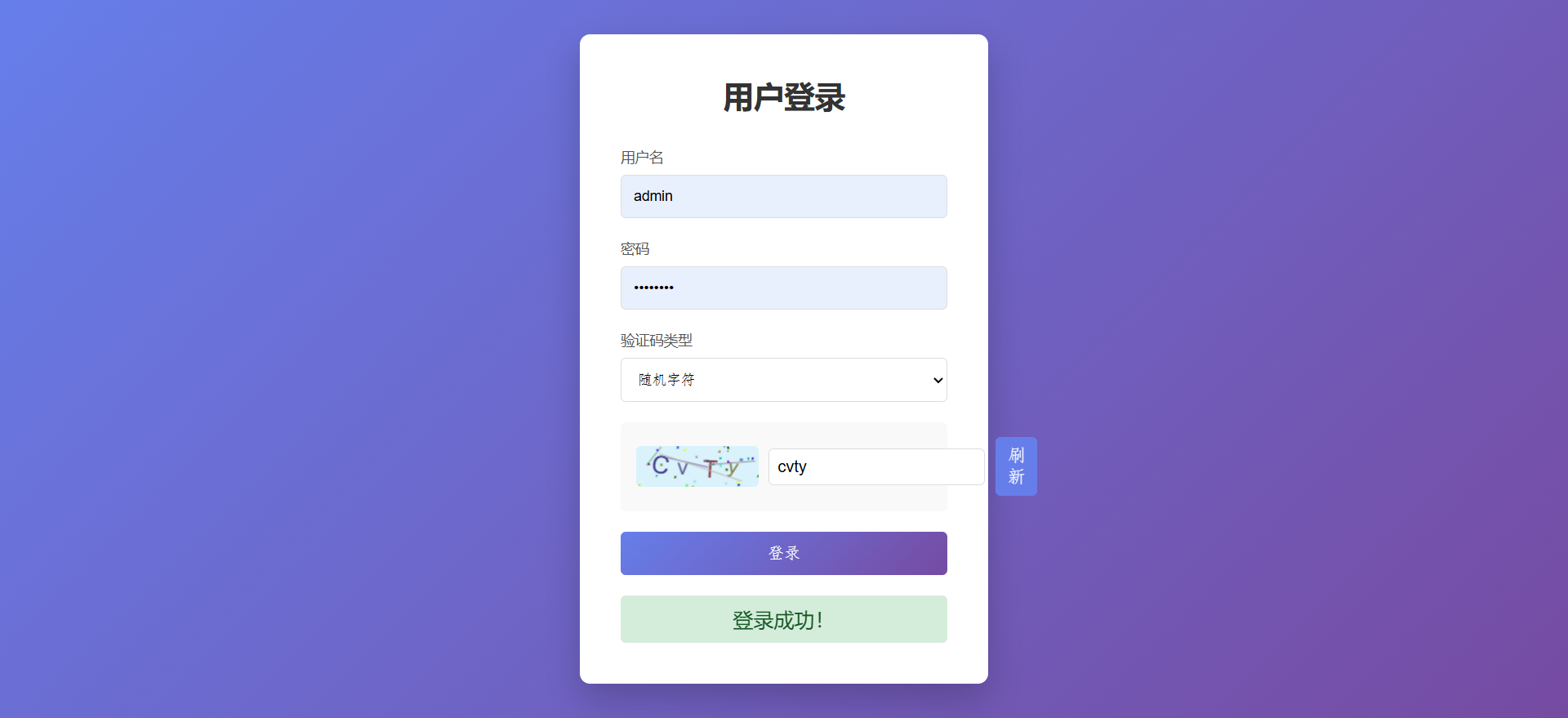
随机字符验证码
滑块验证码
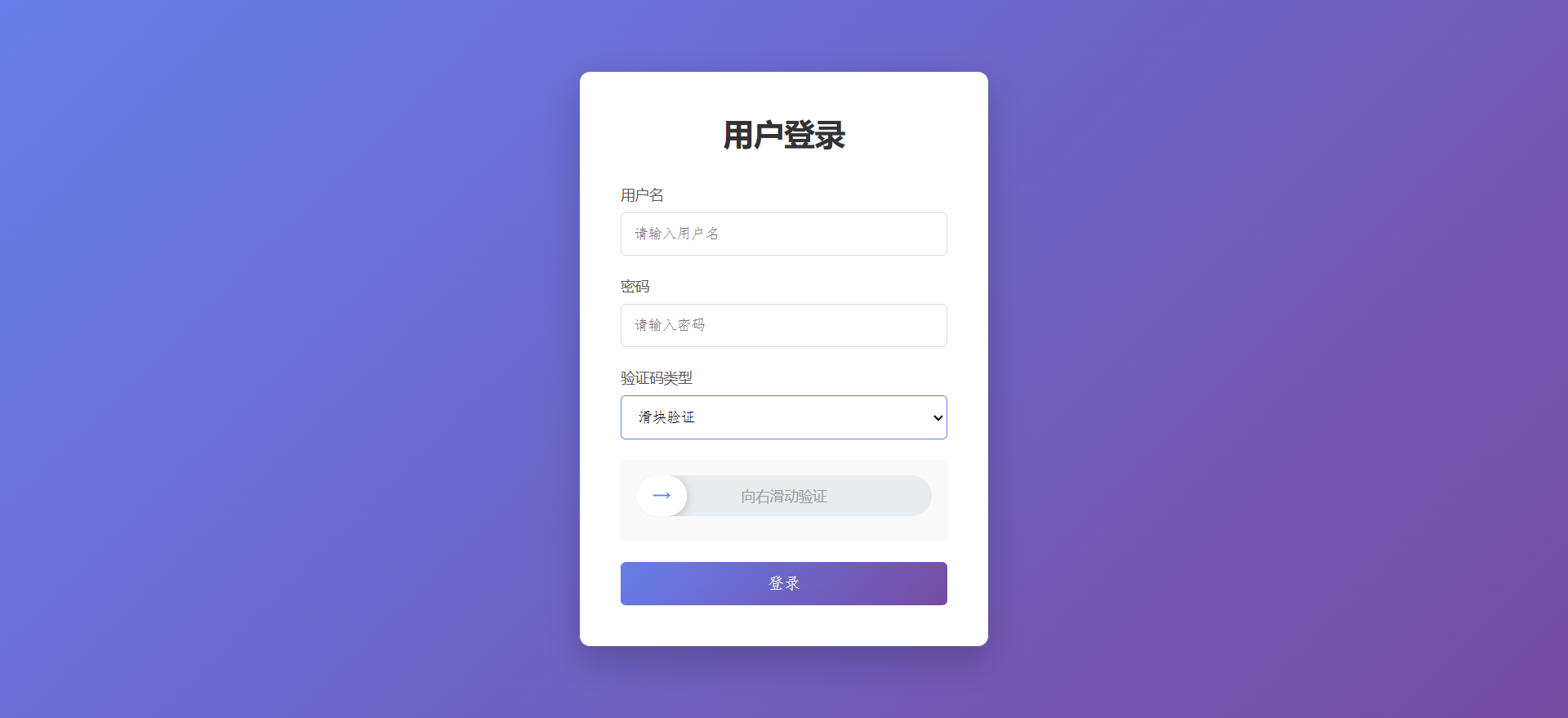
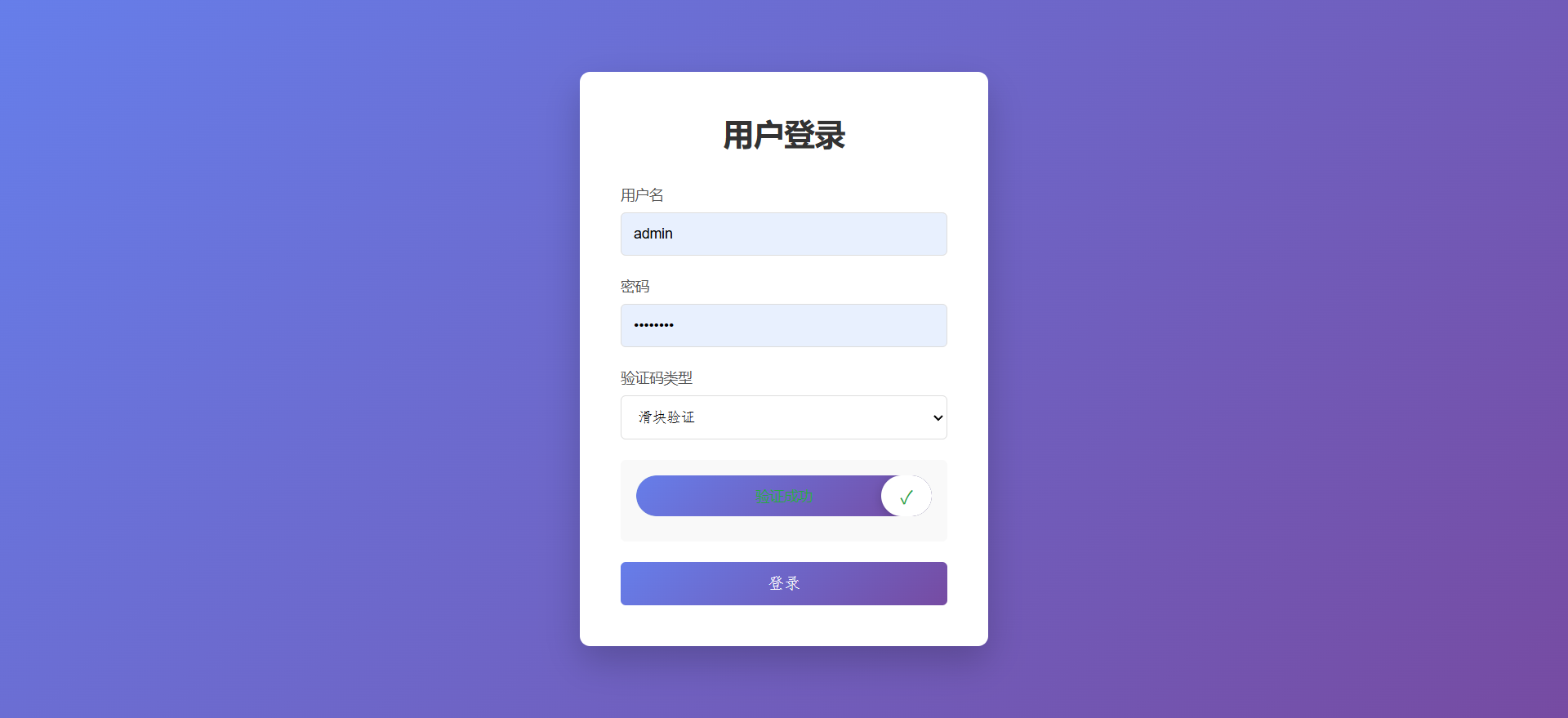
目录结构
├── index.html                    # 原生版本入口
├── css/
│   └── style.css                 # 原生版本样式
├── js/
│   ├── main.js                   # 原生版本主逻辑
│   └── captcha/
│       ├── mathCaptcha.js        # 四则运算验证码
│       ├── randomCodeCaptcha.js  # 随机字符验证码
│       └── sliderCaptcha.js      # 滑块验证码
│
└── vue-captcha/                  # Vue 3 版本
    ├── src/
    │   ├── components/
    │   │   ├── MathCaptcha.vue
    │   │   ├── RandomCaptcha.vue
    │   │   └── SliderCaptcha.vue
    │   ├── App.vue
    │   ├── main.js
    │   └── style.css
    ├── index.html
    ├── package.json
    └── vite.config.js
一、原生 JavaScript 版本
1.1 环境要求
- 现代浏览器(Chrome、Firefox、Edge、Safari)
- 无需 Node.js 或任何构建工具
1.2 安装与运行
方式一:直接打开
双击 index.html 文件,使用浏览器直接打开即可。
方式二:本地服务器
bash
# 使用 npx 启动静态服务器
npx serve .

# 访问 http://localhost:3000
方式三:VS Code Live Server
- 安装 VS Code 插件 "Live Server"
- 右键
index.html→ "Open with Live Server"
1.3 完整代码
index.html - 主页面
html
<!DOCTYPE html>
<html lang="zh-CN">
<head>
    <meta charset="UTF-8">
    <meta name="viewport" content="width=device-width, initial-scale=1.0">
    <title>登录验证</title>
    <link rel="stylesheet" href="css/style.css">
</head>
<body>
    <div class="login-container">
        <h2>用户登录</h2>
        <form id="loginForm">
            <div class="form-group">
                <label for="username">用户名</label>
                <input type="text" id="username" placeholder="请输入用户名" required>
            </div>
            <div class="form-group">
                <label for="password">密码</label>
                <input type="password" id="password" placeholder="请输入密码" required>
            </div>

            <!-- 验证码类型选择 -->
            <div class="form-group">
                <label>验证码类型</label>
                <select id="captchaType">
                    <option value="math">四则运算</option>
                    <option value="random">随机字符</option>
                    <option value="slider">滑块验证</option>
                </select>
            </div>

            <!-- 验证码容器 -->
            <div id="captchaContainer" class="captcha-container"></div>

            <button type="submit" class="btn-login">登录</button>
        </form>
        <div id="message" class="message"></div>
    </div>

    <script src="js/captcha/mathCaptcha.js"></script>
    <script src="js/captcha/randomCodeCaptcha.js"></script>
    <script src="js/captcha/sliderCaptcha.js"></script>
    <script src="js/main.js"></script>
</body>
</html>
css/style.css - 样式文件
css
* {
    margin: 0;
    padding: 0;
    box-sizing: border-box;
}

body {
    font-family: 'Microsoft YaHei', sans-serif;
    background: linear-gradient(135deg, #667eea 0%, #764ba2 100%);
    min-height: 100vh;
    display: flex;
    justify-content: center;
    align-items: center;
}

.login-container {
    background: #fff;
    padding: 40px;
    border-radius: 10px;
    box-shadow: 0 15px 35px rgba(0, 0, 0, 0.2);
    width: 400px;
}

.login-container h2 {
    text-align: center;
    color: #333;
    margin-bottom: 30px;
}

.form-group {
    margin-bottom: 20px;
}

.form-group label {
    display: block;
    margin-bottom: 8px;
    color: #555;
    font-size: 14px;
}

.form-group input,
.form-group select {
    width: 100%;
    padding: 12px;
    border: 1px solid #ddd;
    border-radius: 5px;
    font-size: 14px;
    transition: border-color 0.3s;
}

.form-group input:focus,
.form-group select:focus {
    outline: none;
    border-color: #667eea;
}

.captcha-container {
    margin-bottom: 20px;
    padding: 15px;
    background: #f9f9f9;
    border-radius: 5px;
    min-height: 80px;
}

.btn-login {
    width: 100%;
    padding: 12px;
    background: linear-gradient(135deg, #667eea 0%, #764ba2 100%);
    color: #fff;
    border: none;
    border-radius: 5px;
    font-size: 16px;
    cursor: pointer;
    transition: transform 0.3s, box-shadow 0.3s;
}

.btn-login:hover {
    transform: translateY(-2px);
    box-shadow: 0 5px 15px rgba(102, 126, 234, 0.4);
}

.message {
    margin-top: 20px;
    padding: 10px;
    border-radius: 5px;
    text-align: center;
    display: none;
}

.message.success {
    display: block;
    background: #d4edda;
    color: #155724;
}

.message.error {
    display: block;
    background: #f8d7da;
    color: #721c24;
}

/* 四则运算验证码样式 */
.math-captcha {
    display: flex;
    align-items: center;
    gap: 10px;
}

.math-captcha .question {
    font-size: 18px;
    font-weight: bold;
    color: #333;
    background: #e9ecef;
    padding: 8px 15px;
    border-radius: 5px;
    user-select: none;
}

.math-captcha input {
    width: 80px;
    padding: 8px;
    border: 1px solid #ddd;
    border-radius: 5px;
    font-size: 16px;
    text-align: center;
}

.math-captcha .refresh-btn {
    padding: 8px 12px;
    background: #667eea;
    color: #fff;
    border: none;
    border-radius: 5px;
    cursor: pointer;
}

/* 随机字符验证码样式 */
.random-captcha {
    display: flex;
    align-items: center;
    gap: 10px;
}

.random-captcha canvas {
    border-radius: 5px;
    cursor: pointer;
}

.random-captcha input {
    flex: 1;
    padding: 8px;
    border: 1px solid #ddd;
    border-radius: 5px;
    font-size: 16px;
}

.random-captcha .refresh-btn {
    padding: 8px 12px;
    background: #667eea;
    color: #fff;
    border: none;
    border-radius: 5px;
    cursor: pointer;
}

/* 滑块验证码样式 */
.slider-captcha {
    position: relative;
}

.slider-captcha .slider-track {
    width: 100%;
    height: 40px;
    background: #e9ecef;
    border-radius: 20px;
    position: relative;
    overflow: hidden;
}

.slider-captcha .slider-progress {
    height: 100%;
    background: linear-gradient(135deg, #667eea 0%, #764ba2 100%);
    width: 0;
    border-radius: 20px;
    transition: width 0.1s;
}

.slider-captcha .slider-btn {
    position: absolute;
    top: 0;
    left: 0;
    width: 50px;
    height: 40px;
    background: #fff;
    border-radius: 20px;
    box-shadow: 0 2px 10px rgba(0, 0, 0, 0.2);
    cursor: grab;
    display: flex;
    justify-content: center;
    align-items: center;
    user-select: none;
}

.slider-captcha .slider-btn:active {
    cursor: grabbing;
}

.slider-captcha .slider-btn::before {
    content: '→';
    font-size: 18px;
    color: #667eea;
}

.slider-captcha .slider-text {
    position: absolute;
    top: 50%;
    left: 50%;
    transform: translate(-50%, -50%);
    color: #999;
    font-size: 14px;
    pointer-events: none;
}

.slider-captcha.success .slider-track {
    background: #d4edda;
}

.slider-captcha.success .slider-btn::before {
    content: '✓';
    color: #28a745;
}
js/captcha/mathCaptcha.js - 四则运算验证码
javascript
/**
 * 四则运算验证码组件
 *
 * 功能说明:
 * - 随机生成加、减、乘、除四种运算
 * - 除法保证整除,减法保证结果为正数
 * - 数字范围合理,便于用户心算
 *
 * 使用方法:
 * const captcha = new MathCaptcha(containerElement);
 * captcha.validate(); // 验证
 * captcha.reset();    // 刷新
 */
class MathCaptcha {
    constructor(container) {
        this.container = container;
        this.answer = 0;
        this.userInput = null;
        this.init();
    }

    init() {
        this.render();
        this.generate();
    }

    render() {
        this.container.innerHTML = `
            <div class="math-captcha">
                <span class="question" id="mathQuestion"></span>
                <span>=</span>
                <input type="number" id="mathAnswer" placeholder="?" maxlength="4">
                <button type="button" class="refresh-btn" id="mathRefresh">刷新</button>
            </div>
        `;

        this.questionEl = document.getElementById('mathQuestion');
        this.userInput = document.getElementById('mathAnswer');

        document.getElementById('mathRefresh').addEventListener('click', () => {
            this.generate();
        });
    }

    generate() {
        const operators = ['+', '-', '×', '÷'];
        const operator = operators[Math.floor(Math.random() * operators.length)];

        let num1, num2;

        switch (operator) {
            case '+':
                // 加法:两个 1-50 的随机数
                num1 = Math.floor(Math.random() * 50) + 1;
                num2 = Math.floor(Math.random() * 50) + 1;
                this.answer = num1 + num2;
                break;
            case '-':
                // 减法:保证结果为正数
                num1 = Math.floor(Math.random() * 50) + 10;
                num2 = Math.floor(Math.random() * num1);
                this.answer = num1 - num2;
                break;
            case '×':
                // 乘法:两个 1-10 的随机数
                num1 = Math.floor(Math.random() * 10) + 1;
                num2 = Math.floor(Math.random() * 10) + 1;
                this.answer = num1 * num2;
                break;
            case '÷':
                // 除法:保证整除
                num2 = Math.floor(Math.random() * 9) + 1;
                this.answer = Math.floor(Math.random() * 10) + 1;
                num1 = num2 * this.answer;
                break;
        }

        this.questionEl.textContent = `${num1} ${operator} ${num2}`;
        this.userInput.value = '';
    }

    /**
     * 验证用户输入是否正确
     * @returns {boolean} 验证结果
     */
    validate() {
        const userAnswer = parseInt(this.userInput.value, 10);
        return userAnswer === this.answer;
    }

    /**
     * 重置验证码
     */
    reset() {
        this.generate();
    }
}
js/captcha/randomCodeCaptcha.js - 随机字符验证码
javascript
/**
 * 随机字符验证码组件
 *
 * 功能说明:
 * - 使用 Canvas 绘制验证码图片
 * - 包含干扰线和干扰点增加识别难度
 * - 字符随机旋转和位移
 * - 排除易混淆字符(0/O、1/l/I)
 * - 验证时不区分大小写
 *
 * 使用方法:
 * const captcha = new RandomCodeCaptcha(containerElement);
 * captcha.validate(); // 验证
 * captcha.reset();    // 刷新
 */
class RandomCodeCaptcha {
    constructor(container) {
        this.container = container;
        this.code = '';
        this.canvas = null;
        this.ctx = null;
        this.userInput = null;
        this.init();
    }

    init() {
        this.render();
        this.generate();
    }

    render() {
        this.container.innerHTML = `
            <div class="random-captcha">
                <canvas id="captchaCanvas" width="120" height="40" title="点击刷新"></canvas>
                <input type="text" id="codeAnswer" placeholder="请输入验证码" maxlength="4">
                <button type="button" class="refresh-btn" id="codeRefresh">刷新</button>
            </div>
        `;

        this.canvas = document.getElementById('captchaCanvas');
        this.ctx = this.canvas.getContext('2d');
        this.userInput = document.getElementById('codeAnswer');

        // 点击画布刷新验证码
        this.canvas.addEventListener('click', () => this.generate());
        document.getElementById('codeRefresh').addEventListener('click', () => this.generate());
    }

    generate() {
        // 排除易混淆字符:0, O, o, 1, l, I, i
        const chars = 'ABCDEFGHJKLMNPQRSTUVWXYZabcdefghjkmnpqrstuvwxyz23456789';
        this.code = '';

        // 生成 4 位随机字符
        for (let i = 0; i < 4; i++) {
            this.code += chars.charAt(Math.floor(Math.random() * chars.length));
        }

        this.draw();
        this.userInput.value = '';
    }

    draw() {
        const { ctx, canvas } = this;

        // 1. 绘制背景
        ctx.fillStyle = this.randomColor(200, 255);
        ctx.fillRect(0, 0, canvas.width, canvas.height);

        // 2. 绘制验证码文字
        for (let i = 0; i < this.code.length; i++) {
            // 随机字体大小 20-25px
            ctx.font = `${Math.floor(Math.random() * 5) + 20}px Arial`;
            // 随机深色
            ctx.fillStyle = this.randomColor(50, 150);
            ctx.textBaseline = 'middle';

            // 计算位置
            const x = 15 + i * 25;
            const y = canvas.height / 2 + Math.random() * 10 - 5;
            // 随机旋转角度 -0.25 ~ 0.25 弧度
            const rotate = (Math.random() - 0.5) * 0.5;

            ctx.save();
            ctx.translate(x, y);
            ctx.rotate(rotate);
            ctx.fillText(this.code[i], 0, 0);
            ctx.restore();
        }

        // 3. 绘制干扰线
        for (let i = 0; i < 4; i++) {
            ctx.strokeStyle = this.randomColor(100, 200);
            ctx.beginPath();
            ctx.moveTo(Math.random() * canvas.width, Math.random() * canvas.height);
            ctx.lineTo(Math.random() * canvas.width, Math.random() * canvas.height);
            ctx.stroke();
        }

        // 4. 绘制干扰点
        for (let i = 0; i < 30; i++) {
            ctx.fillStyle = this.randomColor(0, 255);
            ctx.beginPath();
            ctx.arc(Math.random() * canvas.width, Math.random() * canvas.height, 1, 0, 2 * Math.PI);
            ctx.fill();
        }
    }

    /**
     * 生成随机颜色
     * @param {number} min - RGB 最小值
     * @param {number} max - RGB 最大值
     * @returns {string} RGB 颜色字符串
     */
    randomColor(min, max) {
        const r = Math.floor(Math.random() * (max - min) + min);
        const g = Math.floor(Math.random() * (max - min) + min);
        const b = Math.floor(Math.random() * (max - min) + min);
        return `rgb(${r}, ${g}, ${b})`;
    }

    /**
     * 验证用户输入(不区分大小写)
     * @returns {boolean} 验证结果
     */
    validate() {
        return this.userInput.value.toLowerCase() === this.code.toLowerCase();
    }

    /**
     * 重置验证码
     */
    reset() {
        this.generate();
    }
}
js/captcha/sliderCaptcha.js - 滑块验证码
javascript
/**
 * 滑块验证码组件
 *
 * 功能说明:
 * - 支持鼠标拖拽和触摸滑动
 * - 滑动到 90% 位置即可验证通过
 * - 平滑动画效果
 * - 验证成功后显示成功状态
 *
 * 使用方法:
 * const captcha = new SliderCaptcha(containerElement);
 * captcha.validate(); // 验证
 * captcha.reset();    // 重置
 */
class SliderCaptcha {
    constructor(container) {
        this.container = container;
        this.isVerified = false;
        this.isDragging = false;
        this.startX = 0;
        this.currentX = 0;
        this.trackWidth = 0;
        this.btnWidth = 50;
        this.threshold = 0.9; // 滑动到 90% 即可验证通过
        this.init();
    }

    init() {
        this.render();
        this.bindEvents();
    }

    render() {
        this.container.innerHTML = `
            <div class="slider-captcha" id="sliderCaptcha">
                <div class="slider-track" id="sliderTrack">
                    <div class="slider-progress" id="sliderProgress"></div>
                    <div class="slider-btn" id="sliderBtn"></div>
                    <span class="slider-text" id="sliderText">向右滑动验证</span>
                </div>
            </div>
        `;

        this.sliderEl = document.getElementById('sliderCaptcha');
        this.trackEl = document.getElementById('sliderTrack');
        this.progressEl = document.getElementById('sliderProgress');
        this.btnEl = document.getElementById('sliderBtn');
        this.textEl = document.getElementById('sliderText');

        // 计算可滑动的最大距离
        this.trackWidth = this.trackEl.offsetWidth - this.btnWidth;
    }

    bindEvents() {
        // 鼠标事件
        this.btnEl.addEventListener('mousedown', (e) => this.onDragStart(e));
        document.addEventListener('mousemove', (e) => this.onDragMove(e));
        document.addEventListener('mouseup', () => this.onDragEnd());

        // 触摸事件(移动端支持)
        this.btnEl.addEventListener('touchstart', (e) => this.onDragStart(e));
        document.addEventListener('touchmove', (e) => this.onDragMove(e));
        document.addEventListener('touchend', () => this.onDragEnd());
    }

    onDragStart(e) {
        if (this.isVerified) return;

        this.isDragging = true;
        // 获取起始位置(兼容鼠标和触摸)
        this.startX = e.type === 'touchstart' ? e.touches[0].clientX : e.clientX;
        // 拖动时取消过渡动画
        this.btnEl.style.transition = 'none';
        this.progressEl.style.transition = 'none';
    }

    onDragMove(e) {
        if (!this.isDragging) return;

        // 获取当前位置
        const clientX = e.type === 'touchmove' ? e.touches[0].clientX : e.clientX;
        let moveX = clientX - this.startX;

        // 限制滑动范围
        moveX = Math.max(0, Math.min(moveX, this.trackWidth));

        this.currentX = moveX;
        this.btnEl.style.left = moveX + 'px';
        this.progressEl.style.width = (moveX + this.btnWidth) + 'px';

        // 滑动时隐藏提示文字
        if (moveX > 10) {
            this.textEl.style.opacity = '0';
        }
    }

    onDragEnd() {
        if (!this.isDragging) return;

        this.isDragging = false;
        // 恢复过渡动画
        this.btnEl.style.transition = 'left 0.3s';
        this.progressEl.style.transition = 'width 0.3s';

        // 判断是否验证成功
        if (this.currentX >= this.trackWidth * this.threshold) {
            this.isVerified = true;
            this.btnEl.style.left = this.trackWidth + 'px';
            this.progressEl.style.width = '100%';
            this.sliderEl.classList.add('success');
            this.textEl.textContent = '验证成功';
            this.textEl.style.opacity = '1';
            this.textEl.style.color = '#28a745';
        } else {
            // 未达到阈值,重置位置
            this.currentX = 0;
            this.btnEl.style.left = '0';
            this.progressEl.style.width = '0';
            this.textEl.style.opacity = '1';
        }
    }

    /**
     * 验证是否已完成滑动
     * @returns {boolean} 验证结果
     */
    validate() {
        return this.isVerified;
    }

    /**
     * 重置滑块状态
     */
    reset() {
        this.isVerified = false;
        this.currentX = 0;
        this.sliderEl.classList.remove('success');
        this.btnEl.style.left = '0';
        this.progressEl.style.width = '0';
        this.textEl.textContent = '向右滑动验证';
        this.textEl.style.opacity = '1';
        this.textEl.style.color = '#999';
    }
}
js/main.js - 主逻辑
javascript
/**
 * 主逻辑
 *
 * 功能说明:
 * - 初始化验证码组件
 * - 处理验证码类型切换
 * - 处理表单提交和验证
 * - 显示消息提示
 */
(function() {
    const captchaContainer = document.getElementById('captchaContainer');
    const captchaTypeSelect = document.getElementById('captchaType');
    const loginForm = document.getElementById('loginForm');
    const messageEl = document.getElementById('message');

    let currentCaptcha = null;

    /**
     * 初始化验证码
     * @param {string} type - 验证码类型:math | random | slider
     */
    function initCaptcha(type) {
        captchaContainer.innerHTML = '';

        switch (type) {
            case 'math':
                currentCaptcha = new MathCaptcha(captchaContainer);
                break;
            case 'random':
                currentCaptcha = new RandomCodeCaptcha(captchaContainer);
                break;
            case 'slider':
                currentCaptcha = new SliderCaptcha(captchaContainer);
                break;
        }
    }

    /**
     * 显示消息提示
     * @param {string} text - 消息内容
     * @param {string} type - 消息类型:success | error
     */
    function showMessage(text, type) {
        messageEl.textContent = text;
        messageEl.className = 'message ' + type;

        // 3 秒后自动隐藏
        setTimeout(() => {
            messageEl.className = 'message';
        }, 3000);
    }

    // 验证码类型切换事件
    captchaTypeSelect.addEventListener('change', function() {
        initCaptcha(this.value);
    });

    // 表单提交事件
    loginForm.addEventListener('submit', function(e) {
        e.preventDefault();

        const username = document.getElementById('username').value.trim();
        const password = document.getElementById('password').value.trim();

        // 基本验证
        if (!username || !password) {
            showMessage('请填写用户名和密码', 'error');
            return;
        }

        // 验证码验证
        if (!currentCaptcha.validate()) {
            showMessage('验证码错误,请重试', 'error');
            currentCaptcha.reset();
            return;
        }

        // 模拟登录成功(实际项目中这里应该调用后端 API)
        showMessage('登录成功!', 'success');

        // 重置表单和验证码
        setTimeout(() => {
            loginForm.reset();
            currentCaptcha.reset();
        }, 2000);
    });

    // 初始化默认验证码(四则运算)
    initCaptcha('math');
})();
二、Vue 3 版本
2.1 环境要求
- Node.js >= 18.0.0
- npm >= 9.0.0
2.2 安装与运行
bash
# 进入项目目录
cd vue-captcha

# 安装依赖
npm install

# 启动开发服务器
npm run dev

# 访问 http://localhost:5173
2.3 构建生产版本
bash
# 构建
npm run build

# 预览构建结果
npm run preview
2.4 完整代码
package.json - 项目配置
json
{
  "name": "vue-captcha",
  "private": true,
  "version": "1.0.0",
  "type": "module",
  "scripts": {
    "dev": "vite",
    "build": "vite build",
    "preview": "vite preview"
  },
  "dependencies": {
    "vue": "^3.5.26"
  },
  "devDependencies": {
    "@vitejs/plugin-vue": "^5.2.1",
    "vite": "^6.0.5"
  }
}
vite.config.js - Vite 配置
javascript
import { defineConfig } from 'vite'
import vue from '@vitejs/plugin-vue'

export default defineConfig({
  plugins: [vue()],
})
index.html - 入口 HTML
html
<!DOCTYPE html>
<html lang="zh-CN">
<head>
  <meta charset="UTF-8">
  <meta name="viewport" content="width=device-width, initial-scale=1.0">
  <title>Vue3 登录验证</title>
</head>
<body>
  <div id="app"></div>
  <script type="module" src="/src/main.js"></script>
</body>
</html>
src/main.js - Vue 入口
javascript
import { createApp } from 'vue'
import App from './App.vue'
import './style.css'

createApp(App).mount('#app')
src/style.css - 全局样式
css
* {
  margin: 0;
  padding: 0;
  box-sizing: border-box;
}

body {
  font-family: 'Microsoft YaHei', sans-serif;
  background: linear-gradient(135deg, #667eea 0%, #764ba2 100%);
  min-height: 100vh;
  display: flex;
  justify-content: center;
  align-items: center;
}

.login-container {
  background: #fff;
  padding: 40px;
  border-radius: 10px;
  box-shadow: 0 15px 35px rgba(0, 0, 0, 0.2);
  width: 400px;
}

.login-container h2 {
  text-align: center;
  color: #333;
  margin-bottom: 30px;
}

.form-group {
  margin-bottom: 20px;
}

.form-group label {
  display: block;
  margin-bottom: 8px;
  color: #555;
  font-size: 14px;
}

.form-group input,
.form-group select {
  width: 100%;
  padding: 12px;
  border: 1px solid #ddd;
  border-radius: 5px;
  font-size: 14px;
  transition: border-color 0.3s;
}

.form-group input:focus,
.form-group select:focus {
  outline: none;
  border-color: #667eea;
}

.captcha-container {
  margin-bottom: 20px;
  padding: 15px;
  background: #f9f9f9;
  border-radius: 5px;
  min-height: 80px;
}

.btn-login {
  width: 100%;
  padding: 12px;
  background: linear-gradient(135deg, #667eea 0%, #764ba2 100%);
  color: #fff;
  border: none;
  border-radius: 5px;
  font-size: 16px;
  cursor: pointer;
  transition: transform 0.3s, box-shadow 0.3s;
}

.btn-login:hover {
  transform: translateY(-2px);
  box-shadow: 0 5px 15px rgba(102, 126, 234, 0.4);
}

.message {
  margin-top: 20px;
  padding: 10px;
  border-radius: 5px;
  text-align: center;
}

.message.success {
  background: #d4edda;
  color: #155724;
}

.message.error {
  background: #f8d7da;
  color: #721c24;
}

/* 四则运算验证码 */
.math-captcha {
  display: flex;
  align-items: center;
  gap: 10px;
}

.math-captcha .question {
  font-size: 18px;
  font-weight: bold;
  color: #333;
  background: #e9ecef;
  padding: 8px 15px;
  border-radius: 5px;
  user-select: none;
}

.math-captcha input {
  width: 80px;
  padding: 8px;
  border: 1px solid #ddd;
  border-radius: 5px;
  font-size: 16px;
  text-align: center;
}

.refresh-btn {
  padding: 8px 12px;
  background: #667eea;
  color: #fff;
  border: none;
  border-radius: 5px;
  cursor: pointer;
}

/* 随机字符验证码 */
.random-captcha {
  display: flex;
  align-items: center;
  gap: 10px;
}

.random-captcha canvas {
  border-radius: 5px;
  cursor: pointer;
}

.random-captcha input {
  flex: 1;
  padding: 8px;
  border: 1px solid #ddd;
  border-radius: 5px;
  font-size: 16px;
}

/* 滑块验证码 */
.slider-captcha {
  position: relative;
}

.slider-track {
  width: 100%;
  height: 40px;
  background: #e9ecef;
  border-radius: 20px;
  position: relative;
  overflow: hidden;
}

.slider-progress {
  height: 100%;
  background: linear-gradient(135deg, #667eea 0%, #764ba2 100%);
  border-radius: 20px;
  transition: width 0.1s;
}

.slider-btn {
  position: absolute;
  top: 0;
  width: 50px;
  height: 40px;
  background: #fff;
  border-radius: 20px;
  box-shadow: 0 2px 10px rgba(0, 0, 0, 0.2);
  cursor: grab;
  display: flex;
  justify-content: center;
  align-items: center;
  user-select: none;
  transition: left 0.3s;
}

.slider-btn:active {
  cursor: grabbing;
}

.slider-btn::before {
  content: '→';
  font-size: 18px;
  color: #667eea;
}

.slider-text {
  position: absolute;
  top: 50%;
  left: 50%;
  transform: translate(-50%, -50%);
  color: #999;
  font-size: 14px;
  pointer-events: none;
}

.slider-captcha.success .slider-track {
  background: #d4edda;
}

.slider-captcha.success .slider-btn::before {
  content: '✓';
  color: #28a745;
}

.slider-captcha.success .slider-text {
  color: #28a745;
}
src/App.vue - 主组件
vue
<template>
  <div class="login-container">
    <h2>用户登录</h2>
    <form @submit.prevent="handleSubmit">
      <div class="form-group">
        <label>用户名</label>
        <input v-model="form.username" type="text" placeholder="请输入用户名" required>
      </div>
      <div class="form-group">
        <label>密码</label>
        <input v-model="form.password" type="password" placeholder="请输入密码" required>
      </div>
      <div class="form-group">
        <label>验证码类型</label>
        <select v-model="captchaType">
          <option value="math">四则运算</option>
          <option value="random">随机字符</option>
          <option value="slider">滑块验证</option>
        </select>
      </div>

      <div class="captcha-container">
        <MathCaptcha v-if="captchaType === 'math'" ref="captchaRef" />
        <RandomCaptcha v-else-if="captchaType === 'random'" ref="captchaRef" />
        <SliderCaptcha v-else ref="captchaRef" />
      </div>

      <button type="submit" class="btn-login">登录</button>
    </form>

    <div v-if="message.text" :class="['message', message.type]">
      {{ message.text }}
    </div>
  </div>
</template>

<script setup>
import { ref, reactive, watch } from 'vue'
import MathCaptcha from './components/MathCaptcha.vue'
import RandomCaptcha from './components/RandomCaptcha.vue'
import SliderCaptcha from './components/SliderCaptcha.vue'

// 表单数据
const form = reactive({
  username: '',
  password: ''
})

// 验证码类型
const captchaType = ref('math')

// 验证码组件引用
const captchaRef = ref(null)

// 消息提示
const message = reactive({ text: '', type: '' })

/**
 * 显示消息提示
 * @param {string} text - 消息内容
 * @param {string} type - 消息类型:success | error
 */
const showMessage = (text, type) => {
  message.text = text
  message.type = type
  setTimeout(() => {
    message.text = ''
  }, 3000)
}

/**
 * 处理表单提交
 */
const handleSubmit = () => {
  // 基本验证
  if (!form.username || !form.password) {
    showMessage('请填写用户名和密码', 'error')
    return
  }

  // 验证码验证
  if (!captchaRef.value?.validate()) {
    showMessage('验证码错误,请重试', 'error')
    captchaRef.value?.reset()
    return
  }

  // 模拟登录成功
  showMessage('登录成功!', 'success')

  // 重置表单和验证码
  setTimeout(() => {
    form.username = ''
    form.password = ''
    captchaRef.value?.reset()
  }, 2000)
}

// 切换验证码类型时清除消息
watch(captchaType, () => {
  message.text = ''
})
</script>
src/components/MathCaptcha.vue - 四则运算验证码组件
vue
<template>
  <div class="math-captcha">
    <span class="question">{{ question }}</span>
    <span>=</span>
    <input v-model="userAnswer" type="number" placeholder="?" maxlength="4">
    <button type="button" class="refresh-btn" @click="generate">刷新</button>
  </div>
</template>

<script setup>
import { ref, onMounted } from 'vue'

// 题目显示
const question = ref('')
// 正确答案
const answer = ref(0)
// 用户输入
const userAnswer = ref('')

// 运算符
const operators = ['+', '-', '×', '÷']

/**
 * 生成新的验证码题目
 */
const generate = () => {
  const operator = operators[Math.floor(Math.random() * operators.length)]
  let num1, num2

  switch (operator) {
    case '+':
      // 加法:两个 1-50 的随机数
      num1 = Math.floor(Math.random() * 50) + 1
      num2 = Math.floor(Math.random() * 50) + 1
      answer.value = num1 + num2
      break
    case '-':
      // 减法:保证结果为正数
      num1 = Math.floor(Math.random() * 50) + 10
      num2 = Math.floor(Math.random() * num1)
      answer.value = num1 - num2
      break
    case '×':
      // 乘法:两个 1-10 的随机数
      num1 = Math.floor(Math.random() * 10) + 1
      num2 = Math.floor(Math.random() * 10) + 1
      answer.value = num1 * num2
      break
    case '÷':
      // 除法:保证整除
      num2 = Math.floor(Math.random() * 9) + 1
      answer.value = Math.floor(Math.random() * 10) + 1
      num1 = num2 * answer.value
      break
  }

  question.value = `${num1} ${operator} ${num2}`
  userAnswer.value = ''
}

/**
 * 验证用户输入是否正确
 * @returns {boolean} 验证结果
 */
const validate = () => {
  return parseInt(userAnswer.value, 10) === answer.value
}

/**
 * 重置验证码
 */
const reset = () => {
  generate()
}

// 组件挂载时生成验证码
onMounted(() => {
  generate()
})

// 暴露方法给父组件
defineExpose({ validate, reset })
</script>
src/components/RandomCaptcha.vue - 随机字符验证码组件
vue
<template>
  <div class="random-captcha">
    <canvas ref="canvasRef" width="120" height="40" title="点击刷新" @click="generate"></canvas>
    <input v-model="userAnswer" type="text" placeholder="请输入验证码" maxlength="4">
    <button type="button" class="refresh-btn" @click="generate">刷新</button>
  </div>
</template>

<script setup>
import { ref, onMounted } from 'vue'

// Canvas 引用
const canvasRef = ref(null)
// 验证码字符
const code = ref('')
// 用户输入
const userAnswer = ref('')

// 可用字符(排除易混淆字符)
const chars = 'ABCDEFGHJKLMNPQRSTUVWXYZabcdefghjkmnpqrstuvwxyz23456789'

/**
 * 生成随机颜色
 * @param {number} min - RGB 最小值
 * @param {number} max - RGB 最大值
 * @returns {string} RGB 颜色字符串
 */
const randomColor = (min, max) => {
  const r = Math.floor(Math.random() * (max - min) + min)
  const g = Math.floor(Math.random() * (max - min) + min)
  const b = Math.floor(Math.random() * (max - min) + min)
  return `rgb(${r}, ${g}, ${b})`
}

/**
 * 生成新的验证码
 */
const generate = () => {
  code.value = ''
  // 生成 4 位随机字符
  for (let i = 0; i < 4; i++) {
    code.value += chars.charAt(Math.floor(Math.random() * chars.length))
  }
  draw()
  userAnswer.value = ''
}

/**
 * 绘制验证码图片
 */
const draw = () => {
  const canvas = canvasRef.value
  const ctx = canvas.getContext('2d')

  // 1. 绘制背景
  ctx.fillStyle = randomColor(200, 255)
  ctx.fillRect(0, 0, canvas.width, canvas.height)

  // 2. 绘制验证码文字
  for (let i = 0; i < code.value.length; i++) {
    // 随机字体大小
    ctx.font = `${Math.floor(Math.random() * 5) + 20}px Arial`
    // 随机深色
    ctx.fillStyle = randomColor(50, 150)
    ctx.textBaseline = 'middle'

    // 计算位置
    const x = 15 + i * 25
    const y = canvas.height / 2 + Math.random() * 10 - 5
    // 随机旋转角度
    const rotate = (Math.random() - 0.5) * 0.5

    ctx.save()
    ctx.translate(x, y)
    ctx.rotate(rotate)
    ctx.fillText(code.value[i], 0, 0)
    ctx.restore()
  }

  // 3. 绘制干扰线
  for (let i = 0; i < 4; i++) {
    ctx.strokeStyle = randomColor(100, 200)
    ctx.beginPath()
    ctx.moveTo(Math.random() * canvas.width, Math.random() * canvas.height)
    ctx.lineTo(Math.random() * canvas.width, Math.random() * canvas.height)
    ctx.stroke()
  }

  // 4. 绘制干扰点
  for (let i = 0; i < 30; i++) {
    ctx.fillStyle = randomColor(0, 255)
    ctx.beginPath()
    ctx.arc(Math.random() * canvas.width, Math.random() * canvas.height, 1, 0, 2 * Math.PI)
    ctx.fill()
  }
}

/**
 * 验证用户输入(不区分大小写)
 * @returns {boolean} 验证结果
 */
const validate = () => {
  return userAnswer.value.toLowerCase() === code.value.toLowerCase()
}

/**
 * 重置验证码
 */
const reset = () => {
  generate()
}

// 组件挂载时生成验证码
onMounted(() => {
  generate()
})

// 暴露方法给父组件
defineExpose({ validate, reset })
</script>
src/components/SliderCaptcha.vue - 滑块验证码组件
vue
<template>
  <div :class="['slider-captcha', { success: isVerified }]">
    <div class="slider-track" ref="trackRef">
      <div class="slider-progress" :style="{ width: progressWidth }"></div>
      <div
        class="slider-btn"
        :style="{ left: btnLeft }"
        @mousedown="onDragStart"
        @touchstart="onDragStart"
      ></div>
      <span class="slider-text">{{ isVerified ? '验证成功' : '向右滑动验证' }}</span>
    </div>
  </div>
</template>

<script setup>
import { ref, onMounted, onUnmounted } from 'vue'

// DOM 引用
const trackRef = ref(null)

// 状态
const isVerified = ref(false)
const isDragging = ref(false)
const startX = ref(0)
const currentX = ref(0)
const trackWidth = ref(0)

// 常量
const btnWidth = 50
const threshold = 0.9 // 滑动到 90% 即可验证通过

// 样式绑定
const btnLeft = ref('0px')
const progressWidth = ref('0px')

/**
 * 开始拖拽
 */
const onDragStart = (e) => {
  if (isVerified.value) return
  isDragging.value = true
  startX.value = e.type === 'touchstart' ? e.touches[0].clientX : e.clientX
}

/**
 * 拖拽移动
 */
const onDragMove = (e) => {
  if (!isDragging.value) return

  const clientX = e.type === 'touchmove' ? e.touches[0].clientX : e.clientX
  let moveX = clientX - startX.value

  // 限制滑动范围
  moveX = Math.max(0, Math.min(moveX, trackWidth.value))
  currentX.value = moveX
  btnLeft.value = moveX + 'px'
  progressWidth.value = (moveX + btnWidth) + 'px'
}

/**
 * 结束拖拽
 */
const onDragEnd = () => {
  if (!isDragging.value) return
  isDragging.value = false

  // 判断是否验证成功
  if (currentX.value >= trackWidth.value * threshold) {
    isVerified.value = true
    btnLeft.value = trackWidth.value + 'px'
    progressWidth.value = '100%'
  } else {
    // 未达到阈值,重置位置
    currentX.value = 0
    btnLeft.value = '0px'
    progressWidth.value = '0px'
  }
}

/**
 * 验证是否已完成滑动
 * @returns {boolean} 验证结果
 */
const validate = () => isVerified.value

/**
 * 重置滑块状态
 */
const reset = () => {
  isVerified.value = false
  currentX.value = 0
  btnLeft.value = '0px'
  progressWidth.value = '0px'
}

// 组件挂载时绑定事件
onMounted(() => {
  trackWidth.value = trackRef.value.offsetWidth - btnWidth

  // 绑定全局事件(支持在按钮外松开鼠标)
  document.addEventListener('mousemove', onDragMove)
  document.addEventListener('mouseup', onDragEnd)
  document.addEventListener('touchmove', onDragMove)
  document.addEventListener('touchend', onDragEnd)
})

// 组件卸载时移除事件
onUnmounted(() => {
  document.removeEventListener('mousemove', onDragMove)
  document.removeEventListener('mouseup', onDragEnd)
  document.removeEventListener('touchmove', onDragMove)
  document.removeEventListener('touchend', onDragEnd)
})

// 暴露方法给父组件
defineExpose({ validate, reset })
</script>
三、组件 API 说明
3.1 通用接口
所有验证码组件都实现了统一的接口:
| 方法 | 参数 | 返回值 | 说明 |
|---|---|---|---|
validate() |
无 | boolean |
验证用户输入是否正确 |
reset() |
无 | void |
重置验证码状态,生成新的验证码 |
3.2 原生版本使用
javascript
// 创建实例
const container = document.getElementById('captchaContainer');
const captcha = new MathCaptcha(container);
// 或 new RandomCodeCaptcha(container);
// 或 new SliderCaptcha(container);

// 验证
if (captcha.validate()) {
    console.log('验证通过');
} else {
    console.log('验证失败');
    captcha.reset(); // 刷新验证码
}
3.3 Vue 3 版本使用
vue
<template>
  <MathCaptcha ref="captchaRef" />
  <button @click="check">验证</button>
</template>

<script setup>
import { ref } from 'vue'
import MathCaptcha from './components/MathCaptcha.vue'

const captchaRef = ref(null)

const check = () => {
  if (captchaRef.value.validate()) {
    console.log('验证通过')
  } else {
    console.log('验证失败')
    captchaRef.value.reset()
  }
}
</script>
四、验证码类型对比
| 类型 | 安全性 | 用户体验 | 适用场景 | 特点 |
|---|---|---|---|---|
| 四则运算 | ⭐⭐ | ⭐⭐⭐ | 简单防护 | 用户友好,需要简单计算 |
| 随机字符 | ⭐⭐⭐ | ⭐⭐ | 传统验证 | 广泛使用,有干扰元素 |
| 滑块验证 | ⭐⭐ | ⭐⭐⭐⭐ | 移动端 | 体验好,操作简单 |
五、自定义配置
5.1 修改四则运算难度
在 MathCaptcha 中修改数字范围:
javascript
// 加法范围改为 1-100
num1 = Math.floor(Math.random() * 100) + 1;
num2 = Math.floor(Math.random() * 100) + 1;

// 乘法范围改为 1-20
num1 = Math.floor(Math.random() * 20) + 1;
num2 = Math.floor(Math.random() * 20) + 1;
5.2 修改随机字符长度
在 RandomCodeCaptcha 中修改字符数量:
javascript
// 改为 6 位验证码
for (let i = 0; i < 6; i++) {
    this.code += chars.charAt(Math.floor(Math.random() * chars.length));
}
5.3 修改滑块验证阈值
在 SliderCaptcha 中修改阈值:
javascript
// 改为滑动到 80% 即可通过
this.threshold = 0.8;
5.4 修改主题颜色
修改 CSS 中的渐变色:
css
/* 主色调 */
background: linear-gradient(135deg, #667eea 0%, #764ba2 100%);

/* 改为蓝色主题 */
background: linear-gradient(135deg, #2196F3 0%, #1976D2 100%);

/* 改为绿色主题 */
background: linear-gradient(135deg, #4CAF50 0%, #388E3C 100%);